
Enterprise Room Inventory Report
Report Description: The Enterprise Room Inventory Report provides a summary of all rooms within the property during a specified date range. This report list how many guest rooms are on the property and identifies each room number by room type that it is.
Date Range: Not Applicable
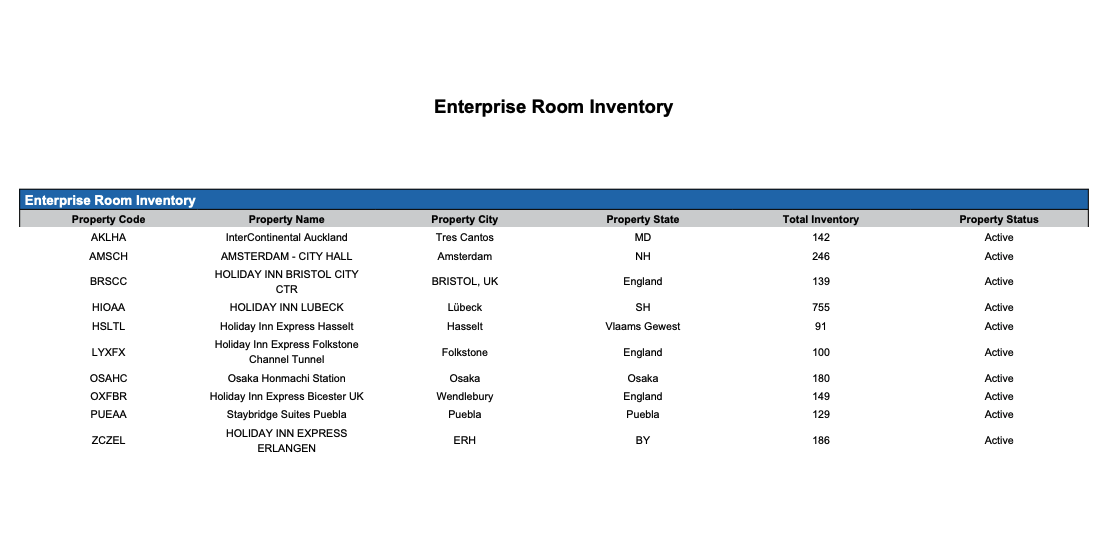
Summary by Room Inventory section: provides a summary of rooms are on the property by room number and room type
Available Report Columns for Following Sections:
|
Column Name |
Column Description |
Amount Includes Taxes and Fees |
Calculation |
|
Property Code |
Identifies the hotel code |
Not Applicable |
Not Applicable |
|
Property Name |
Identifies the name of the hotel |
Not Applicable |
Not Applicable |
|
Property City |
Identifies the City the hotel is operating |
Not Applicable |
Not Applicable |
|
Property State |
Identifies the State the hotel is operating |
Not Applicable |
Not Applicable |
|
Total Inventory |
Total number of rooms Total rooms does not consider OOO for the day |
Not Applicable |
=sum(total inventory) |
|
Property Status |
Status of the property, Active or Inactive |
Not Applicable |
Not Applicable |
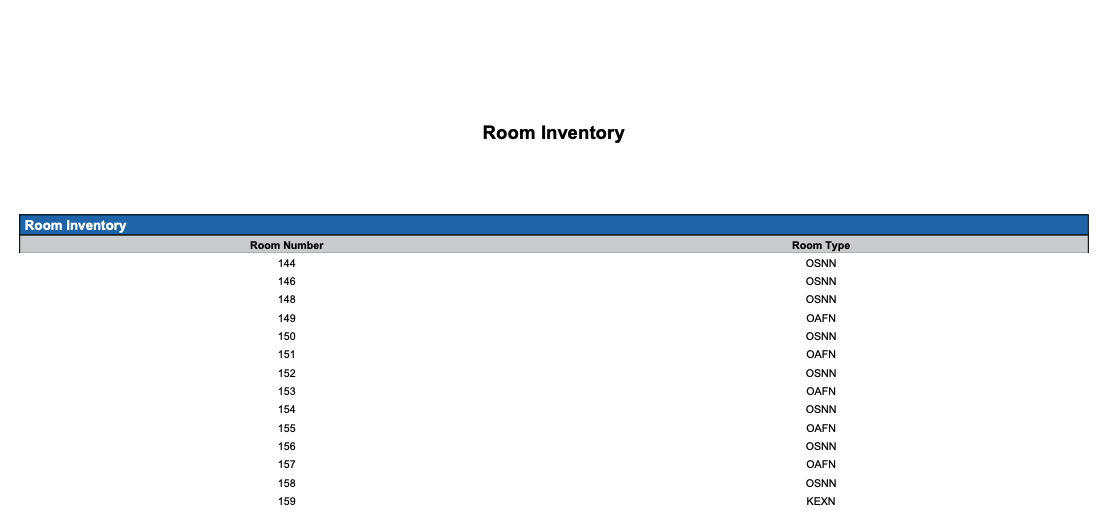
Summary by Room Inventory section: provides a summary of rooms are on the property by room number and room type
Available Report Columns for Following Sections:
|
Column Name |
Column Description |
Amount Includes Taxes and Fees |
Calculation |
|
Room Number |
The room number associated to the room |
Not Applicable |
=sum(total inventory) |
|
Room Type |
The type category |
Not Applicable |
Not Applicable |
Summary by Room Type Count section: provides a summary of rooms types on the property and room type total count
Available Report Columns for Following Sections:
|
Column Name |
Column Description |
Amount Includes Taxes and Fees |
Calculation |
|
Room Type |
The type or category of rooms |
Not Applicable |
Not Applicable |
|
Total |
Total number of the room type on the property |
Not Applicable |
Not Applicable |

Misc Report Information:
Available Features:
-
Export: ability to download and save the file into an alternate format.
-
Filter: filter a range of data based on criteria defined by the user.
-
Highlight: also known as conditional formatting is the ability to highlight certain values making them easier to identify.
-
Grouping: ability to view the data grouped by “Room Type.”
Available Configuration:
-
User Preferences: allows the user to customize their report view by repositioning or removing columns.
-
Property Preferences: allows the property to customize the report view for all users by repositioning or removing columns.