
📆 Revision Date:
Reservations that are made via Booking.com, Expedia, or any third party booking website (OTA) will have a specific rate plan assigned, depending on the reservation source. Follow the steps below to assign the BAR rate plan as the parent rate plan for an existing OTA rate plan.
|
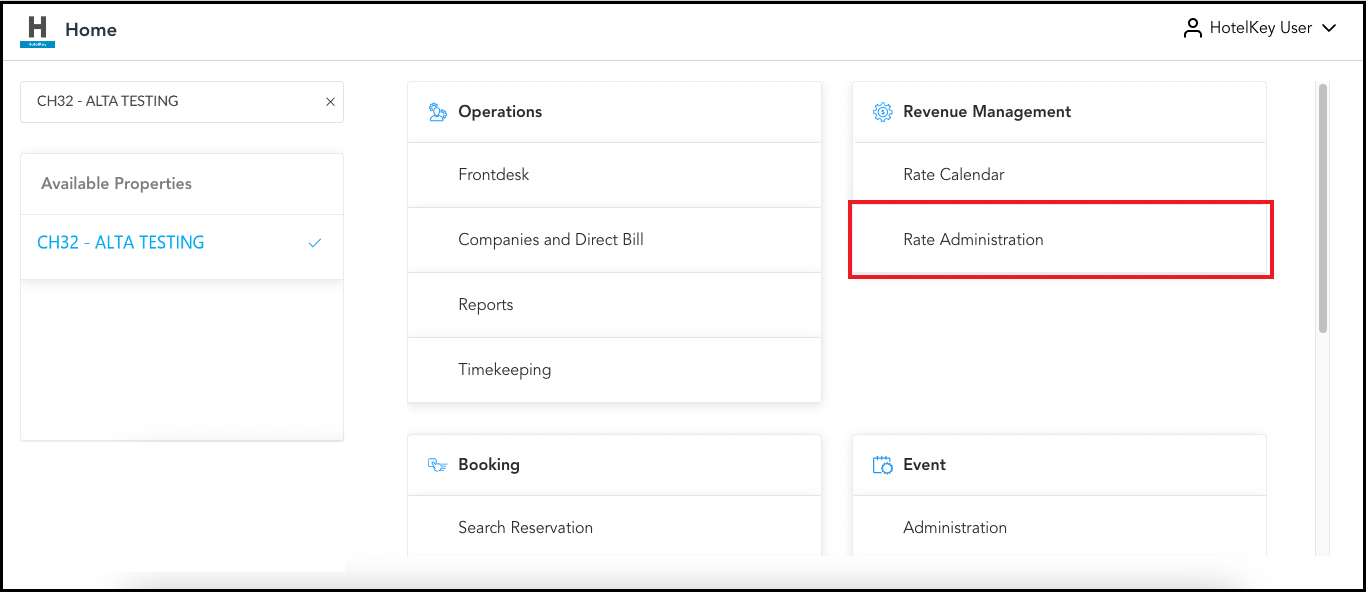
Select Rate Administration on the HK Home page. |
|
|
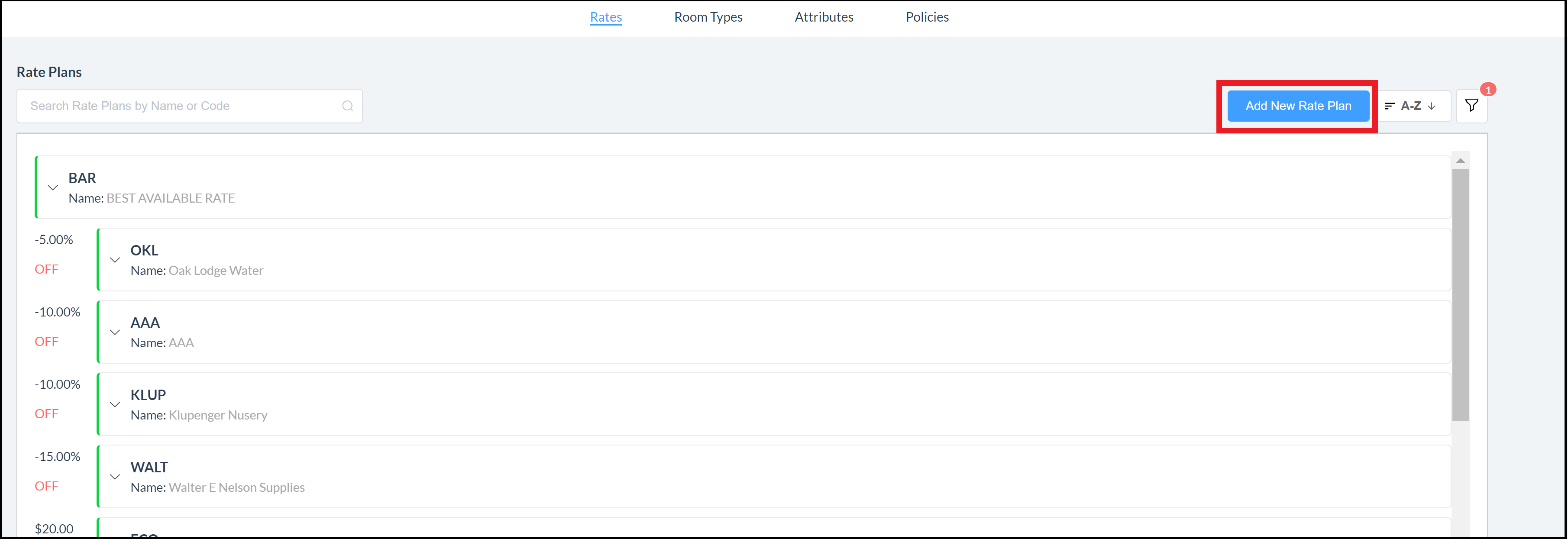
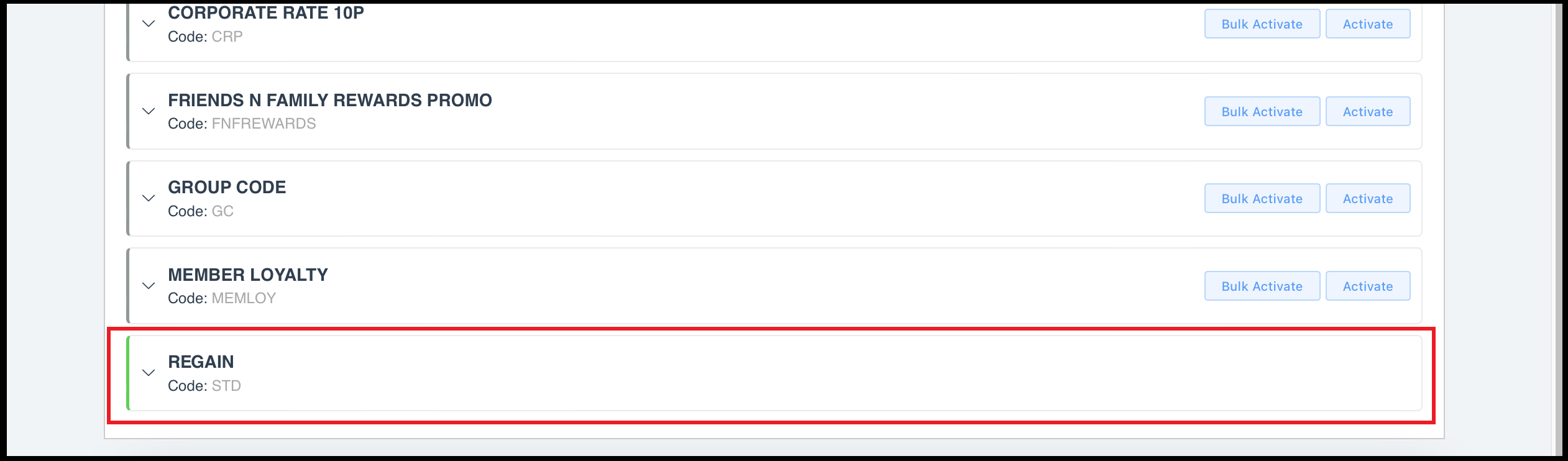
The rate administration page loads, with the Rate Plans panel selected by default. Scroll to the applicable rate plan and select it. |
|
|
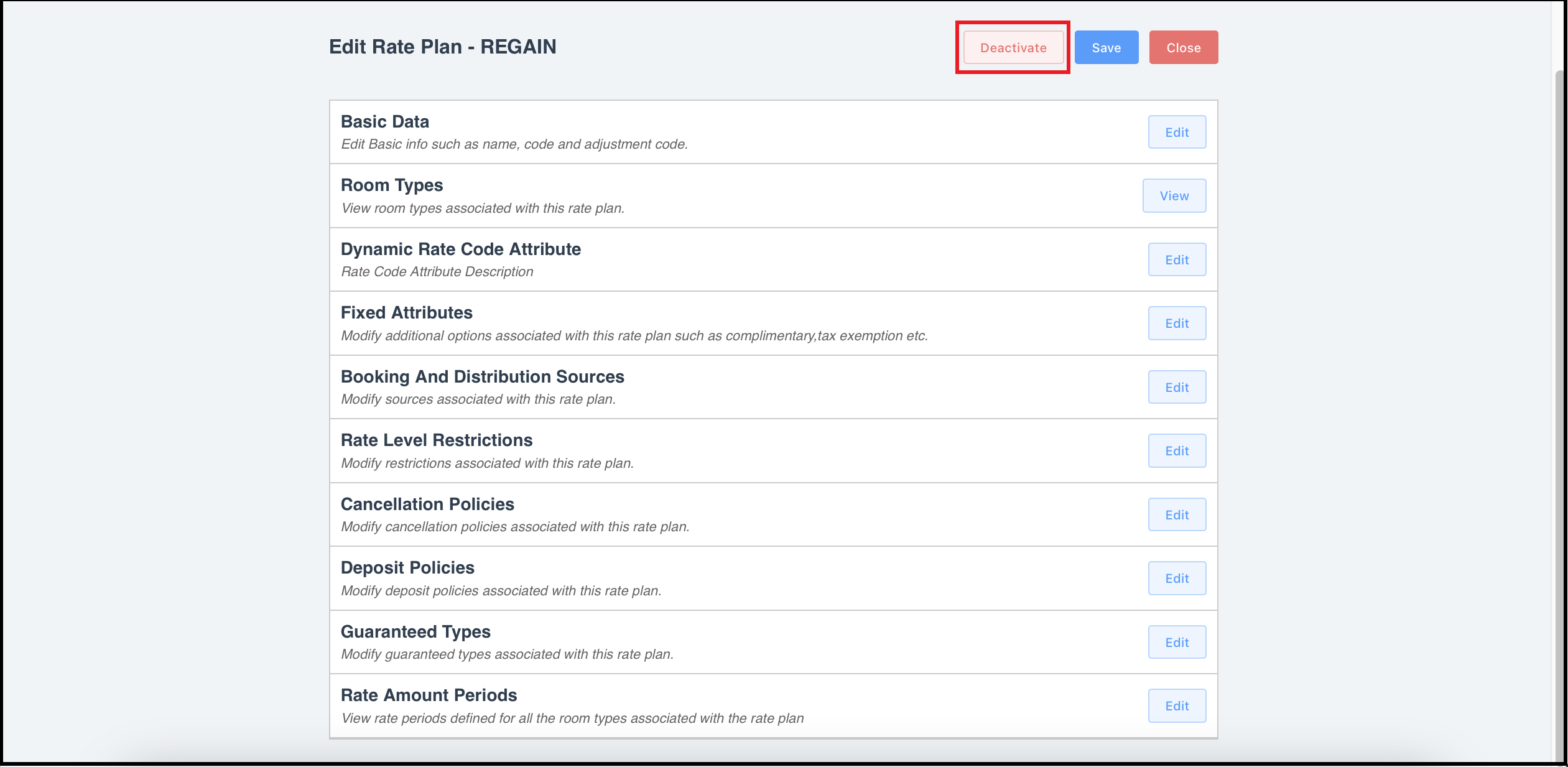
The Edit Rate Plan page loads. Select Deactivate. |
|
|
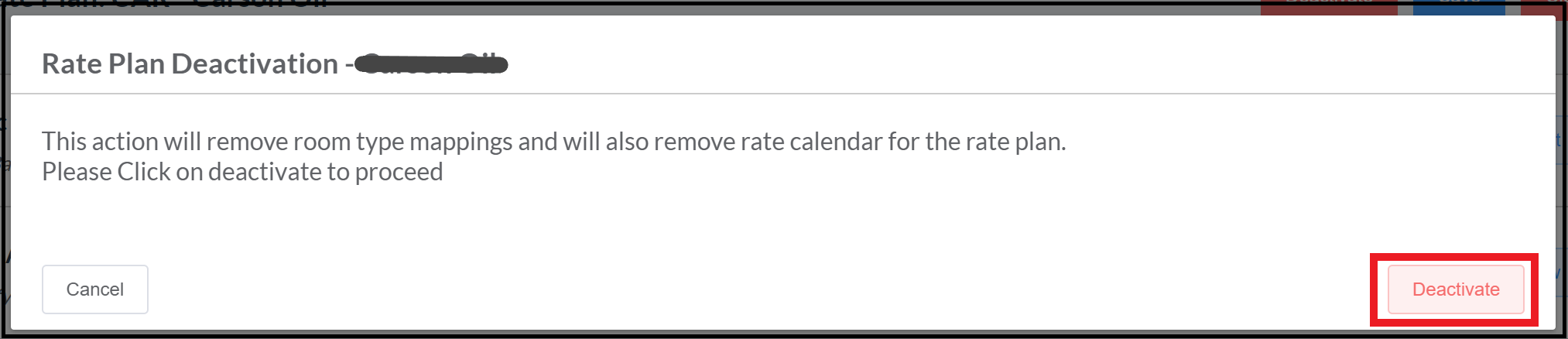
A deactivation warning popup activates. Select Deactivate. |
|
|
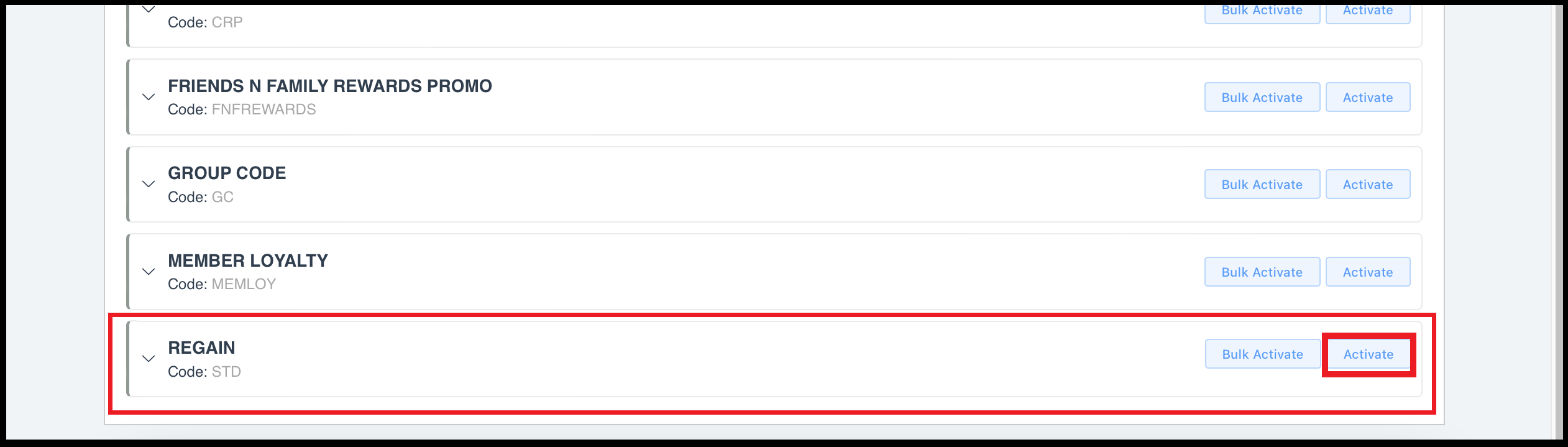
The Edit Rate Plan page closes. Back on the Rate Plans panel, the plan is deactivated. Note that it may be necessary to open the list filter at the top of the page and select Inactive to include inactive rate plans in the list. Select the Activate link for the applicable rate plan. |

|
|
|
|
|
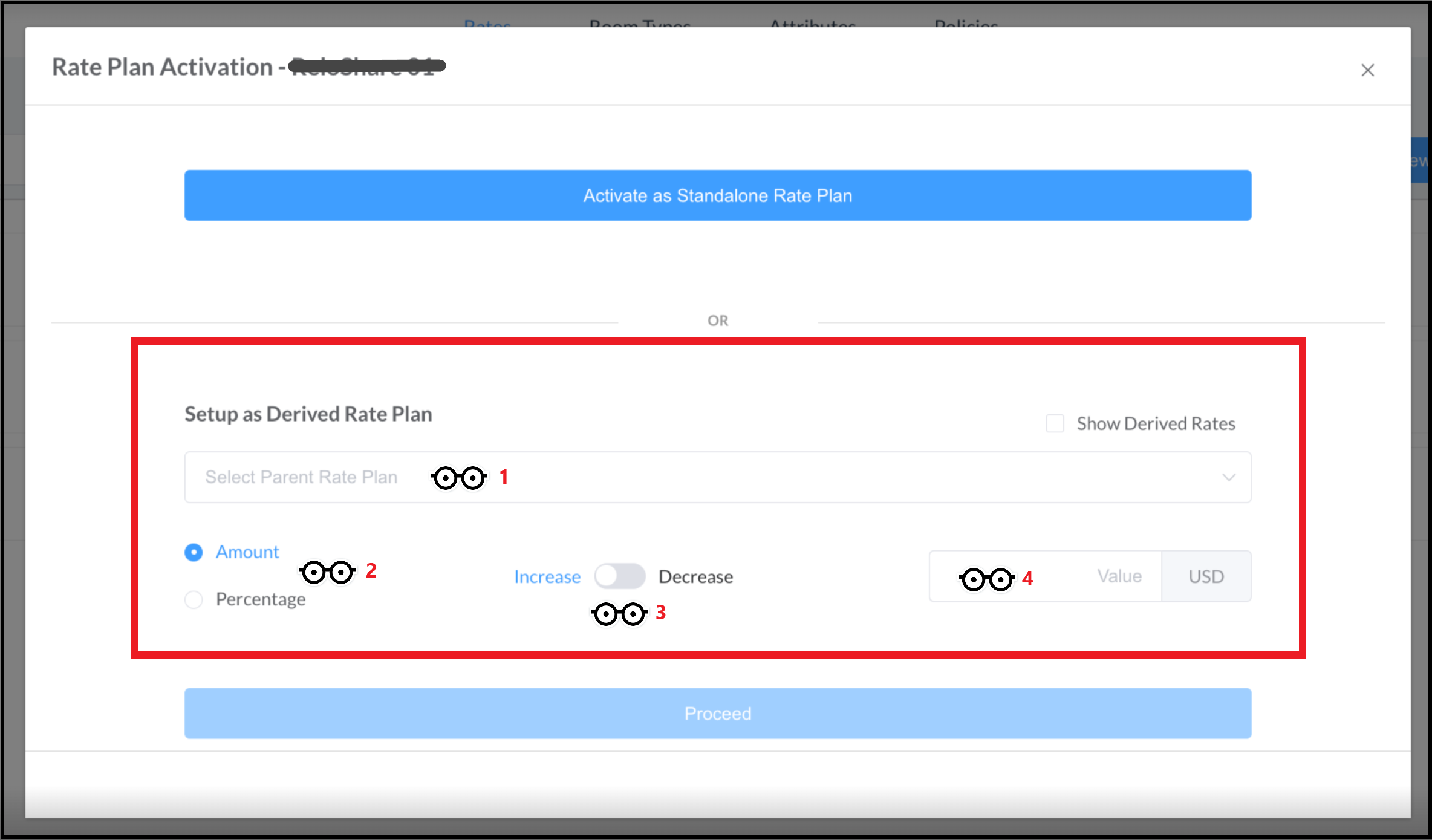
The Rate Plan Activation popup loads. Enter applicable options in the Setup as Derived Rate Plan section:
Note: in earlier versions of HK software this popup prompted for entry of the "percent of rate": when offering 10% discount a 90% derived rate adjustment (or “percent of rate”) would be entered, indicating that the derived rate is 90% of the selected parent rate. Now a derived rate is calculated based on entry of the adjustment type and discount to be applied to the parent rate. When activating a 10% discount, the rate is entered as derived with Percentage selected, Increase selected (indicating an increase in the discount) and 10% entered as the change to be applied. When activating a $50 increase, the rate is entered as derived with Amount selected, Decrease selected (indicating a decrease in the discount) and $50 entered as the change to be applied.
The Proceed link activates when selections are made. Select Proceed to continue.
|
|
|
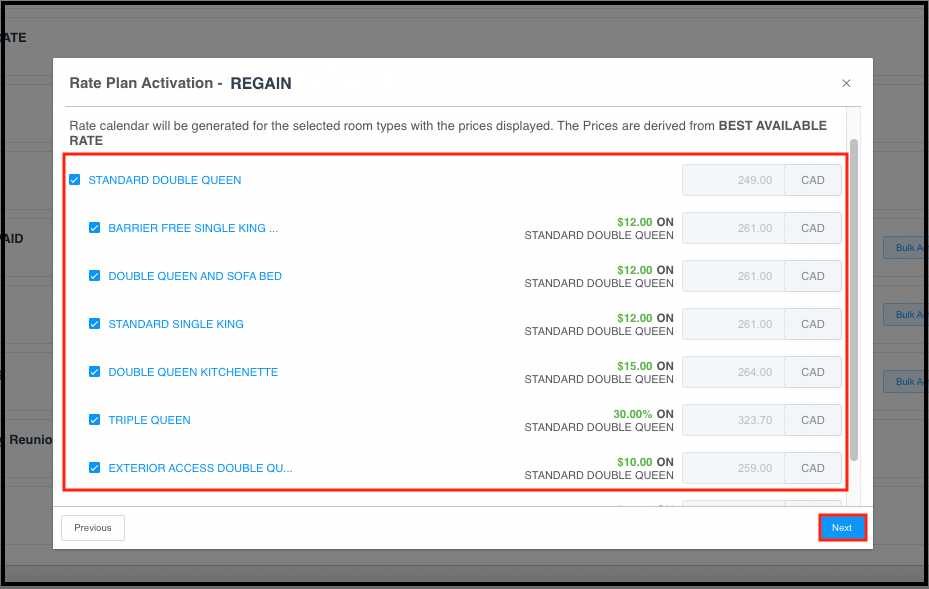
A panel for room type selection loads. Select applicable room types, then select Next.
|
|
|
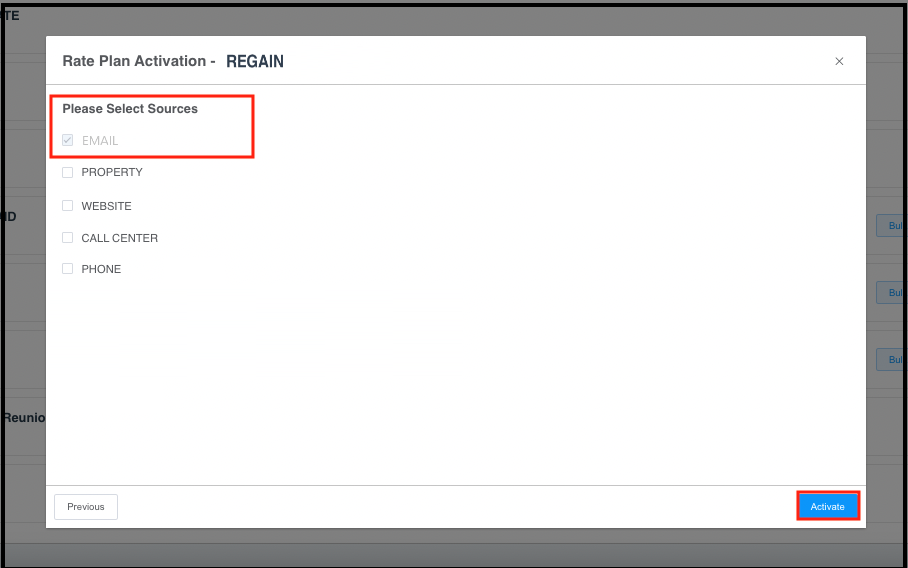
A panel for selection of source(s) loads. Select source(s), then select Activate. |
|
|
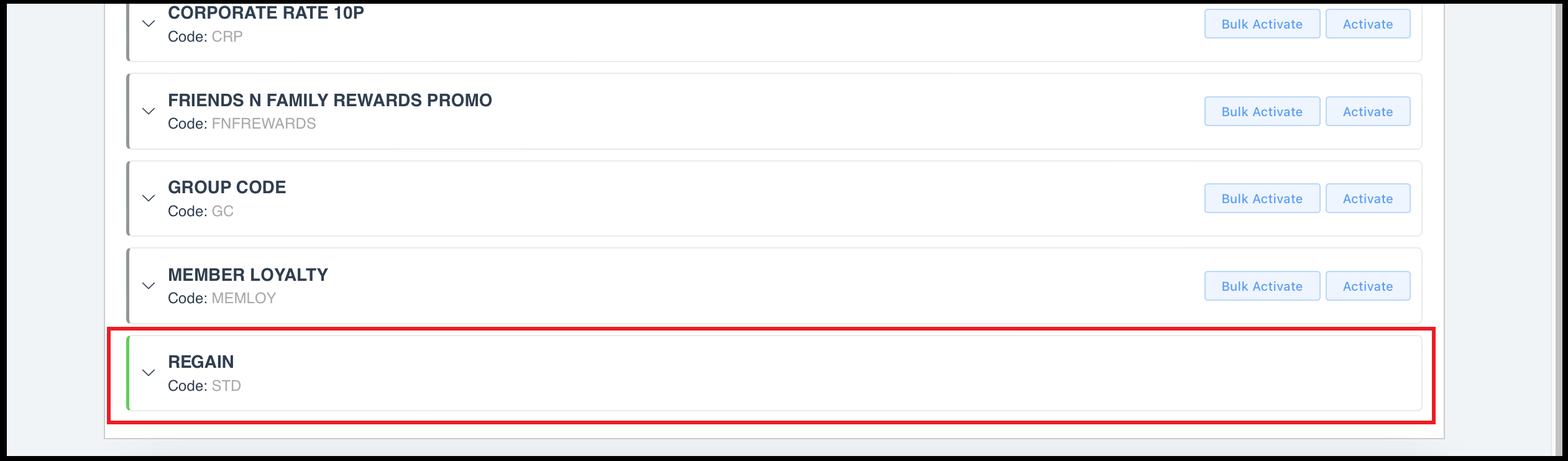
The Rate Plan Activation popup closes. Back on the Rate Plans panel, the revised plan is re-activated.
|
|