
📆 Revision Date:
Step 1: Create A Charge Type
|
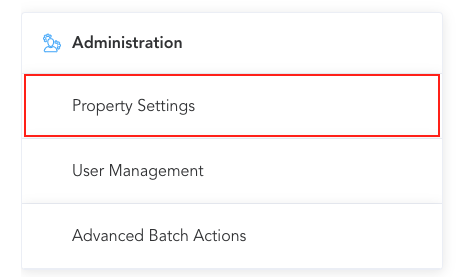
On the home page of the HotelKey web application, select Property Settings in the Administration section. |
|
|
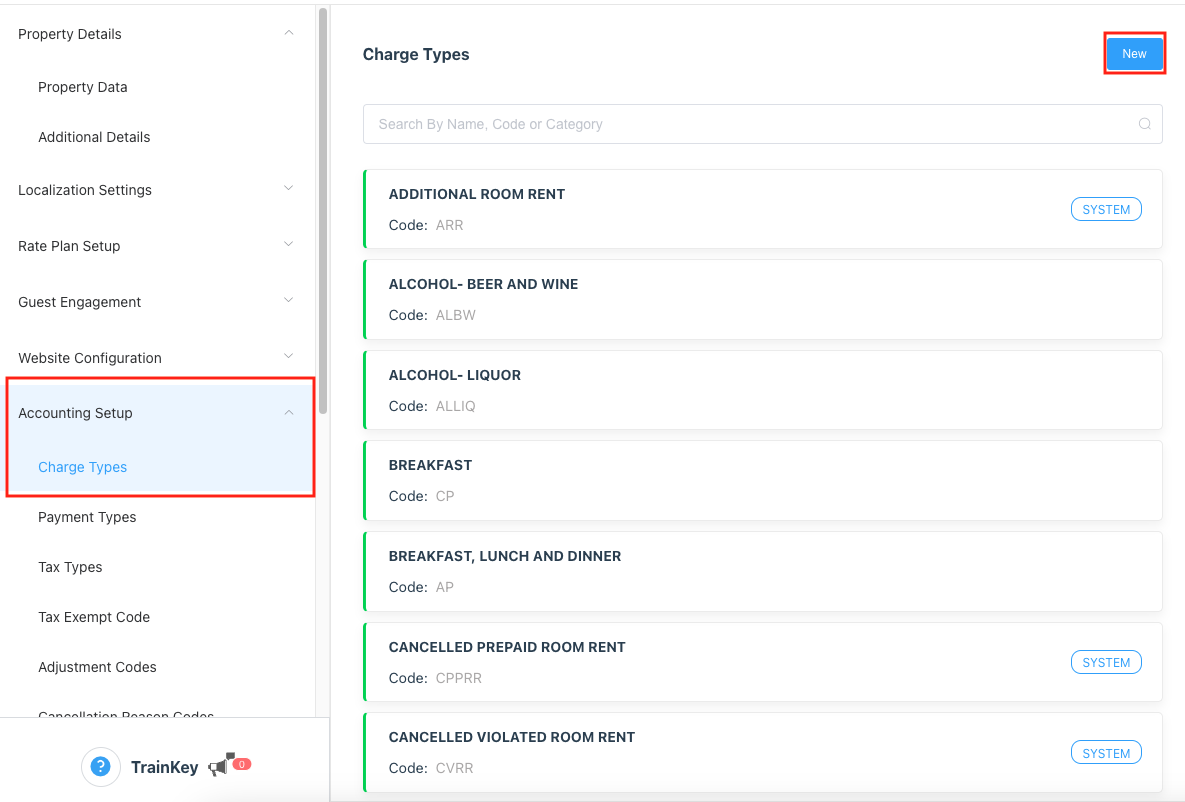
Navigate to Accounting Setup then click on Charge Types and then New. |
|
|
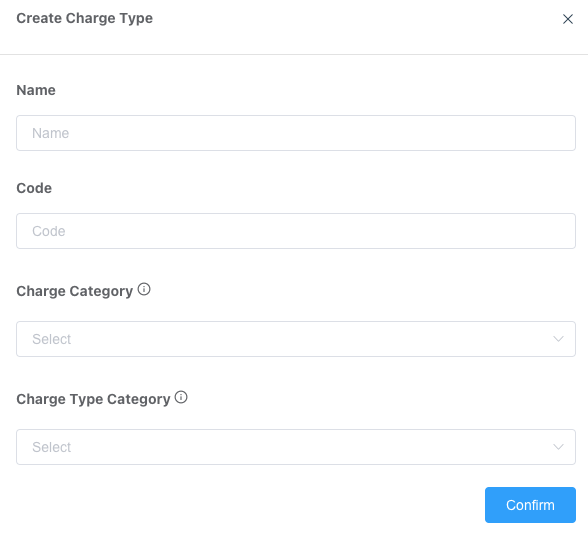
A Create Charge Type popup loads. Enter the applicable Name, Code and Charge Category, and Charge Category Type then select Confirm. |
|
|
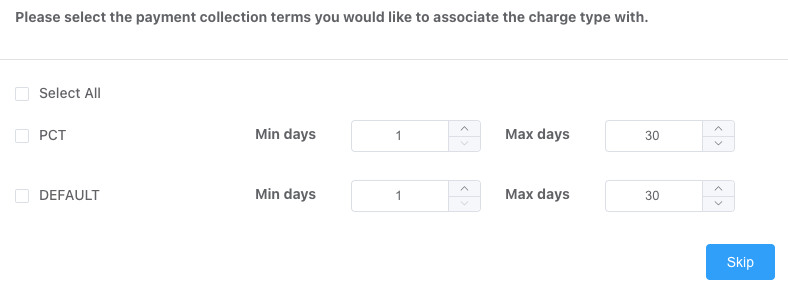
Popup loads : Select the payment collection terms you would like to associate the charge type with and click on Confirm or you can choose to skip |
|
Step 2: Create A Package Element
|
Navigate to HK Home and select Rate Administration. |
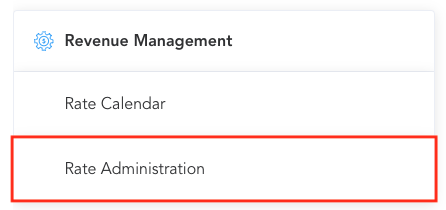
|
|
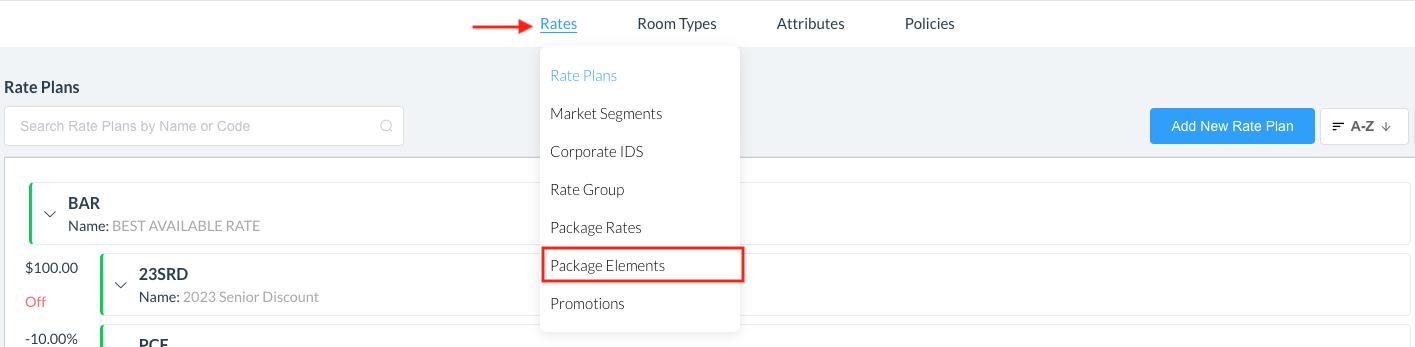
Hover over Rates to open the menu options and click on Package Elements |
|
|
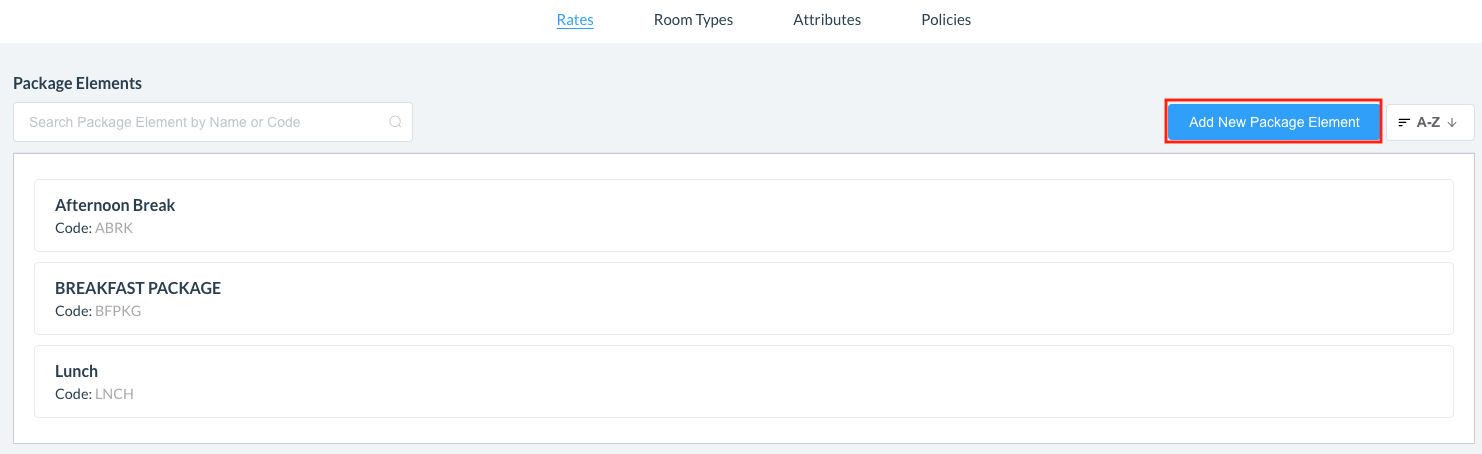
The Package Elements panel loads. Select Add New Package Element. |
|
|
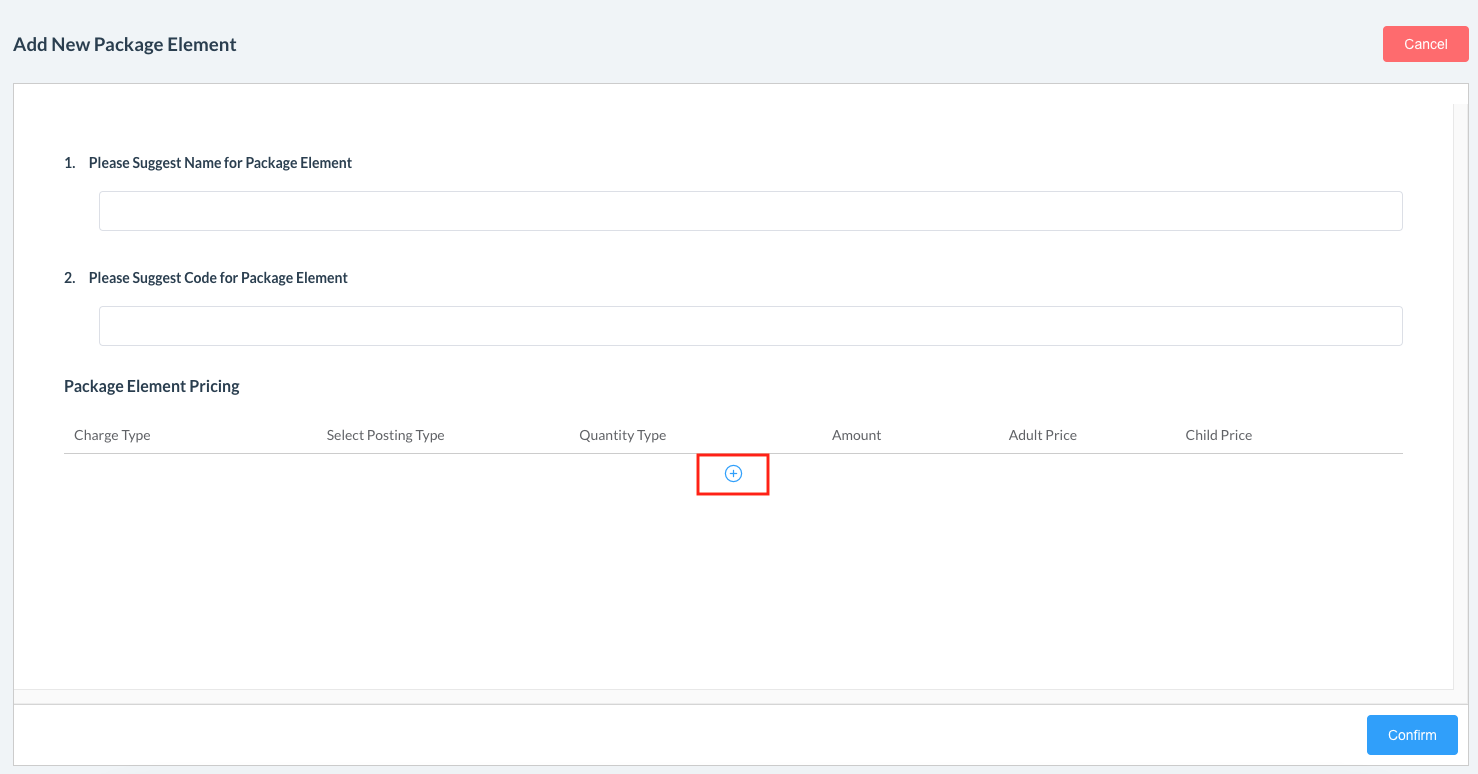
The Add New Package Element panel loads. Complete Name and Code for fields for the Package Element. Select the + at the bottom to add the Package Element. |
|
|
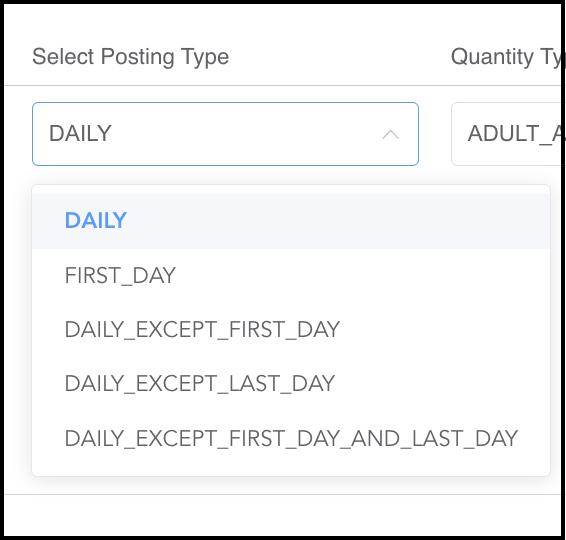
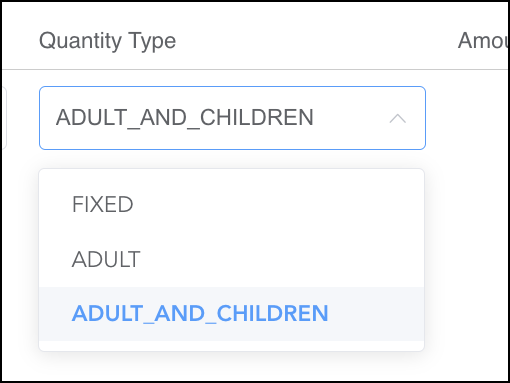
The Edit Package Element panel opens. Select the charge type that was created in Step 1 above. Select the Charge Type, Posting Type, Quantity Type and amounts. Available options for Posting Type and Quantity Type are shown at right, the remainder of the fields populate based on the selections made here. Note that it’s possible to add multiple charge types with different posting requirements by selecting the + icon at the bottom of the panel. Select Save. |

|
Step 3: Create Package Rate
|
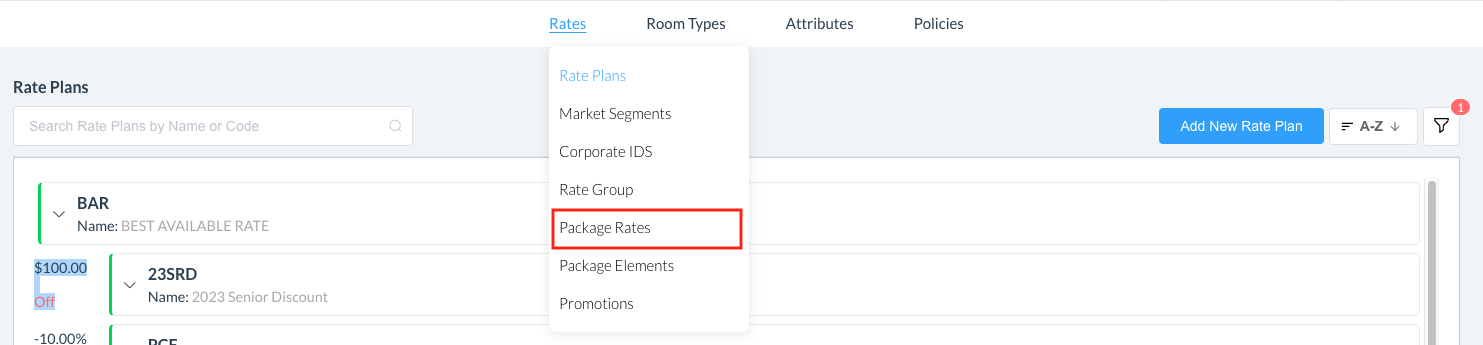
From HK Home, navigate to Rate Administration Hover over Rates to open the menu options and click on Package Rates |
|
|
The Package Rates panel loads. Select Add New Package Rate. |

|
|
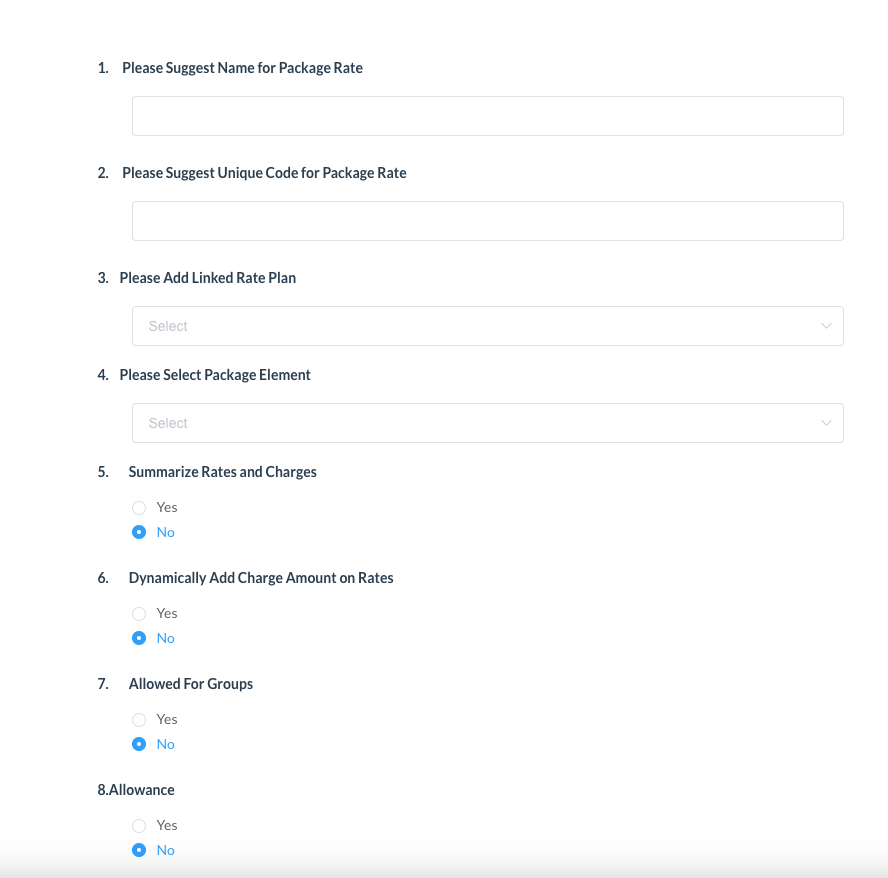
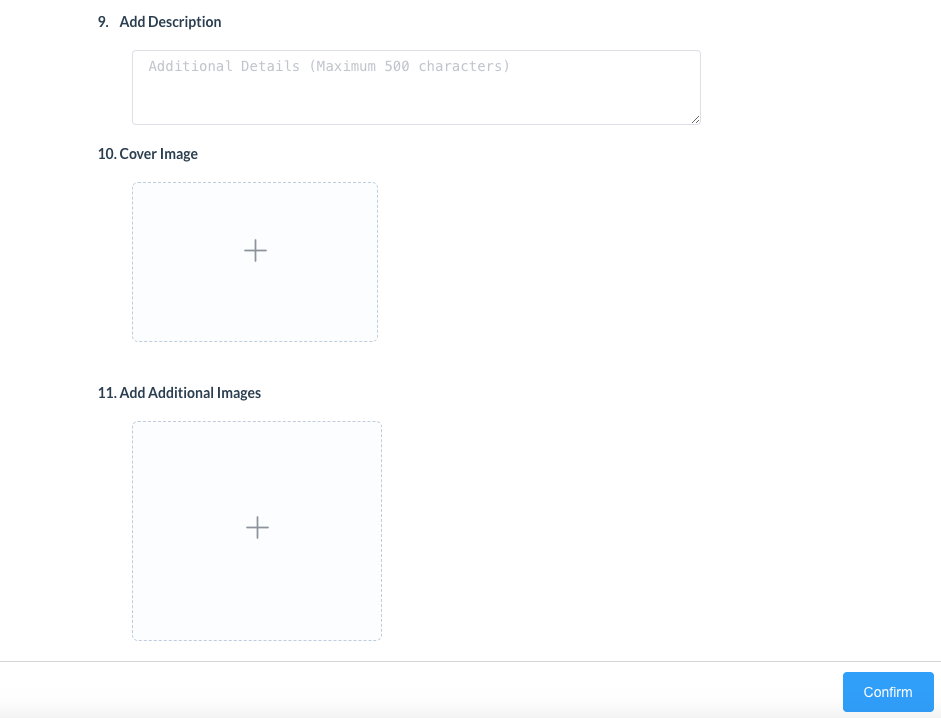
The Add New Package Rate panel loads. Complete the fields:
When complete, click on Confirm |
|
|
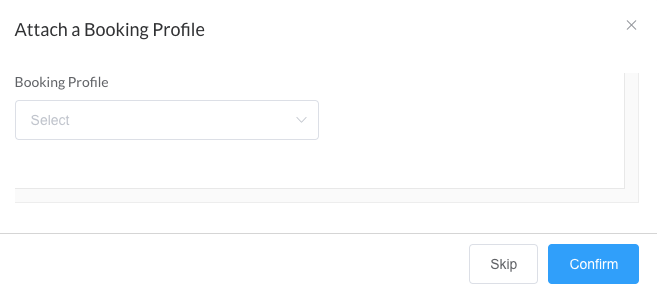
Attach a Booking Profile page loads Select the Booking Profile from the dropdown then click on Confirm This selection controls where the package is displayed and bookable |
|
Step 4: Test the Package
|
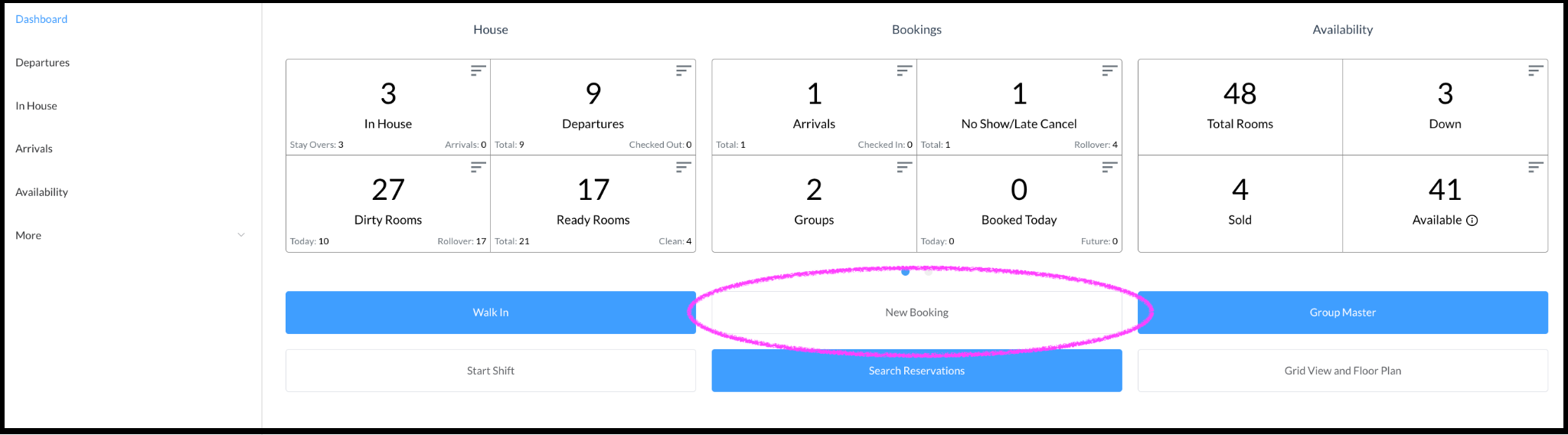
Navigate to HK Home, Select Front Desk Click on New Booking. |
|
|
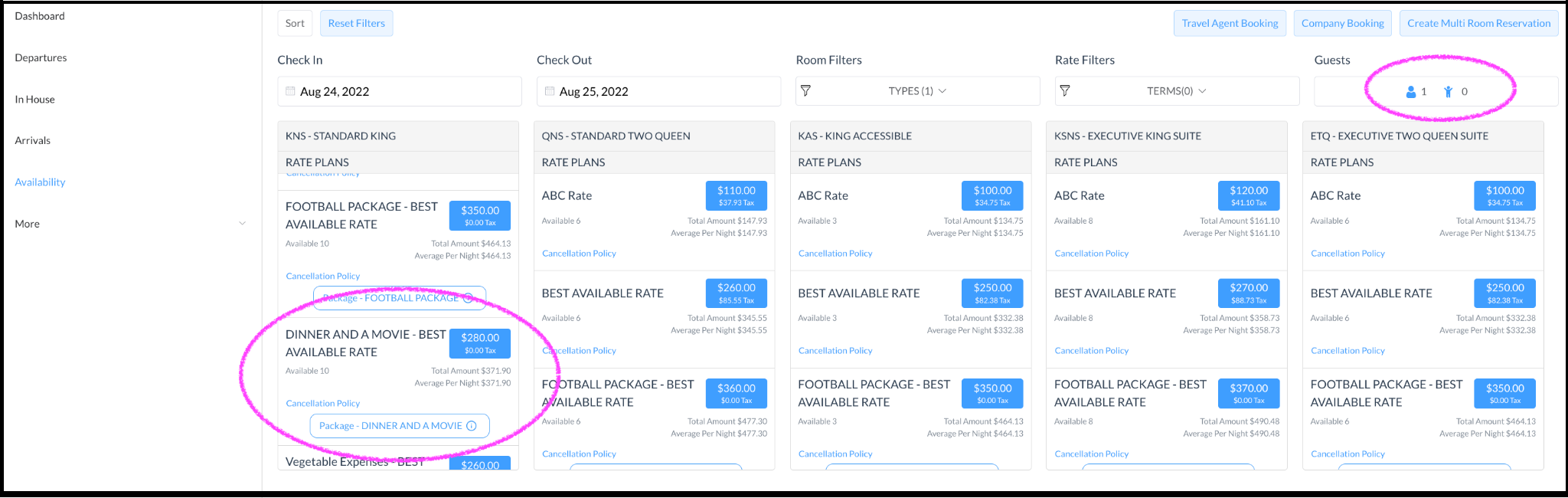
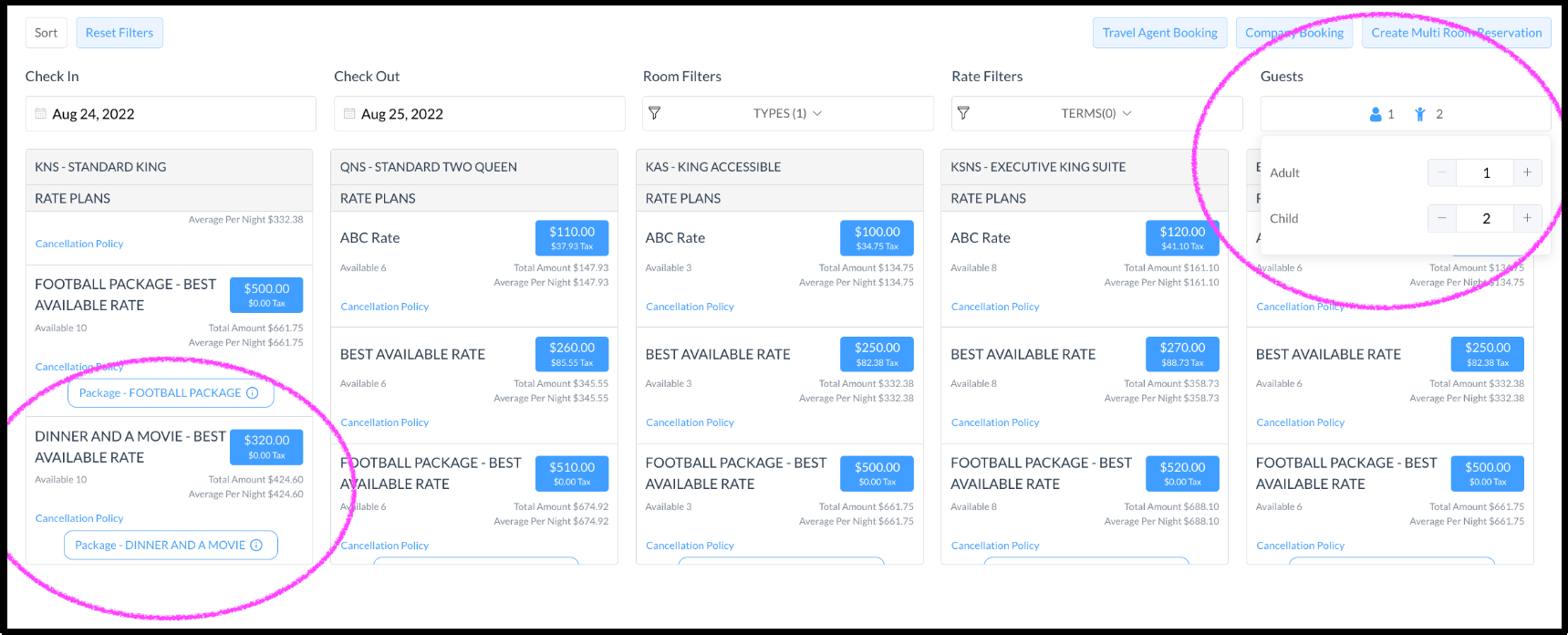
As the number of adults and children changes, the package amount changes as well. |
|