
Folio Remarks .ng
The purpose of this feature is to make charge and payment remarks instantly visible directly from the primary folio screens.
With this feature, users can instantly view, reference, and track comments across multiple views. This improves billing accuracy, reduces the time spent investigating disputes, and ensures strict accountability through automated audit logging.
This functionality applies to both Reservation Folios and Group Block Folios on the folio screens.
It introduces specific visual indicators for both charges and payments depending on how you are viewing the folio:
Navigate to Frontdesk Dashboard and click on Arrivals | .jpeg?inst-v=3ba7bd8e-7e27-4704-9cbe-f1851a240b9f) |
The list of Arrivals reservations will come. Select the desired one | 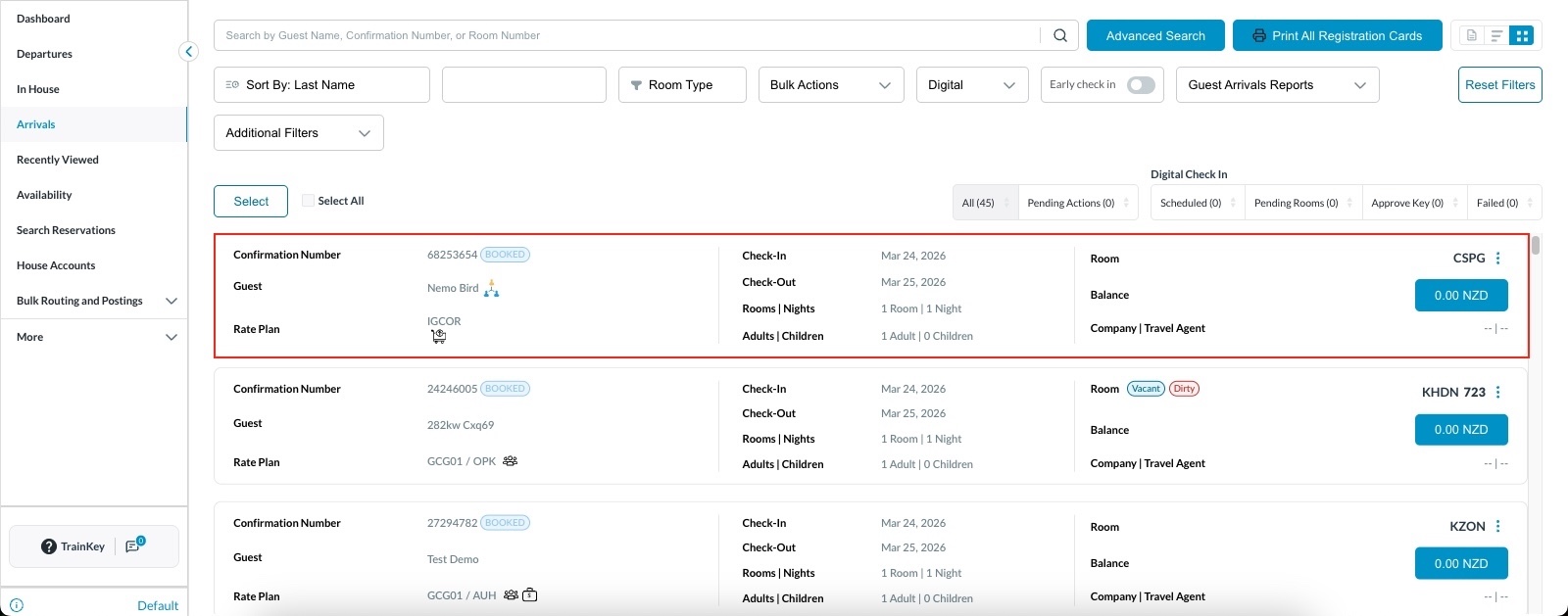 |
Go to Folio tab & click on Charge | 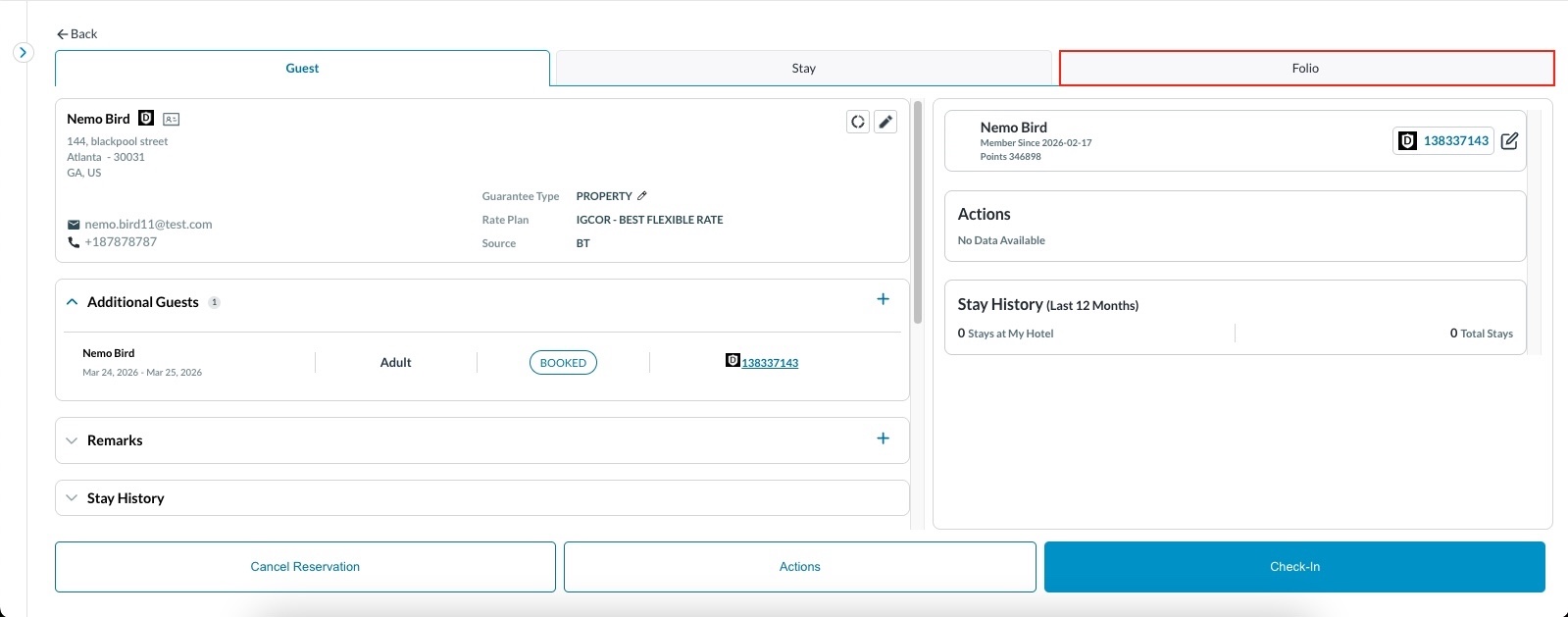 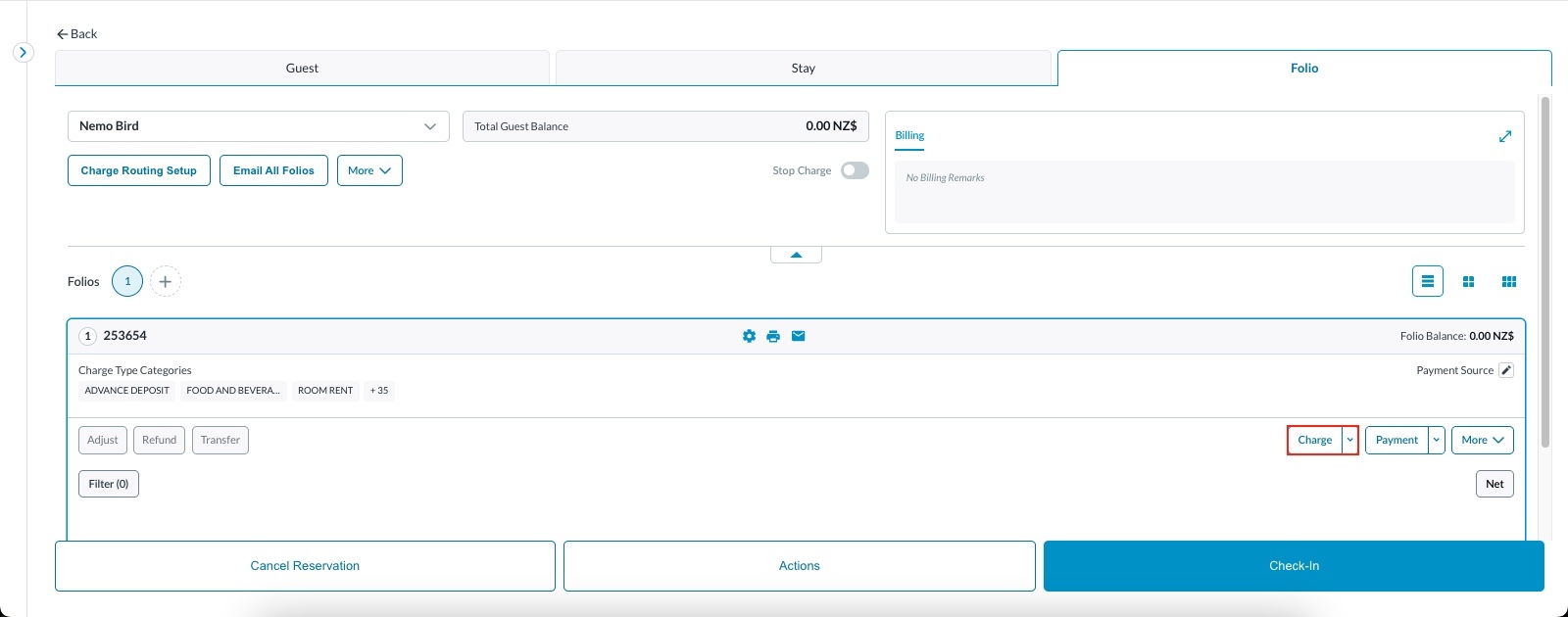 |
Add Charge window will open. Select the charge you wish to add. Example- Selected Manual Guest Room rent
| 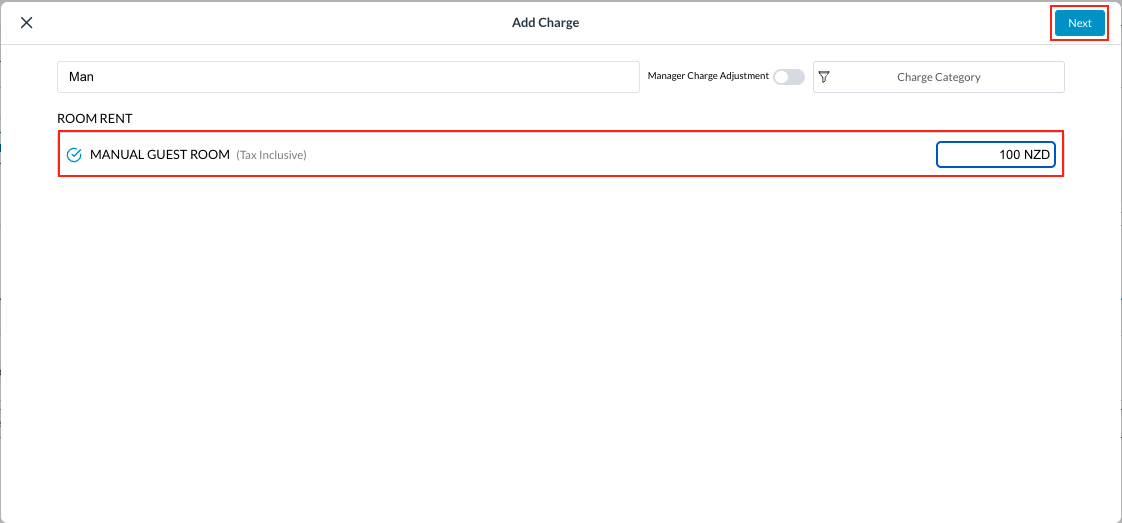 |
Add Charge window will open.
| 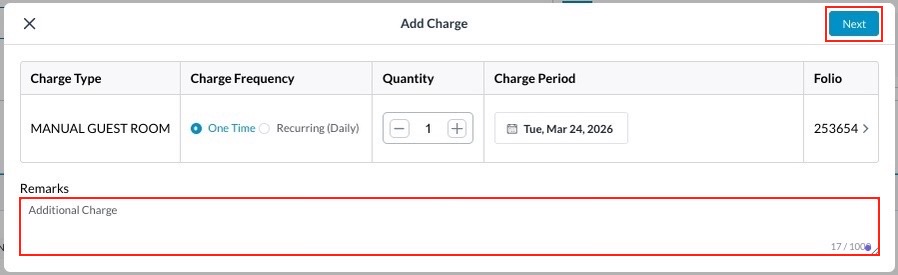 |
Confirm the details Upon confirmation, you will receive a success notification “Success Charge added successfully” | 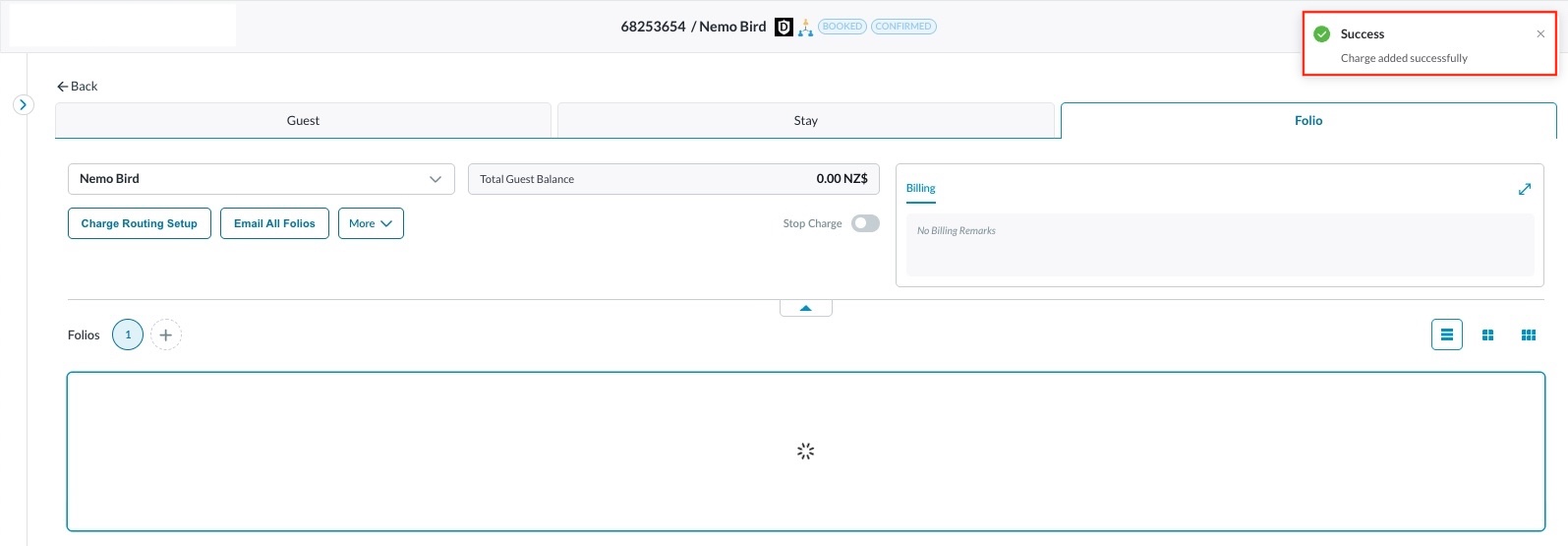 |
View Remarks: Expanded View (Single-Row) When viewing the folio in its fully expanded, widescreen format:
| 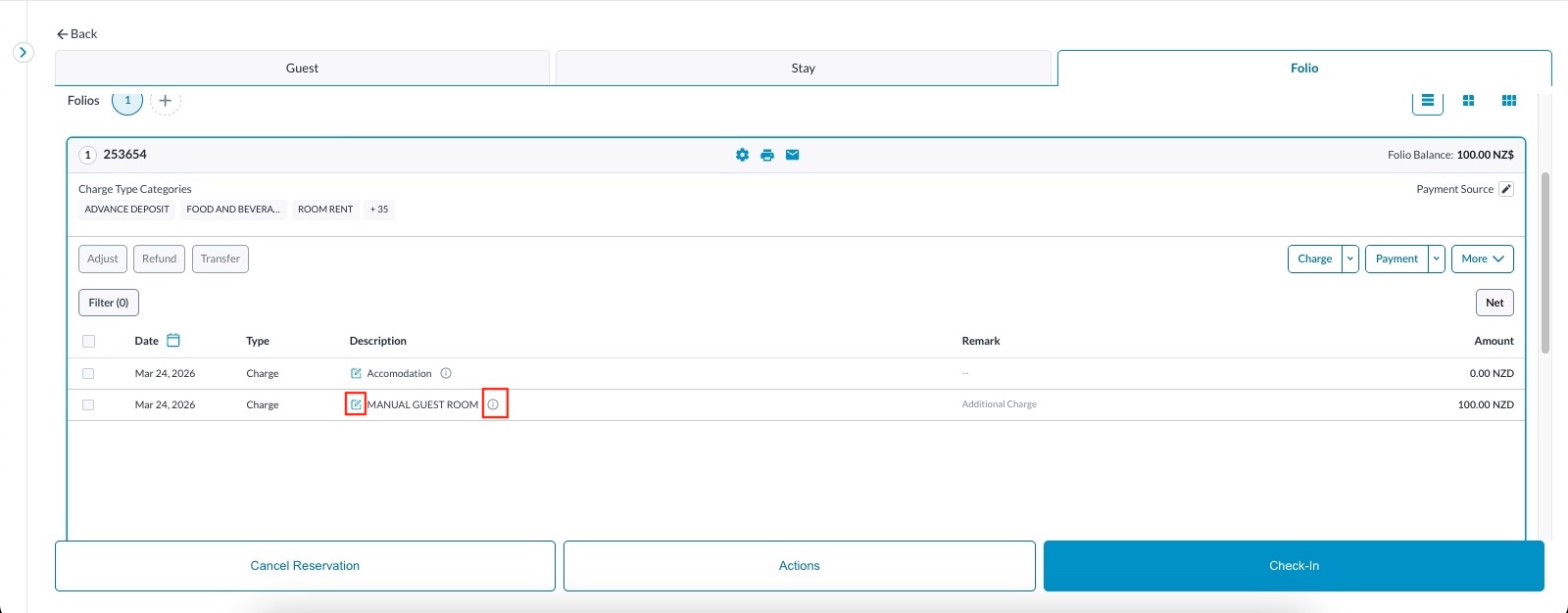 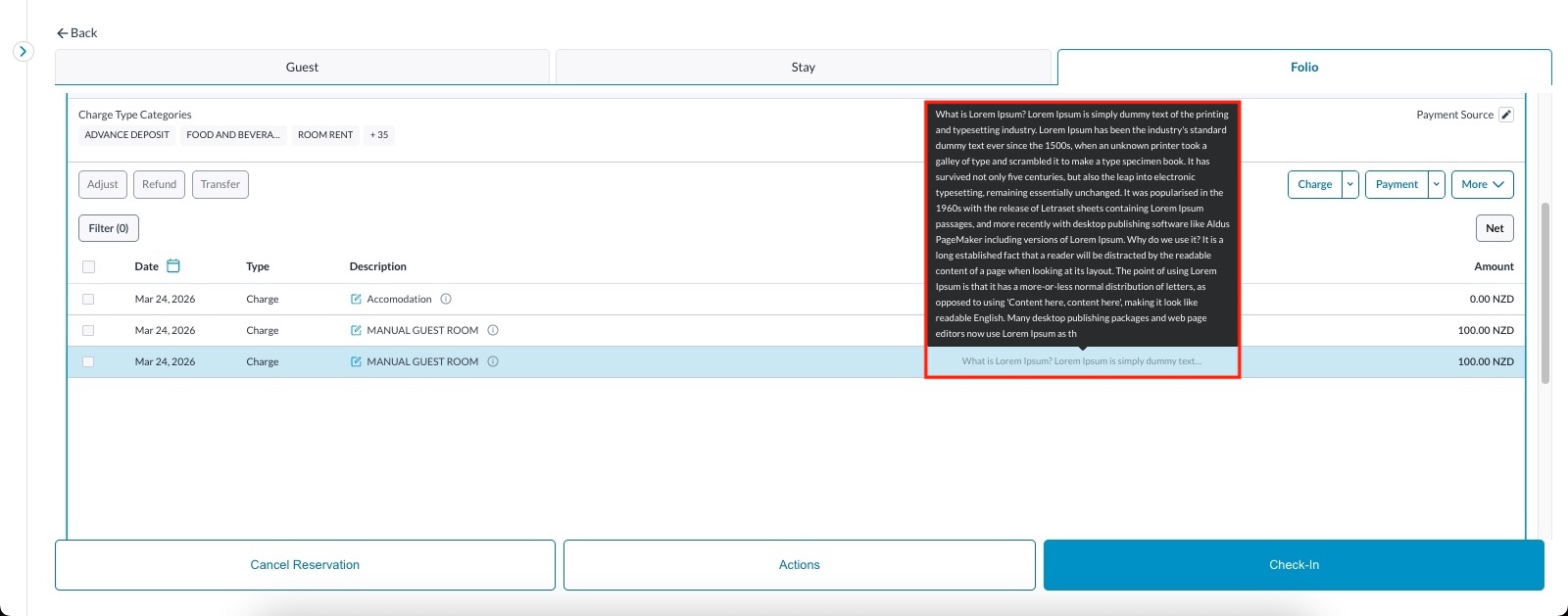 |
View Remarks: Side-by-Side View (Compact/Split Screen) When working in the side-by-side view (where screen real estate is limited), the dedicated Remarks column is hidden to save space. Instead:
| 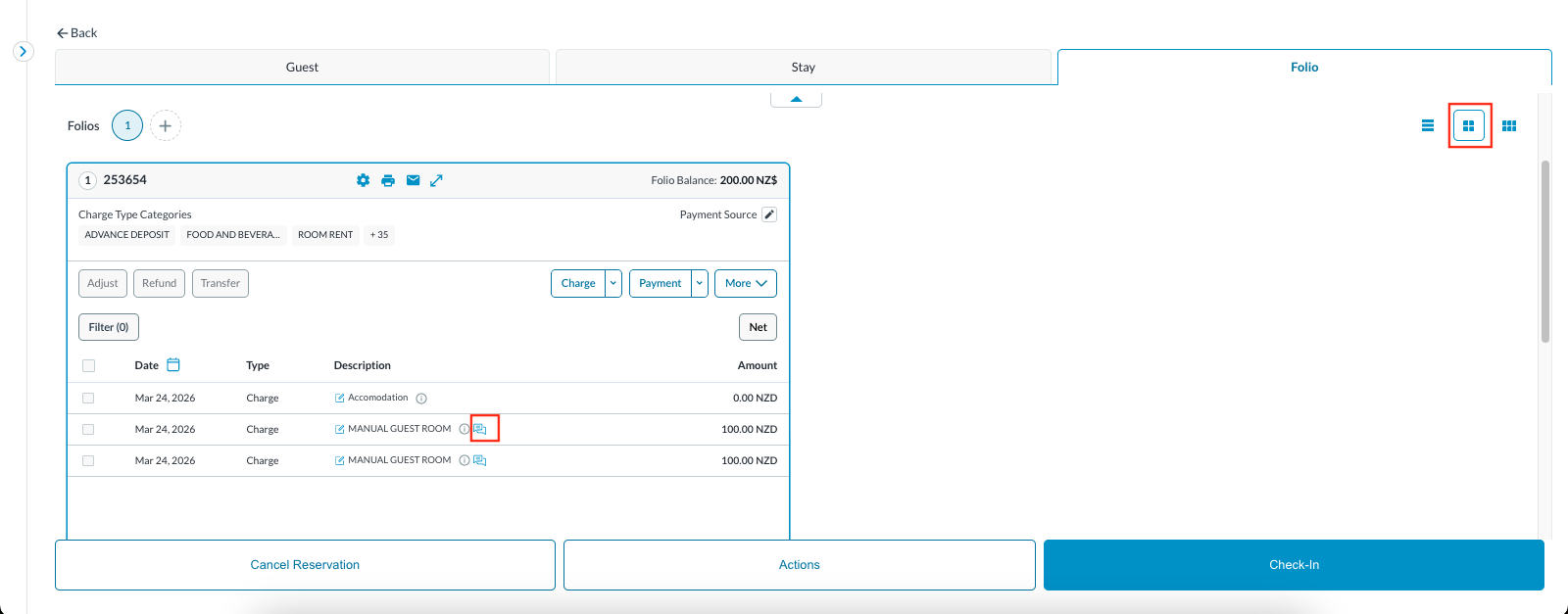 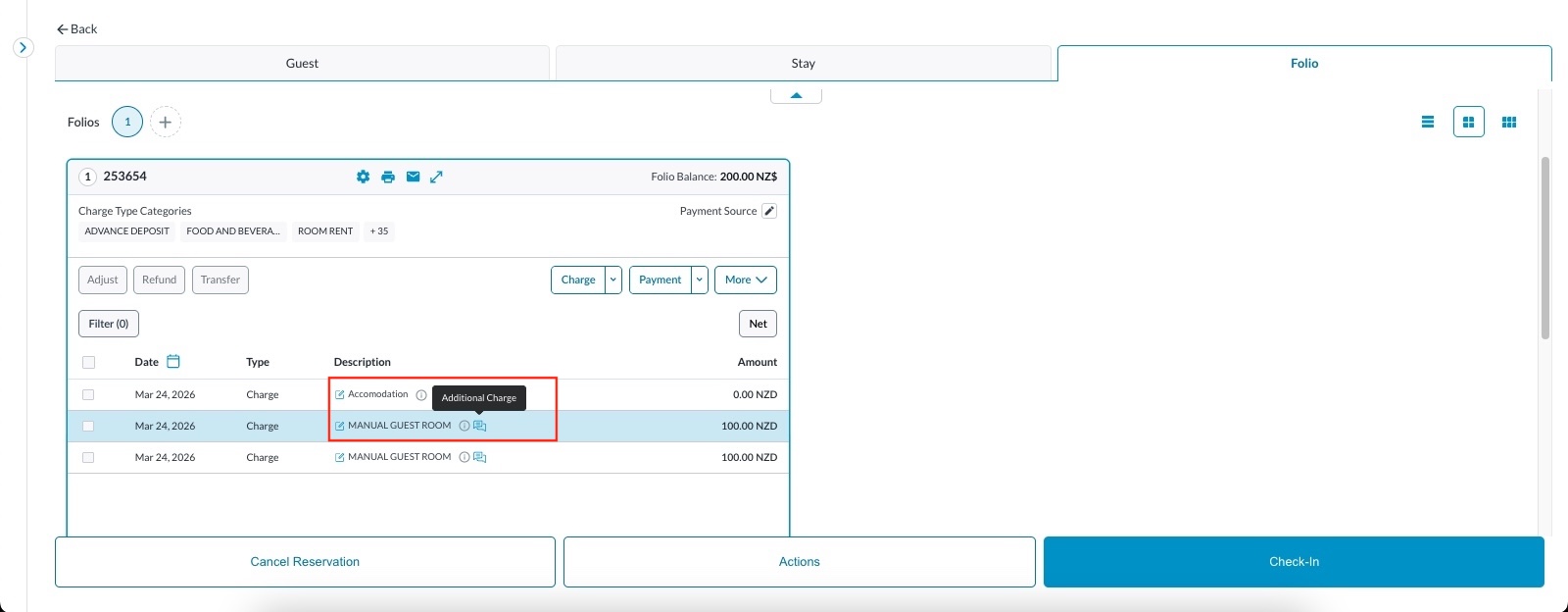 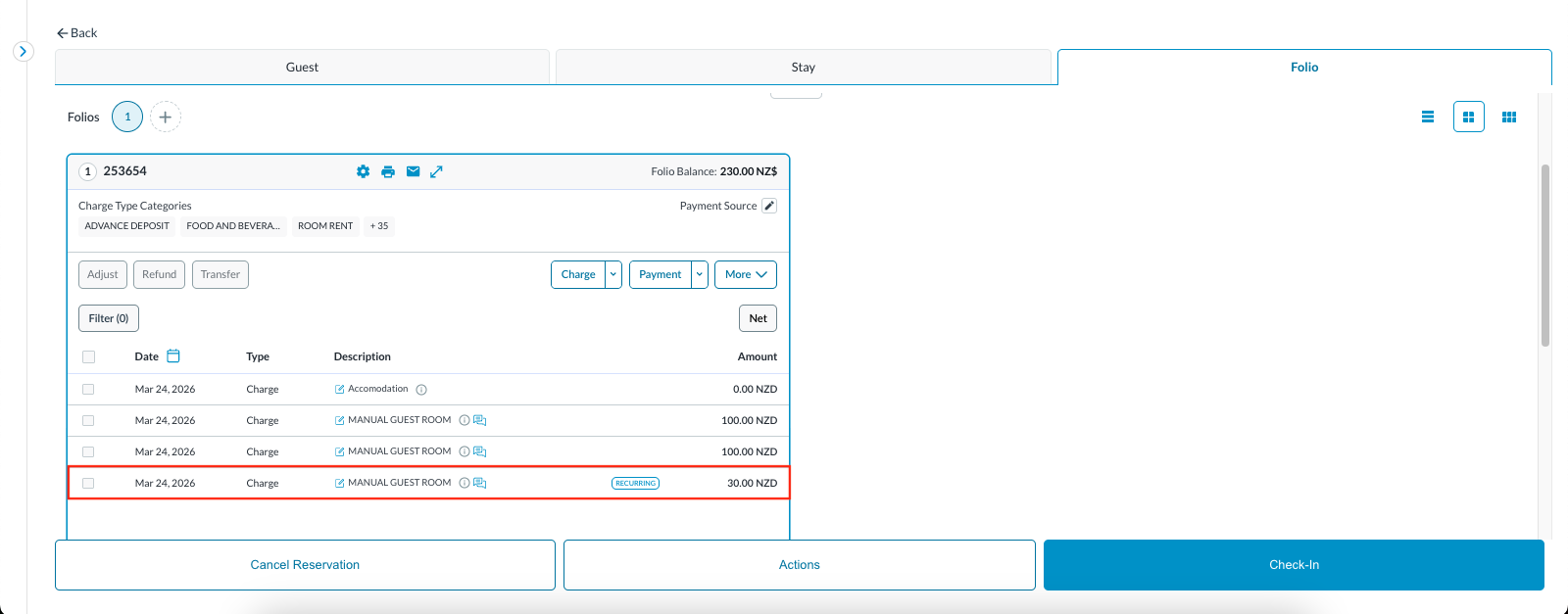 |
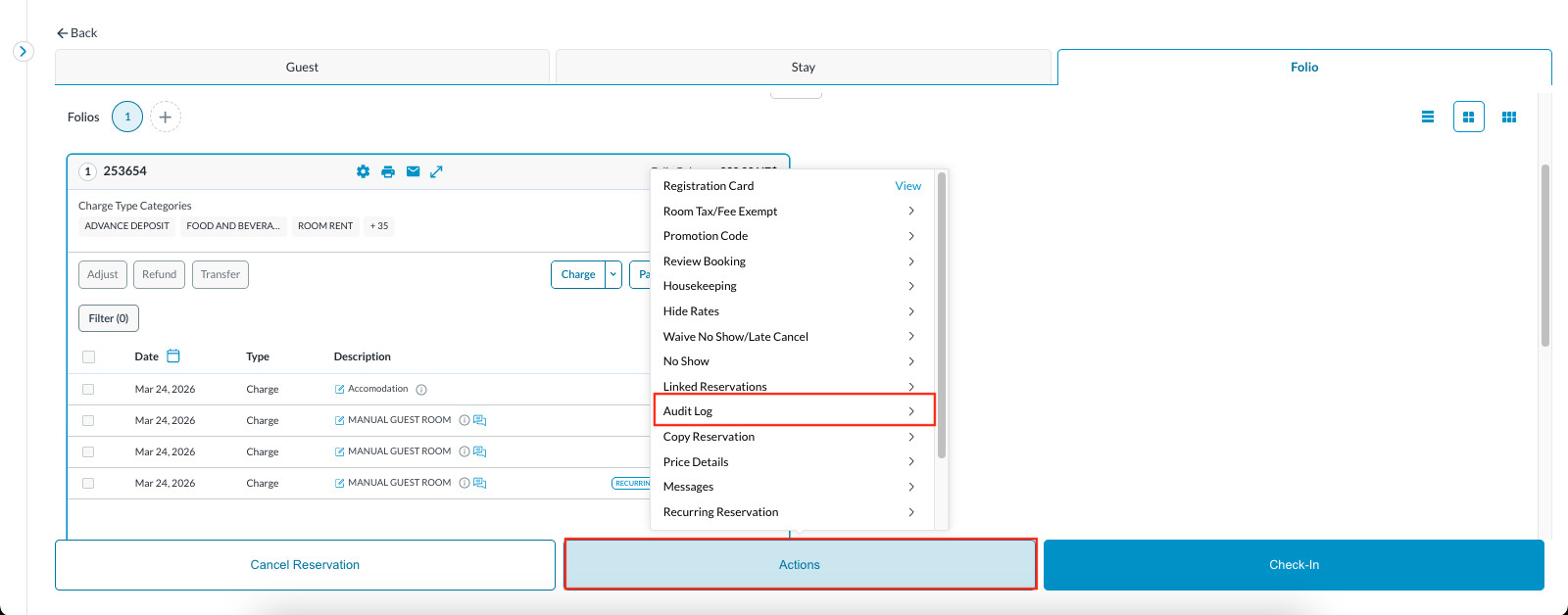
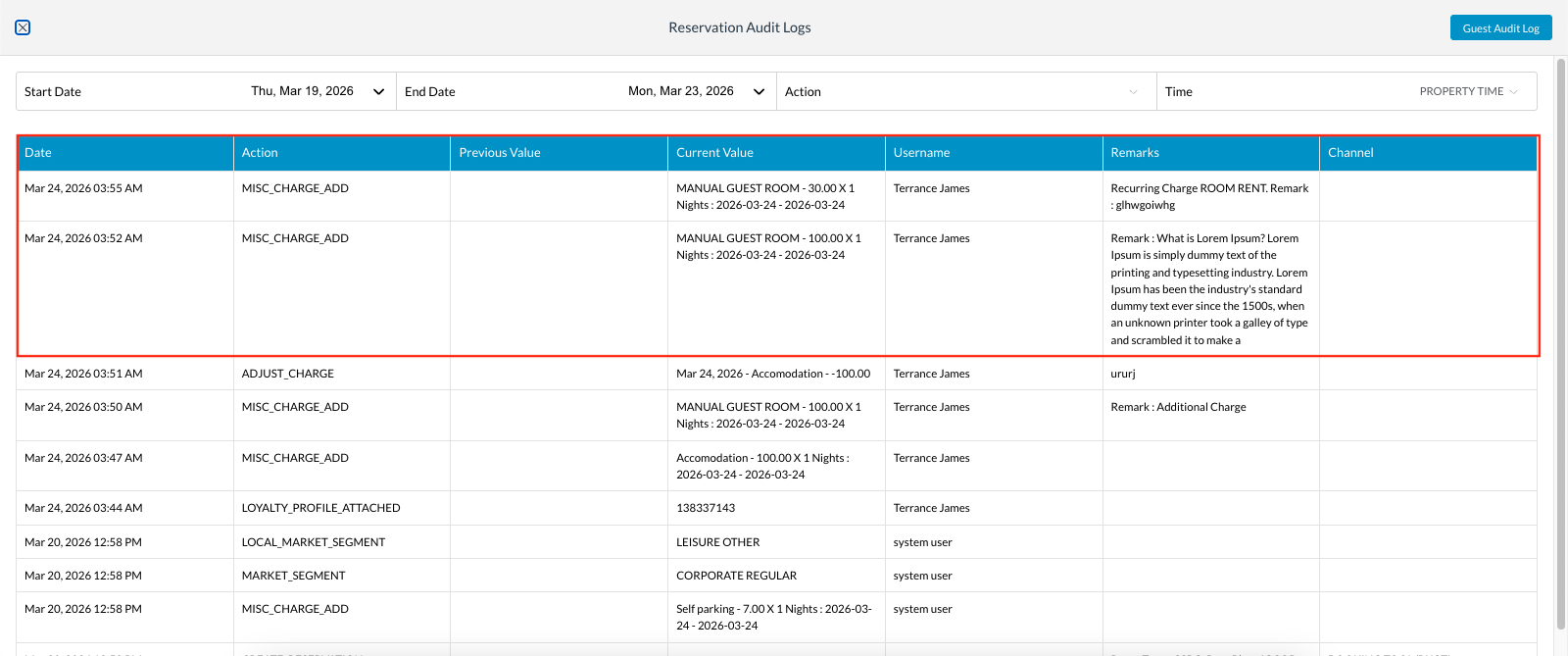
Audit & Accountability Tracking To ensure complete financial transparency, every remark is tracked. Click on Actions and locate Audit Logs
| 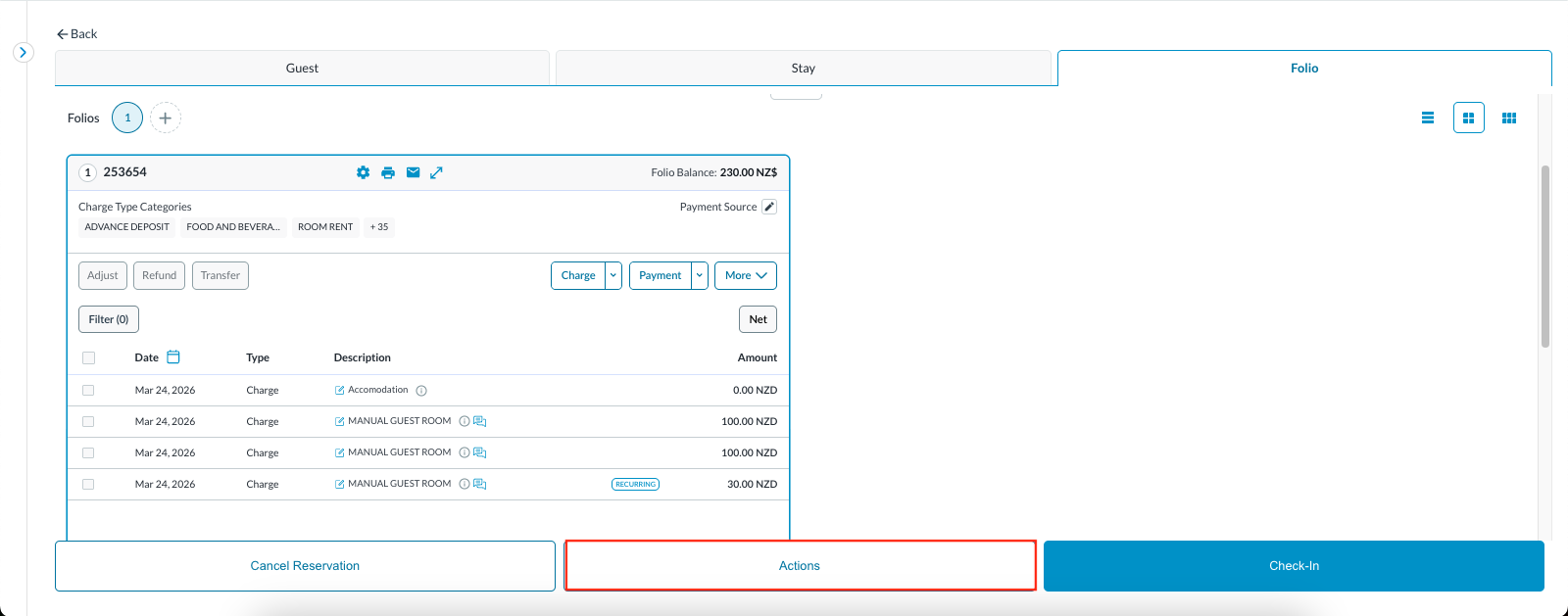   |
Note : The users should use standardised abbreviations in their remarks (e.g., "ADJ" for adjustments, "GUEST DISP" for guest disputes). Because these are now highly visible on the main screen, clean and consistent formatting will make reviewing a 50-item group folio significantly faster. | |