
Revision Date:
The In House Credit Card Top-Up Batch Process allows users to automatically increase credit card authorization amounts for in-house and pending departure reservations. This functionality ensures that each eligible reservation has sufficient authorization to cover current and projected charges, reducing payment failures, folio imbalances, and checkout delays.
This process mirrors the authorization top-up logic performed during Night Audit and enables users to manually trigger the batch process from the Front Desk Web application.
The batch process identifies reservations that:
-
Are In-House or Pending Departure
-
Have Primary Method of Payment as Credit Card
-
Have insufficient authorization to cover expected charges
The system automatically performs authorization top-ups based on configured percentage and authorization rules.
|
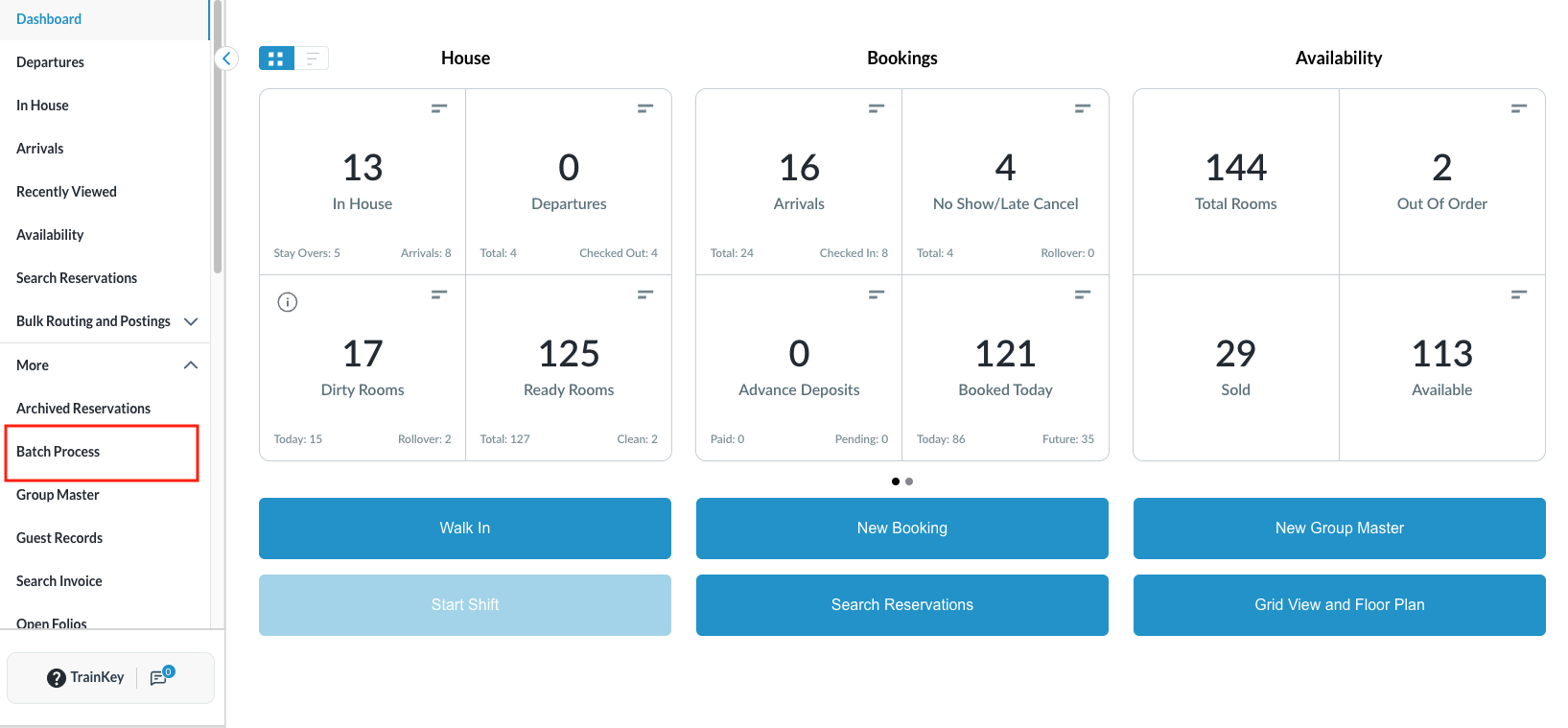
From the Dashboard
|
|
|
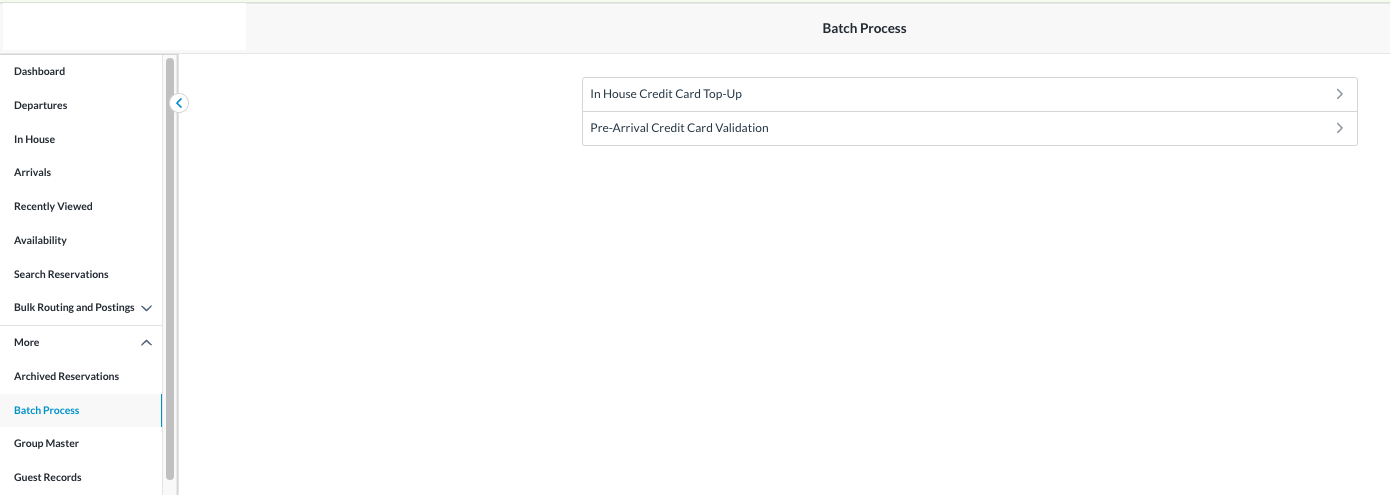
Batch Process screen opens.
|
|
|
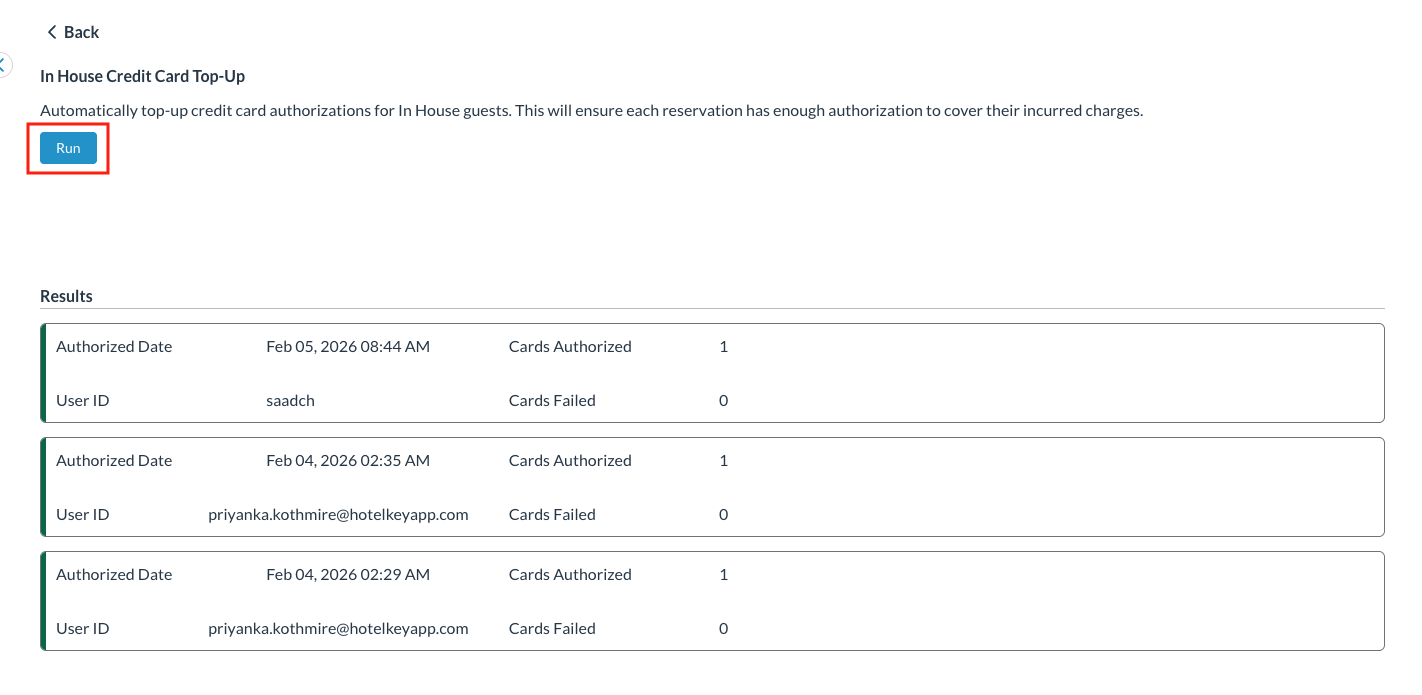
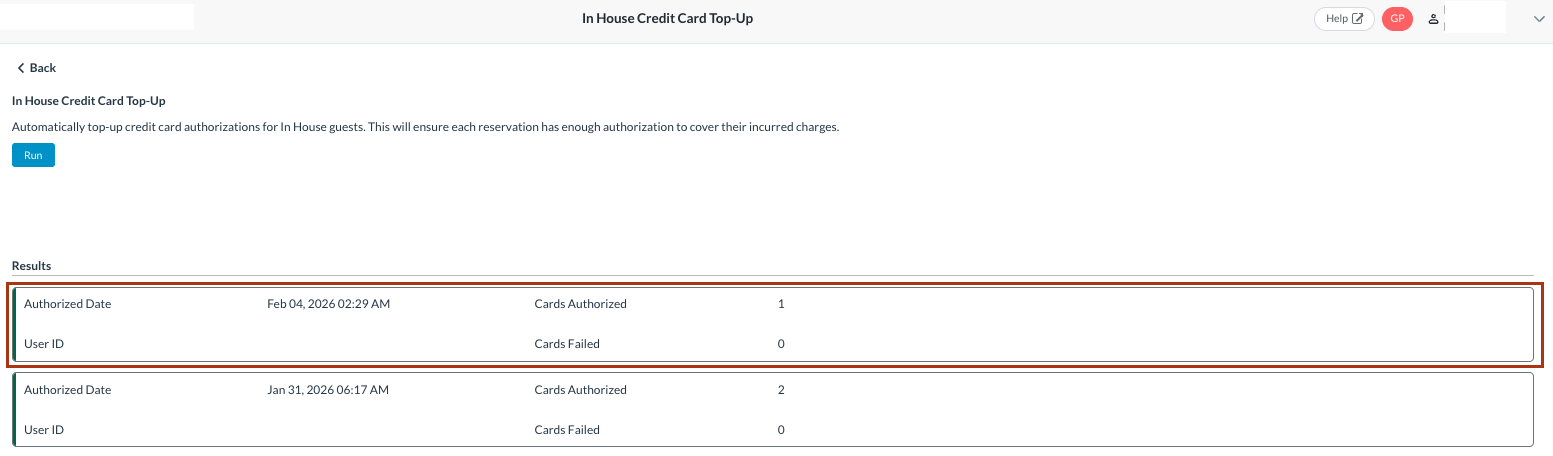
Review Batch Process Screen The In House Credit Card Top-Up screen will open.
|
|
|
Run the Batch Process
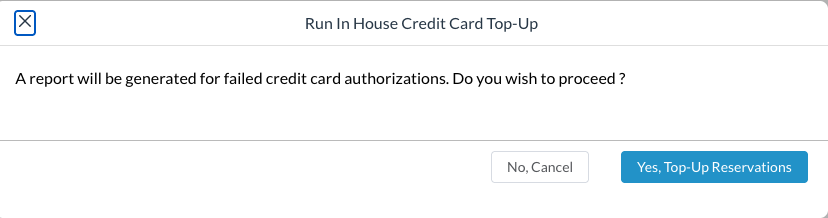
Review the confirmation message.
|
|
|
Monitor Batch Process Execution
|
|
|
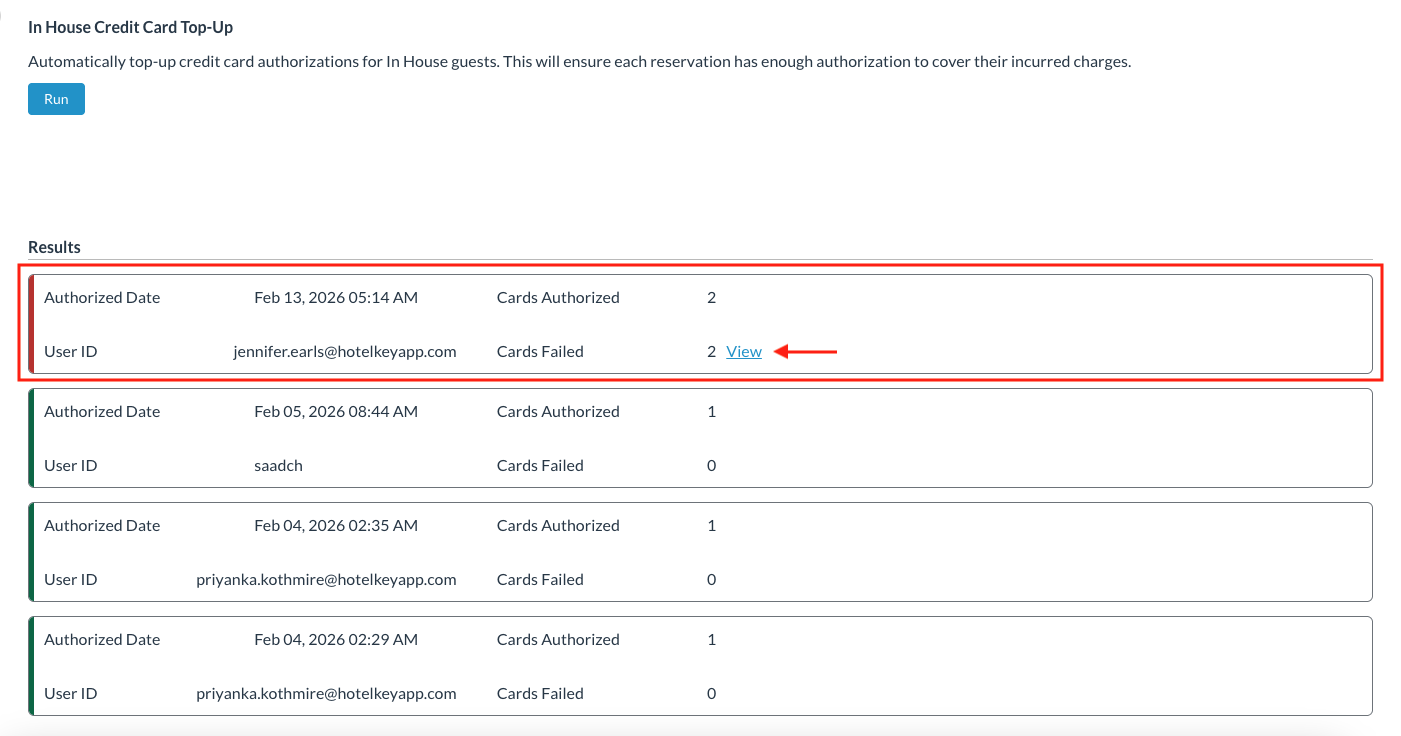
Review Batch Process Results The Results section displays:
|
|
|
View Failed Authorization Details Click View next to the failed batch entry. The system displays reservations where authorization top-up failed.
Review failed reservations for further action or manual correction. |

|
|
Important Notes:
|
|