
📆 Revision Date:
Overview: Managing Tasks from the Event Record
The Task Management feature within the Event Record enables Event Owners to efficiently assign and track tasks related to a specific event or company. This functionality allows you to delegate responsibilities to key team members—such as event coordinators, catering staff, or group administrators—ensuring that every detail is handled within a centralized, event-specific workflow.
By managing tasks directly from the Event Record, teams can improve communication, stay organized, and maintain accountability throughout the event planning and execution process.
|
Navigate to Home > Event Management |
|
|
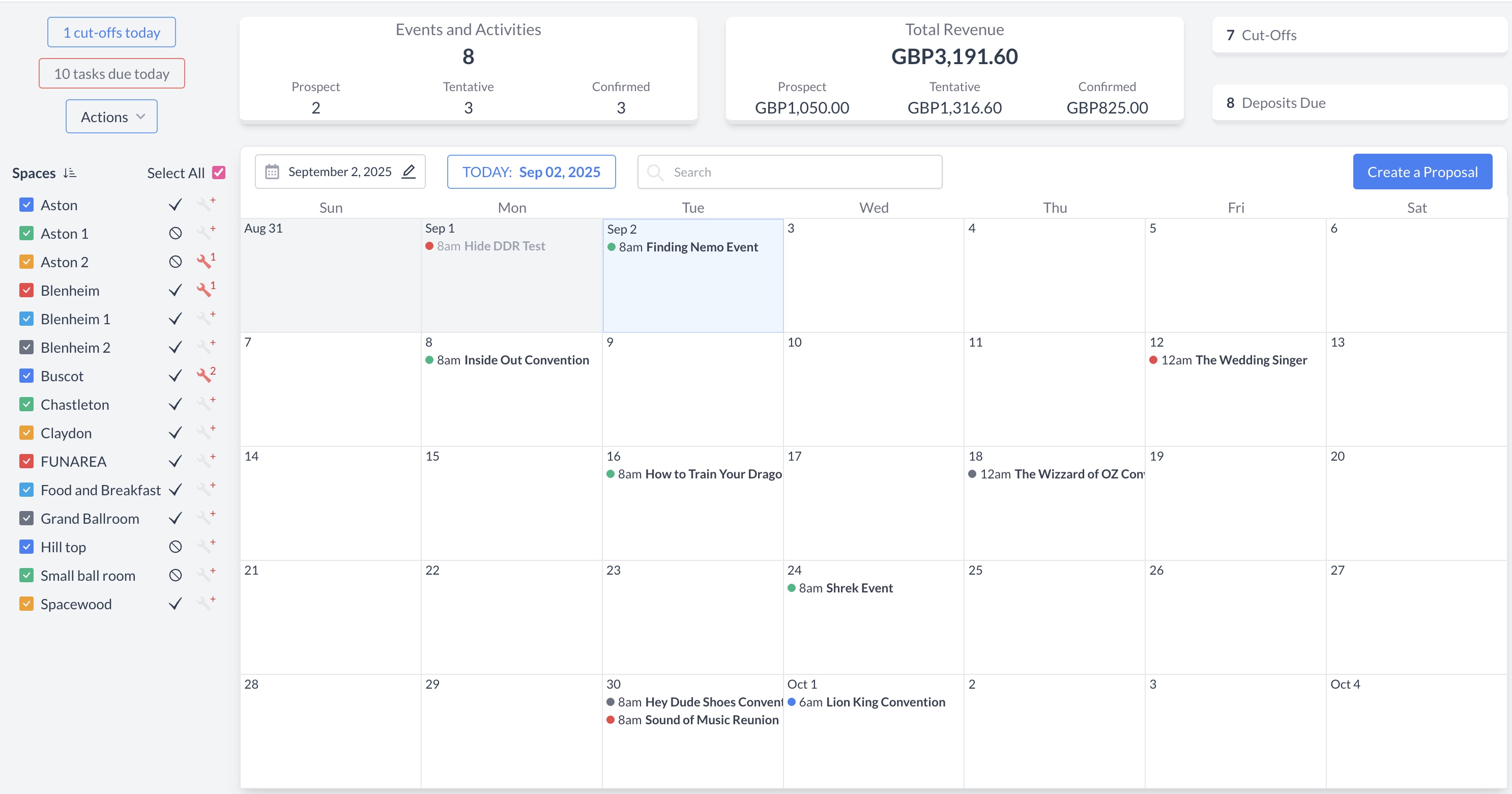
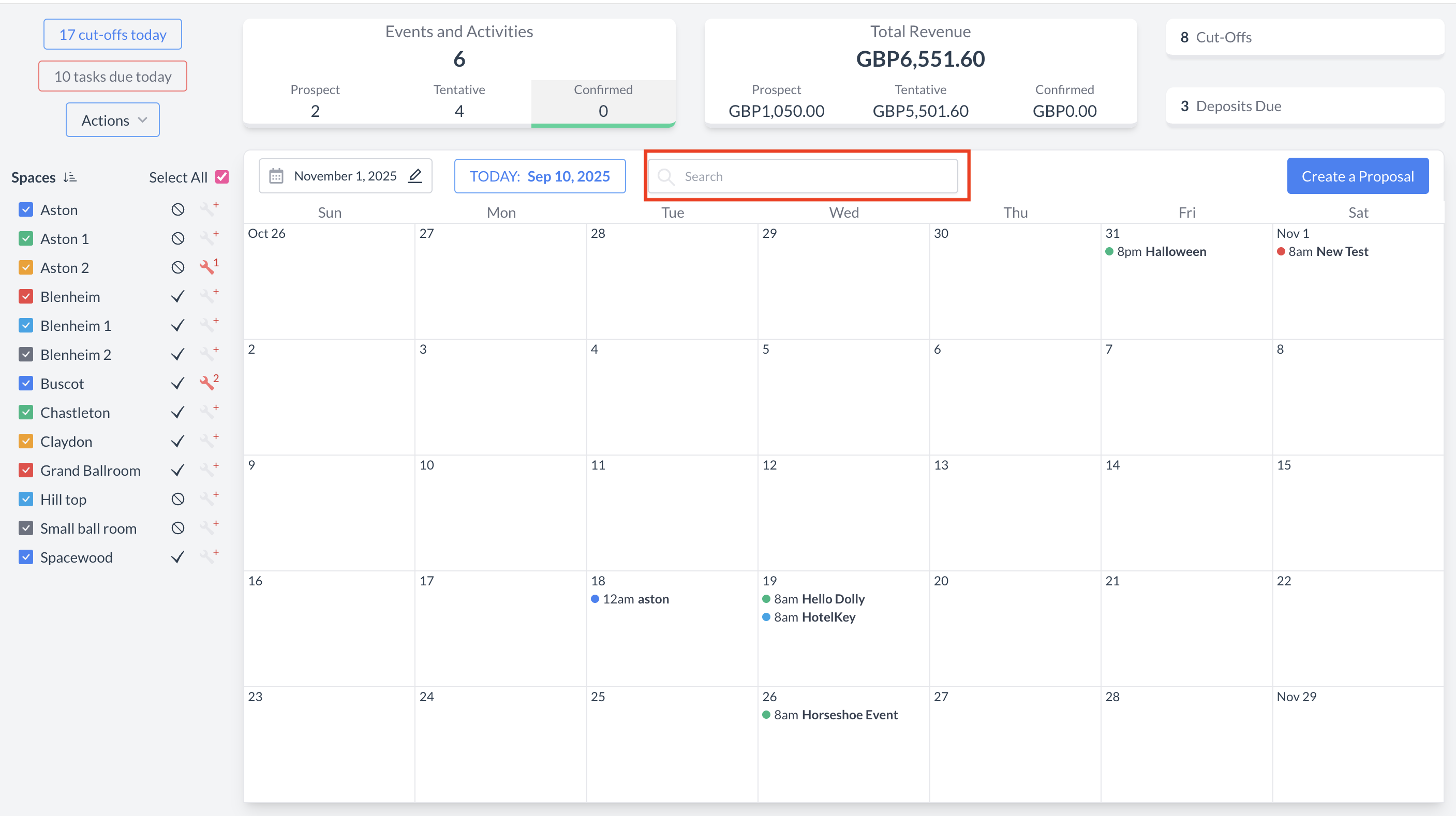
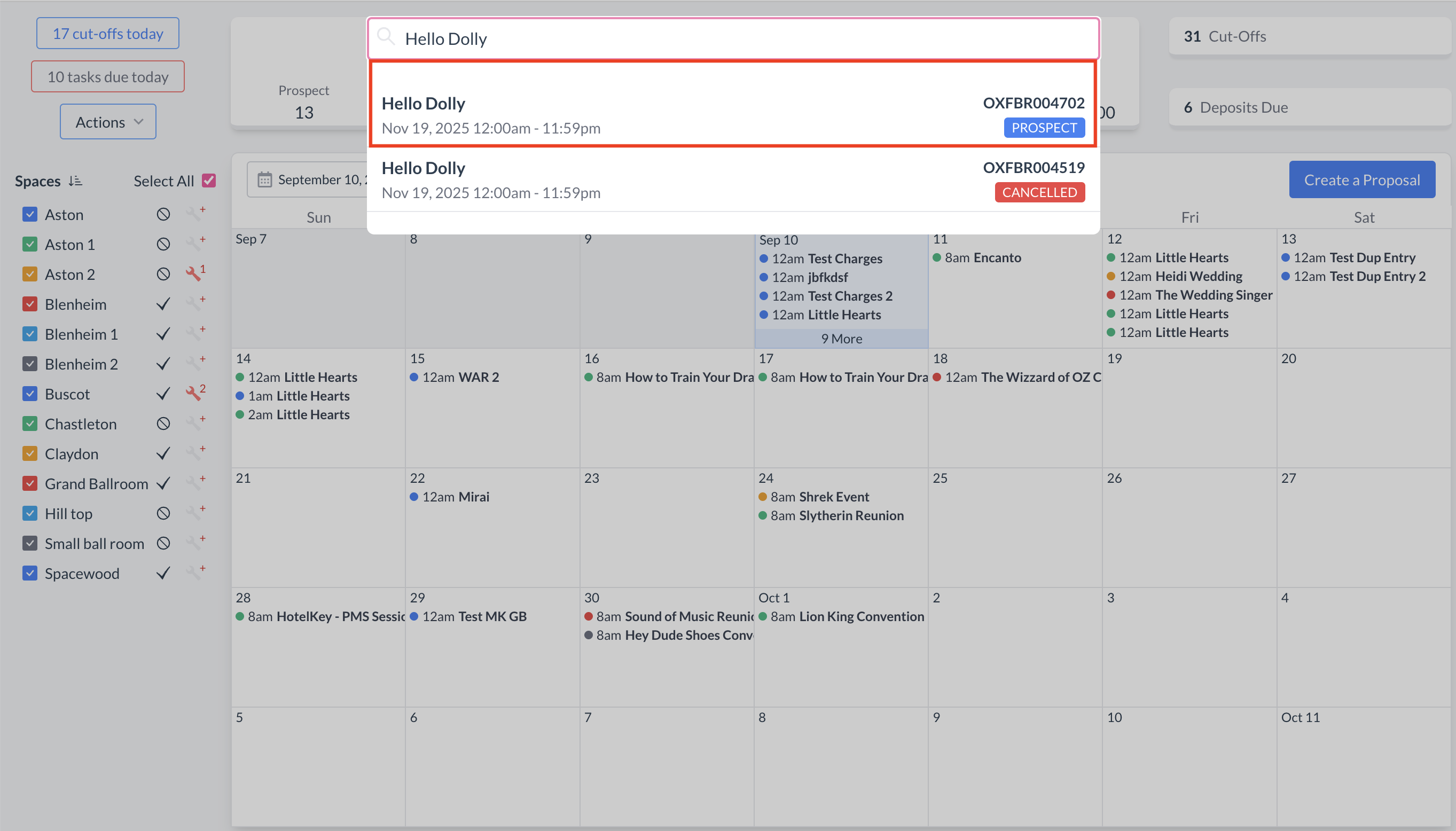
To begin, navigate to the Dashboard and use the Search box to locate the event. Enter the full or partial Event Name into the search field. The system will display a list of matching events, or, if there is an exact match, it will appear directly. Once you’ve identified the correct event, simply click on the event name to open it. |
|
Viewing and Filtering Tasks
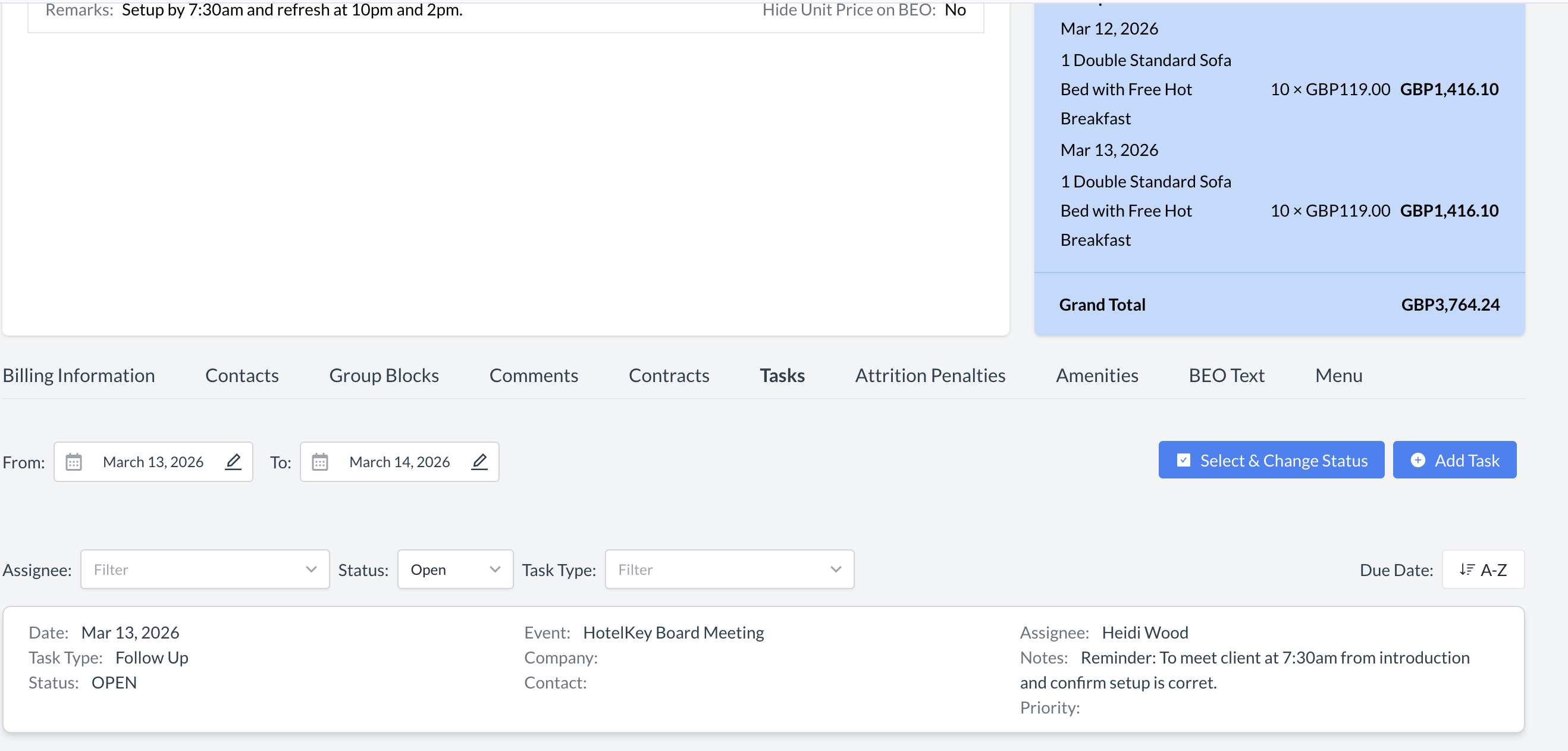
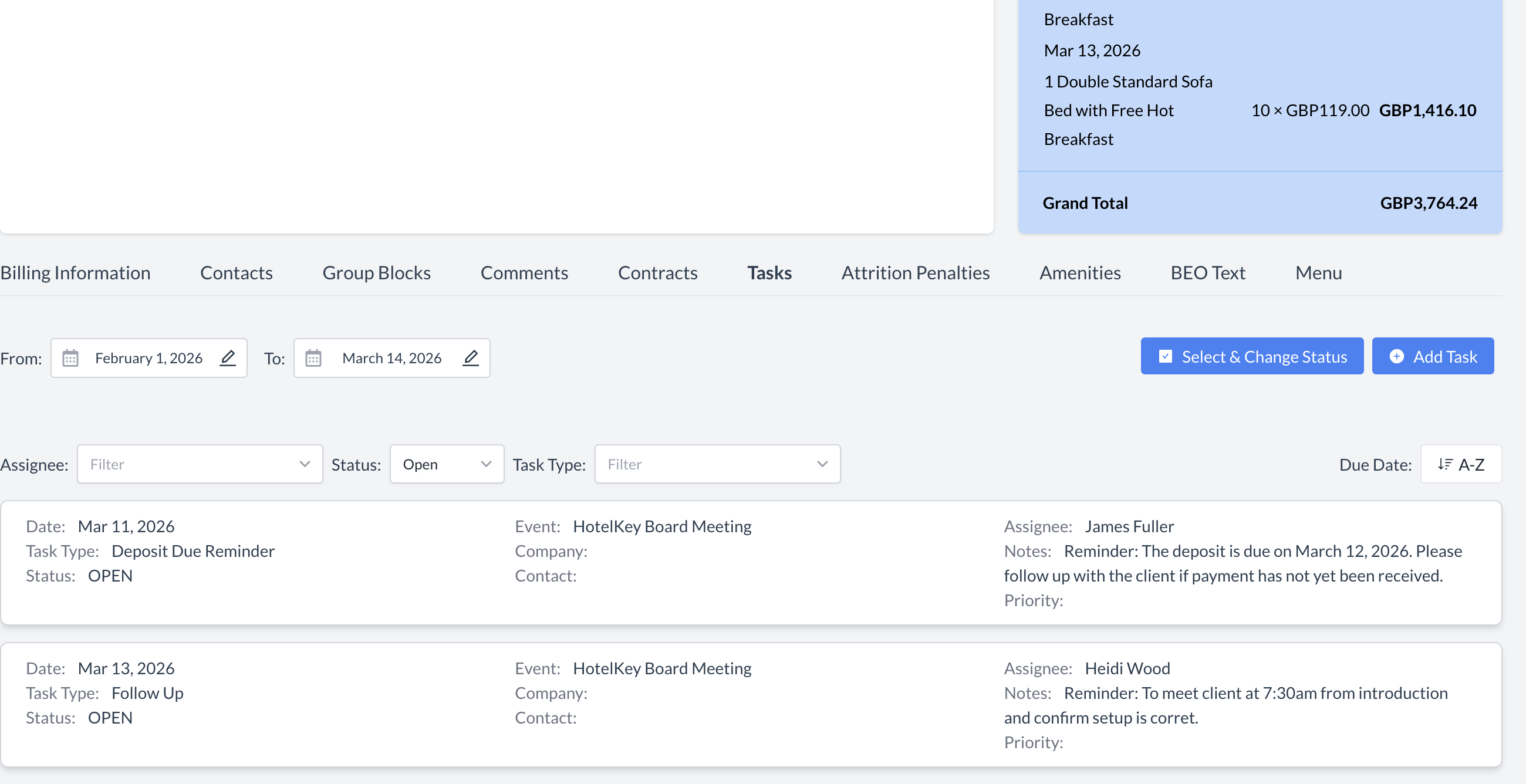
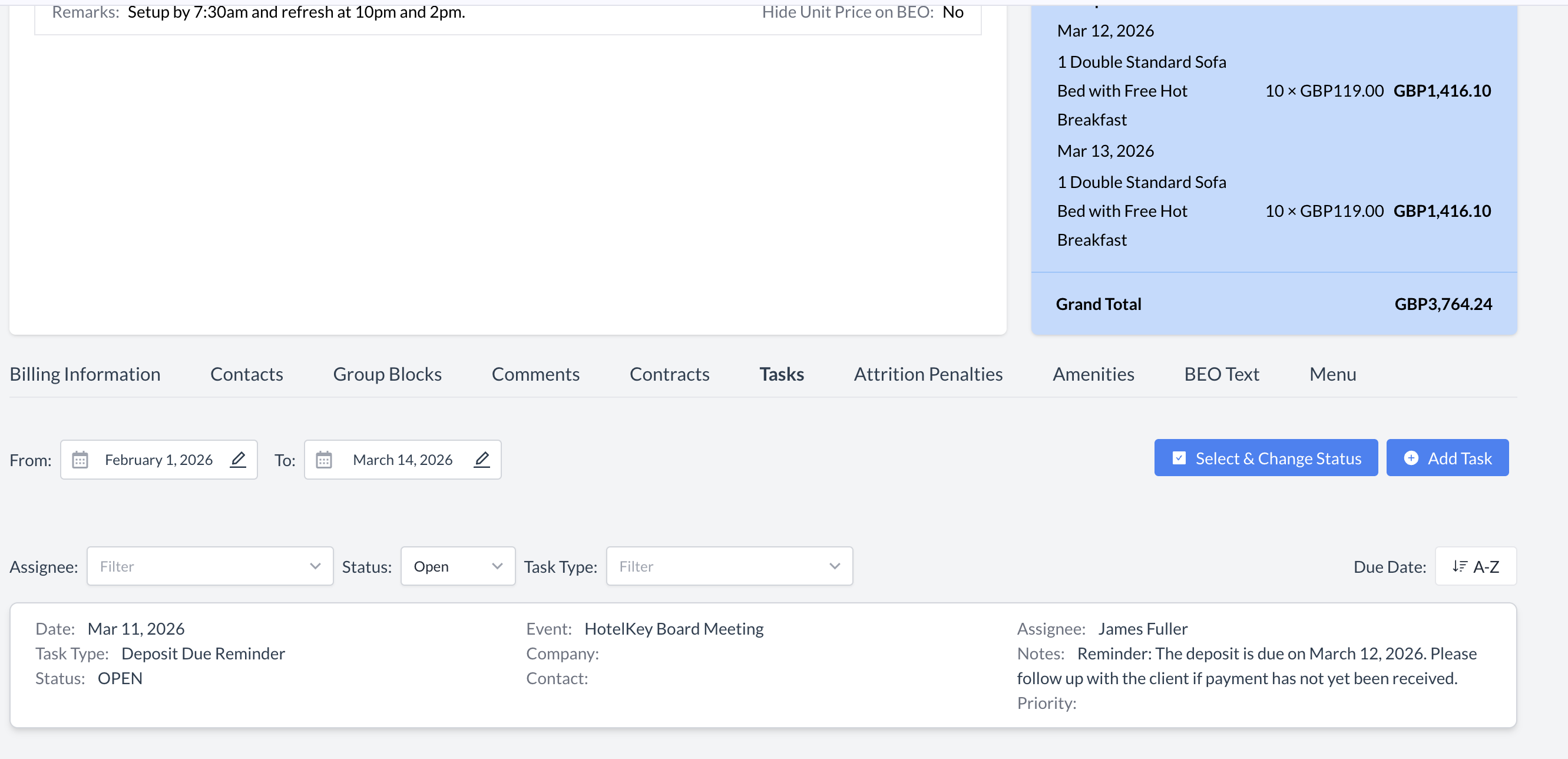
When you open the Tasks section on the Event Record, you will see a list of all tasks that fall within the From and To date range. Date Range (From / To)
Filtering Tasks
To help manage events with multiple tasks, use the available filters to narrow your results:
These filters make it easier to locate specific tasks and streamline task management for your event. |
|
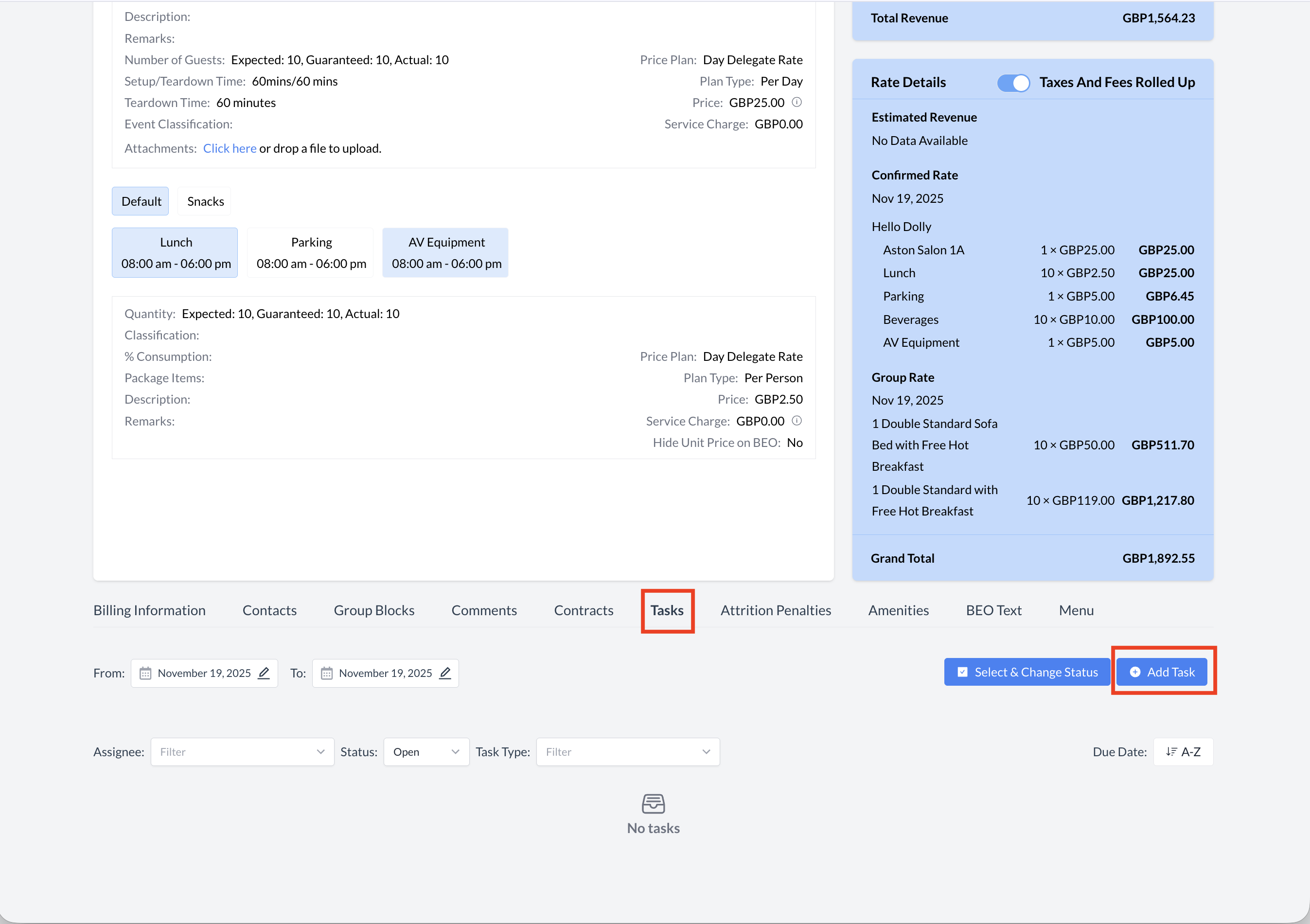
Creating Tasks from the Event Record
To create or manage tasks associated with a specific event:
|
|
Adding a New Task
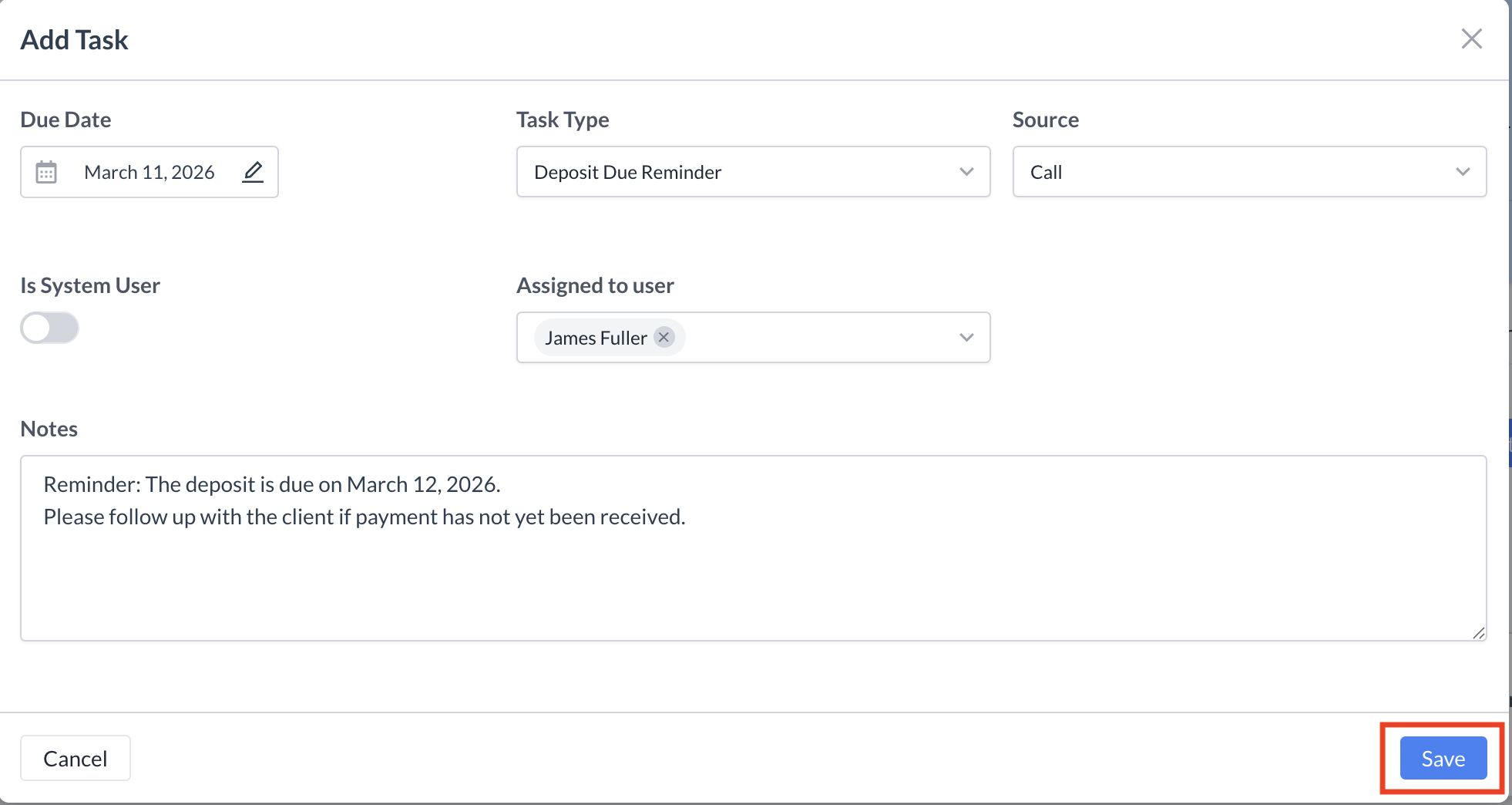
When you click Add Task, a new screen will open where you can enter the task details. Complete the following fields:
Once all required information is entered, click the blue "Save" button to create the task. The task has been successfully created. |
|
Editing an Existing Task
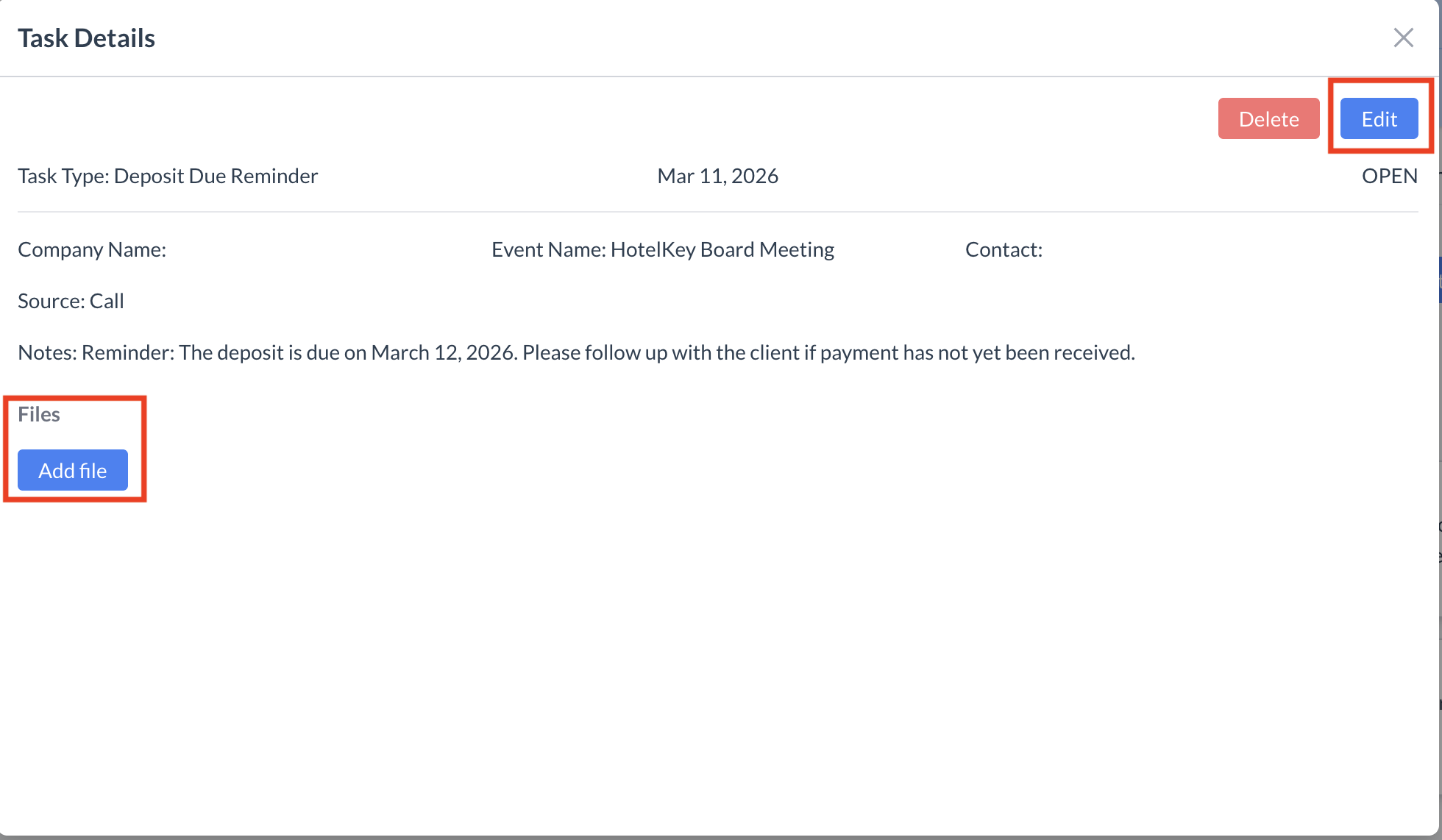
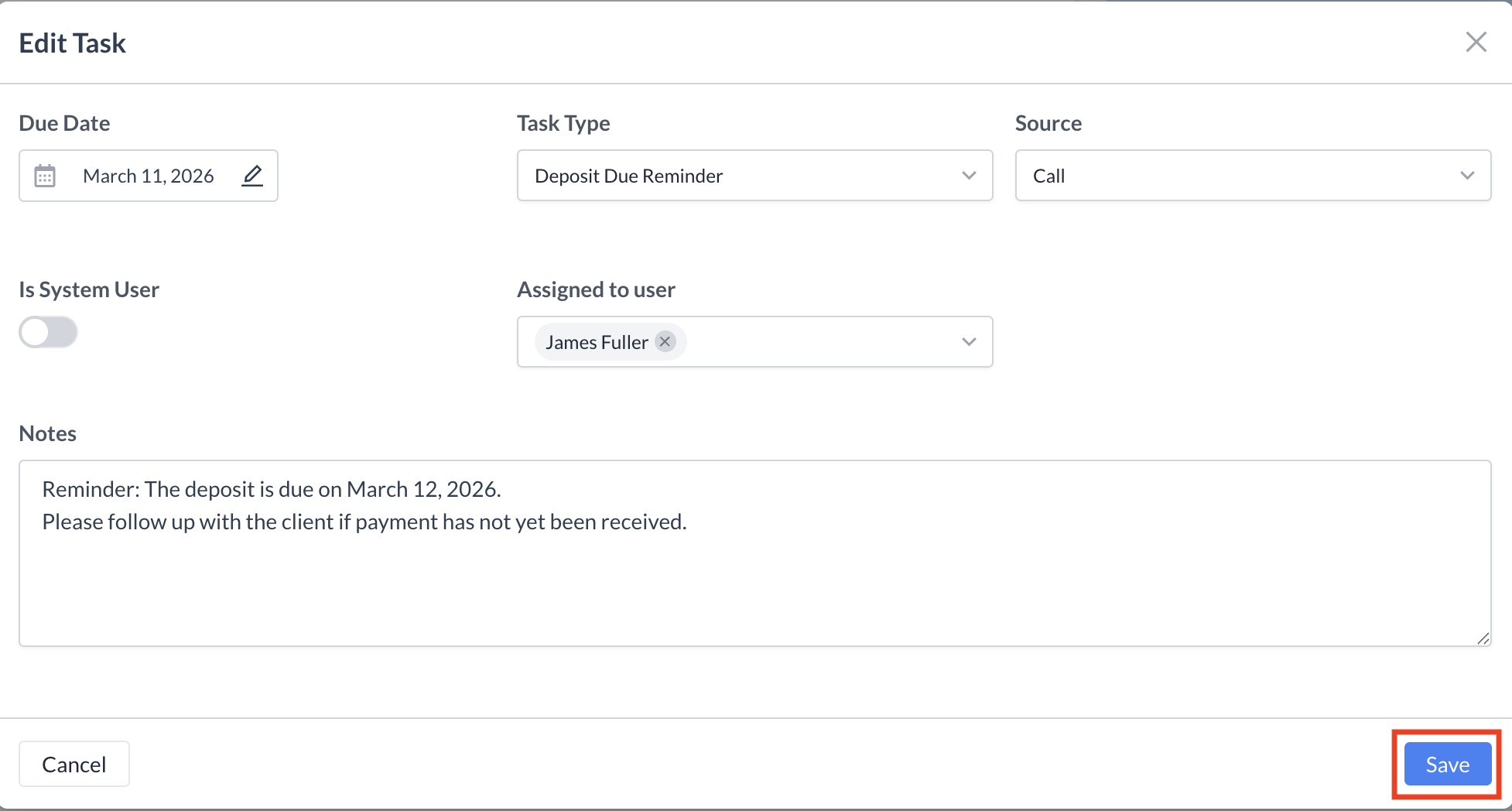
To edit a task that has already been created, follow these steps:
Add a File (Optional)
Edit Task Details
After saving, you will be returned to the Tasks section within the Event Record, where your updates will be reflected. |
|
Deleting a Task
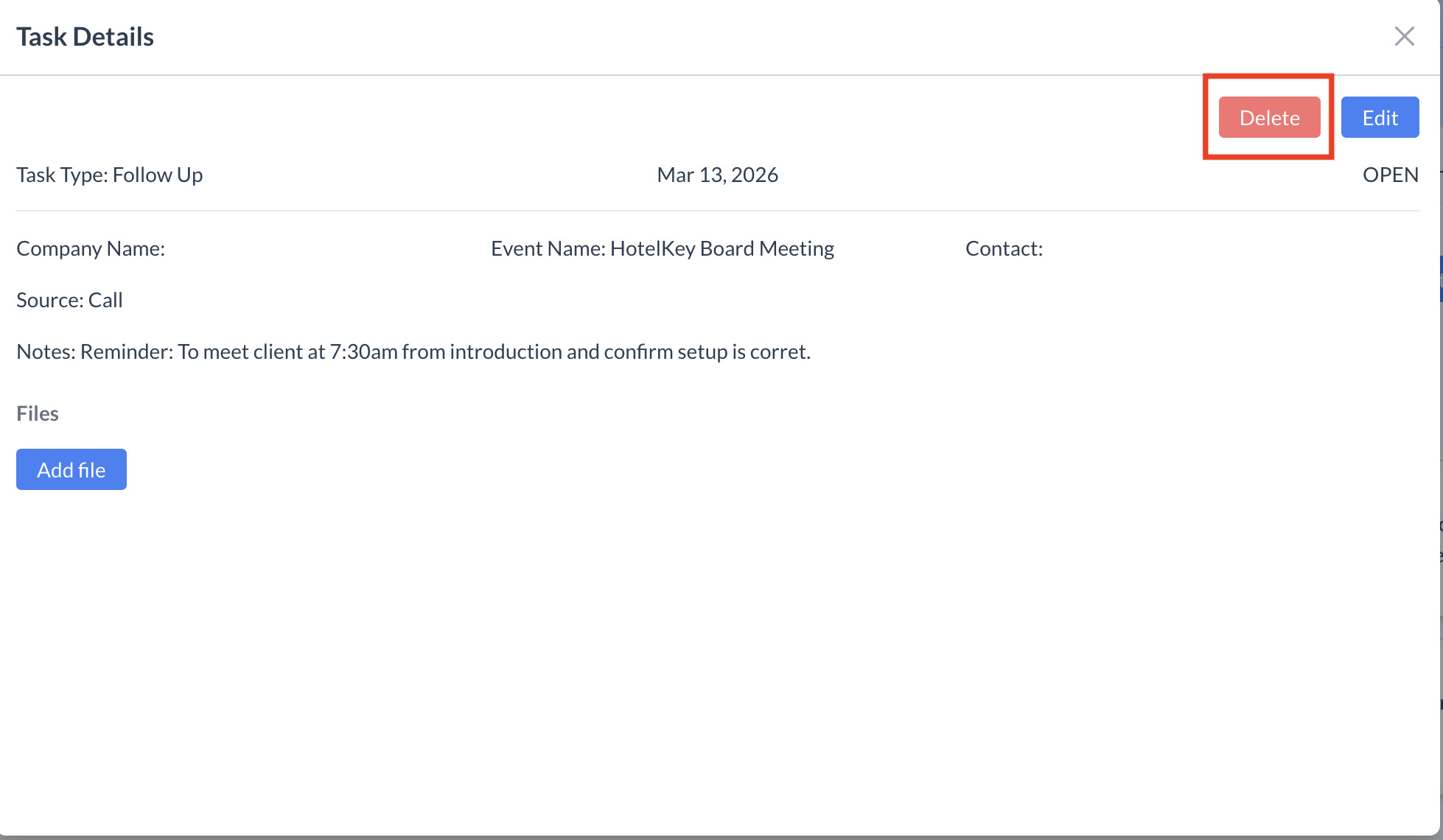
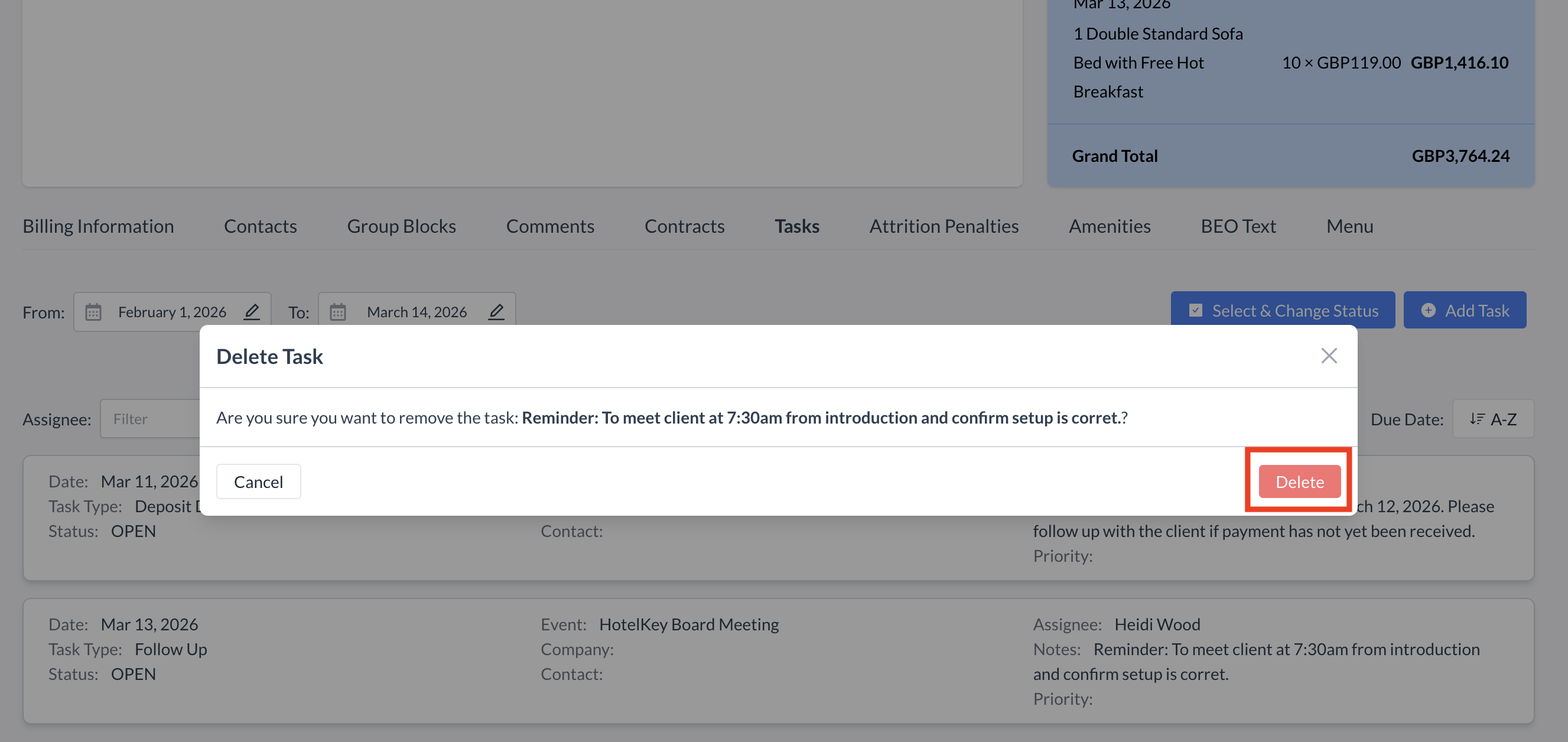
To delete an existing task from the Event Record, follow these steps:
|
.png?cb=49980a67d7646237d4e2bbda12eea7c7)
|
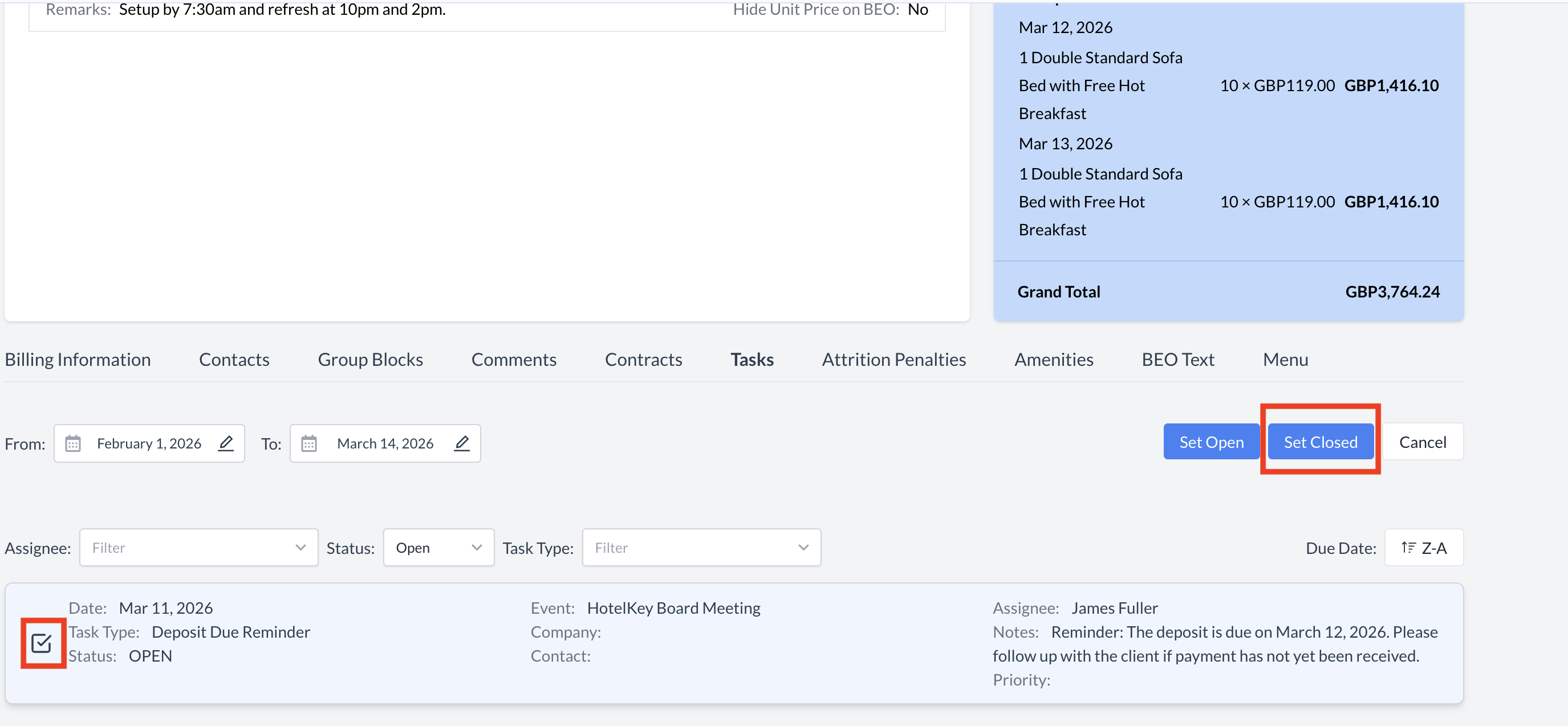
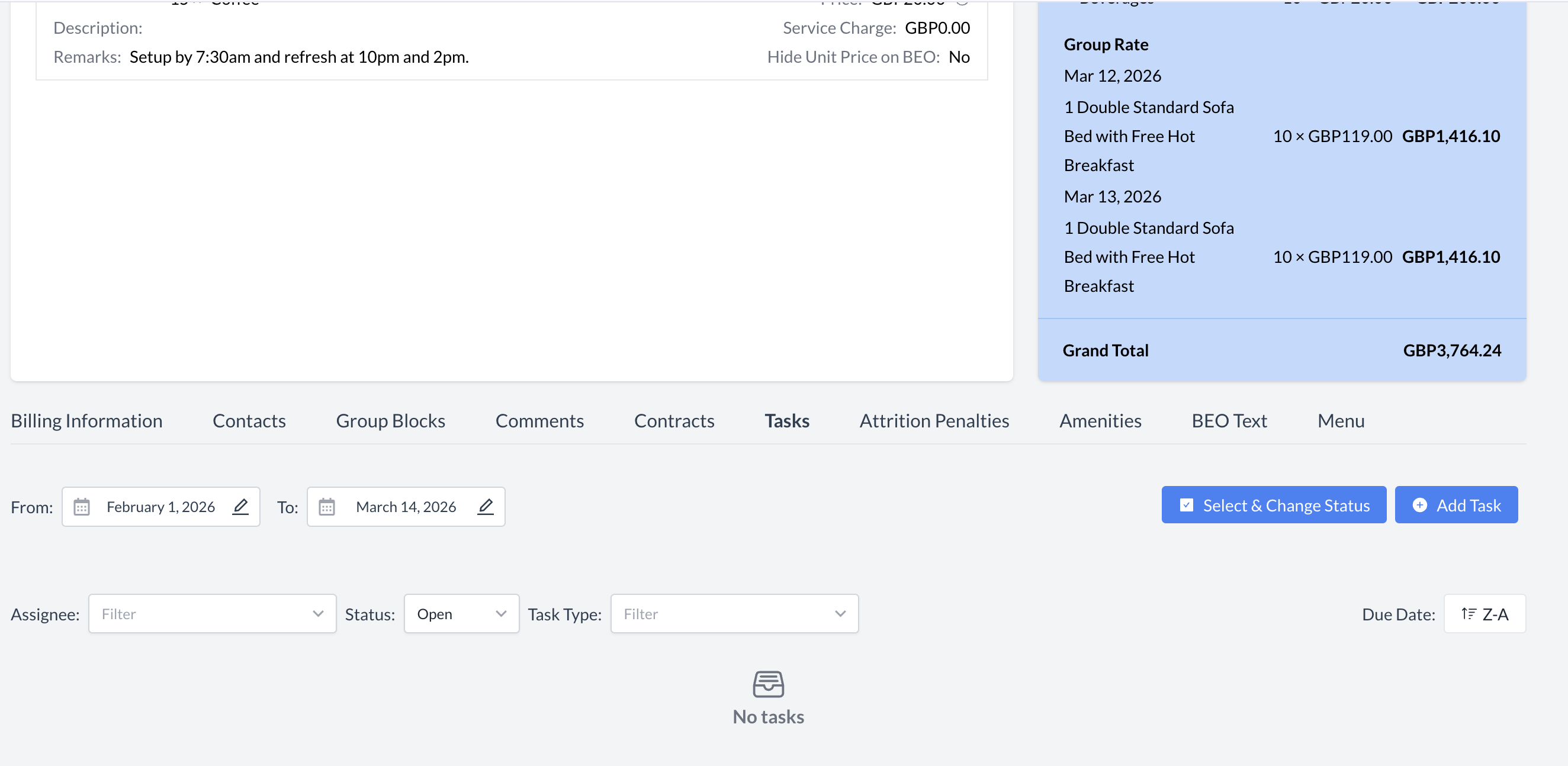
Closing an Open Task
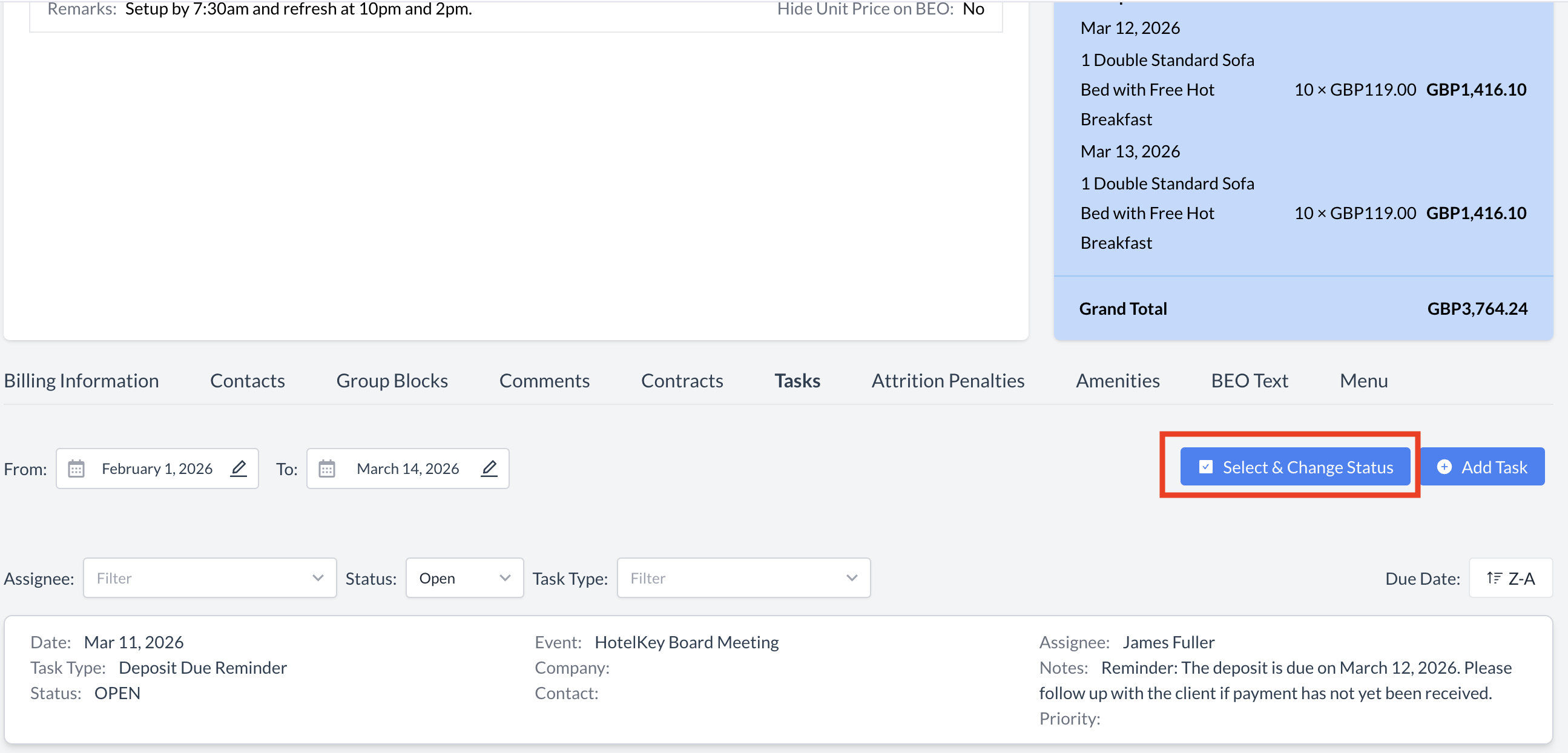
To mark an open task as Closed, follow these steps:
|
|
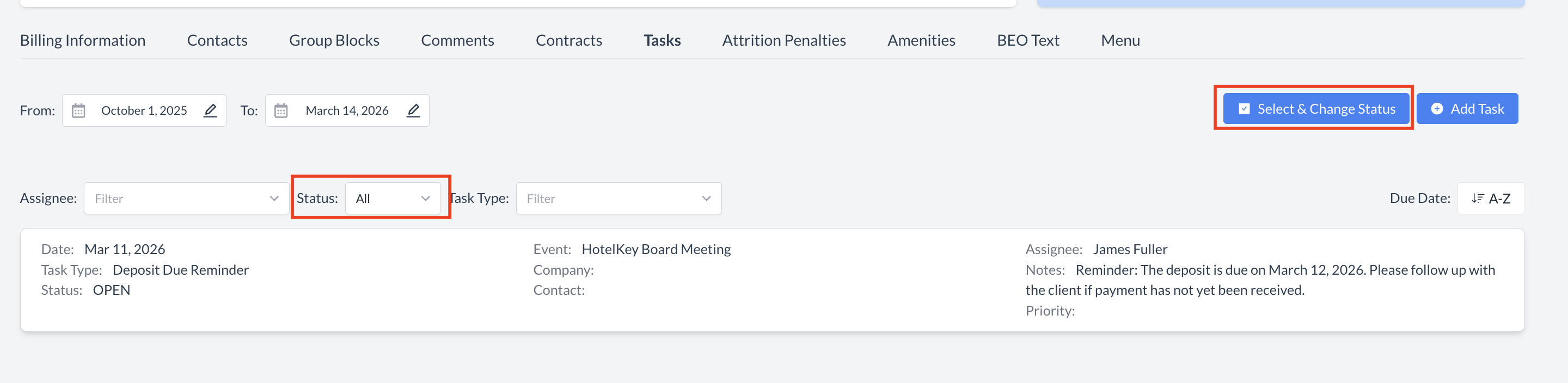
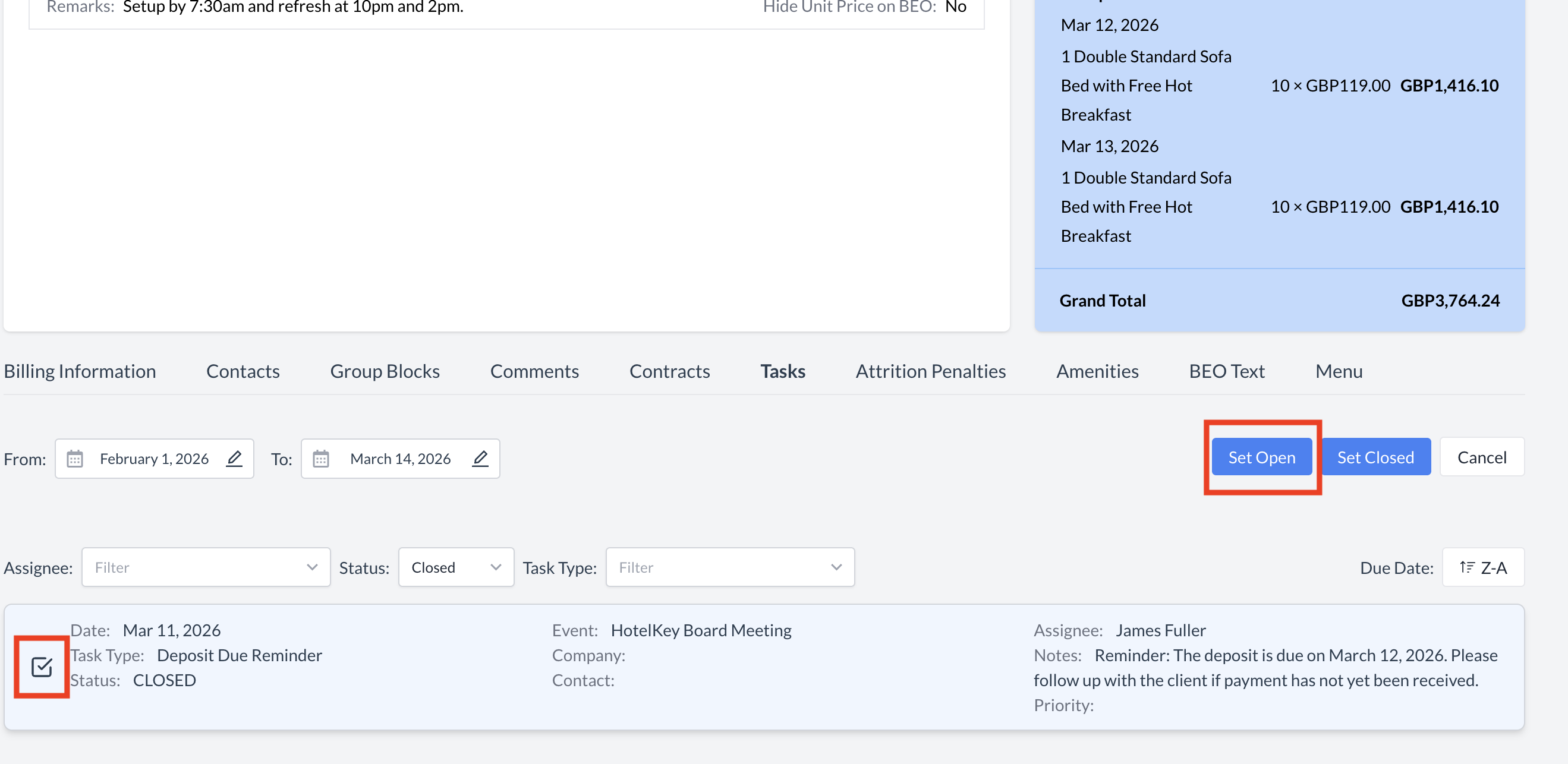
Reopening a Closed Task
If you need to mark a closed task as Open, follow the steps below:
|
|