
Quick Pay .ng
Revision Date:
Quick Pay is a fast-action feature used to apply a quick payment to a reservation or folio with minimal steps. Quick Pay prioritizes speed over flexibility, offering a simplified payment flow with limited input fields compared to the standard payment process, while ensuring that all transactions remain fully auditable, just like any other payment posted in the system.
Quick Pay = one-click payment posting to a folio.
Navigate to In-House Reservations from the dashboard, or use Search Reservations to locate in-house reservations. | 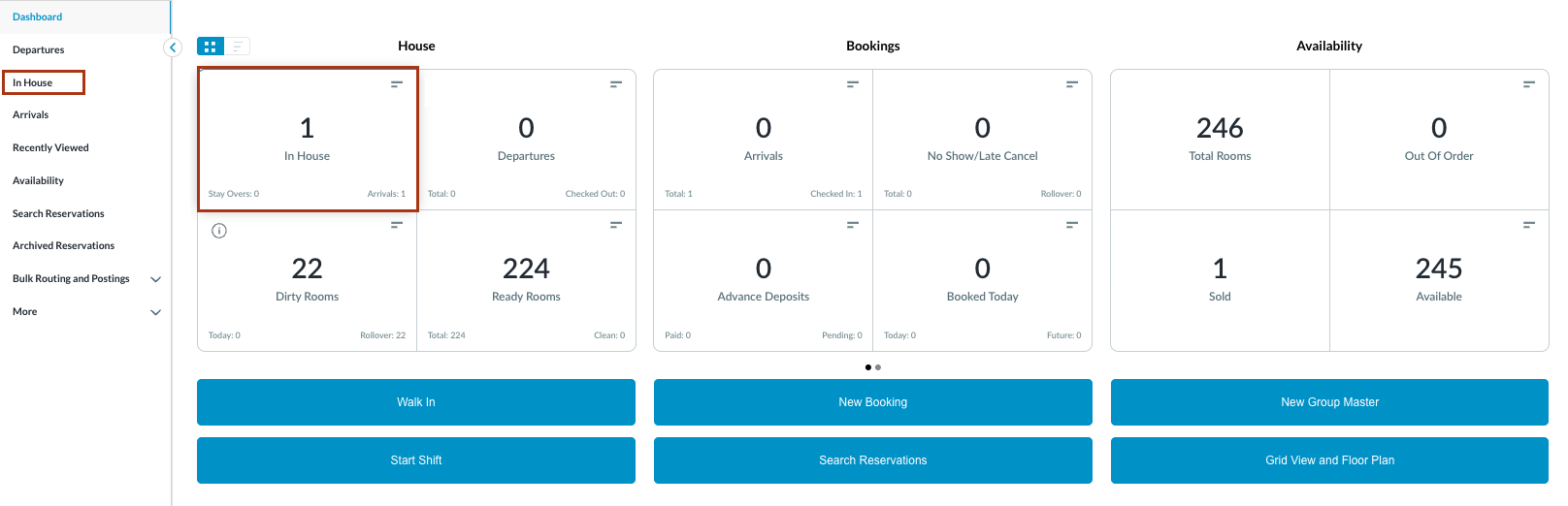 |
The In-House Reservation listing page opens. Select the relevant in-house reservation from the list. |  |
The Reservation Details page opens, displaying the Guest tab by default. Select the Folio tab. Note: the folio screen automatically adjusts to the most efficient layout. If a reservation contains multiple folios, the screen defaults to Side-by-Side View. If there is a single folio, the screen will open in Full Detail View. | 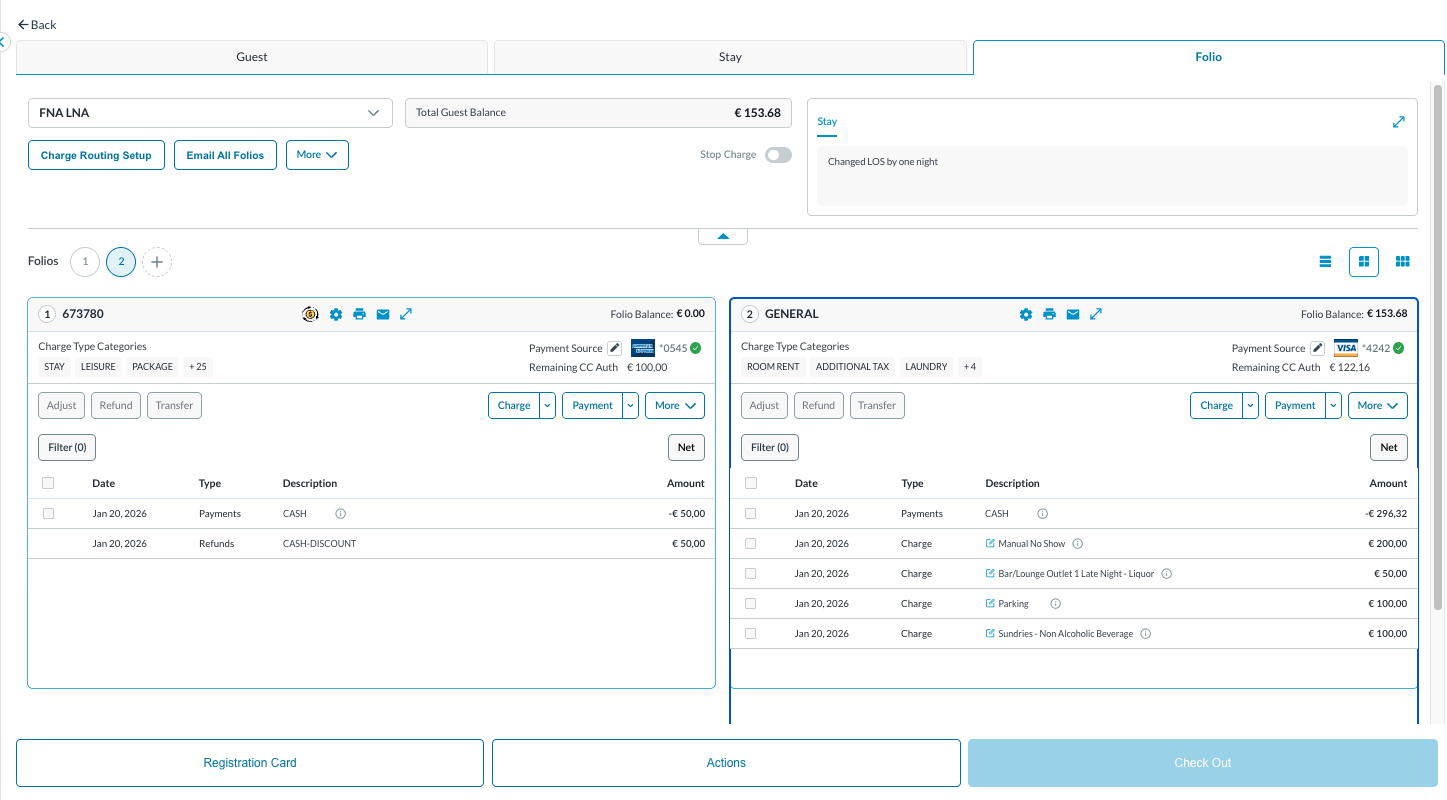 |
Locate the Quick Pay option which is available under Payment drop down button. Quick Pay is available only when -
| 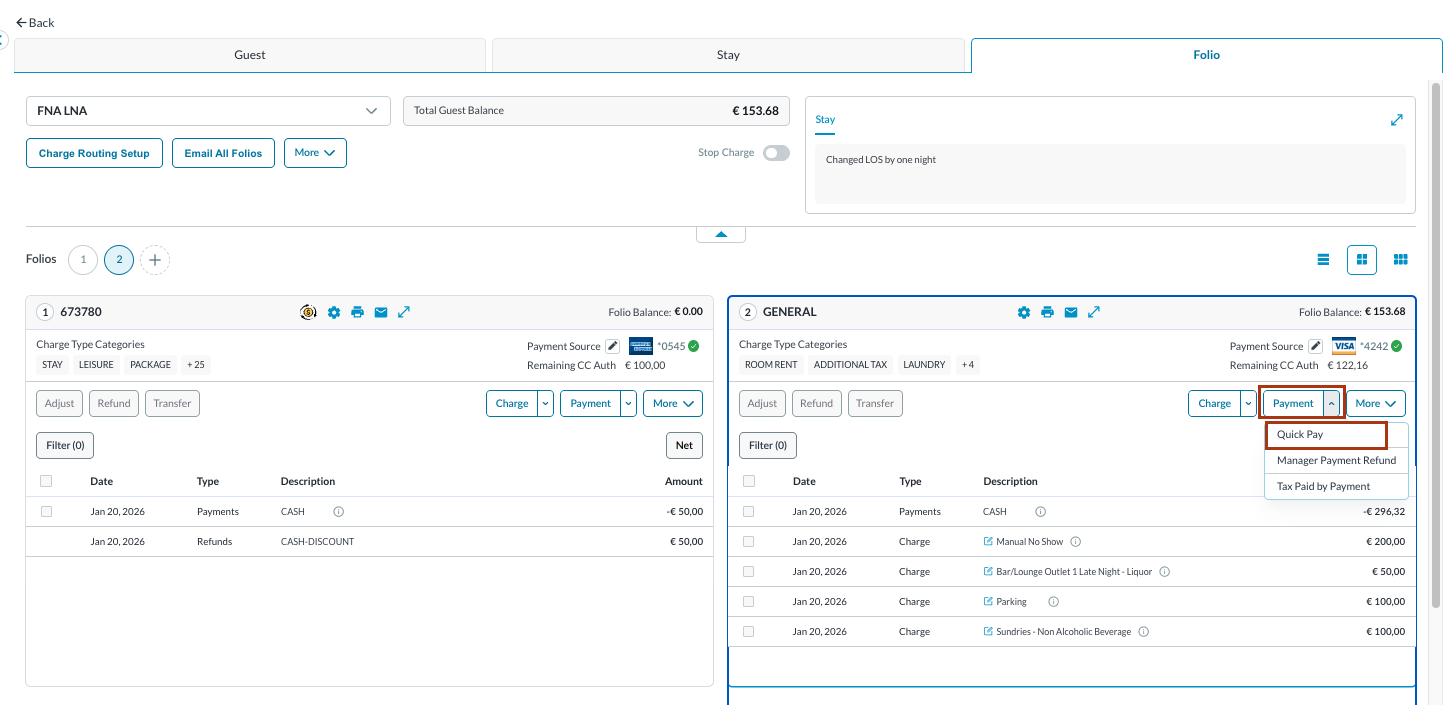 |
Quick Pay - Folio Name screen opens when clicked on Quick Pay. Click on Collect Payment Upon completion a notification screen will appear “Success.Payment Created“ | 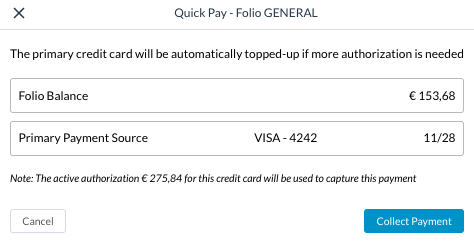 |
The payment collected can be seen in the Folio screen . | 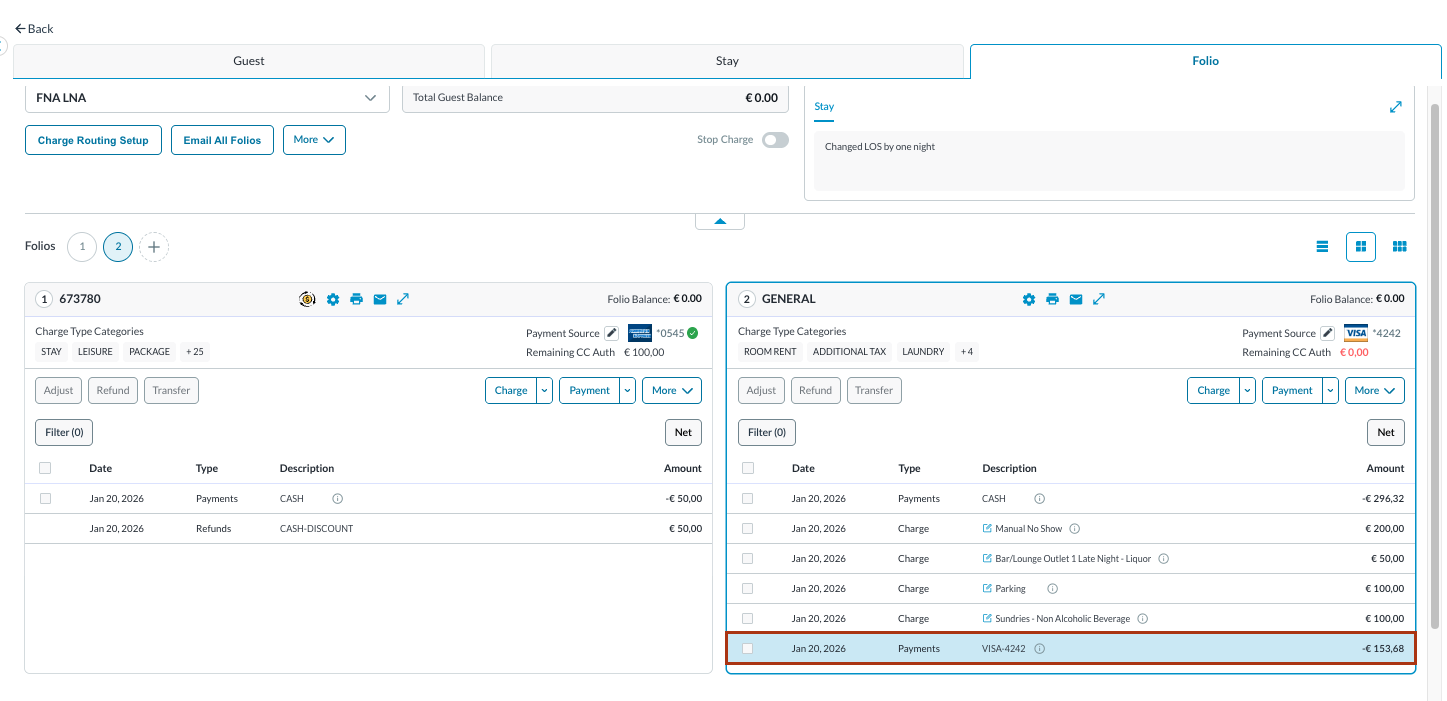 |