
📆 Revision Date:
|
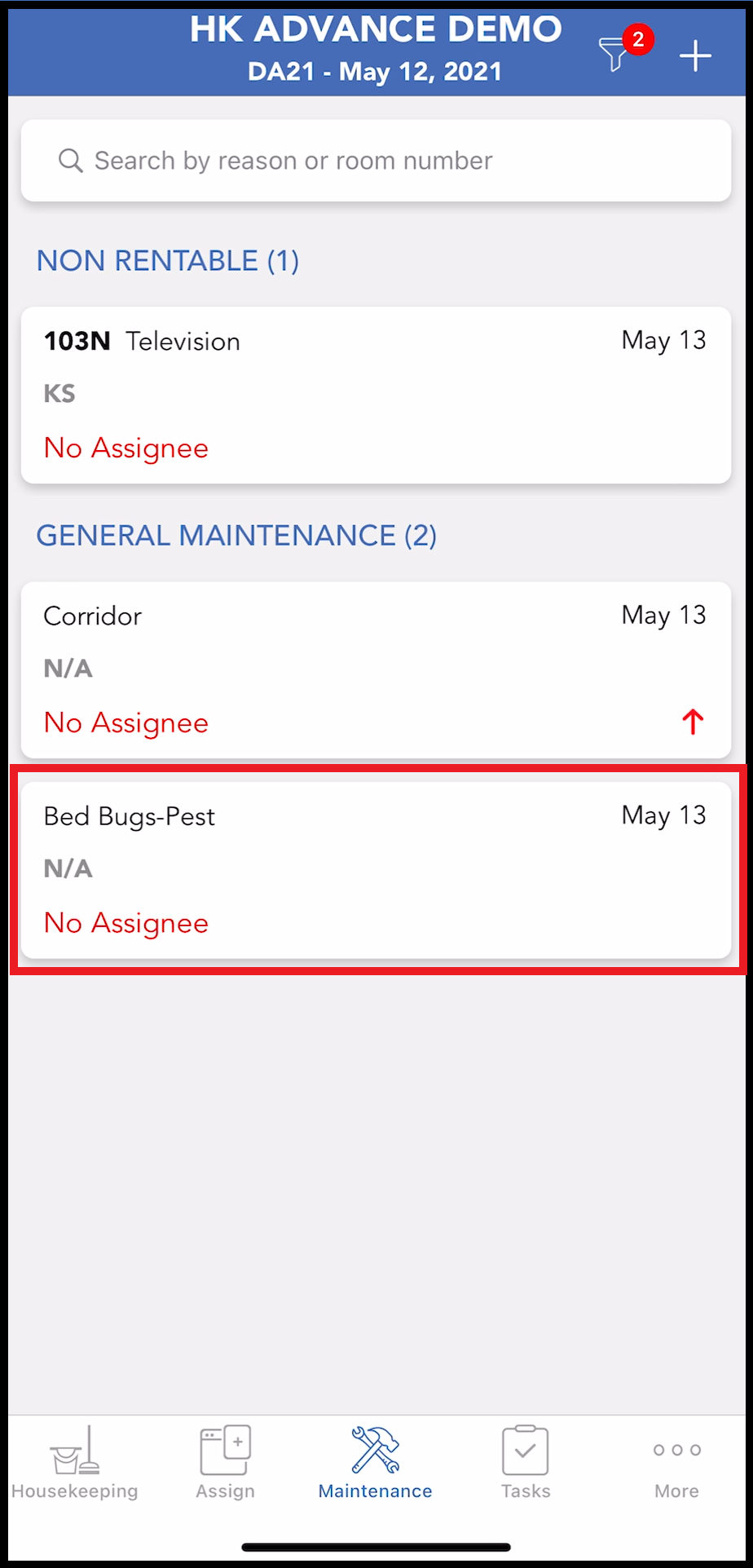
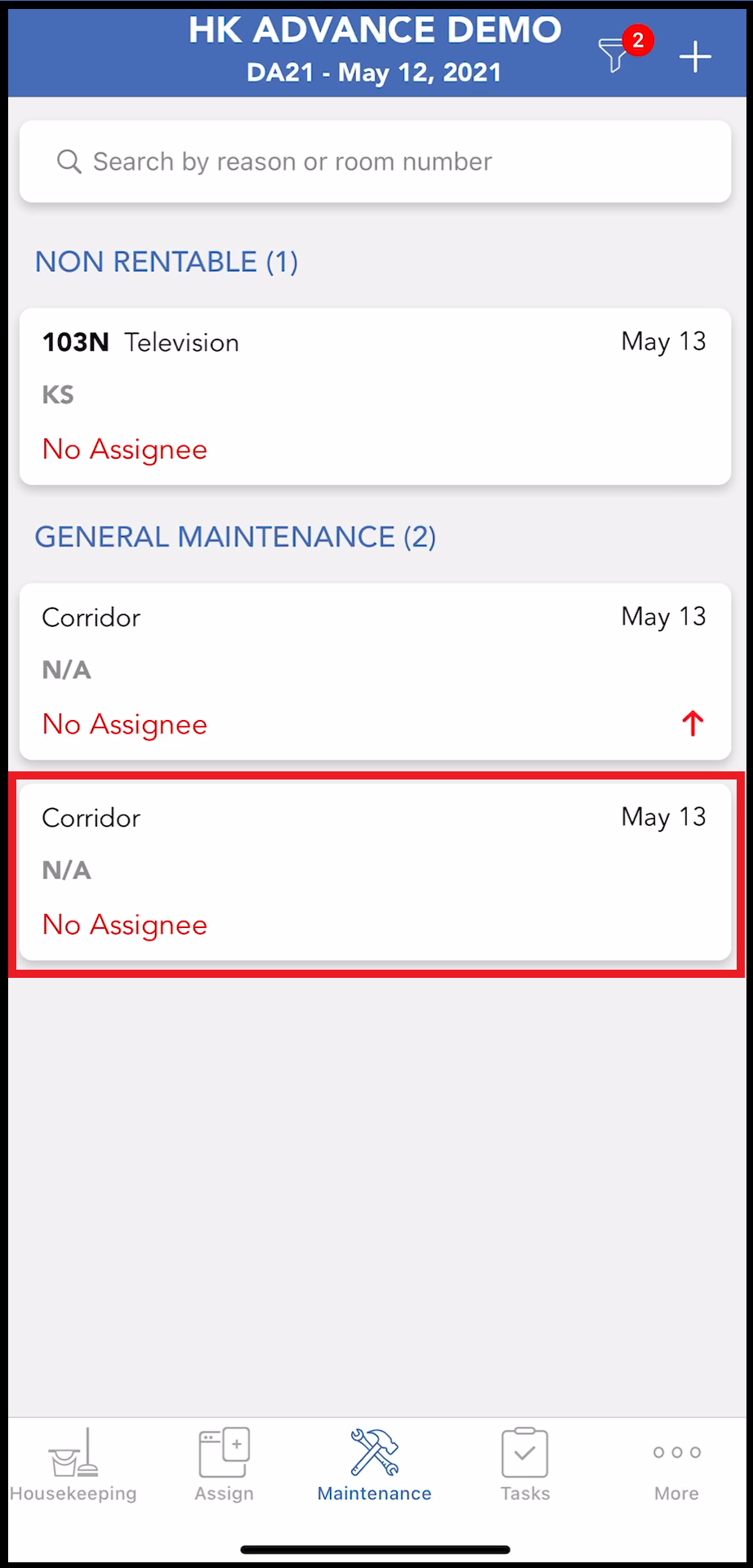
Select the Maintenance tab to view all currently active maintenance requests. Requests associated with a single room appear in a RENTABLE or NON RENTABLE list. General requests appear in the GENERAL MAINTENANCE list. Note that each list only populates if there is a RENTABLE, NON RENTABLE or GENERAL MAINTENANCE request, respectively. In the example shown there are no RENTABLE maintenance requests. Select the applicable item. In this example a GENERAL MAINTENANCE issue is updated, but the process is the same for making changes to in-room issues. |
|
|
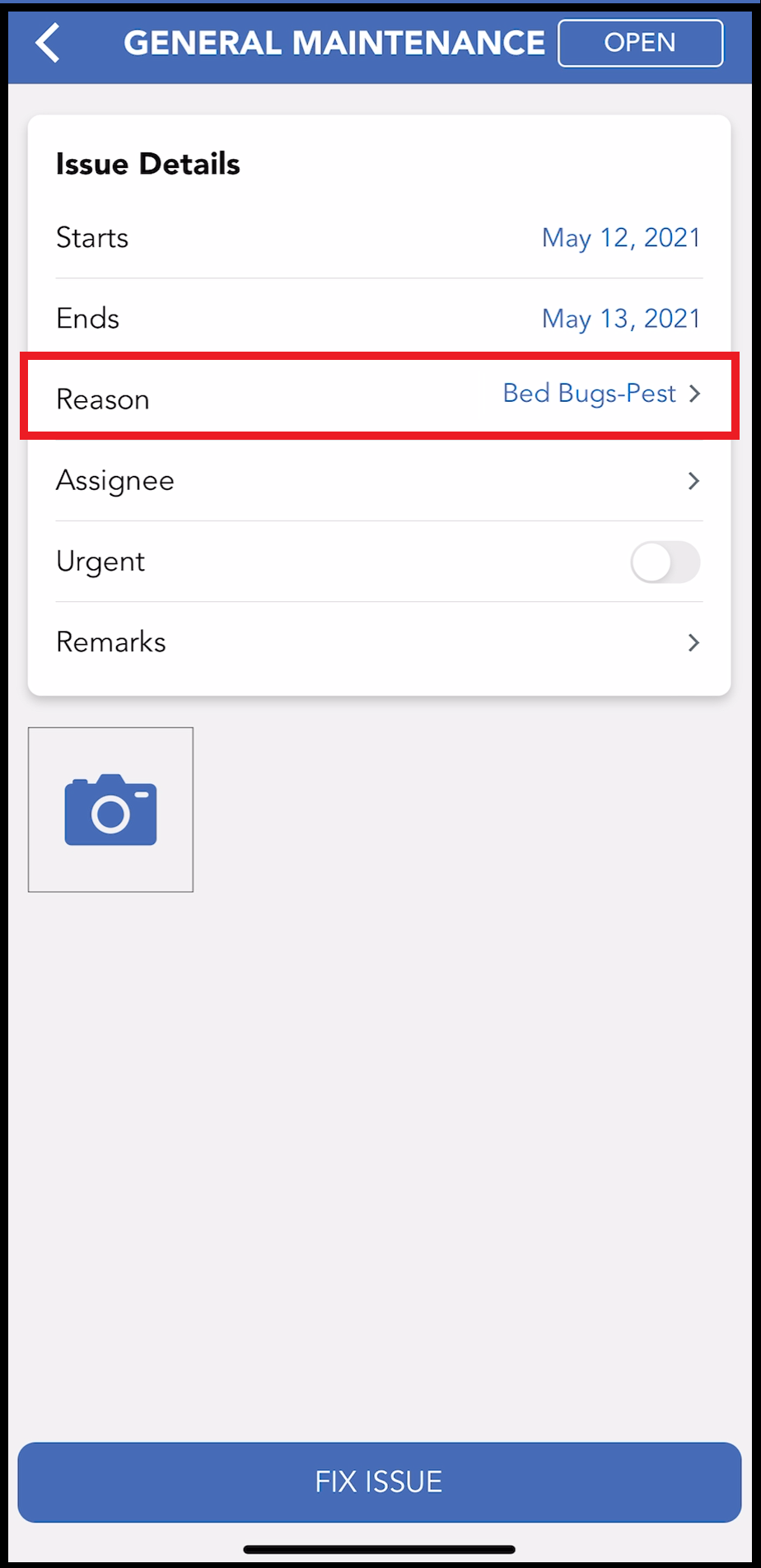
The Issue Details panel loads. Make desired changes. In this example the issue reason is being changed. Select the issue Reason. |
|
|
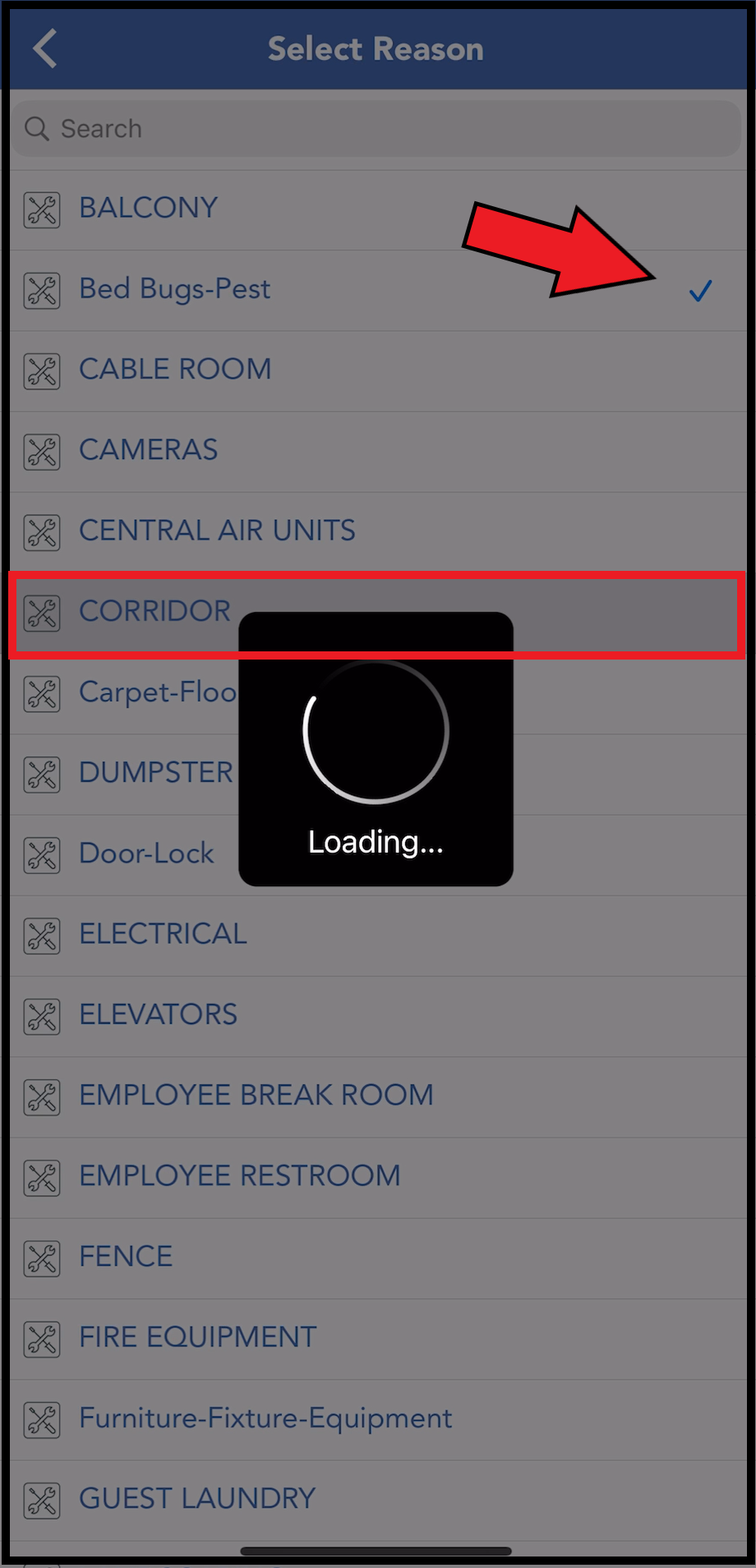
The Select Reason panel loads, with a checkmark icon next to the reason that is currently selected for this issue. Select the applicable, different reason from the list. |
|
|
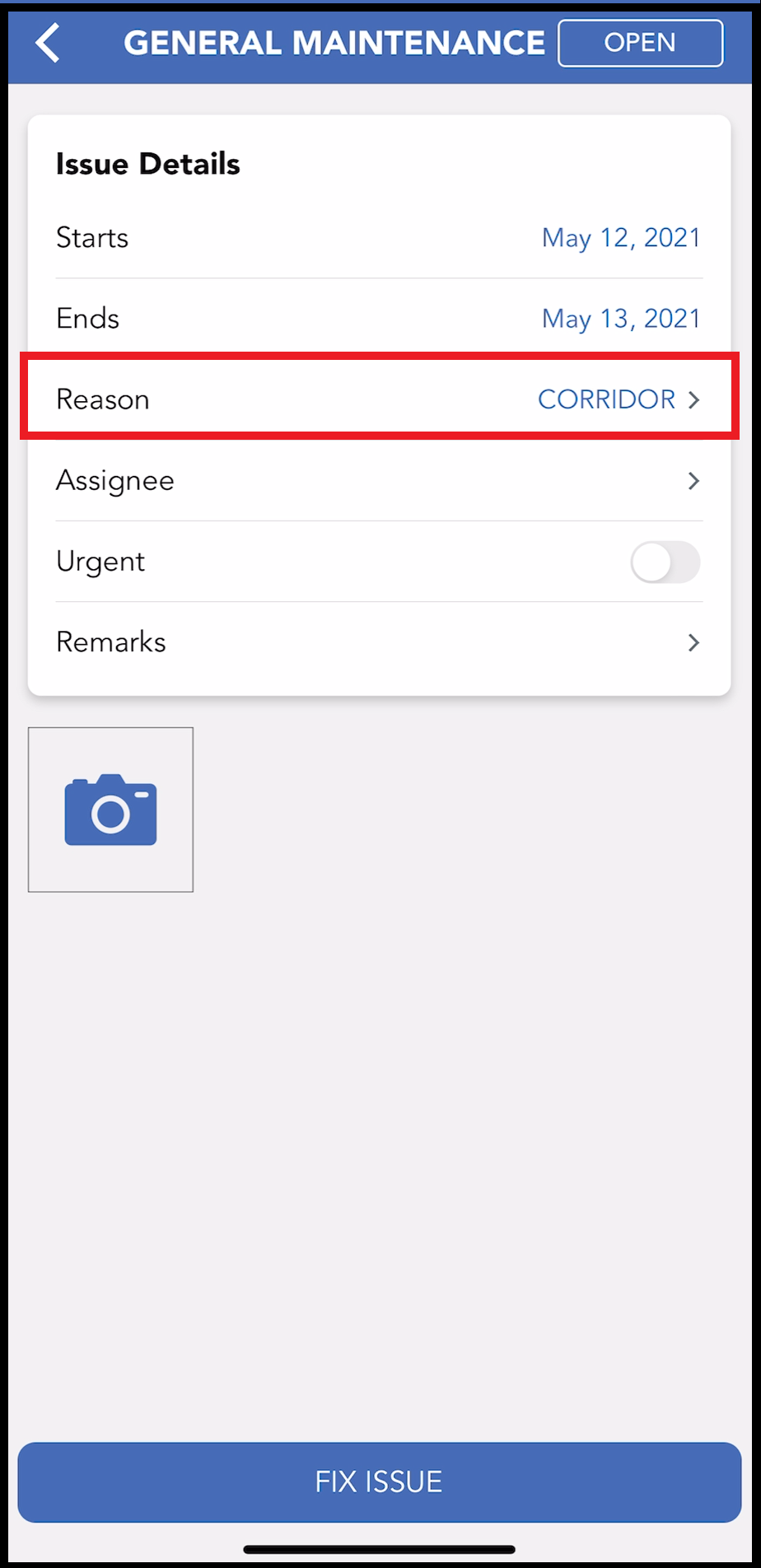
The Reason on the Issue Details panel is updated. |
|
|
The reason for the request is now updated on the Maintenance tab. |
|