
📆 Revision Date:
The following reports can be utilized in HotelKey for financial reporting.
The Final Audit Report provides the summary of everything that occurred on the date selected, typically the prior days revenue. It is the summary of all financials for that day; it includes the previous night's total numbers, MTD, LY-MTD, the variance between the two, YTD, LY-YTD, and the variance between those two.
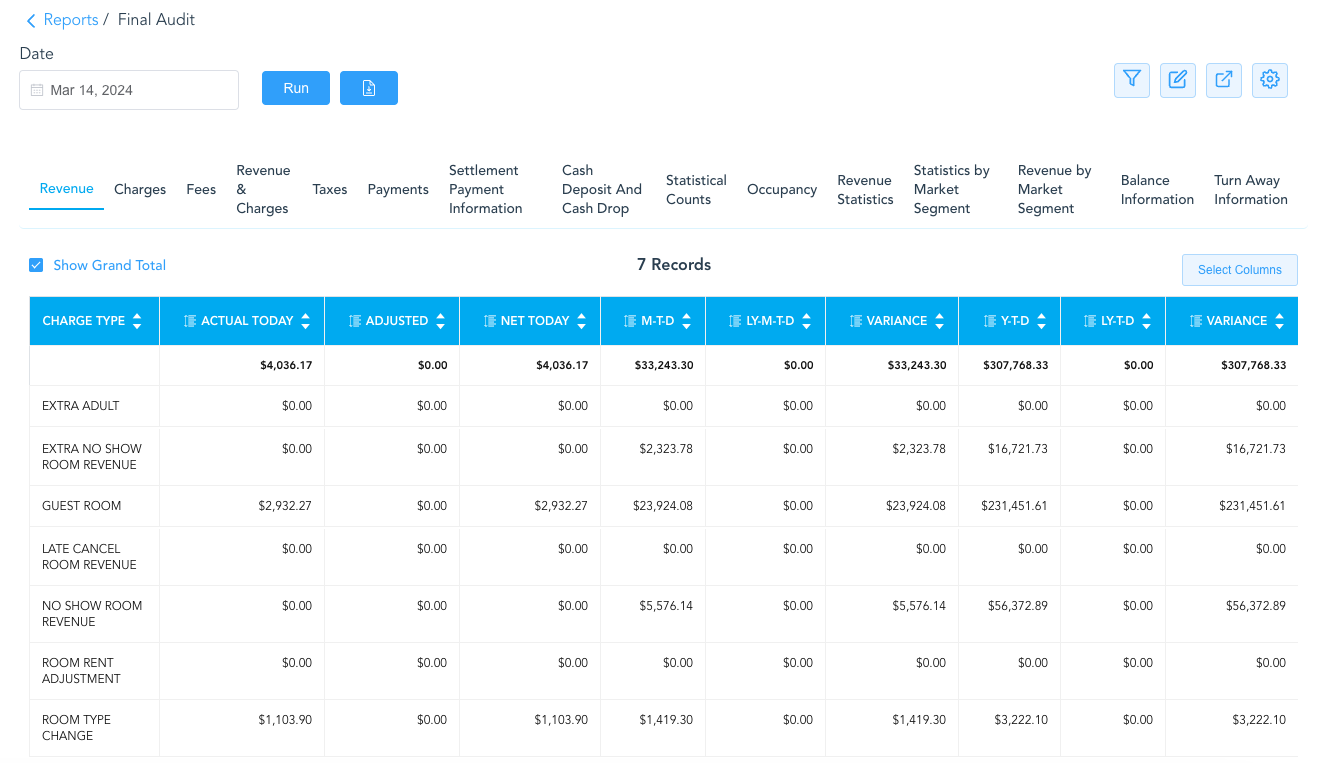
Final Audit Tabs at a Glance:
Revenue - this includes only charge types that are configured to be calculated as Room Rent Revenue
Charges - this includes all revenues not calculated in Room Rent; otherwise considered misc charges
Fees - this includes hotel fees or service charges imposed on guest stay
Revenue & Charges - this shows the consolidated total of Revenue and Charges; the items are separated out: Revenue, Charges and Taxes
-
Net Today = Actual revenue - Adjusted revenue
Taxes - shows only the taxes the property has to pay
Payments - this is all payments made by Cash, Credit Card and Direct Bill on the selected date
Settlement Payment - this includes all Direct Bill payments only
Cash Deposit & Cash Drop - this includes all Cash; deposits and drops.
-
Note - if there is an error made in a drop at any point, it can only be corrected in the same month for that month. Once the month is closed, there is no correcting cash errors.
Statistical Counts - this includes all statistics for the property on the selected date
Occupancy - this includes the occupancy for the selected date
Revenue Statistics - this includes the ADR and RevPar for the selected date.
-
ADR = Average Daily Rate | RevPar = Revenue Per Occupied Room
Statistics by Market Segment - this includes total rooms sold by market segment
Revenue by Market Segment - this includes total room revenue by market segment
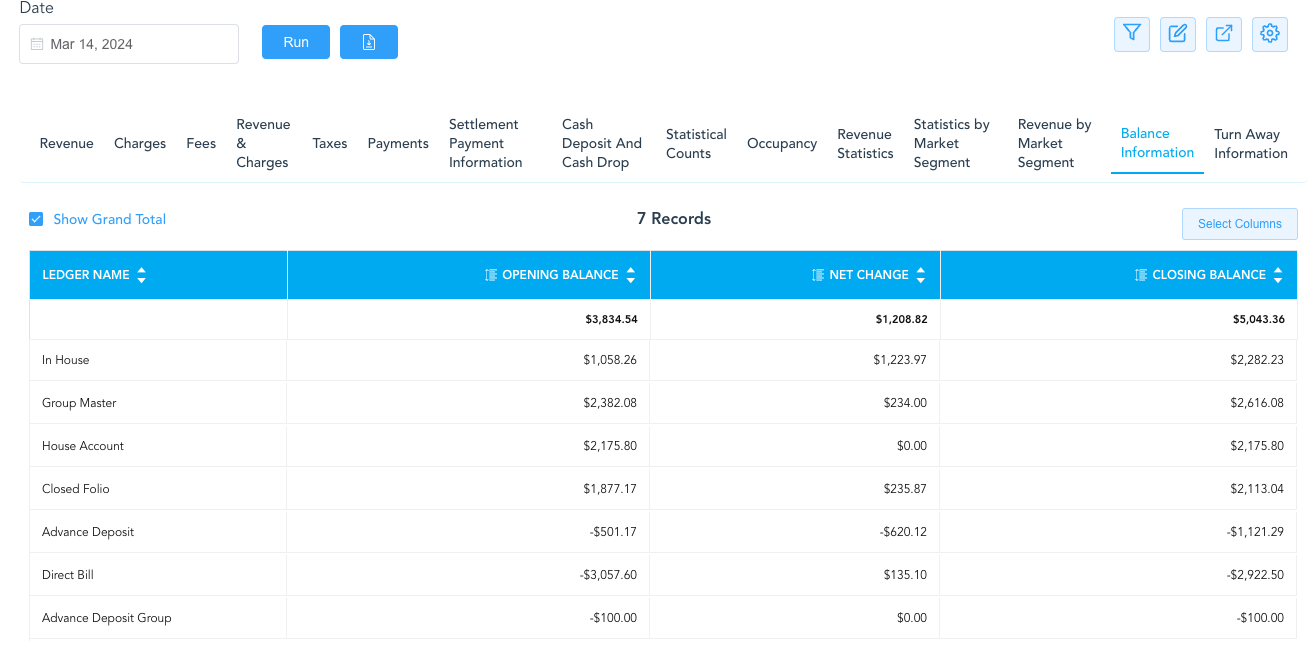
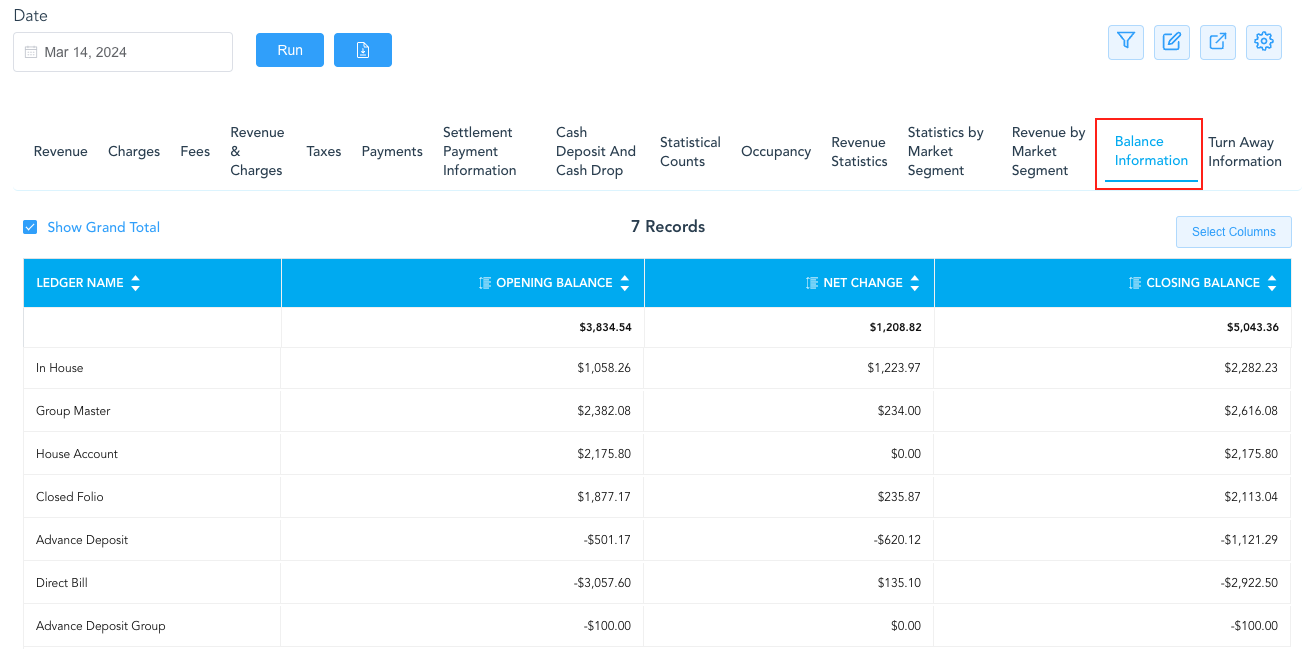
Balance Information - this show the balances for each ledger of the property; opening and ending balances as of the selected date. This section of the Final Audit contains all the information important for financial reporting
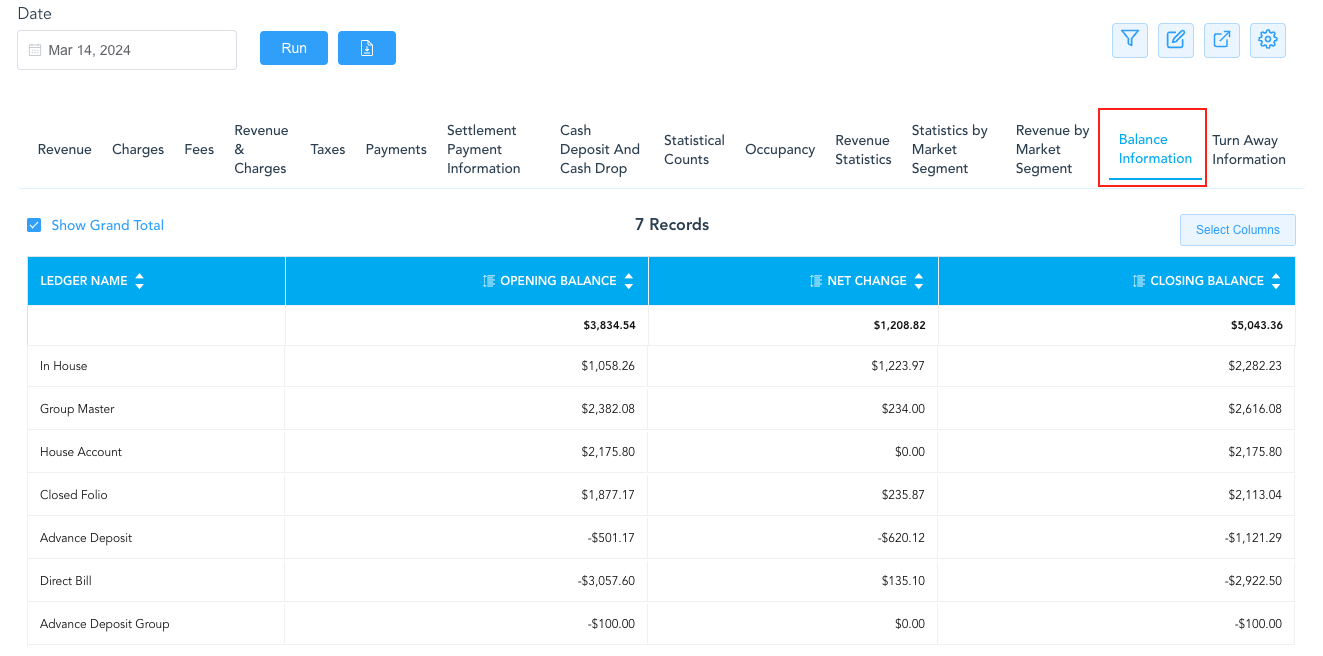
Balance Information at a Glance:
Let’s take a look at each Ledger associated with the Balance Information for the selected date and discover how to cross reference the totals on the Final Audit for the Opening Balance, Net Change and the Closing Balance of each ledger type.
In House
-
The In House balance is the total of all individual checked in reservations with charges posted. The calculation used to find the in house balance uses Today’s Charges - Today’s Payments = Today’s Net Change Balance.
In the example above, the In House Opening Balance is $1058.26 and the Net Change is $1223.97
We can use the In House Guest Folio Balance Report under the Balances tab to validate these numbers
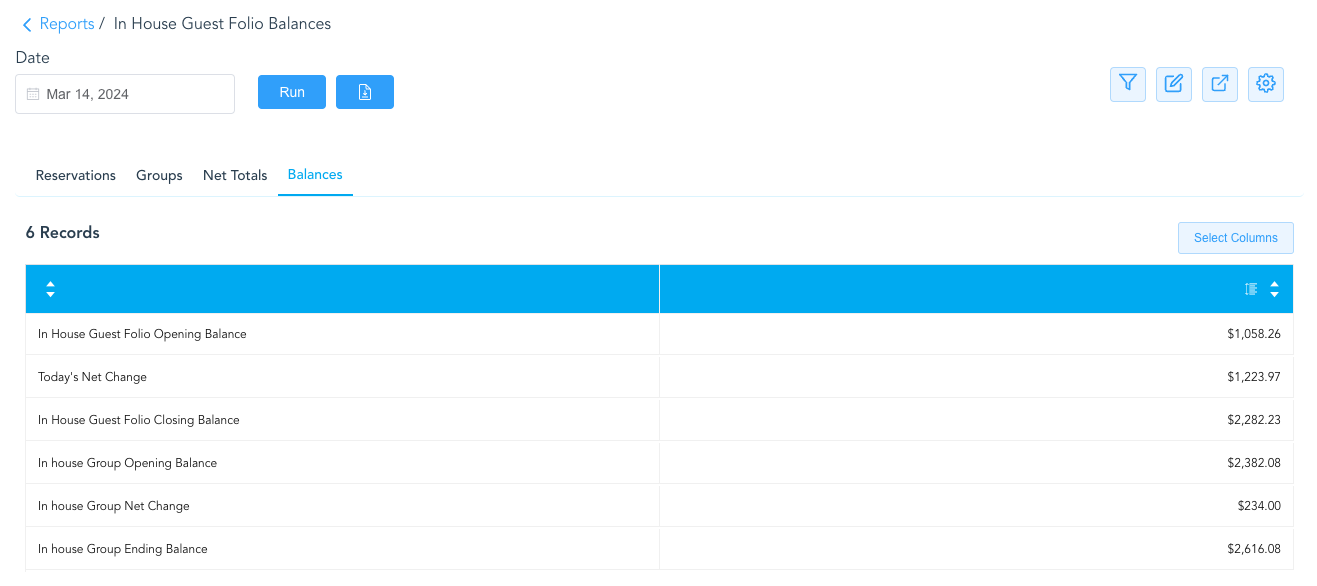
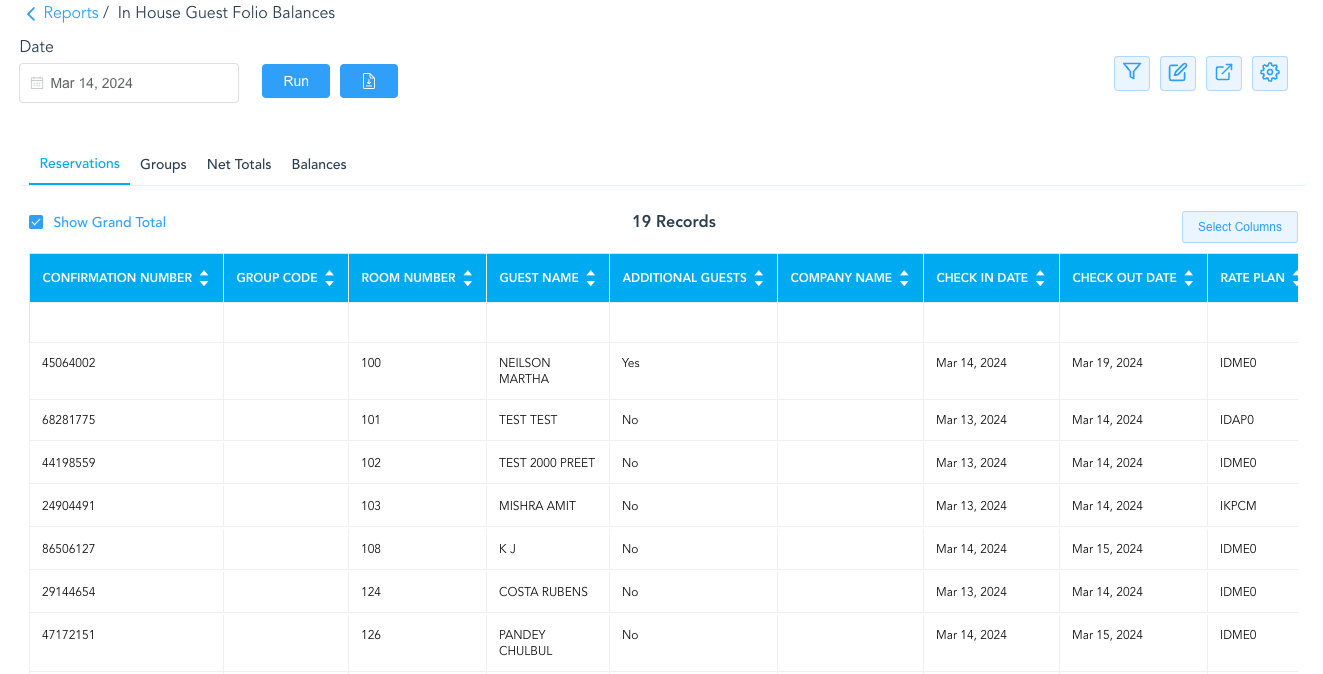
to view the source of the balances (how the net change is being calculated), select the Reservations tab on the same report. This will show all the in house reservations that have contributed to the Net Change for the date selected and reflect on the Final Audit
Group Master
-
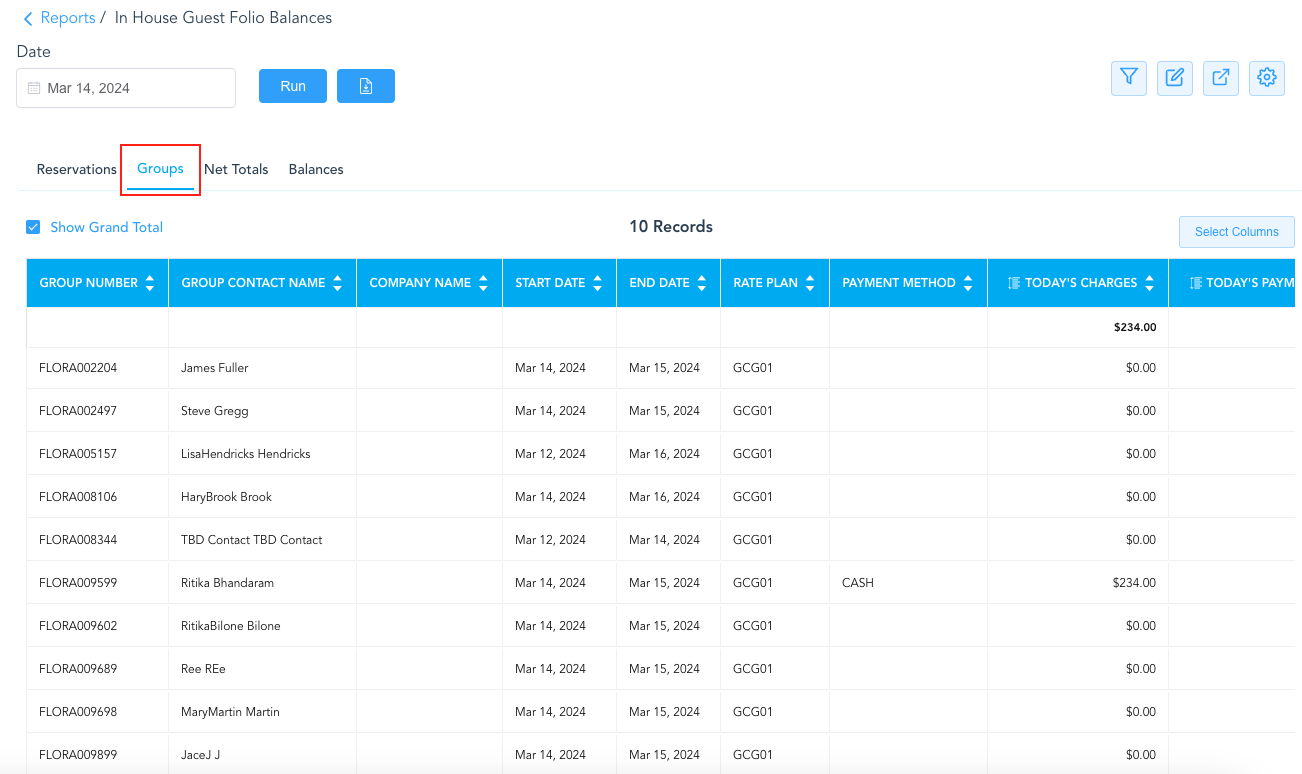
The Group Master balance is the total of all checked in Group Masters with charges posted. The calculation used to find the in house Group Master balance uses Today’s Charges - Today’s Payments = Today’s Net Change Balance.
In the Final Audit Report example (below), the Group Master Net Change is $234.00
We can use the In House Guest Folio Balance Report once again and under the Groups tab we can validate this number, and to view the source of the balances - select the Group Master tab of the same report. This will show all the checked in Group Masters that have contributed to the Net Change for the date selected and reflect on the Final Audit
House Account
-
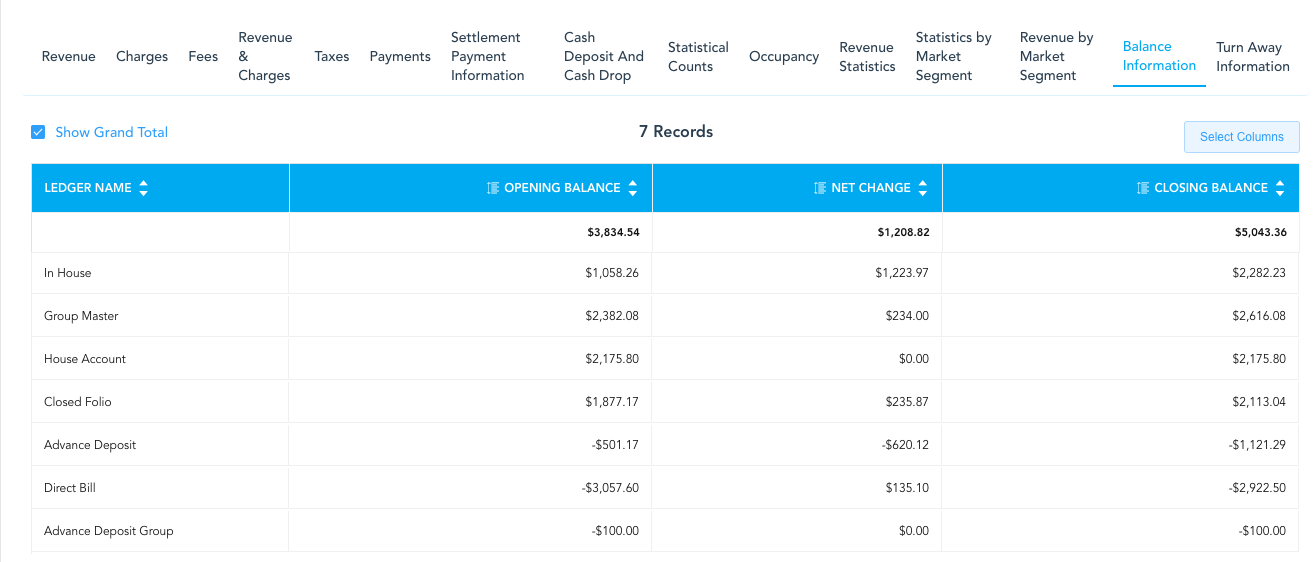
The House Account balance is the total of all checked in House Accounts with charges posted. The calculation used to find the in house House Account balance uses Today’s Charges - Today’s Payments = Today’s Net Change Balance.
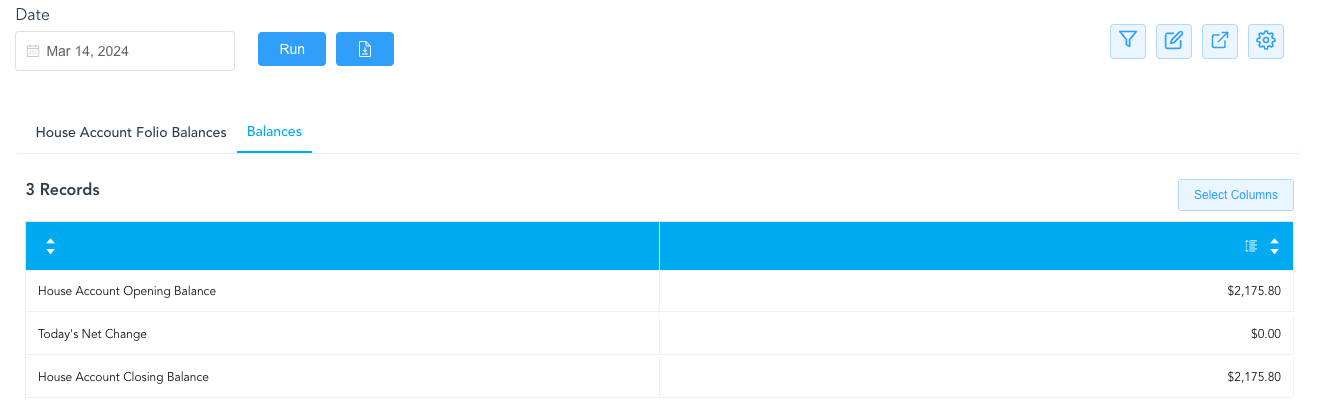
On the Final Audit (below), the House Account opening balance is $2175.80 with a Net Change of $0.
Here, we can use the House Account Folio Balances Report to validate these numbers and view the source of the totals under the house account folio balances tab
Closed Folio
-
Closed Folio is the total of both the closed Reservations and Group Masters combined, the two are not broken out separately. The calculation used to find the closed folio balance uses Today’s Charges - Today’s Payments = Today’s Net Change Balance.
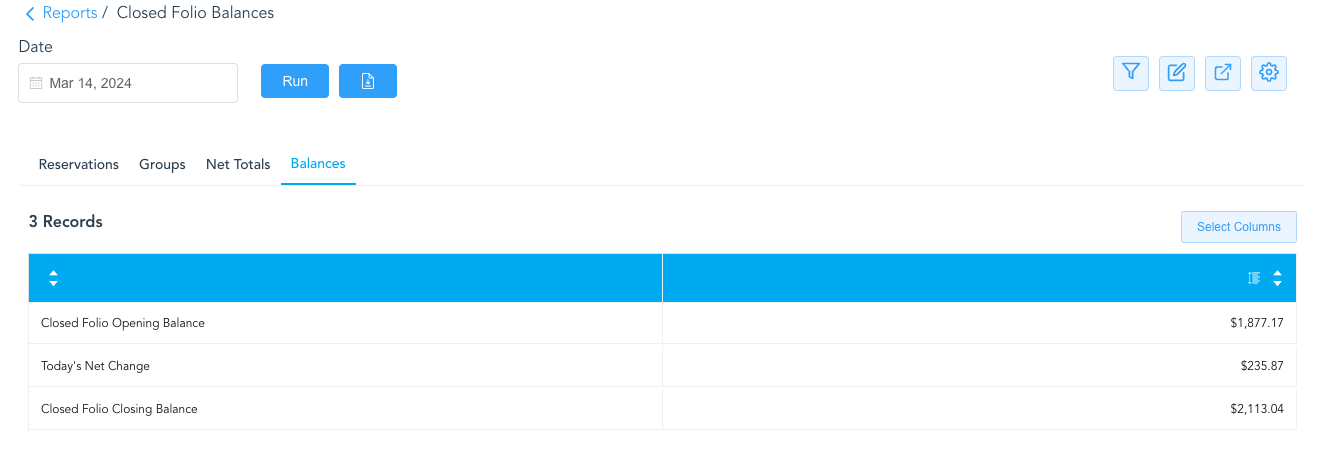
On the Final Audit, the Closed Folio opening balance is $1877.17 with a Net Change of $235.87.
We can use the Closed Folio Balances Report to validate these numbers and view the source of the totals under the Reservations and Groups tabs. It is important to note that Reservations and Groups totals are not broken apart or reported separately here, the balances are combined and the Net Totals and Balances tabs should match.
Advance Deposit
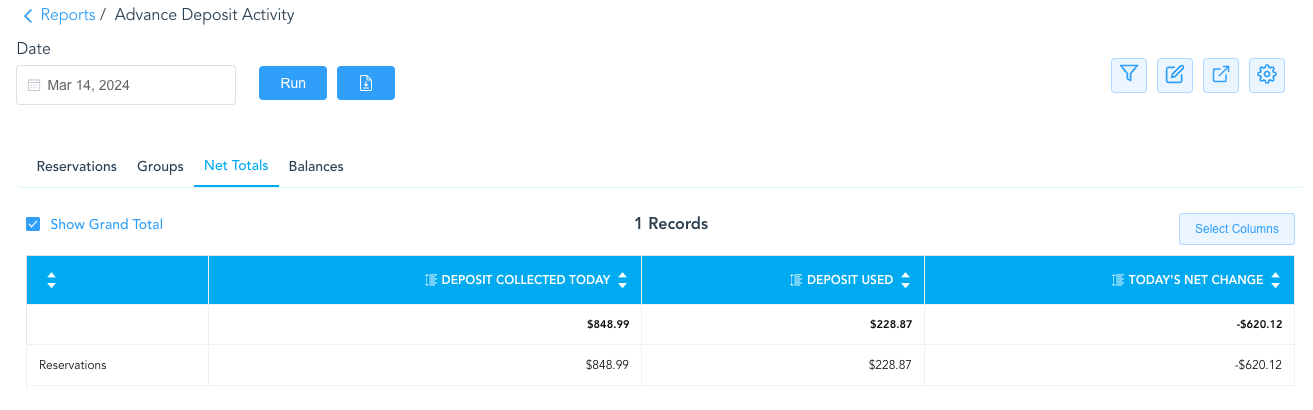
Advance Deposit on the Final Audit Report is for individual reservations, group is not included in the totals, we will need to refer to the Advance Deposit Activity Report.
We can use the Advance Deposit Activity Report to validate these numbers and view the source of the totals. It is important to note; however, that the Net Totals tab does not have Opening or Closing Balances
-
Balances - note that the Advance Deposit is negative. The money has been collected but not yet consumed, meaning the reservation(s) has not yet checked in to begin the use of the “credit balance” posted.
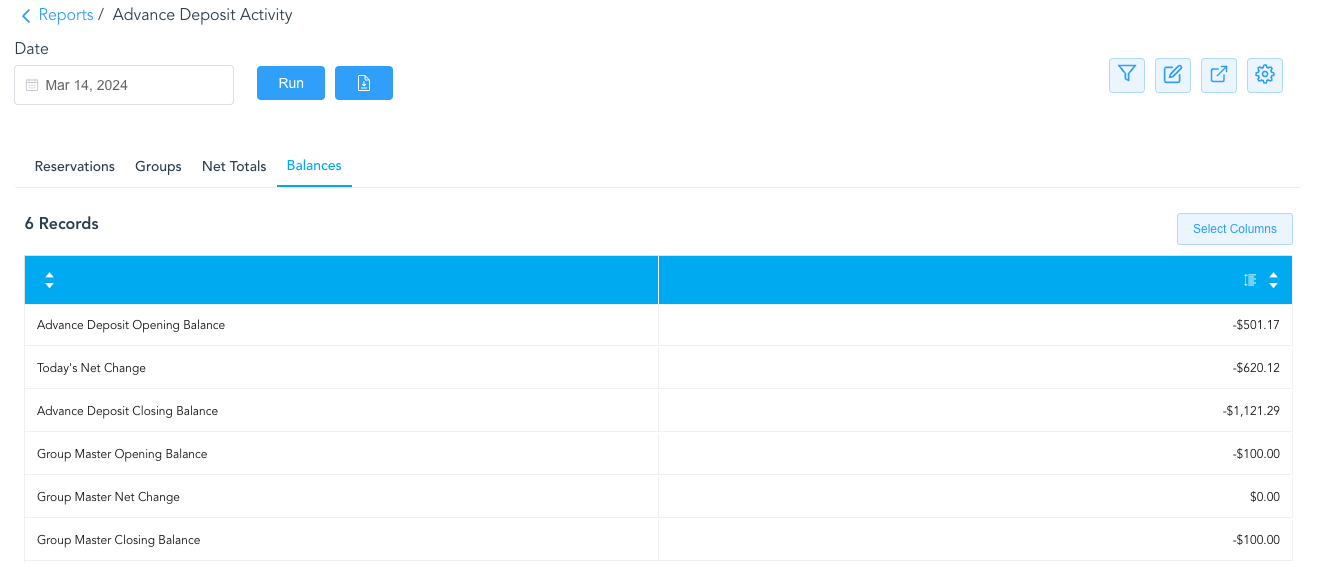
In the above example, the Advance Deposit Opening Balance is -$501.17 and the Advance Deposit Closing Balance is -$1129.29
If we want to see what comprises these amounts, we can refer to the Reservations tab of this report, and view the following:
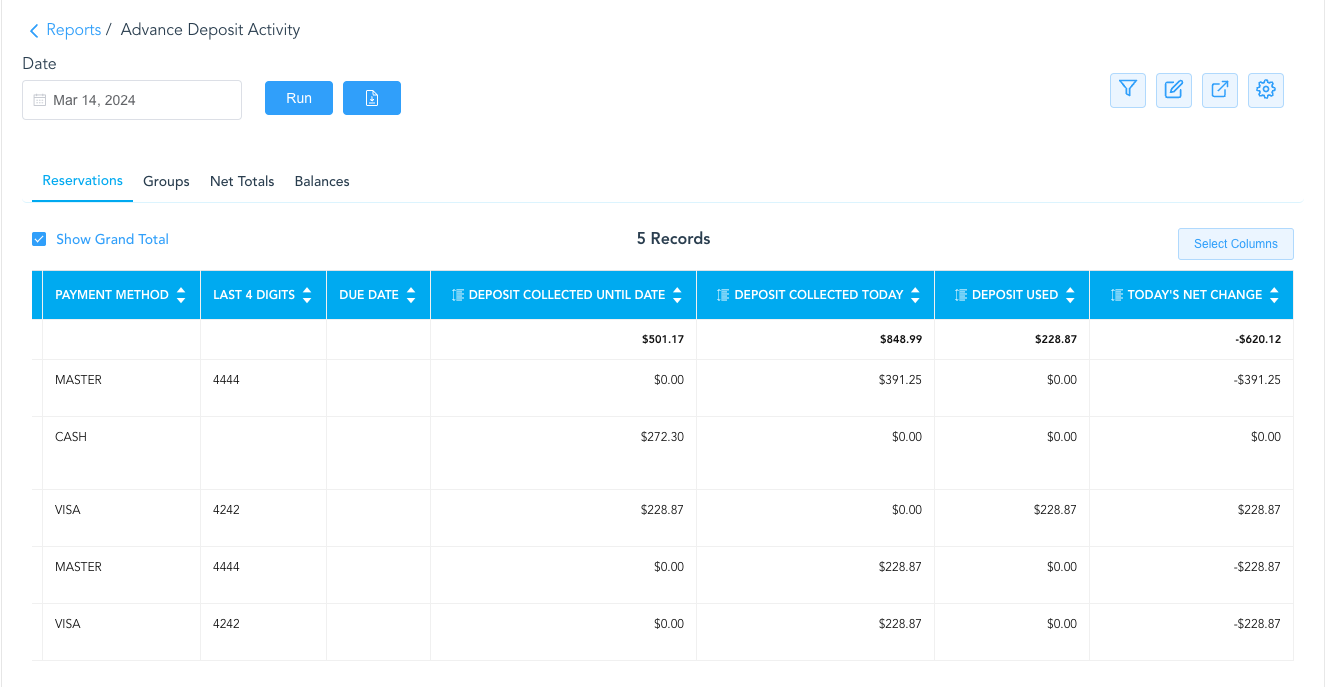
The Deposit Collected Until Date (money collected on the reservation prior to check in) = 501.71
PLUS the Deposit Used (money “consumed” by reservations checked in on the selected date) = 228.57
EQUALS the Advance Deposit Opening Balance
The Deposit Collected Until Date PLUS the Deposit Collected Today (any money collected on the date of the selected report and posted as an advance deposit) EQUALS the Advance Deposit Closing Balance
If there is ever a discrepancy of the totals, further research can be done.
Direct Bill
-
The Direct Bill balance is the total of all checked in reservations
On the Final Audit (below), the Direct Bill opening balance is -$3057.60 with a Net Change of $0.
We can use the Direct Bill Ledger Details Report to validate these numbers and view the source of the totals under the Reservations and Groups tabs. It is important to note that Reservations and Groups totals are not broken apart or reported separately here, the balances are combined and the Net Totals and Balances tabs should match.