
📆 Fecha de Revisión:
Los siguientes pasos son para asignar una única habitación sucia a un ama de llaves.
To assign multiple rooms to multiple housekeepers, See Express Assign Rooms to Housekeepers
|
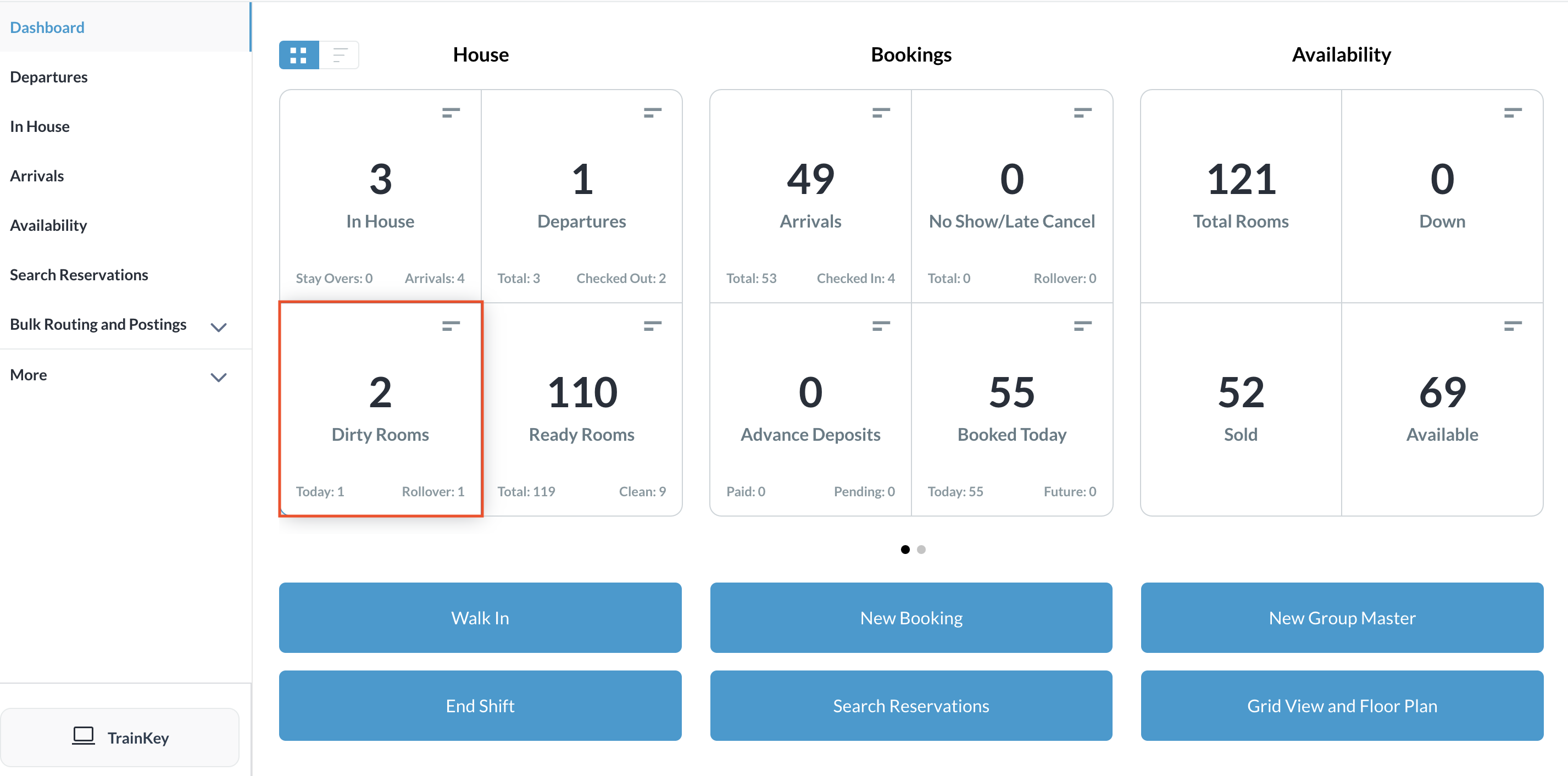
Select the Dirty Rooms tile on the Dashboard. |
|
|
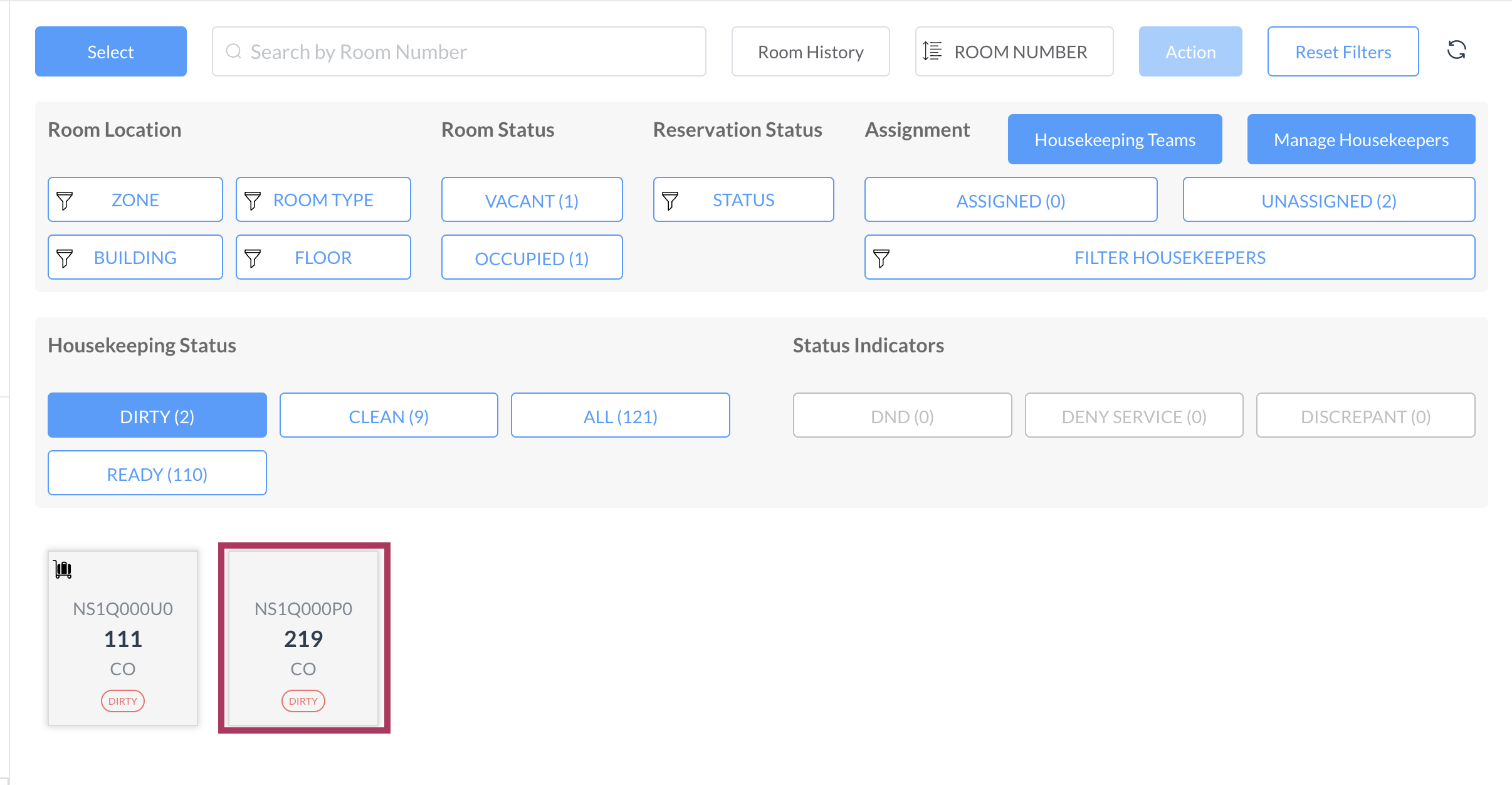
The Housekeeping page loads. Select the applicable room from those shown at the bottom of the page. |
|
|
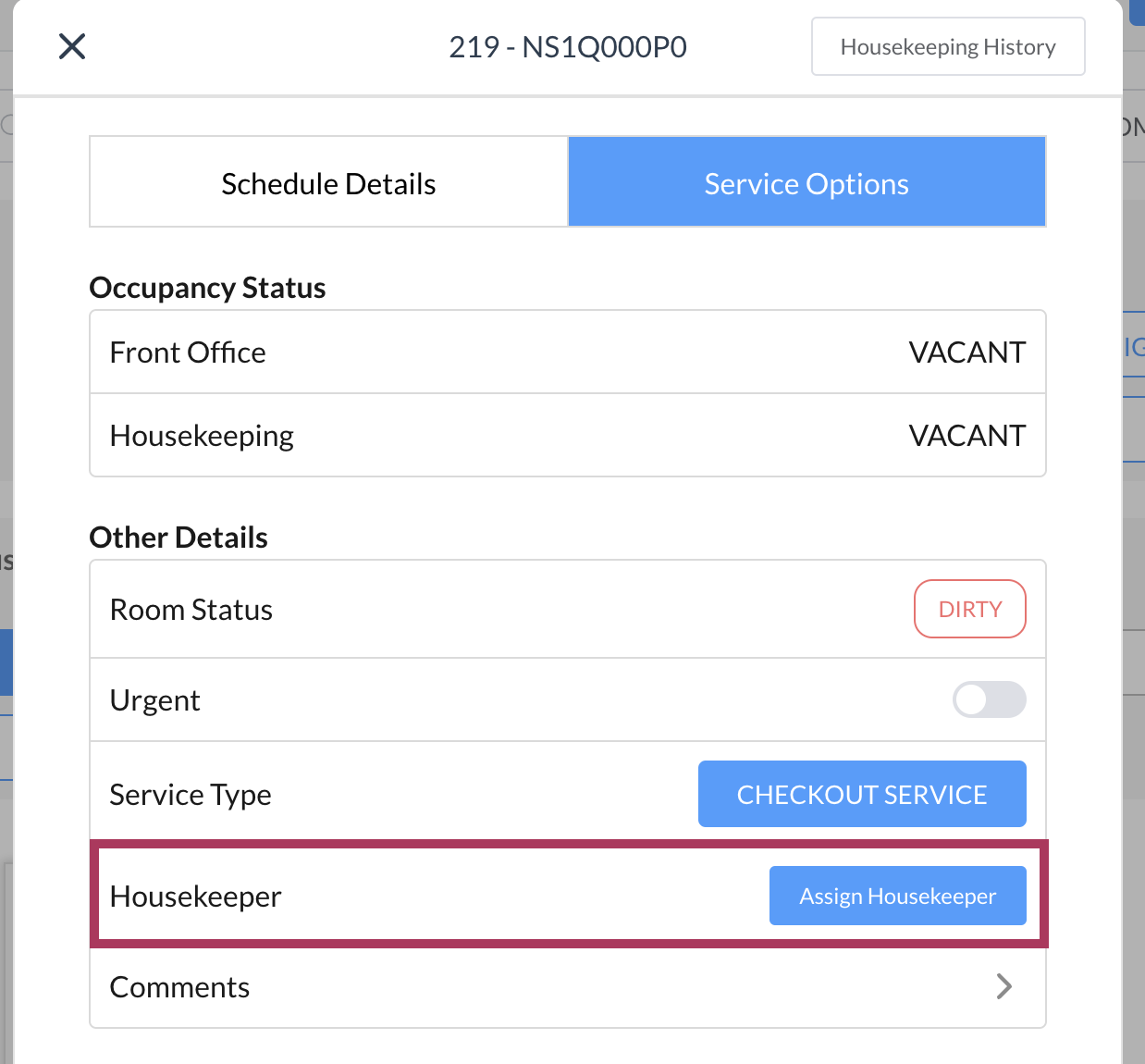
Room details screen populates. Select Assign Housekeeper |
|
|
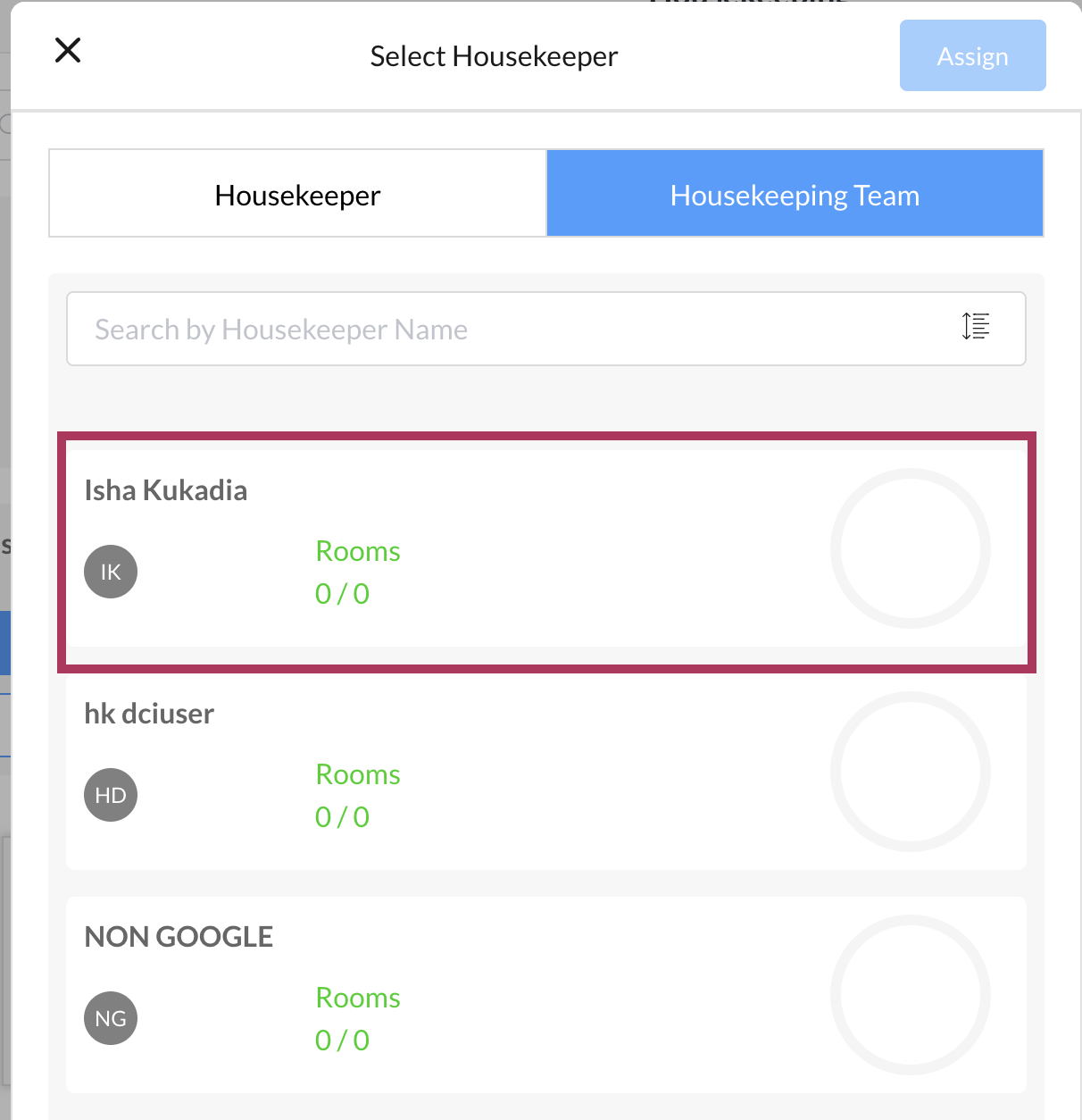
A Select Housekeeper popup activates. Select the applicable housekeeper. The selected housekeeper’s icon changes from their initials to a checkmark. Select the blue Assign button. |
|
|
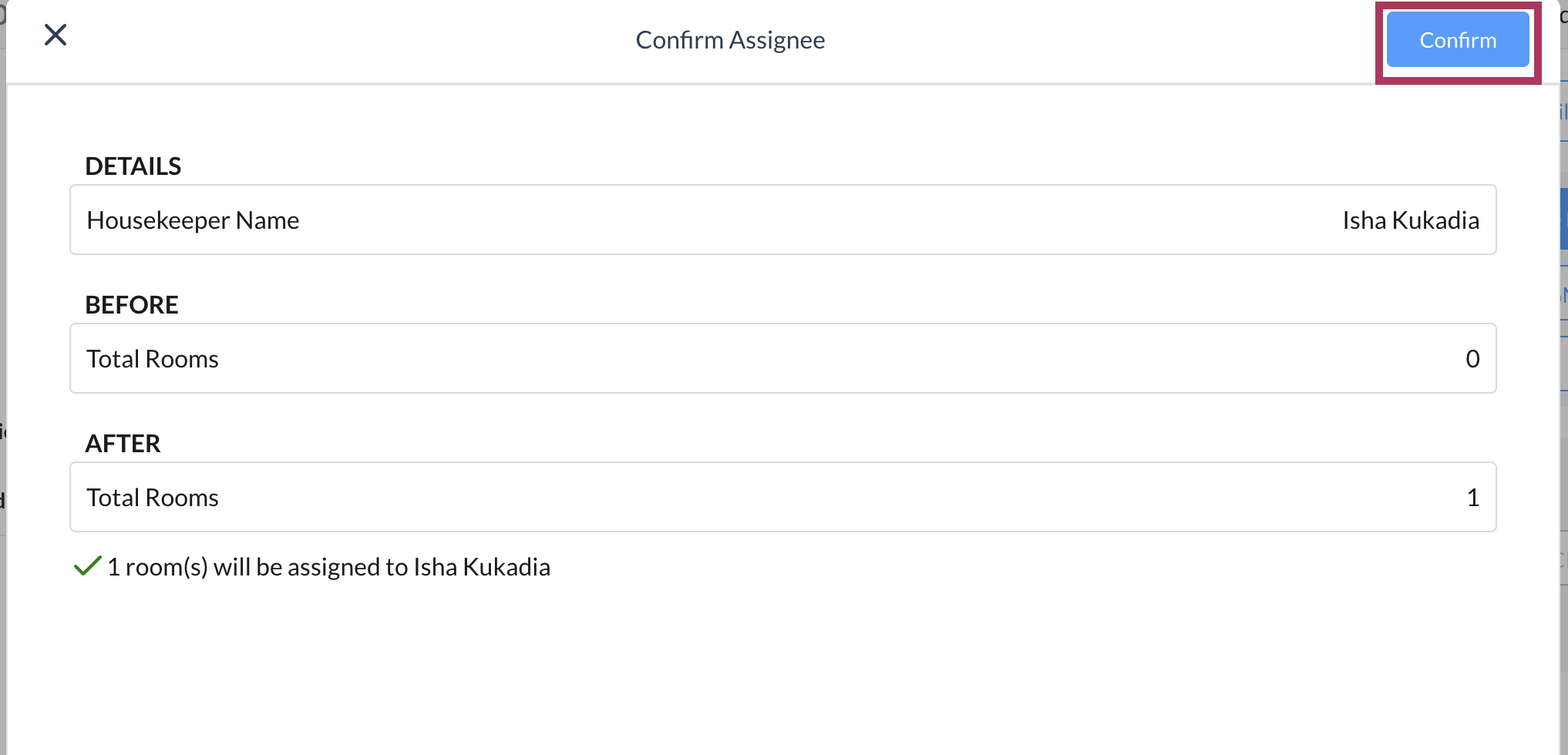
A Confirm Assignee popup activates, containing a confirmation message at the bottom. Select the blue Confirm button. |
|
|
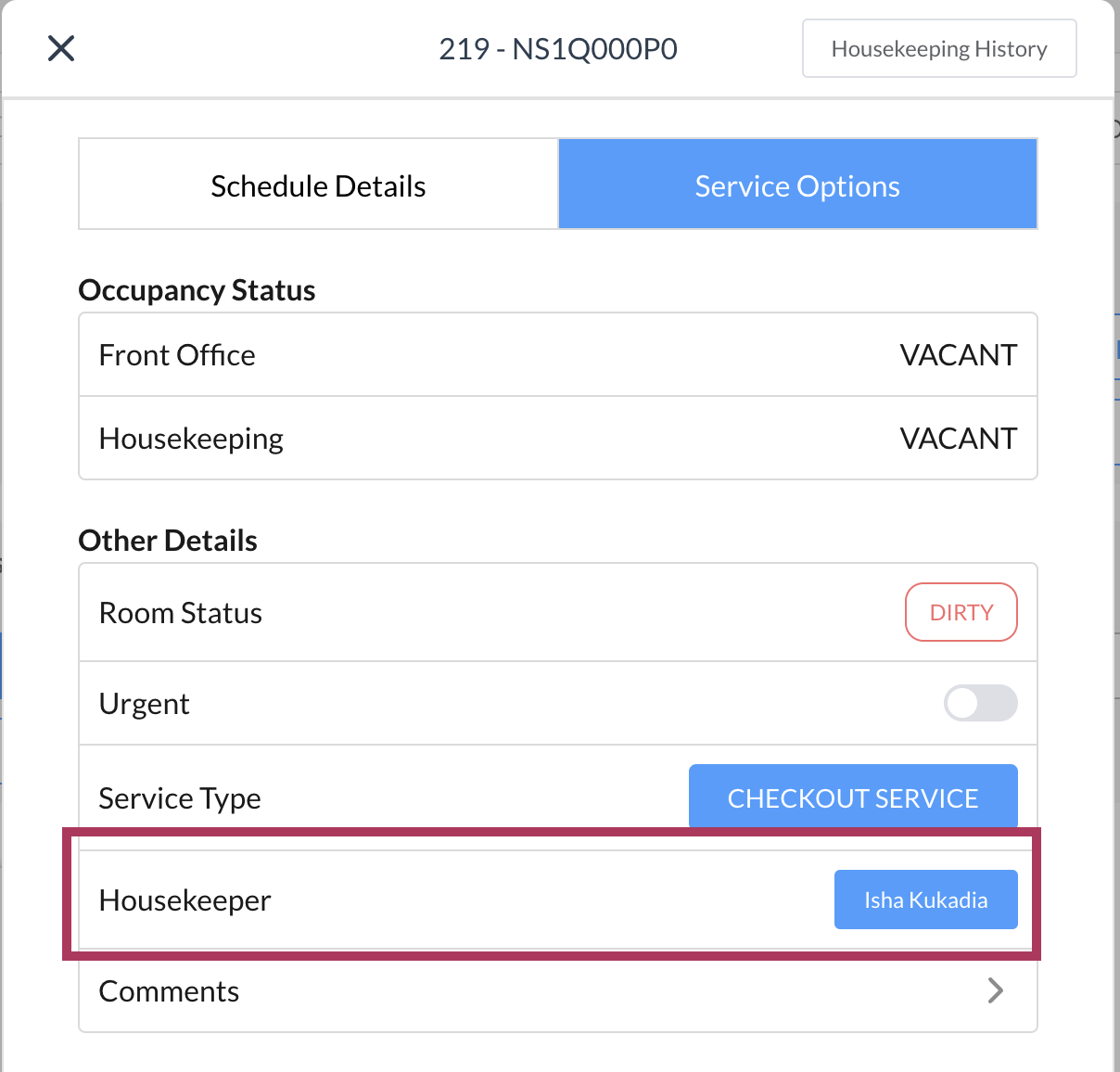
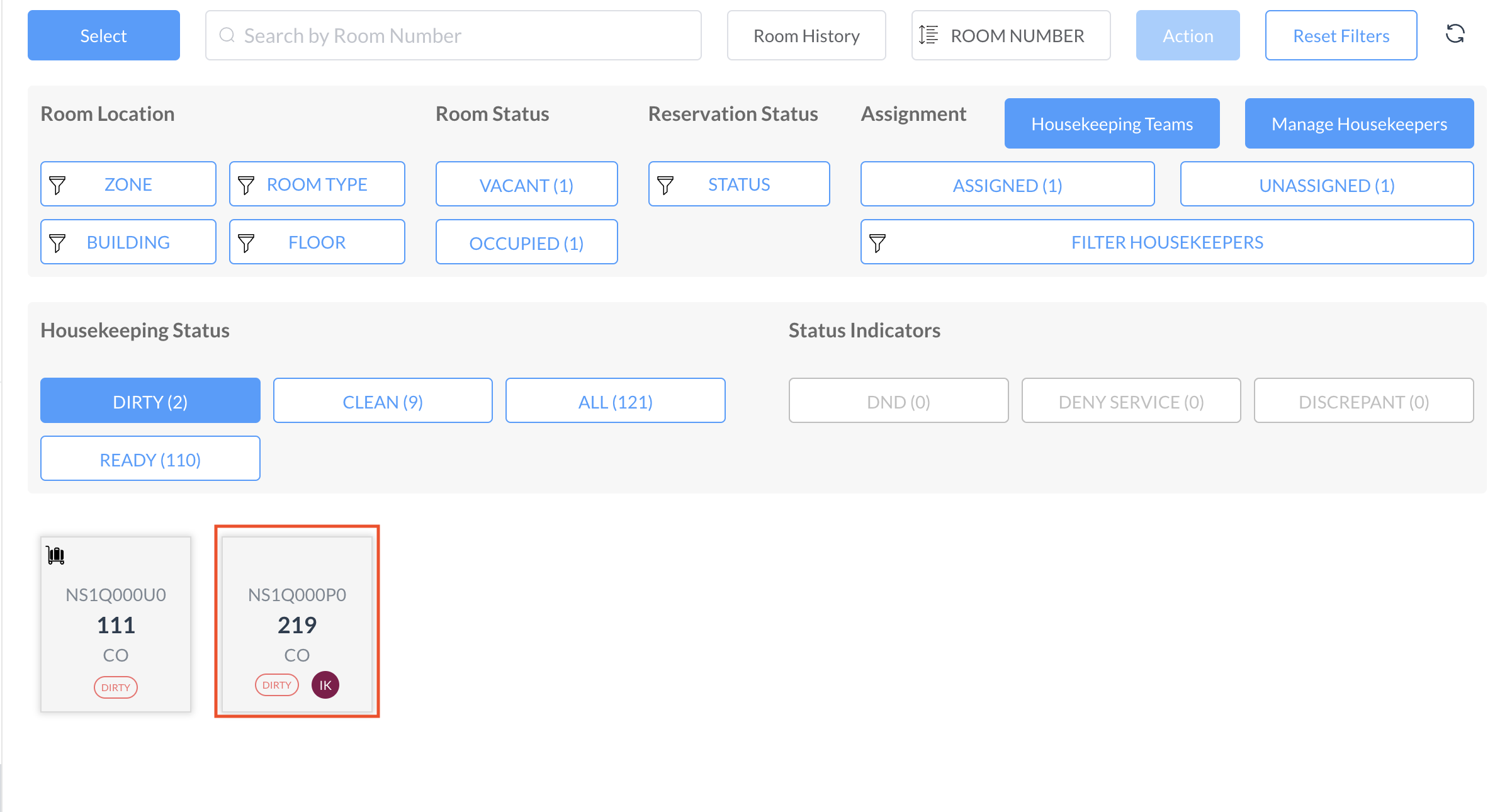
The popup closes and the Housekeeping page is updated, showing the assigned housekeeper’s initials added to the applicable room. |
|