
📆 Revision Date:
The following steps are to express assign a rooms to Housekeepers.
See Assign a Single Room to a Housekeeper to assign just one room to a single housekeeper
|
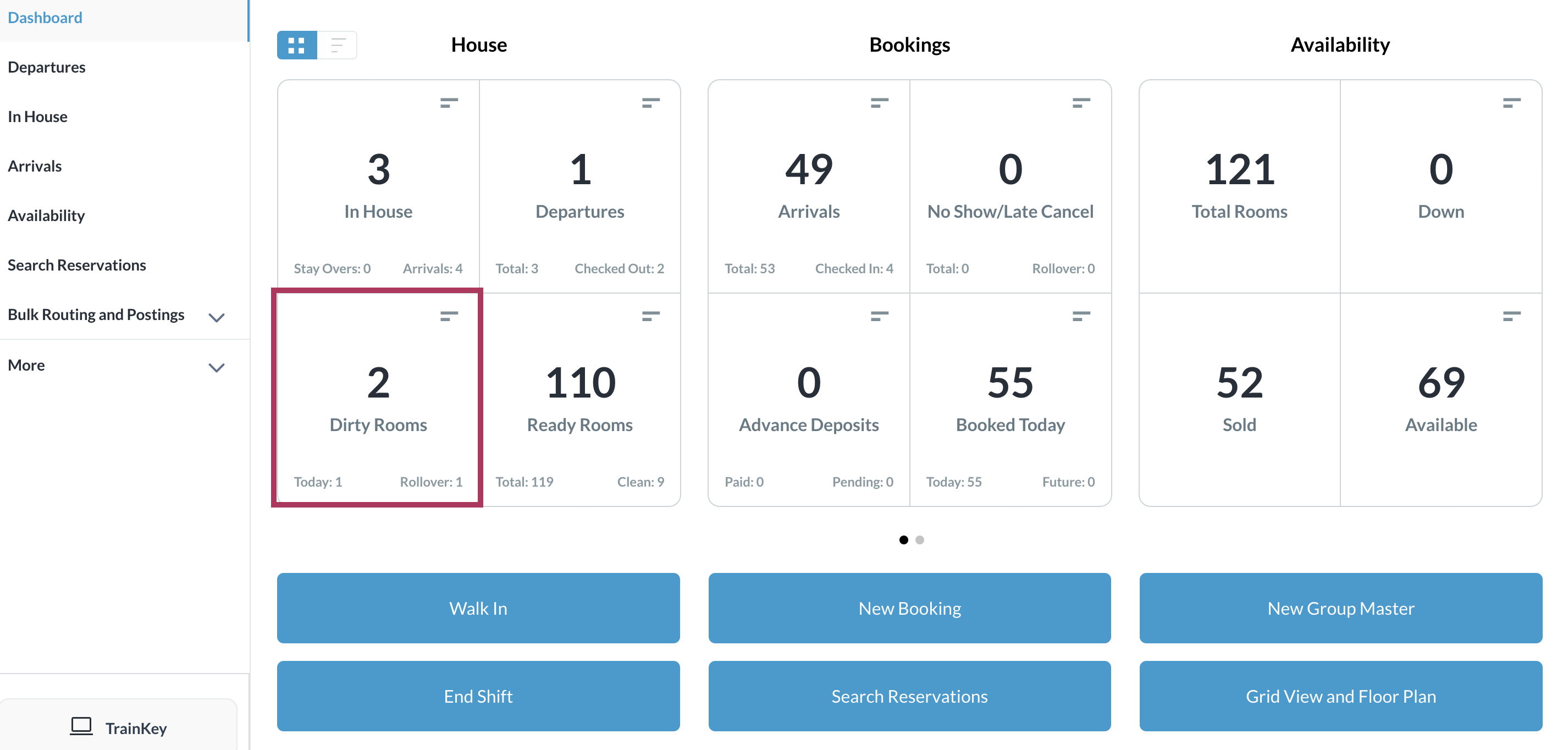
Select the Dirty Rooms tile on the Dashboard. |
|
|
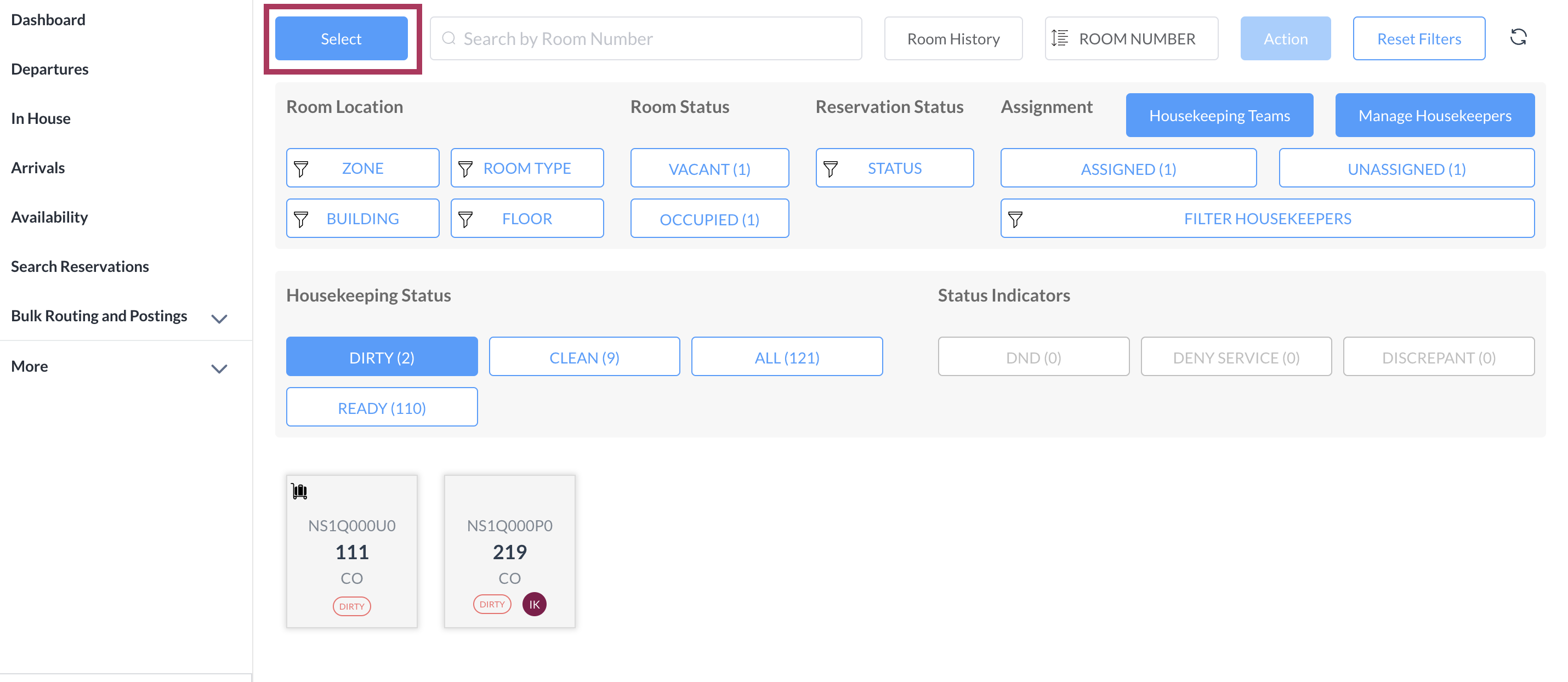
The Housekeeping page loads. Select the Select button at the top left of the page. |
|
|
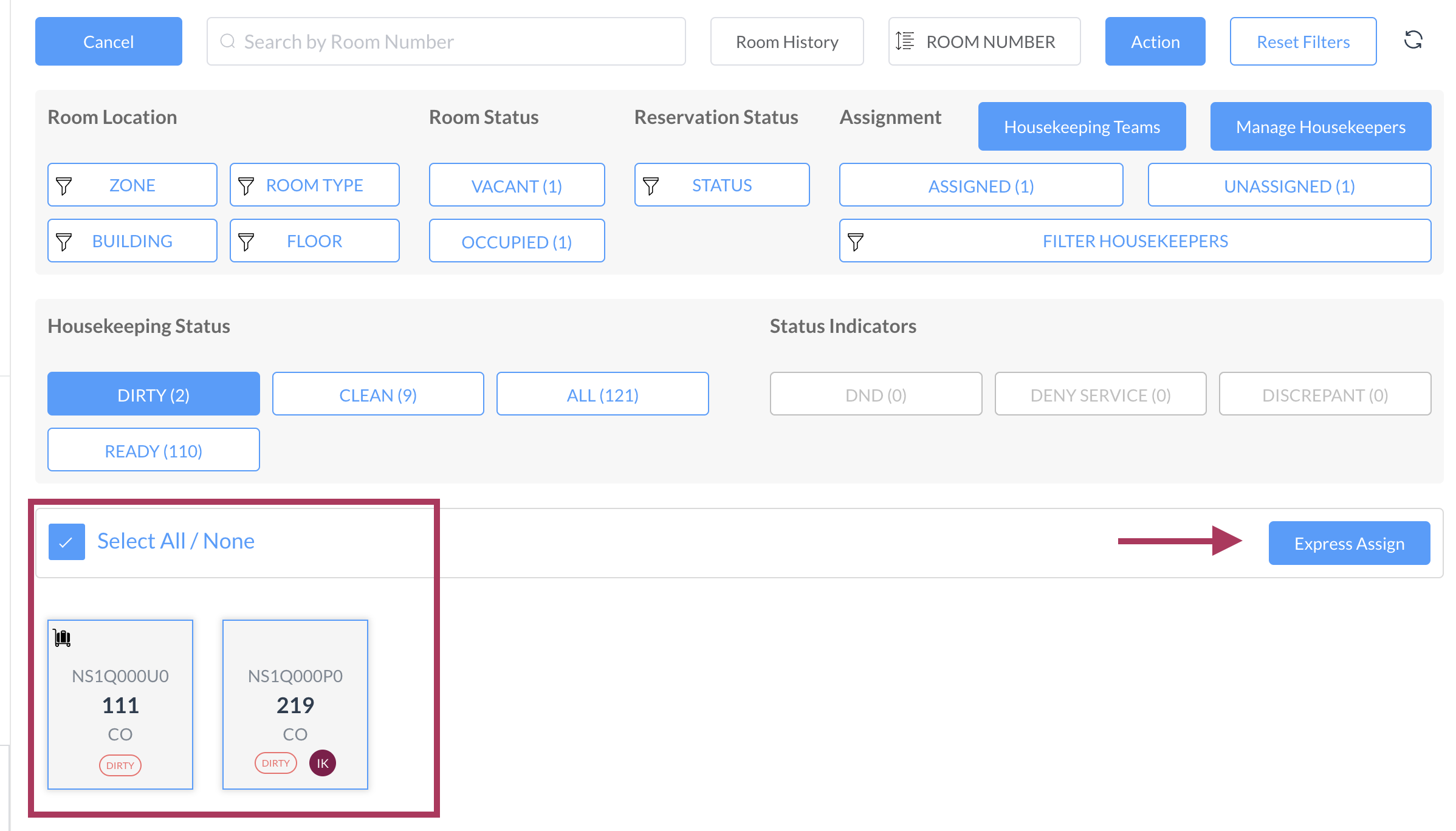
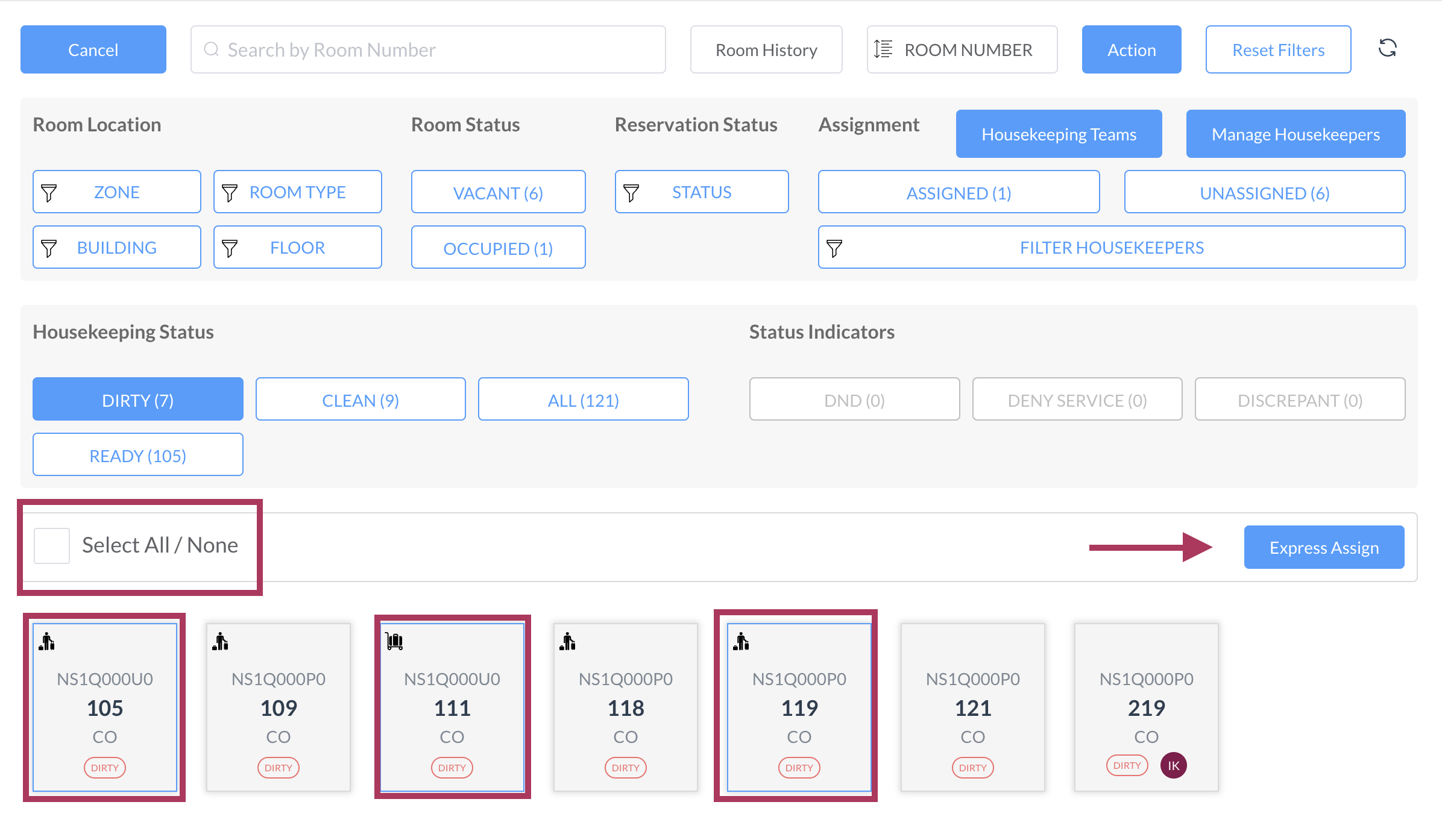
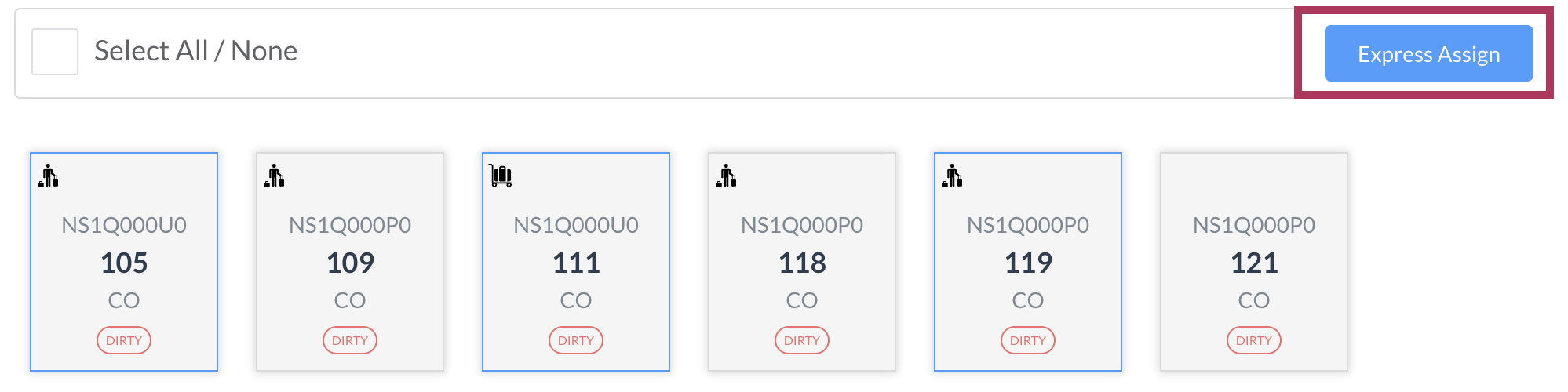
Select All/None option appears By choosing this box, all the rooms are selected and ready to be assigned
Alternatively, you can leave the box unmarked and select the rooms individually. Either option will activate the “Express Assign” button on the right side of the screen
|
|
|
Once you have made your selections, click on the Express Assign button |
|
|
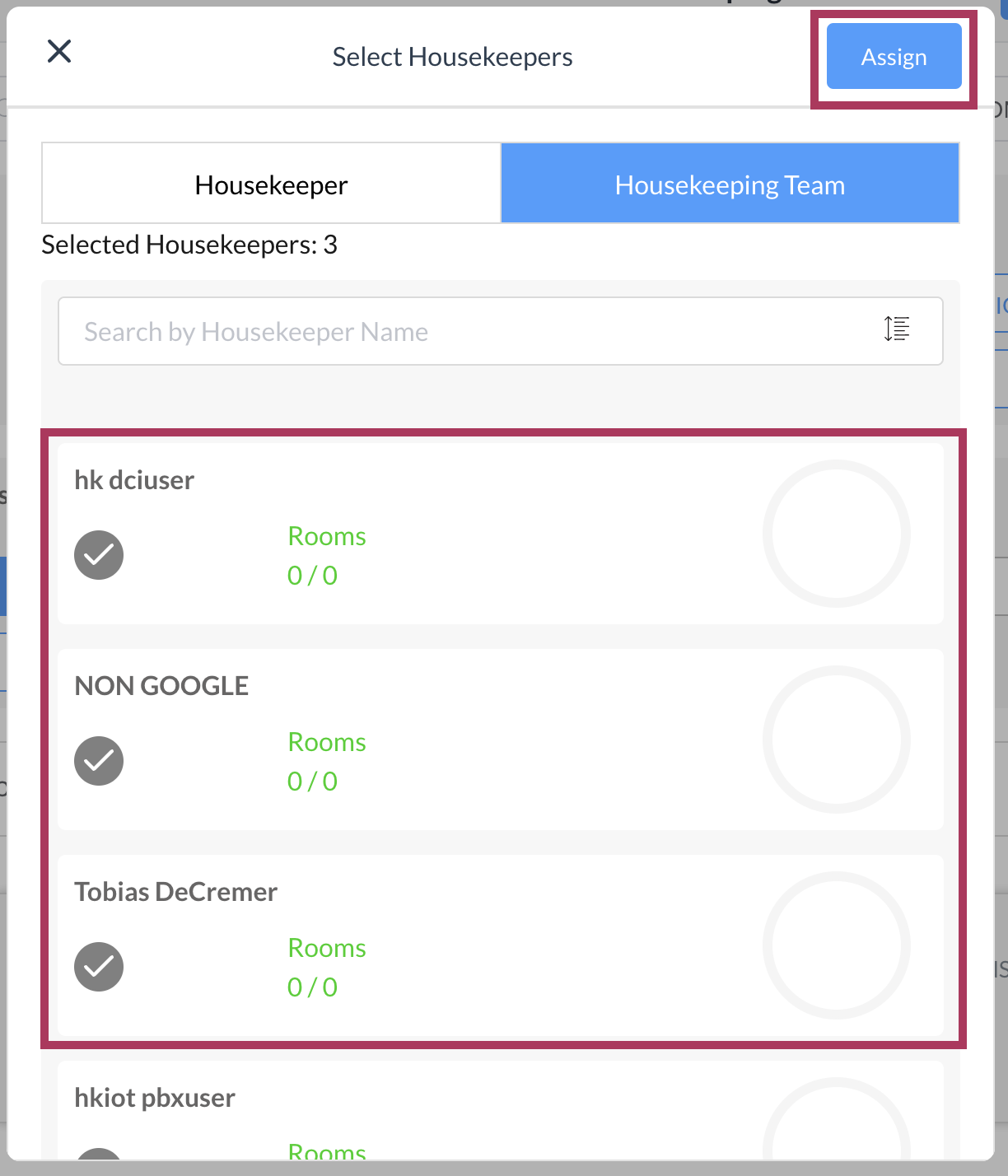
A Select Housekeeper popup activates. Select the applicable housekeepers.
The selected housekeeper’s icon changes from their initials to a checkmark.
Select the blue Assign button. |
|
|
The popup closes and the Housekeeping page is updated, showing the assigned housekeeper’s initials added to the applicable rooms. |
|