
📆 Revision Date:
Some properties offer optional, on-request room services to guests in addition to standard, full checkout service, stayover service, and trash-and-towels service. For example, a guest may ask for new towels when no other room services are needed.
Where a list of optional room services is configured for the property, follow the steps below to log completion of an optional service request.
|
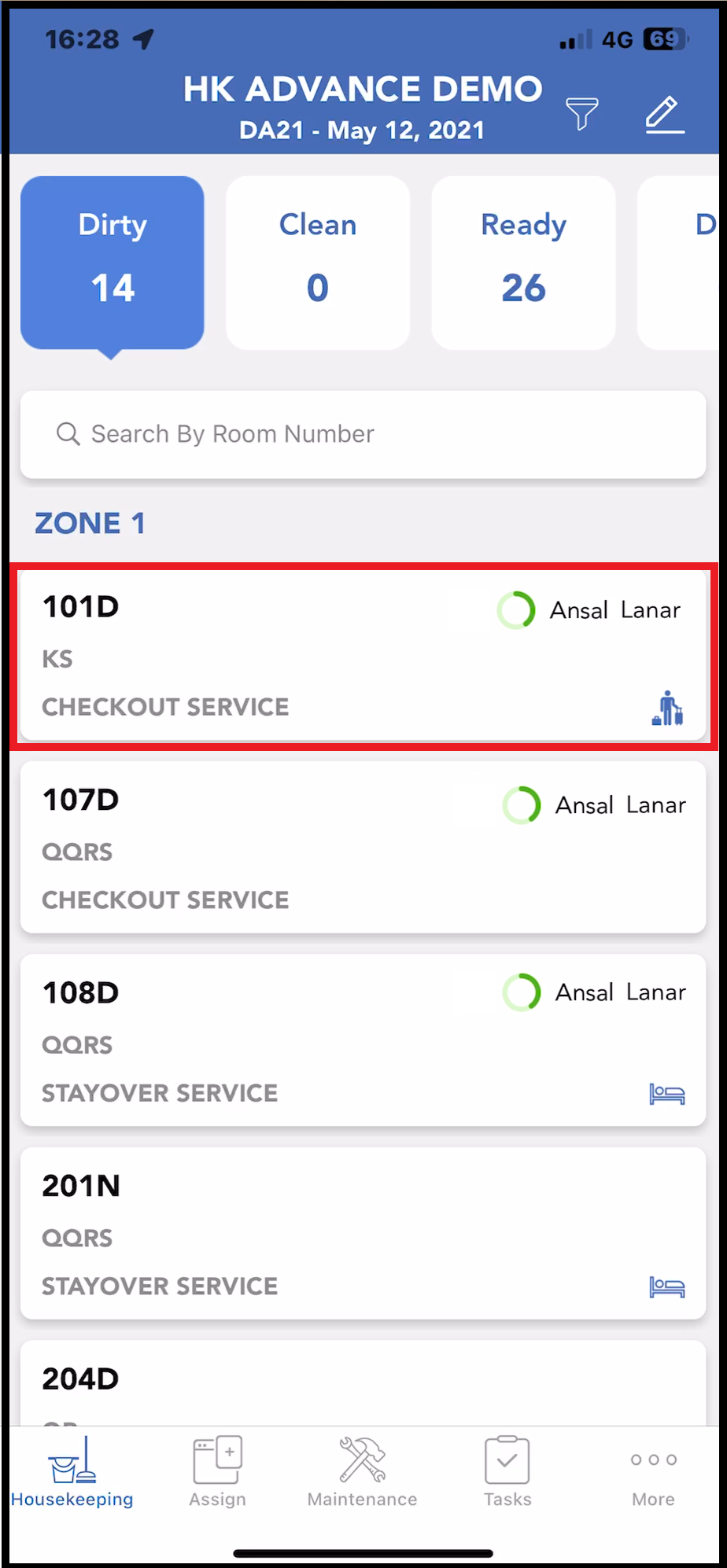
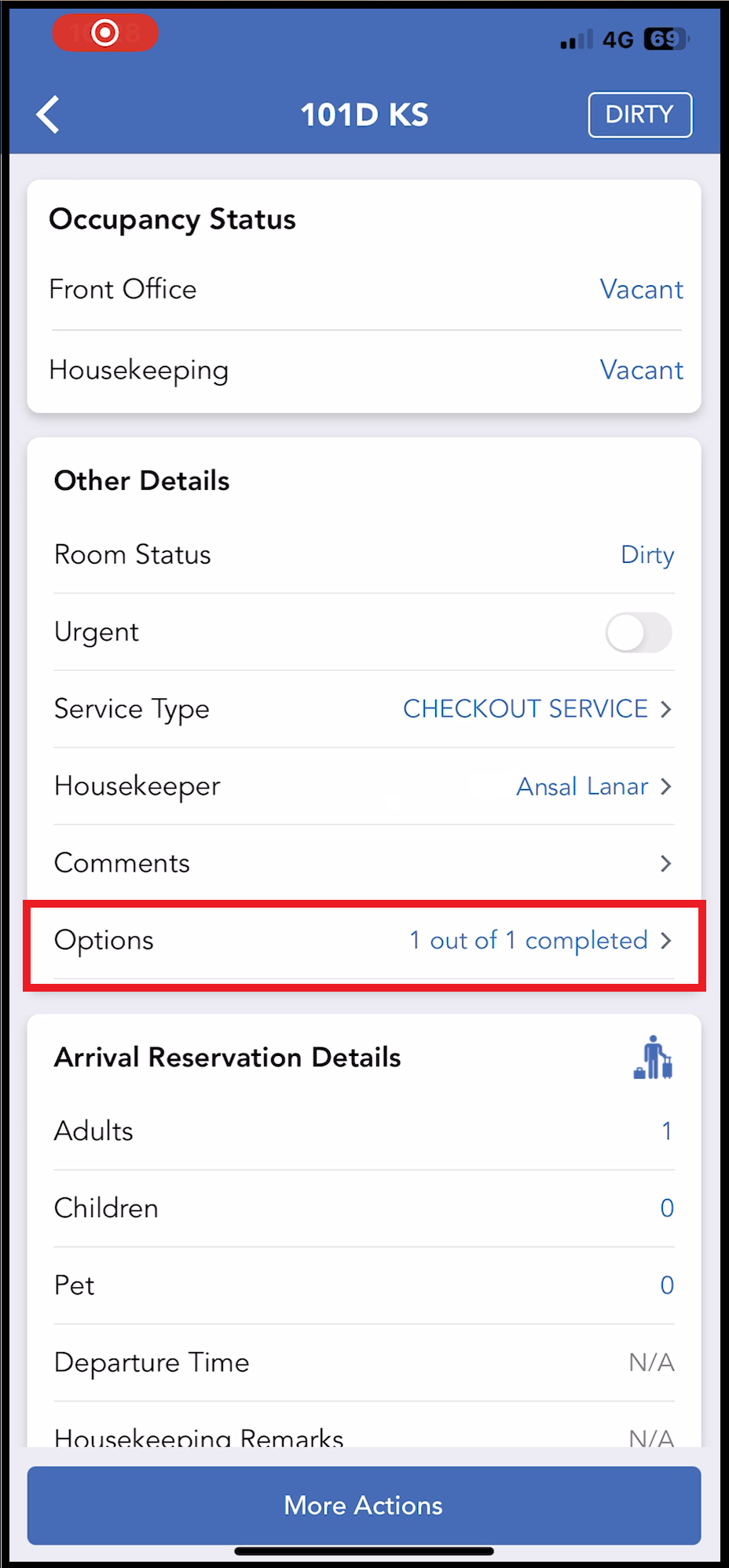
When the optional service is complete, select the applicable room on the Housekeeping tab. |
|
|
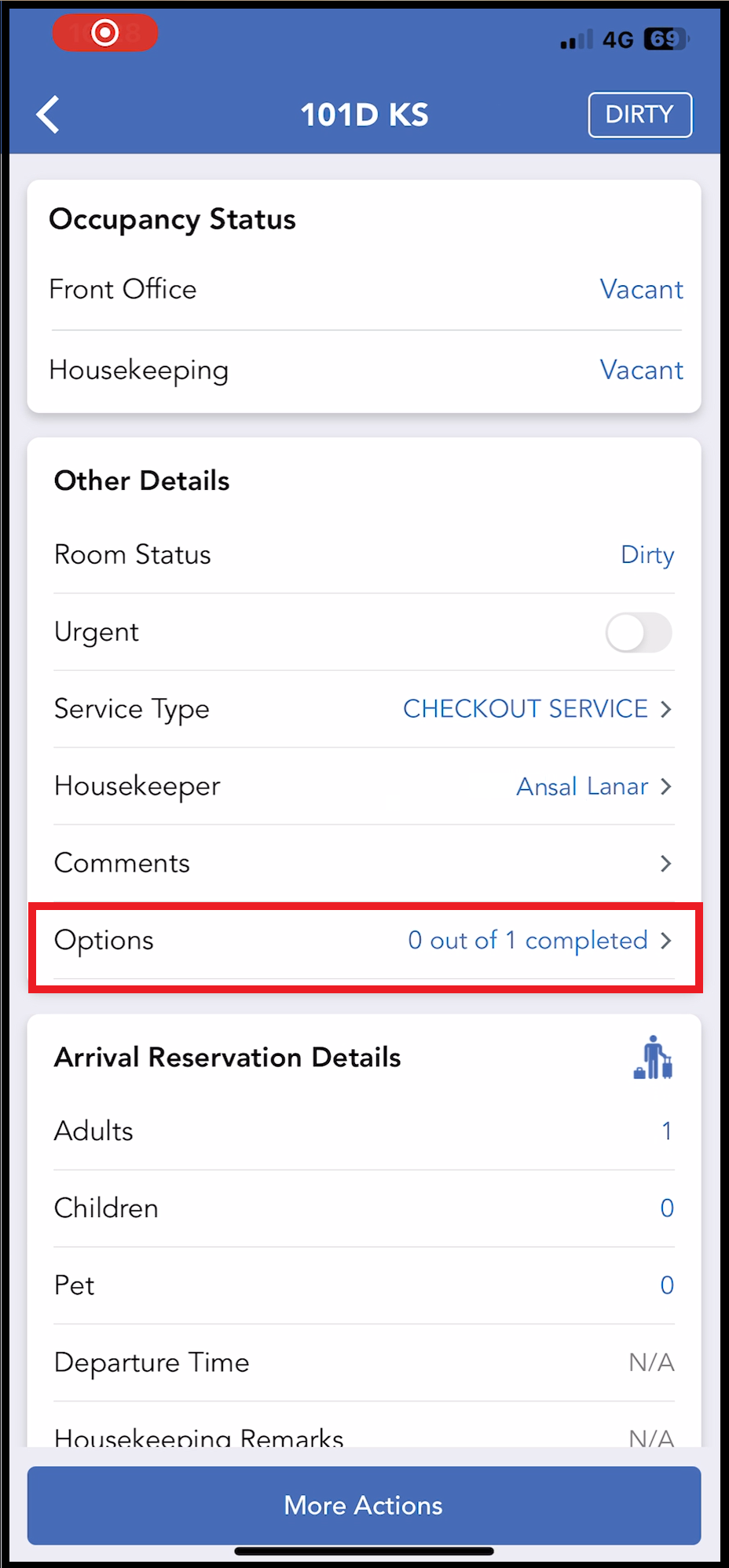
The room detail page opens. Select Options. |
|
|
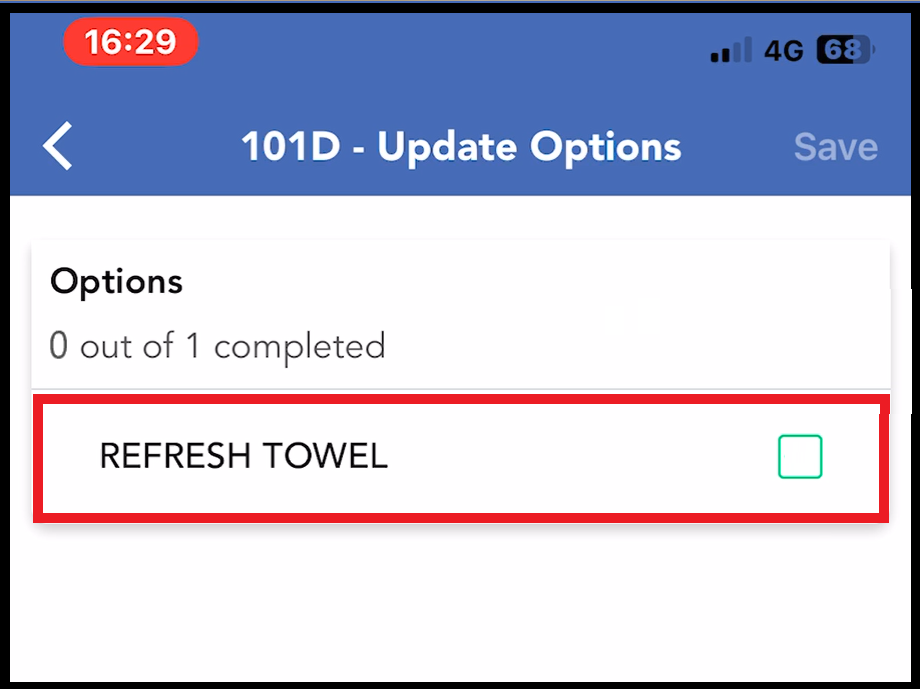
The list of available optional services loads. Select the completed service, then select Save. Note that the Save link activates when at least one list item is selected.
|
|
|
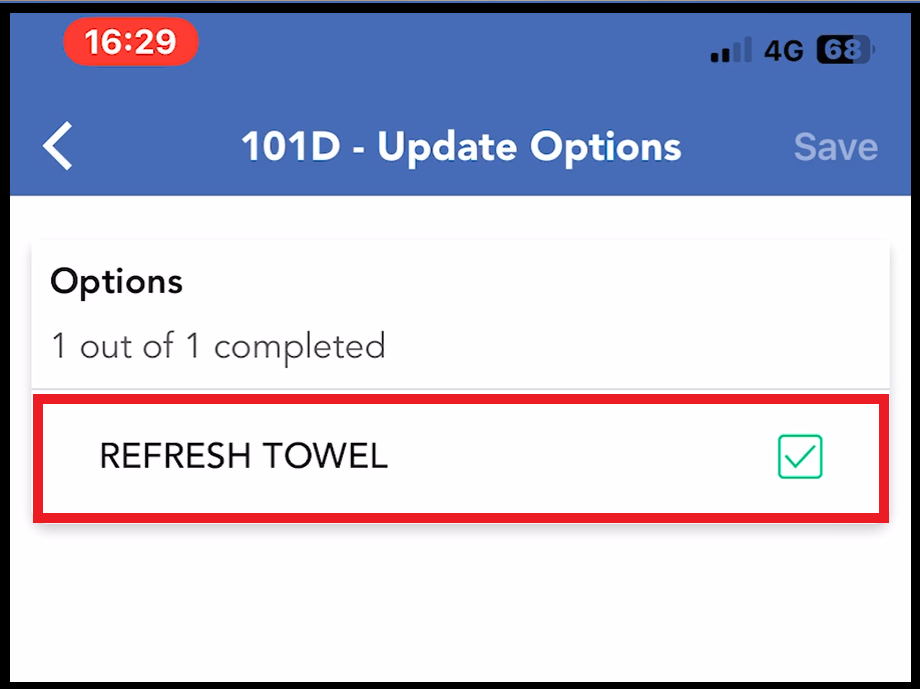
The service is marked complete, both on the optional services list panel and room detail page.
|
|