
📆 Revision Date:
|
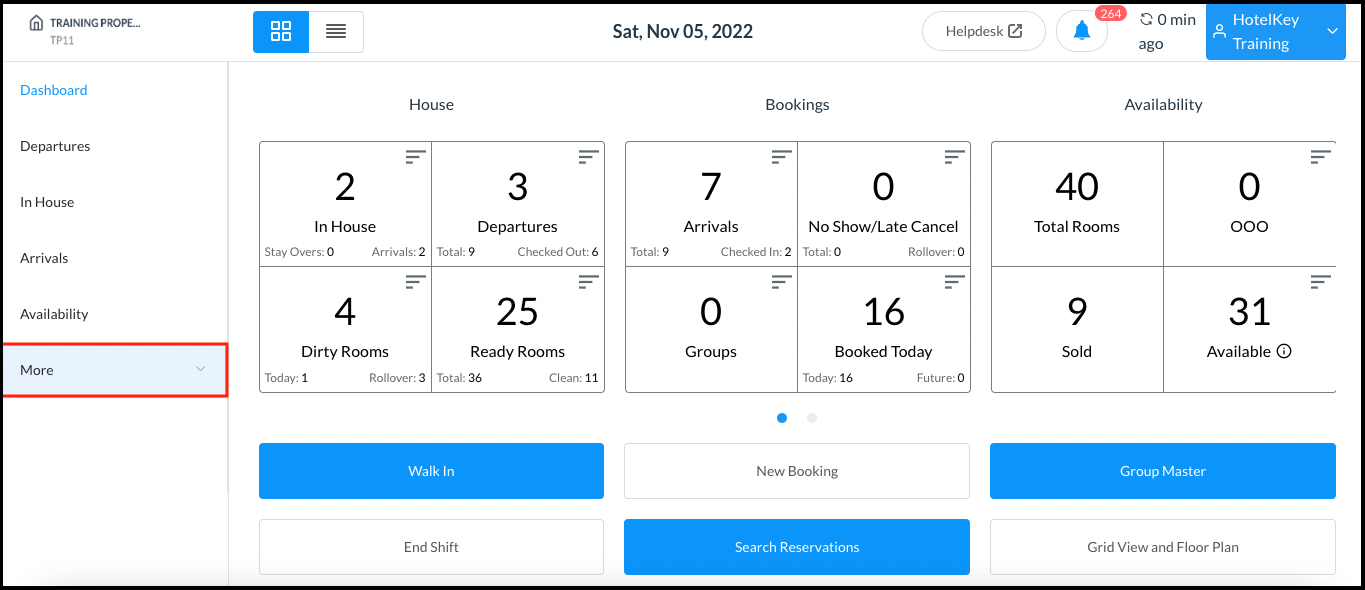
Select More from the Dashboard sidebar menu. |
|
|
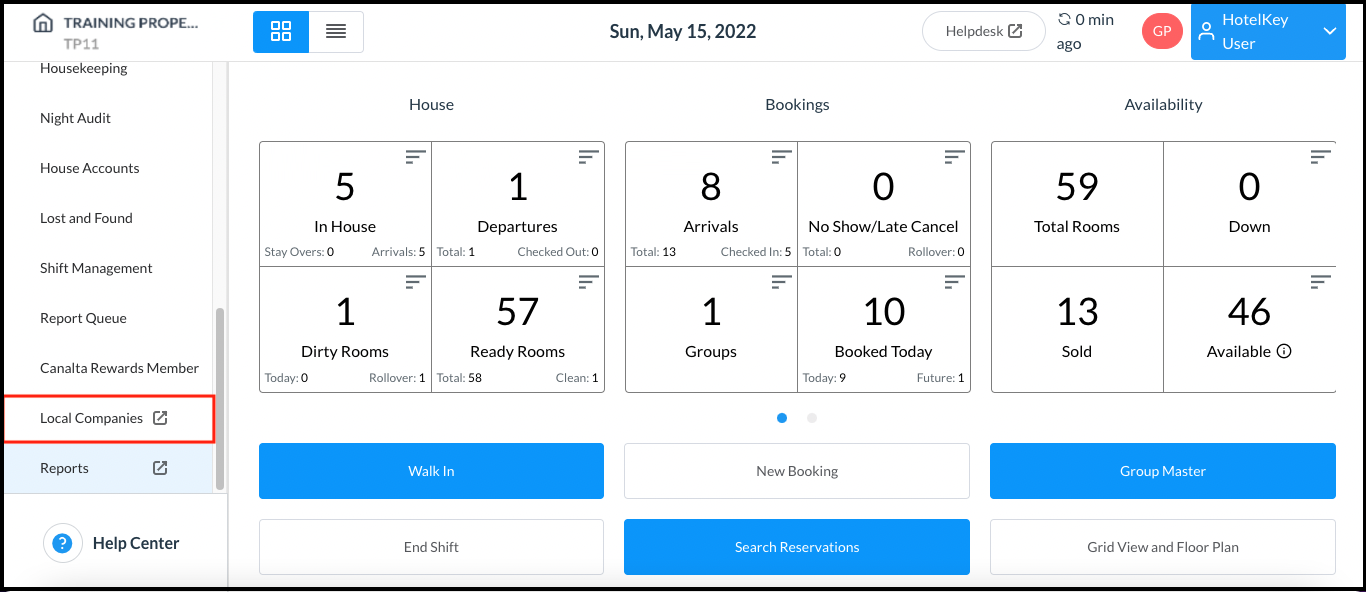
Select the Local Companies link from the expanded sidebar menu. |
|
|
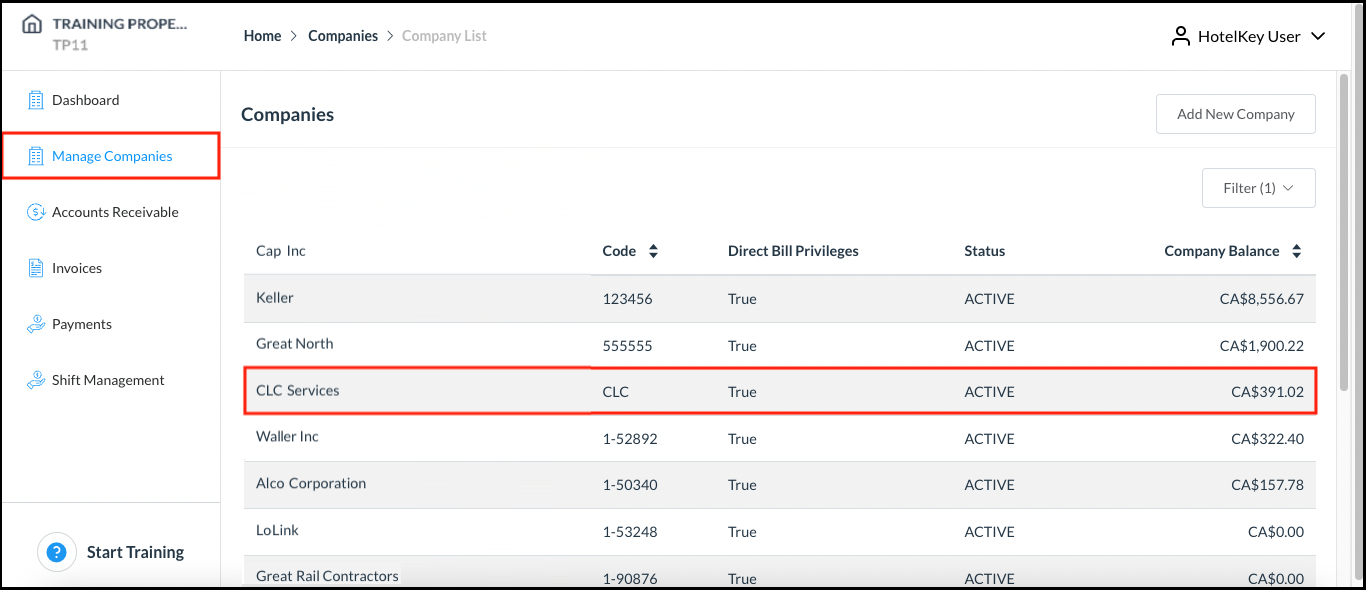
Select the applicable company on the Manage Companies panel. |
|
|
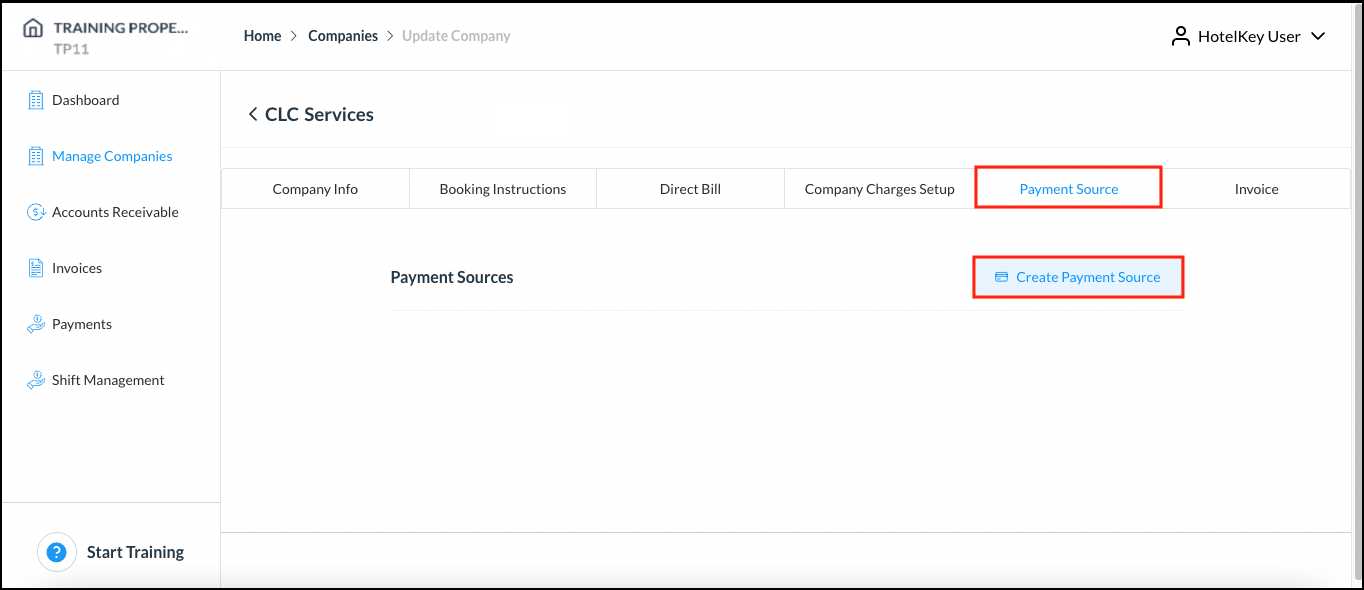
The Update Company page loads. Select the Payment Source tab. On the Payment Source tab, select Create Payment Source. |
|
|
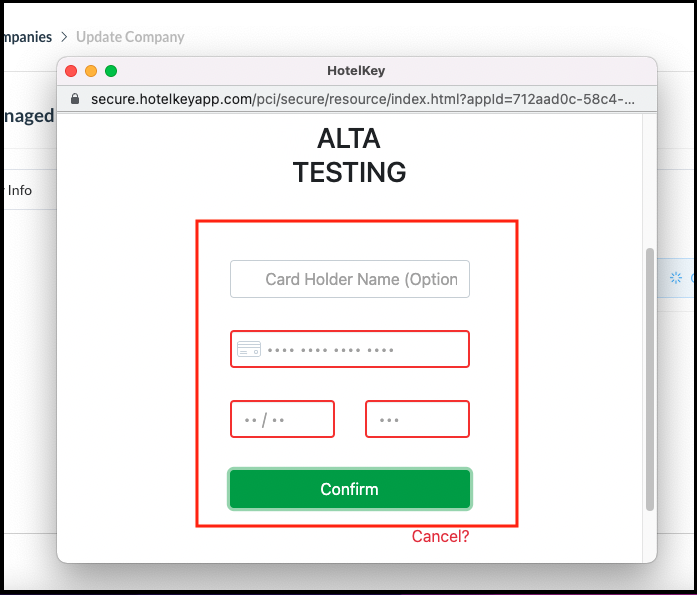
A popup activates for entry of payment method details. Complete all fields, then select Confirm. The popup closes and the payment source is added on the Update Company page. |
|