
📆 Revision Date:
|
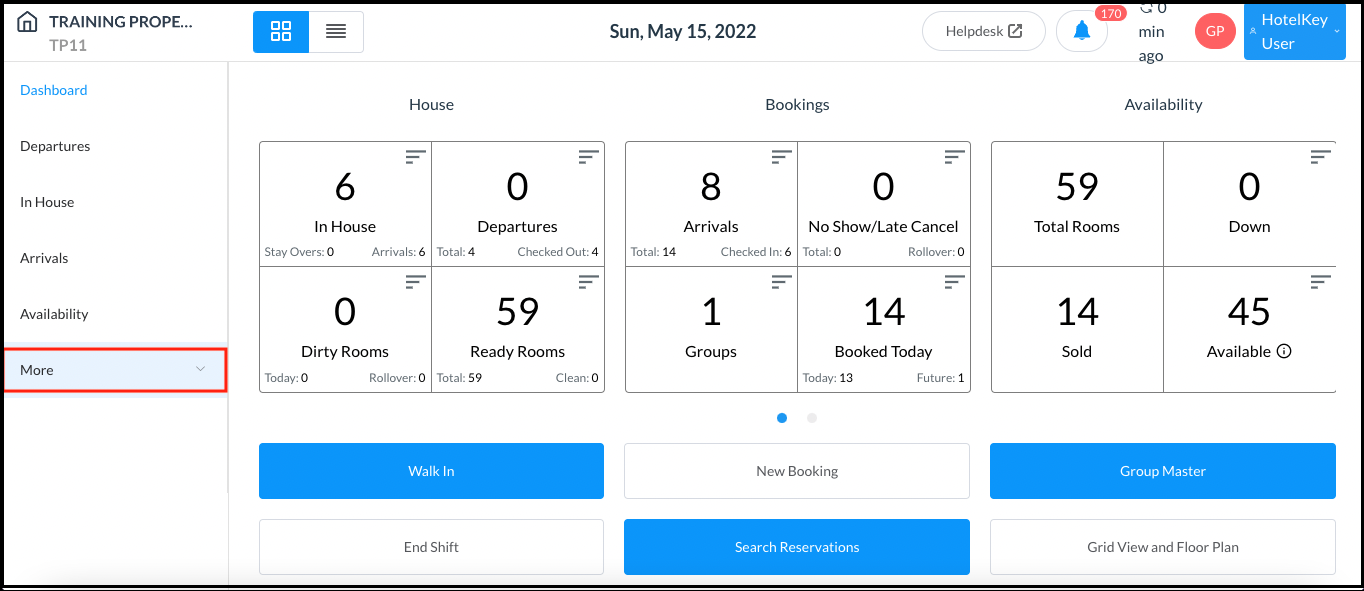
Select More in the Dashboard sidebar menu. |
|
|
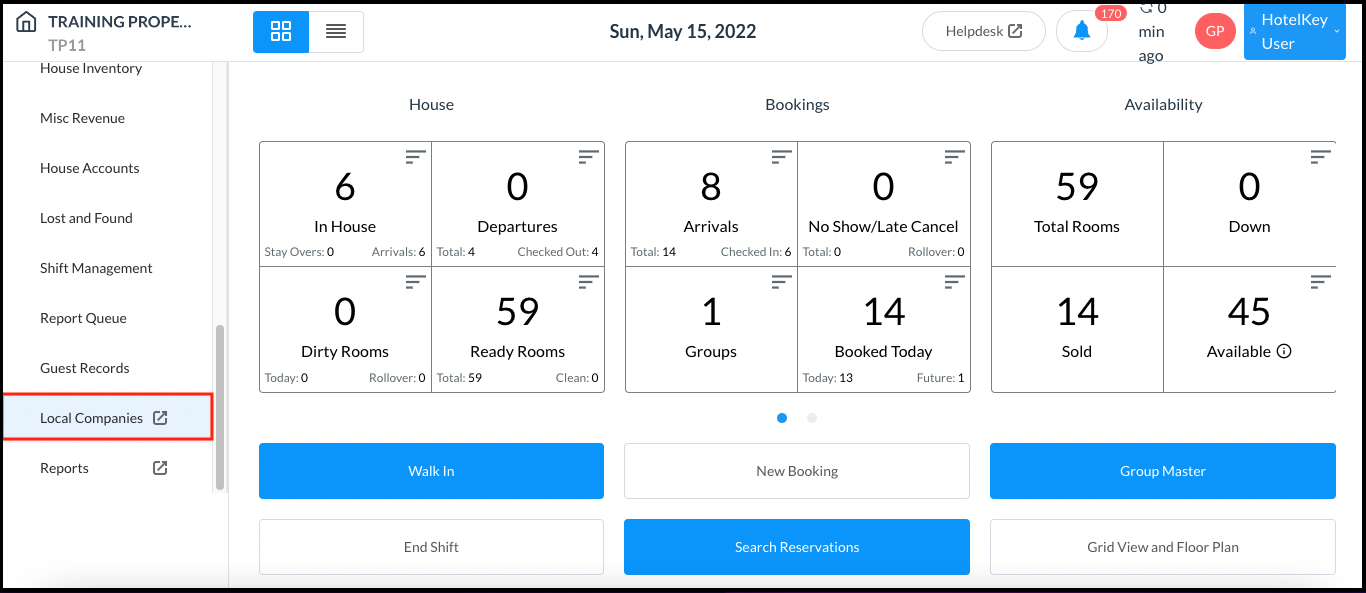
Select Local Companies in the expanded sidebar menu. |
|
|
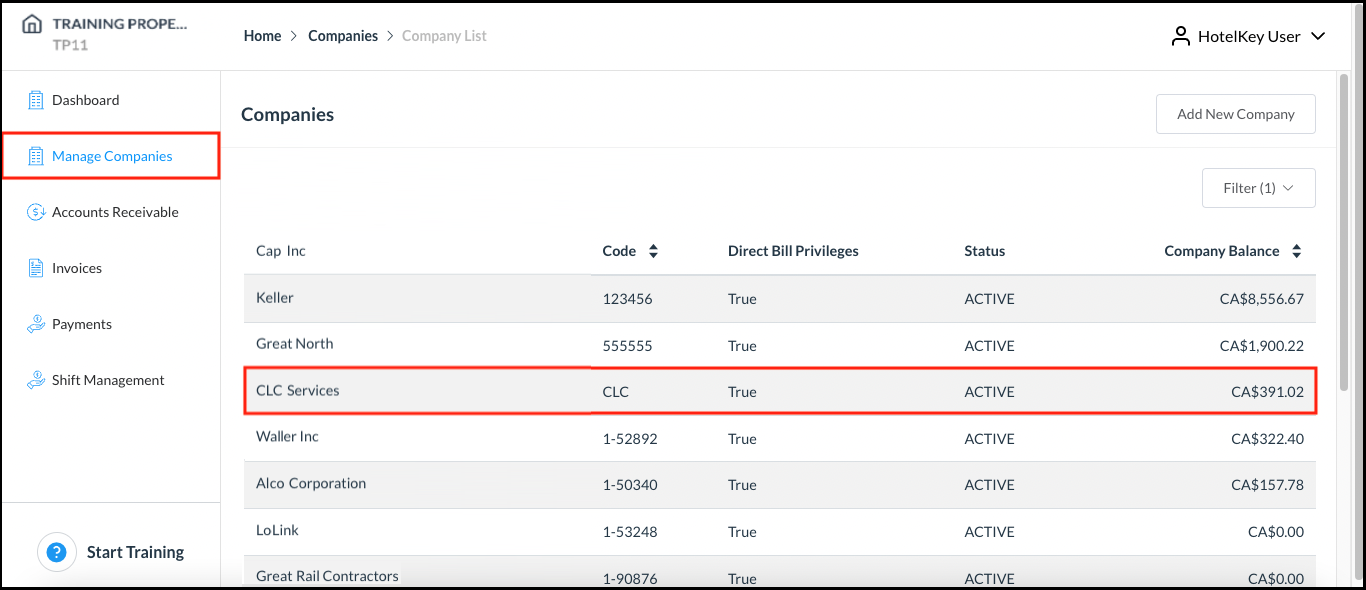
The Companies page loads. Select the company for which booking instructions need to be changed. |
|
|
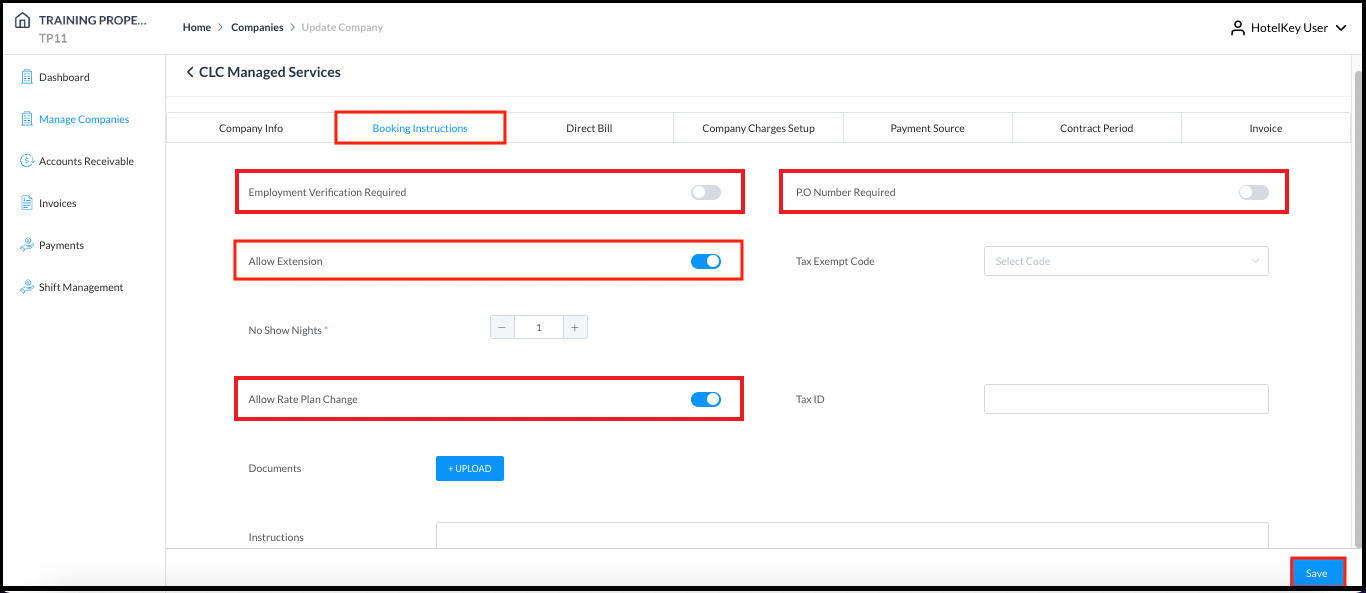
Company details load. Select the Booking Instructions tab. To allow stay extensions on this company’s reservations, toggle Allow Extension to active (blue). To allow rate code changes on this company’s reservations, toggle Allow Rate Plan Change to active (blue). To require a guest employment verification code at check in for this company’s reservations, toggle Employment Verification Required to active (blue). To require entry of a Purchase Order (PO) number at check in for this company’s reservations, toggle PO Number Required to active (blue). In the example shown, Allow Extension and Allow Rate Plan Change are toggled to active, Employment Verification Required and PO Number Required are in the default, inactive state (gray). Select Save to save changes. |
|