
📆 Revision Date:
The following article serves as an overview of the details found within Accounts Receivables, Invoices and Payments options under the Companies & Direct Bill Module.
Follow the steps below to view details.
|
Select More from the Dashboard sidebar menu. |
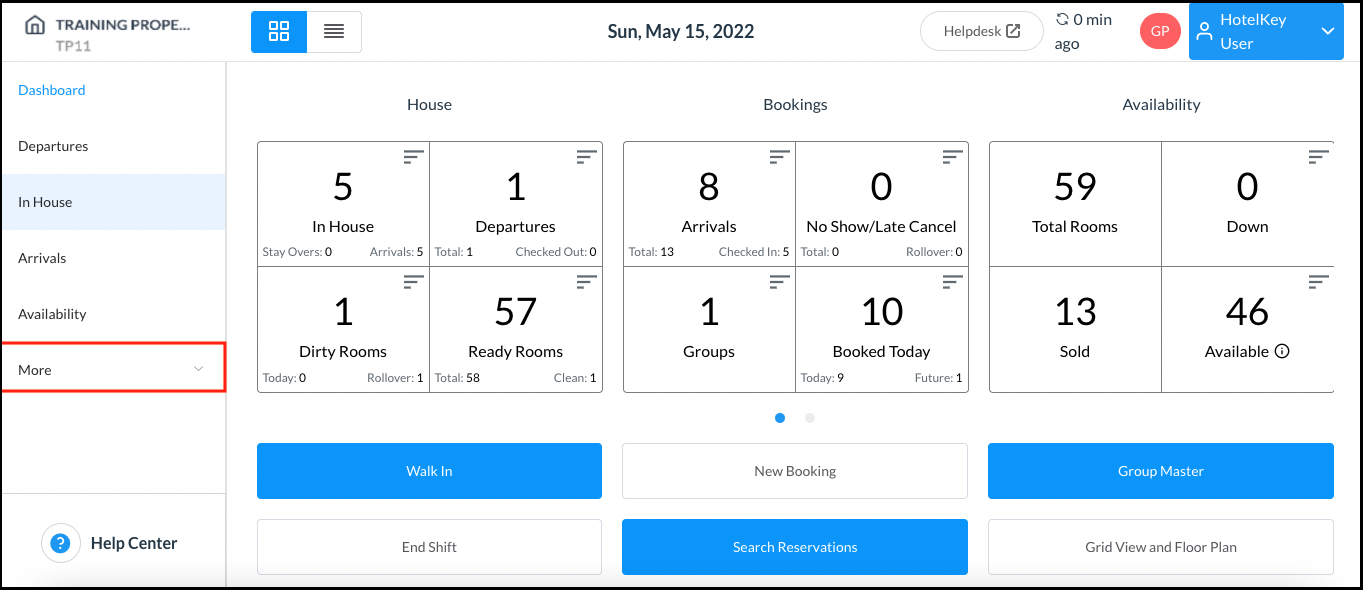
|
|
Select the Local Companies link from the expanded sidebar menu. |
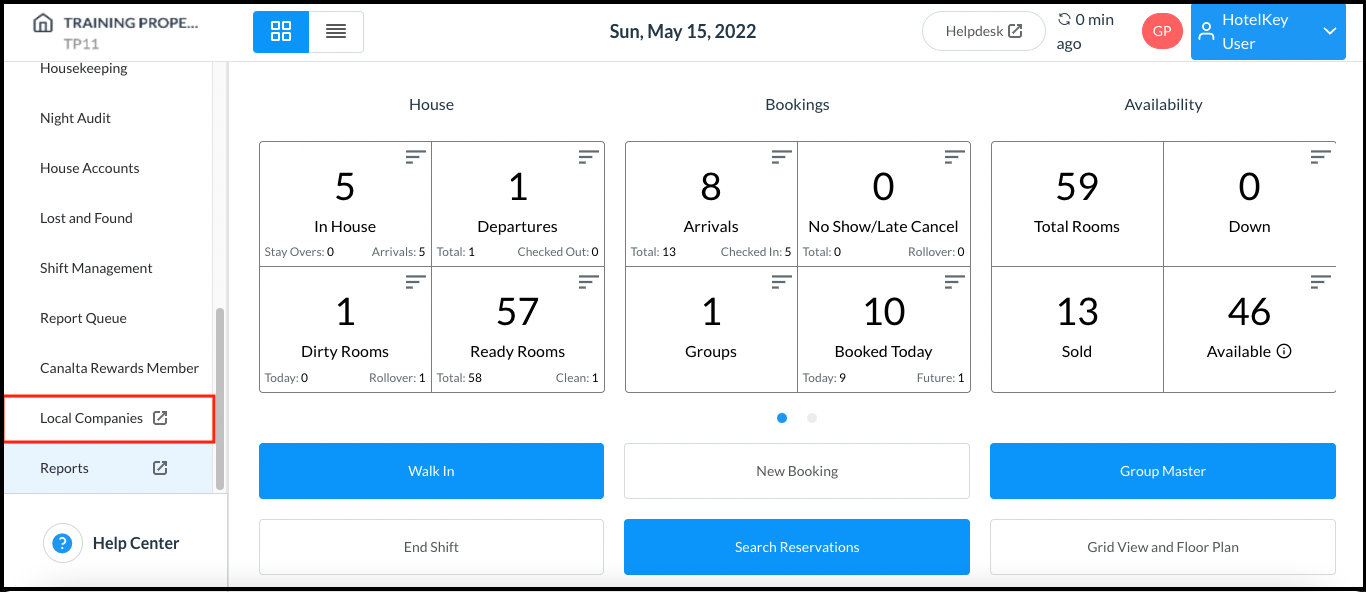
|
|
On the local companies detail page, select Accounts Receivable, Payments or Invoices from the sidebar menu, according to the type of billing details needed. Select the applicable company record to view item details. |
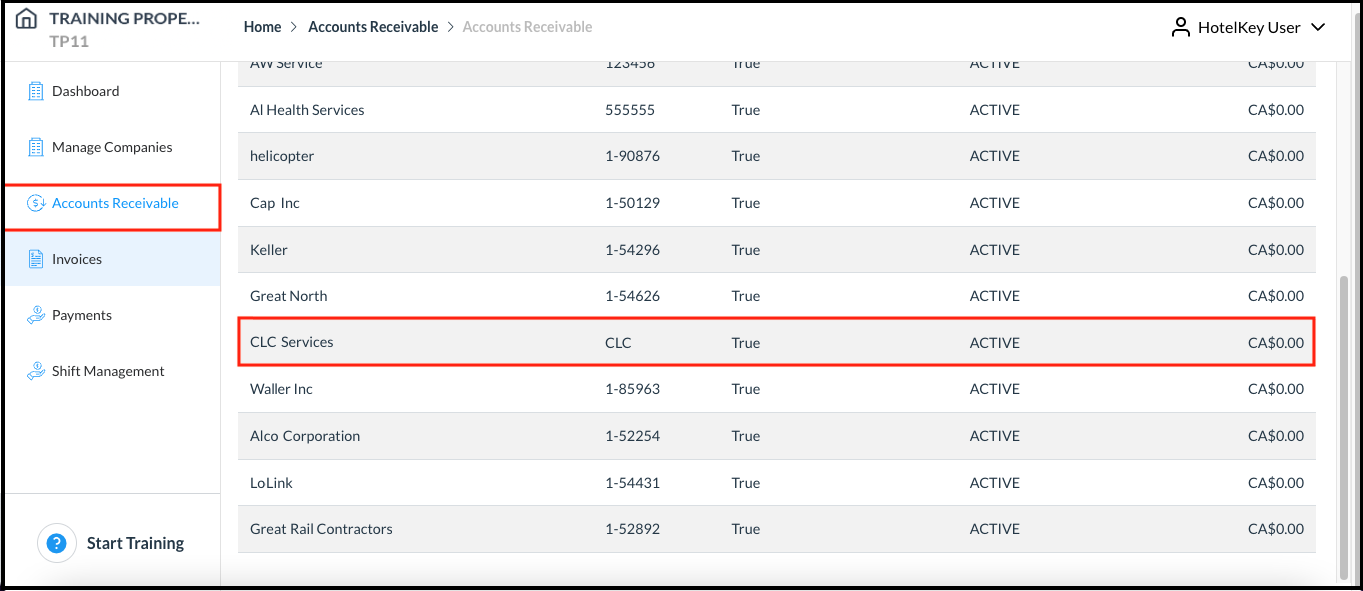
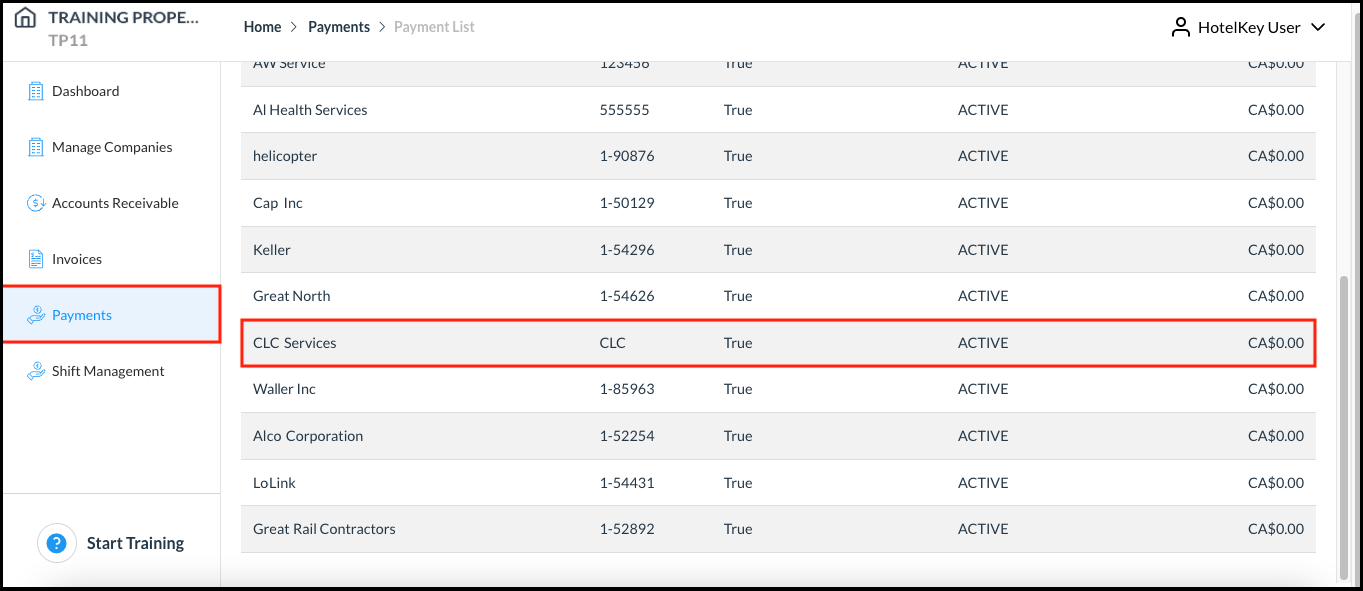
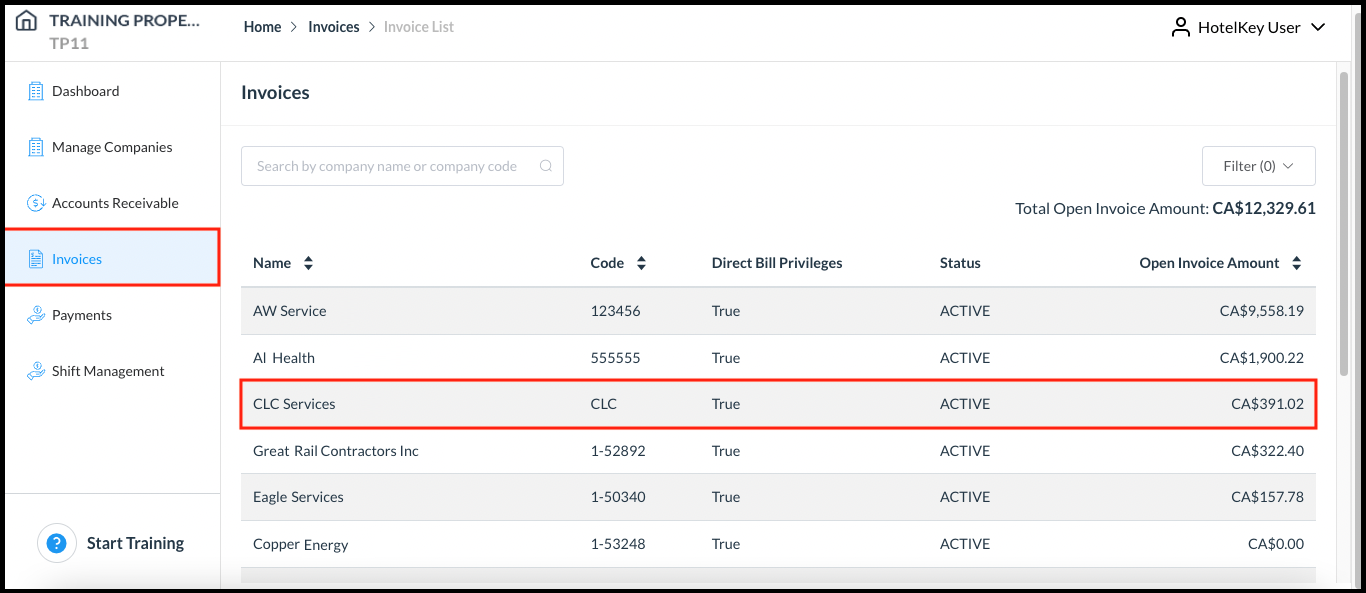
|