
📆 Revision Date:
To setup charge routing, route charges outside of the current reservation to another reservation, a house account or a group master - follow the steps below.
|
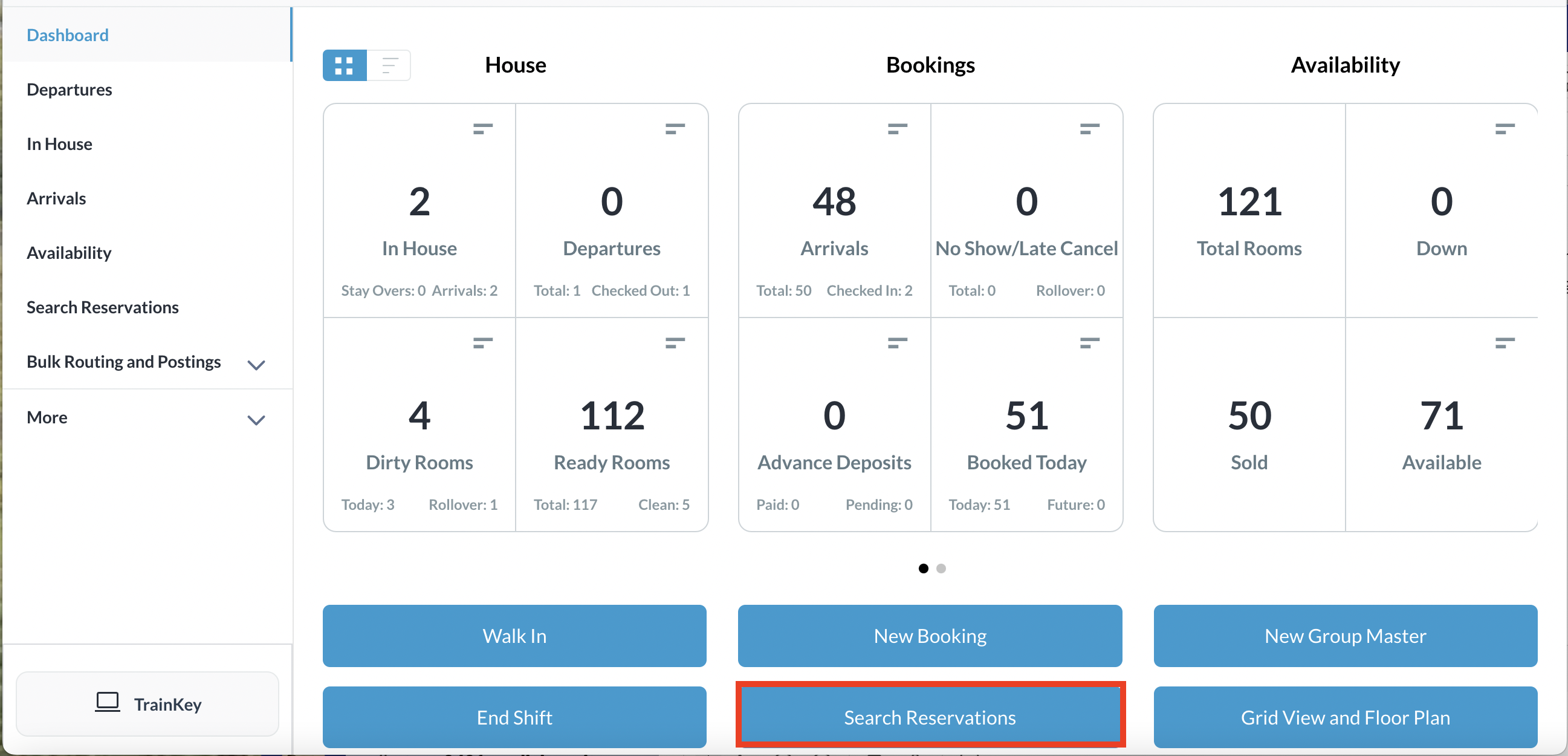
Select Search Reservations on the Dashboard |
|
|
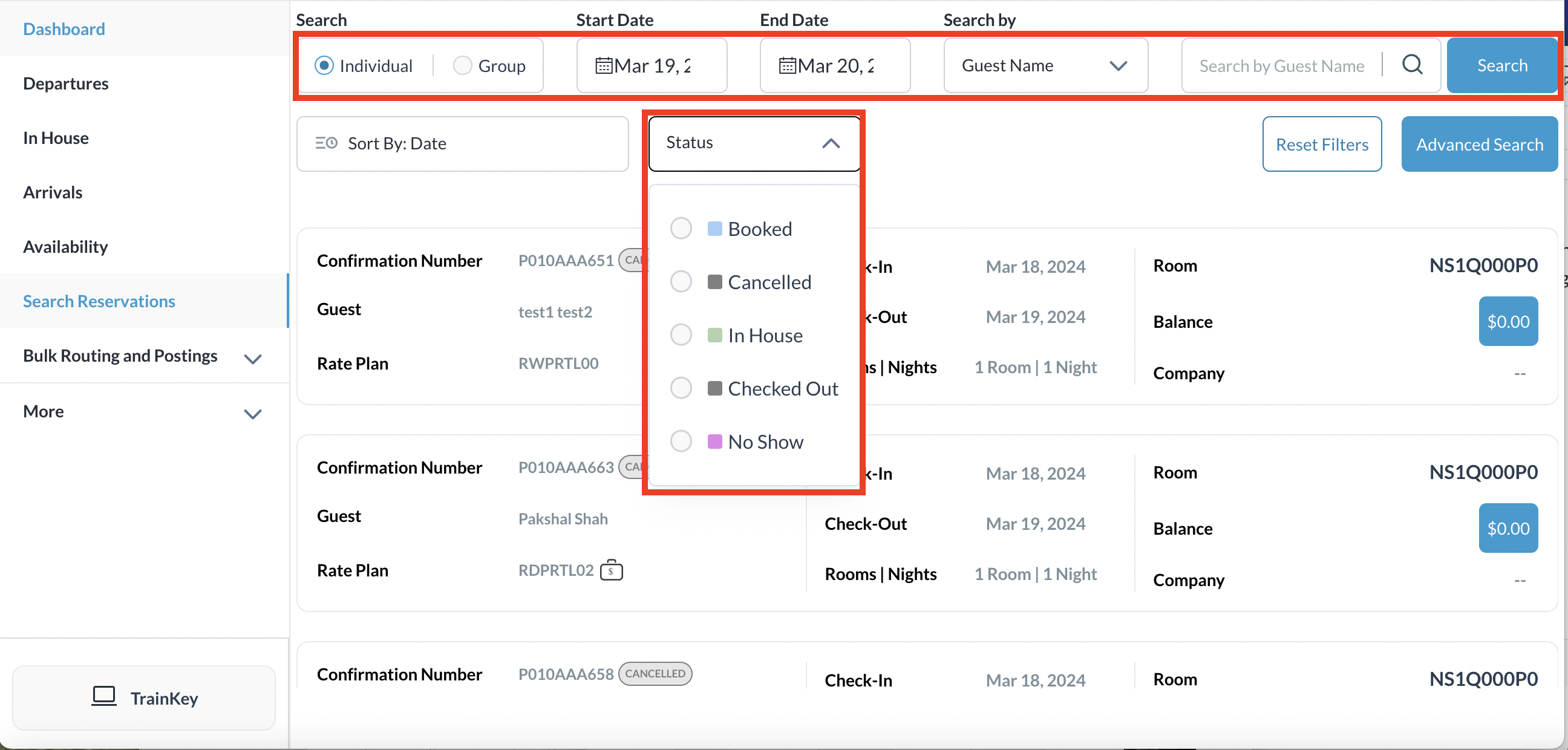
Find the applicable reservation by performing a search by Date, Guest Name, Confirmation or Room Number and then select Search. Select the Status button to further filter the results Once you have located the reservation, click on the reservation |
|
|
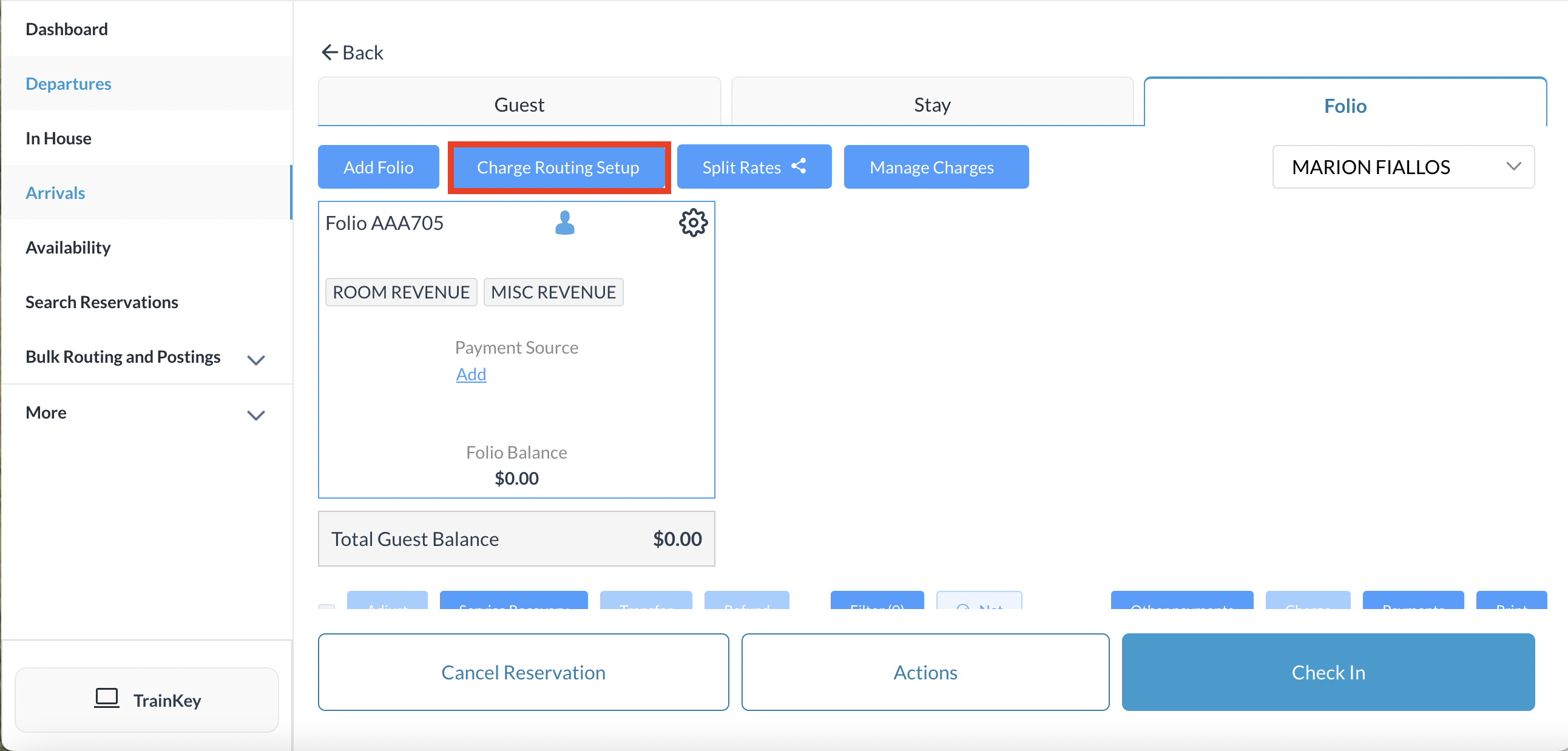
The reservation details page loads, open to the Guest tab by default. Select the Folio tab |
|
|
Click on Charge Routing Setup
|
|
|
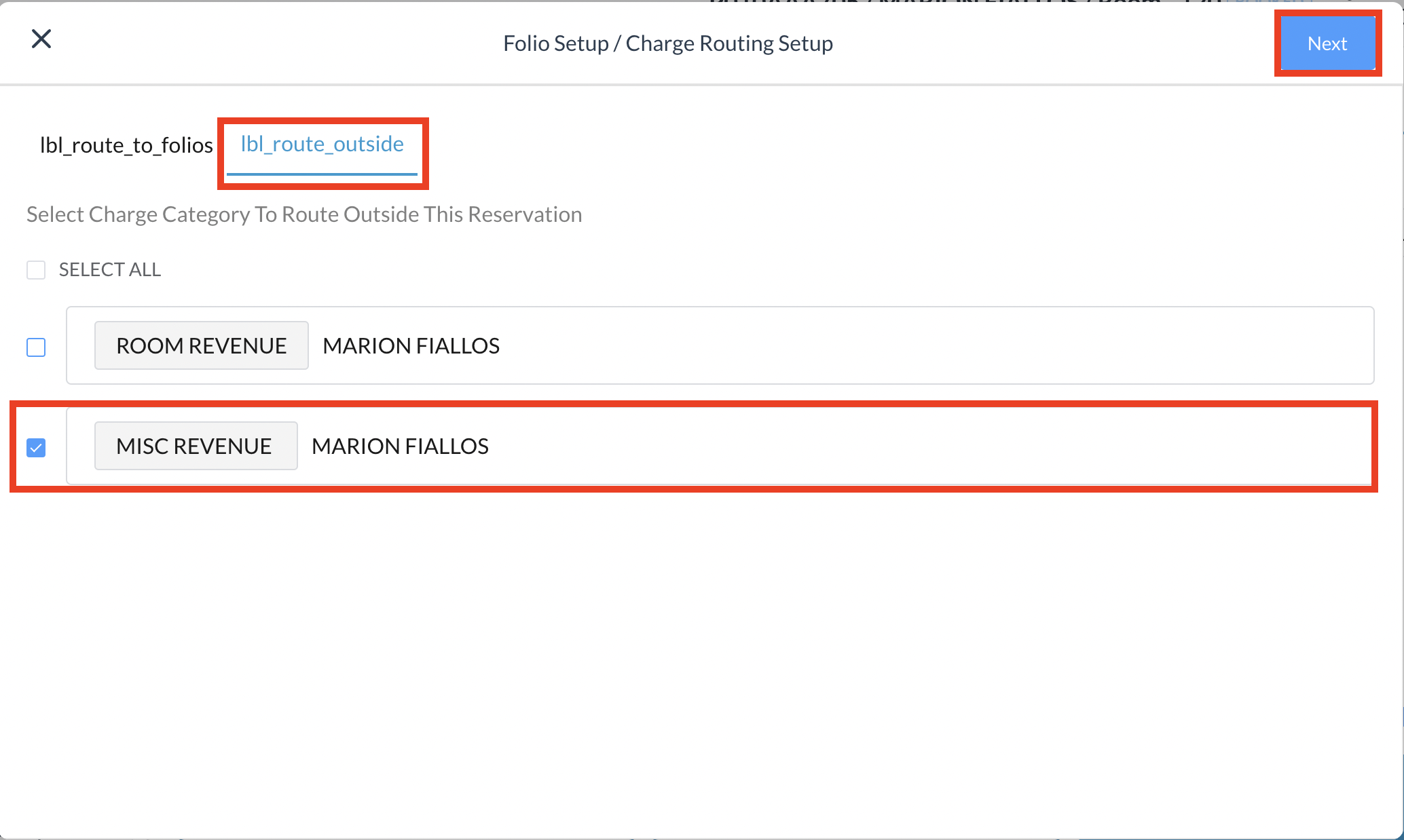
Folio Setup/Charge Routing Setup screen opens, populating charge type categories associated with the reservation
Select the charge category to route outside this reservation and select Next.
In the example on the right, Miscellaneous charges will be routed. |
|
|
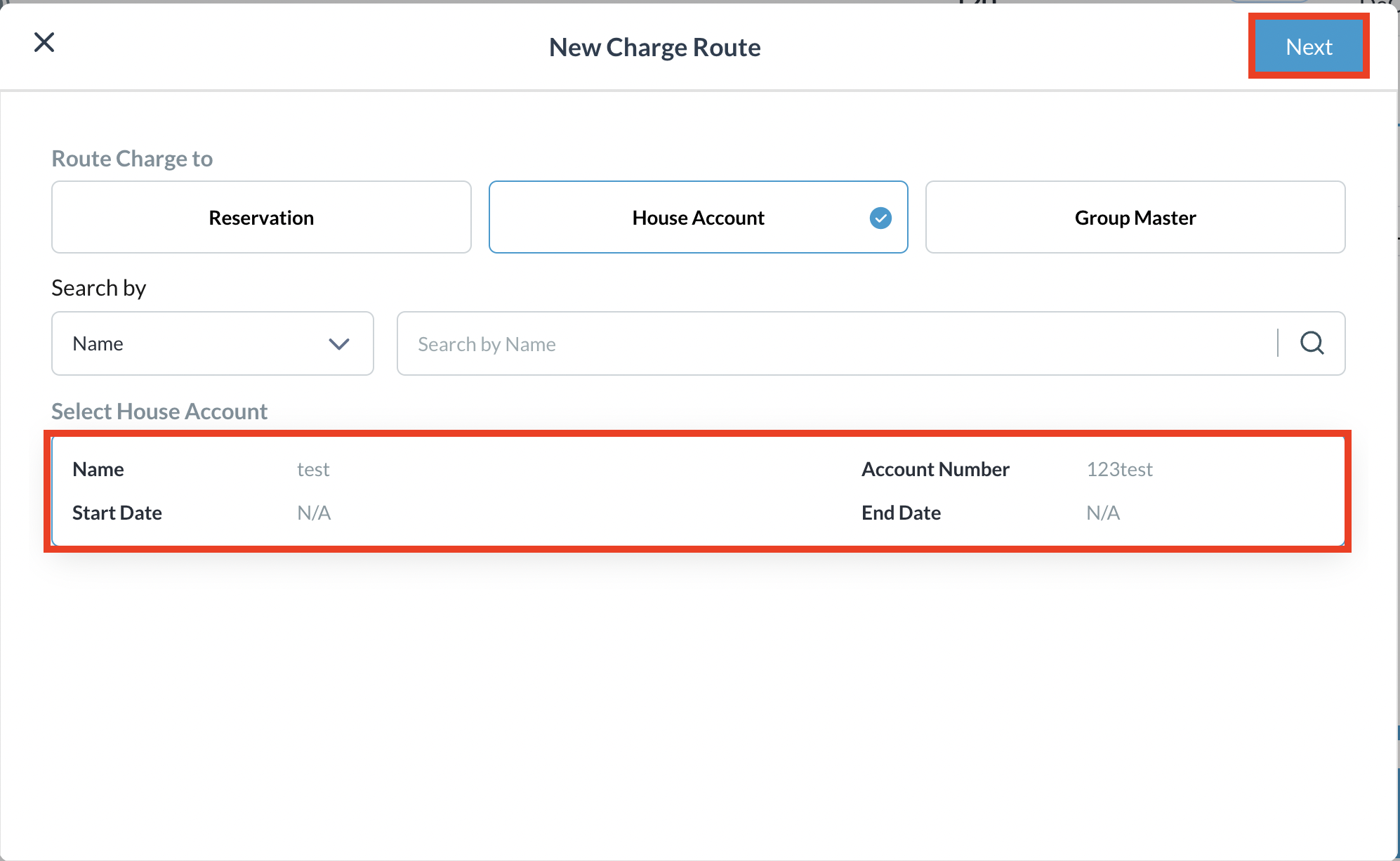
New Charge Route screen populates Choose where you would like to route the selected charges - another Reservation, a House Account or a Group Master then select Next. In this example, we have chosen to route the charges to a House Account, and a selection of open house accounts populates. Select the appropriate House Account to route the charges to and Click on Next |
|
|
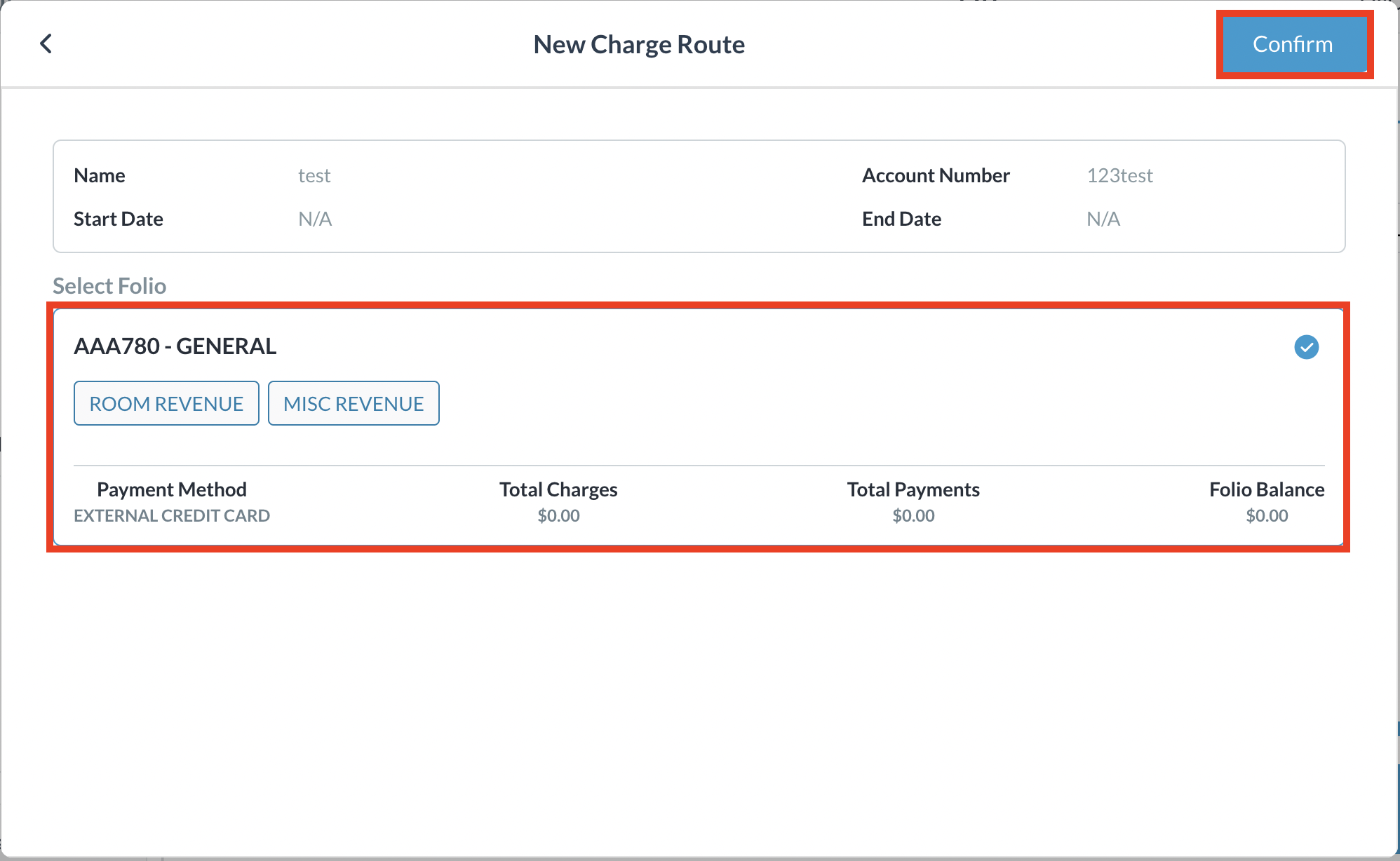
Select the appropriate Folio and click on Confirm |
|
|
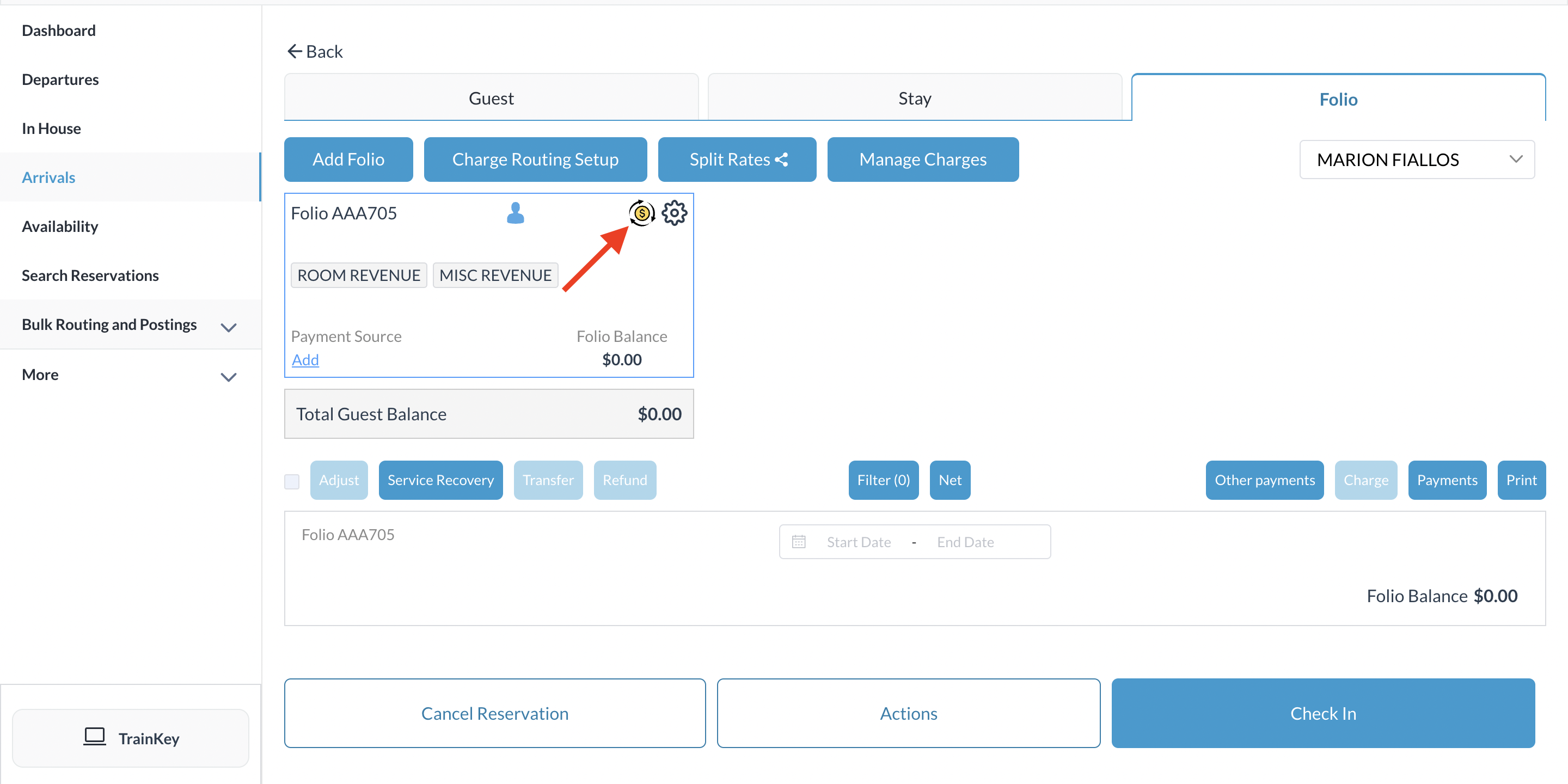
Once the action is completed, you will see the yellow Hover over the symbol and a dropdown of charge details will be revealed |
|
