
📆 Revision Date:
|
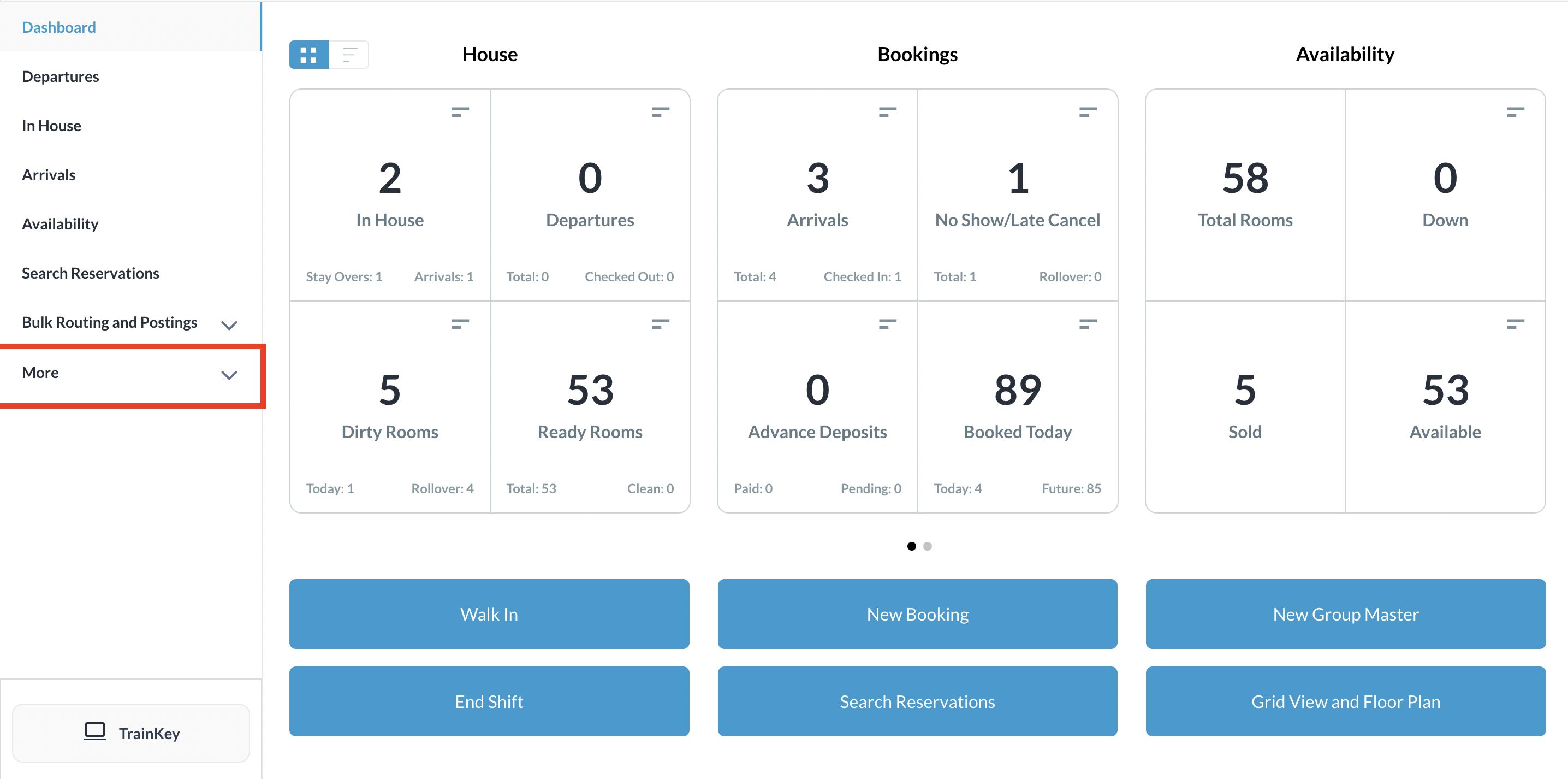
Select More from the Dashboard sidebar menu. |
|
|
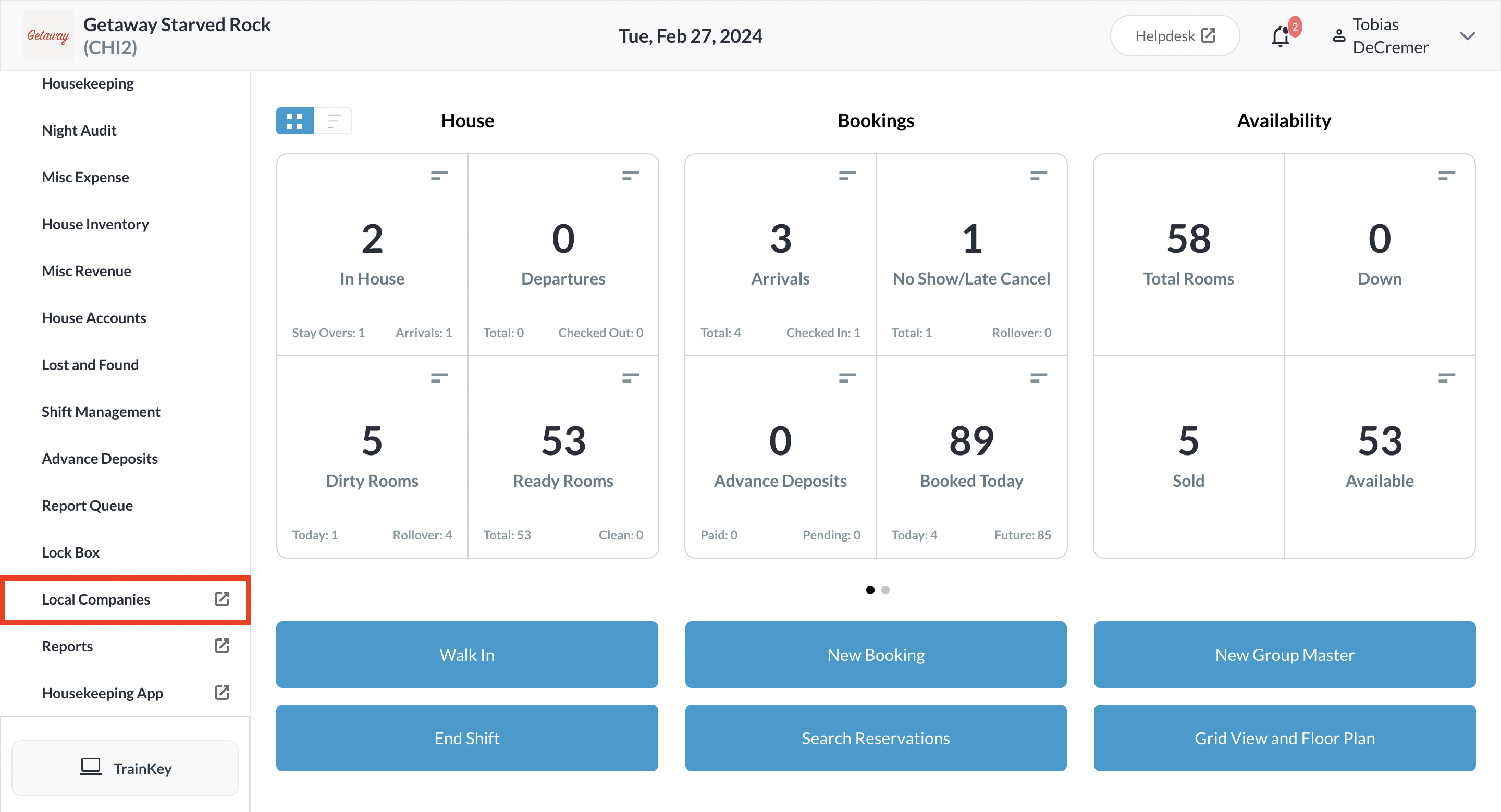
Select the Local Companies link from the expanded sidebar menu. |
|
|
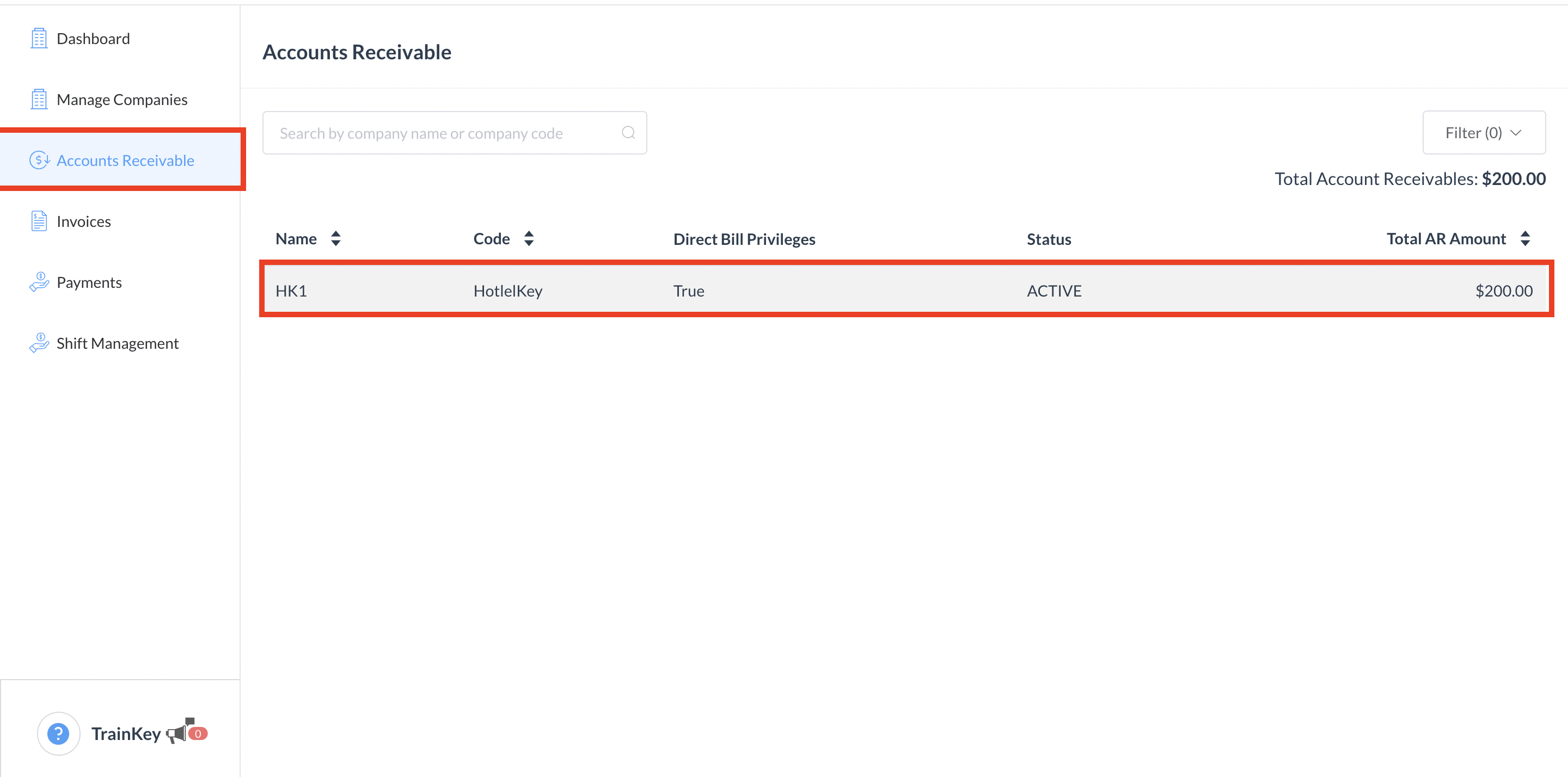
On the local companies detail page, select Accounts Receivable from the sidebar menu. Select the applicable company record. |
|
|
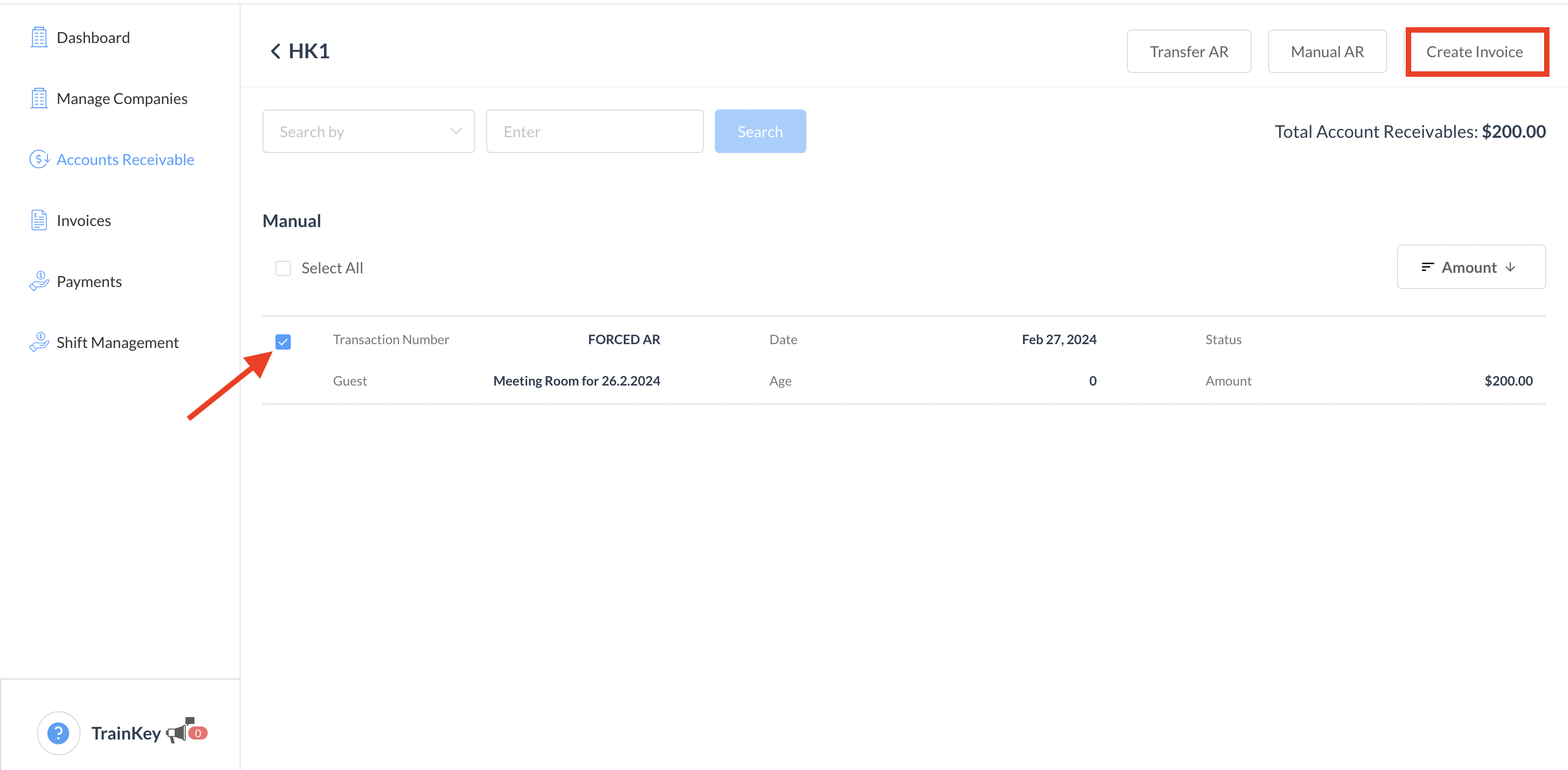
The Accounts Receivable Details panel loads. Select the Transaction Number for which the invoice needs to be created, then select Create Invoice.
|
|
|
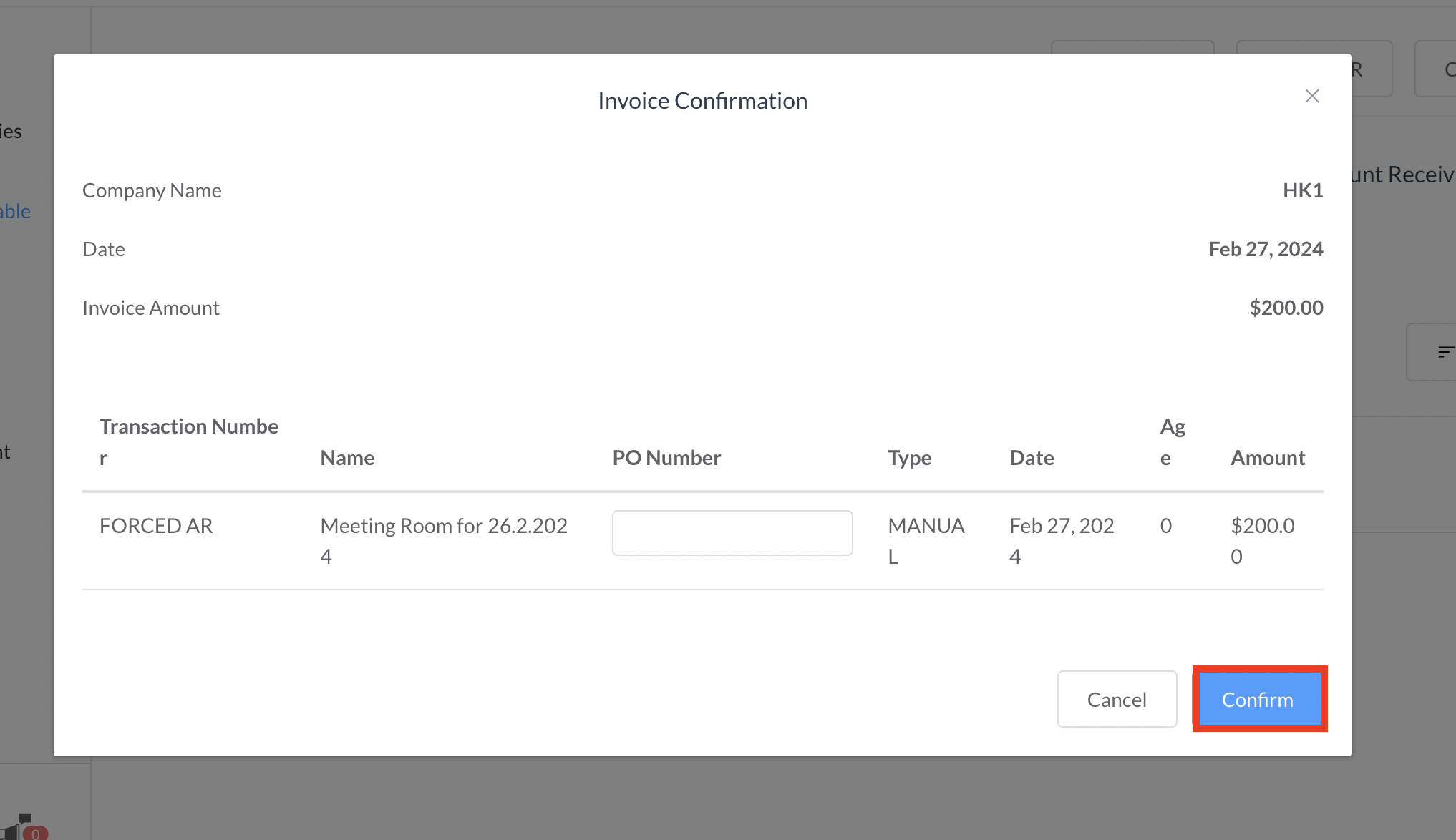
The Invoice Confirmation popup activates. Select Confirm to create the invoice. |
|
|
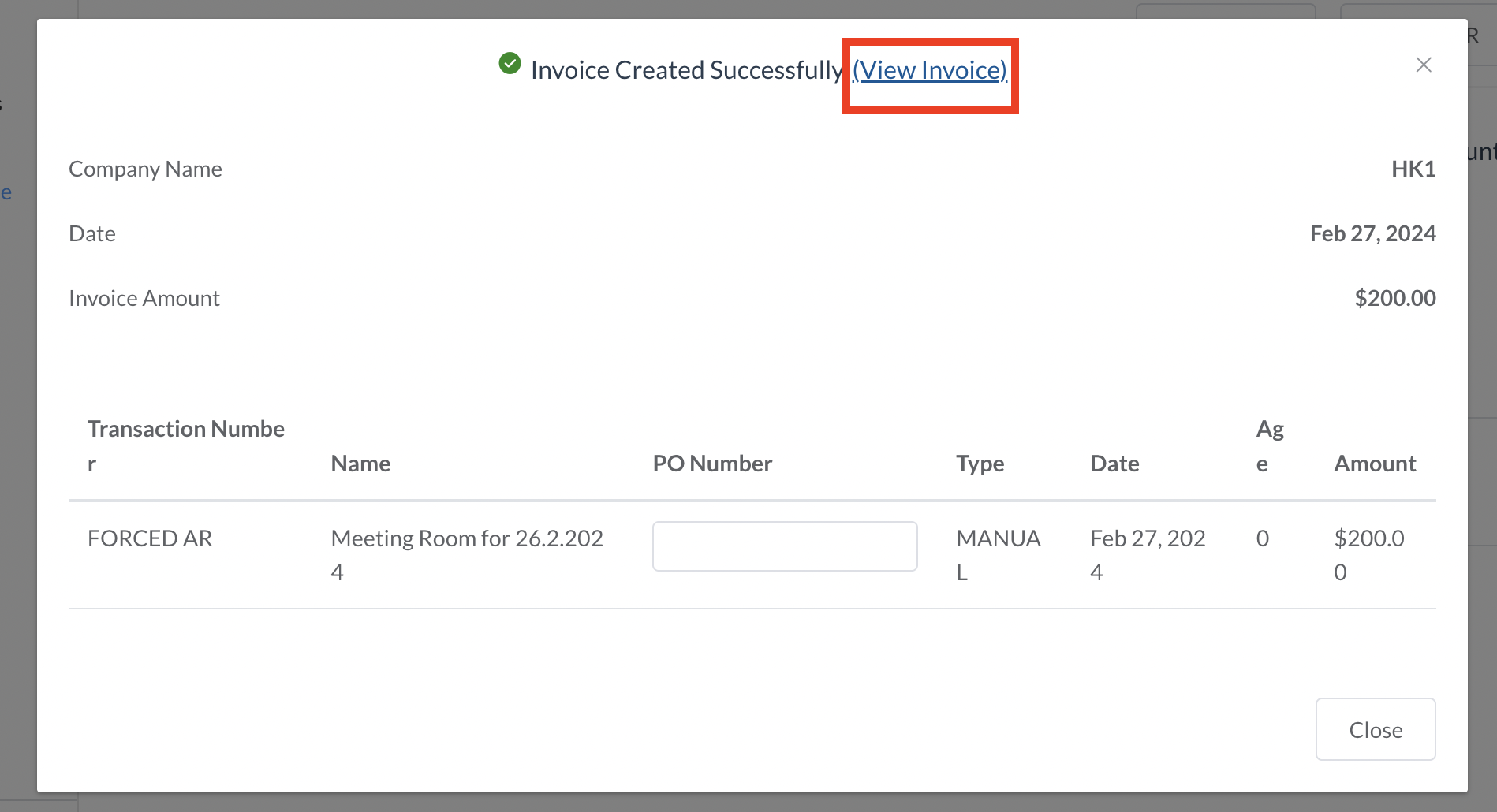
The invoice is created and a confirmation message displays. Select View Invoice. |
|
|
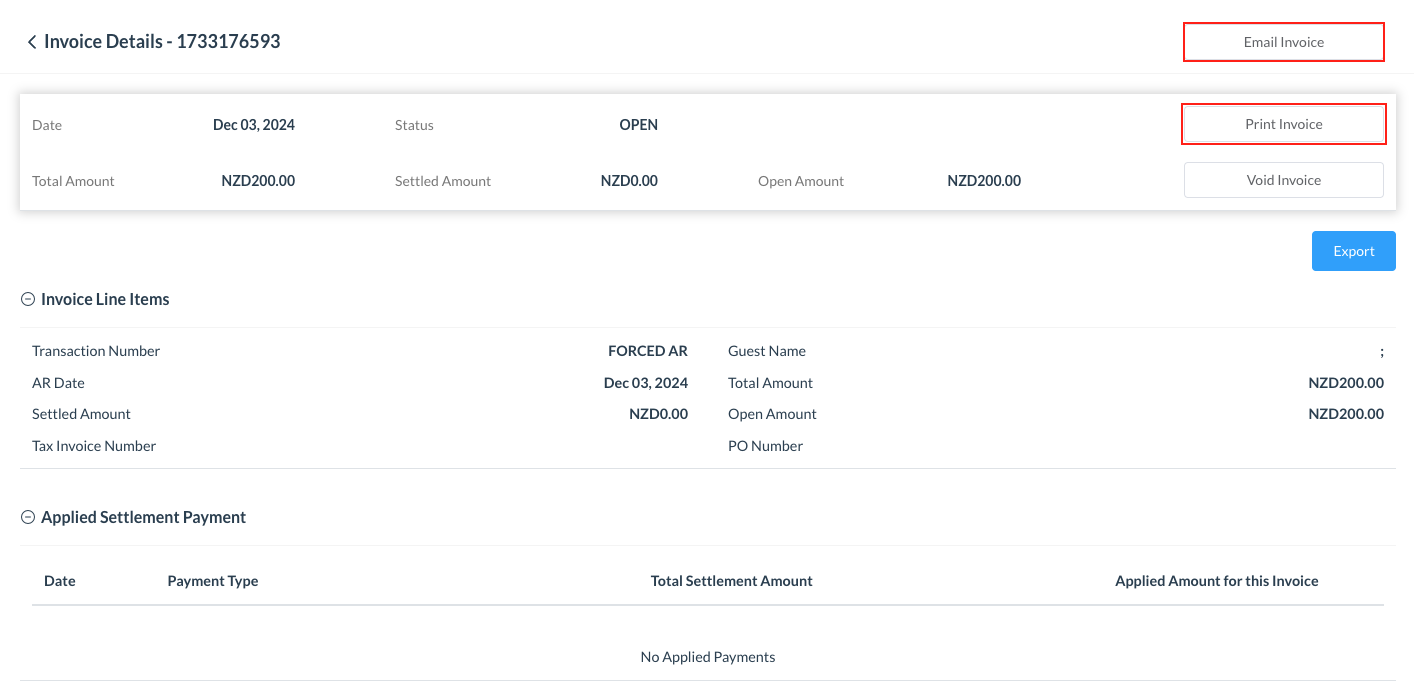
The popup closes. Back on the Invoice Details panel, select Print Invoice to print the invoice in PDF format. Or select to Email Invoice |
|