
📆 Revision Date:
Overview
Charge Types are grouped into Charge Type Categories. Each transaction you process must be assigned a valid charge type. A charge type is a classification of the purpose of the transaction. Charge types are used by the HotelKey ngPMS to sort various transactions, such as those involving income, different types of expenses, equipment purchases, etc.
Charge Types must be defined so that when the folio is checked out all charges are cleared to this code. All folio details can then be viewed by charge type, the date of the transaction, description and amount. This training manual offers detailed guidance on what configuration is available on Charge Types, serving as a valuable resource to help users deepen their knowledge and improve their skills efficiently.
Access Charge Types in HotelKey
|
Multi Property Users: from the HK Home, select the property and click 'Property Settings' under the Administration section. Single Property Users: From HK Home, click 'Property Settings' under Administration |
|
|
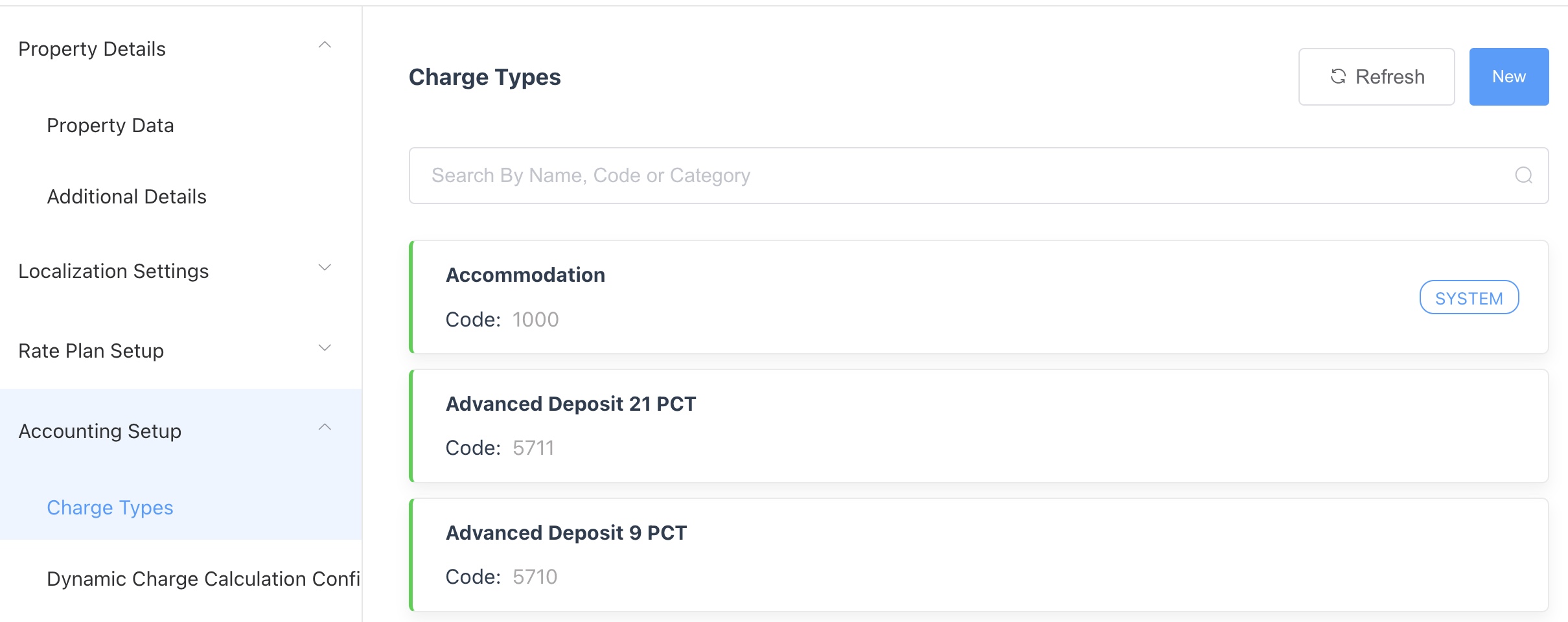
From the menu on the left side, click ‘Accounting Setup' and then click 'Charge Types’.
|
|
|
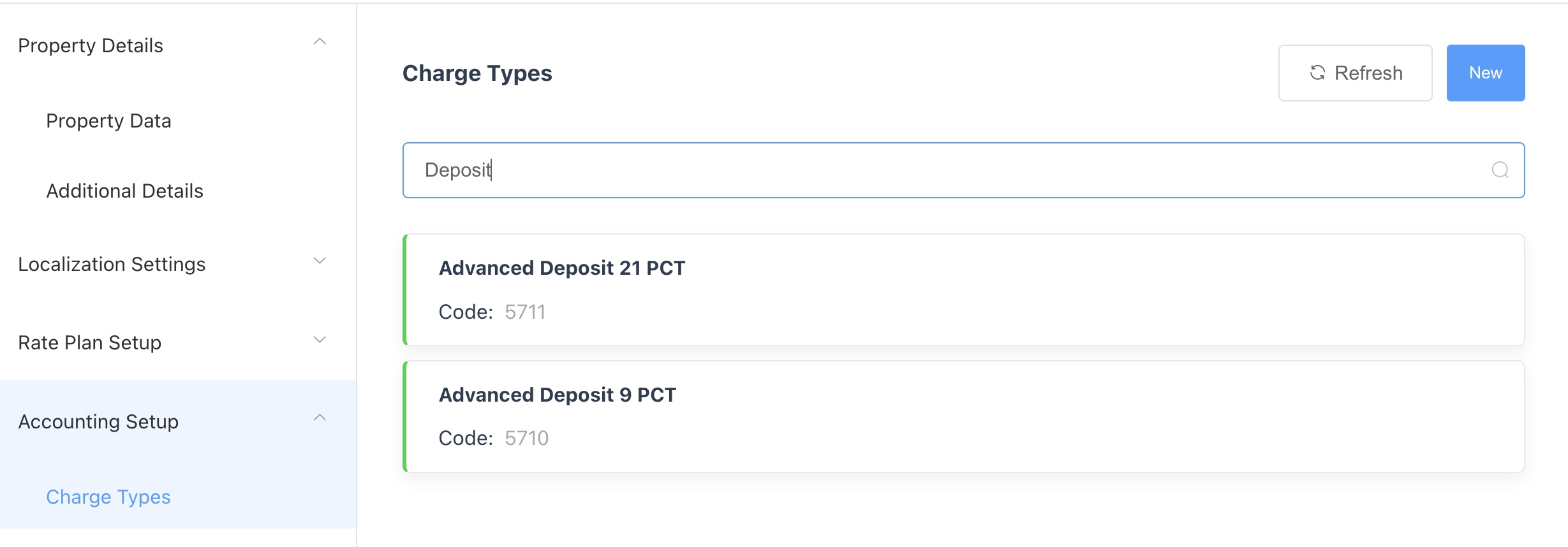
The display will default to a listing of all charge types configured in HotelKey for the selected property. To search for a specific charge type enter the charge type name or code in the search box. |
|
|
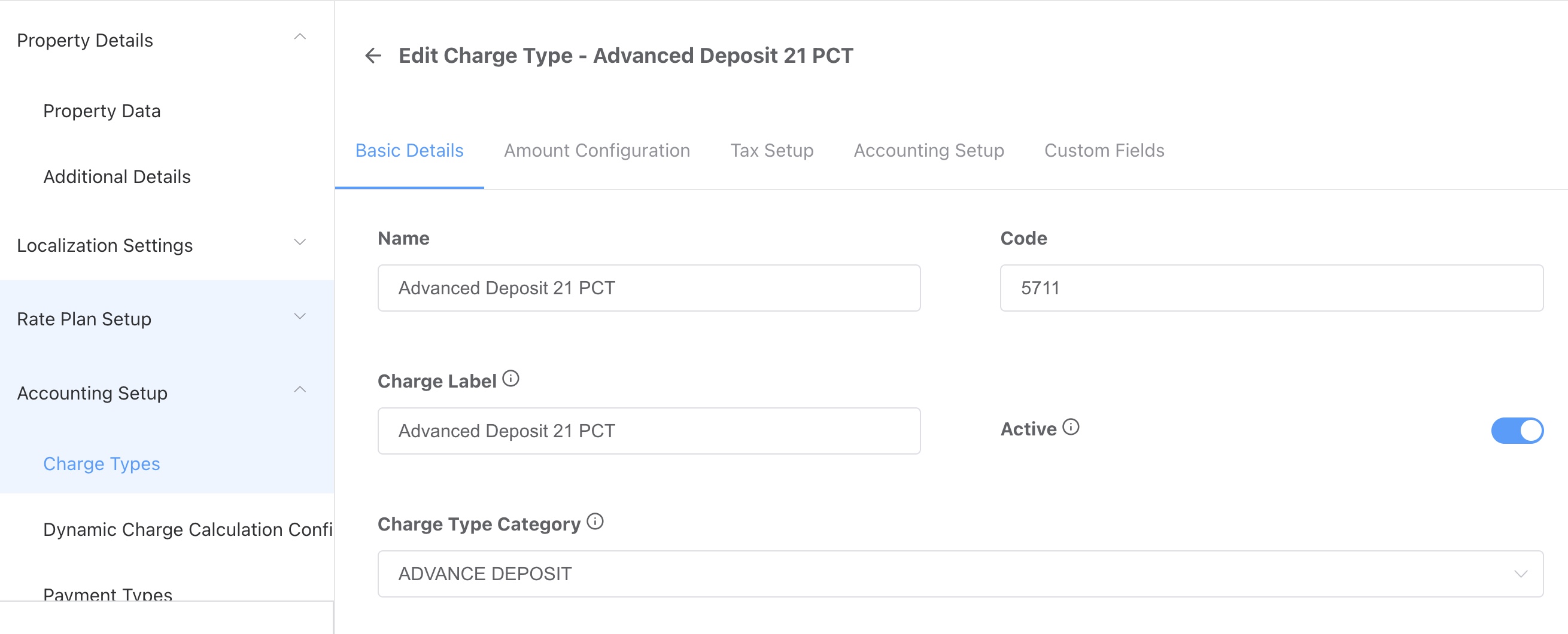
Click on the charge type name to select. You have now selected the charge type to view configuration. |
|
Understanding Charge Type Configuration
|
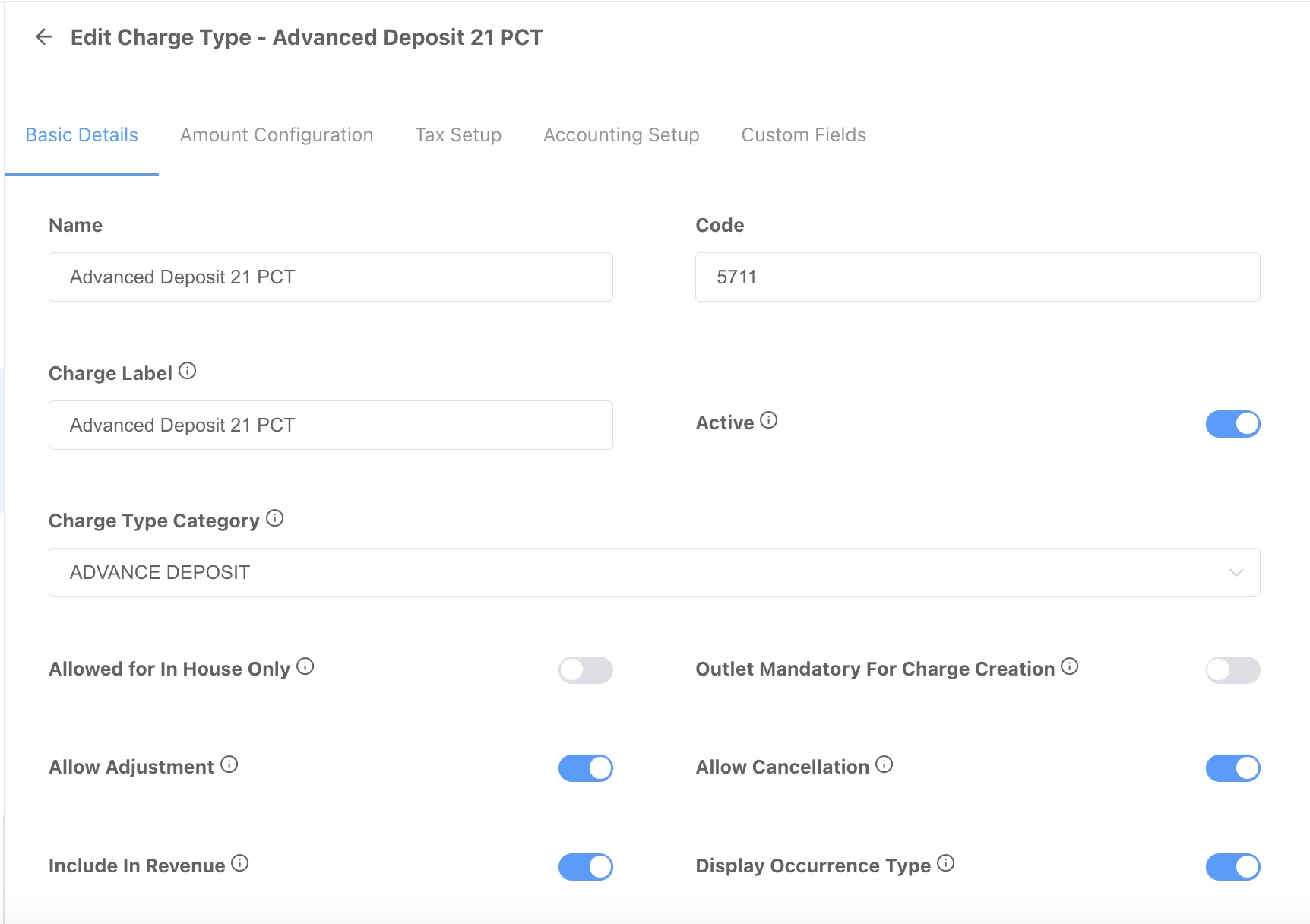
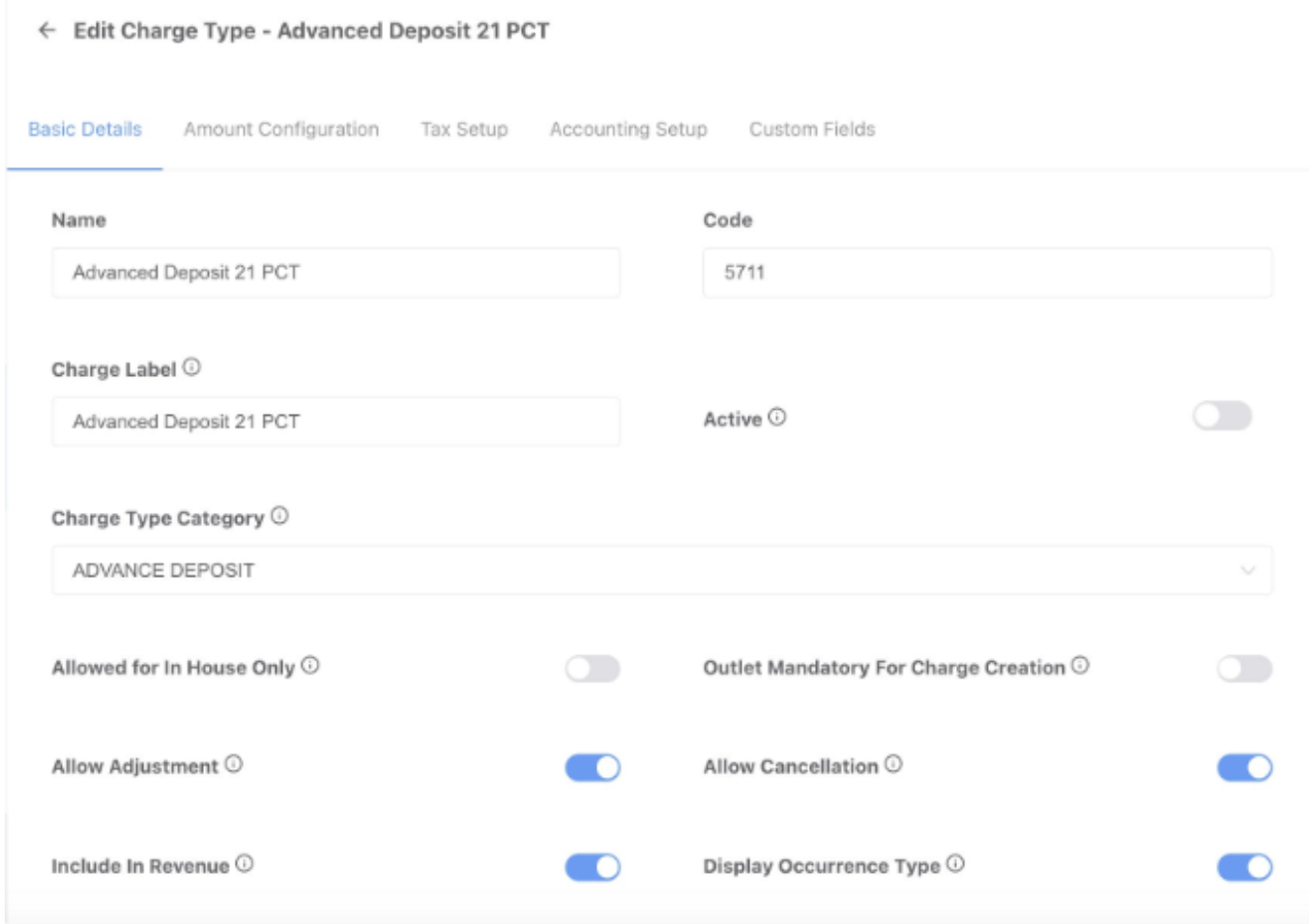
Basic Data screen: Below are the field names and definitions required to configure a charge type in HotelKey: Name: Name of the Charge Type. Code: Charge Type Code used to identify the charge type. Charge Label: Name of the Charge Type. Active: This toggle activates the charge type. Charge Type Category: Category of the charge type. Allowed for In House Only: If the charge type is available for in house reservations only. Outlet Mandatory for Charge Creation: May not be applicable to your hotel. Allow Adjustment: This toggle allows for adjustments to be made to the charge type once posted on the folio. Allow Cancellation: This toggle allows for the charge type posting to be cancelled. Include in Revenue: This toggle allows for the charge type to be included in revenue. Display Occurrence Type: May not be applicable to your hotel. External Bill Number Display: Enabling this flag would make the External Bill Number field display on the UI. External Bill Number Mandatory: Enabling this flag would make the External Bill Number field mandatory when a charge is added. External Bill Number Editable: Enabling this flag will make the external bill number field value editable on the UI while adding a charge. External Bill Number Regex: Regular Expression (Regex) a code used to decode External Bill. Dynamic Charge Calculation Config: Dynamic charge is a charge which gets automatically calculated based on configuration. Icon: Charge Type image Description: Description of the charge type. Allowed for Inventory: This toggle allows for the charge type to be associated with an inventory product. When the charge type is posted to the folio the inventory quantity is reduced. Inventory Product: Specific items such as cribs, rollaways, etc. you wish to track availability in order to determine if the product is available when requested on a reservation. Fiscal Code: A fiscal code is a classification used to refine the details of a tax determination category. |
|
|
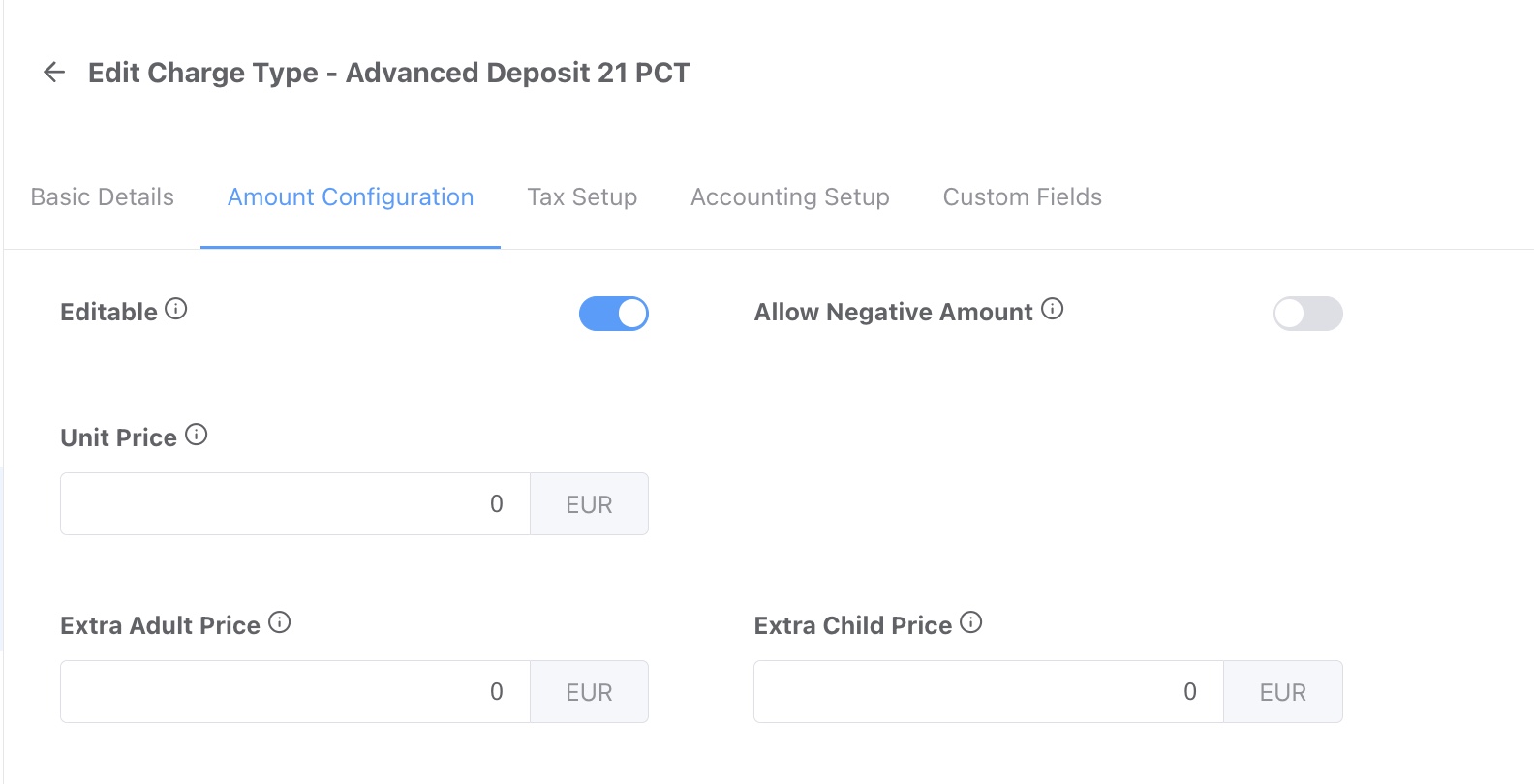
Amount Configuration screen: Below are the field names and definitions required to configure a charge type in HotelKey: Editable: This toggle allows for the charge type amount to be edited. Allow Negative Amount: This toggle allows for the charge type to post a negative amount. Unit Price: User can configure amount that will be charged for the object by default. Extra Adult Price: User can configure amount to be charged for each Extra Adult. Extra Child Price: User can configure amount to be charged for each Extra Child. |
|
|
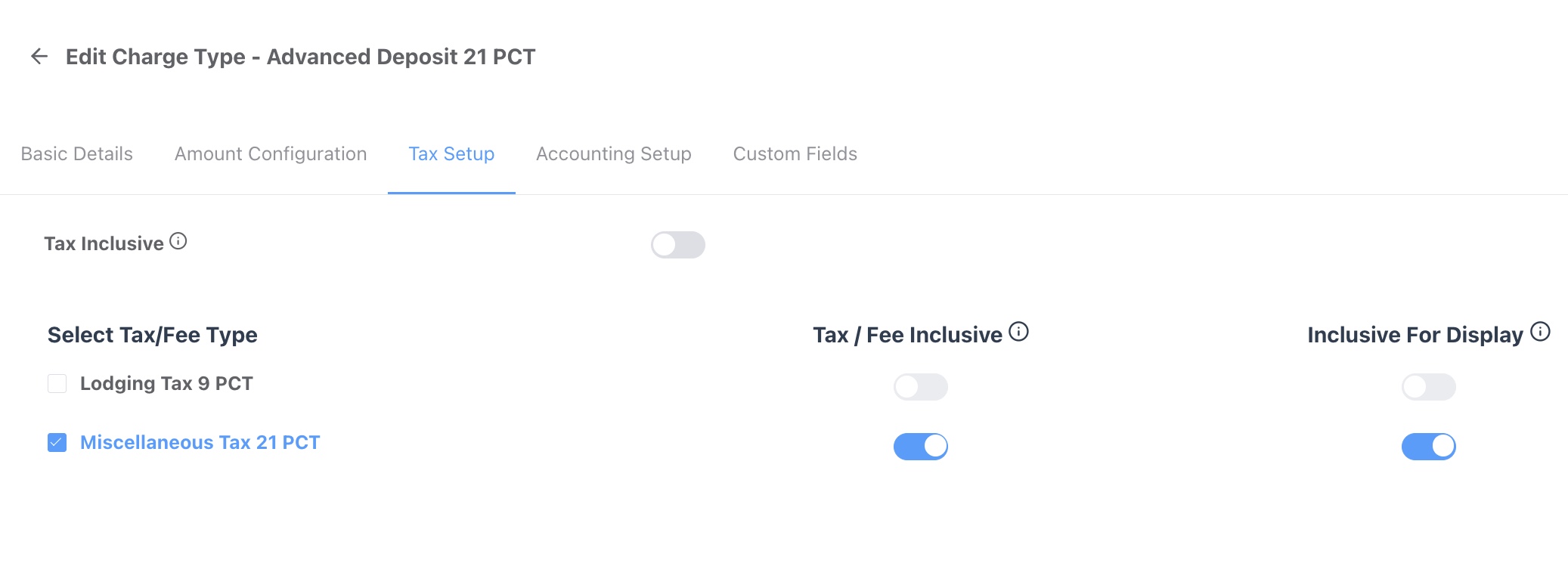
Tax Setup screen: Below are the field names and definitions required to configure a charge type in HotelKey: Select Tax/Fee Type: The tax types to be applied on the Charge Type. Tax / Fee Inclusive: This toggle controls weather the charge type includes tax or not. Inclusive for Display: If the inclusive label should be displayed on FrontDesk UI. |
|
|
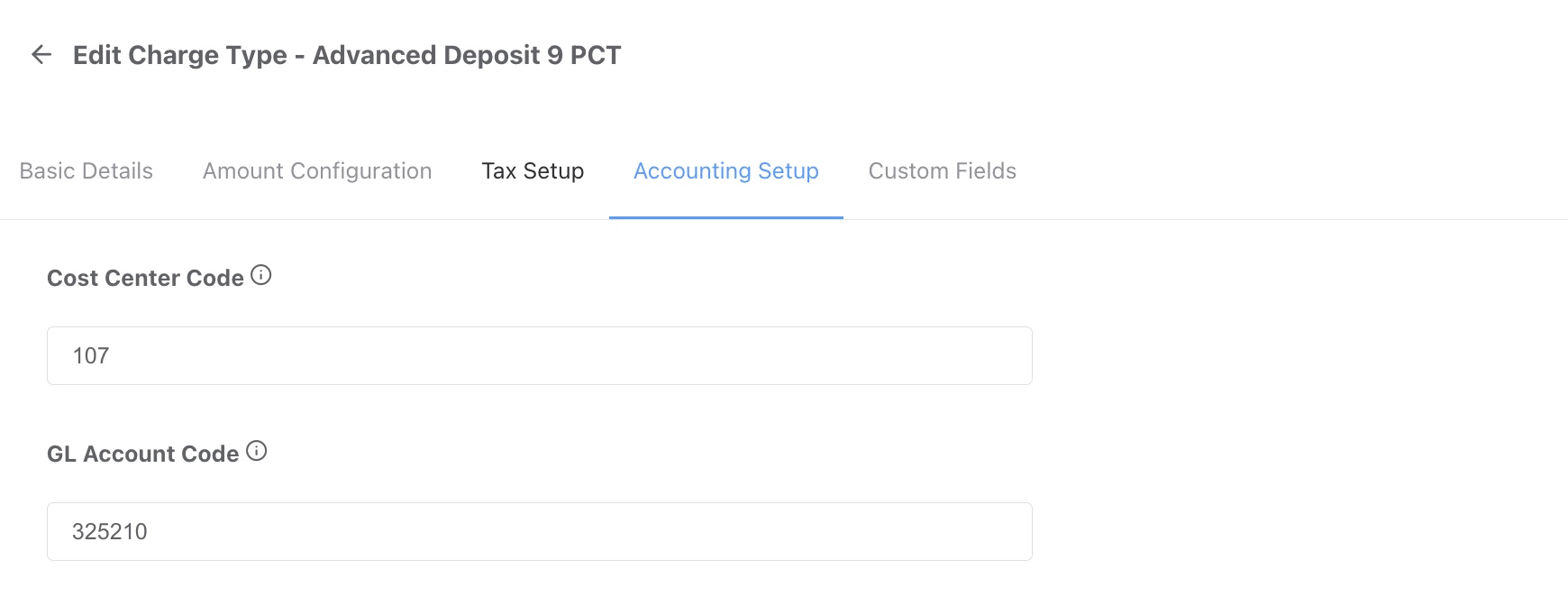
Accounting Setup screen: Below are the field names and definitions required to configure a charge type in HotelKey: Cost Center Code: An accounting code that identifies the destination or function of an expense. GL Account Code: A unique number that identifies an account in a business's general ledger (GL). |
|
|
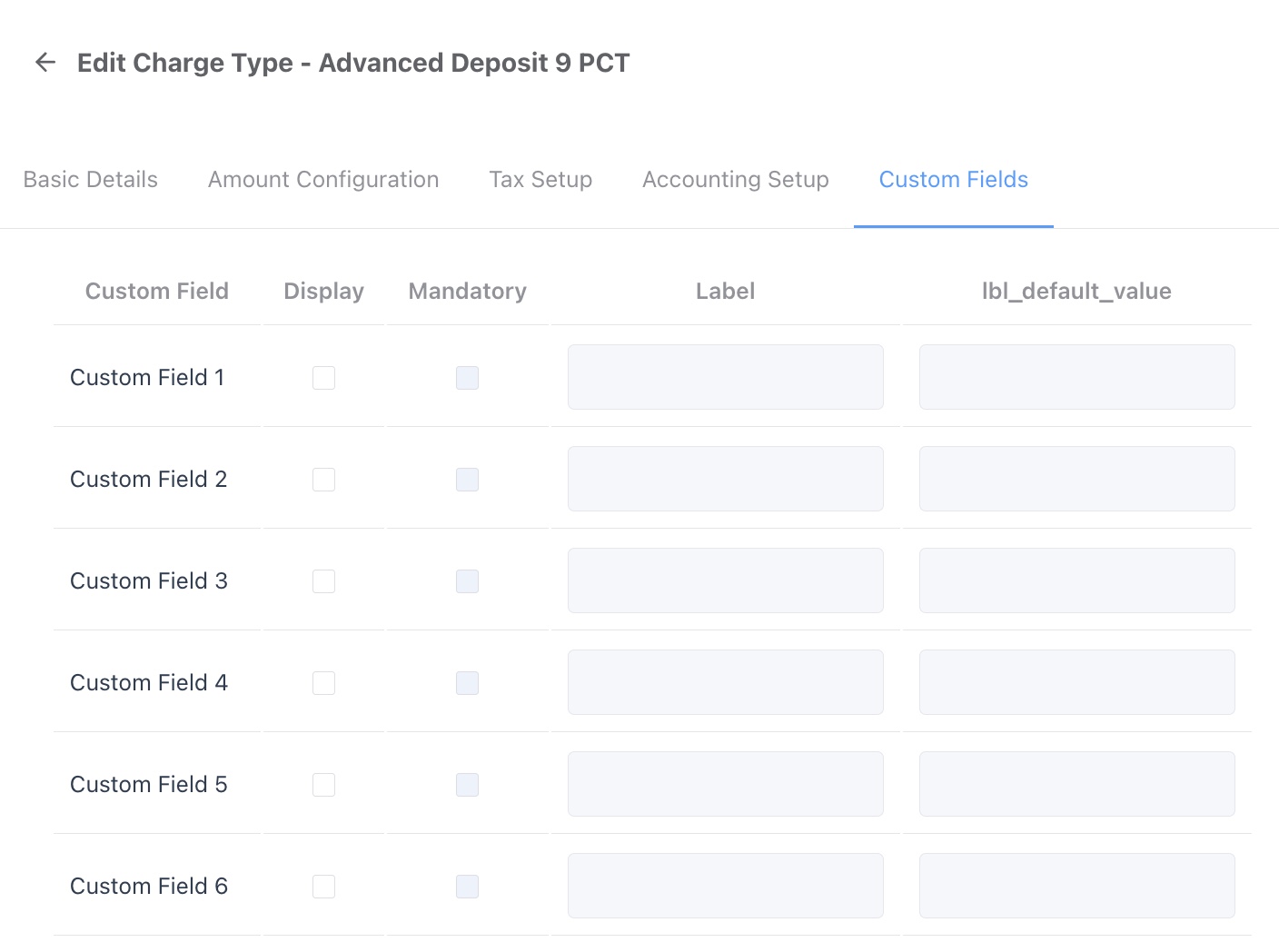
Custom Fields screen: Below are the field names and definitions required to configure a charge type in HotelKey: Custom Field: Number of the custom fields. Basically an internal identifier for HotelKey. Display: If the field should be displayed in the PMS to the user. Mandatory: If the field is mandatory to be completed. Label: Label name to be displayed in the PMS. Default Value: The default value that should be displayed in the field. |
|
Deactivation of Charge Types
|
Multi Property Users: from the HK Home, select the property and click 'Property Settings' under the Administration section. Single Property Users: From HK Home, click 'Property Settings' under Administration |
|
|
From the menu on the left side, click ‘Accounting Setup' and then click 'Charge Types’. |
|
|
The display will default to a listing of all charge types configured in HotelKey for the selected property. To search for a specific charge type enter the charge type name or code in the search box. |
|
|
Click on the charge type name to select. You have now selected the charge type to view configuration. |
|
|
Note the following when a charge type is deactivated:
|
no image |
|
Basic Data screen: Below are the field names and definitions required to configure a charge type in HotelKey. Navigate to the existing charge type you would like to disable, and turn the Active toggle OFF. Active: This toggle activates the charge type. |
|