
Revision Date:
Overview
This feature streamlines property upkeep by automatically triggering maintenance tasks based on actual room usage. By tracking "Occupied Nights," the system identifies when a room requires deep cleaning or mechanical services—such as mattress rotations or filter replacements—and automatically creates a maintenance ticket while temporarily blocking the room from the inventory. This ensures that high-turnover rooms are maintained systematically, improving guest satisfaction and extending the lifespan of property assets without requiring manual tracking by staff.
|
Navigate to Frontdesk Dashboard and open the Maintenance |
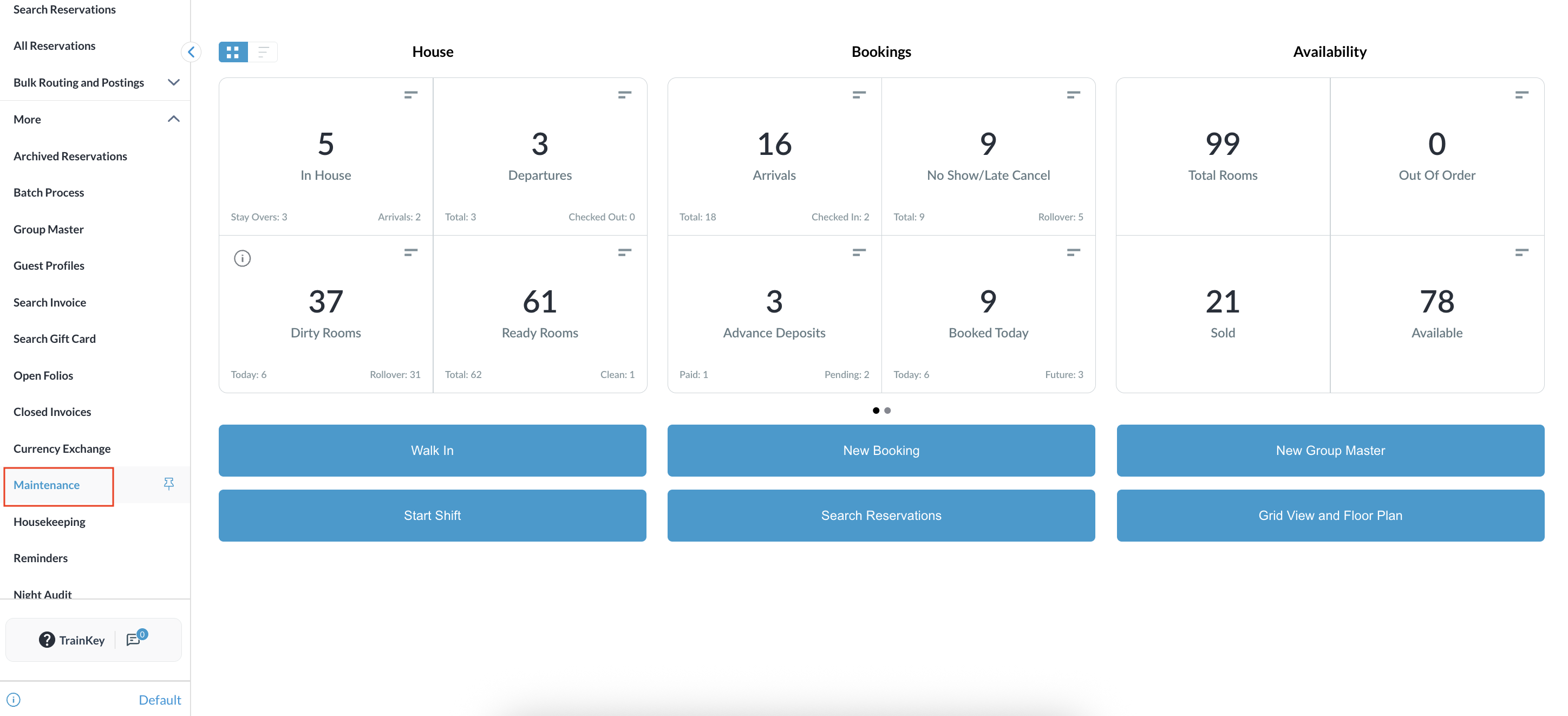
|
|
Go to the Preventative Maintenance tab to see all preventative maintenance issues. |
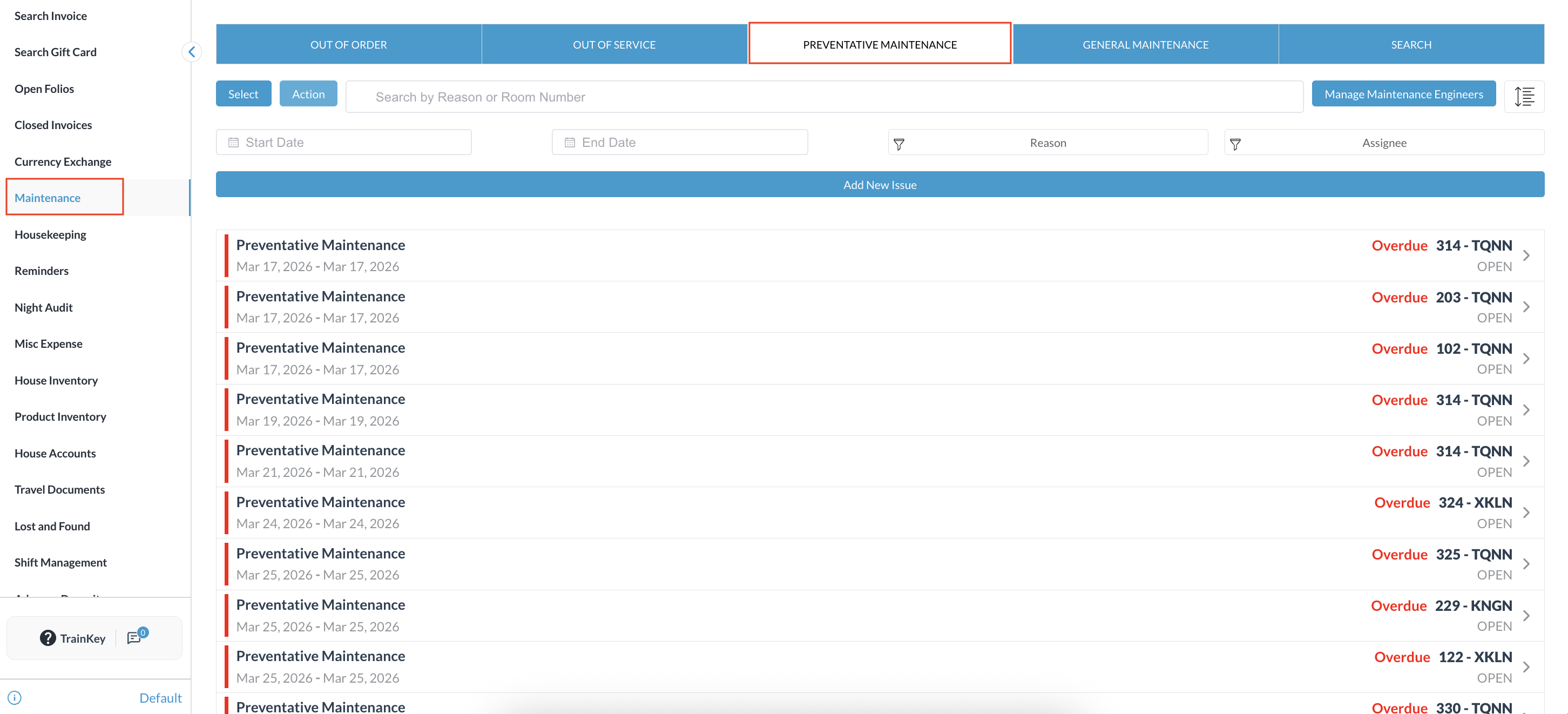
|
|
Select the active issue from the Preventative Maintenance list.
|
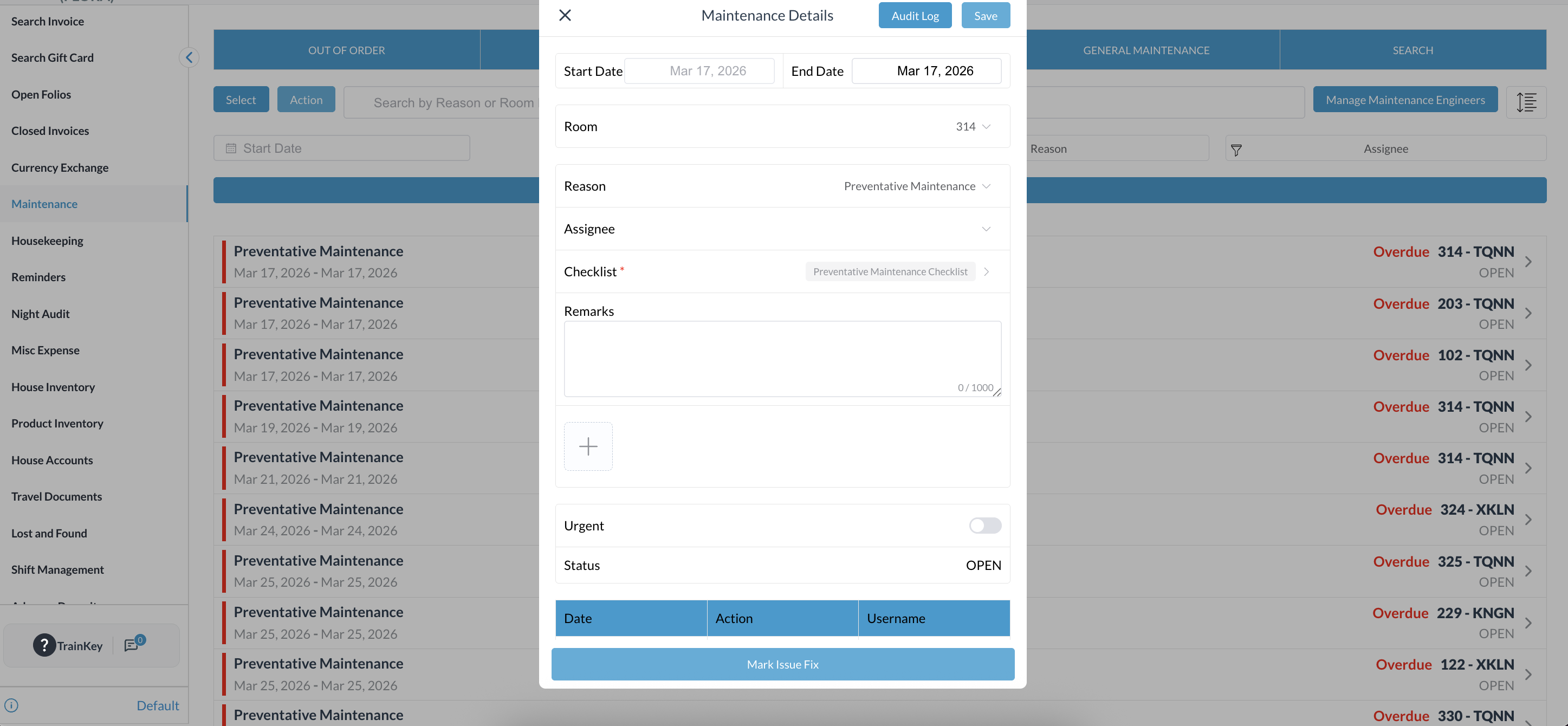
|
|
Manual PM Creation
|
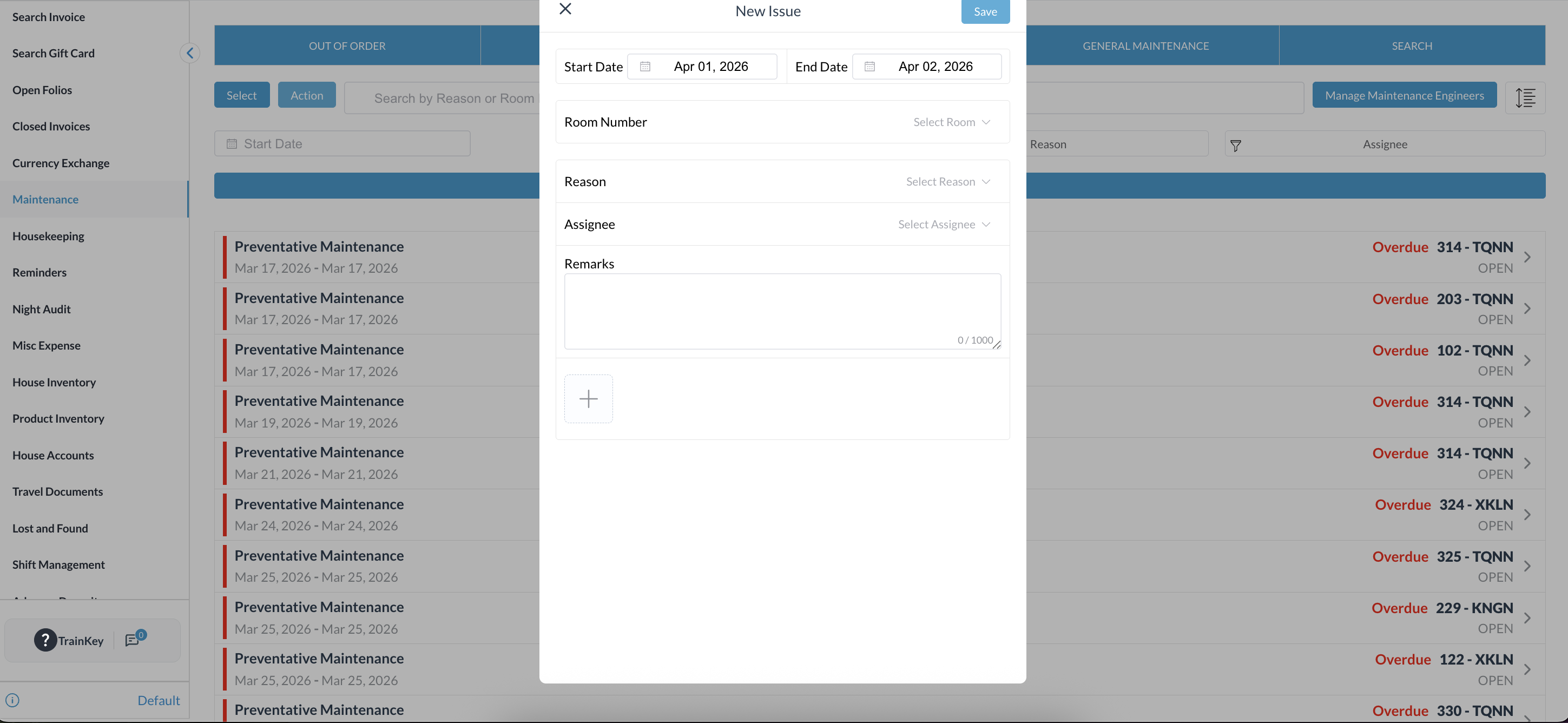
|