
📆 Revision Date:
|
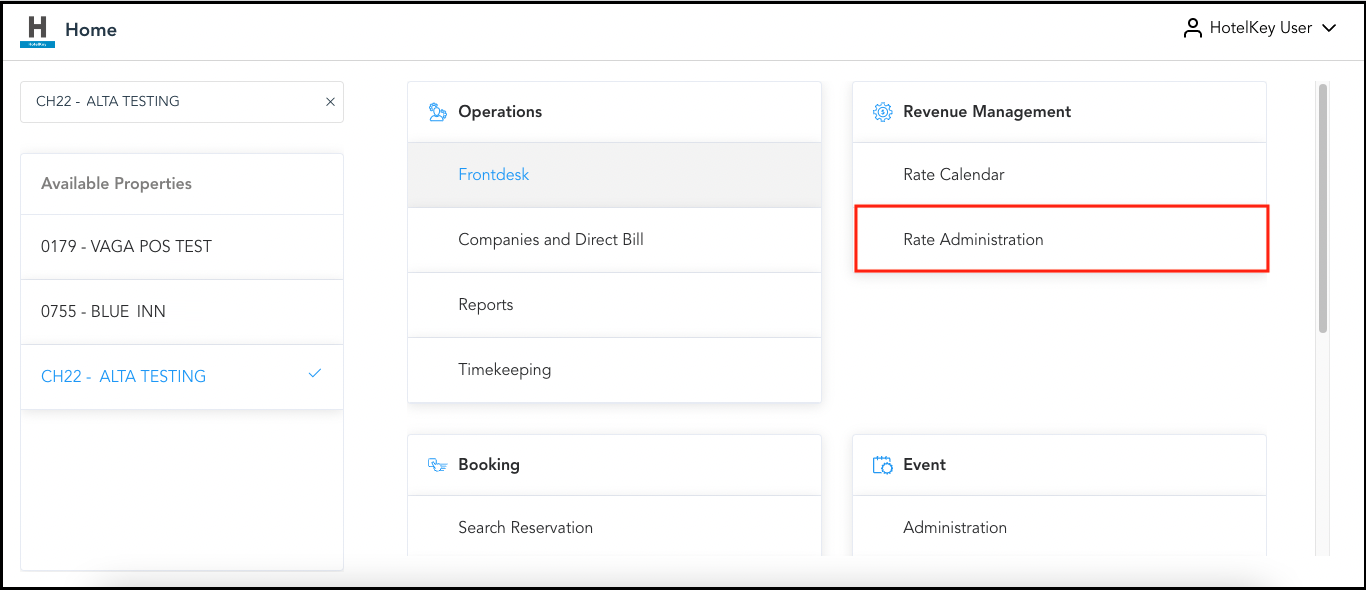
Select Rate Administration on the HK Home page. |
|
|
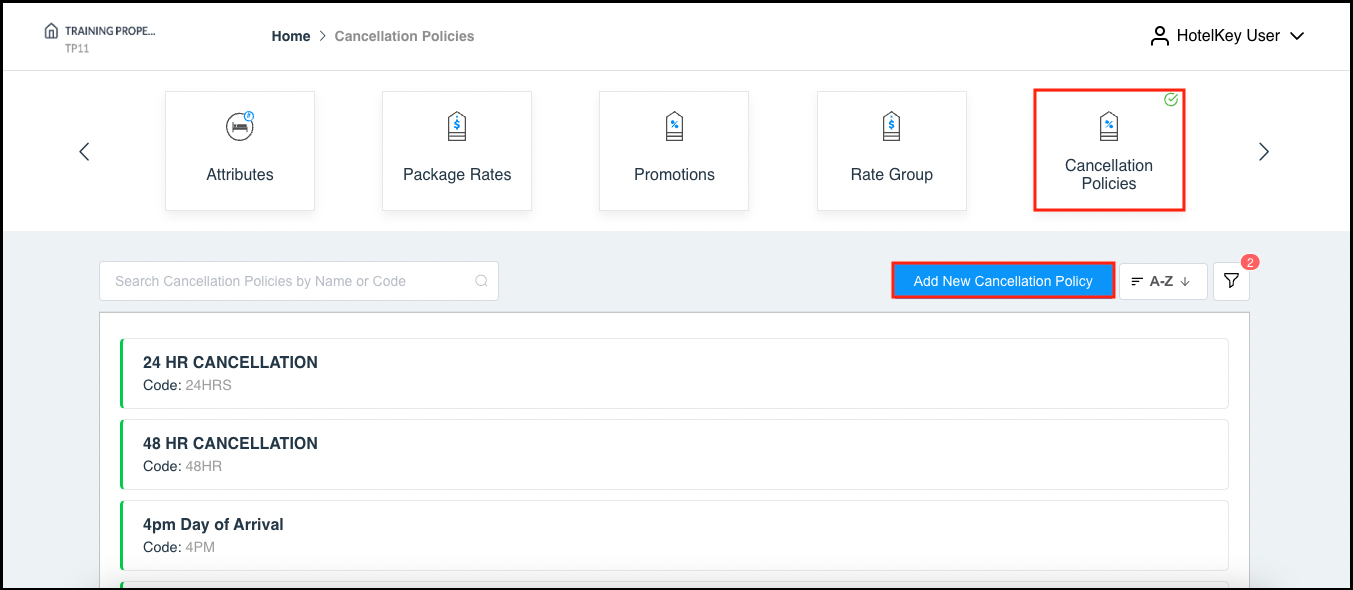
Scroll to the right and select Cancellation Policies. Existing cancellation policies are listed in the lower section of the page. Select Add New Cancellation Policy. |
|
|
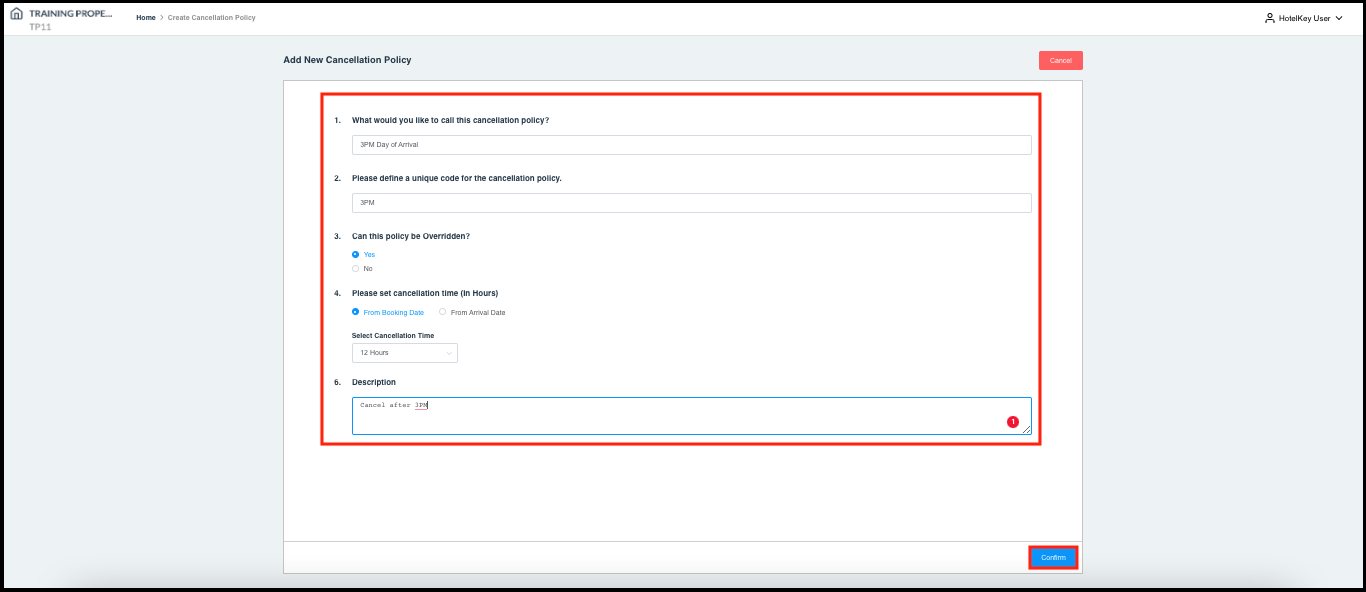
Complete the provided data entry wizard steps, in order, then select Confirm at the bottom right of the wizard panel. |
|
|
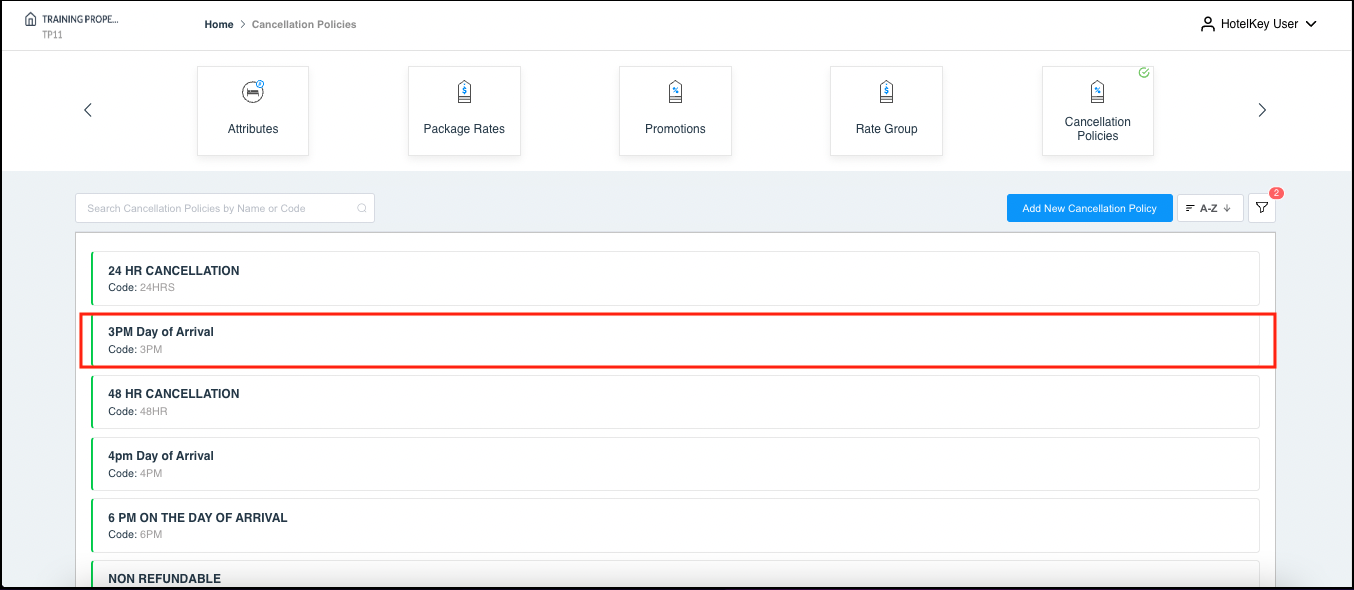
The new cancellation policy is created. |
|