
📆 Revision Date:
|
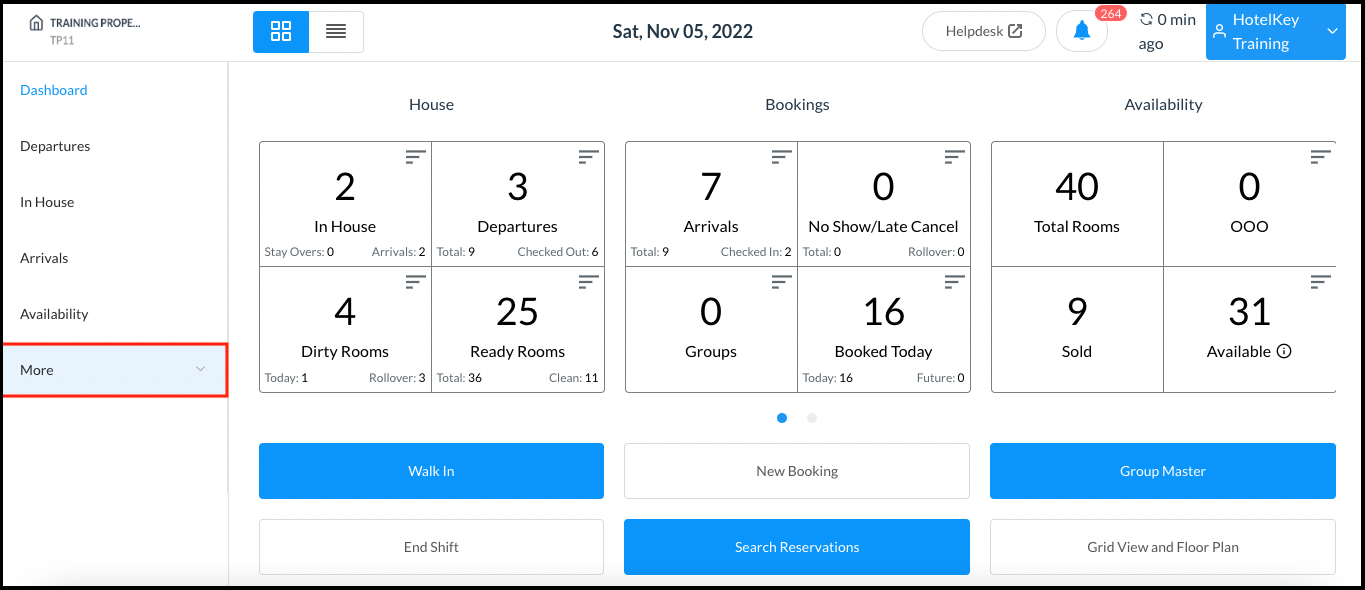
Select More from the Dashboard sidebar menu. |
|
|
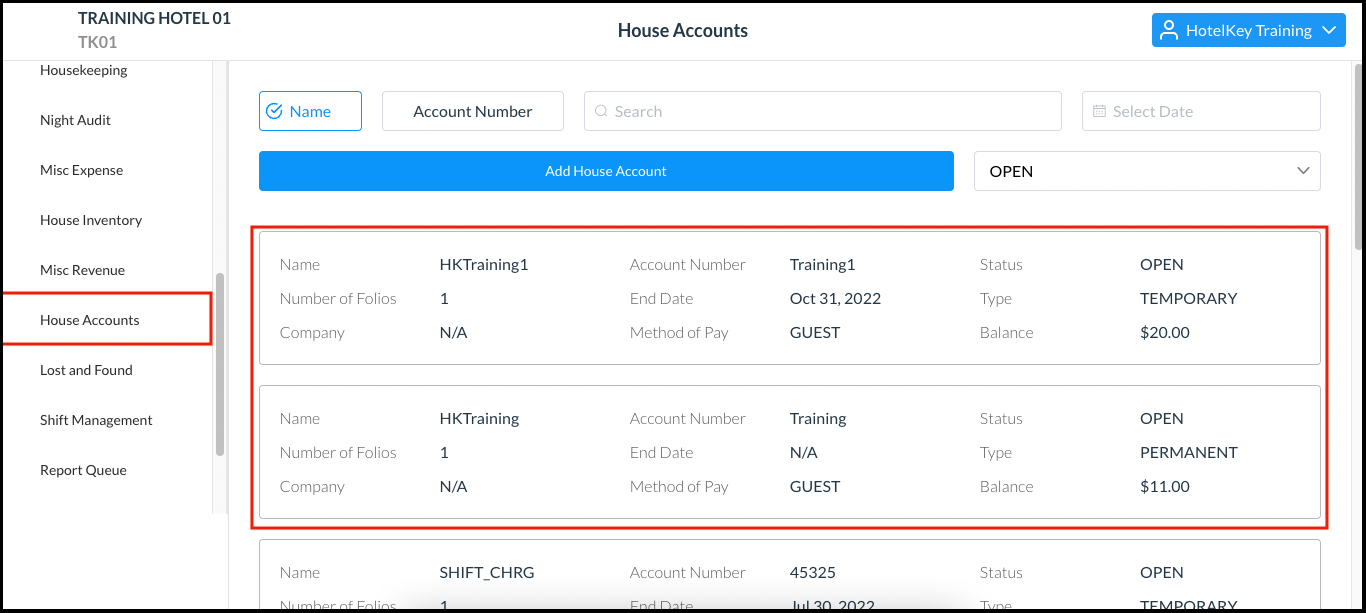
Select House Accounts from the expanded sidebar menu. The House Accounts page loads, showing details of all in house accounts. |
|
|
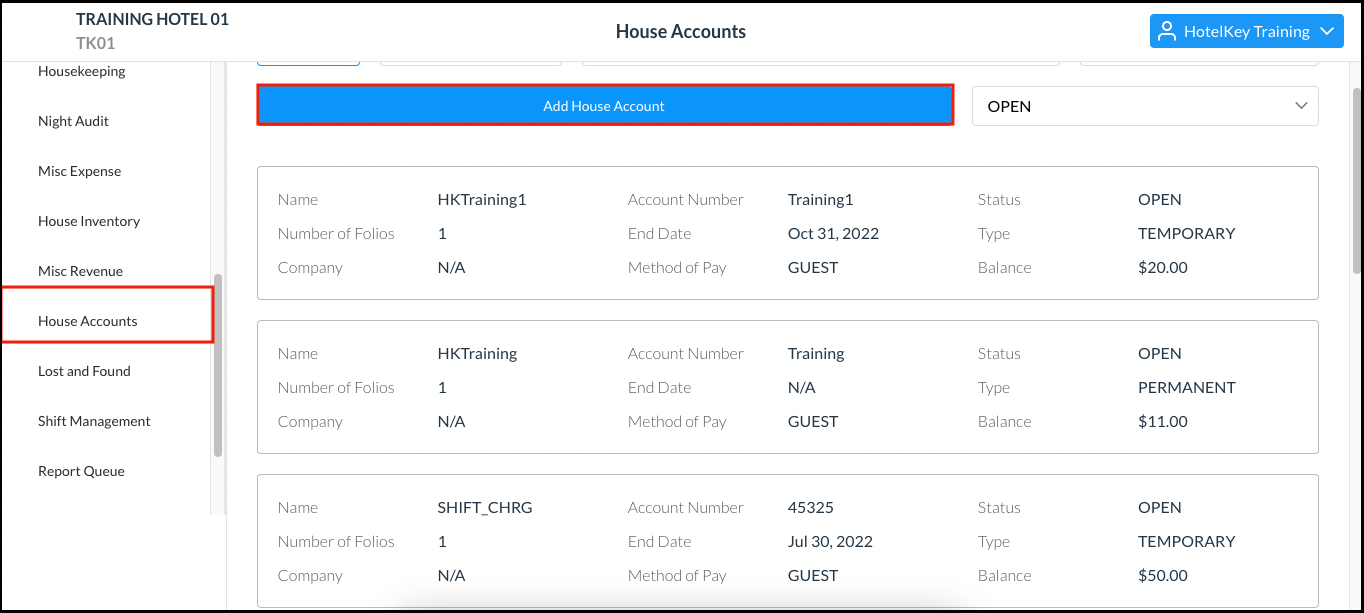
Select Add House Account. |
|
|
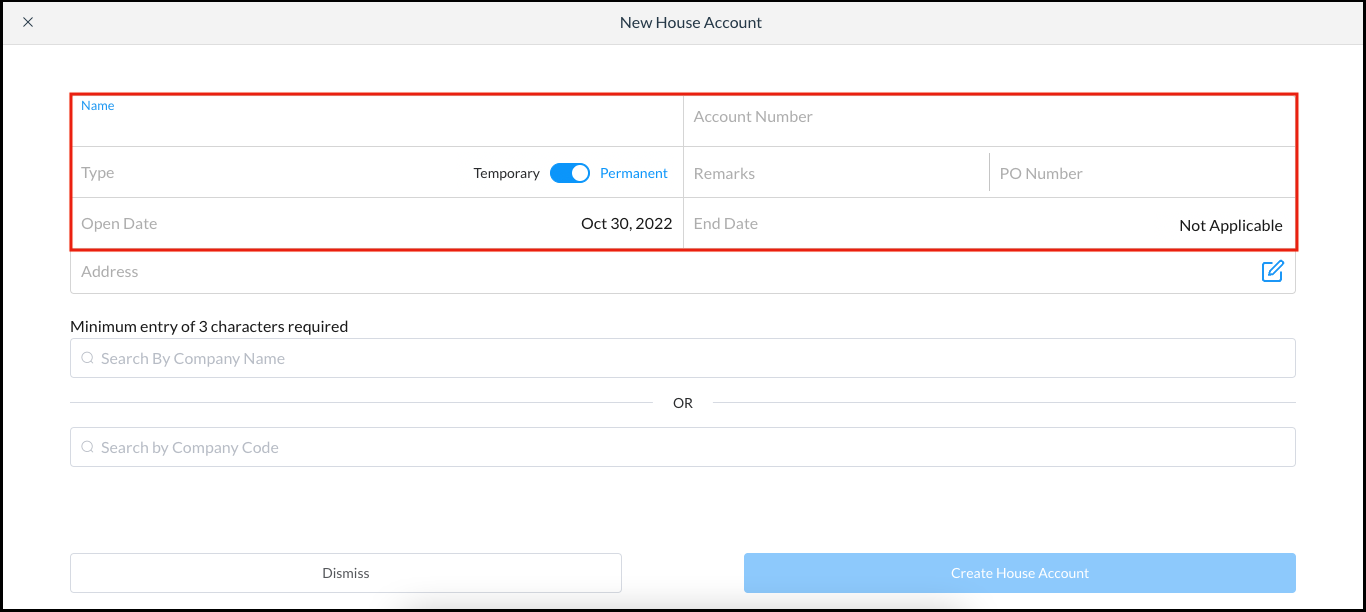
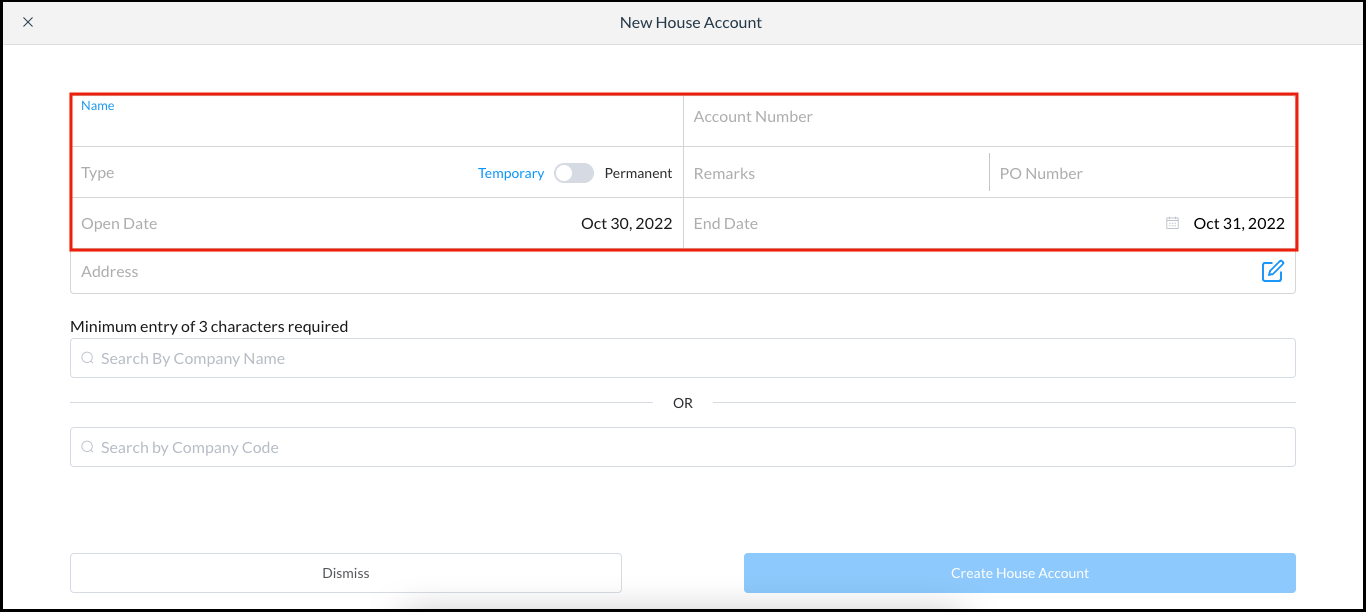
The New House Account popup activates. Enter the account Name and Account Number. Toggle the Type slider to “Temporary” (top example) or “Permanent” (bottom example). Enter Remarks (if any) and the PO Number associated with the account (if any). The account Open Date defaults to today’s date. If a temporary account, enter an End Date. |
|
|
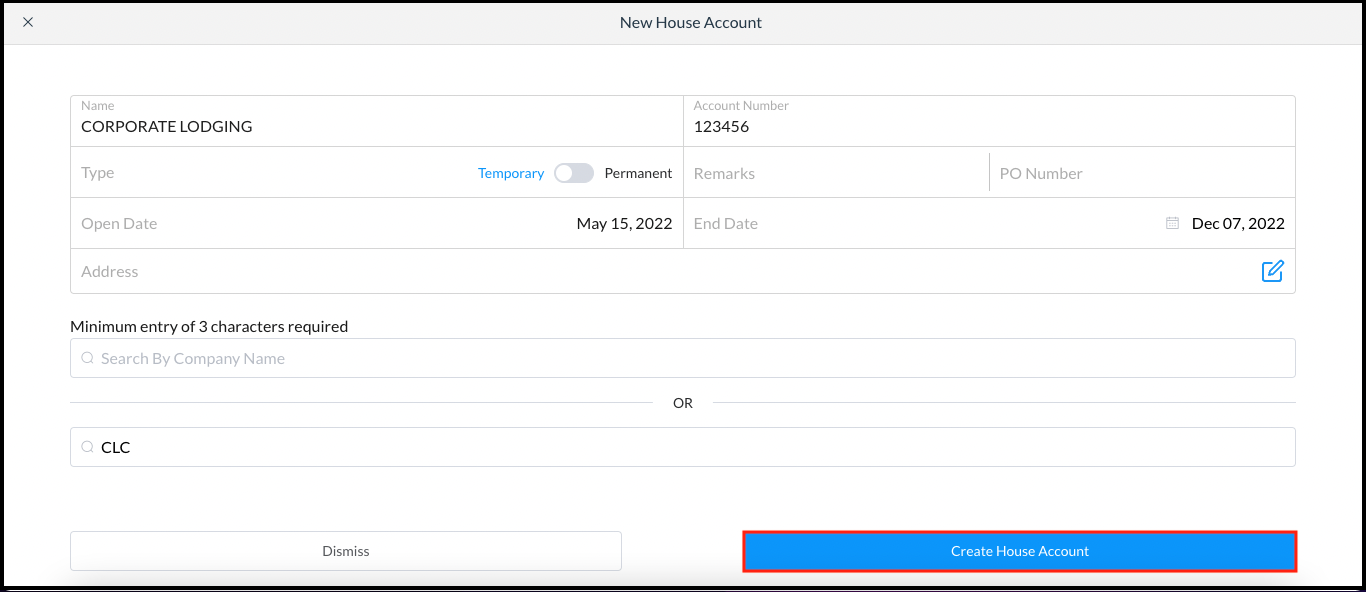
Select the Create House Account link, which is enabled when entry of account details is complete. |
|