
📆 Revision Date:
|
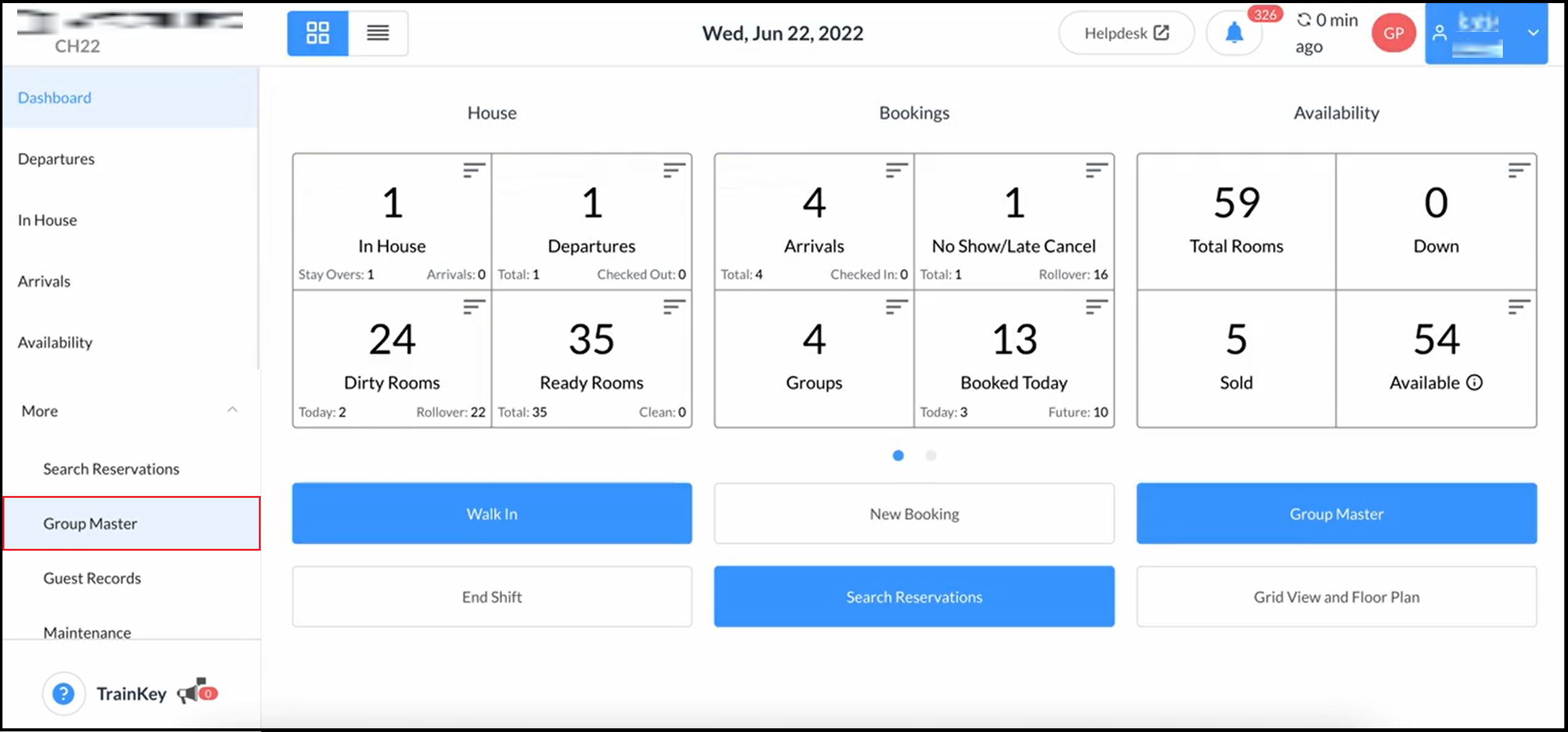
On the Dashboard, expand the More sidebar menu and select Group Master. |
|
|
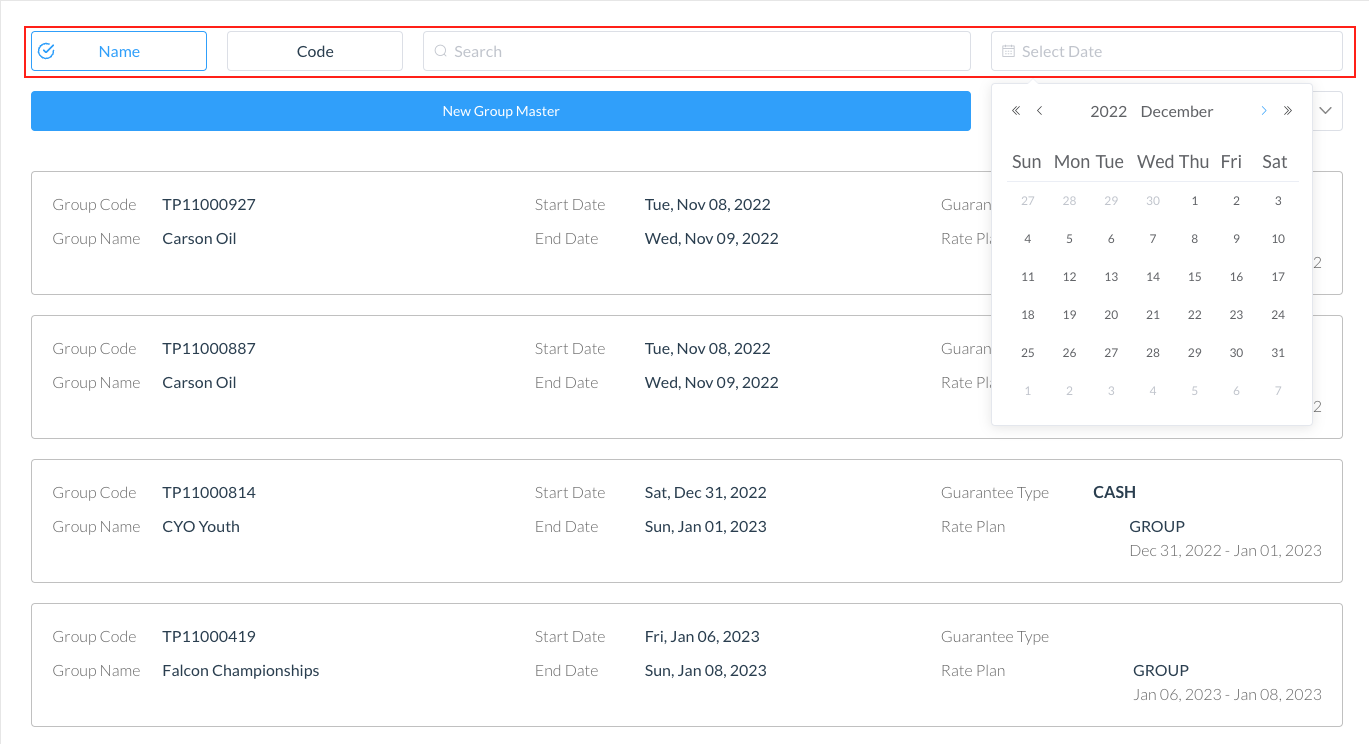
The Group Master list loads. Use the search box or calendar widget to search for the applicable Group Master. Select the applicable Group Master from the main list or search results. |
|
|
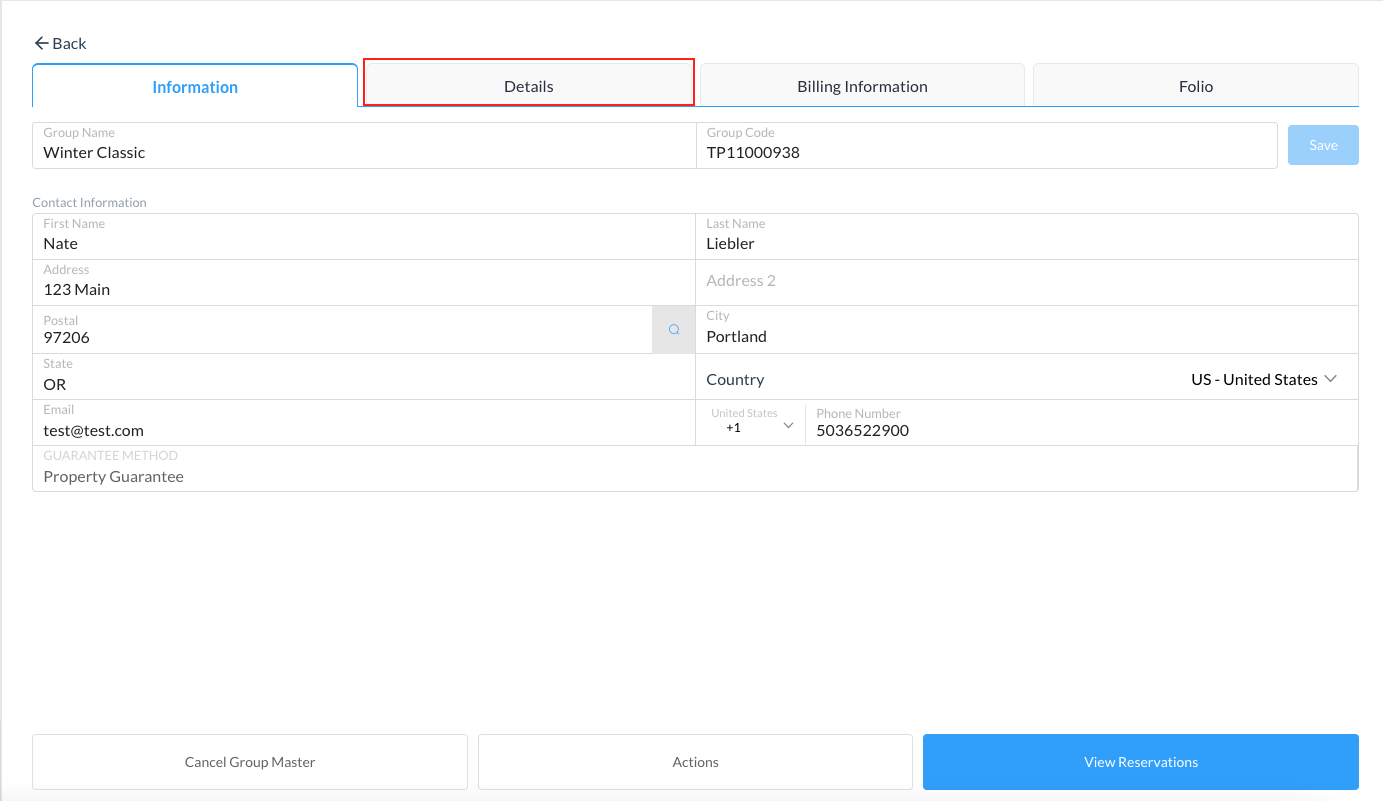
The selected Group Master opens. Select the Details tab. |
|
|
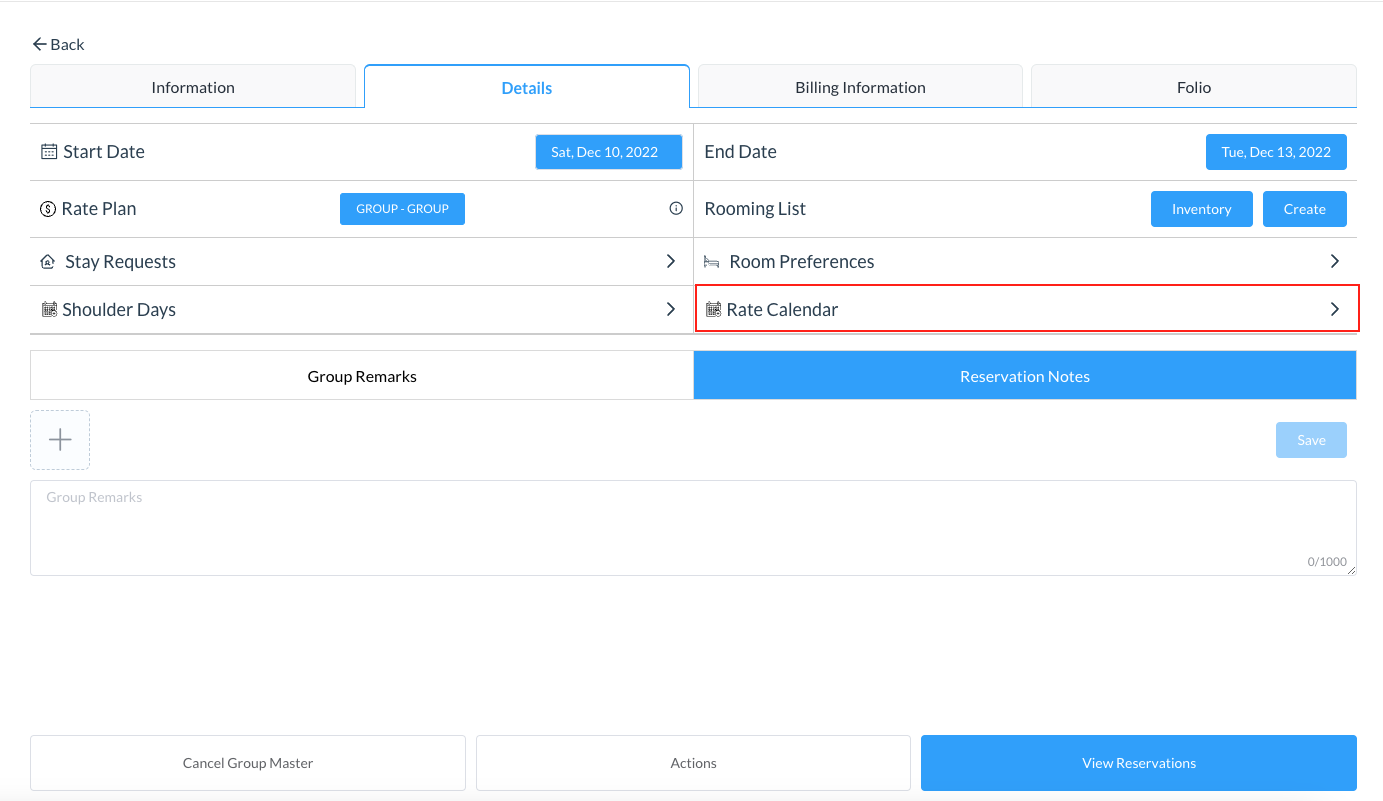
On the Details tab, select Rate Calendar. |
|
|
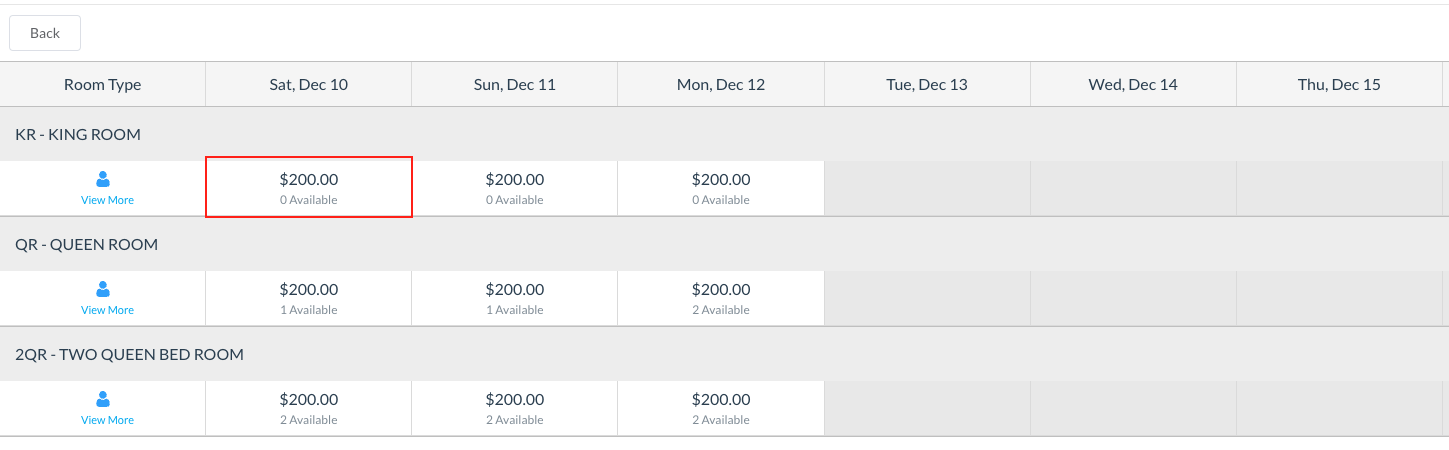
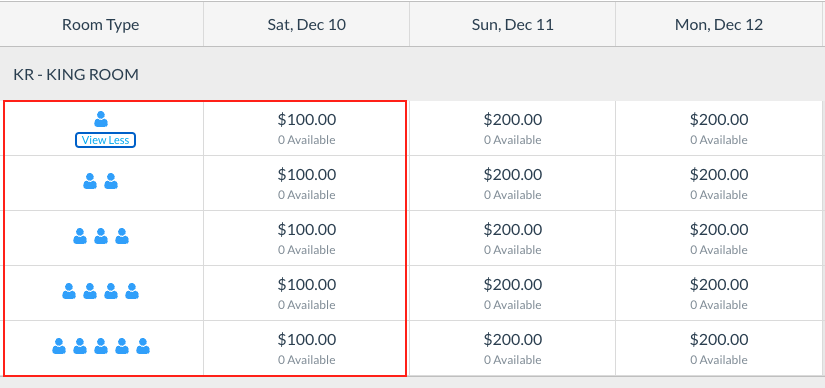
The rate calendar for the selected Group Master loads. Select the rate to be changed. |
|
|
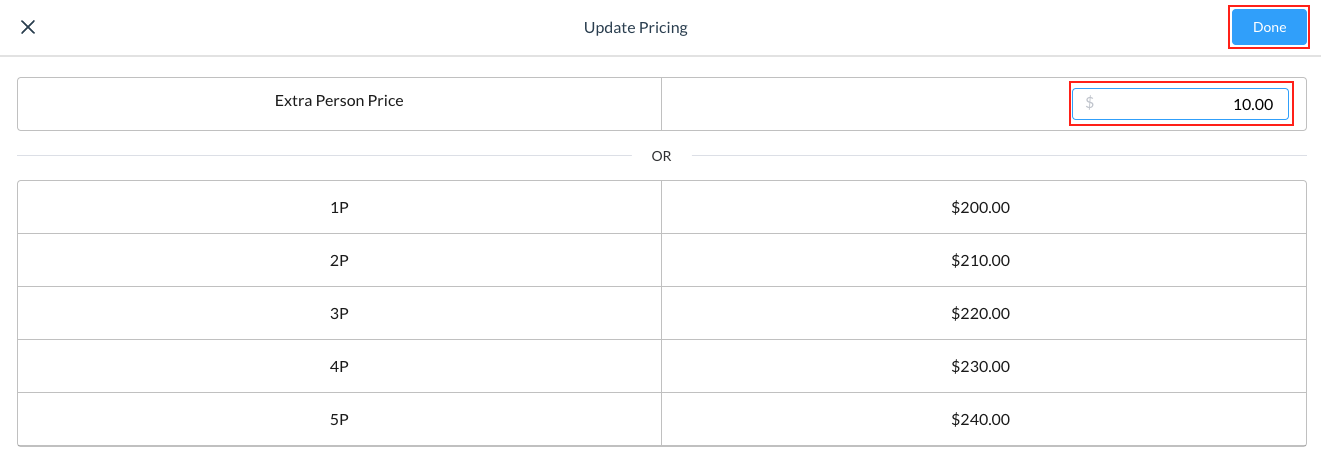
The Update Pricing popup activates. Update the prices for the room type by entering a value in the Extra Person Price field - this will update all other person pricing by the value entered. In this example, $10.00
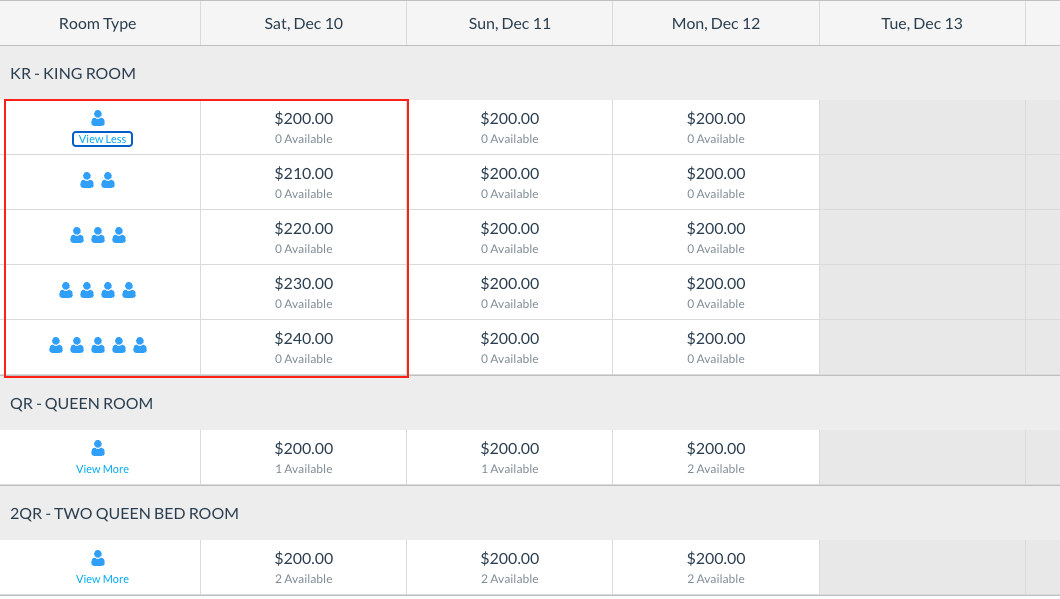
Select Done and review the changes
Note - the changes made will affect the specific date selected. You must follow the same steps for each day you want to update pricing. |
|
|
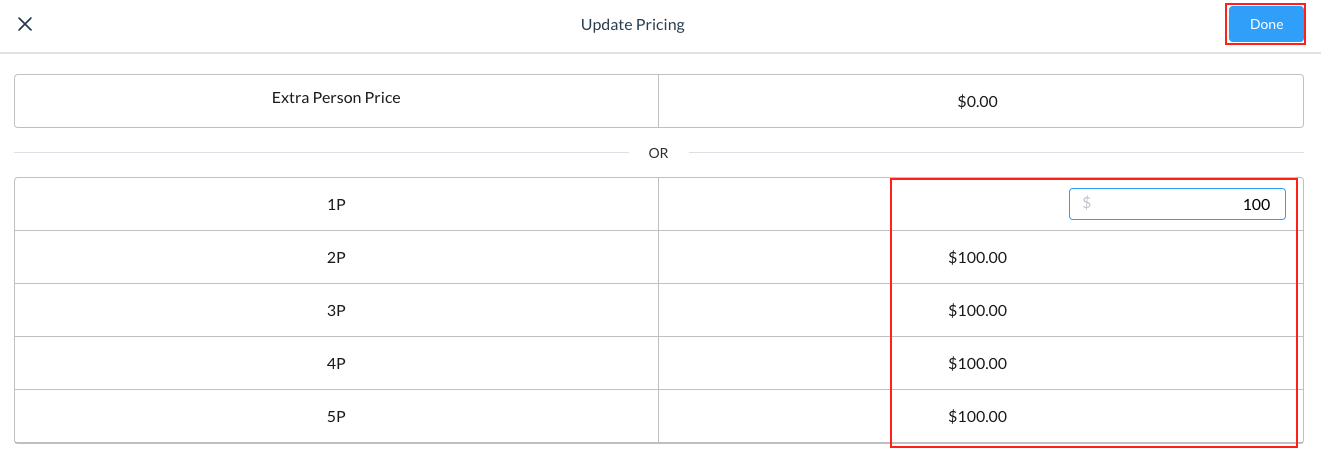
Alternately, you can update the Person pricing by entering a static rate in the 1P field and all other pricing will change by automatically. You can also change each field manually.
Select Done and review the changes
Note - the changes made will affect the specific date selected. You must follow the same steps for each day you want to update pricing. |
|