
📆 Revision Date:
|
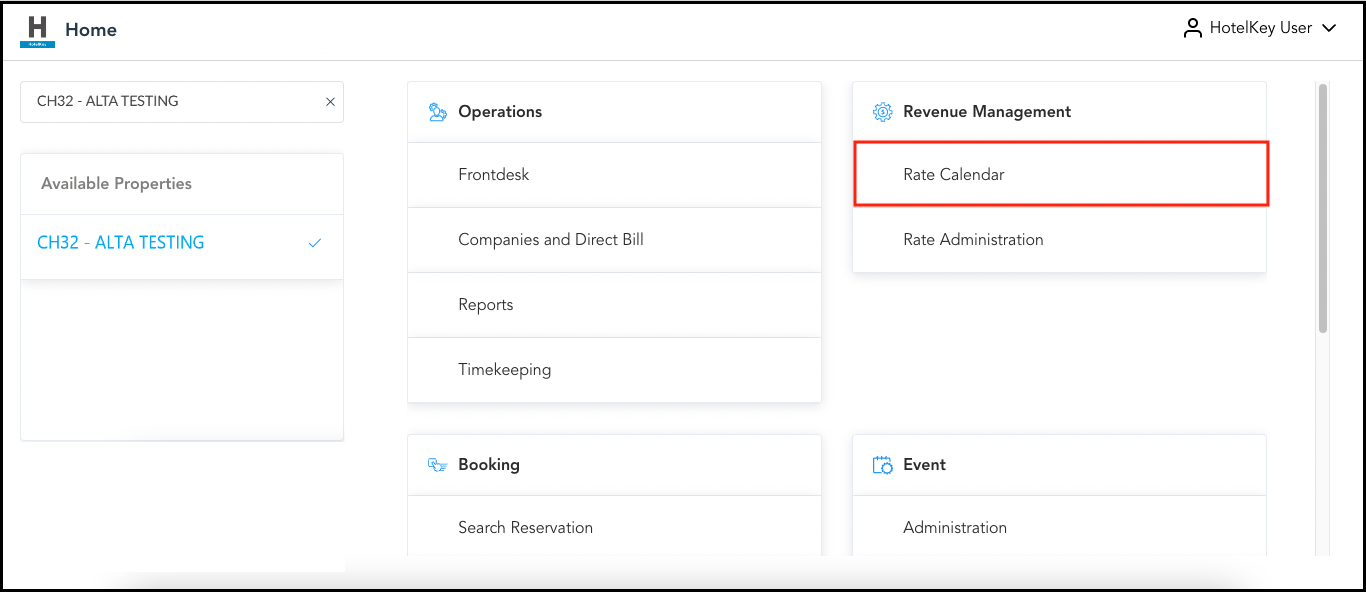
Select Rate Calendar on the HK Home page. |
|
|
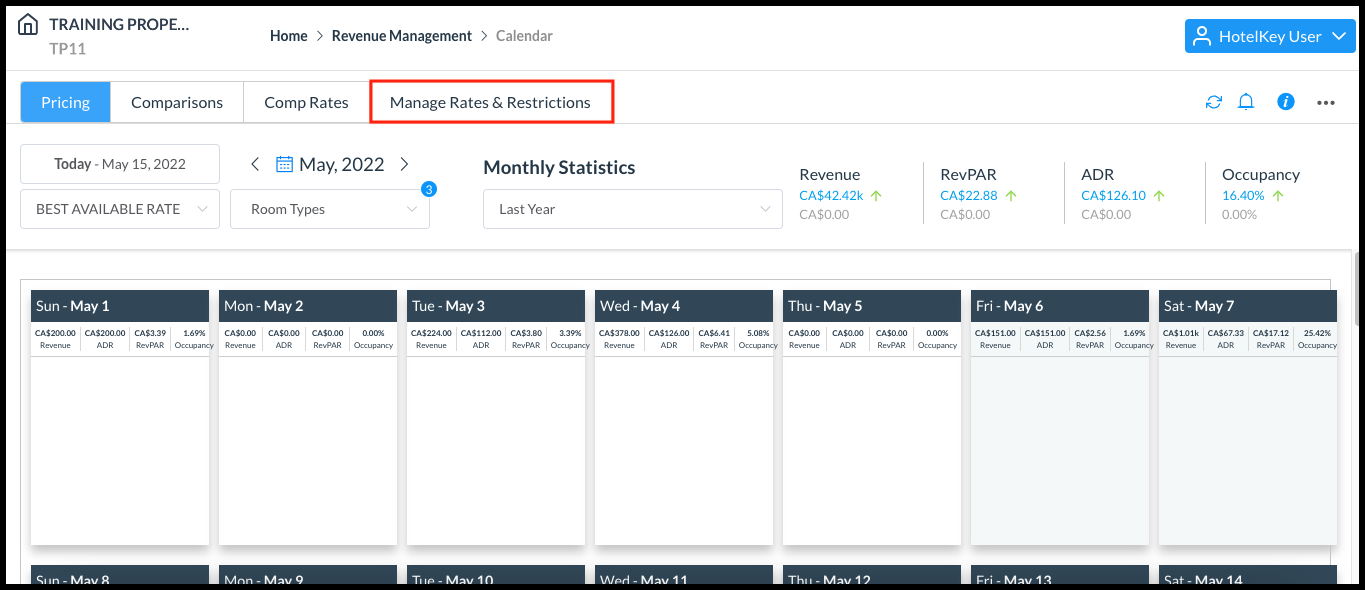
Select Manage Rates & Restrictions. |
|
|
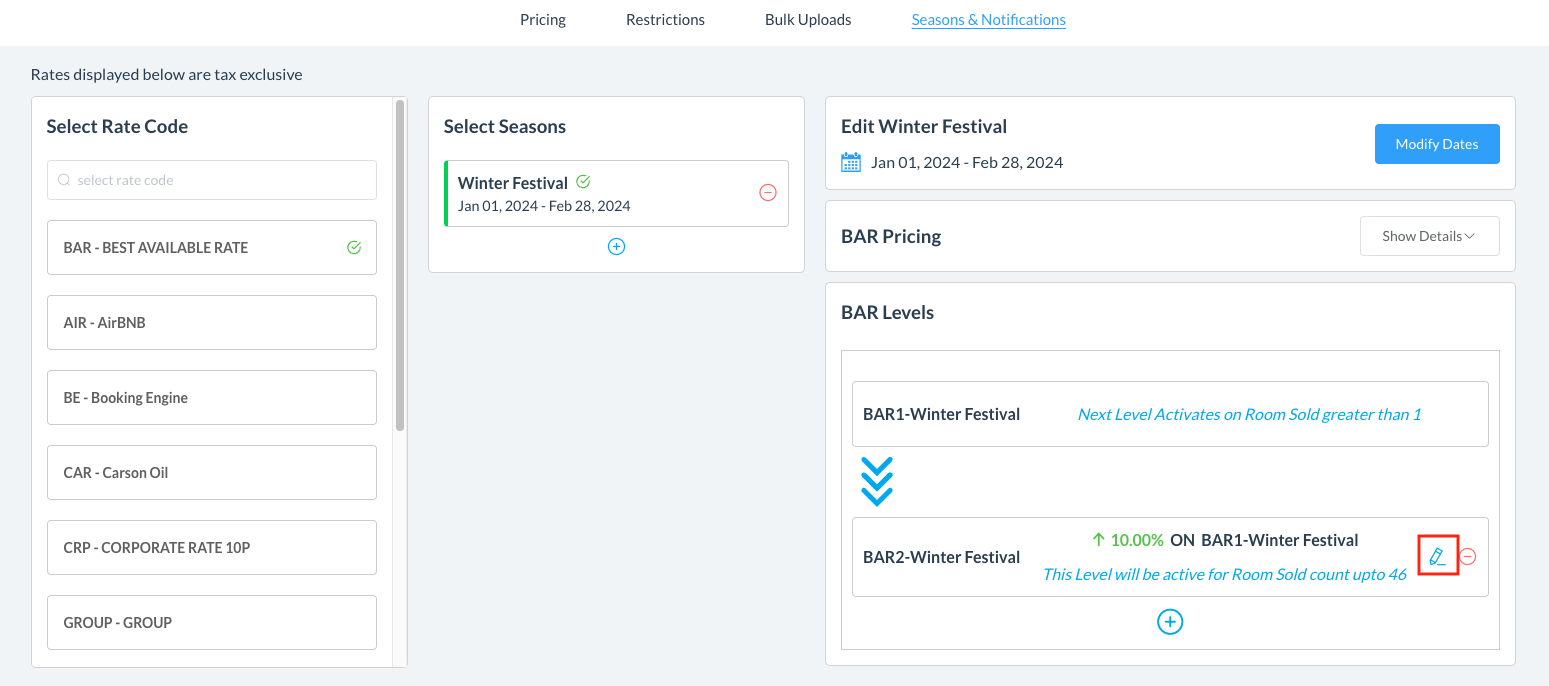
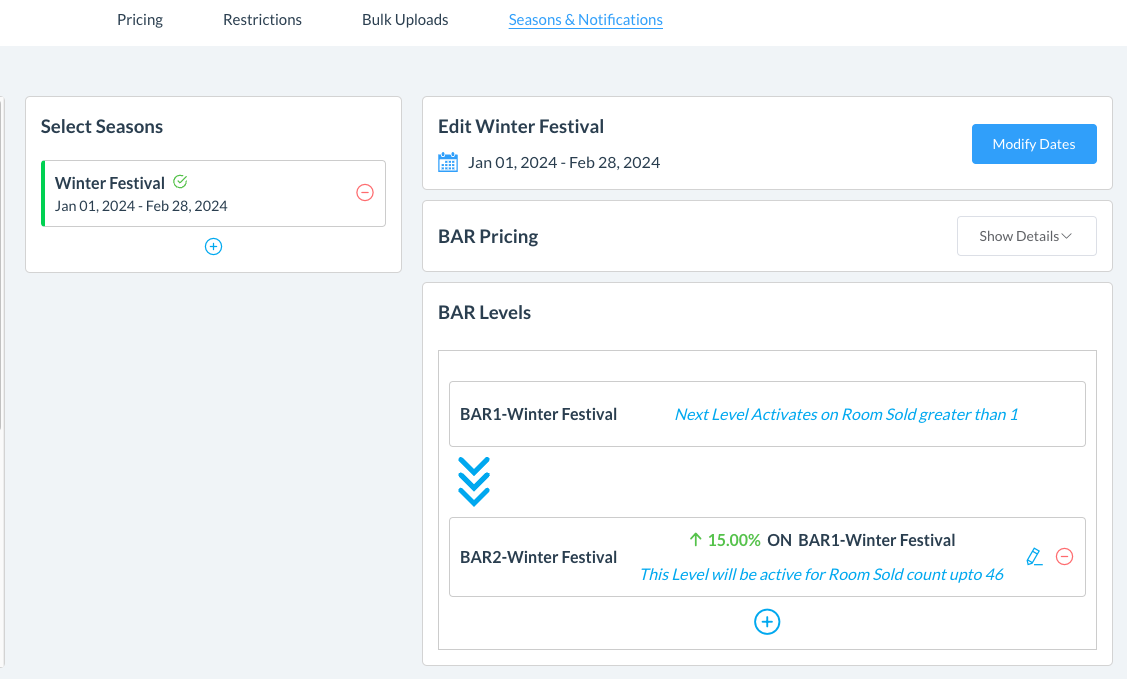
On the Seasons & Notifications tab, click on Seasons & BAR Levels and select the Rate Code and then the season you want to modify. Select the pen icon for the applicable season in the BAR levels section. |
|
|
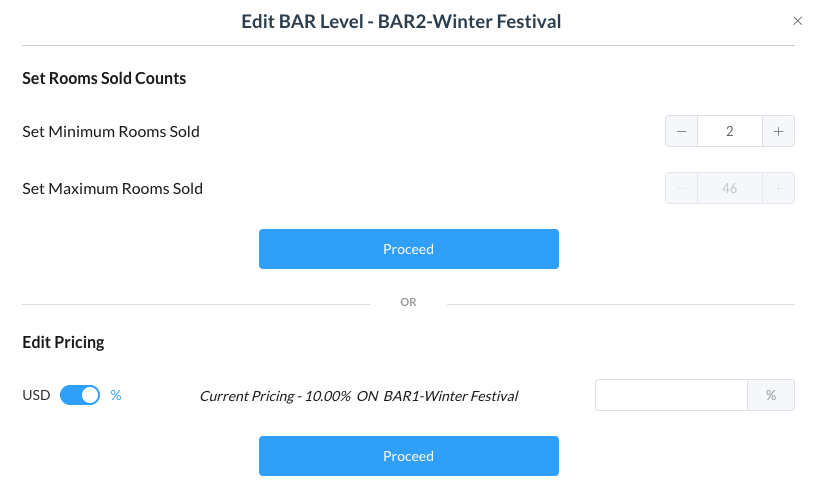
The Edit BAR Level popup activates. Increase or decrease the counter in the Set Rooms Sold Counts. Optionally, make changes in the Edit Pricing section. Select Proceed to confirm changes. |
|
|
The BAR level is updated. |
|