
📆 Revision Date:
This article provides steps to apply the stay restrictions for Min/Max LOS and CTA at the Rate Plan level
Jump to Add a Min/Max LOS on a rate plan
Jump to Apply Close to Arrival on a rate plan
|
Select Rate Calendar on the HK Home page |
|
|
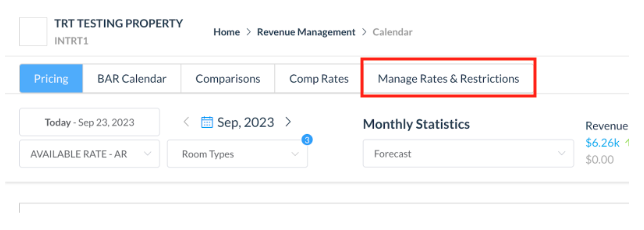
The rate calendar page loads. Select Manage Rates & Restrictions. |
|
|
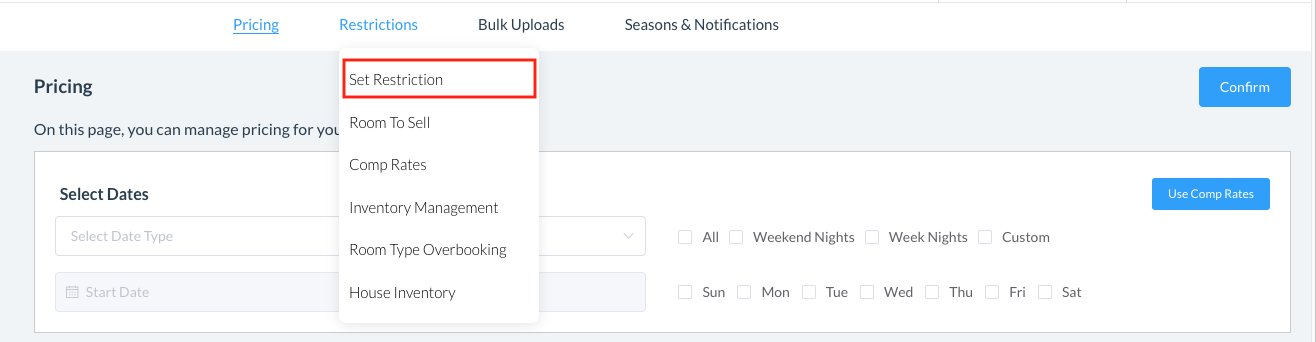
The Pricing panel loads. Select the Restrictions menu, click on Set Restriction |
|
|
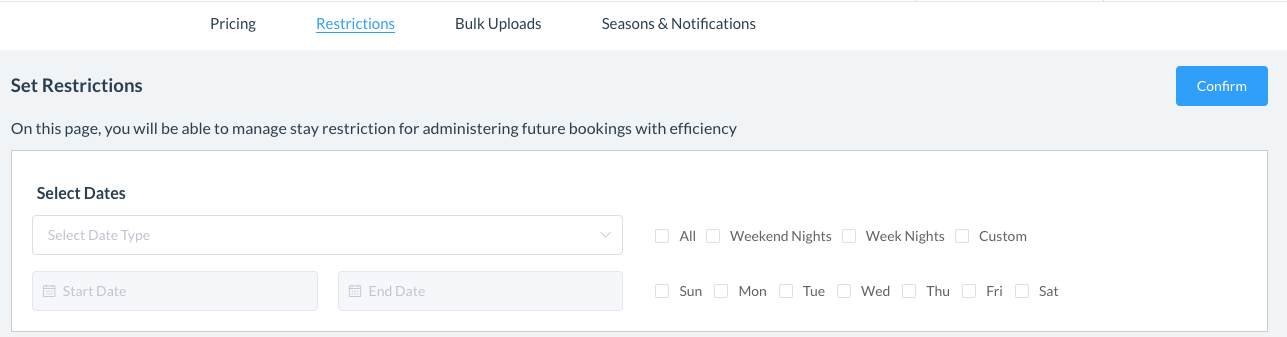
Select Dates for a Full Year, Two Years or choose a Custom Date Range Select the days you wish to apply the restriction, Weekend Nights, Week Nights, Custom or All |
|
|
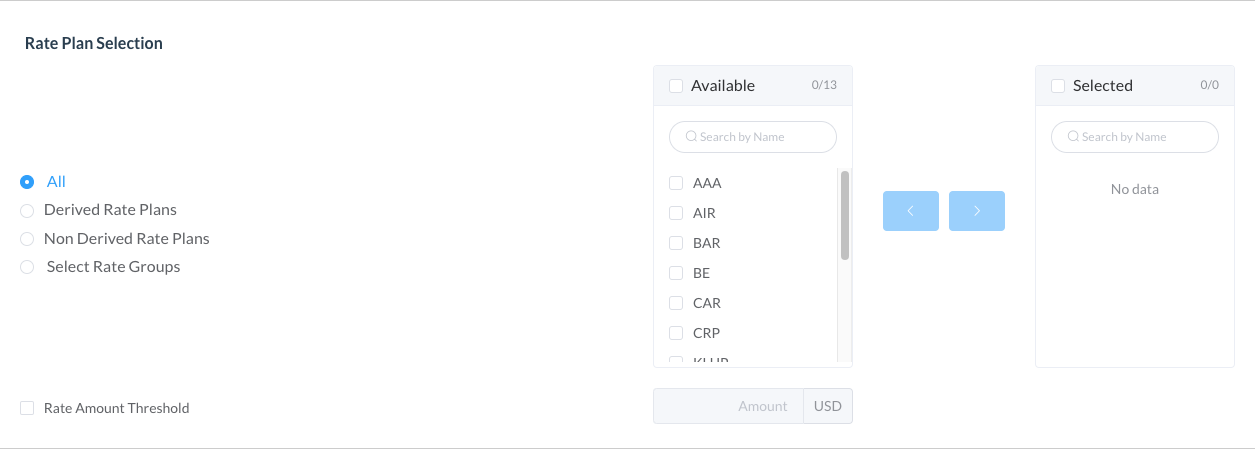
Select the Rate Plan - Derived, Non Derived, or Rate Groups
Select the rate plan(s) from those listed under Available Rate Plans and click on the right arrow to move the chosen criteria to the Selected Screen |
|
|
Update the Stay Restrictions
Add a “MIN LOS” or a “MAX LOS on the rate plans OR
Select “Close to Arrival” or “Close to Departure” of the rate plans |


|
|
Select Confirm at top right of the screen then select Update on the resulting screen to complete the action |
|