
Revision Date:
The Company Folio Auto Email Suppression feature prevents company-attached (direct bill) folios from being included in automated checkout emails sent to guests. This helps ensure that company billing information remains separate from guest communications while allowing guest folios to be emailed as part of the standard checkout process.
|
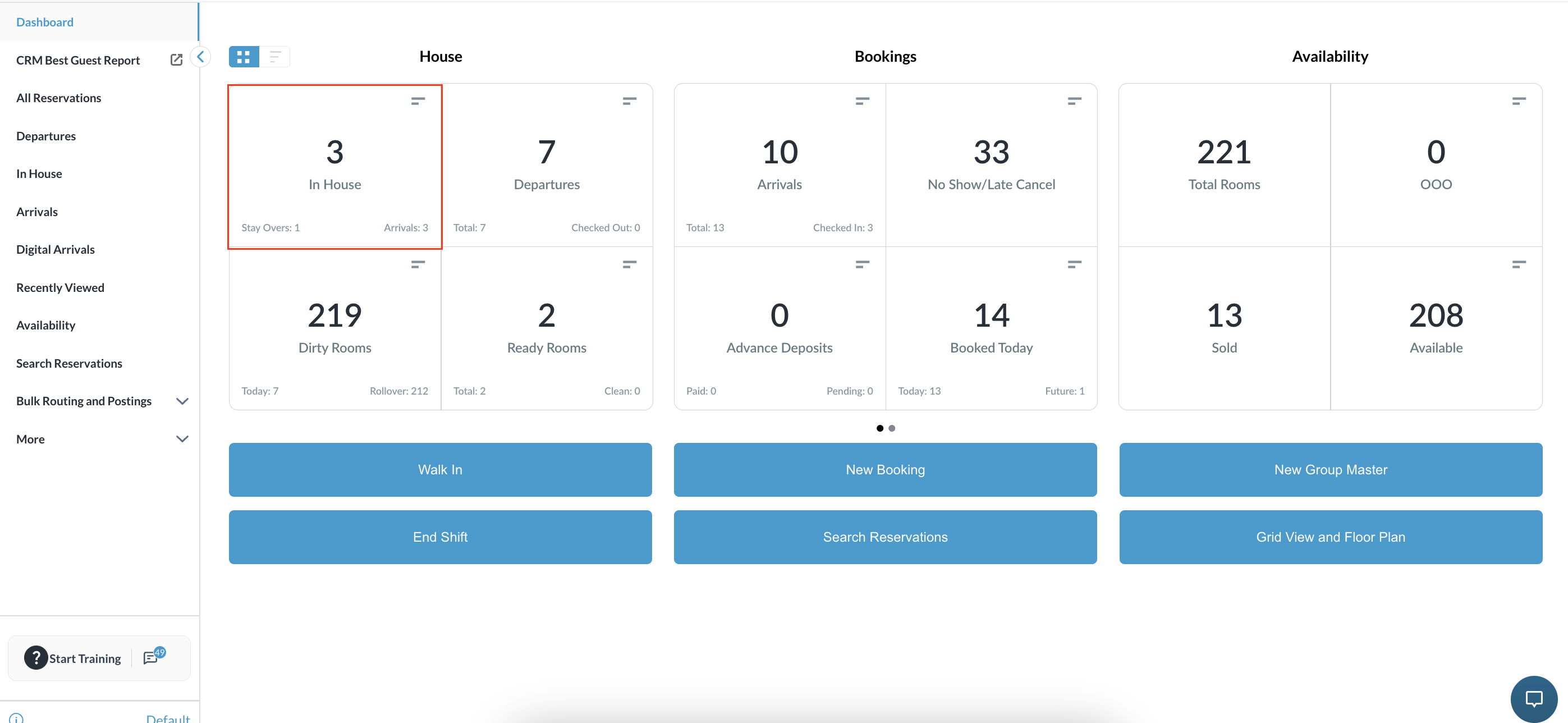
Navigate to the Frontdesk Dashboard and select the In House tile. |
|
|
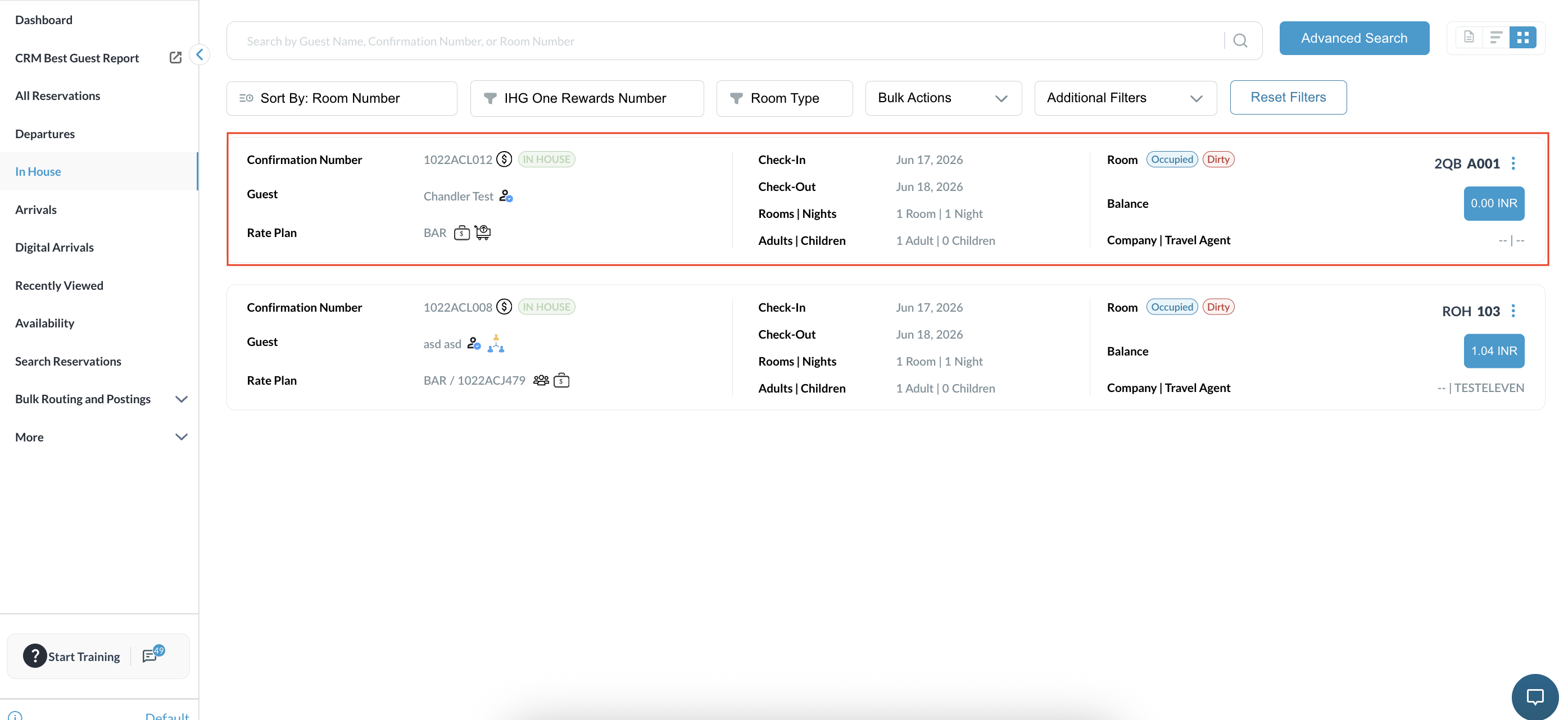
Select the required Reservation from the in-house list. |
|
|
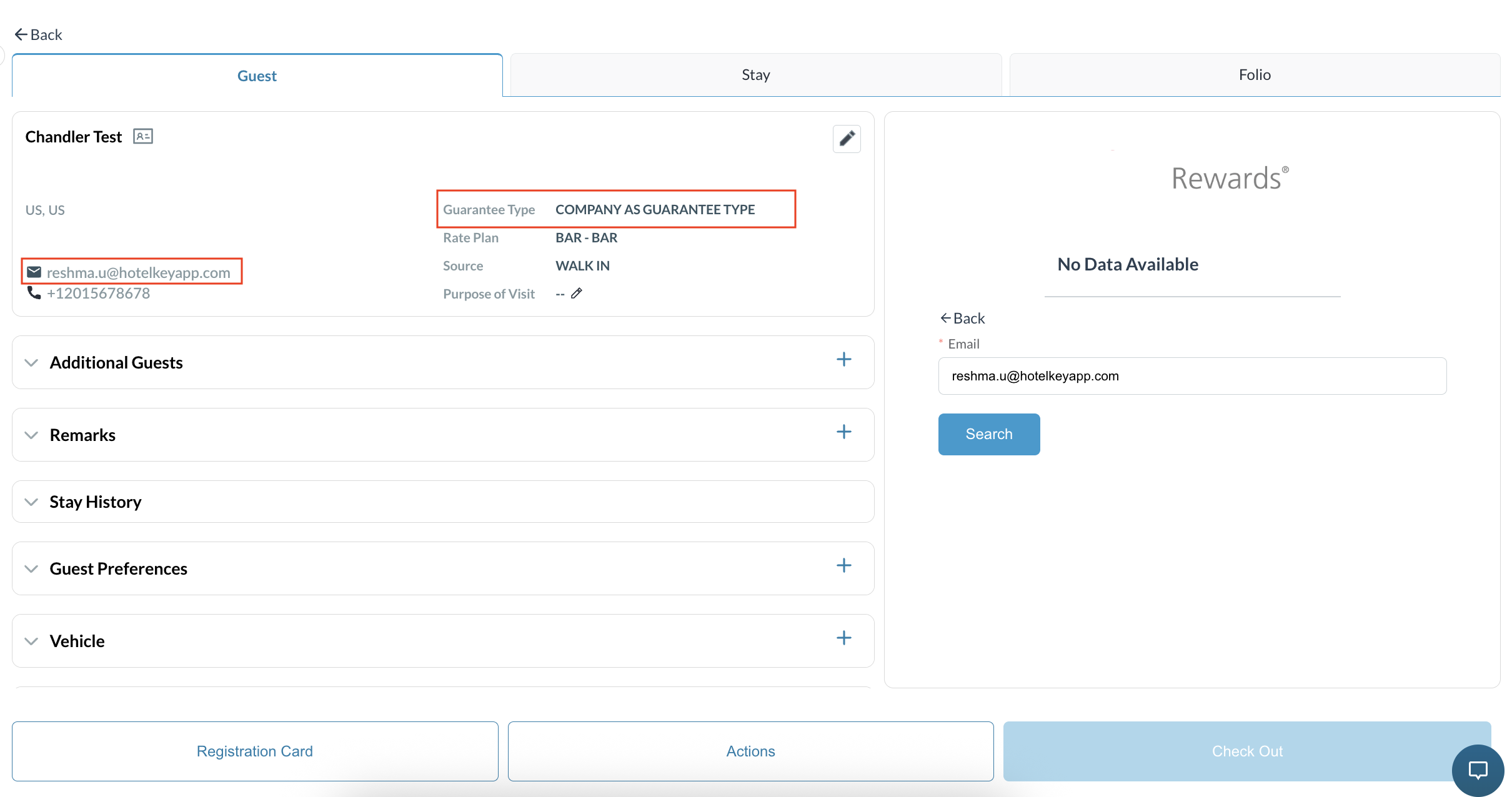
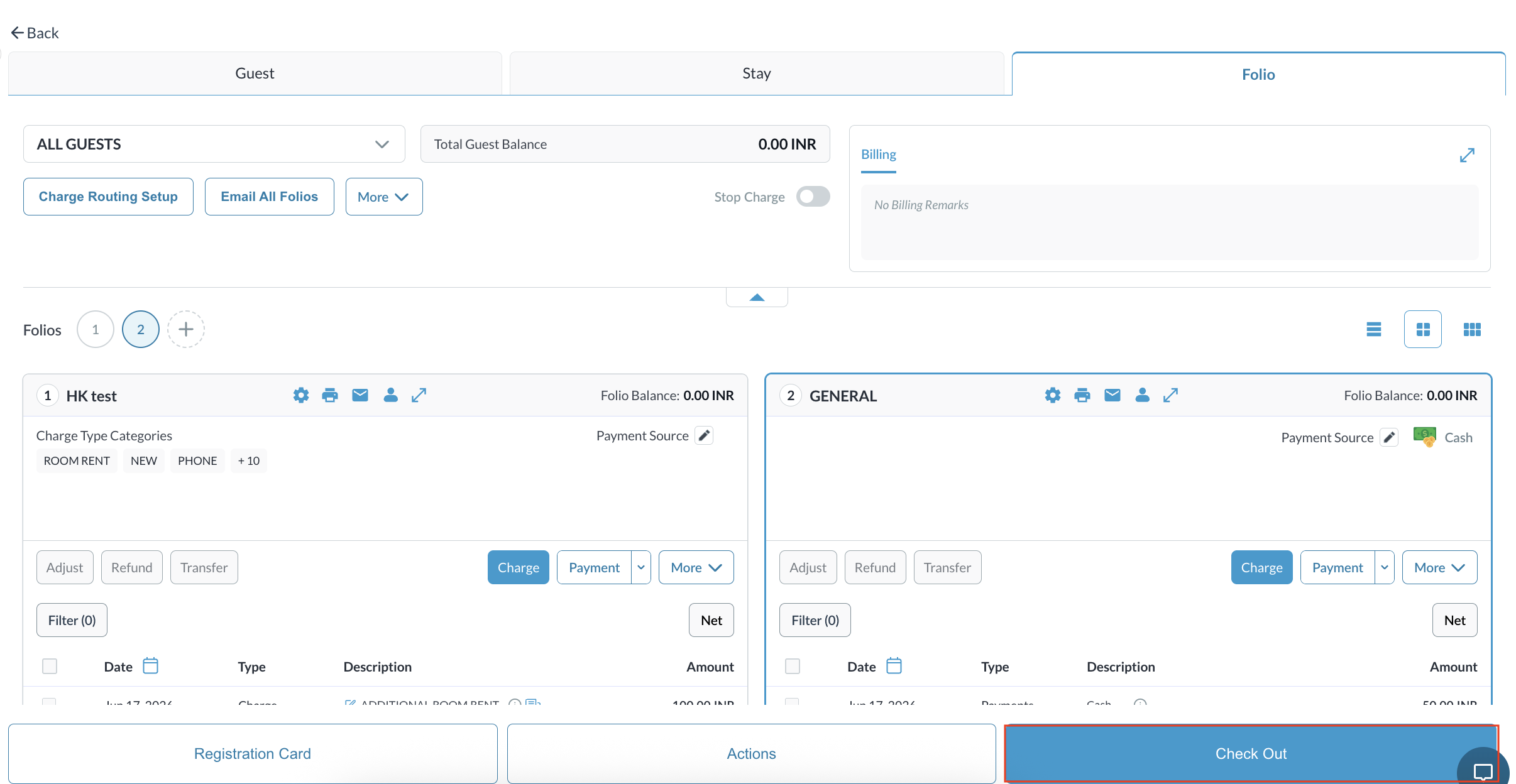
Open the reservation and verify the folios and payment methods attached to the booking.
|
|
|
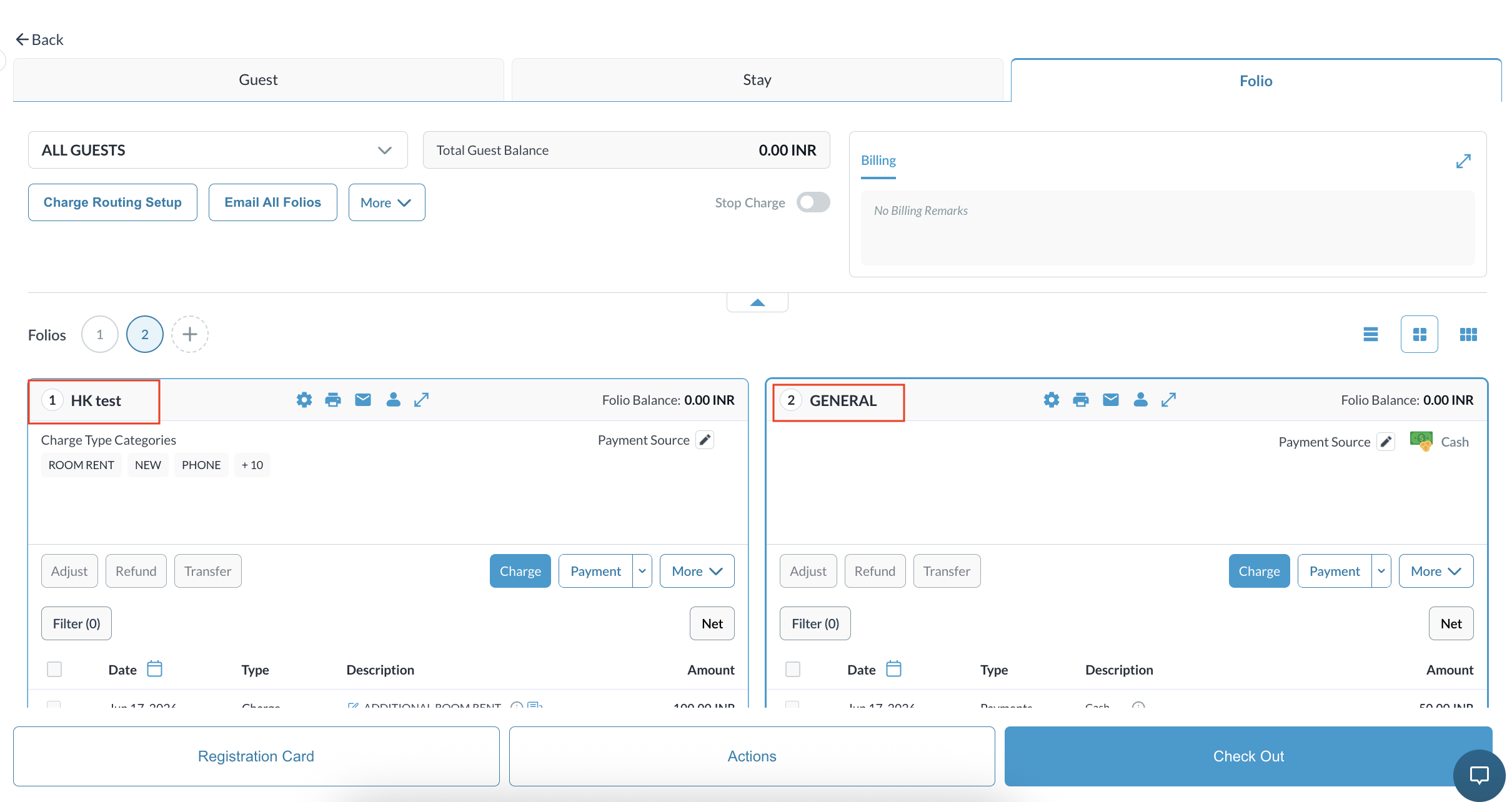
Confirm whether the reservation has a Company folio/direct bill folio and any general guest folio. |
|
|
Proceed with the standard Checkout process for the reservation. |
|
|
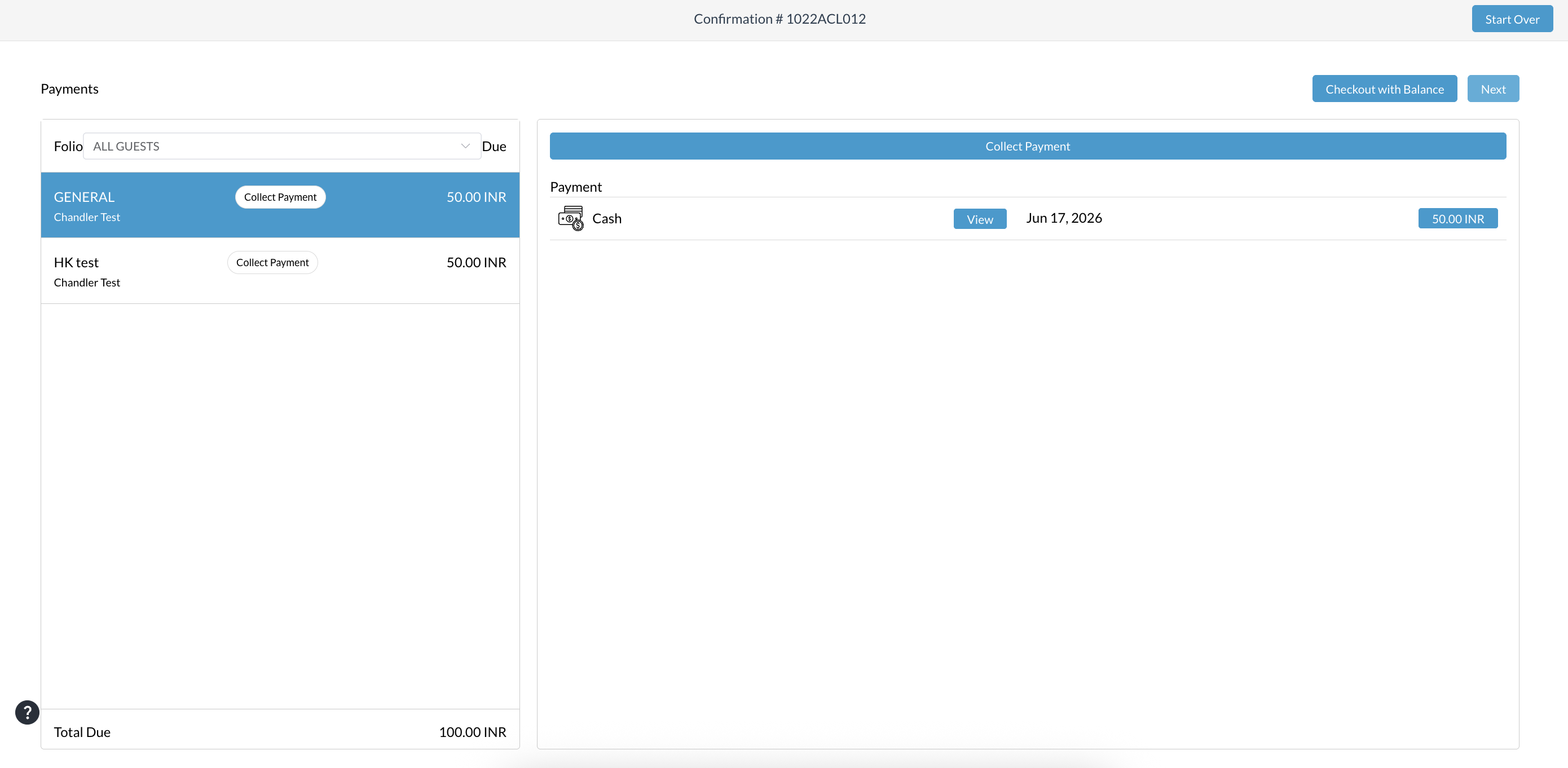
Complete any outstanding payment, or select Checkout with Balance, as applicable. |
|
|
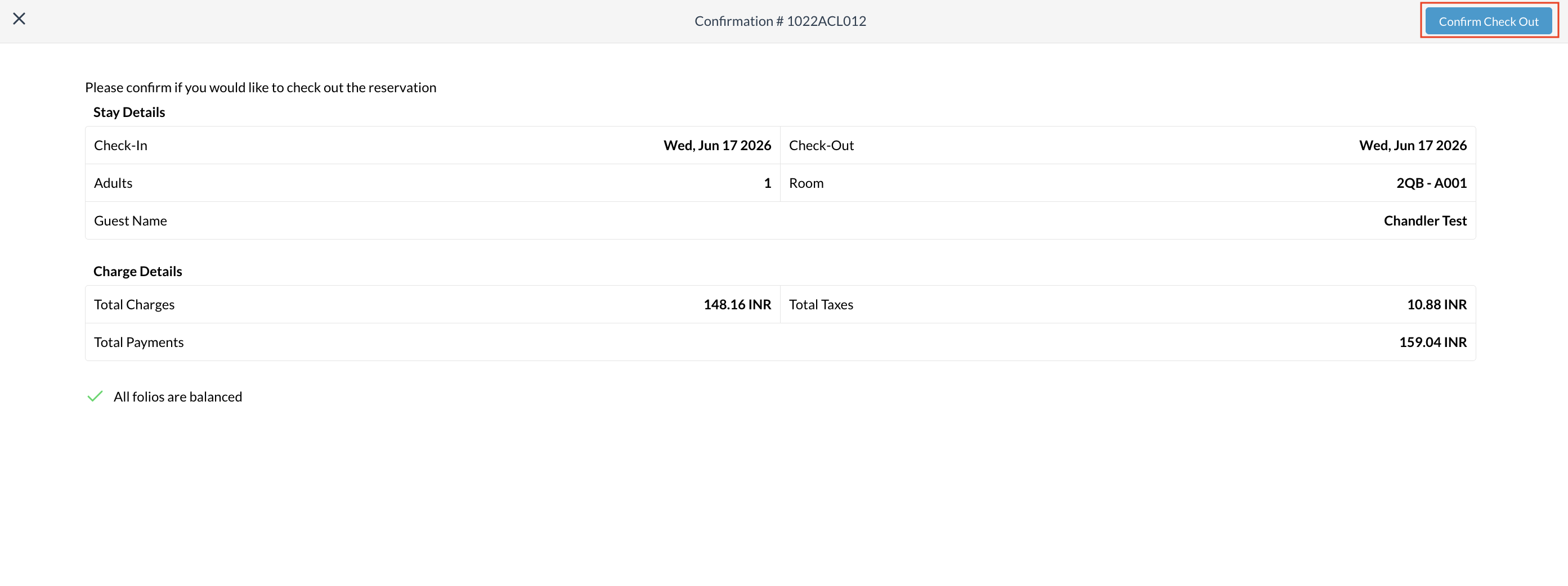
Click Confirm Checkout to complete the checkout process.
|
|
|
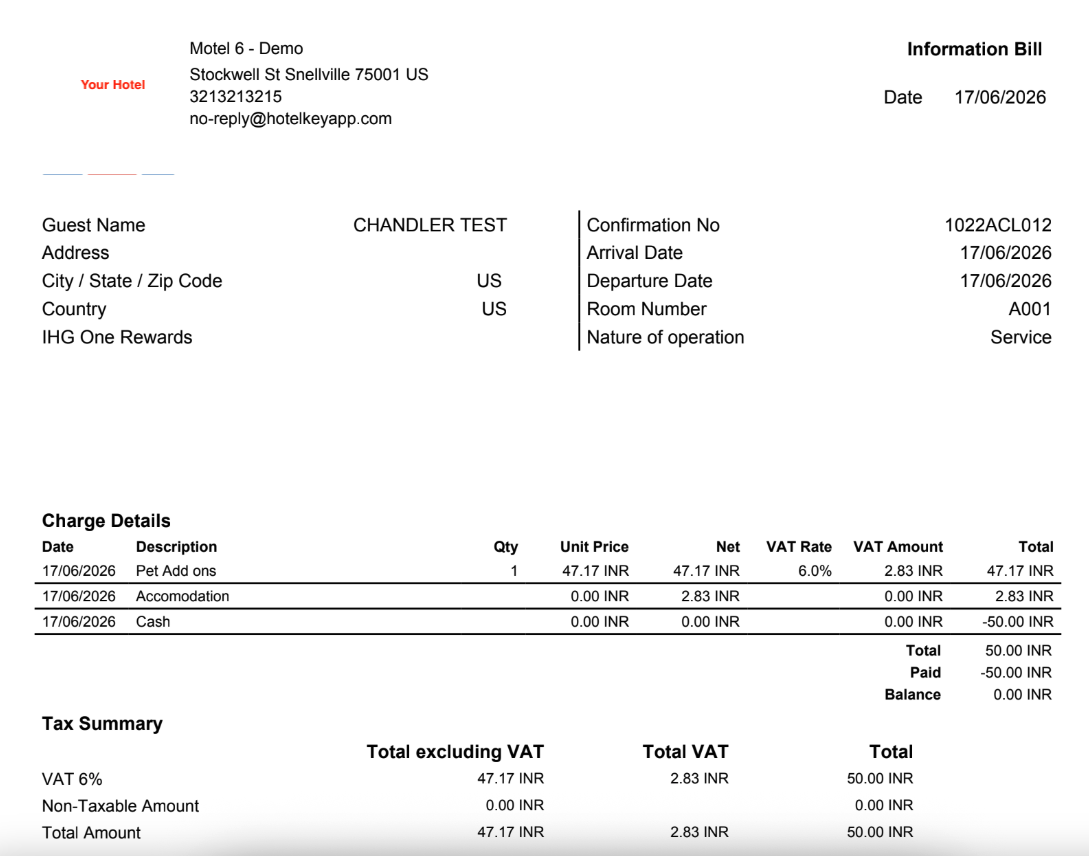
Company folios are excluded from the automated checkout email. Guest folios continue to be emailed as part of the normal checkout process. Guests receive only the applicable non-company folio email.
|
|