Skip table of contents

Recently Viewed Reservation .ng

Revision Date:

The purpose of the Recently Viewed Reservations feature is to allow users to quickly re-access the most recent reservations they have viewed, regardless of whether changes were made. This feature reduces navigation friction and supports common front-desk and reservations workflows.

Navigate to "Recently Viewed" from left side menu.

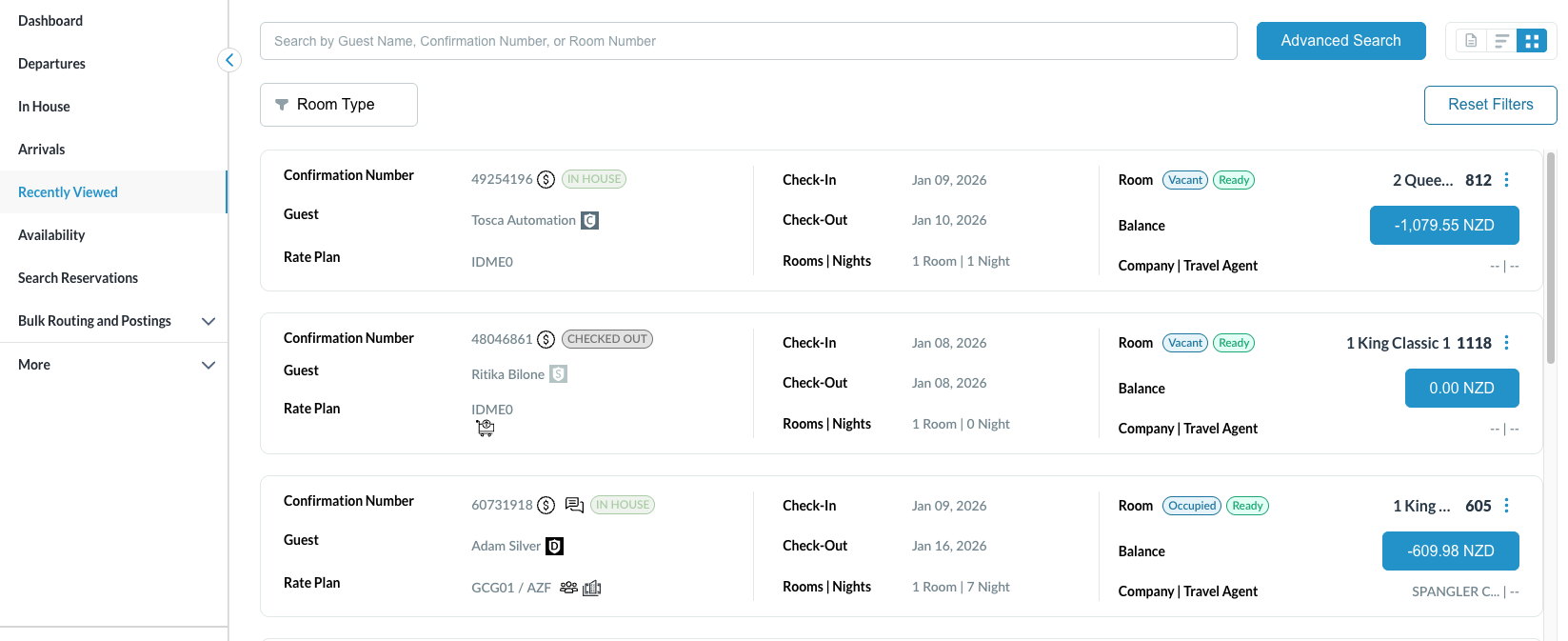
Selecting Recently Viewed loads the Recently Viewed Reservations screen.

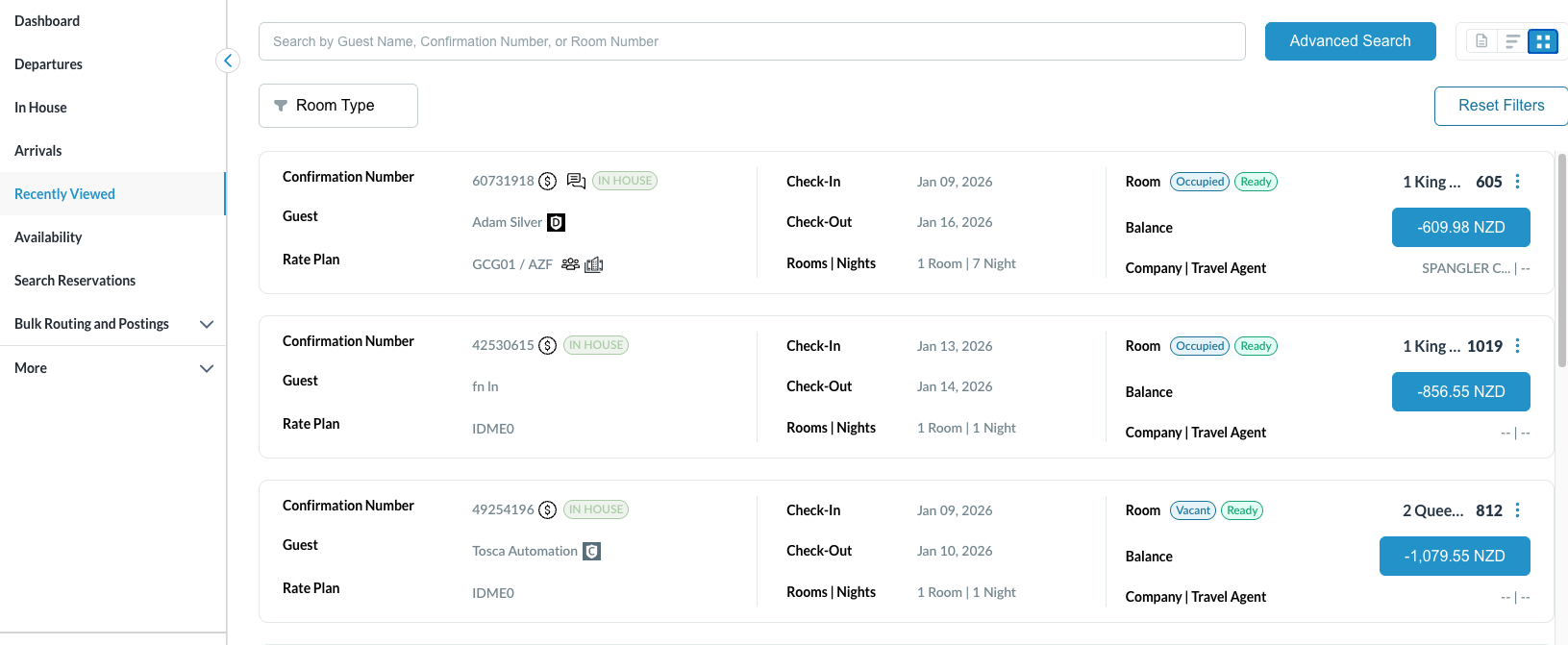
  • Default View: Grid View

Screenshot 2026-01-12 at 9.50.05 AM.png

Grid View

List View

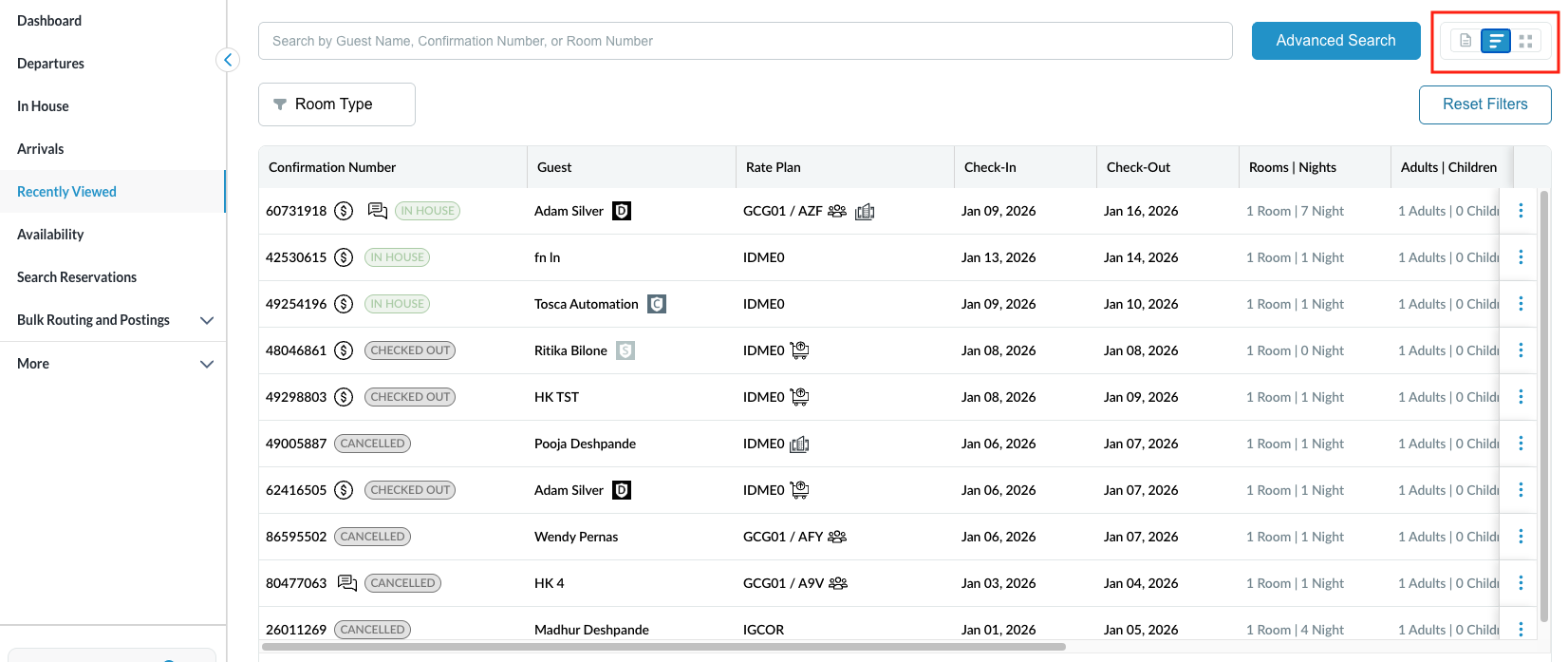
  • The List View presents reservations in a simplified, linear format optimized for quick browsing and reduced visual density.

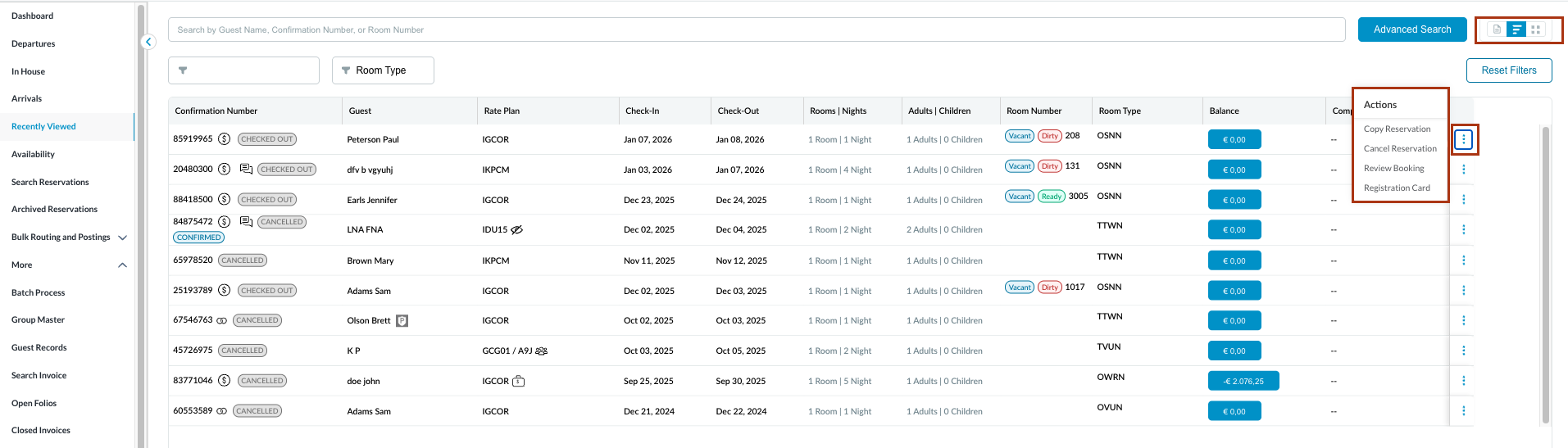
  • Quick actions can be taken like Copy Reservation, view Audit Log and Undo Checkin.

Screenshot 2026-01-12 at 9.49.14 AM.png

List View

image-20260112-093802.png

Quick Actions

Table View

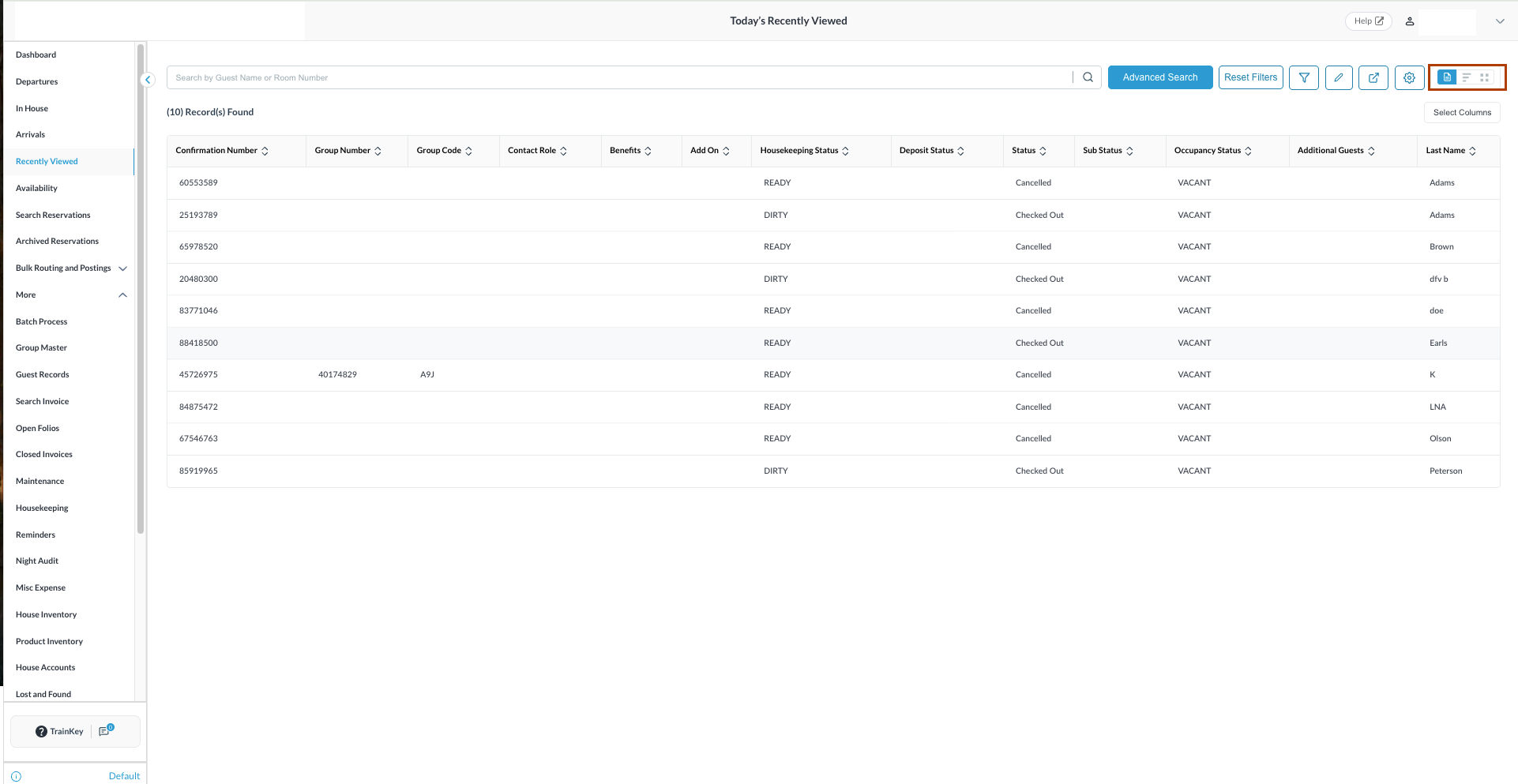
  • Table view allows user to filter, highlight, export and configure (add/modify ) the heads of columns.

image-20260112-092931.png

Table View

Reservation Display:

Displays the last 10 reservations accessed by the user.

  • Include all reservation statuses (e.g., Reserved, Checked-In, Checked-Out, Cancelled, No-Show, etc.).

    • The list is based strictly on access activity, not modification.

    • Most recently accessed reservation appears at the top.

    • Accessing an 11th reservation removes the oldest reservation.

    • The newly accessed reservation is added to the top of the list.

Screenshot 2026-01-12 at 10.00.33 AM.png

Navigation & User Interaction

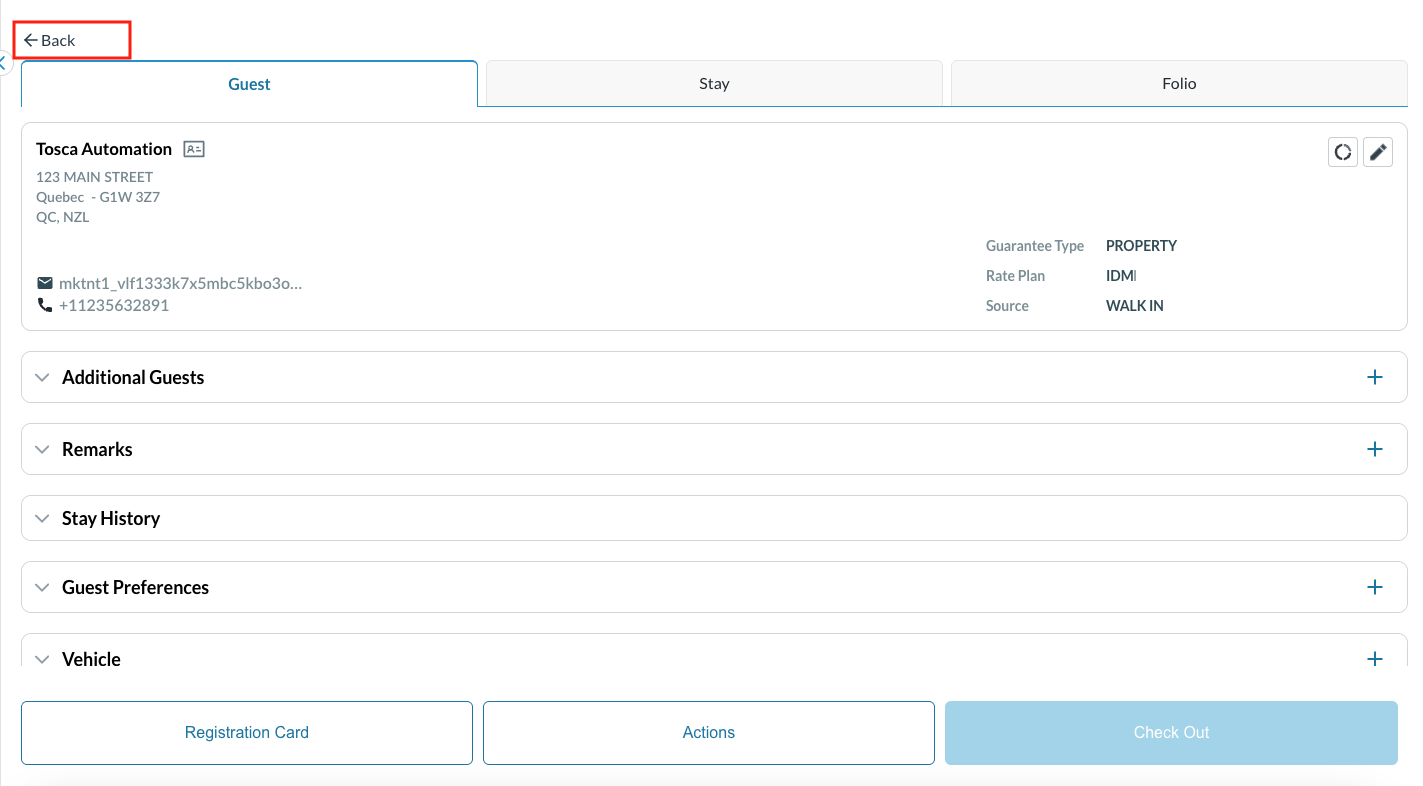
  • Users can open any reservation from the list with a single click.

    • Selecting the Back button returns the user to the Recently Viewed screen.

Screenshot 2026-01-12 at 10.01.11 AM.png

Handling Duplicate Reservations

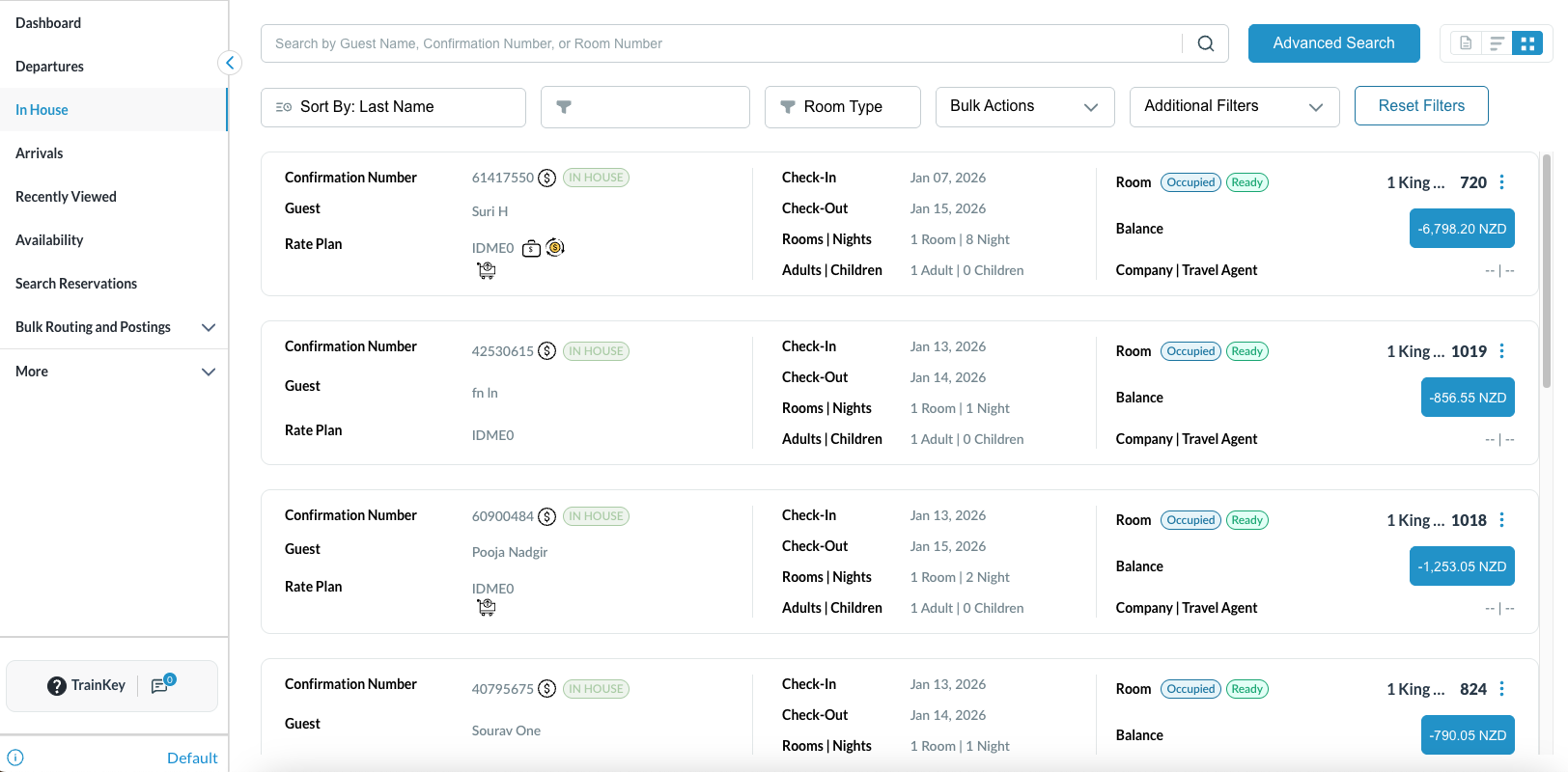
  • A duplicate is defined as the same reservation (unique Confirmation Number / Reservation ID) appearing more than once in the list.

    • If a reservation is accessed multiple times, the existing entry is updated and moved to the top based on the latest access time.

    • Re-accessing a reservation explicitly pushes it to the top of the list without creating a new row.

Screenshot 2026-01-12 at 7.52.02 AM.png

JavaScript errors detected

Please note, these errors can depend on your browser setup.

If this problem persists, please contact our support.