
Revision Date:
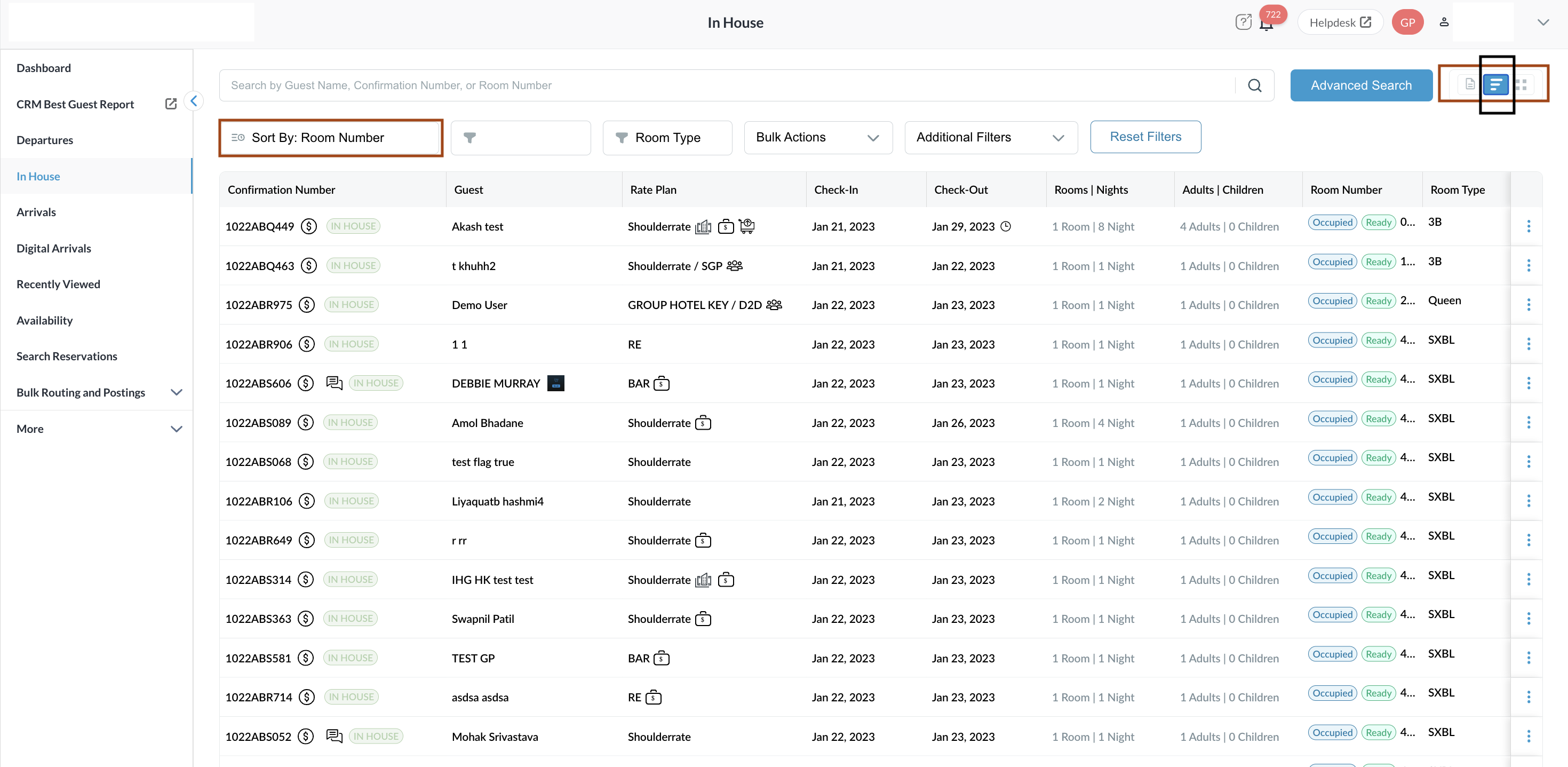
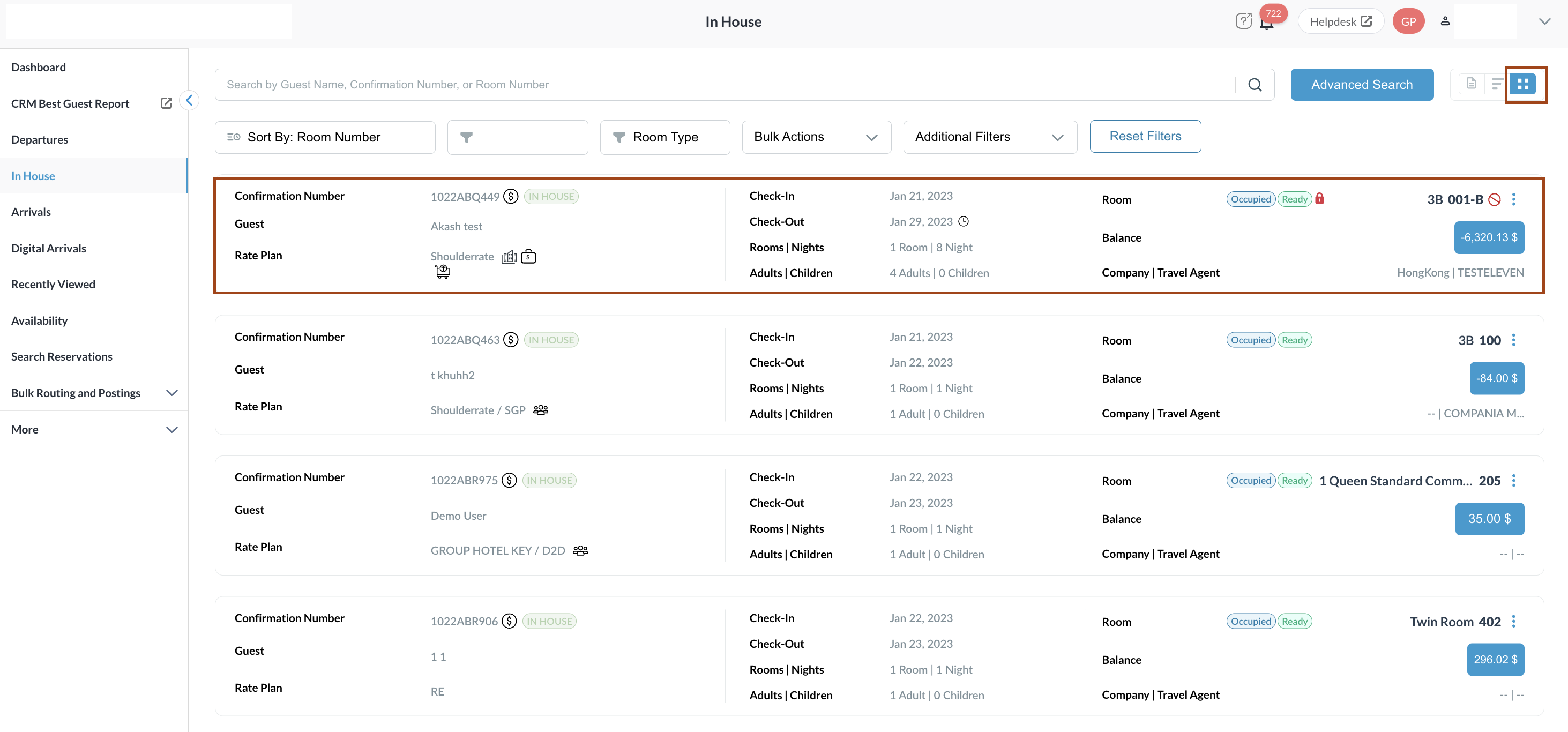
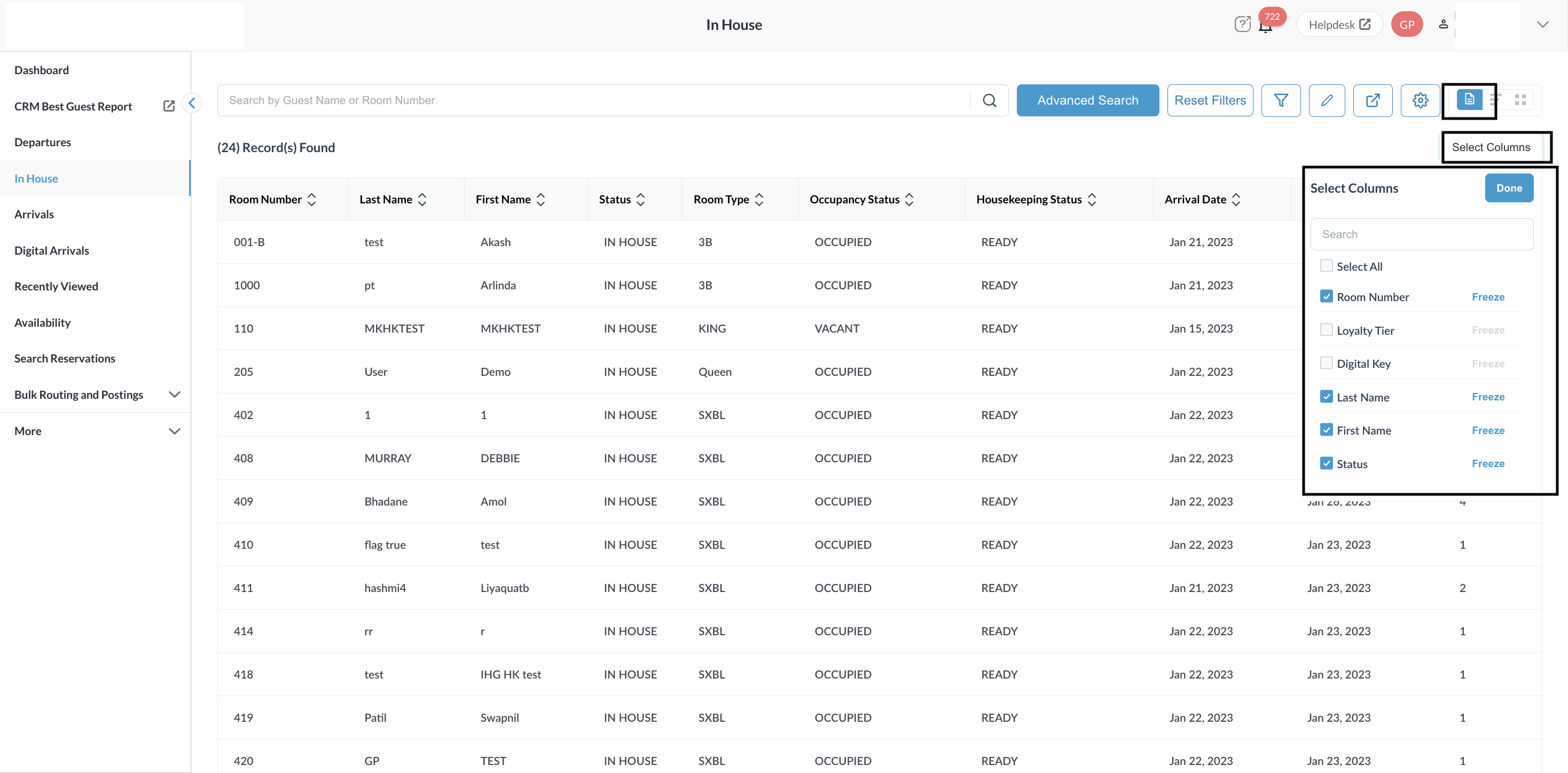
Properties can define default views, sorting preferences, and visible columns for Arrival, Departure, and In-House reservations on the Reservation Listing Screen. This enables better readability, reduced white space, and improves operational efficiency.
-
Reloading the page applies property default sorting
-
Property can set default list view (Compressed or Detailed)
-
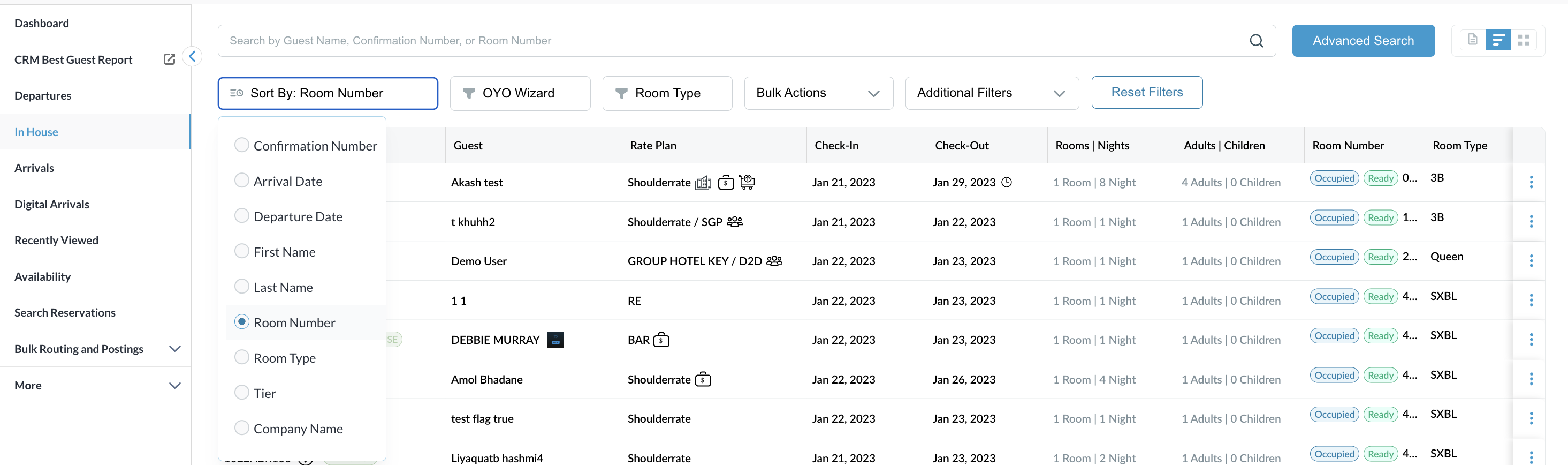
Property can define default sorting logic
-
Room Number column is available in Detailed View
|
Compressed View - Displays condensed rows with minimal spacing to reduce scrolling. This is a Default View. |
|
|
Detailed View - Displays expanded rows with additional guest and reservation details |
|
|
Sort - Property can define default sort order
|
|
|
Column Configuration - Property can choose which columns are displayed |
|
Add-On Count Summary in Tooltip
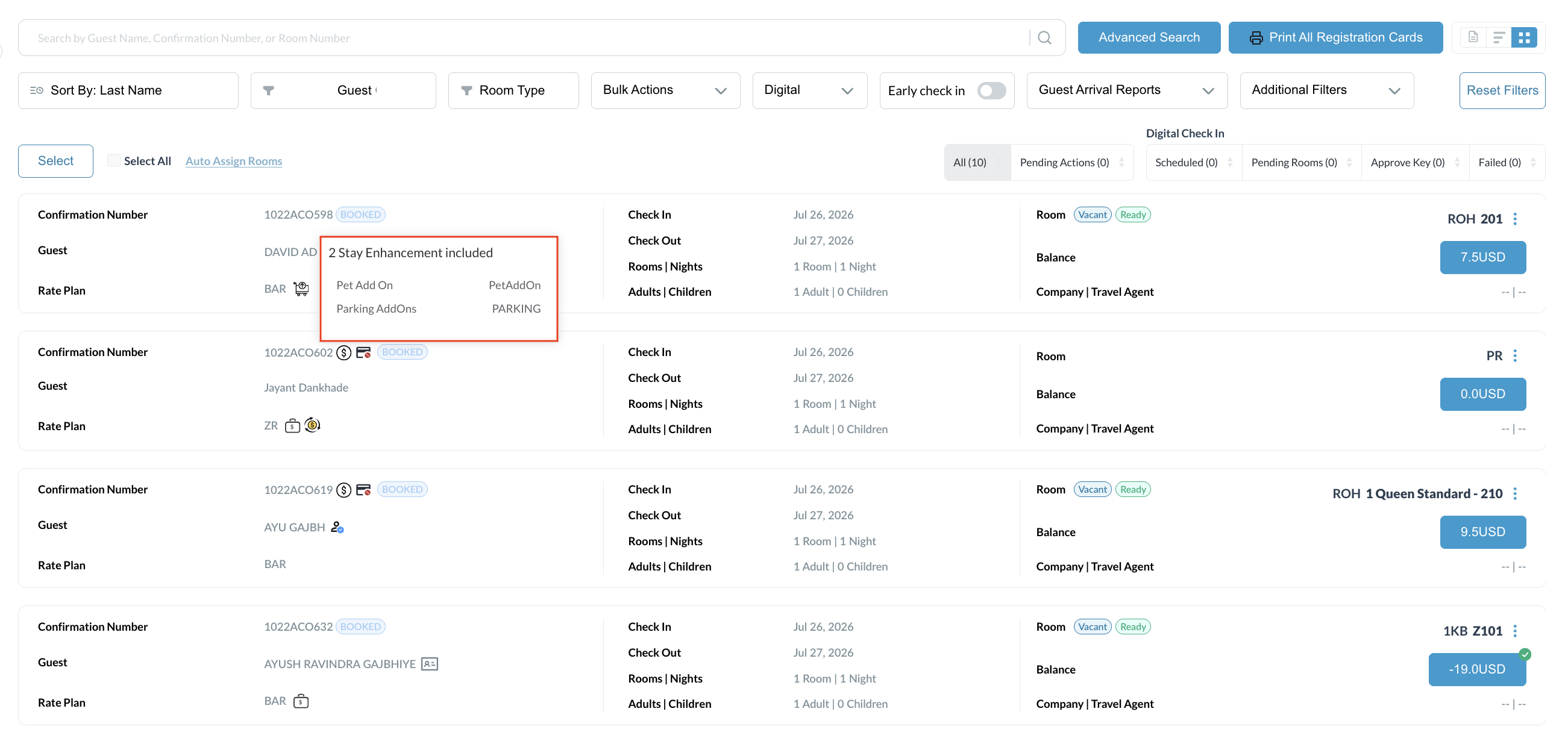
Instantly view a reservation's total count and itemized list of add-ons via a quick-hover tooltip directly from the list view, eliminating the need to open individual profiles.
|
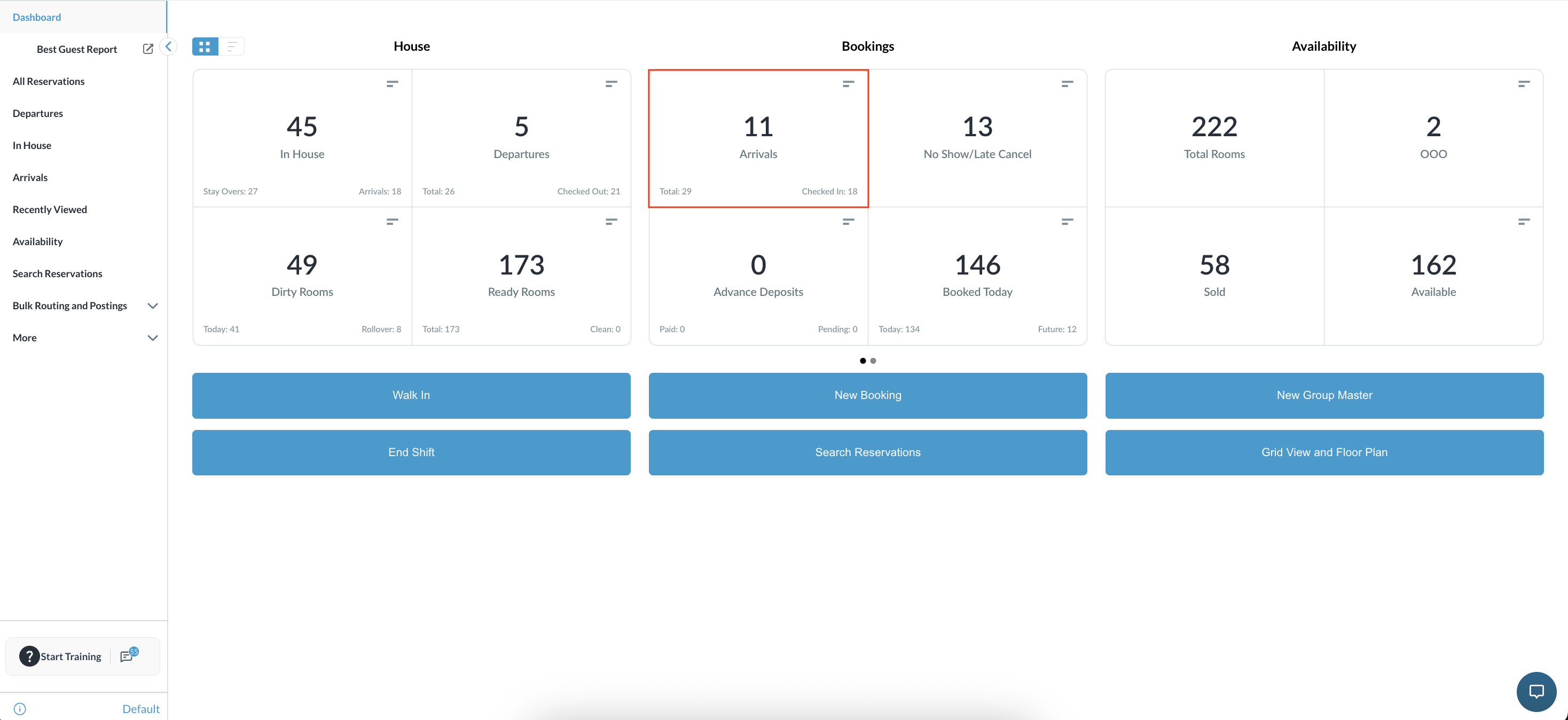
Navigate to the Frontdesk Dashboard and select Arrivals (or In-House/Departures). |
|
|
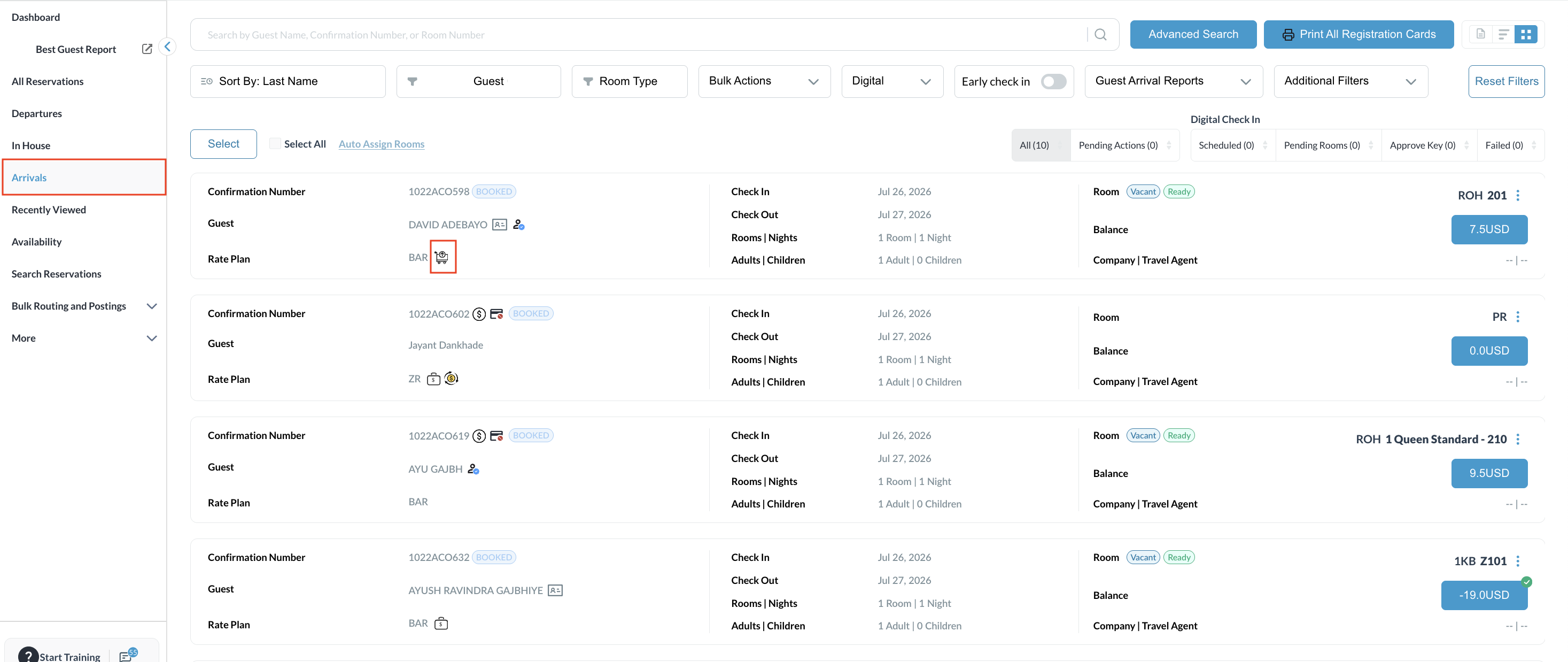
Locate a reservation in the Grid or List view that has one or more add-ons attached. Hover over the Add-On icon on the reservation row. |
|
|
View the tooltip popover, which displays:
|
|