
📆 Revision Date:
To add folios to a reservation, follow below steps
|
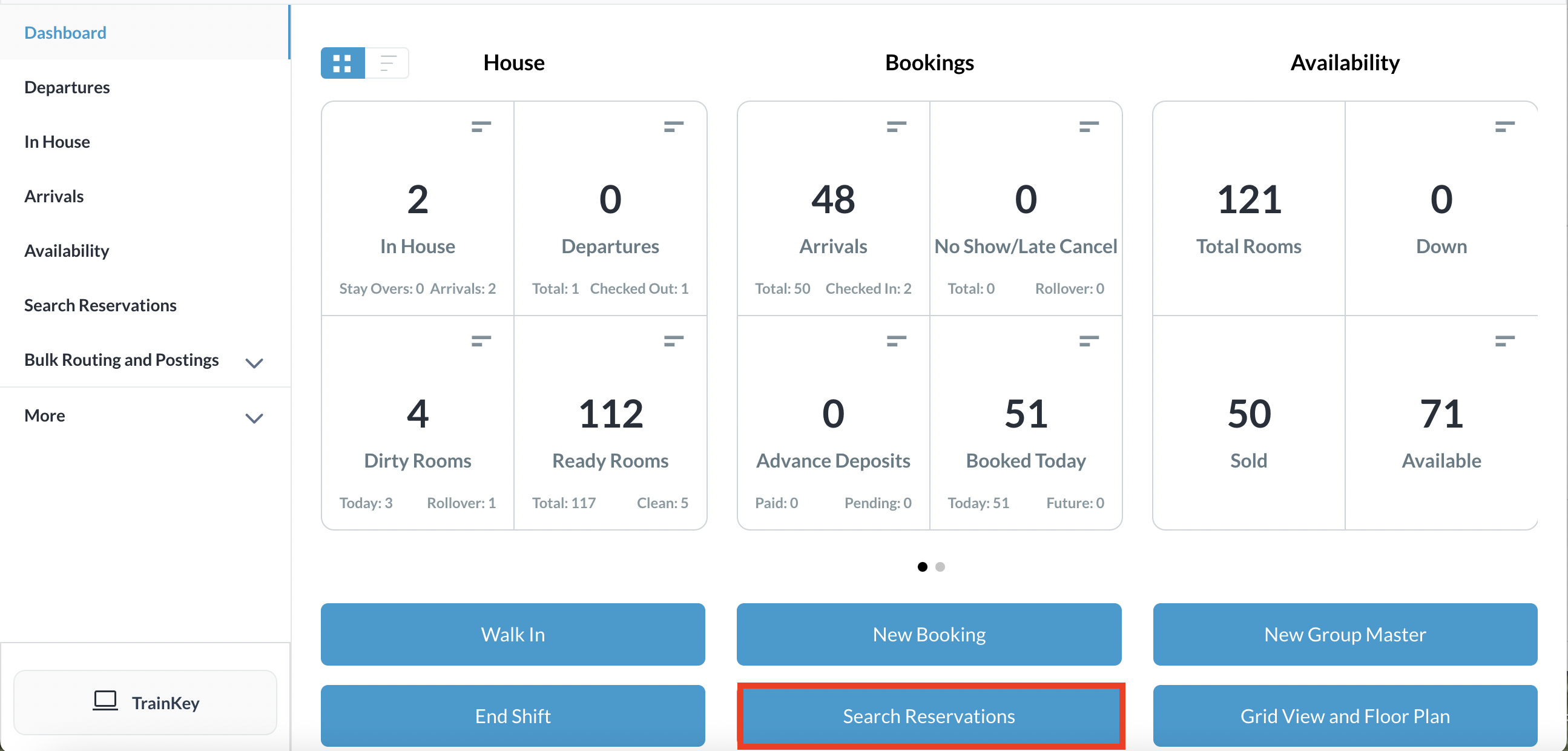
Select Search Reservations on the Dashboard |
|
|
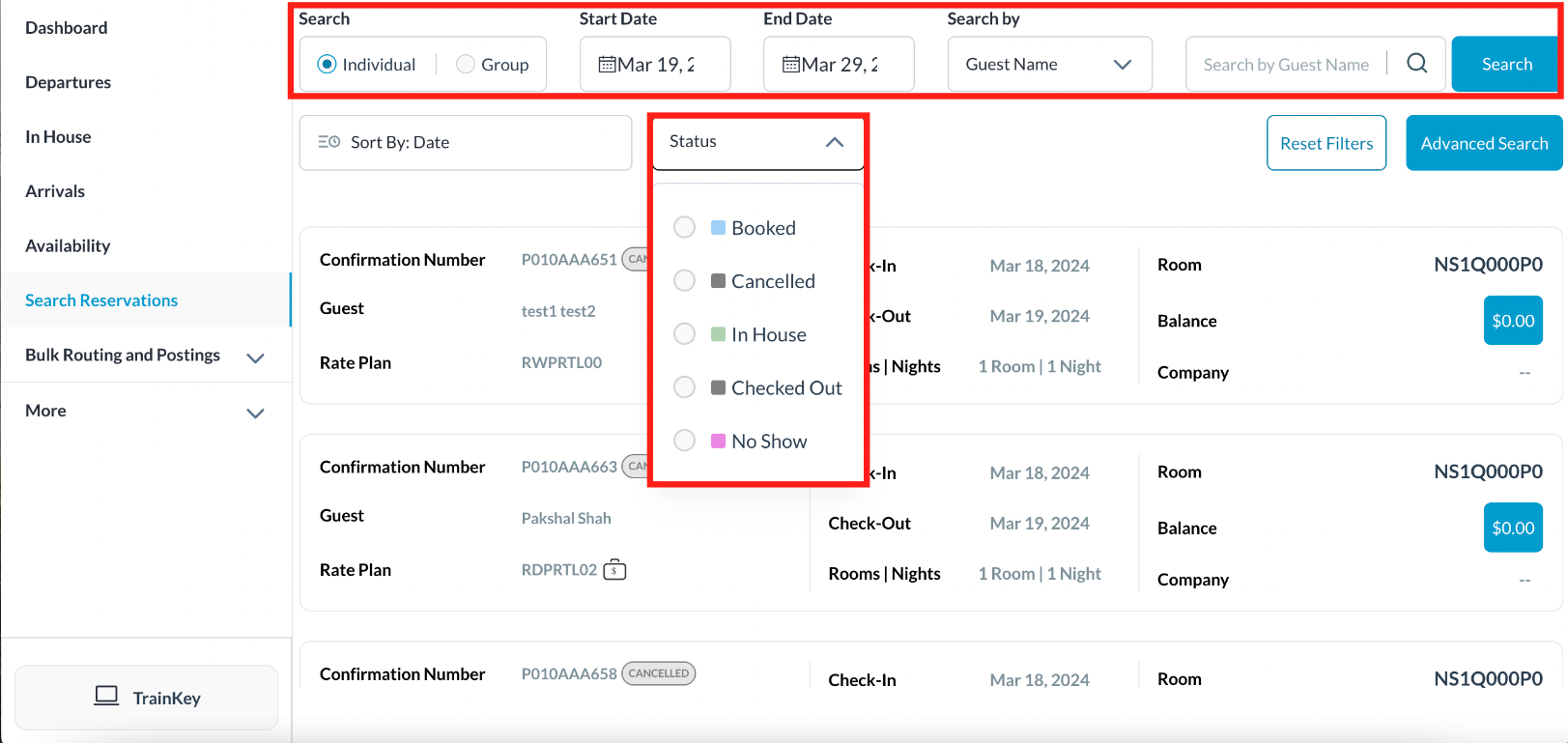
Find the applicable reservation by performing a search by Date, Guest Name, Confirmation or Room Number and then select Search. Select the Status button to further filter the results Once you have located the reservation, click on the reservation |
|
|
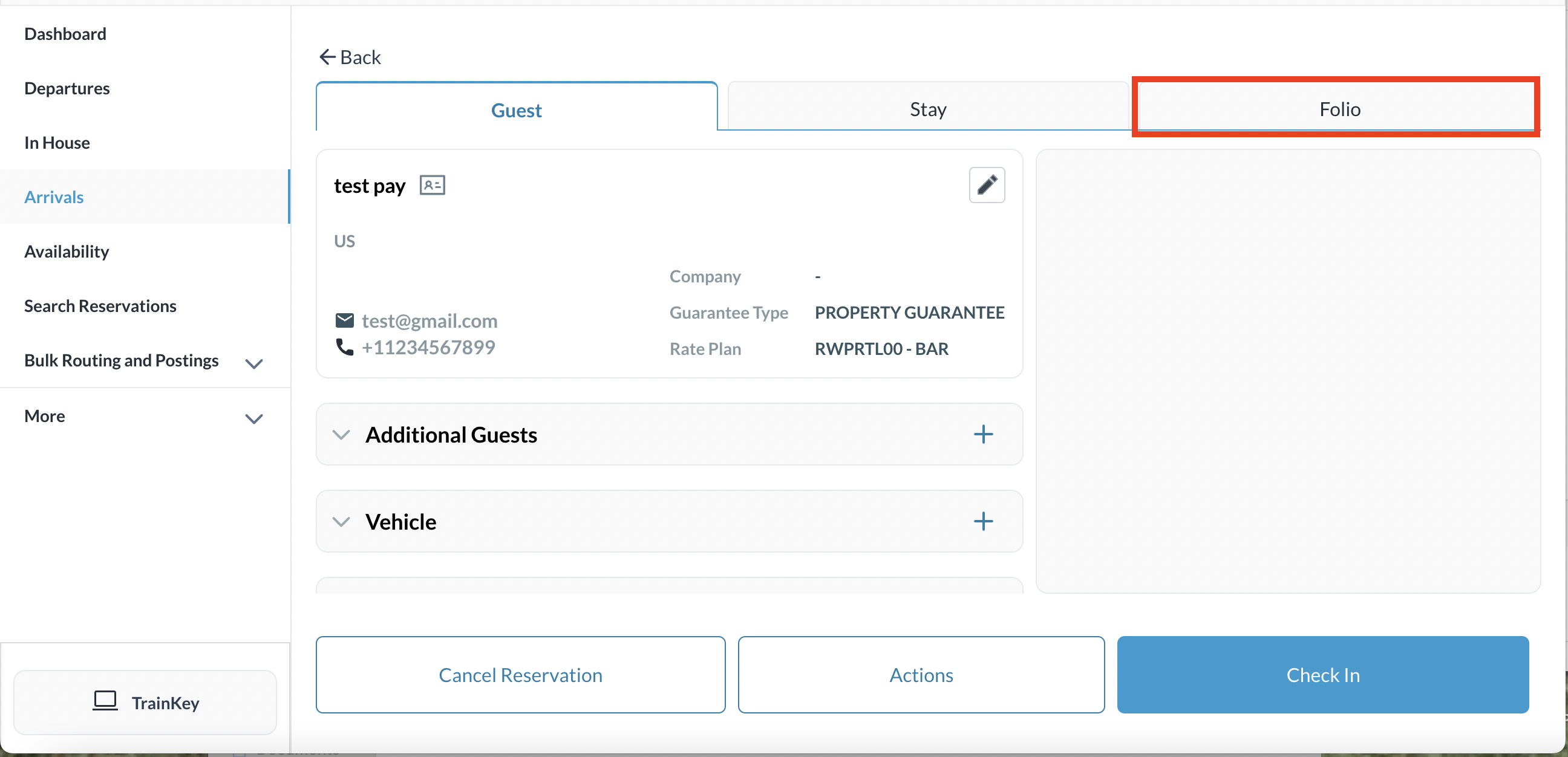
The reservation details page loads, open to the Guest tab by default. Select the Folio tab |
|
|
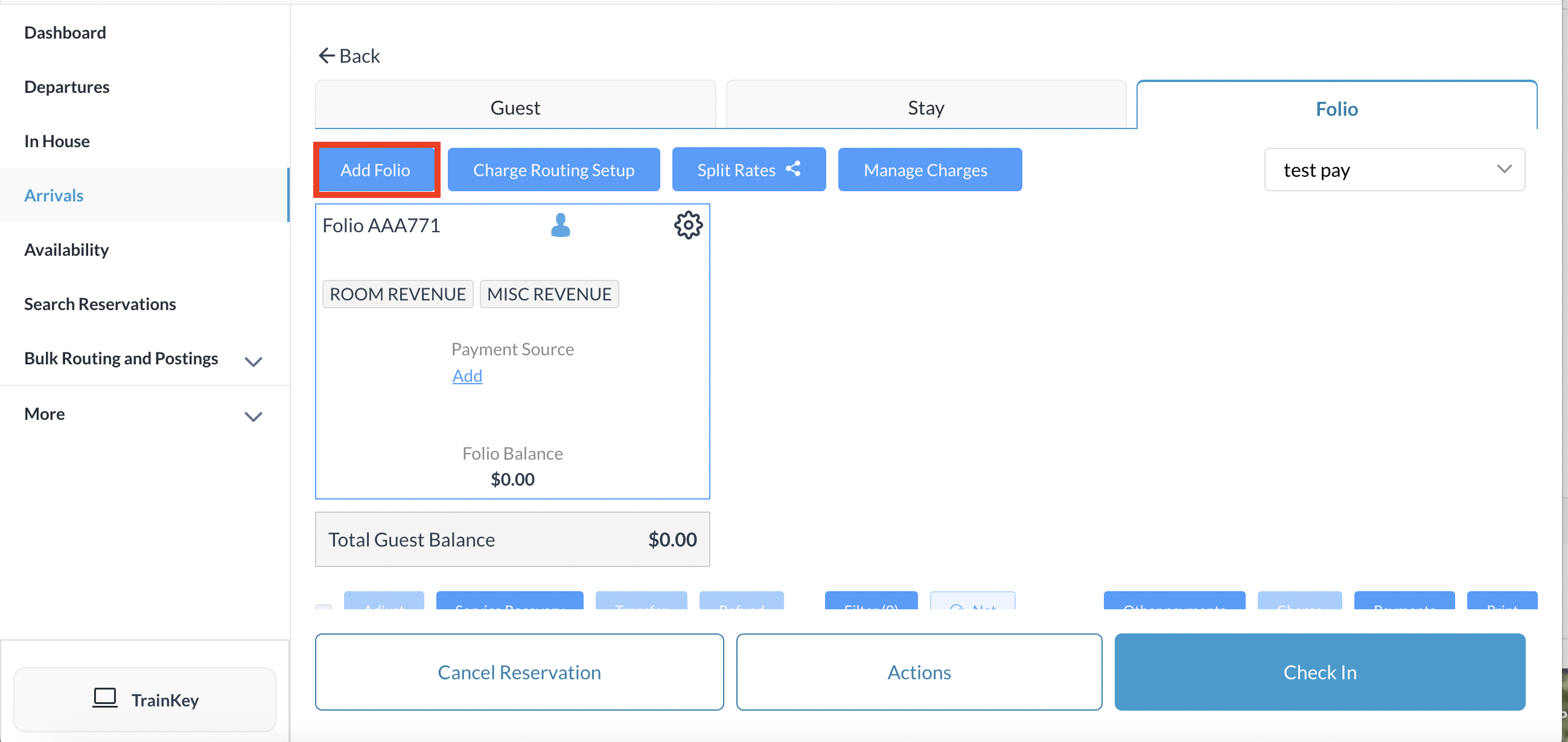
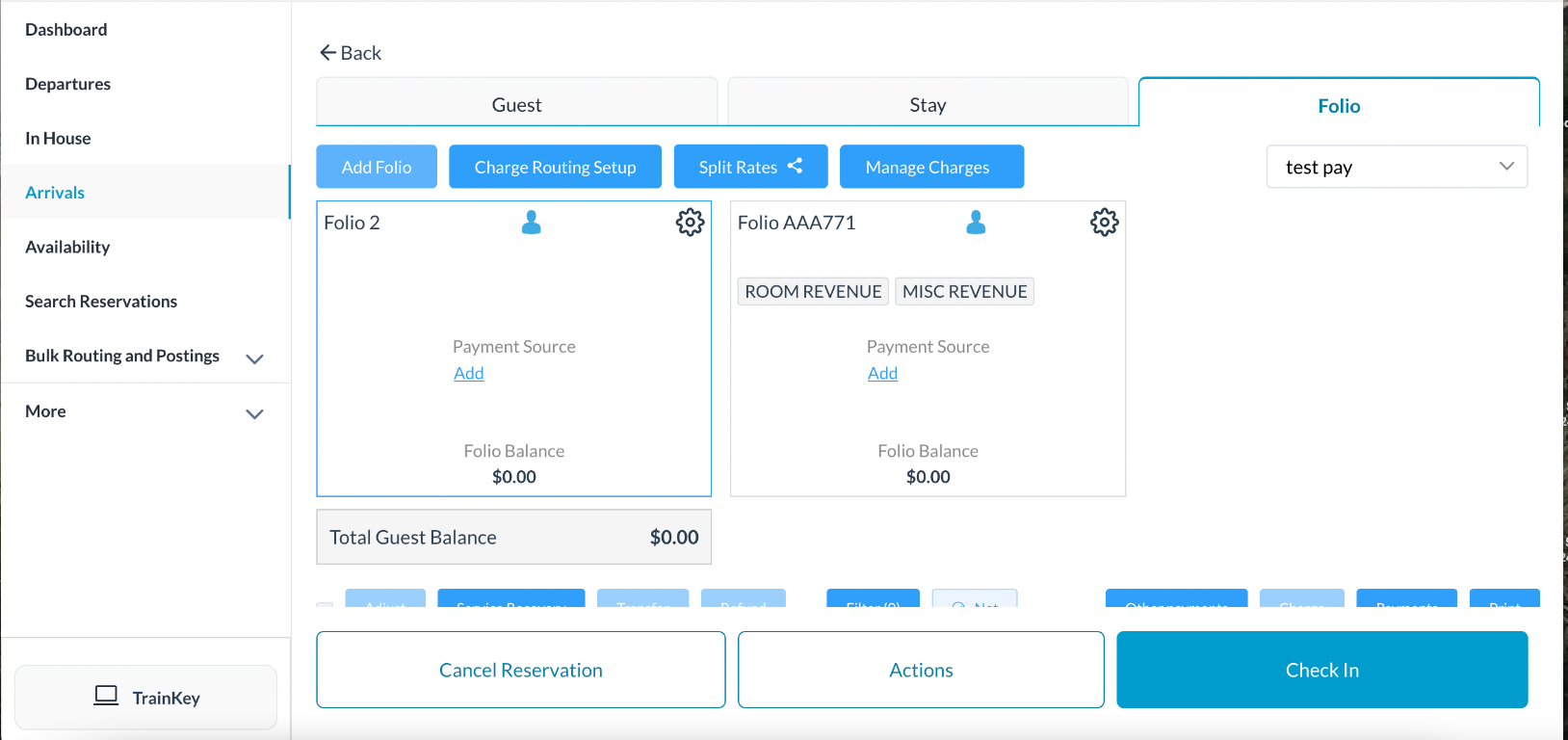
Click on Add Folio
Successful folio show by the addition of the folio in the reservation. You can add multiple folios on a single reservation as needed |
|