
📆 Revision Date:
Service Recovery – Non-Revenue Impacting
Service recovery is the process of restoring guest satisfaction after a service failure. In hospitality operations, effective service recovery helps protect brand reputation and guest loyalty. Service Recovery can be configured as either revenue-impacting or non-revenue-impacting.
Non-revenue-impacting service recovery records the recovery action for reporting and tracking purposes only and does not affect the folio balance.
Non Revenue Impacting Service Recovery
|
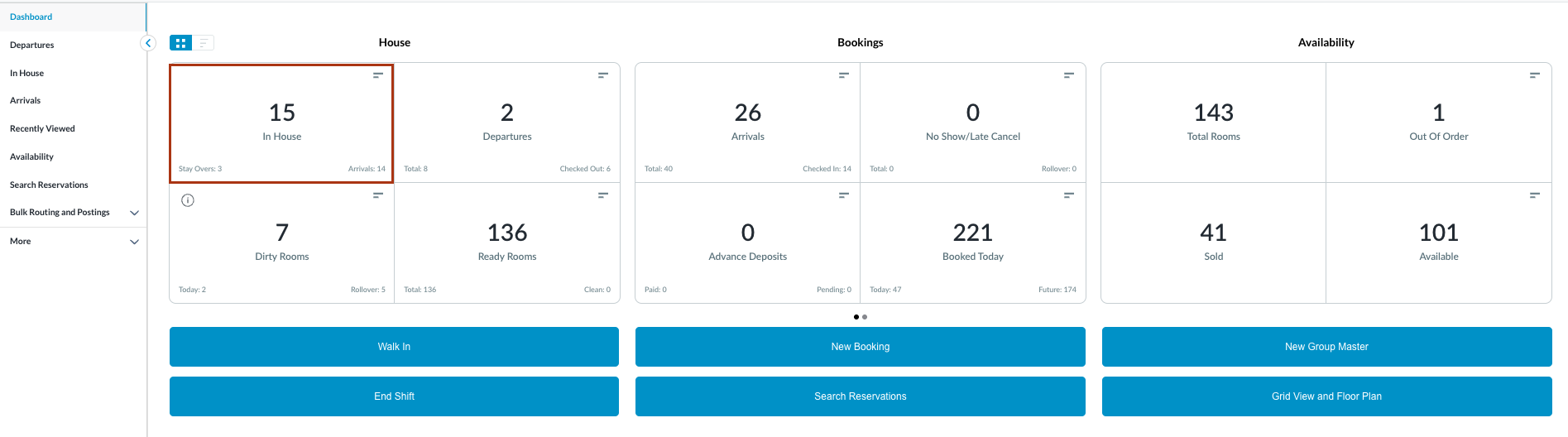
Navigate to In House reservations from Front Desk Dashboard You can also search for in-house reservations using the options in the left-side menu. |
|
|
The In House listings page will load. Select the reservation where the service recovery needs to be performed. |

|
|
The reservation details page loads to the Guest tab by default.
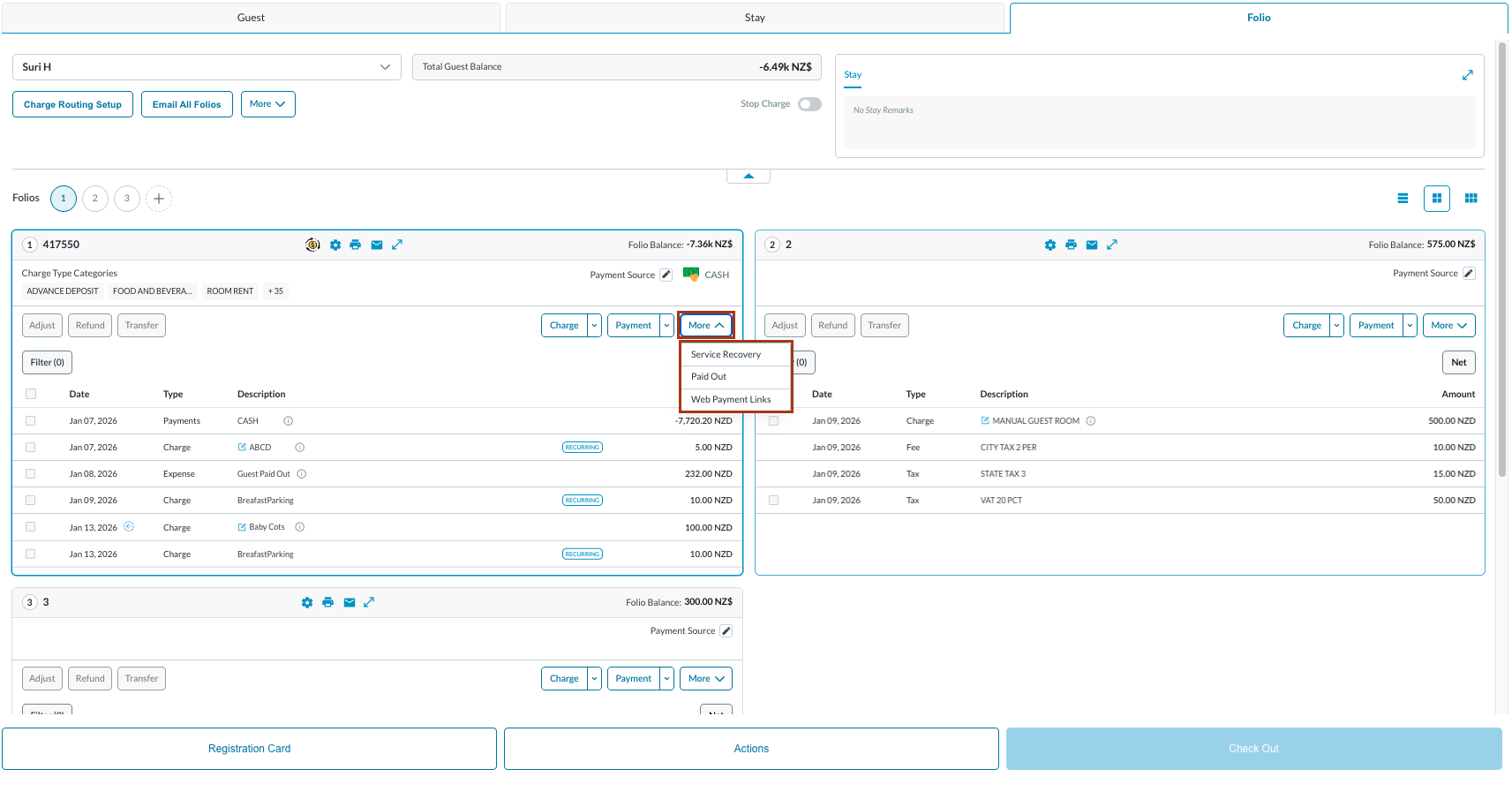
To add a non-revenue impacting Service Recovery, select on More button to reveal a dropdown.
|
|
|
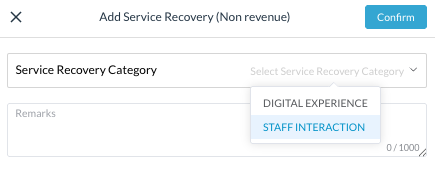
Add Service Recovery (Non revenue) popup loads. Select appropriate Service Recovery Category & add Remarks. Click on Confirm. The message pops up : “Success Service recovery added successfully” |
|
|
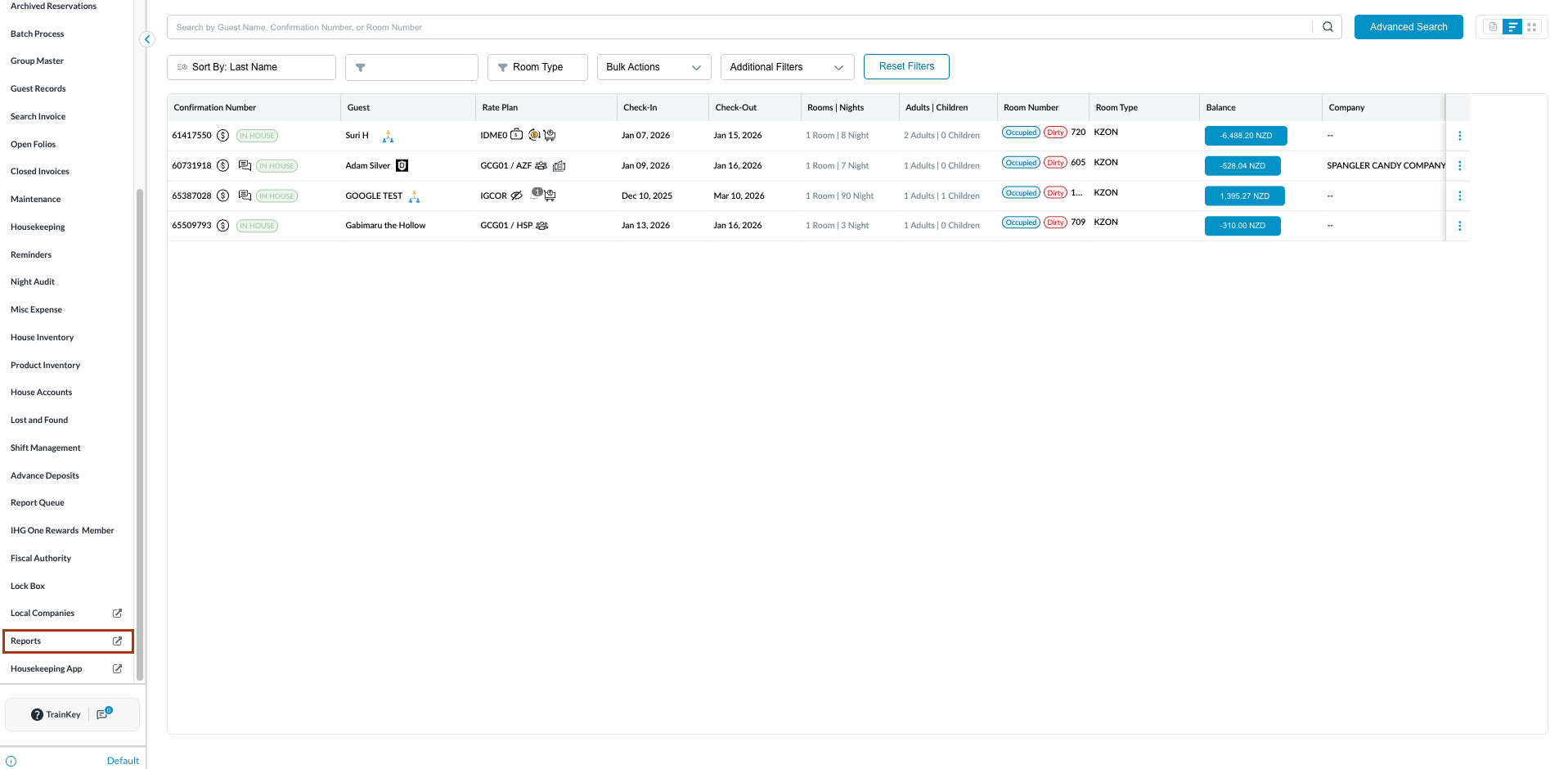
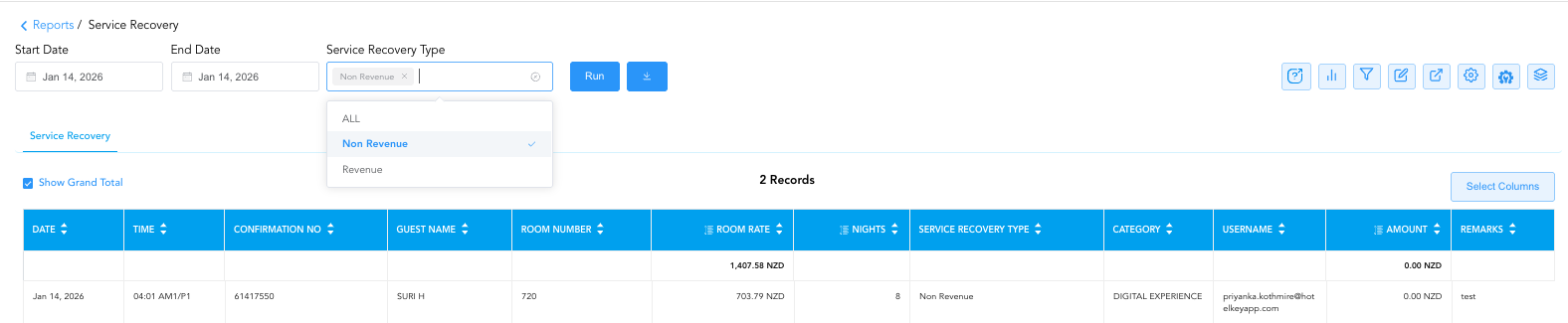
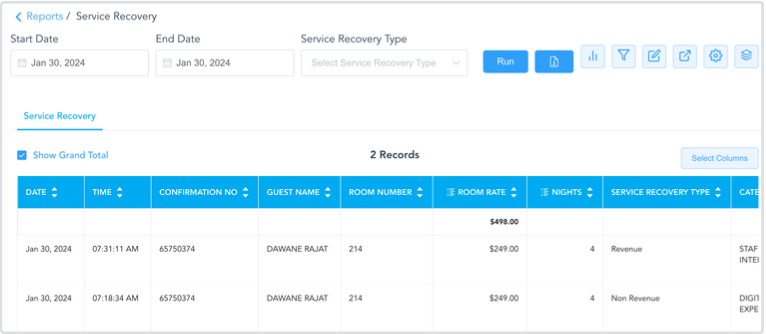
Since this is Non-Revenue, there will be no changes on the folio. You can see details on all Service Recovery (revenue and non-revenue impacting) on the Service Recovery Report. Select Reports from left side menu |
|
|
Search & Select Service Recovery Report |

|
|
Find the entry. |
|
Revenue Impacting Service Recovery
|
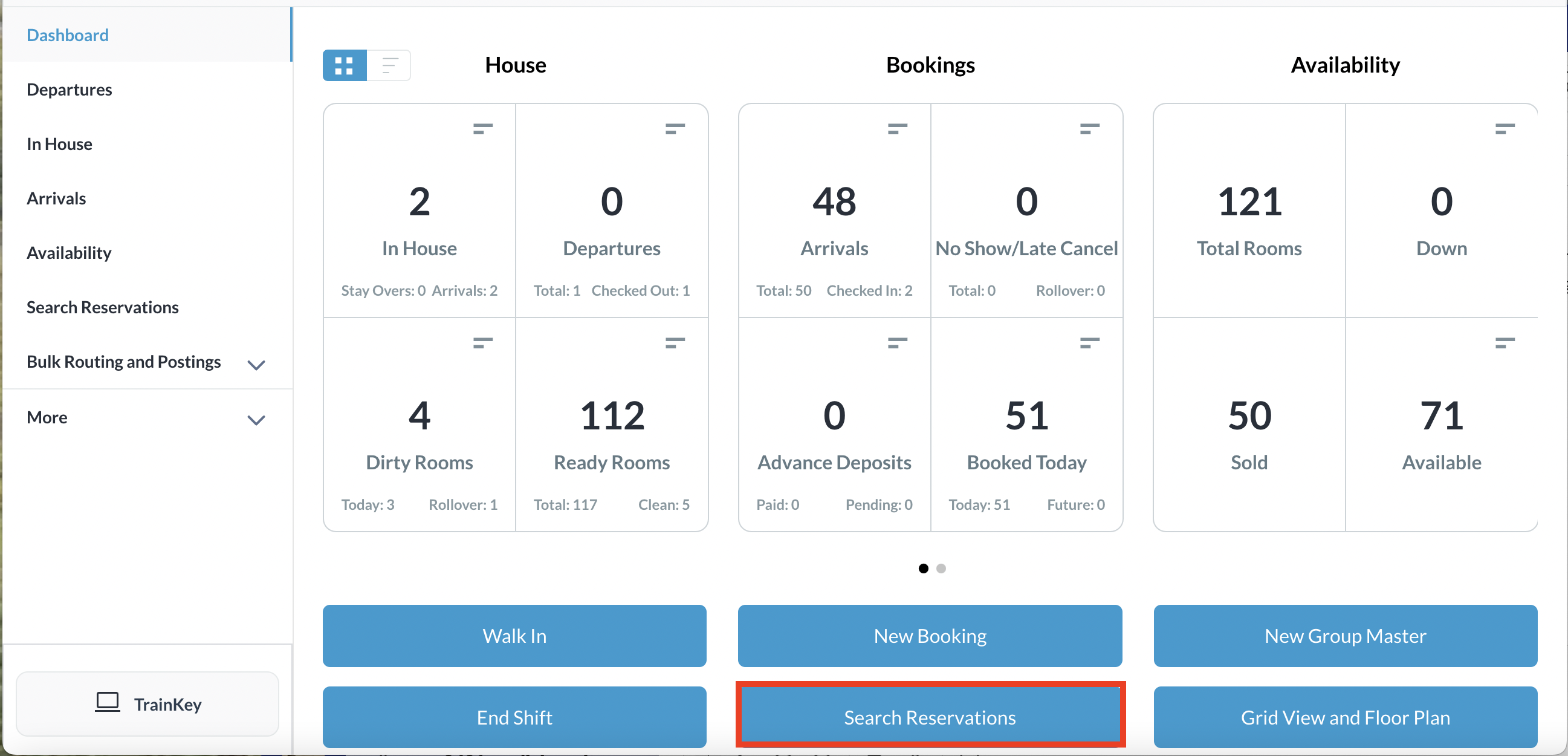
From the Frontdesk Dashboard, select Search Reservations |
|
|
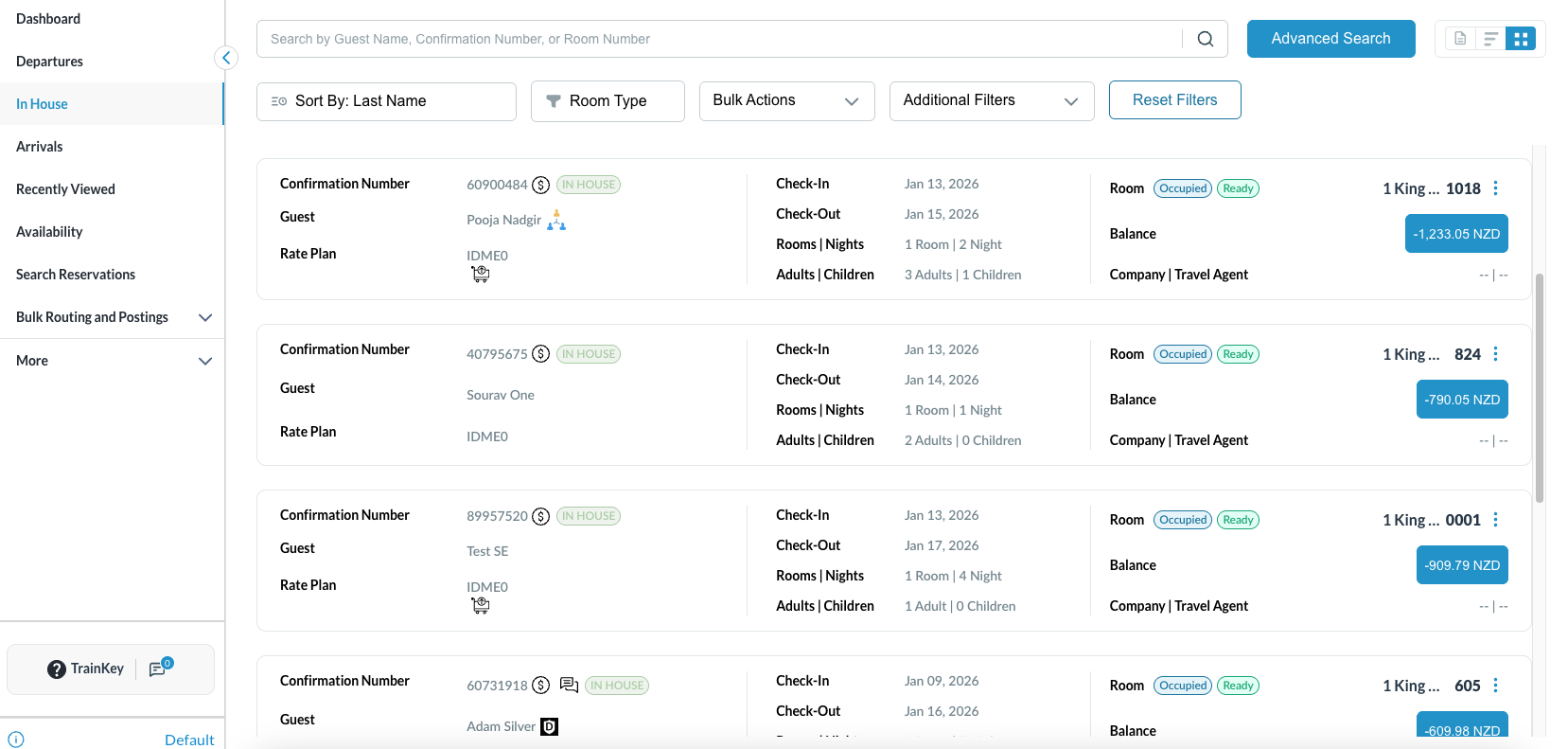
Locate and open the applicable reservation.
|
|
|
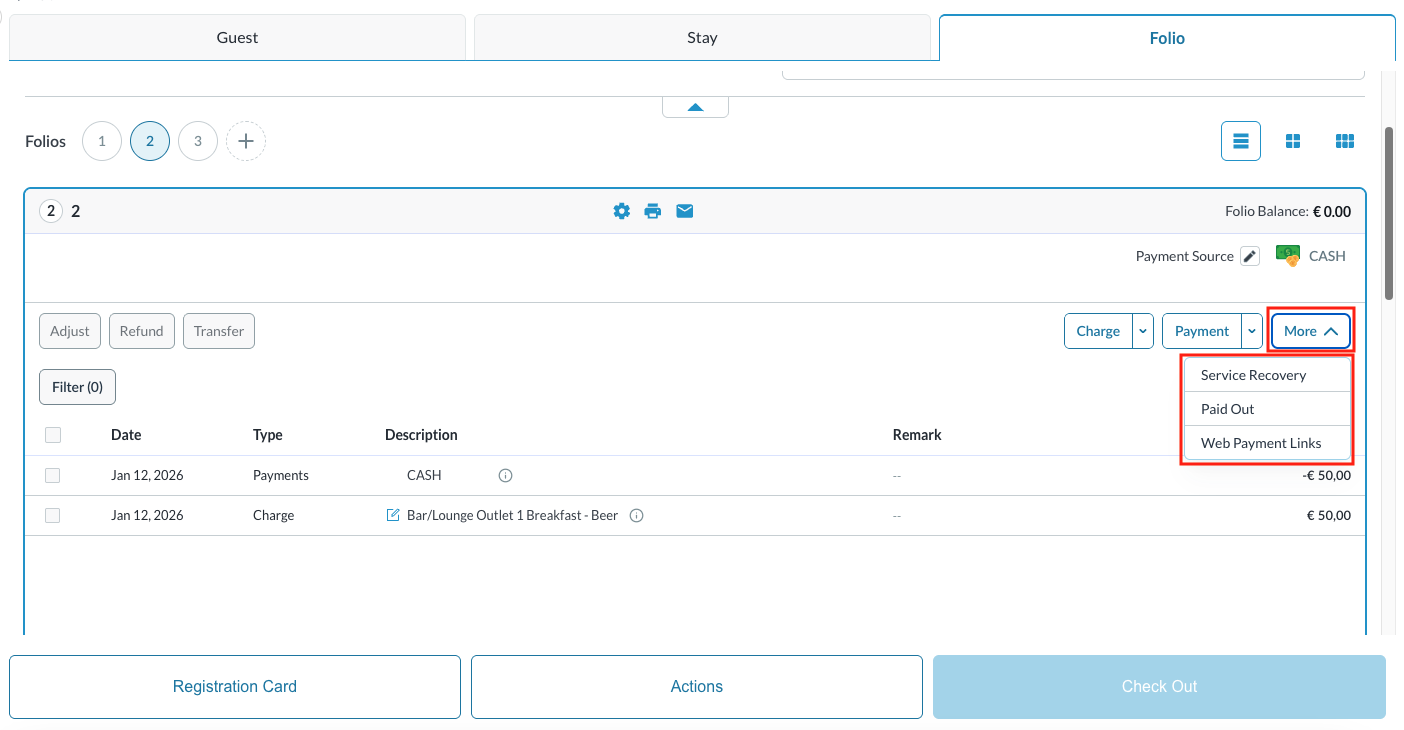
To add a revenue impacting Service Recovery, select the checkbox next to a charge
|
|
|
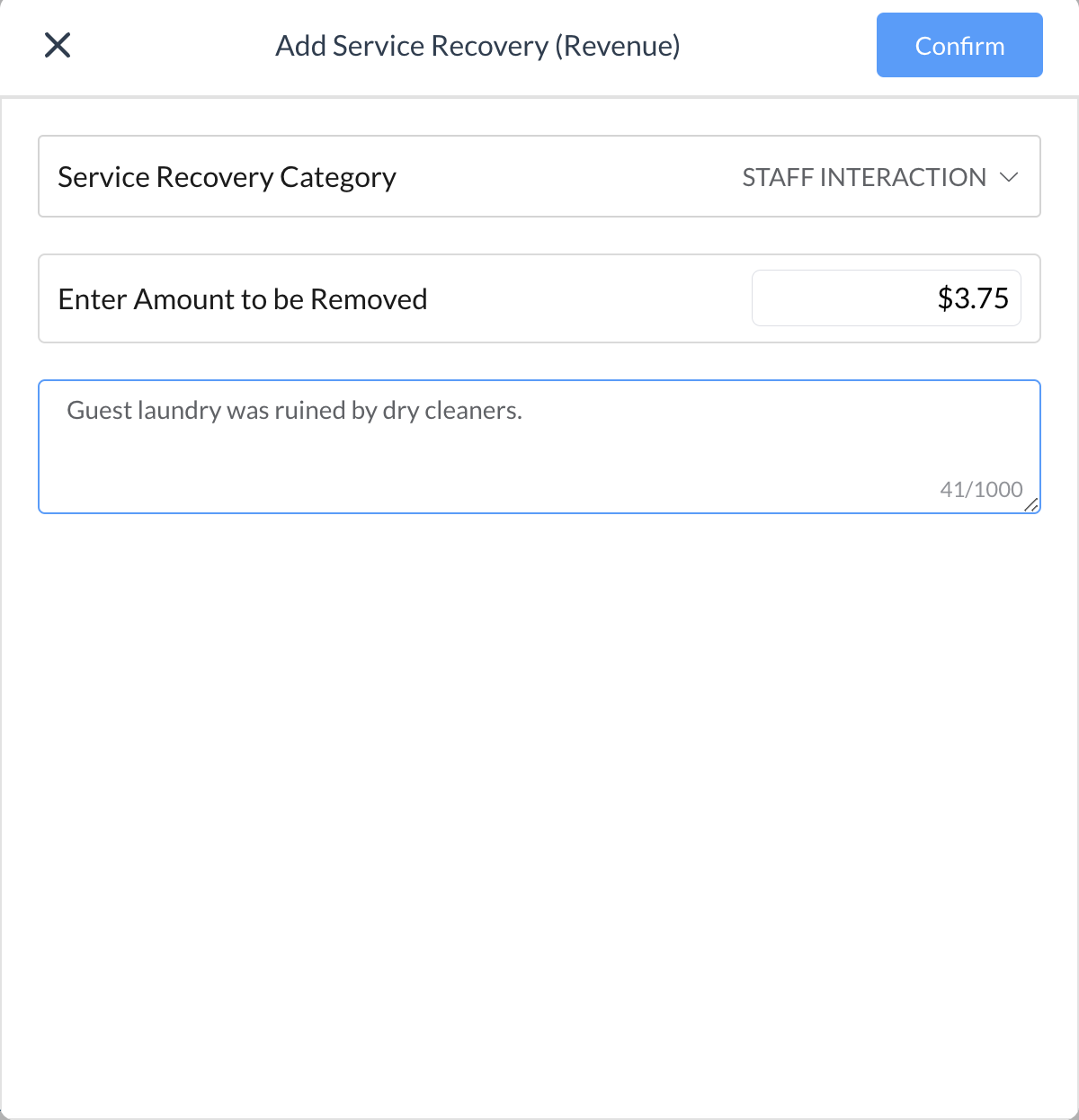
Add Service Recovery (revenue) popup loads Enter in the Service Recovery category that is revenue impacting. User can also change the amount to be removed, as desired Enter remarks then click on Confirm |
|
|
A new negative charge will be posted to adjust the charge on the folio |

|
|
The user can see details on all Service Recovery (revenue and non-revenue impacting) on the Service Recovery Report |
|