
📆 Revision Date:
A "Paid Out" is a transaction in which a cashier advances money to a guest and then charges the guest's account for the amount given
|
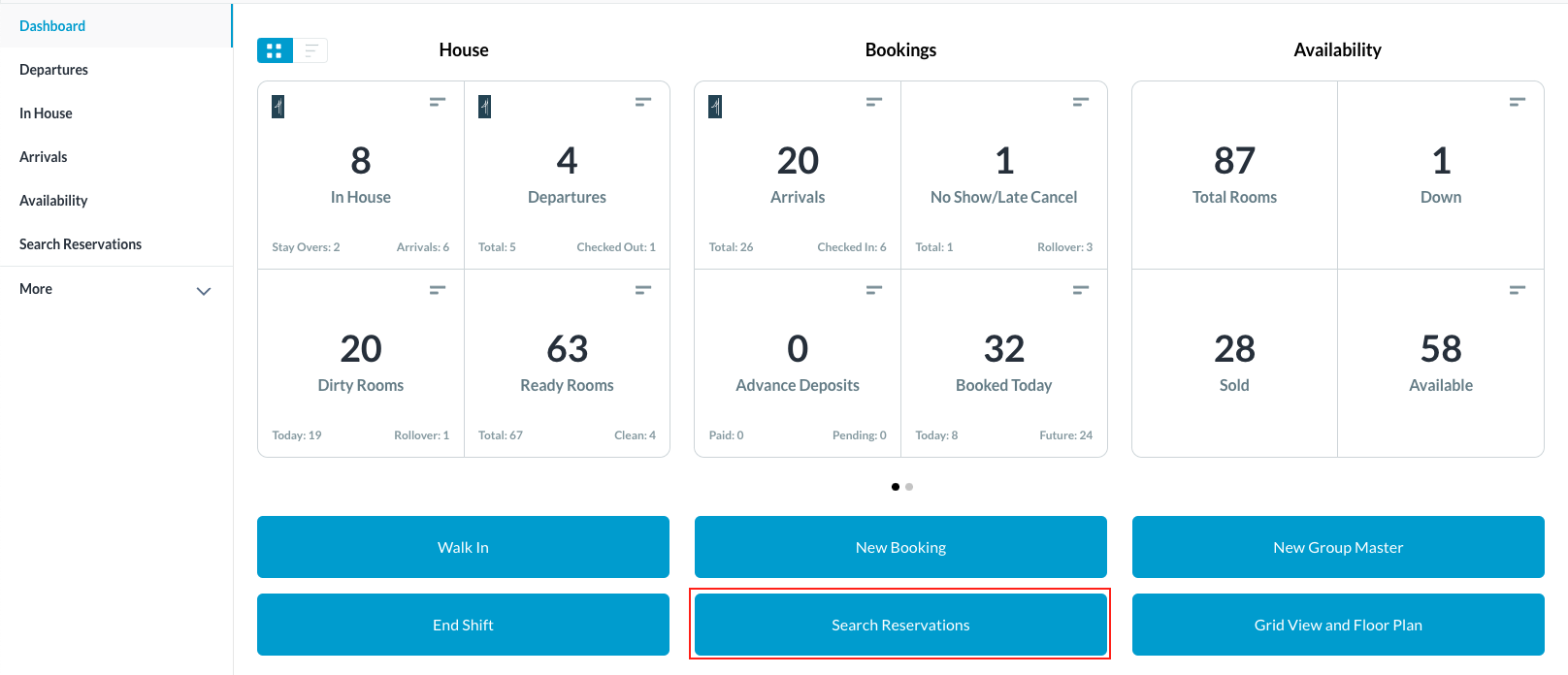
Select Search Reservations on the Dashboard page. |
|
|
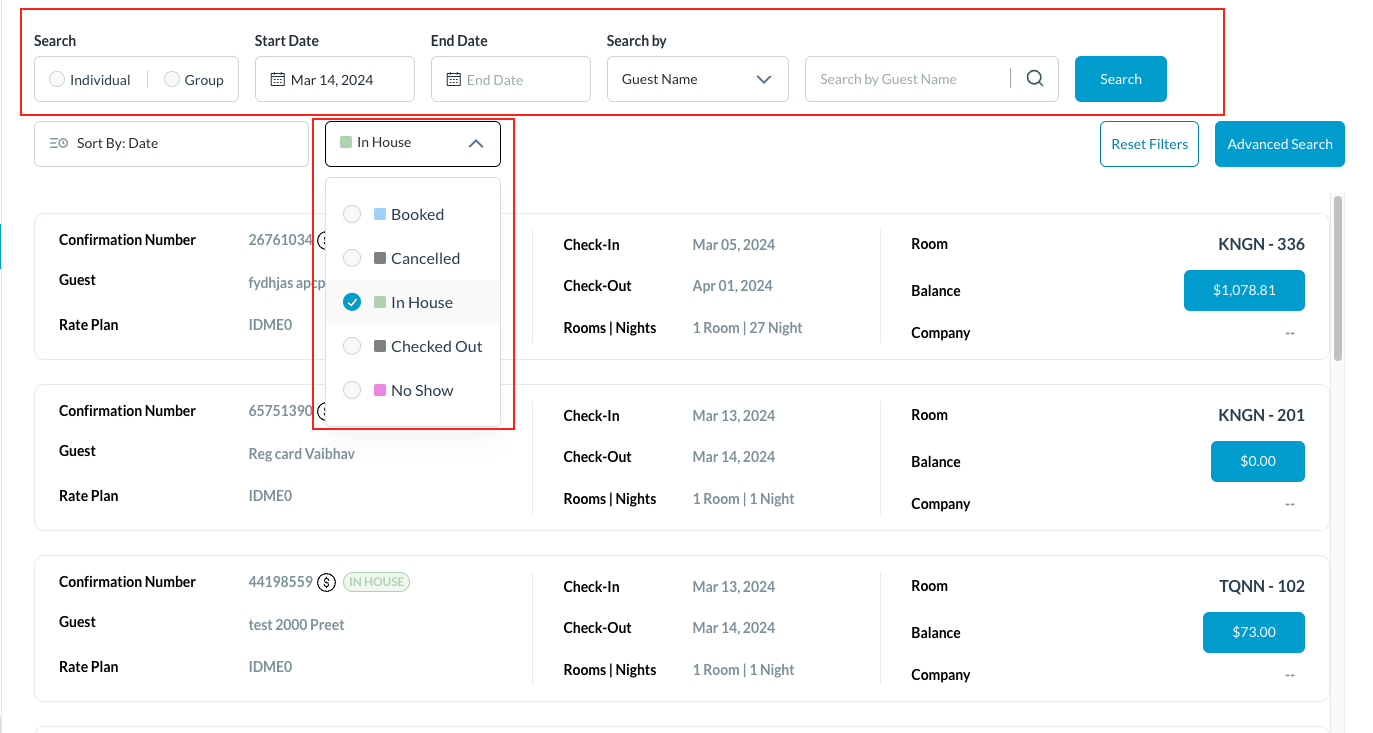
Find the applicable reservation by performing a search. Search by Date, Guest Name, Confirmation or Room Number and then select Search. Note - You can filter the results further by selecting the Status button and one of the options listed Once you have located the reservation, click on it |
|
|
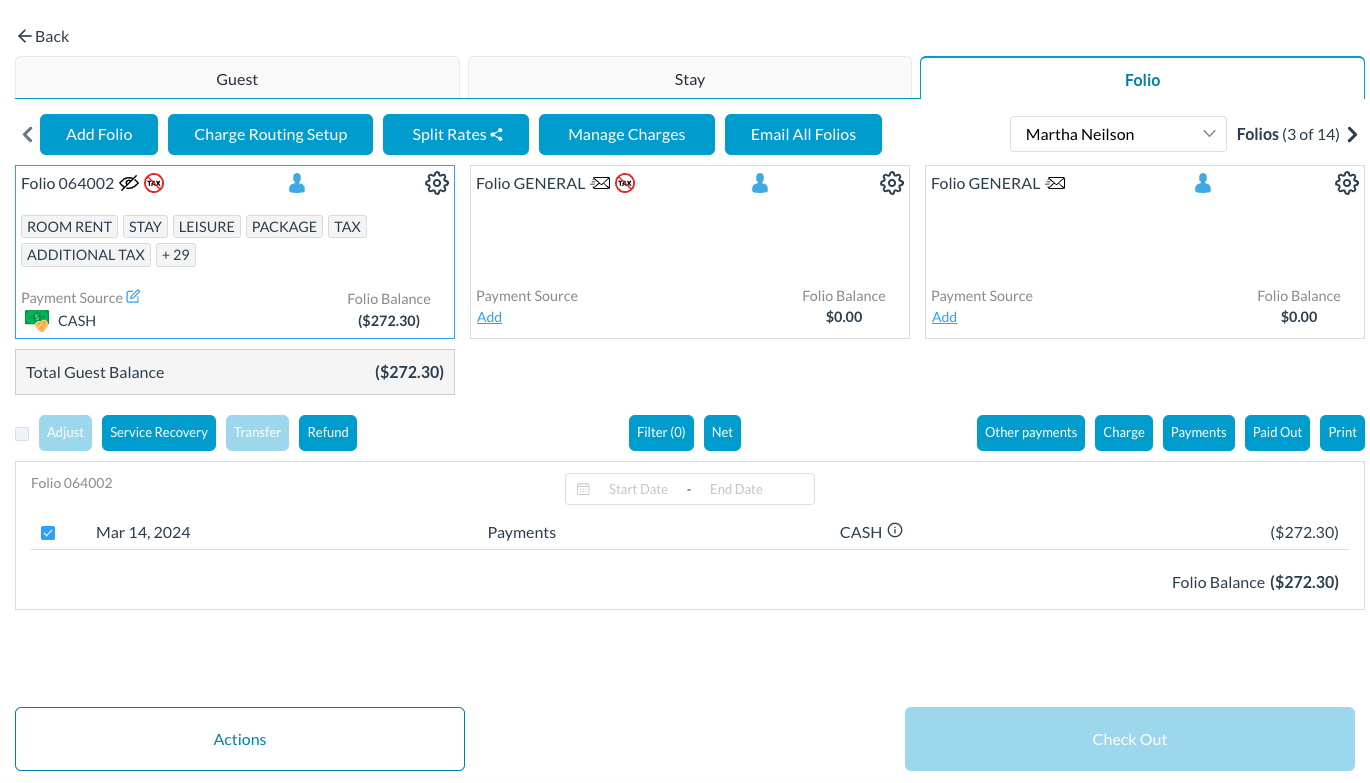
The reservation details page loads to the Guest tab by default. Select the Folio tab
|
|
|
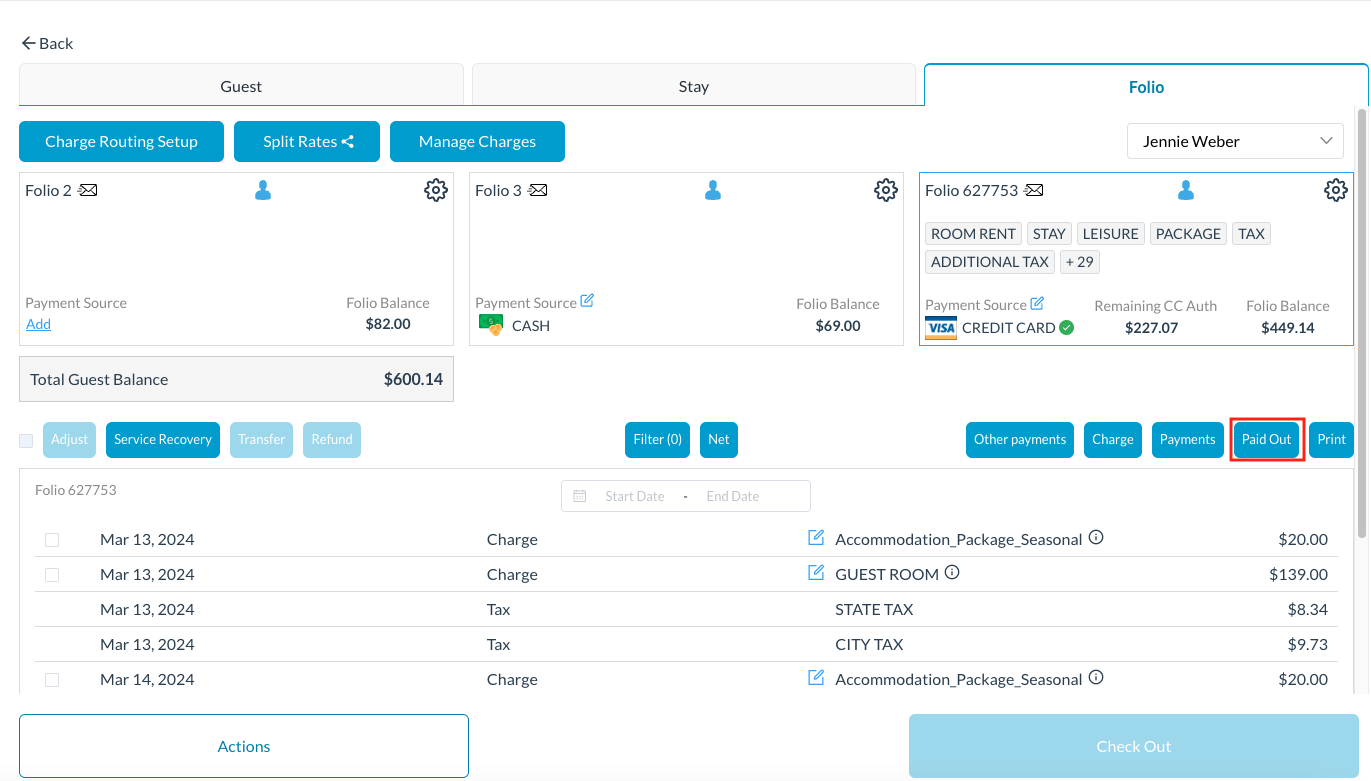
Click on Paid Out
|
|
|
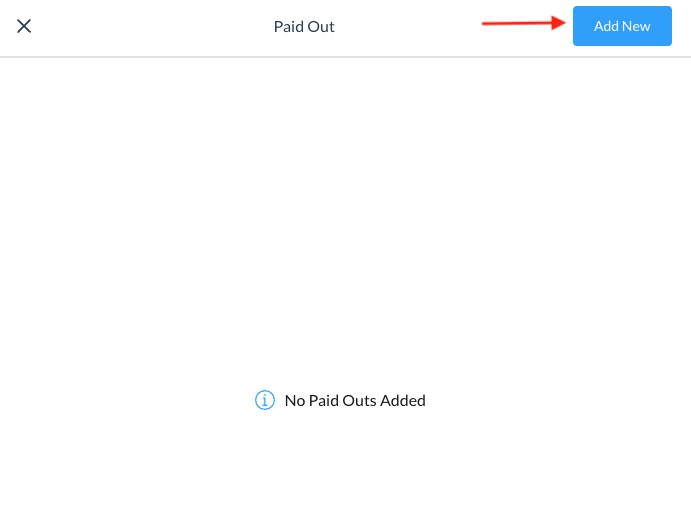
The Paid Out screen loads Select Add New
|
|
|
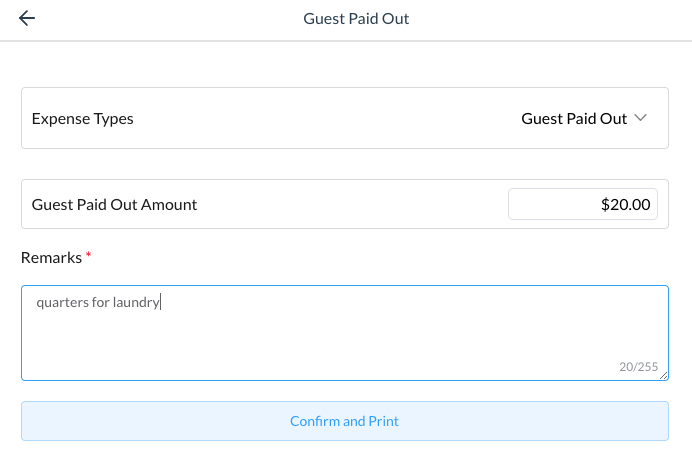
A Guest Paid Out screen loads Enter the Guest Paid Out Amount Enter Remarks - a required field and click on Confirm and Print |
|
|
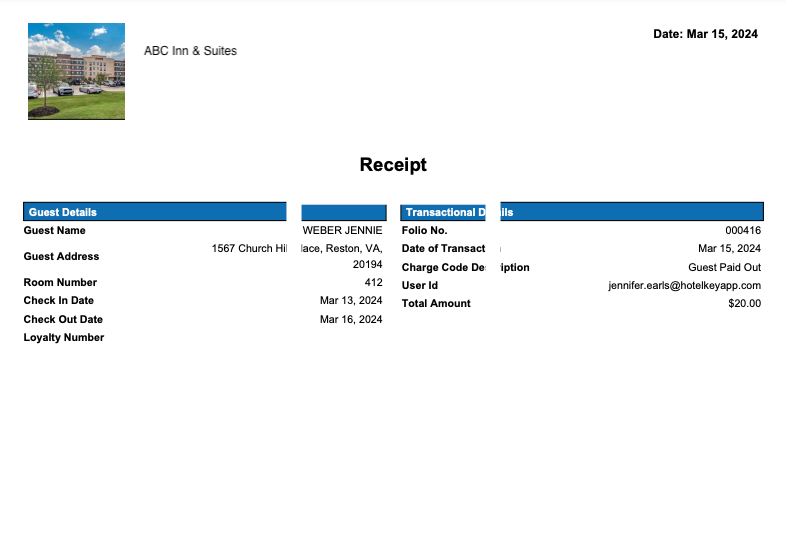
A receipt will be generated with the property details, guest details, and transaction details:
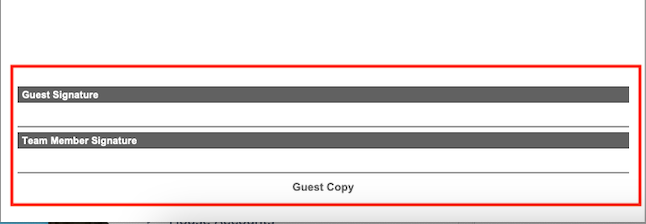
Both the guest and the team member will sign the bottom of the receipt |
|
|
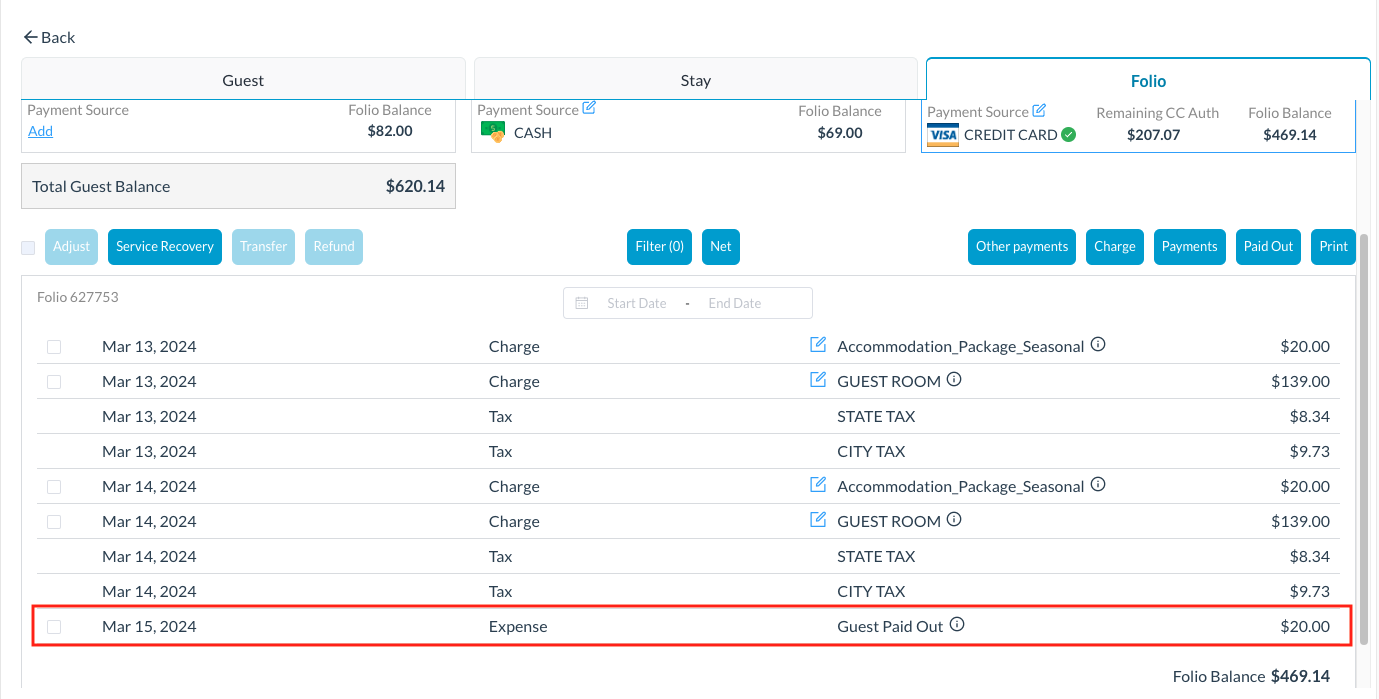
The folio will now reflect the Paid Out |
|