
The print feature ensures that only user-selected charges and payments are printed, improving usability, accuracy, and guest-facing documentation.
|
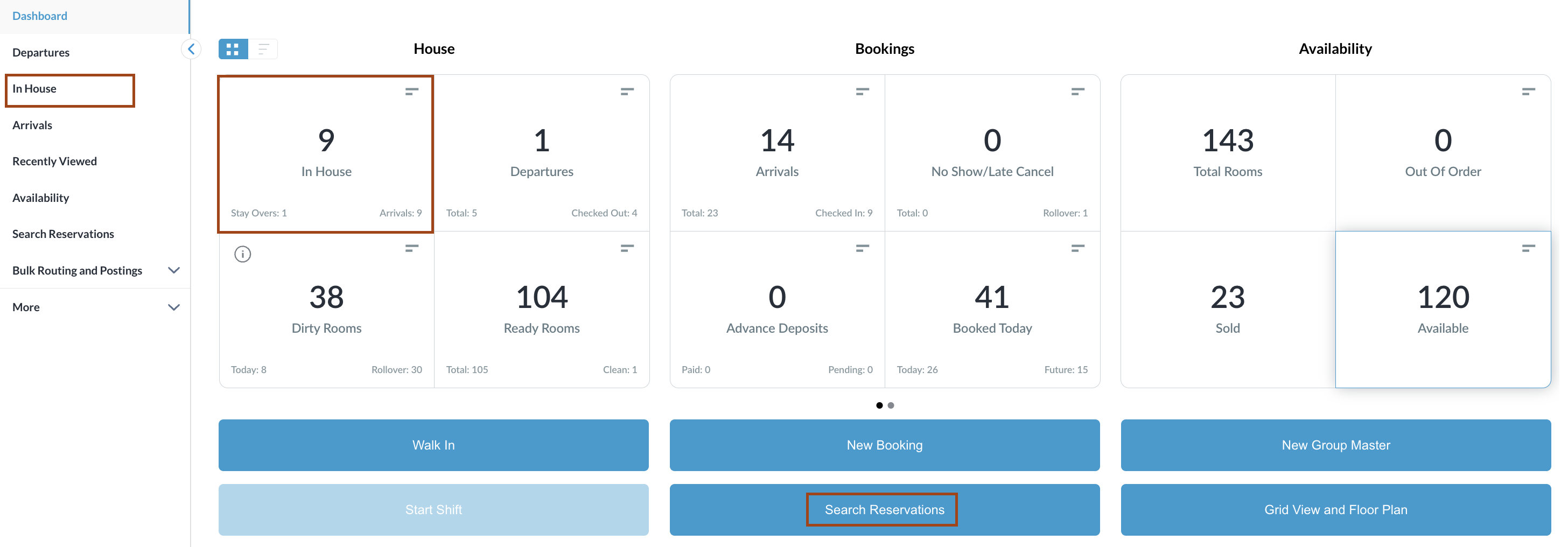
Navigate to In-House Reservations from the dashboard, or use Search Reservations to locate in-house reservations.
|
|
|
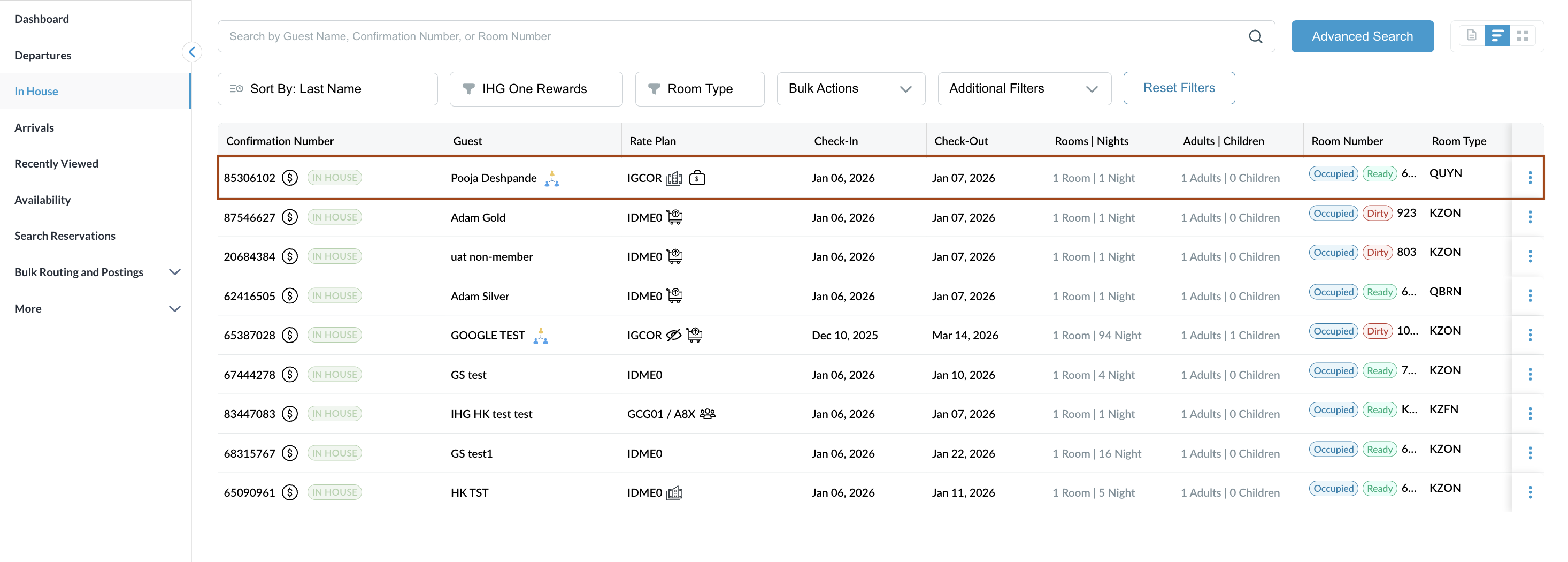
The In-House Reservation listing page opens. Select the relevant in-house reservation from the list. |
|
|
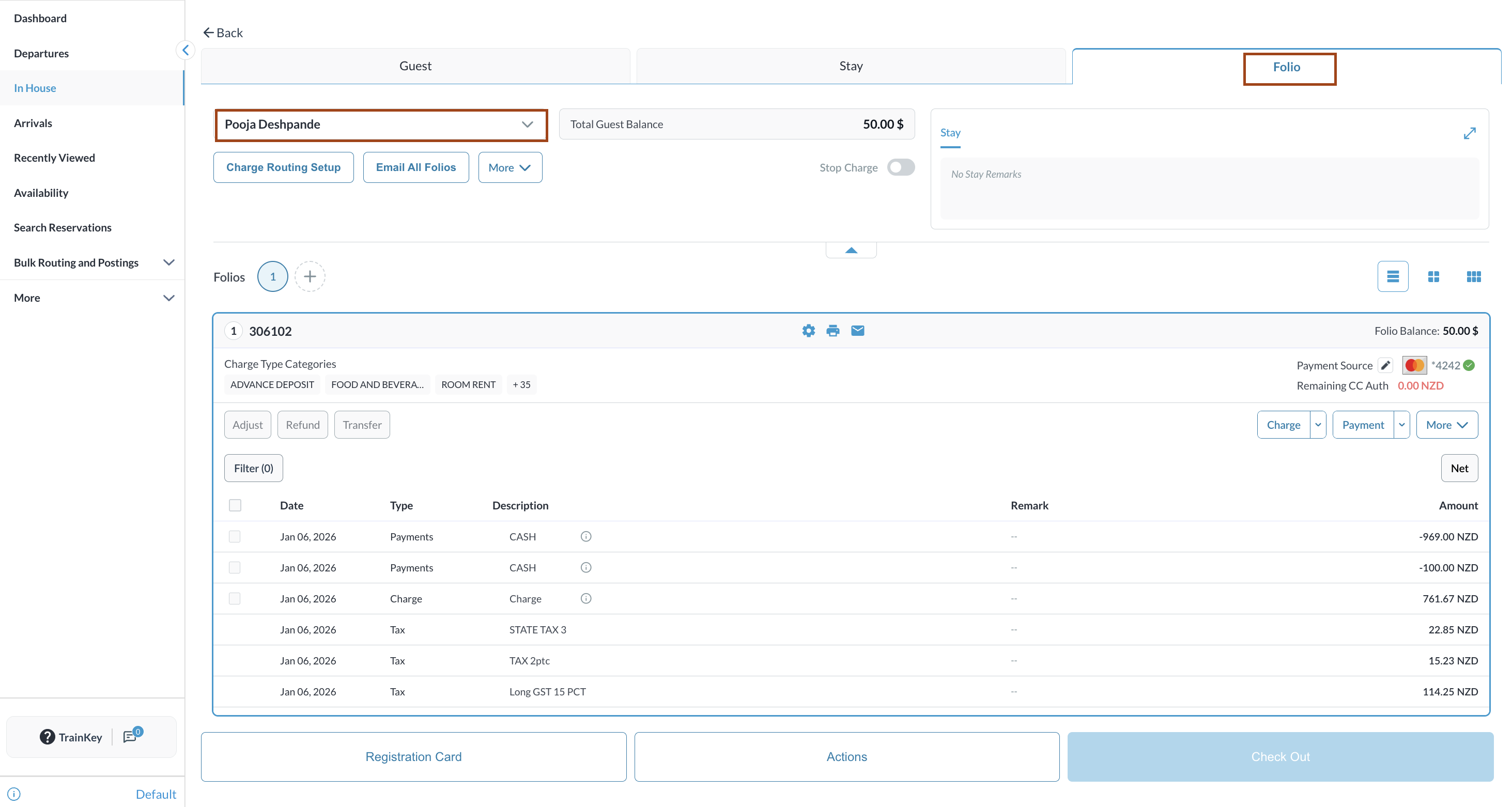
Open the reservation and navigate to the Folio tab. |
|
|
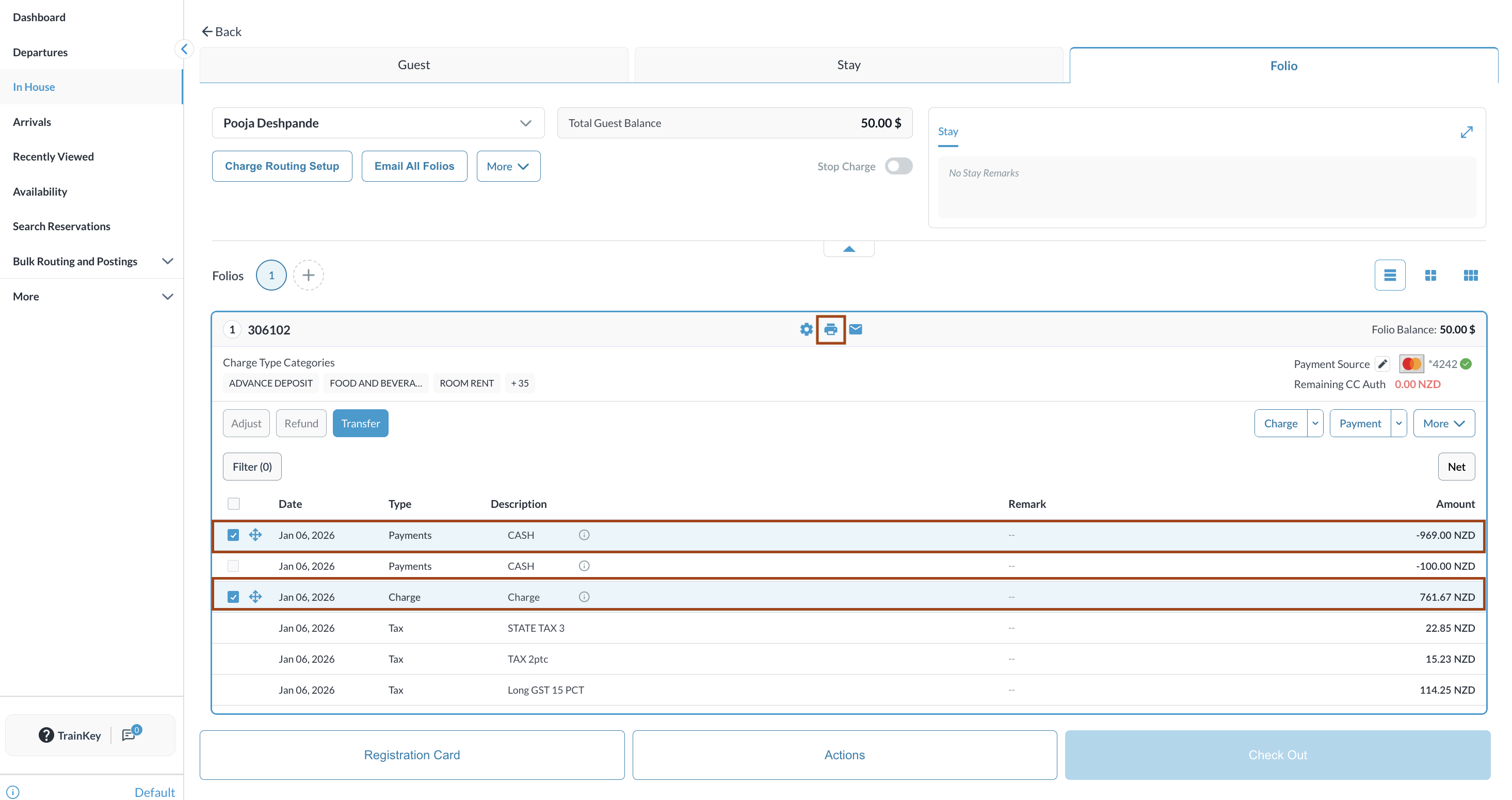
Within the Folio, select the charges that need to be printed. The selected charges will be visually highlighted.
|
|
|
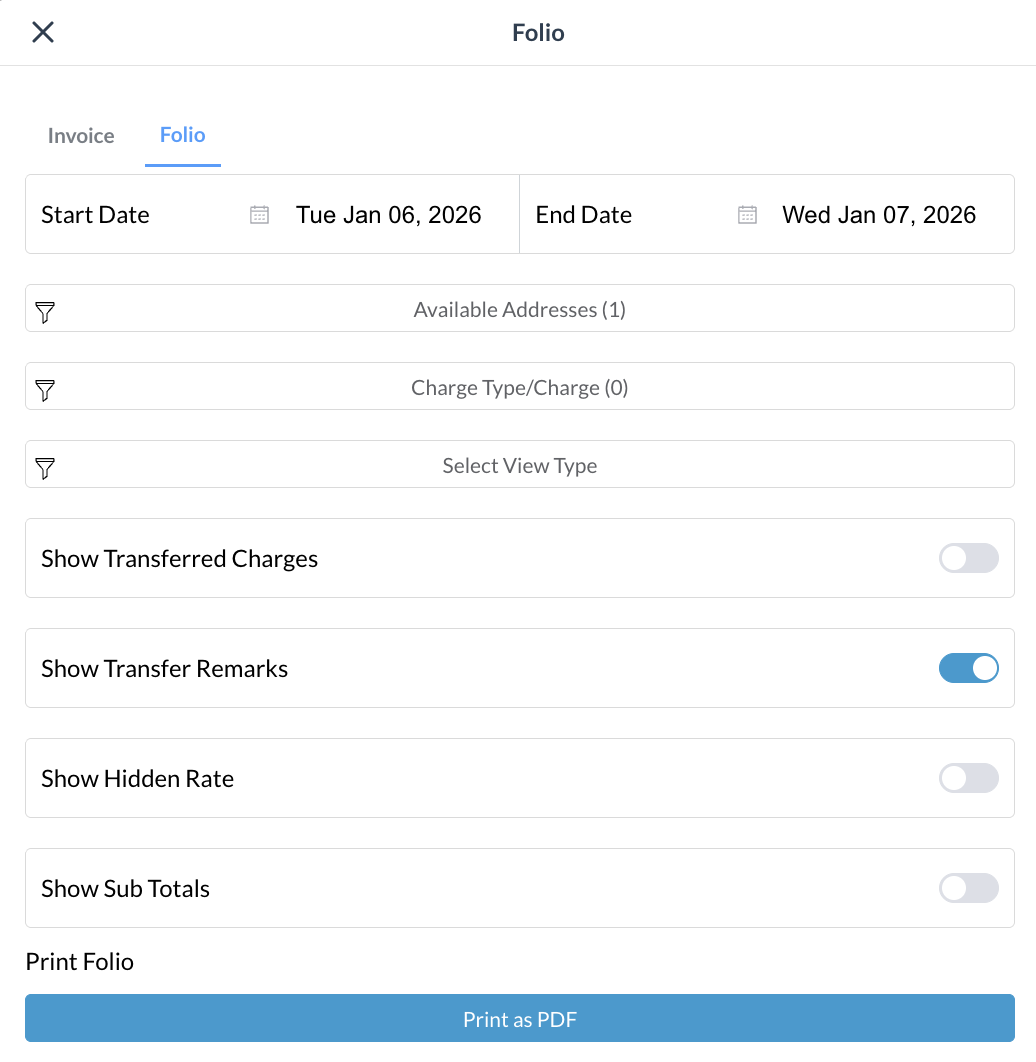
A print confirmation window will appear. Confirm the action to proceed.
|
|
|
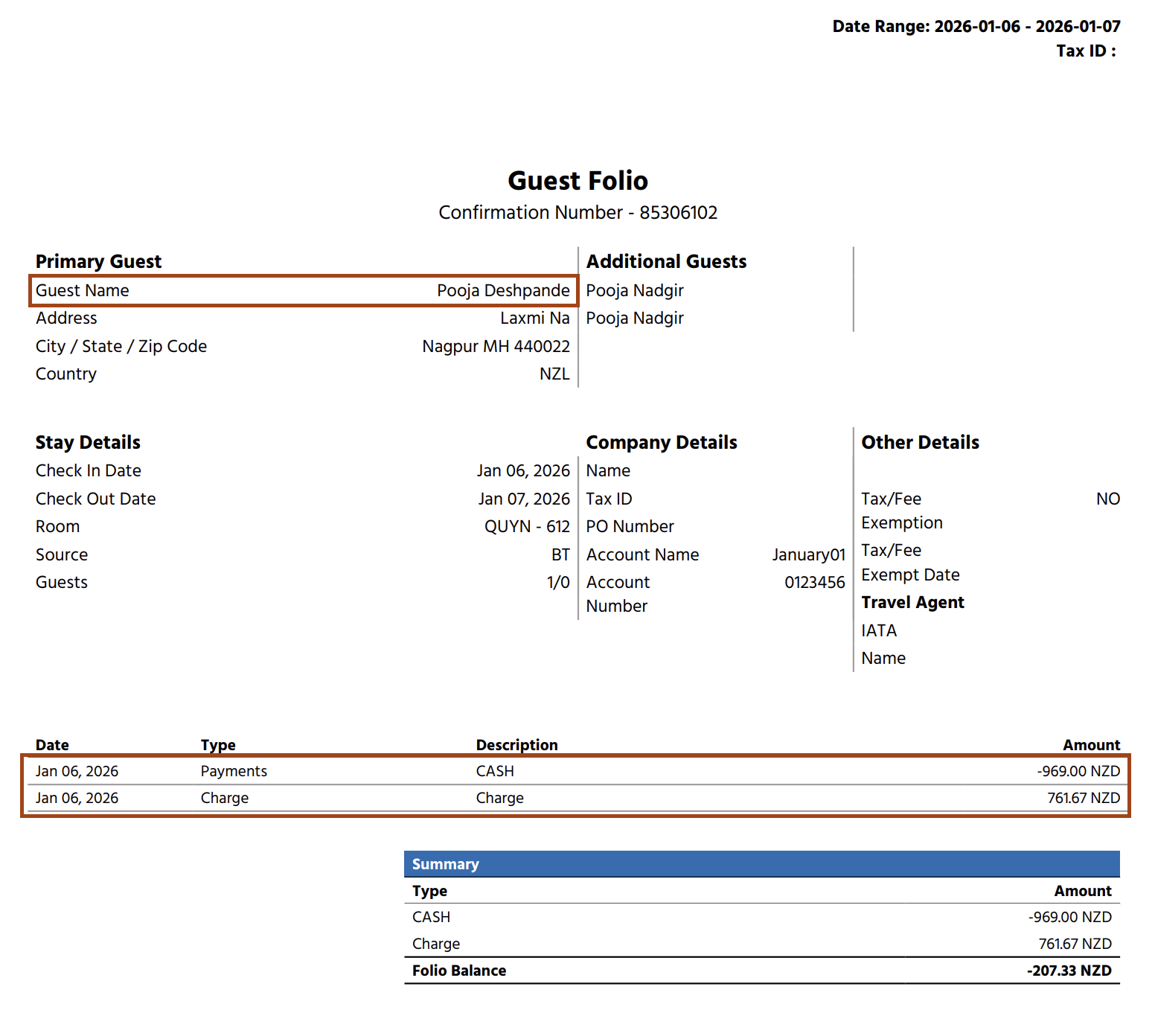
A PDF document is generated containing only the selected charges, which can then be printed or saved. |
|