
📆 Revision Date:
The following steps cover how to apply a Pet Fee Charge.
|
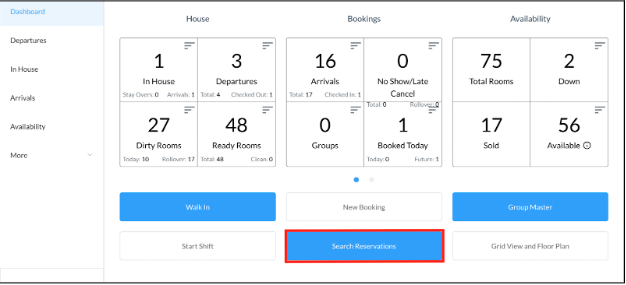
On Frontdesk from HK-Home Select Search Reservations on the Dashboard page. |
|
|
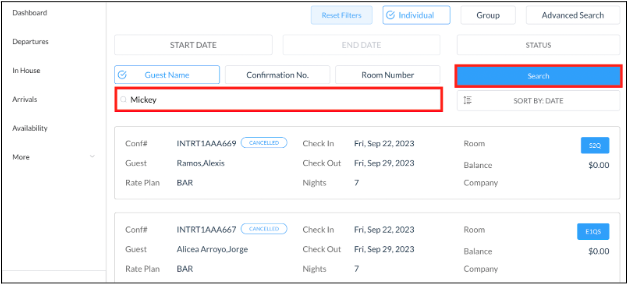
The Search Reservations page loads. Search for the reservation by guest name or confirmation number. |
|
|
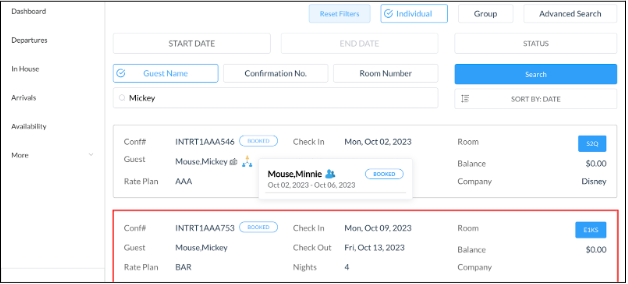
Select the applicable reservation. |
|
|
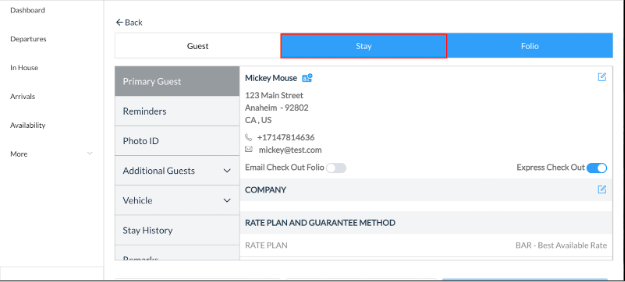
The reservation details page loads. Select Stay tab. |
|
|
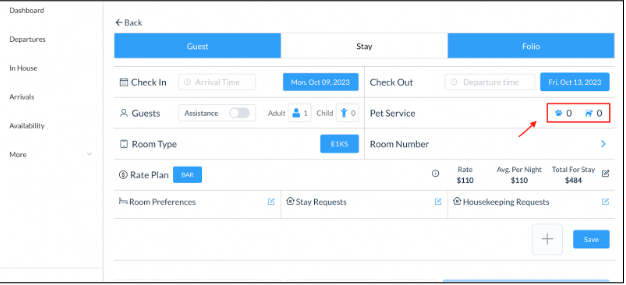
In the Stay tab, select the Pet Service button. |
|
|
A Pet Details popup activates. Select Add New Pet. |

|
|
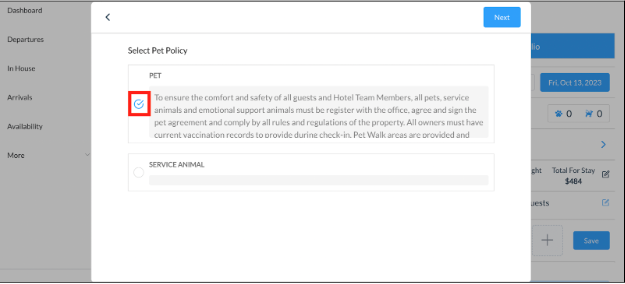
Select the applicable type of Pet Policy associated for reservation. In this example, we choose the Pet option that has a fee. |
|
|
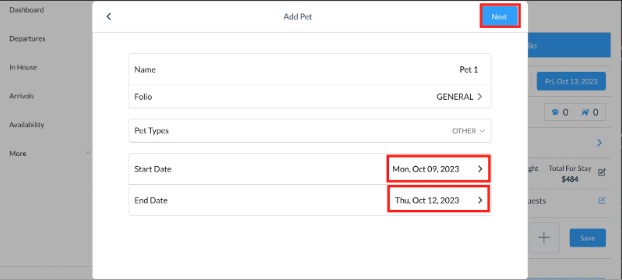
The pet page loads. Select the date ranges for the charges to be placed and select Next. Note - Charges are placed per day in the folio therefore if the pet fee is a one time fee, select the same start and end date. |
|
|
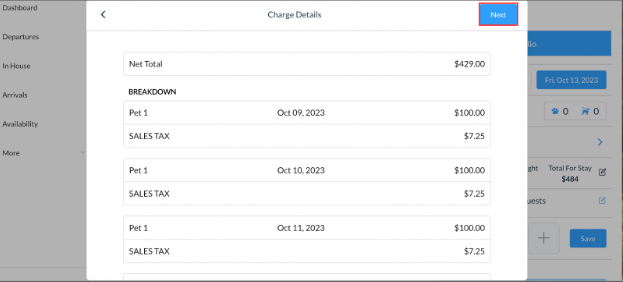
Charge details of the pet fee are shown in the next screen. Select the Next button. |
|
|
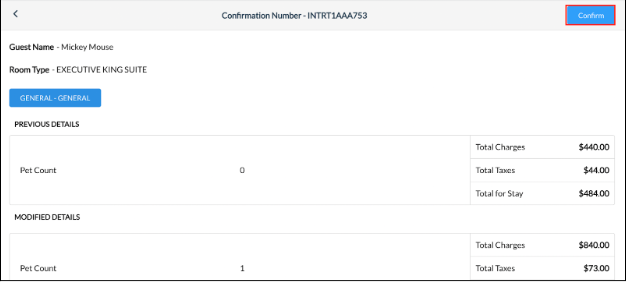
The confirmation page will appear. Once you confirm details are correct, select Confirm.
Once you select confirm, all charges will be placed on the folio. |
|