
📆 Revision Date:
To collect a payment against a reservation when there is a balance due.
|
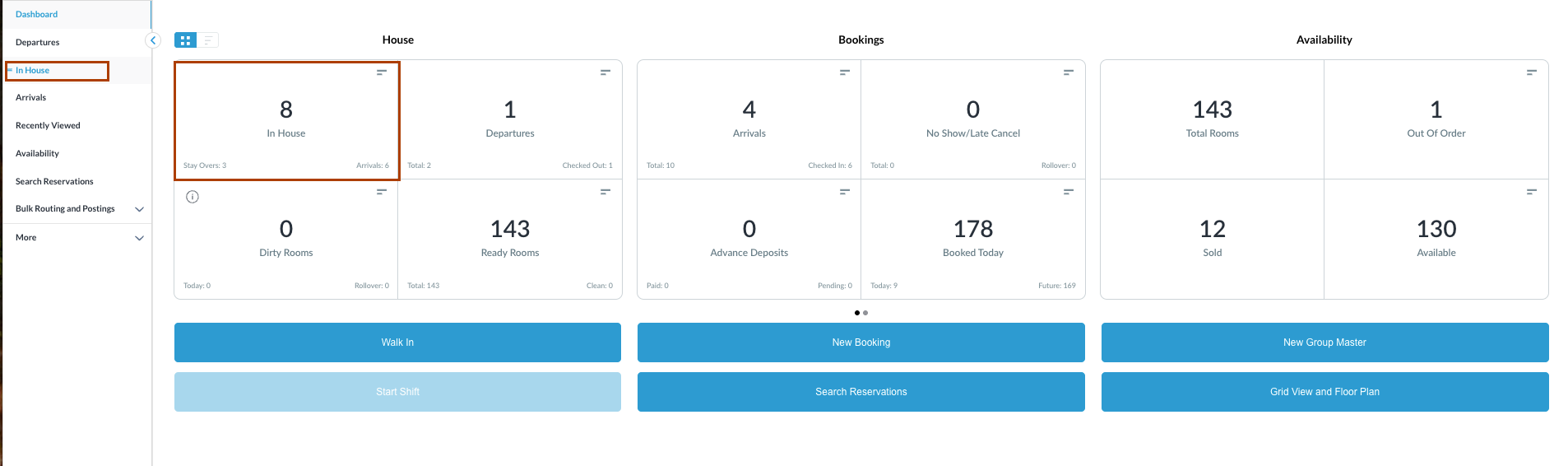
Navigate to In House reservations from Front Desk Dashboard You can also search for in-house reservations using the options in the left-side menu. |
|
|
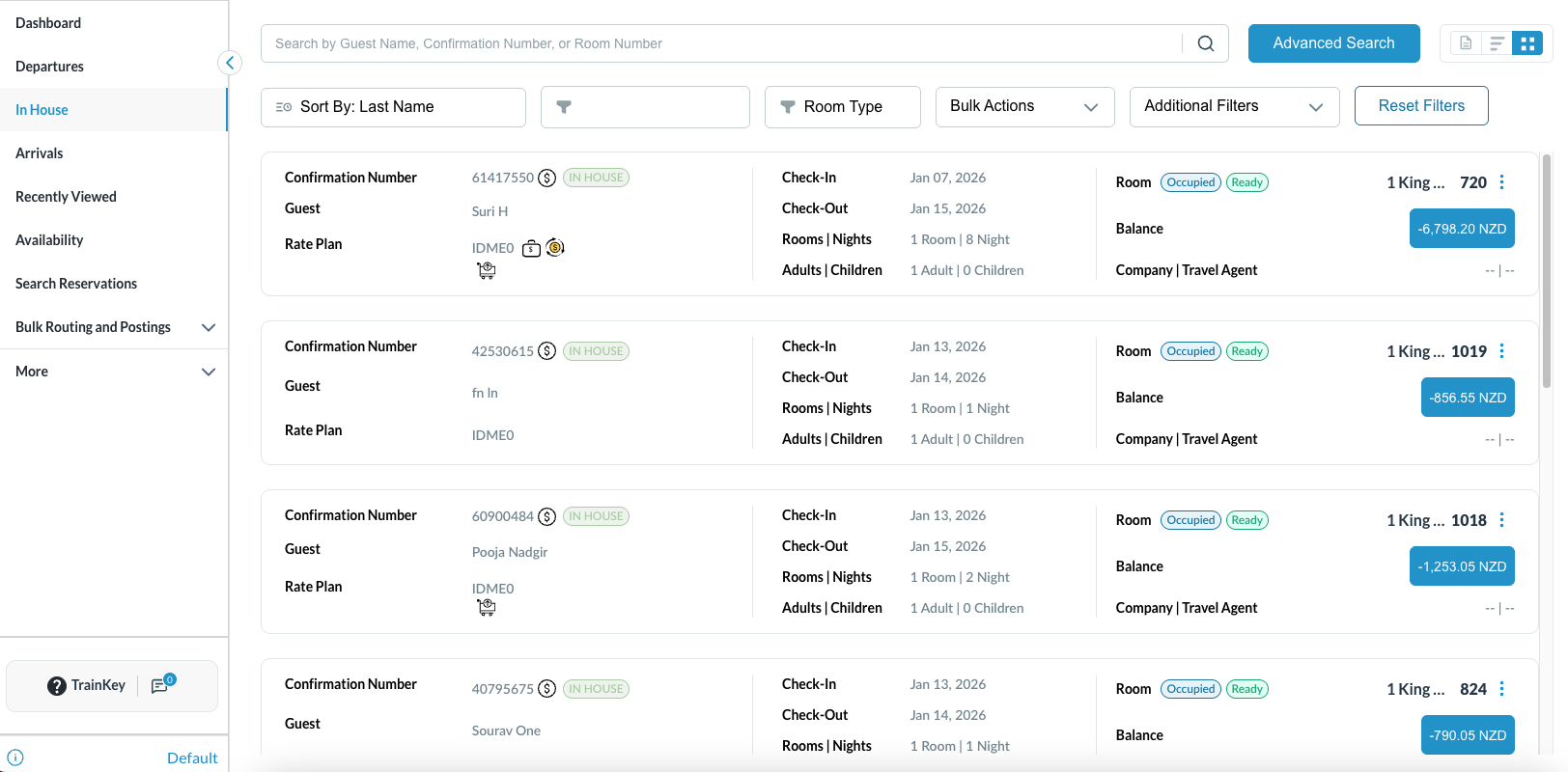
The In House listings page will load. Select the reservation for which the payments need to be collected. |
|
|
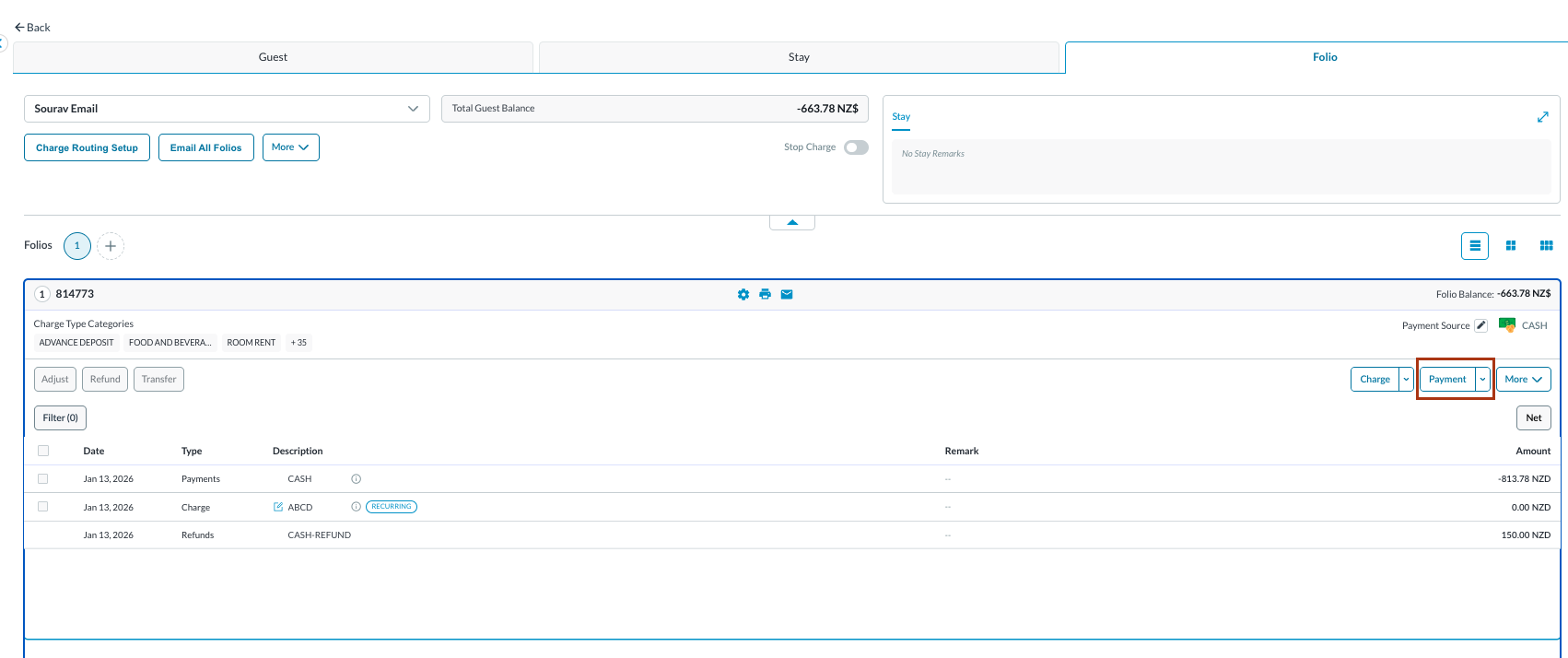
The reservation details page loads to the Guest tab by default.
Note: the folio screen automatically adjusts to the most efficient layout. If a reservation contains multiple folios, the screen defaults to Side-by-Side View. If there is a single folio, the screen will open in Full Detail View. |
|
|
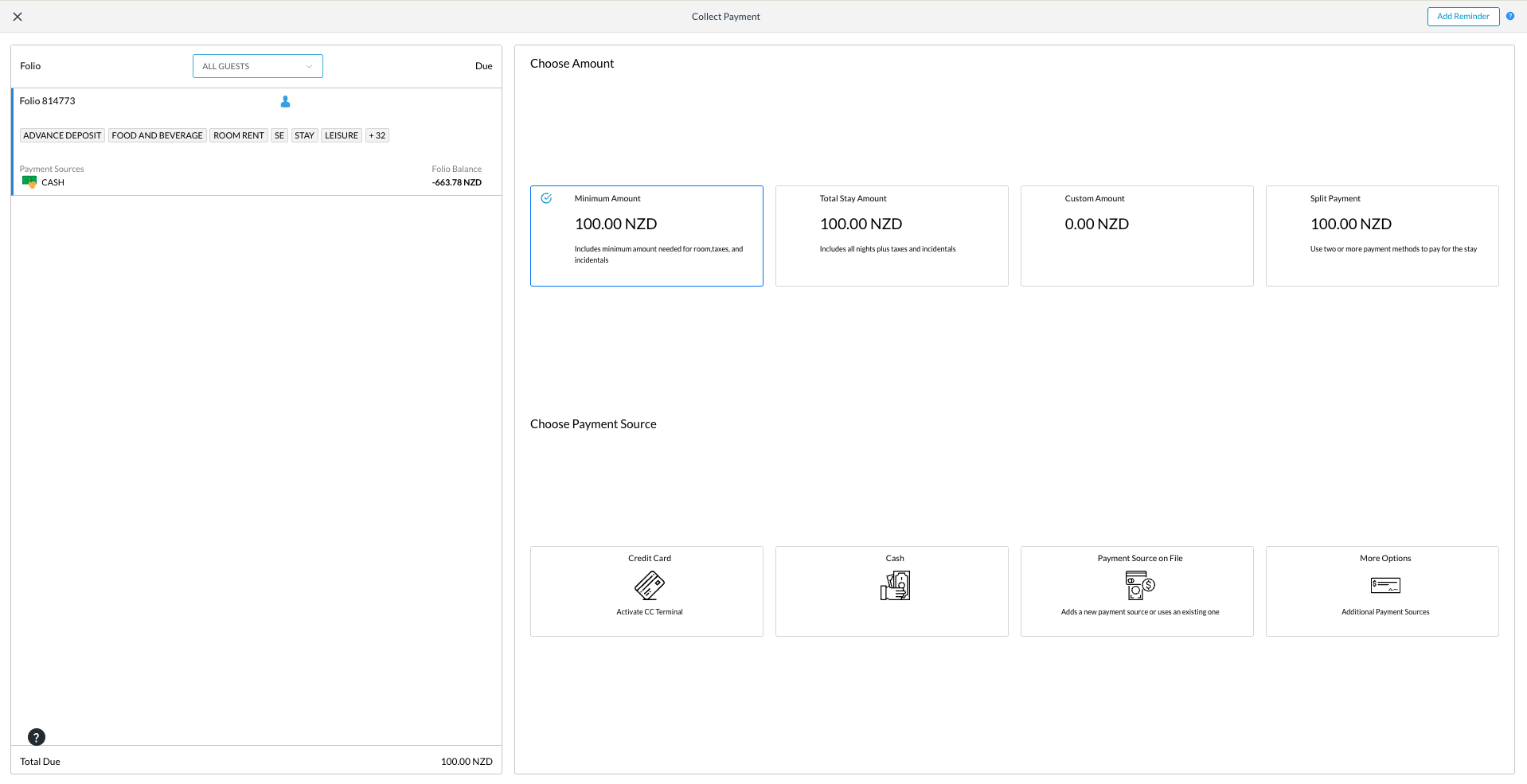
The Collect Payment screen opens, offering options to collect Minimum, Total, Custom Amount, or Split Payment.
|
|
|
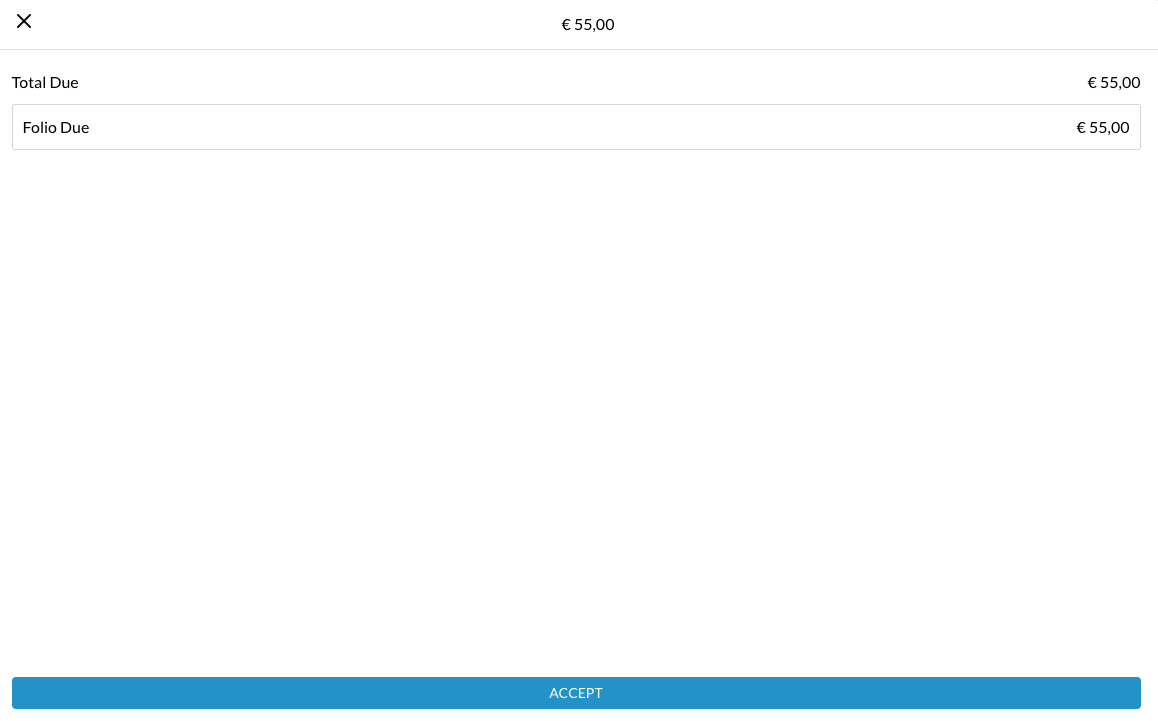
Selecting any of the payment options offered will navigate the next steps In this case, where we selected cash, the cash acceptance screen opens
|
|
|
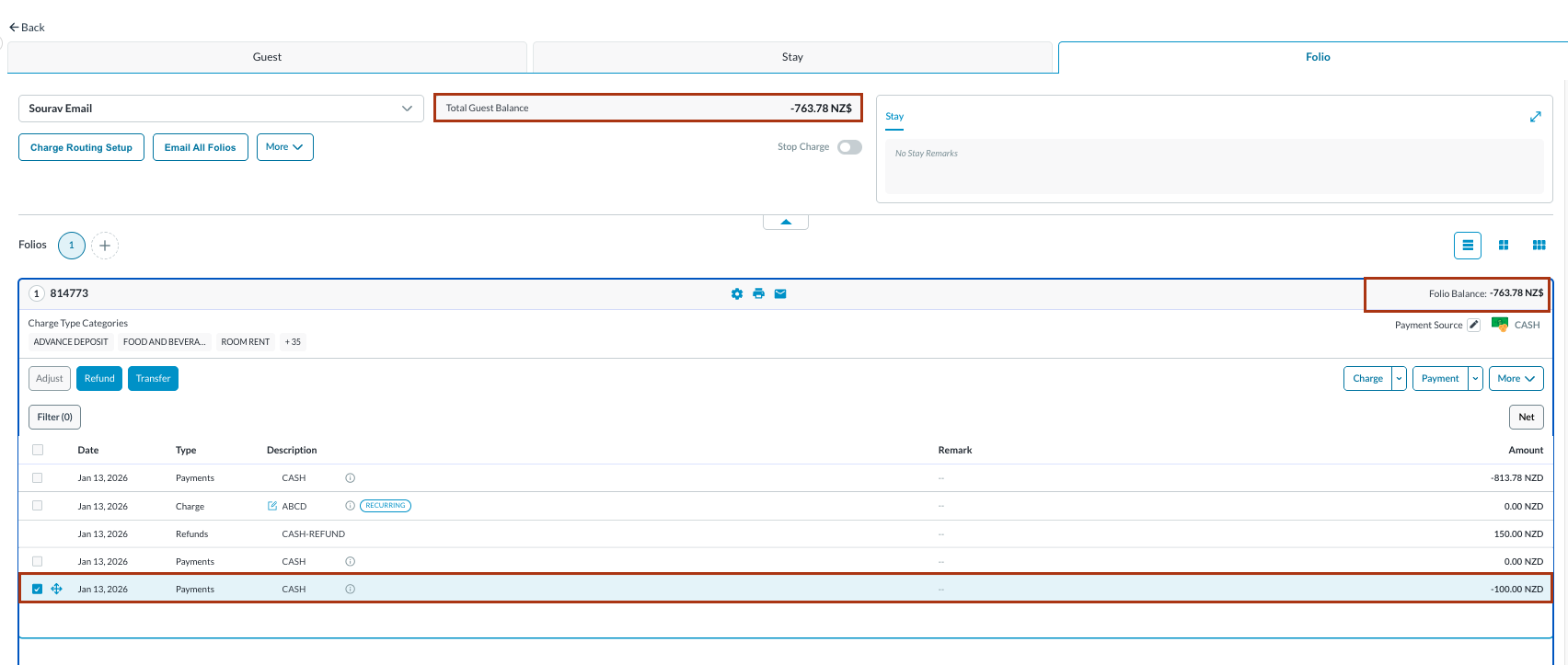
The system returns to the Folio tab, where the folio balance is updated and reflects the accepted payment. |
|