
📆 Revision Date:
Stop Charge is a control used to prevent future charges from being posted to a Reservation, Folio, or Account.
When enabled, Stop Charge will
-
Block new charges from being posted after it is applied
-
NOT affect existing charges that are already on the folio
-
Act as a temporary safeguard, not a reversal or adjustment
Stop Charge does not delete charges, reverse posted transactions or stop payments or refunds .
|
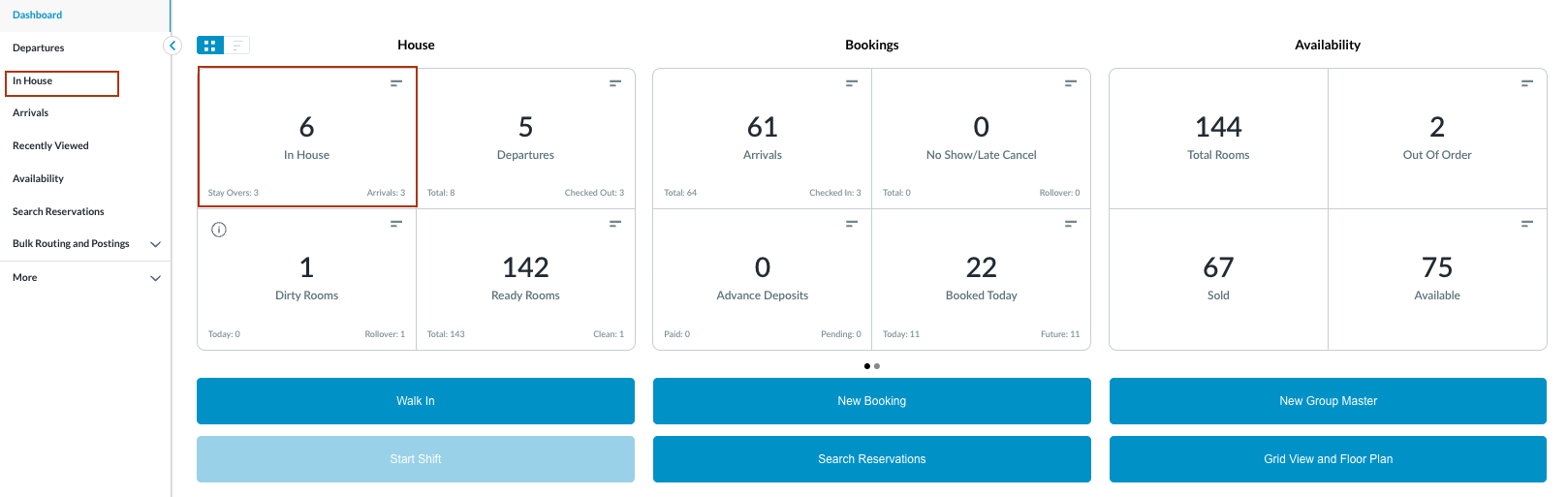
Navigate to In-house reservations from front Front Desk Dashboard You can also search for reservations using the options in the left-side menu. |
|
|
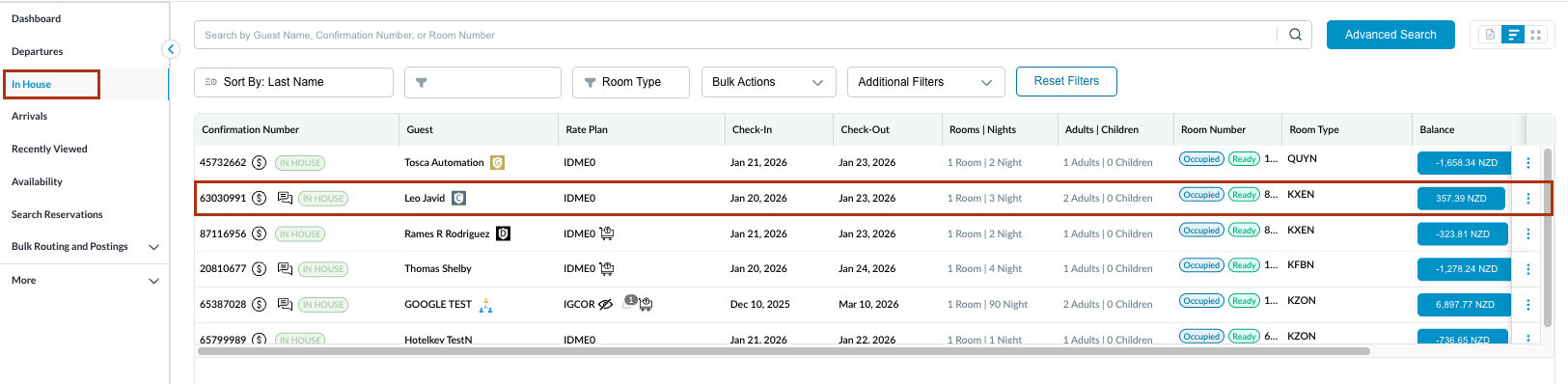
The In House listings page will load. Select the reservation where stop charges needs to be enabled or disabled. |
|
|
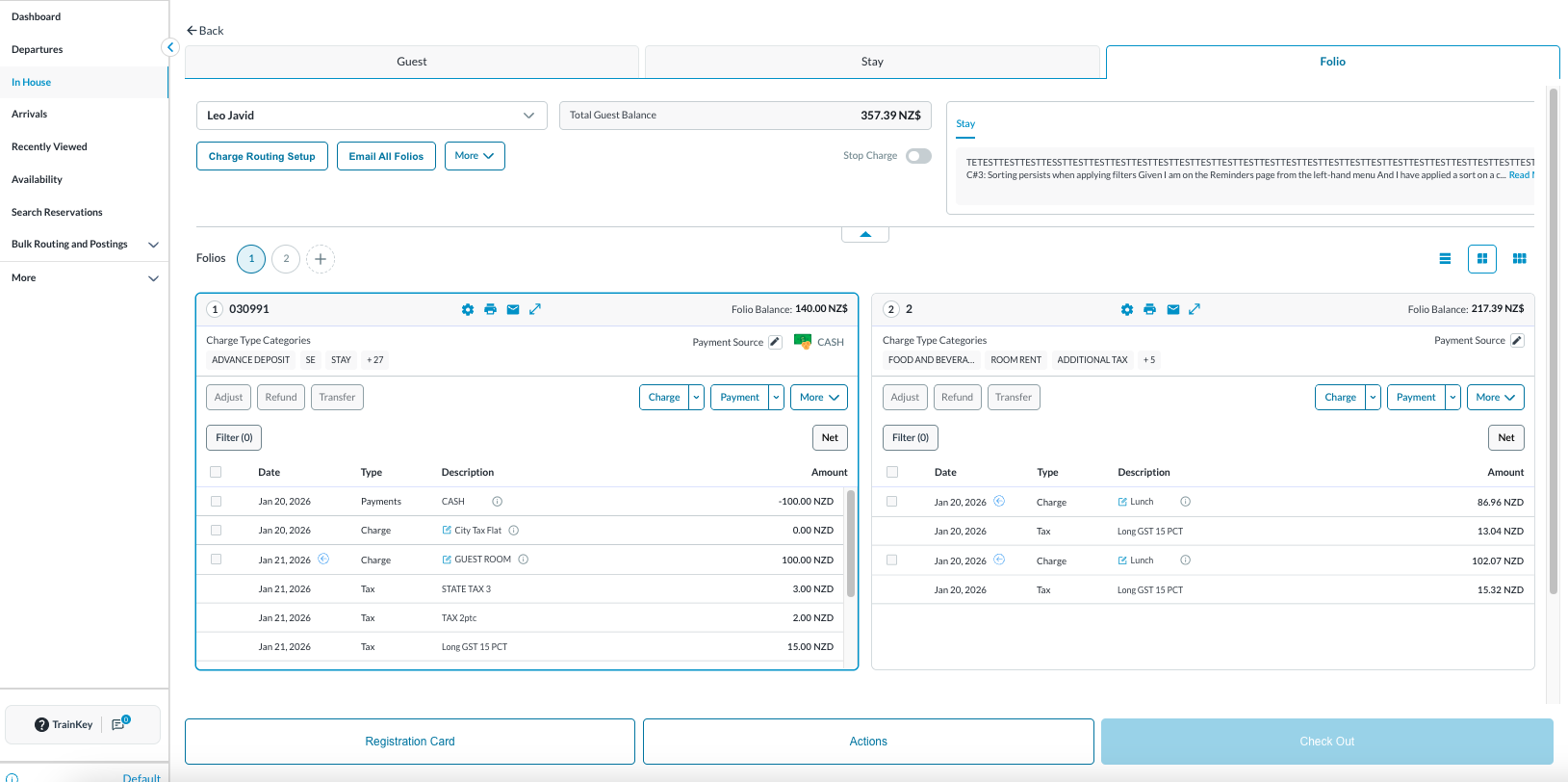
The Reservation Details page opens, displaying the Guest tab by default. Select the Folio tab.
Note: the folio screen automatically adjusts to the most efficient layout. If a reservation contains multiple folios, the screen defaults to Side-by-Side View. If there is a single folio, the screen will open in Full Detail View. |
|
|
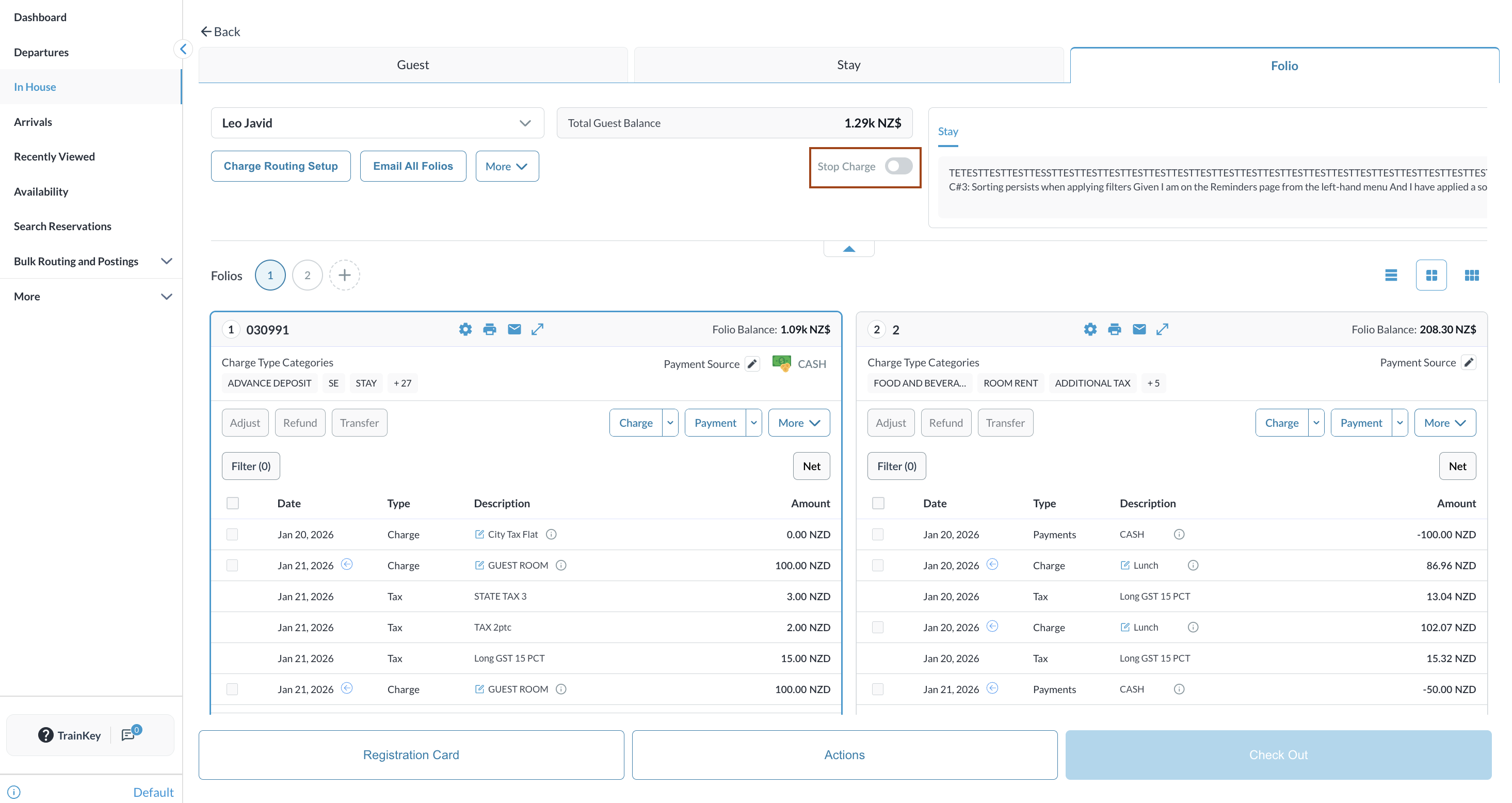
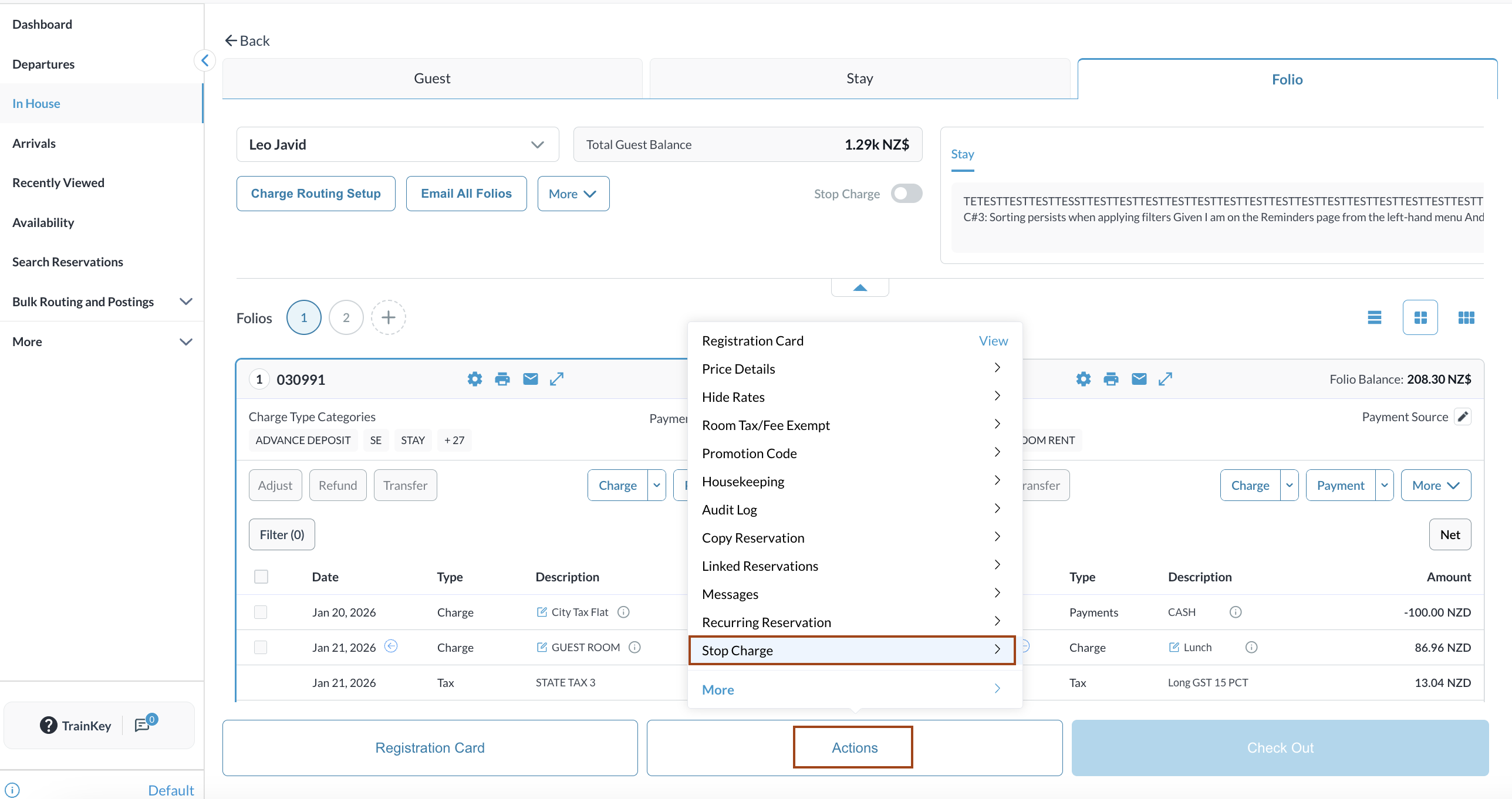
Switch on the toggle to enable or disable the Stop Charge. |
|
|
Alternatively, click on Actions to enable or disable the Stop Charge. |
|