
Revision Date:
Managing complex billing just got easier. The Transfer All functionality is a powerful enhancement to the Advanced Folio view, designed to streamline the reconciliation and billing process. Instead of manually selecting individual transactions, users can now move all charges and payments from one folio to another in a single, efficient action.
Applicable Folio Contexts:
-
Reservation
-
Group Master
-
House Account
|
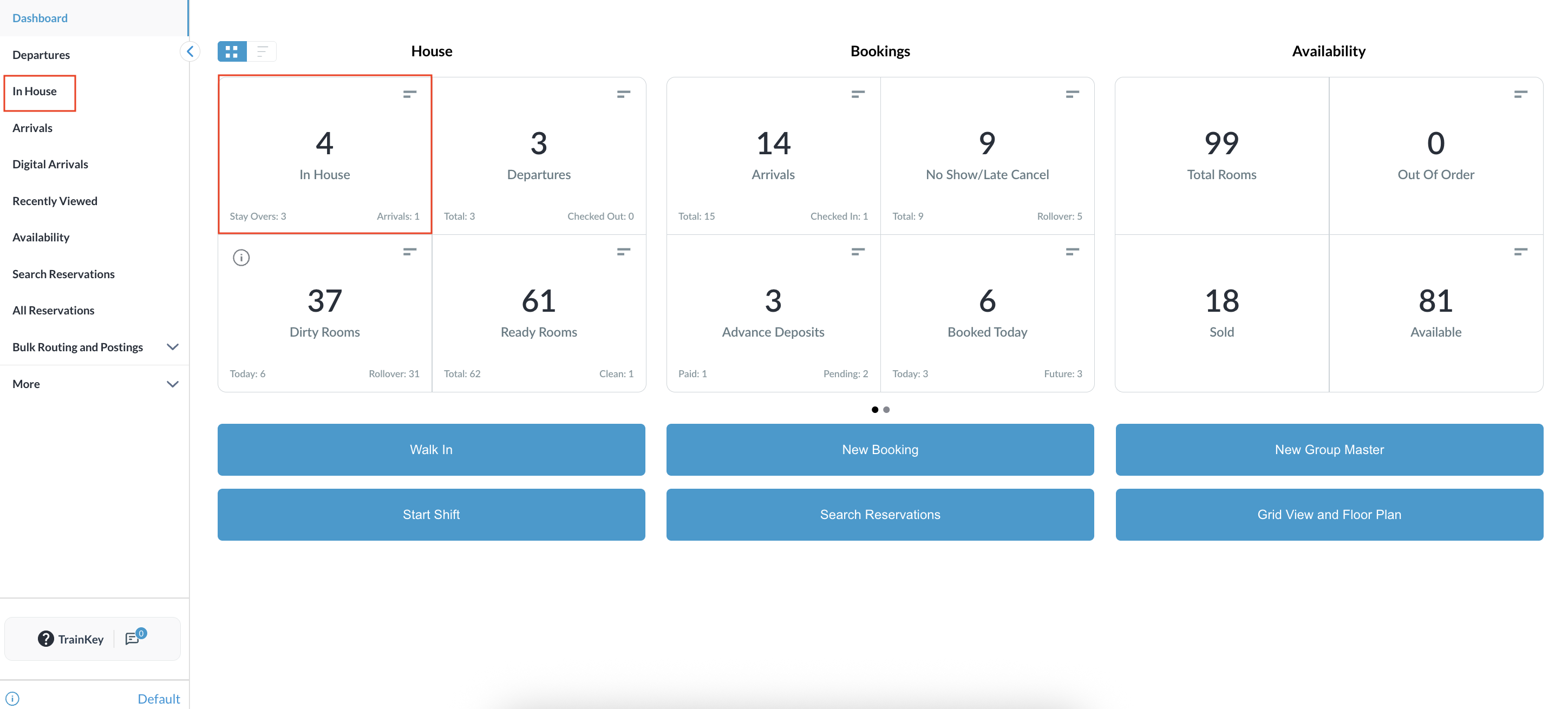
Navigate to Frontdesk Dashboard and click on In House Reservations |
|
|
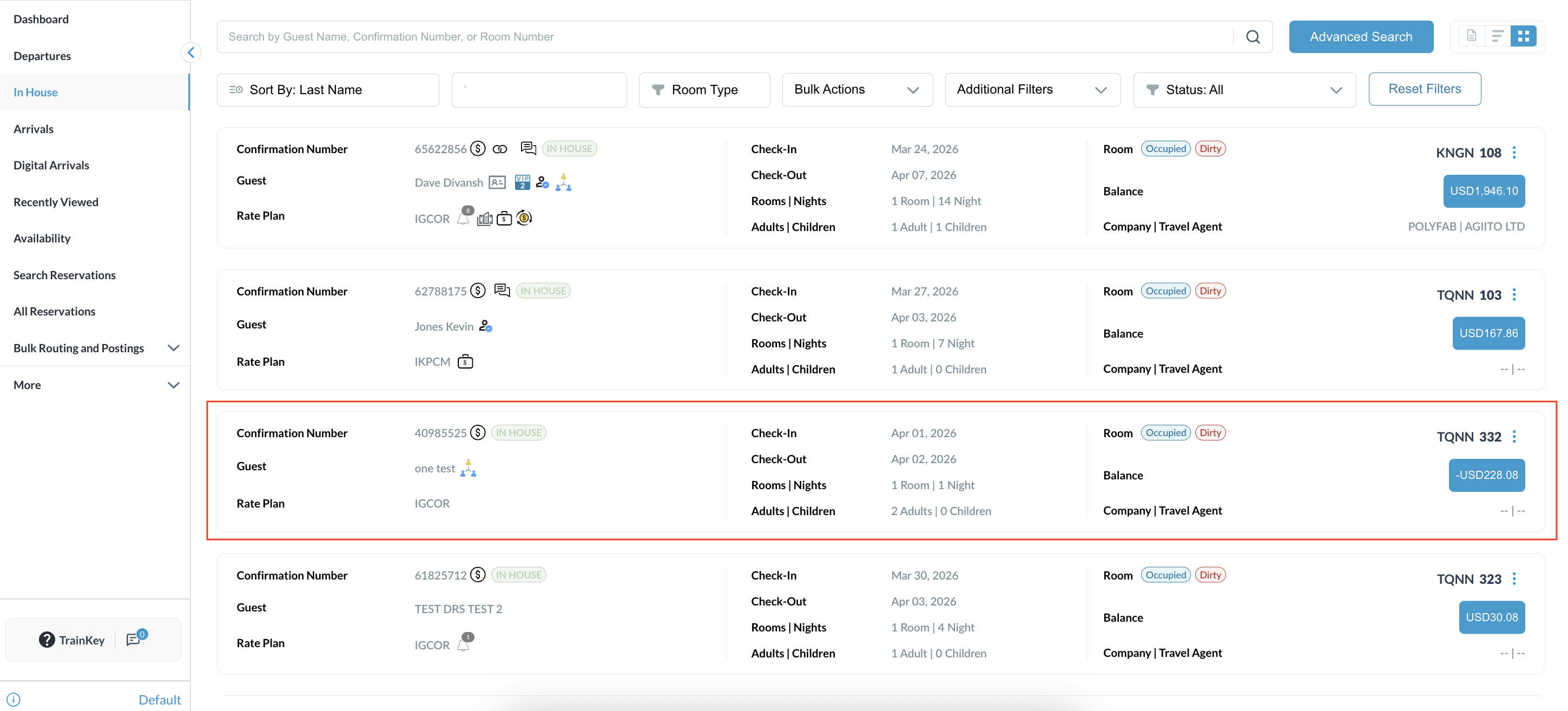
From the Inhouse reservations , click on the desired Reservation |
|
|
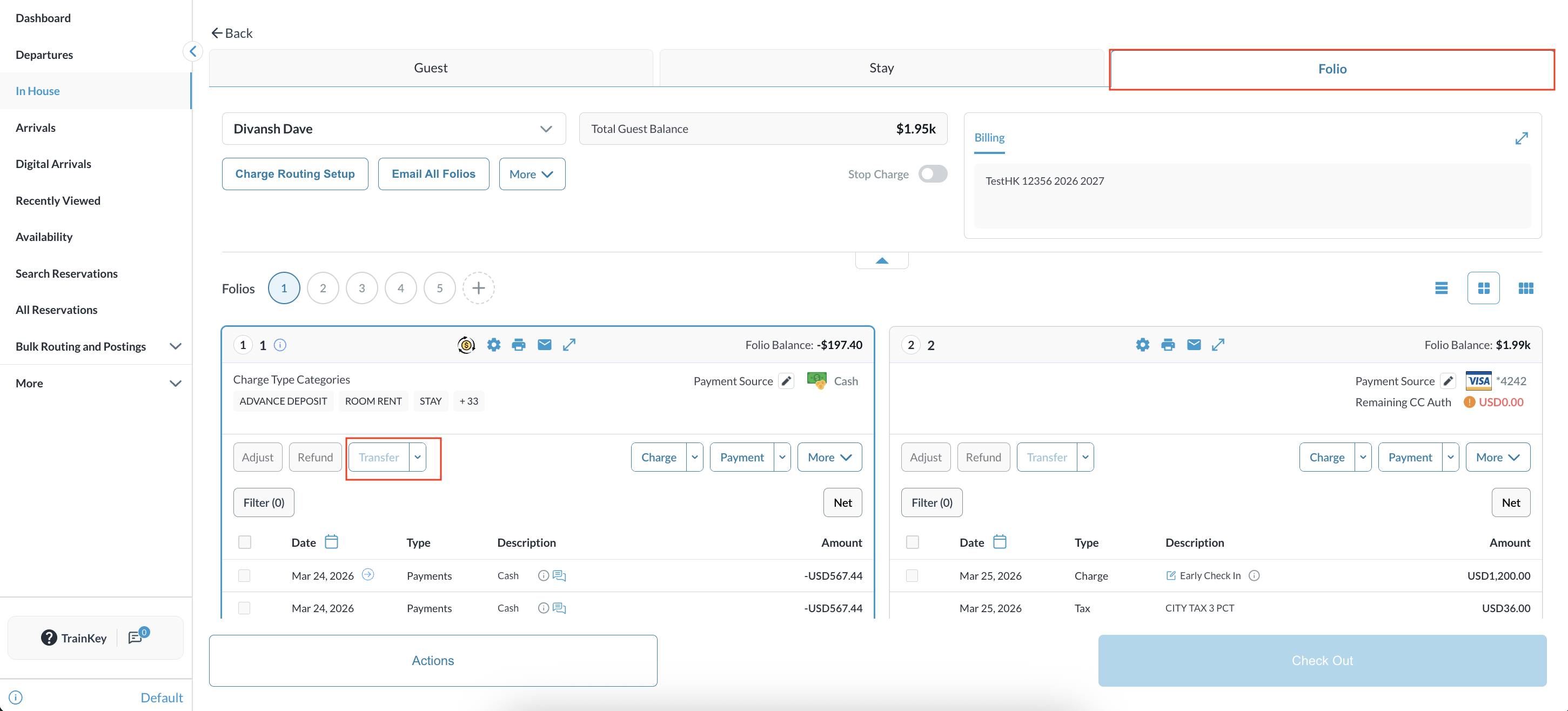
In the folio action toolbar, find the Transfer button.
|
|
|
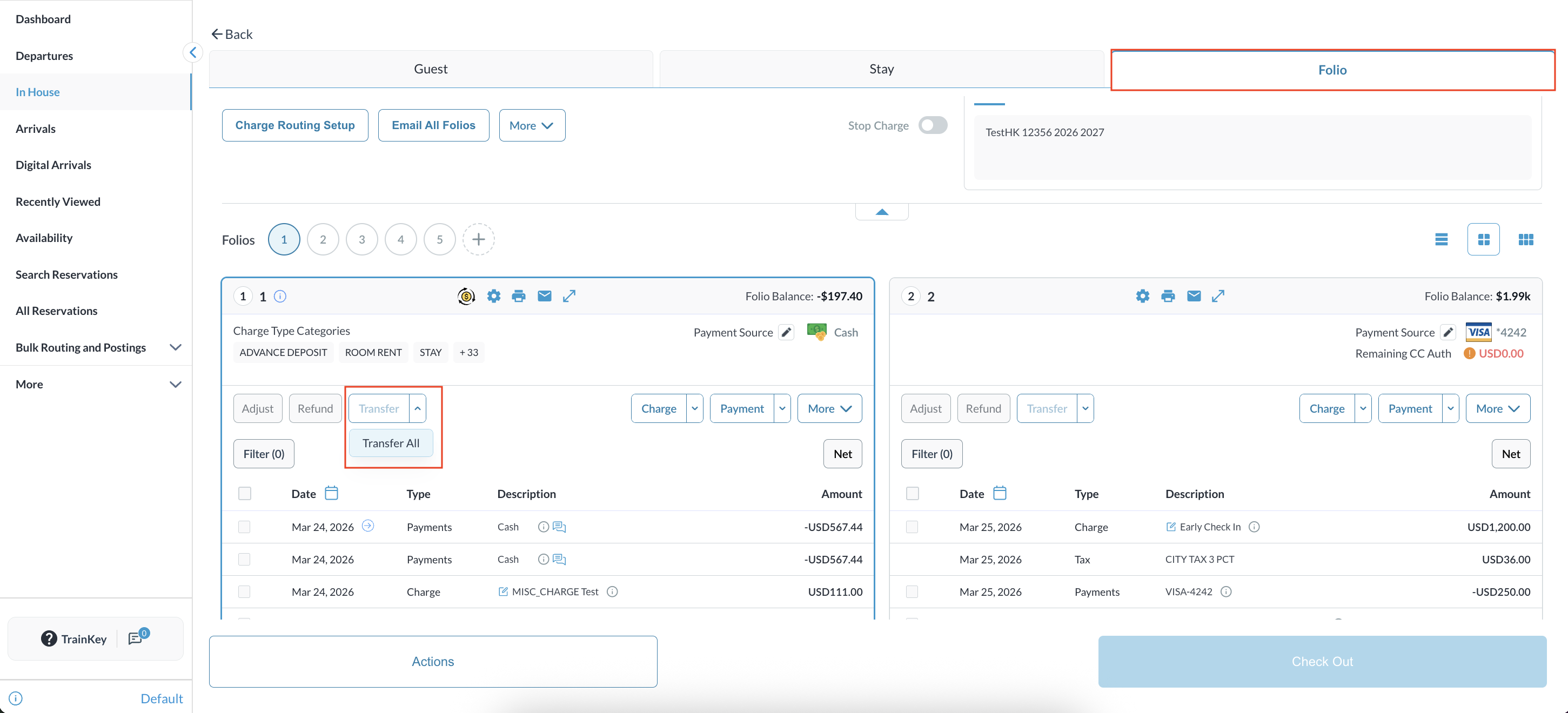
Click the dropdown arrow and select the Transfer All option.
|
|
|
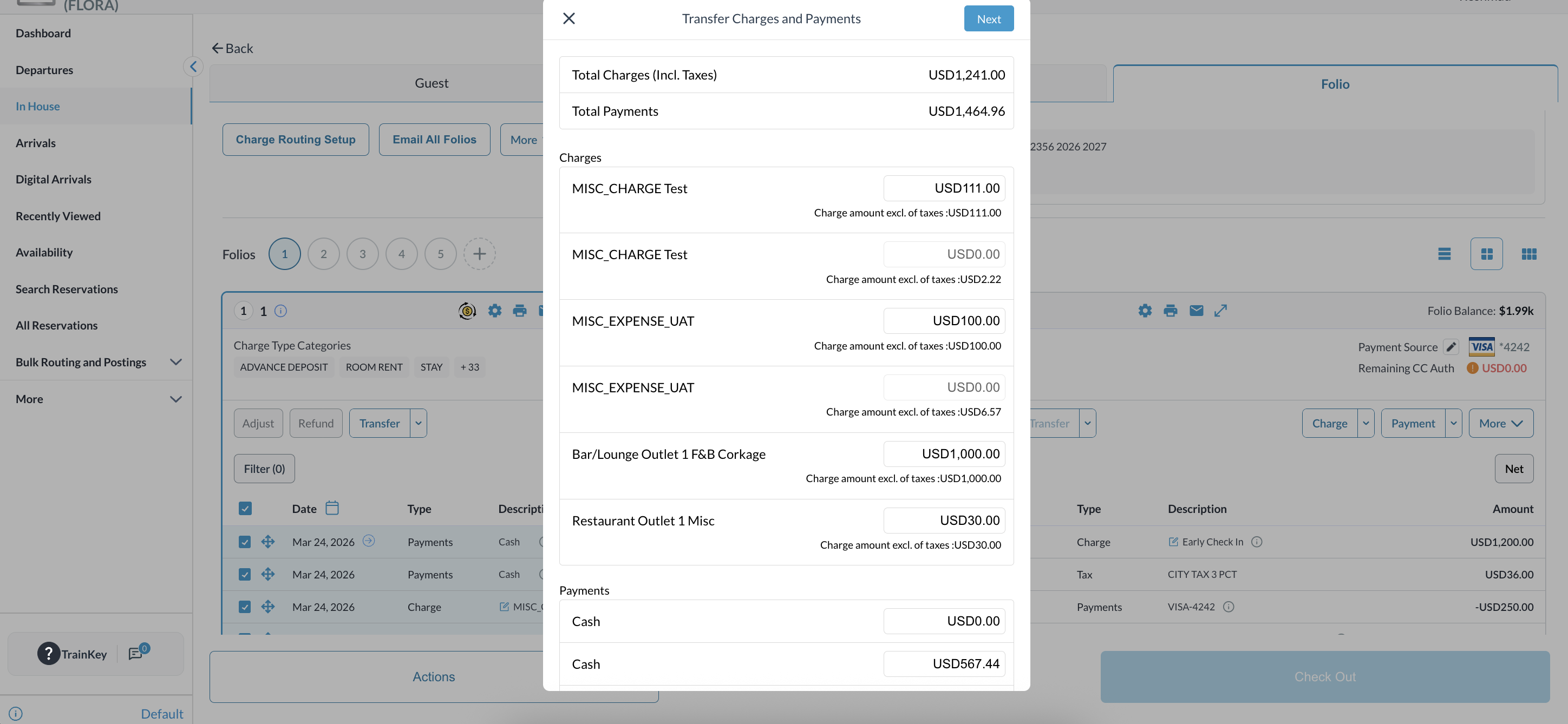
The standard Transfer Modal (popup) will appear. All items from the folio will be pre-populated in the list for your review.
|
|
|
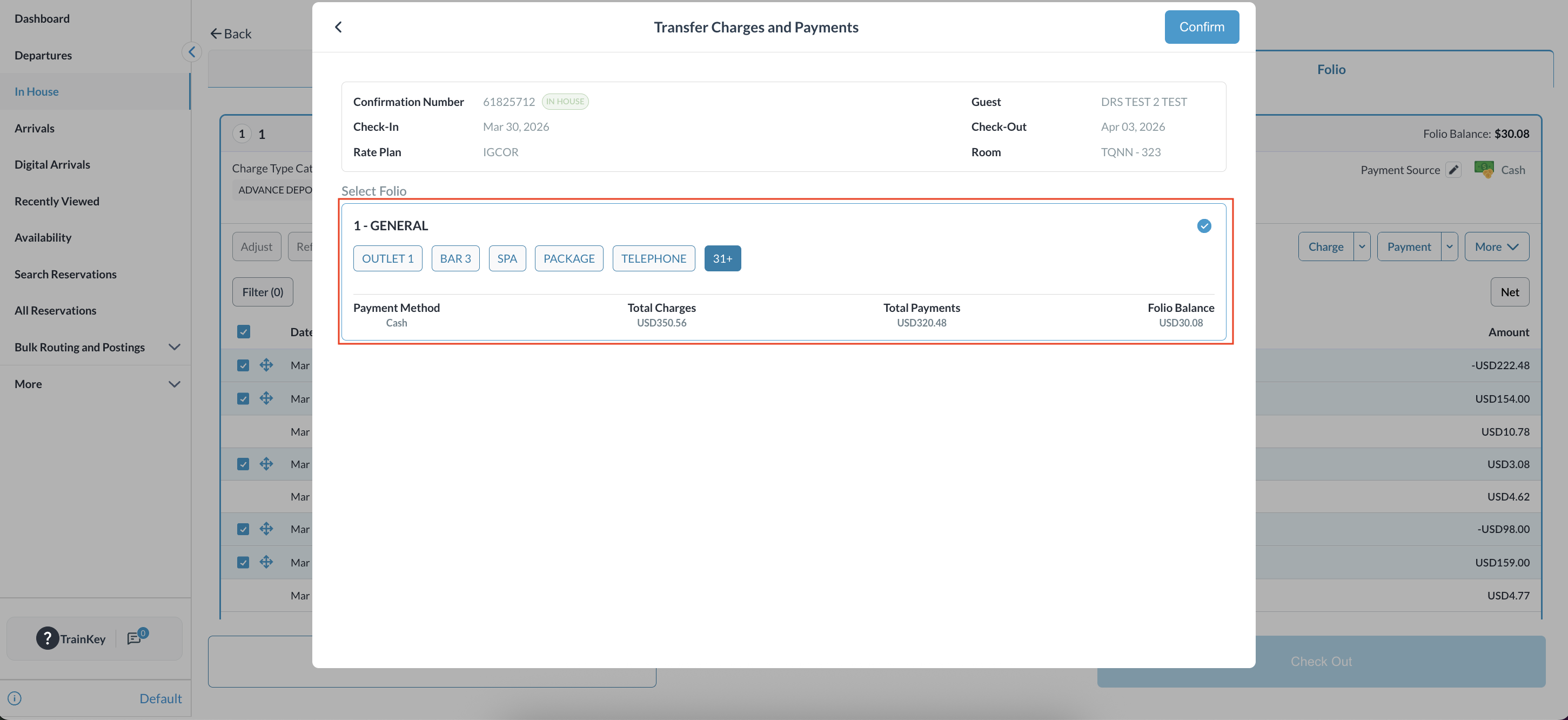
Select the destination folio and confirm the transfer to complete the process. |
|