Skip table of contents

View Payment Schedules .ng -v2

Revision Date:

The purpose of the “View Payment Schedules” functionality is to provide a centralised and transparent view of all financial obligations tied to a reservation.

It enables staff to quickly access payment details ensuring accuracy in guest communication and operational efficiency. By consolidating this information within the folio, the feature supports better financial tracking, reduces errors, and enhances accountability across teams.

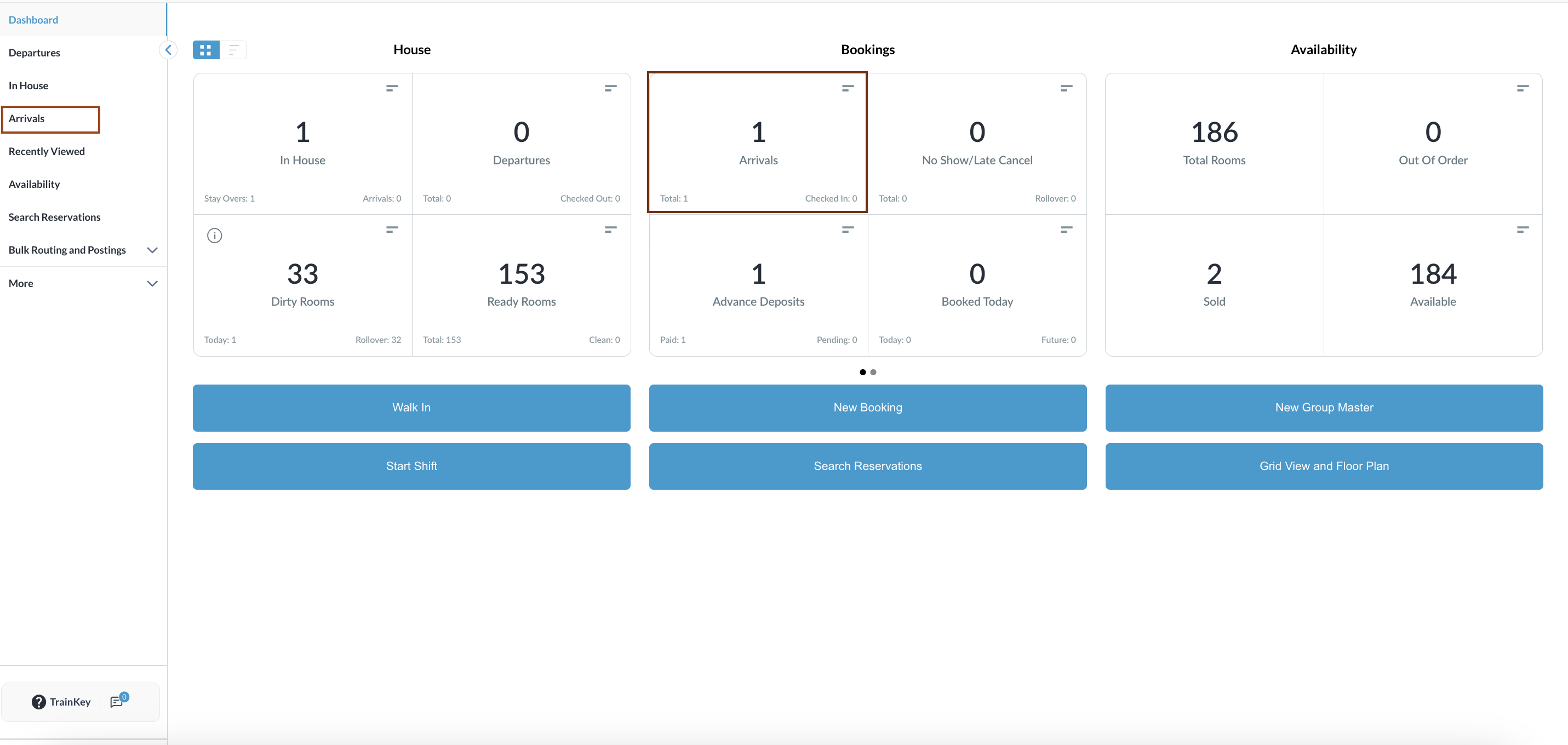
Navigate to Reservations

  • From the Dashboard, go to Arrivals.

  • Alternatively, access In-House reservations, search for a reservation, or use the main menu on the left.

  • The Arrival reservation list will open.

image-20260213-031647.png

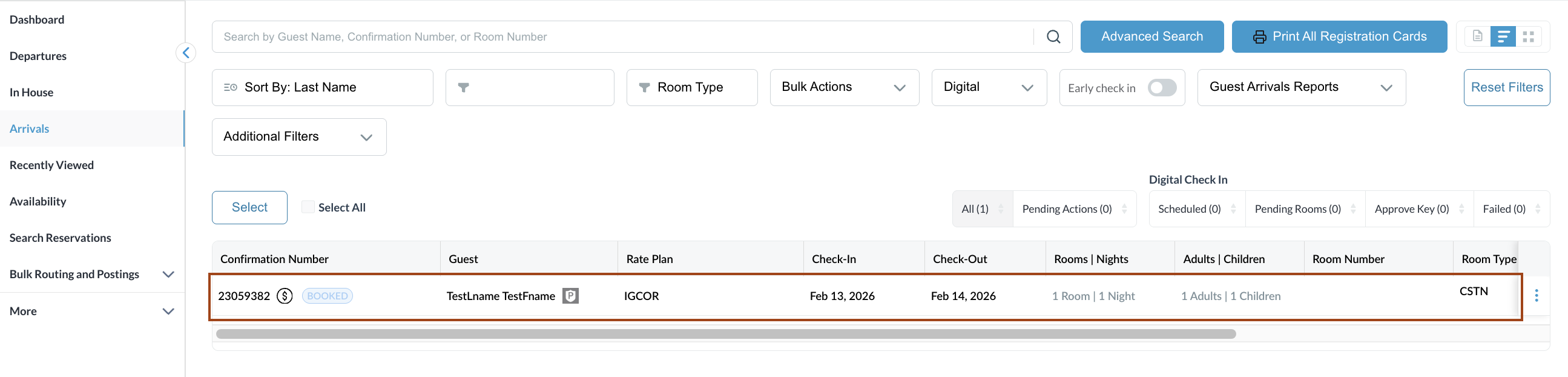
Select Reservation

  • Choose the desired reservation from the list.

image-20260213-031924.png

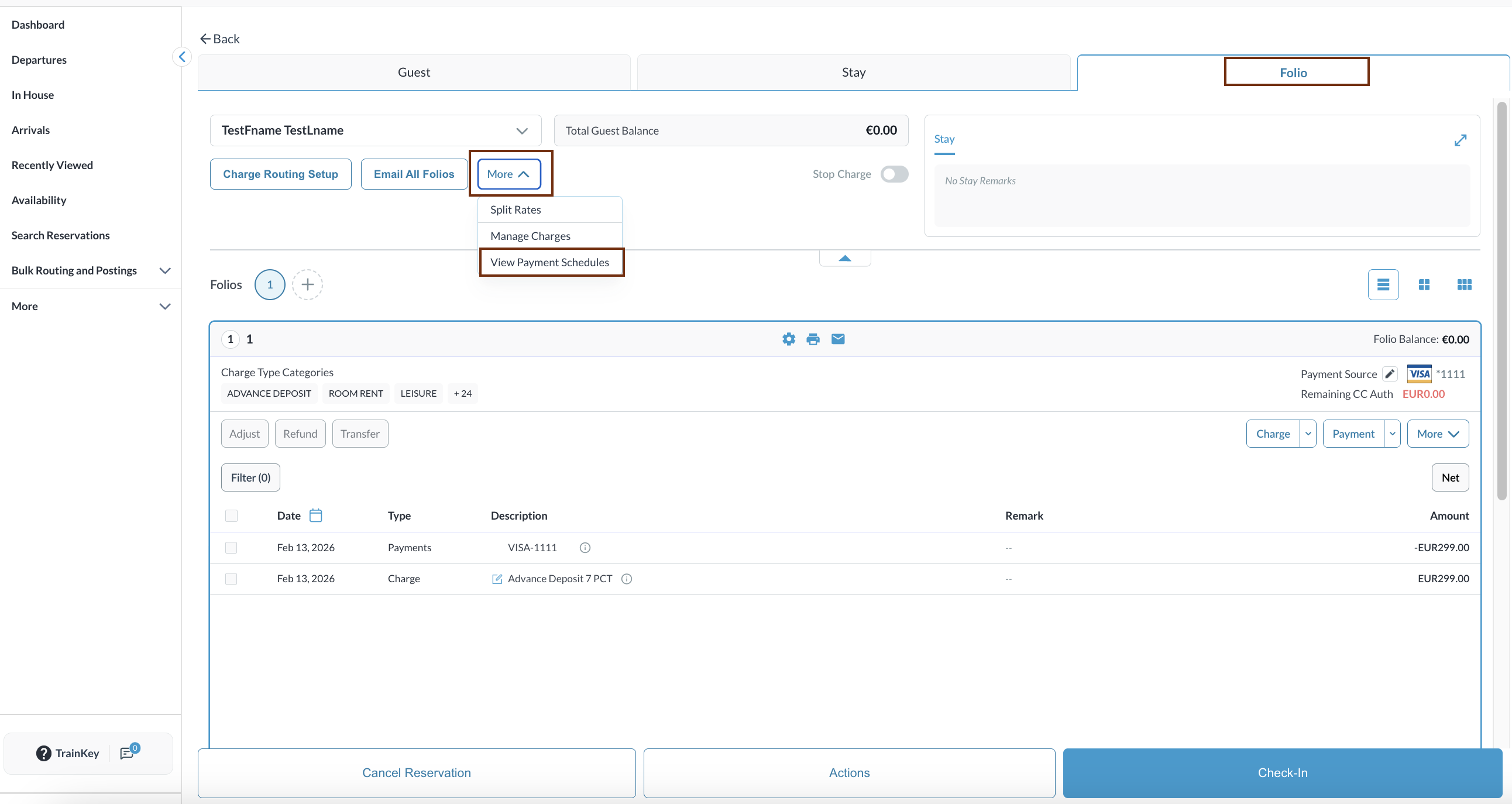
Access Folio

  • Within the reservation, go to the Folio tab.

  • Click More and select View Payment Status.

image-20260213-032318.png

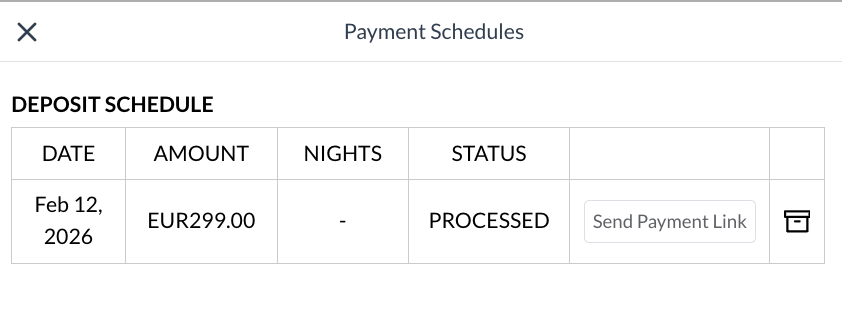
Payment Schedules Page

  • The Payment Schedules page will open, displaying:

    • Date of each payment.

    • Amount paid or due.

    • Number of nights covered.

    • Status for each payment: Processed, Failed, Complete.

    • Available Actions

      • Send Payment Link to the guest for pending payments

      • Delete Record if a payment entry needs to be removed (with proper authorization).

image-20260213-032430.png

NOTE

  • Always verify the schedule before confirming reservation details with guests.

  • Ensure updates to payment terms are reflected in the folio before finalising.

JavaScript errors detected

Please note, these errors can depend on your browser setup.

If this problem persists, please contact our support.