
📆 Revision Date:
This article covers transferring balances remaining on an reservation i.e transferring the balance of the folio with charges and payments to a House Account.
|
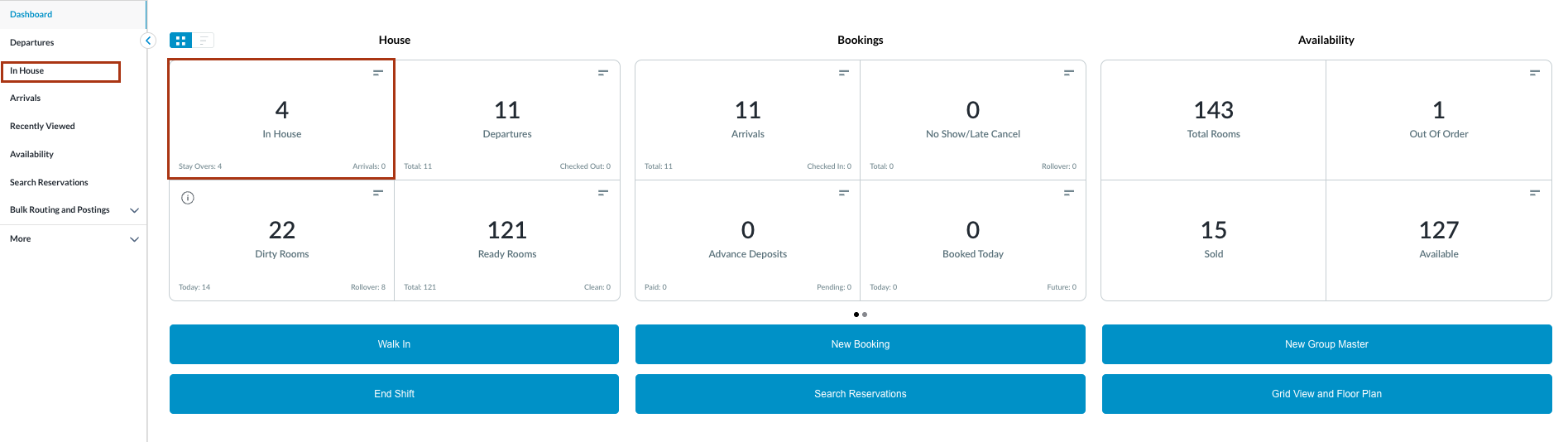
Navigate to In House reservations from Front Desk Dashboard You can also search for in-house reservations using the options in the left-side menu.
|
|
|
The In House listings page will load. Select the reservation where the Folio balance needs to be transferred to a House Account. |

|
|
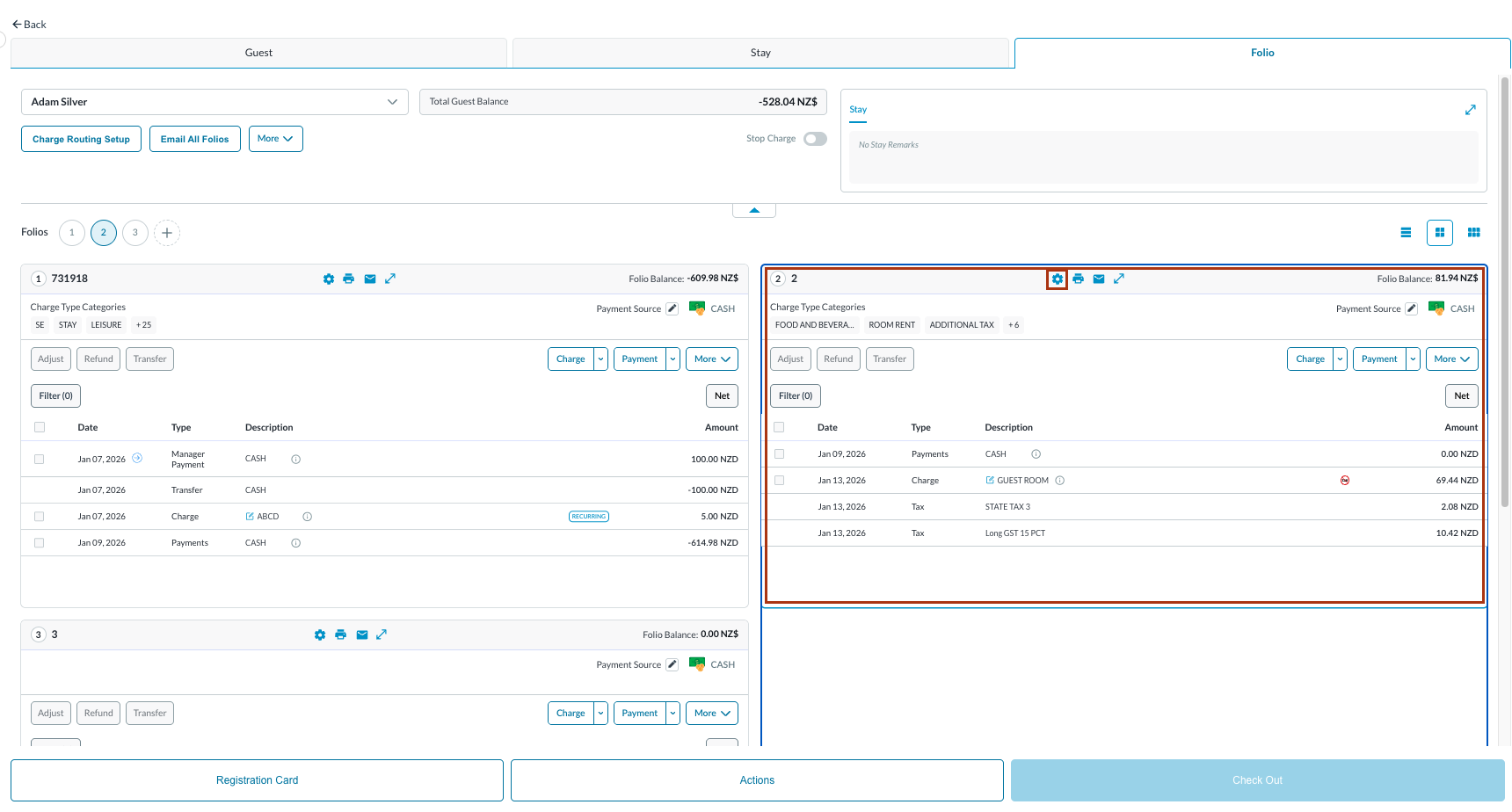
The Guest folio tab opens by default.
Note: the folio screen automatically adjusts to the most efficient layout. If a reservation contains multiple folios, the screen defaults to Side-by-Side View. If there is a single folio, the screen will open in Full Detail View. |
|
|
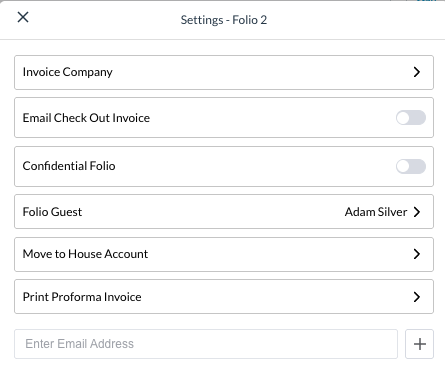
Folio Settings window popups Select Move to House Account |
|
|
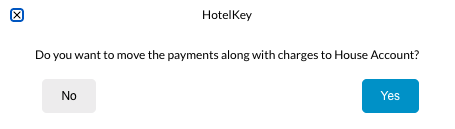
Answer Yes to confirm the transfer to a House Account |
|
|
Success window loads Select View House Account to go to the House Account created for this folio balance |

|
|
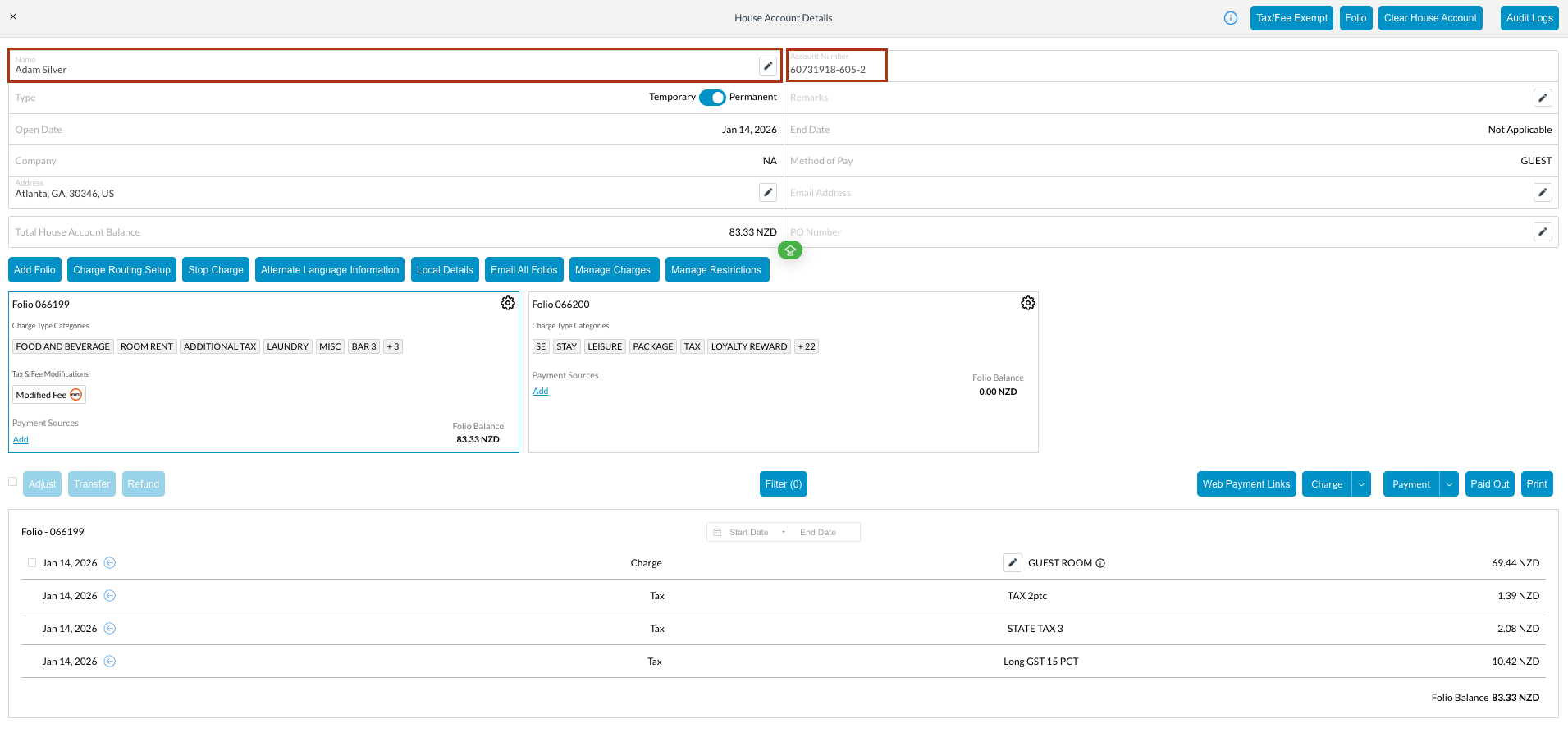
Verify the House Account with the name. A unique Account Number is applied Moved charges and payments will be held in this house account until further action is taken; allowing for the reservation to be checked out of the system |
|
|
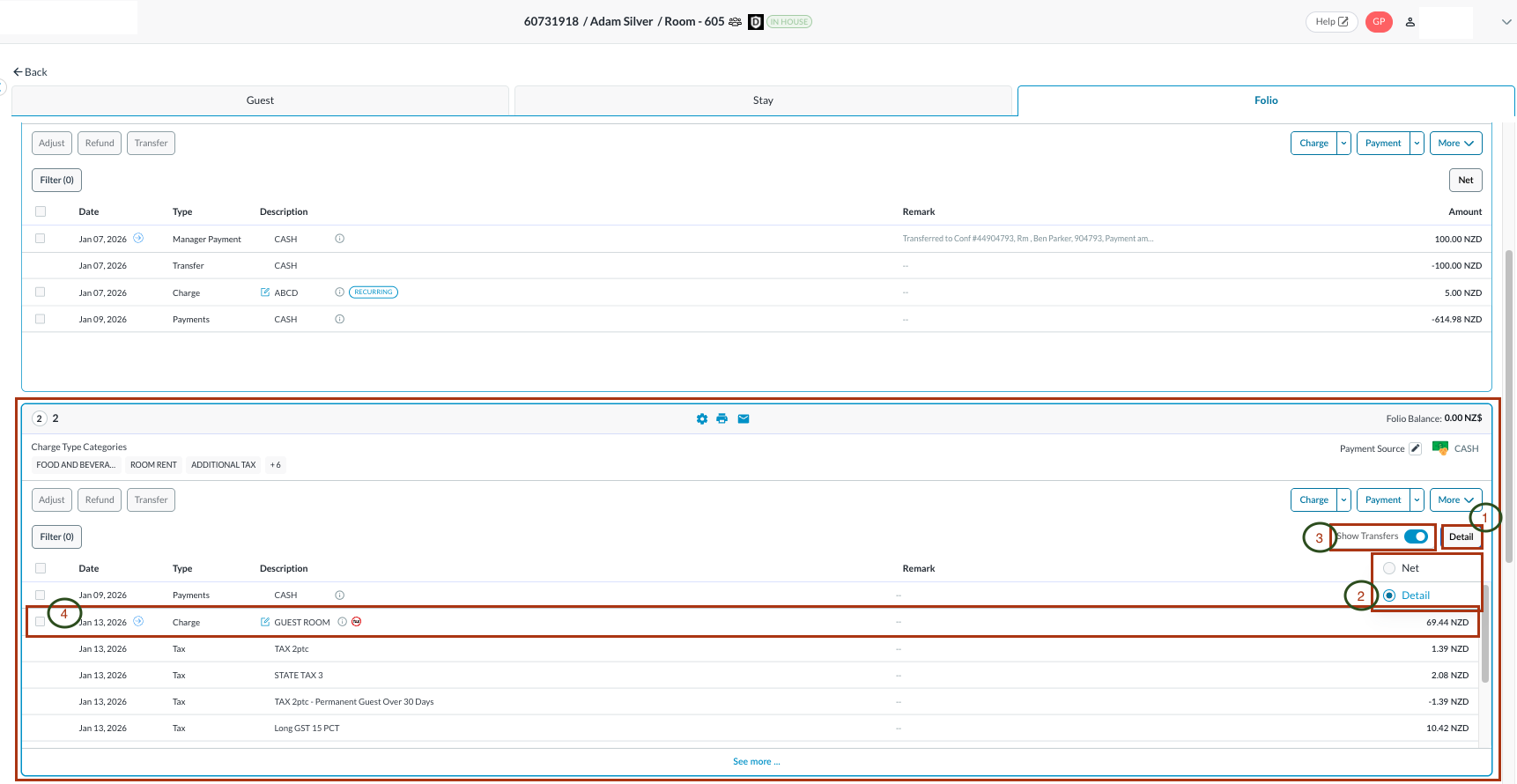
Review the transfer. Go back to Folio. Click on the Net button and choose Detail Toggle the Show Transfers button to ON |
|
|
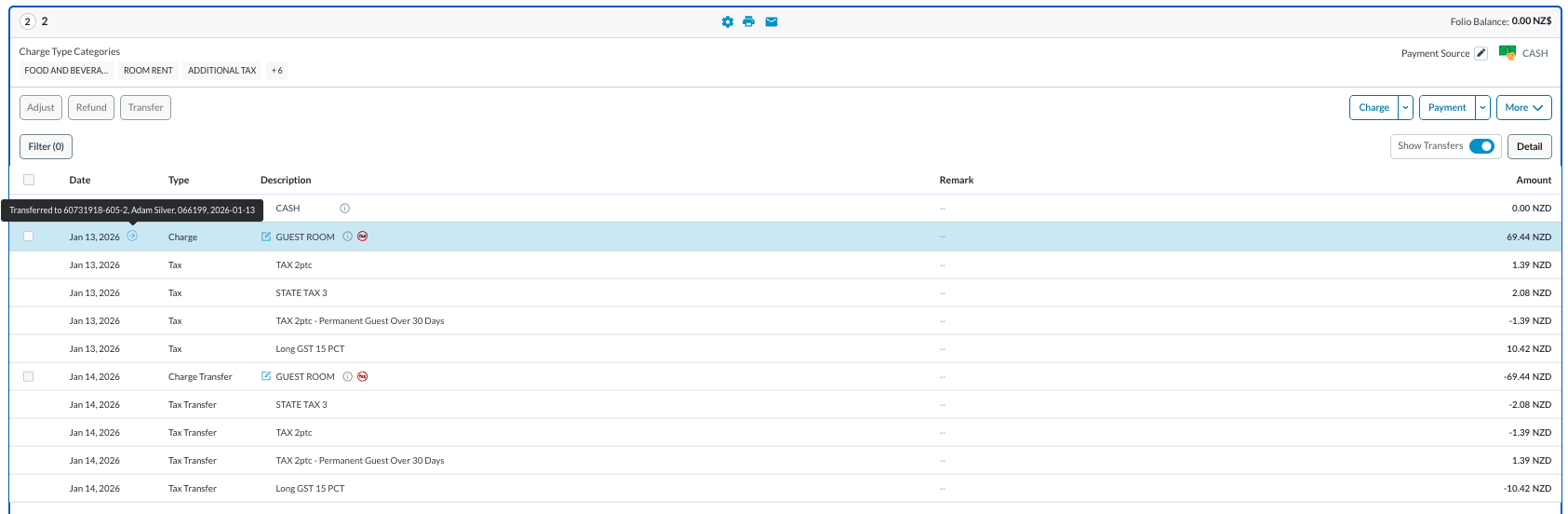
All folio activity loads Hover over the Notice the house account number is referenced |
|
