
📆 Revision Date:
To transfer a posted charge from one folio to another within the same reservation.
It walks through selecting the charge, choosing the destination folio, and confirming the transfer so charges are reflected accurately across folios.
|
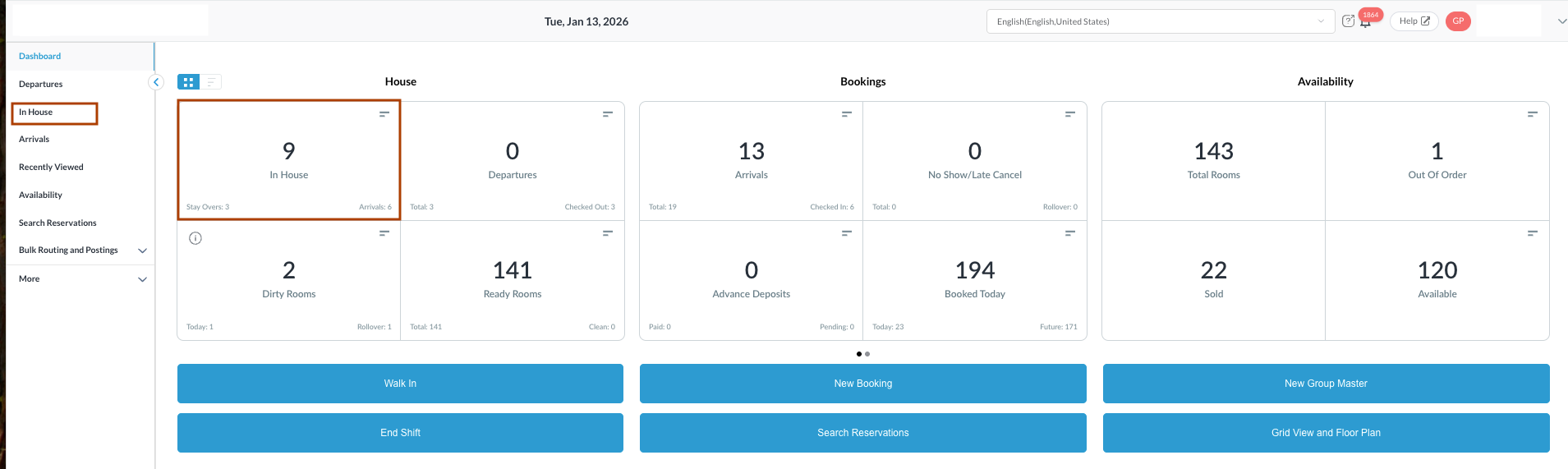
Navigate to In House reservations from Front Desk Dashboard You can also search for in-house reservations using the options in the left-side menu. |
|
|
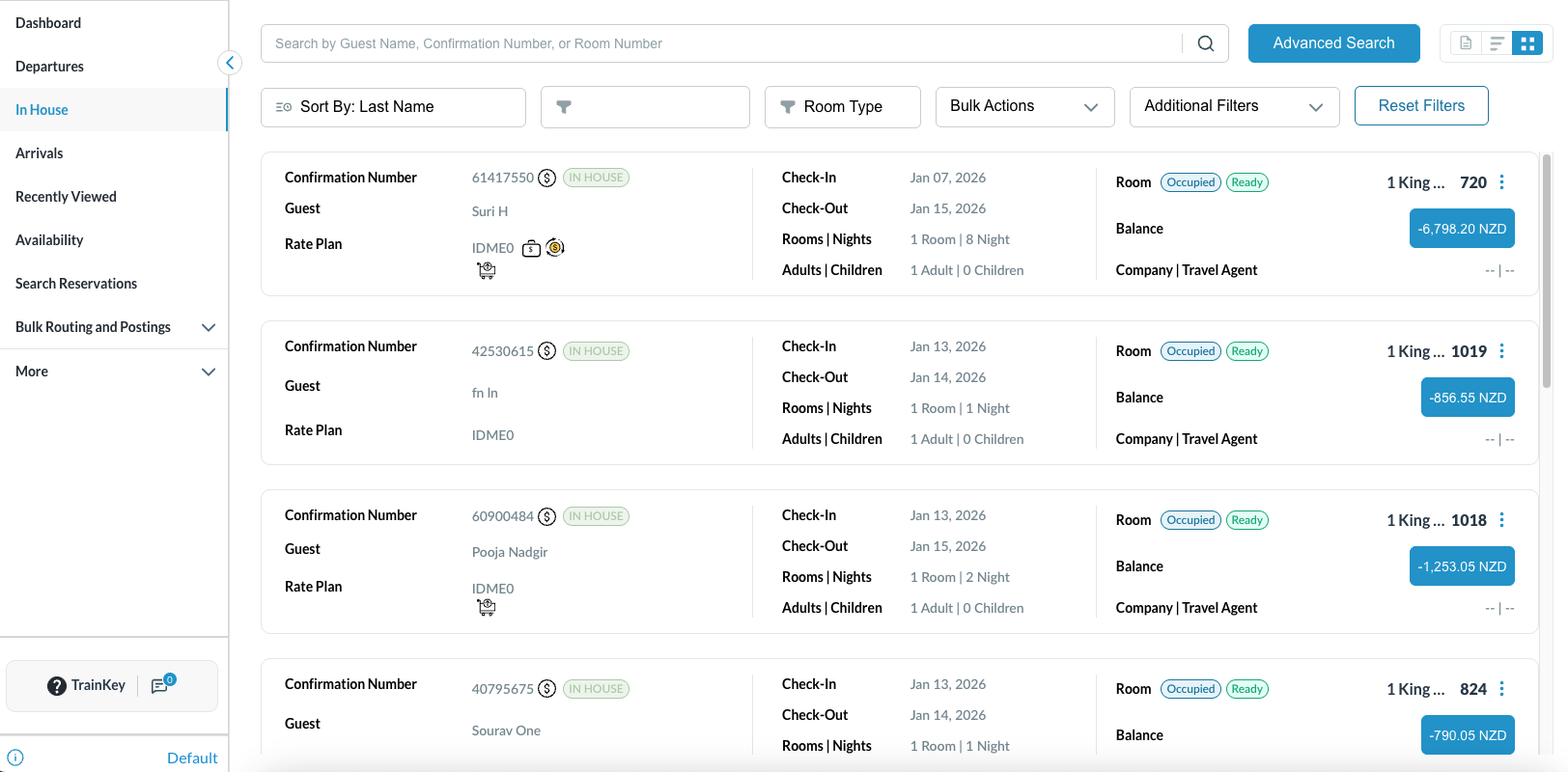
The In House listings page will load. Select the reservation from which the charges or payments need to be transferred. |
|
|
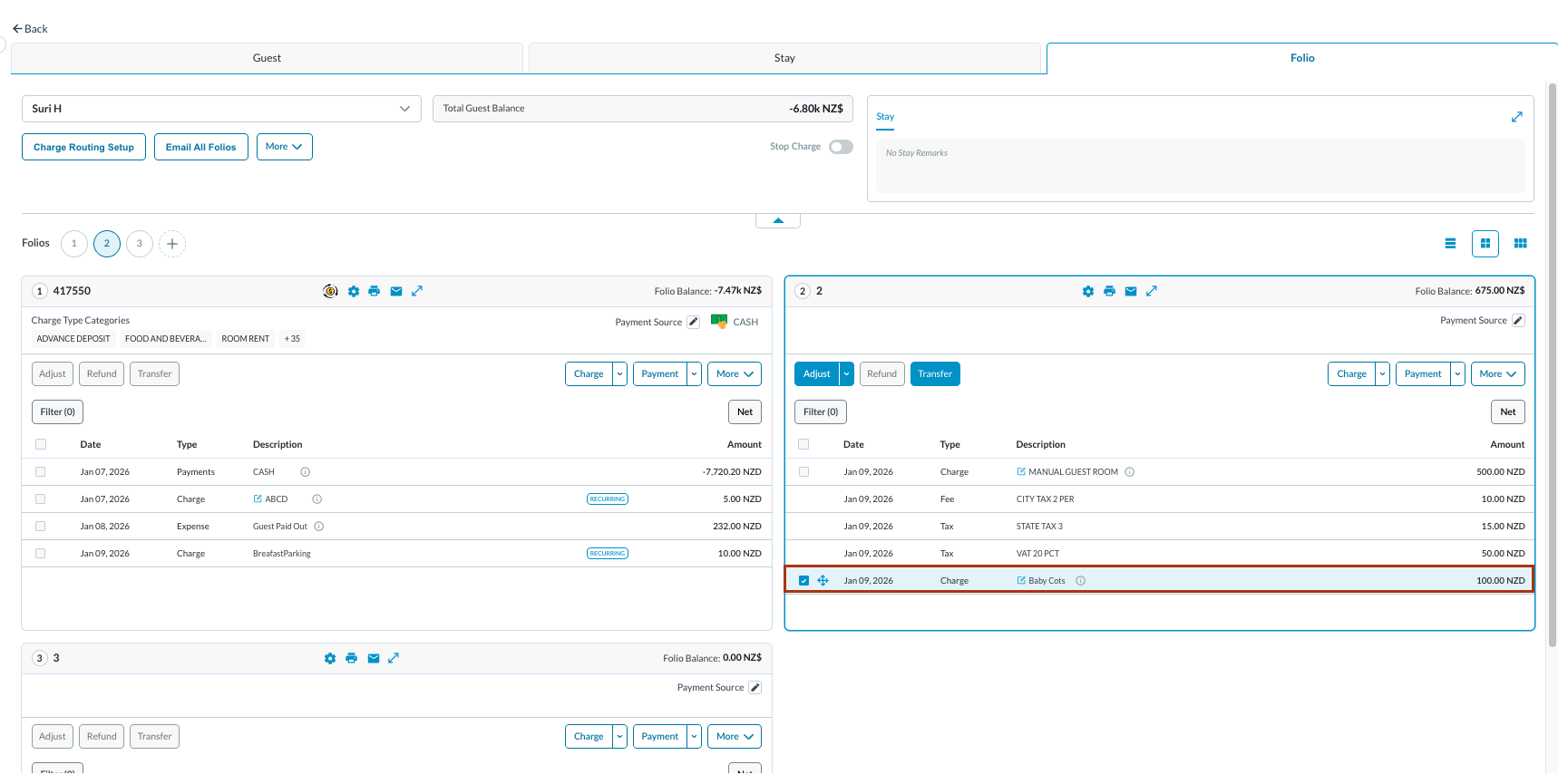
The Reservation Details page will open, displaying the Guest tab by default. Navigate to and select the Folio tab to proceed.
Select Transfer to proceed. Note: the folio screen automatically adjusts to the most efficient layout. If a reservation contains multiple folios, the screen defaults to Side-by-Side View. If there is a single folio, the screen will open in Full Detail View. |
|
|
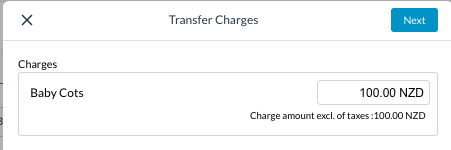
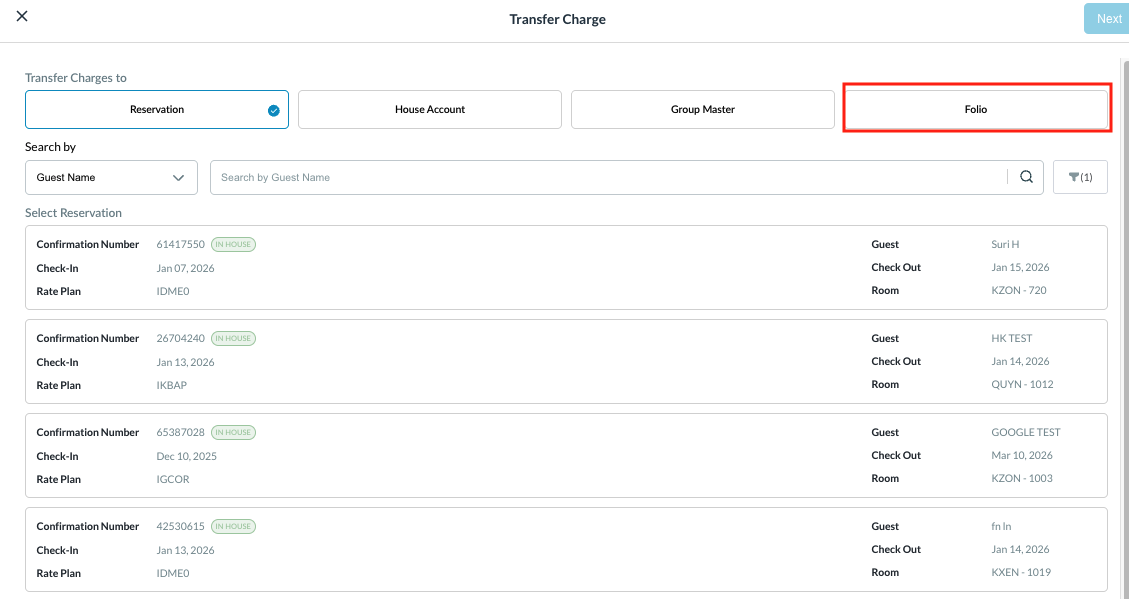
The Transfer Charges window appears.
Select Next to continue. |
|
|
You can transfer charges to a Reservation, House Account, Group as in this example - to a Folio within the same reservation.
|
|
|
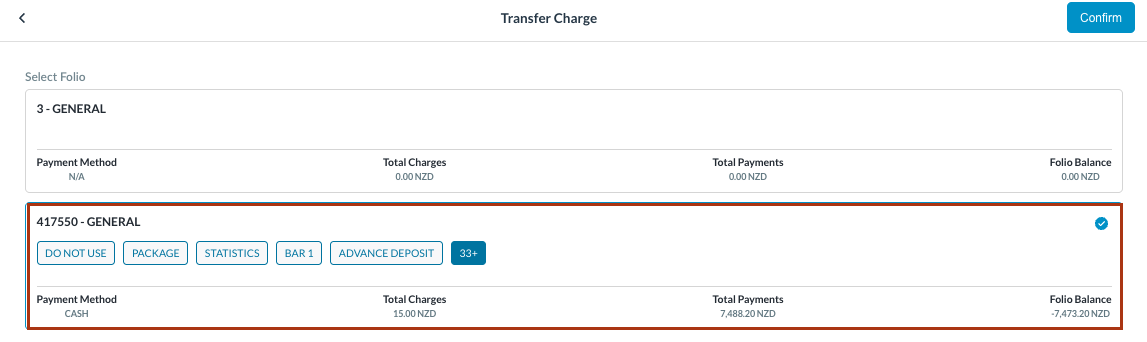
Transfer Charge popup loads.
You will get a message pop up “Success Charges moved successfully” |
|
|
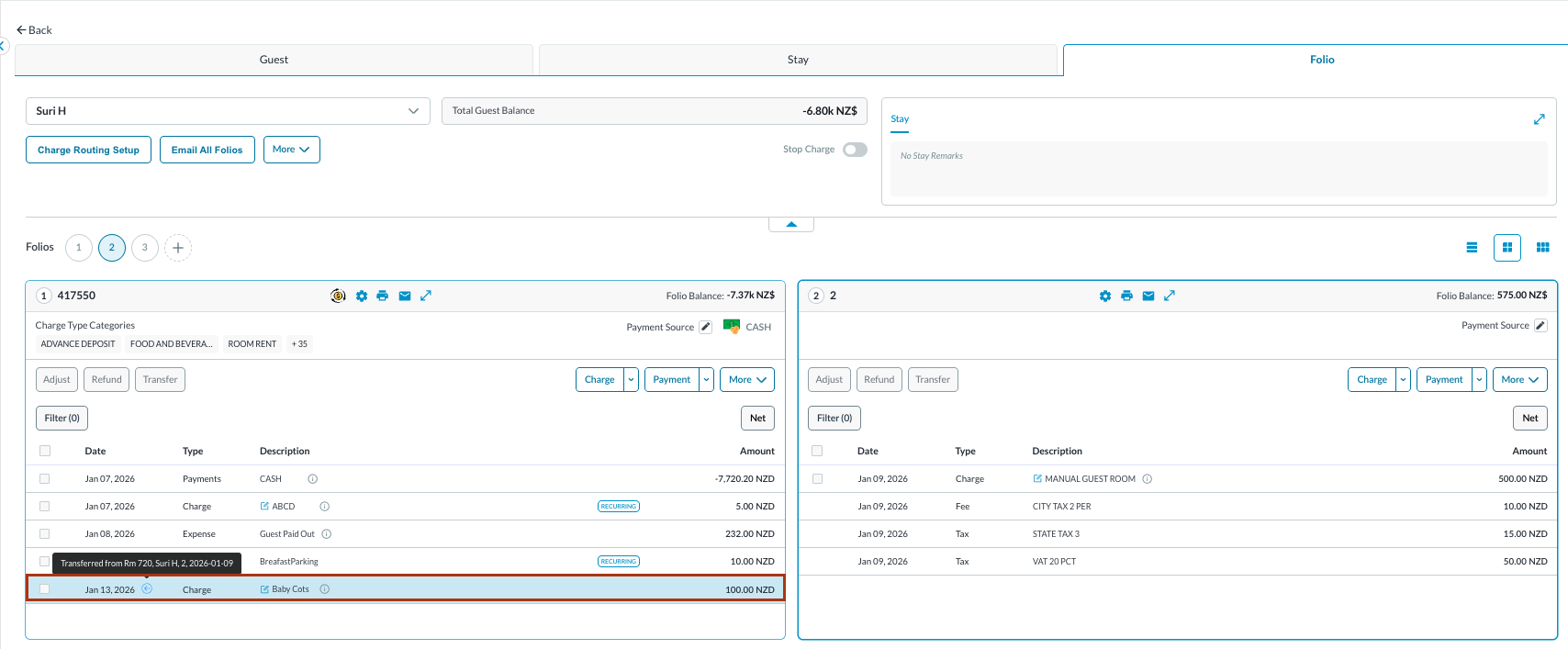
You can now see the transferred entry, hover on the blue arrow and the details can be seen. Change in Folio Balance can be seen in both the Folios. |
|