
📆 Revision Date:
Manager Charge Adjustments provide an alternative way to issue a refund by posting a negative charge in the PMS. These adjustments are visible on the guest receipt, allowing guests to clearly view the adjustment details.
|
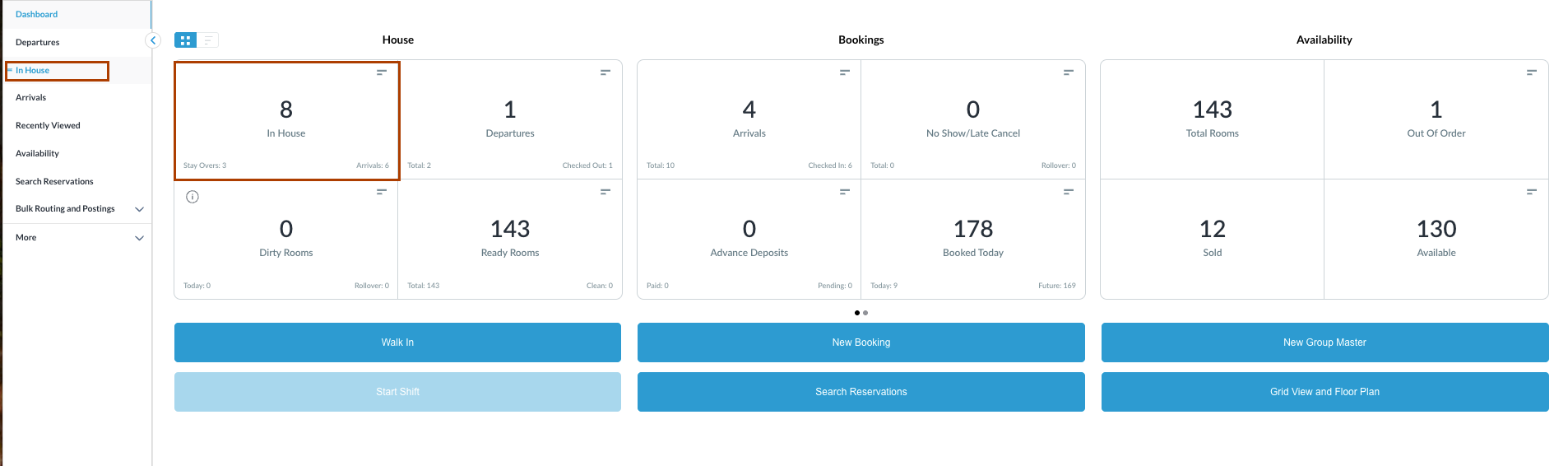
Navigate to In House reservations from FrontDesk Dashboard You can also search for in-house reservations using the options in the left-side menu. |
|
|
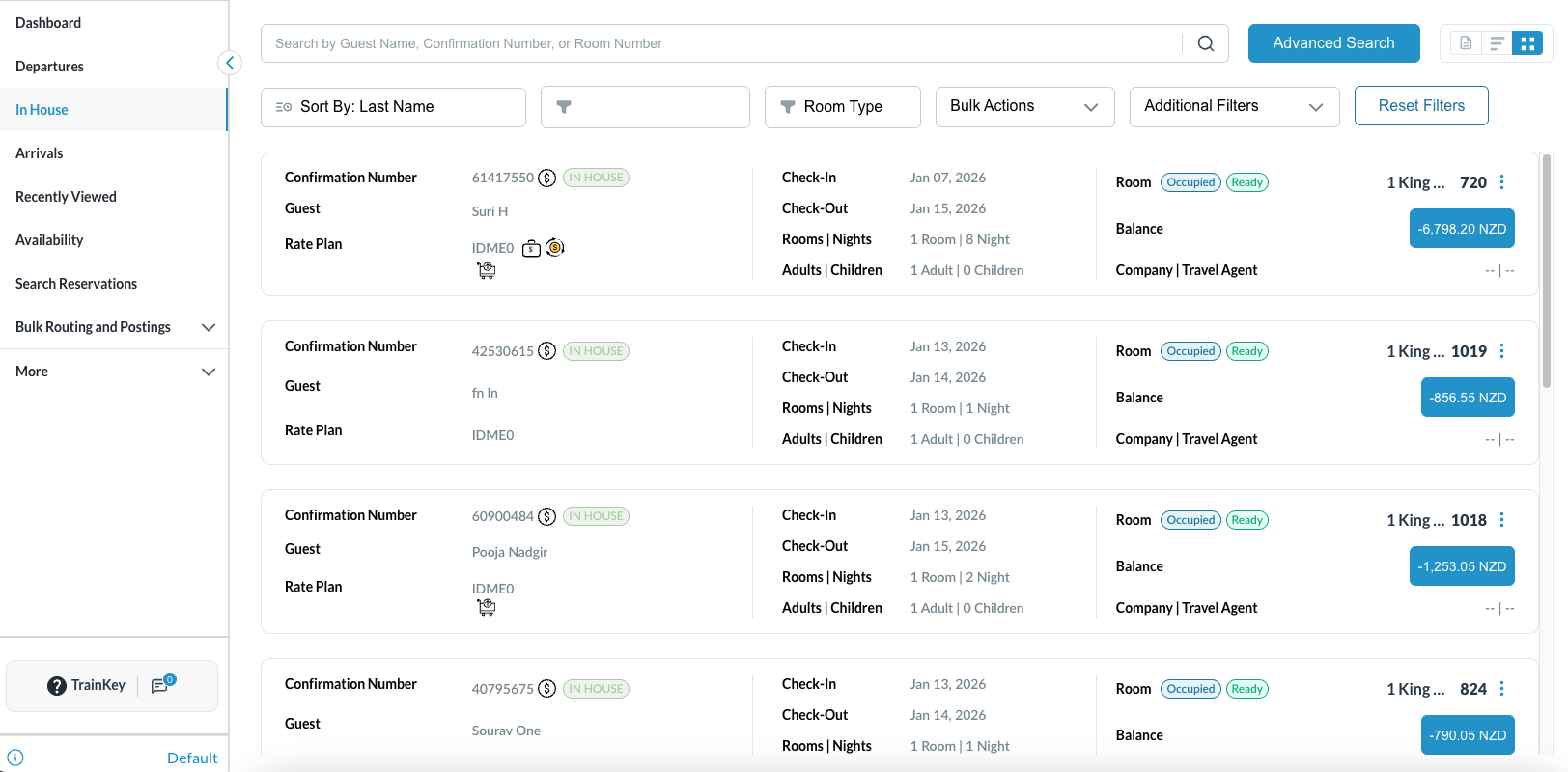
The In House listings page will load. Select the reservation for which the charges needs to be adjusted. |
|
|
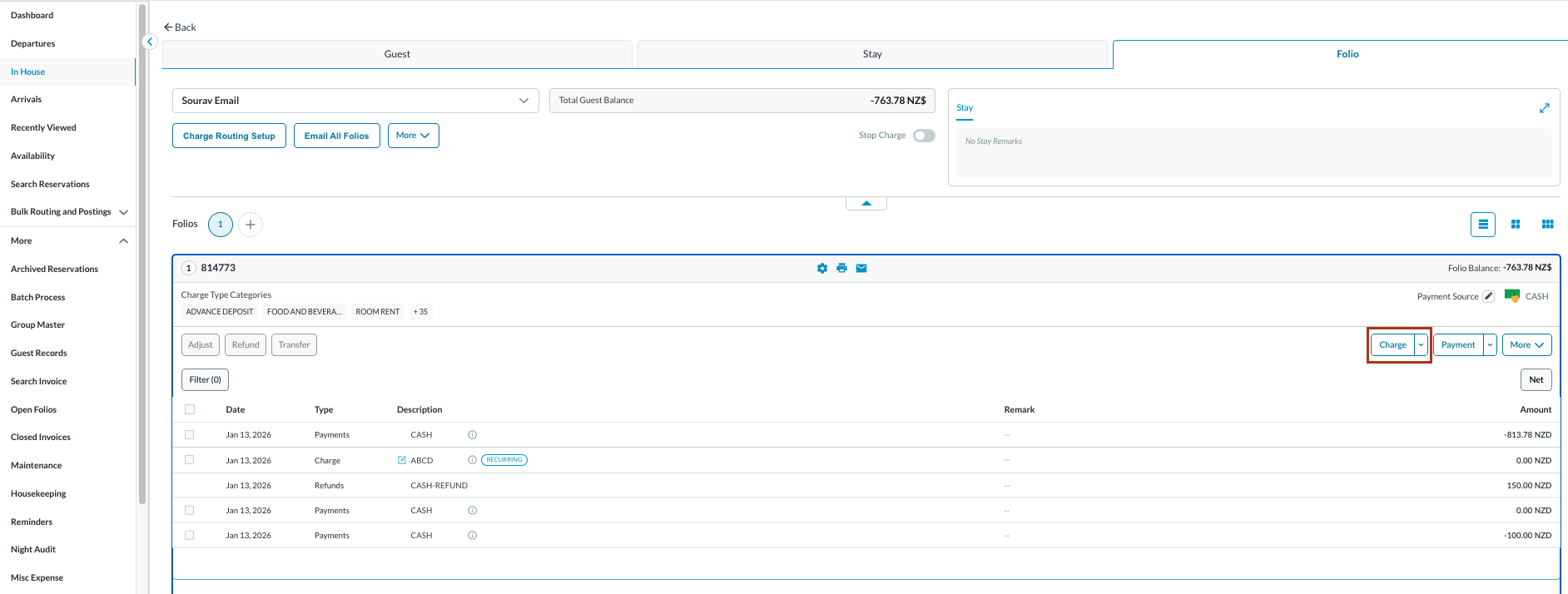
The Reservation Details page opens with the Guest tab selected by default.
Note: the folio screen automatically adjusts to the most efficient layout. If a reservation contains multiple folios, the screen defaults to Side-by-Side View. If there is a single folio, the screen will open in Full Detail View. |
|
|
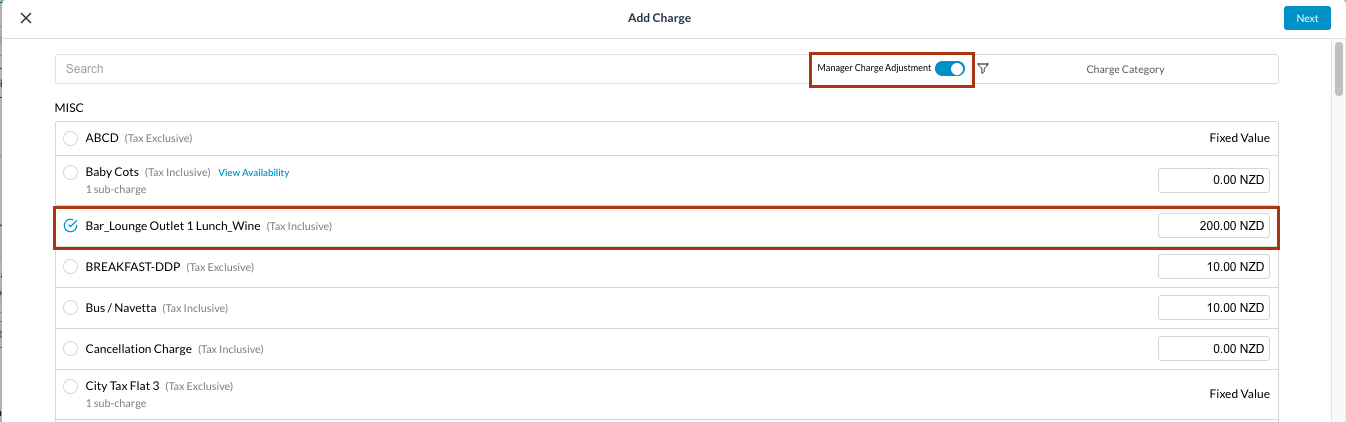
Toggle Manager Charge Adjustment to ON. Select the applicable Charge Category and enter the Adjustment Amount, then select Next.
|
|
|
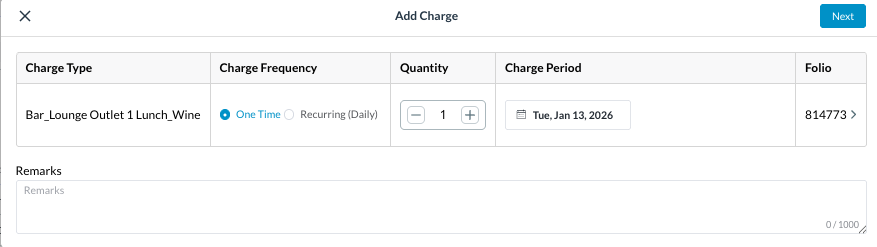
The Add Charge screen opens, showing the adjustment details. You can mention if the charge is one time or recurring (daily) along with its quantity.
|
|
|
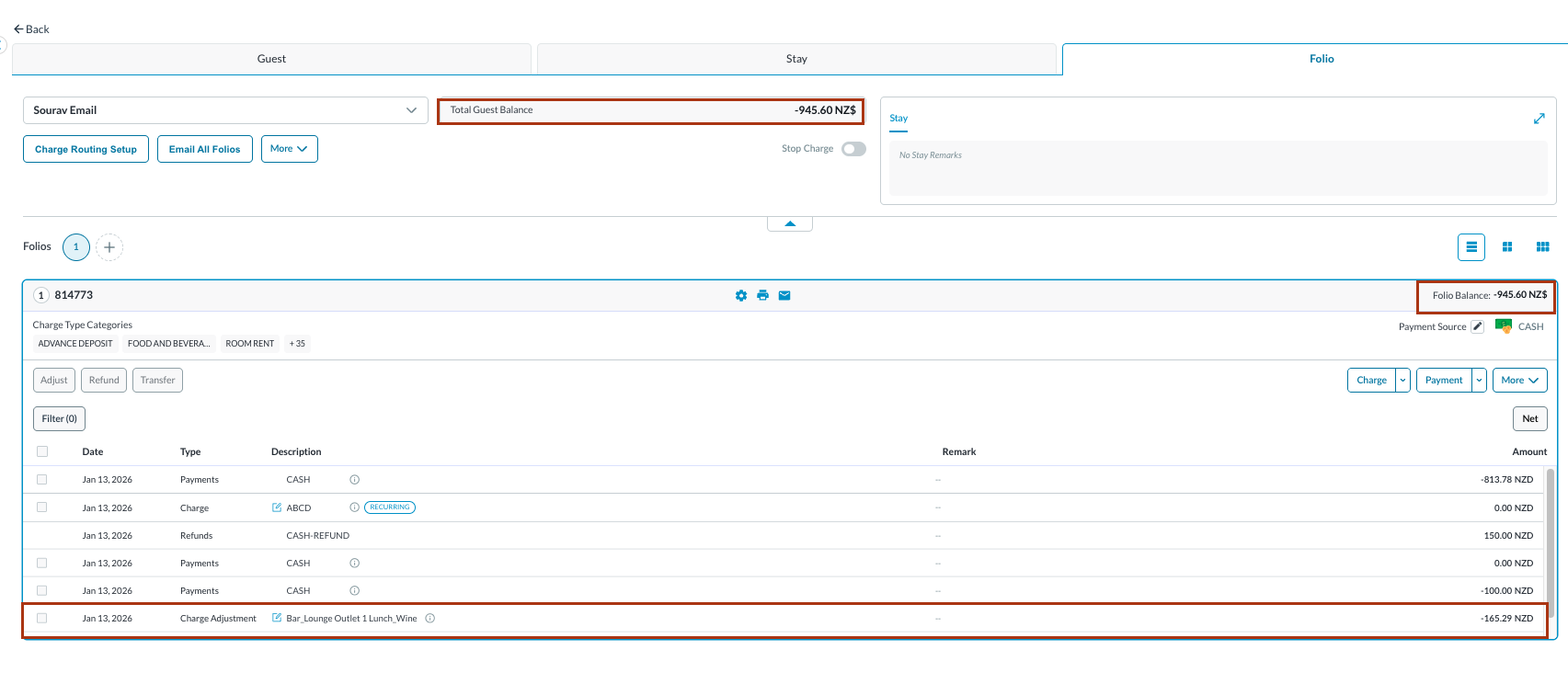
The Folio is updated to display the manager charge adjustment. Change in Folio balance can be seen. |
|
|
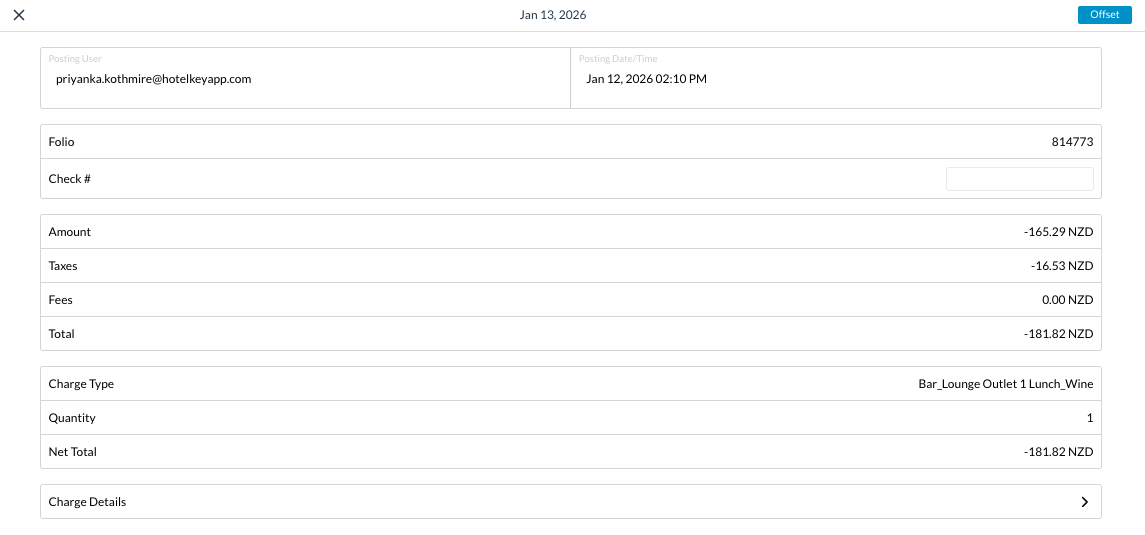
The details of the charge and tax can be seen when clicked on the entry. |
|