
📆 Revision Date:
To transfer posted payments between folios within the same reservation through selecting a payment, choosing the destination folio, and verifying the transfer in the Folio tab.
|
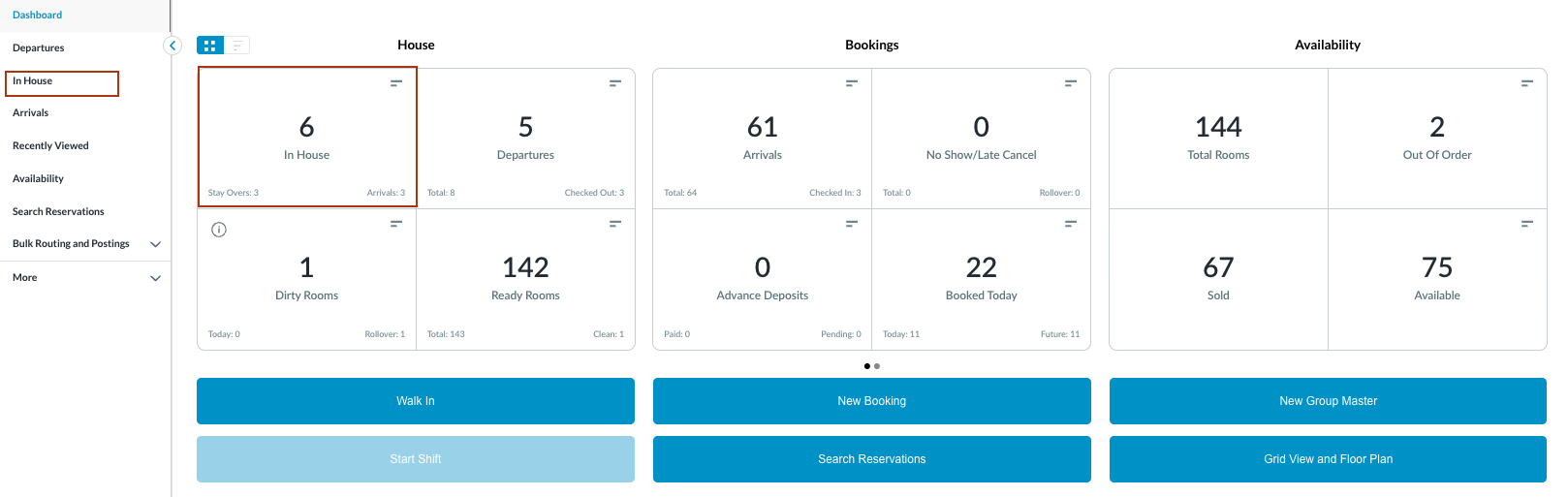
Navigate to In-house reservations from front Front Desk Dashboard You can also search for reservations using the options in the left-side menu. |
|
|
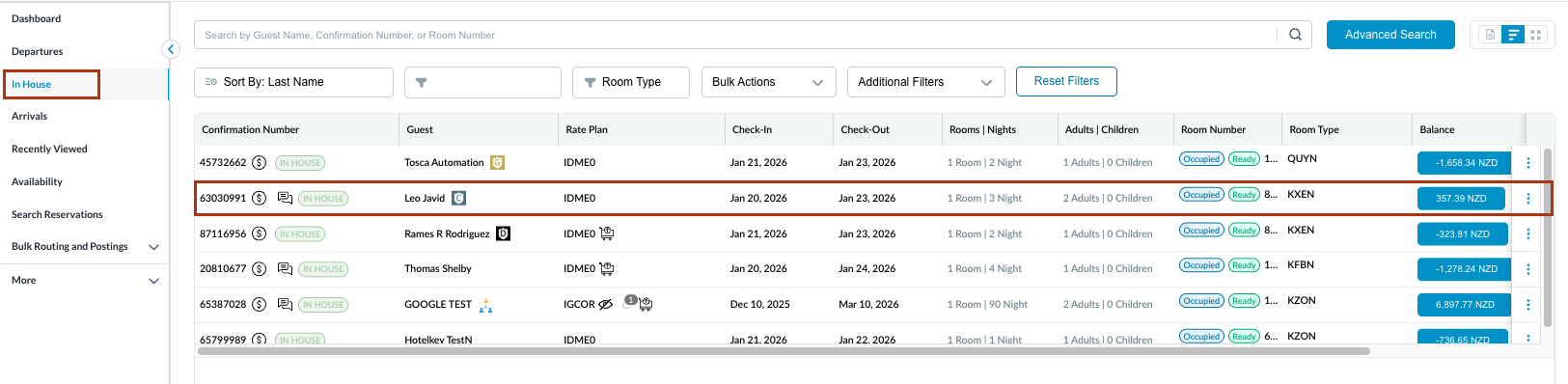
The In House listings page will load. Select the reservation from which the payment(s) need to be transferred.
|
|
|
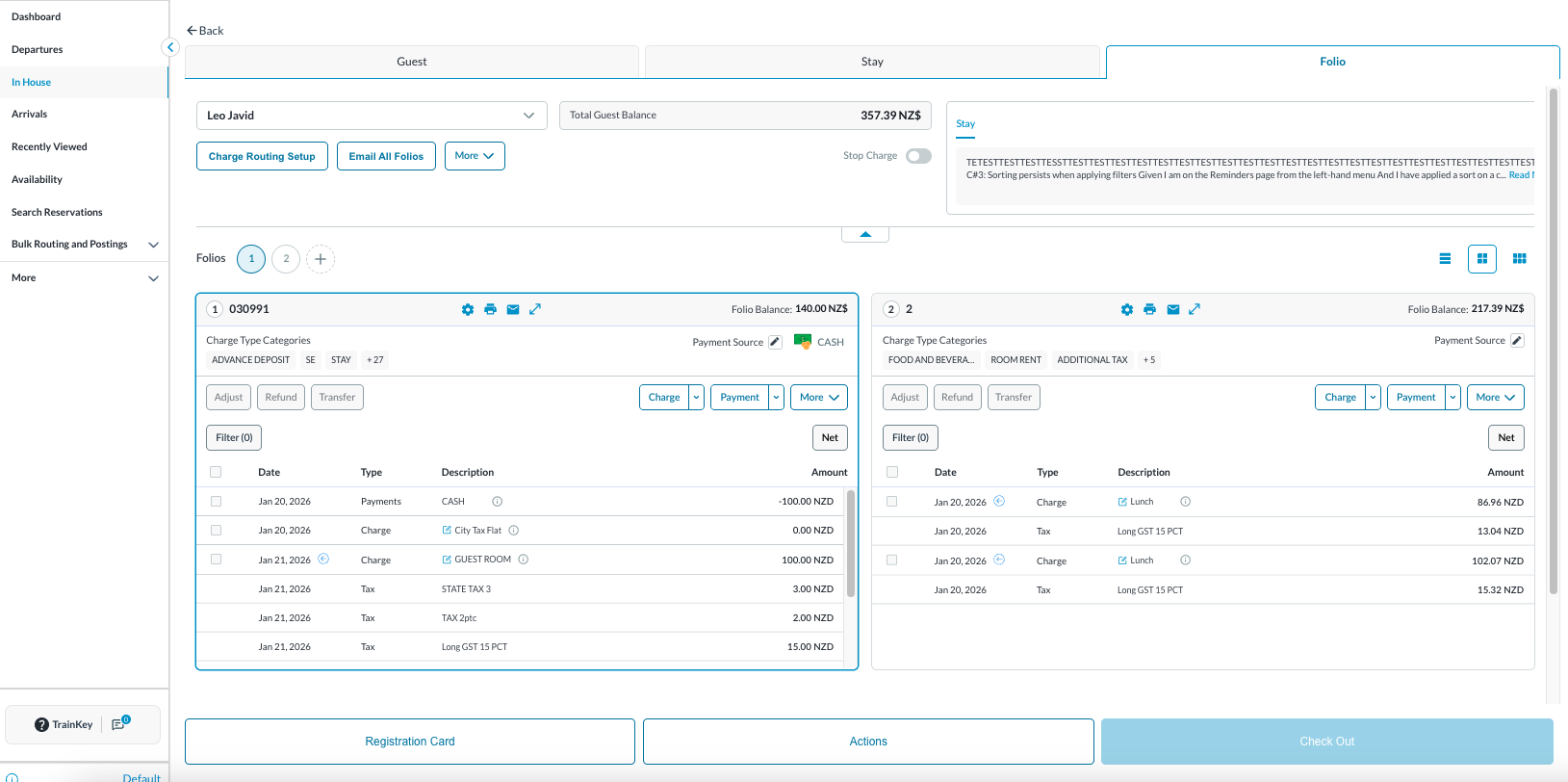
The Reservation Details page opens, displaying the Guest tab by default.
A charge can be transferred in 2 ways:
|
|
|
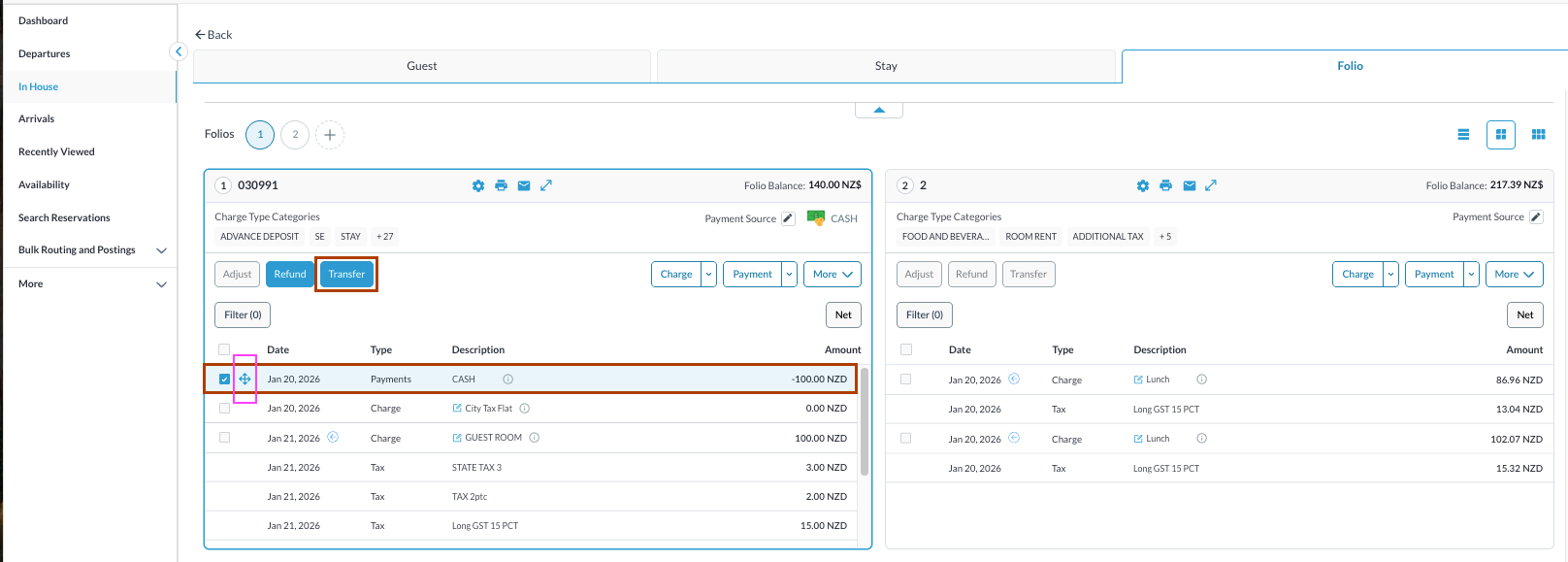
Select a Payment and Transfer -
By this, you can transfer a payment to another Reservation, House Account or Group or within different Folio of same reservation. |
|
|
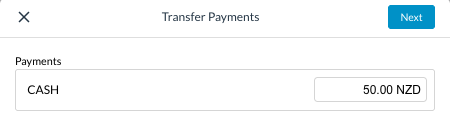
When you select the checkbox next to the payment you want to transfer & Click Transfer, a new window Transfer Payments is opened. The entire or desired amount can be transferred from the charge. Select Next to continue. |
|
|
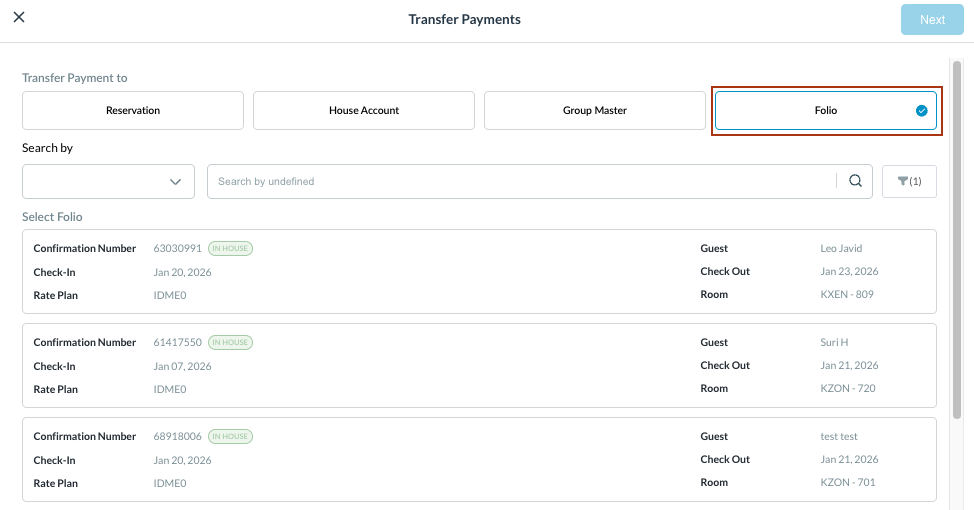
By this, you can transfer a payment to another Reservation, House Account or Group or within different Folio of same reservation. Example - transfer a payment within the same reservation but different Folio |
|
|
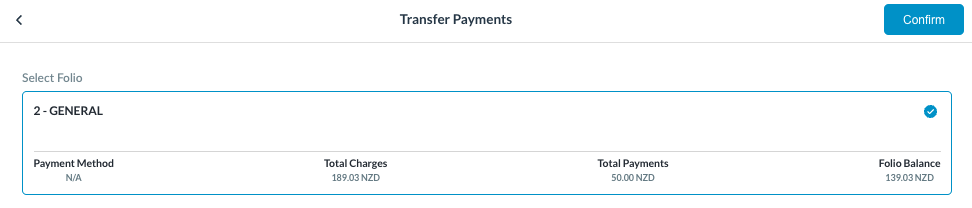
Choose the target folio in the same reservation and click Confirm. You will be notified by message as “ Success - Payments transferred successfully” |
|
|
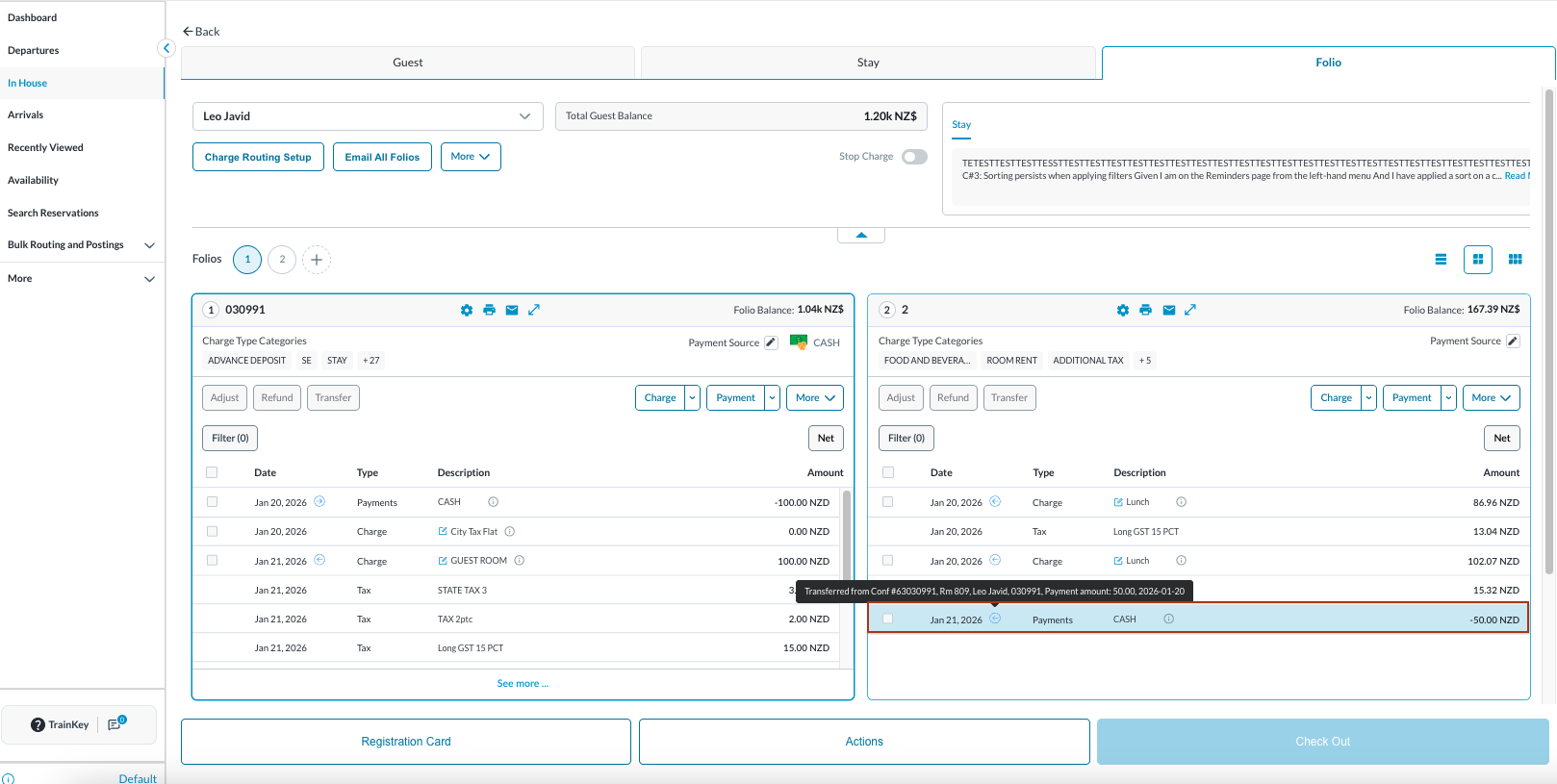
Back on the Folio tab, the transferred payment appears in the selected Folio and are marked with a blue arrow, indicating an transfer. Hover over the blue arrow to view detailed transfer information. |
|
|
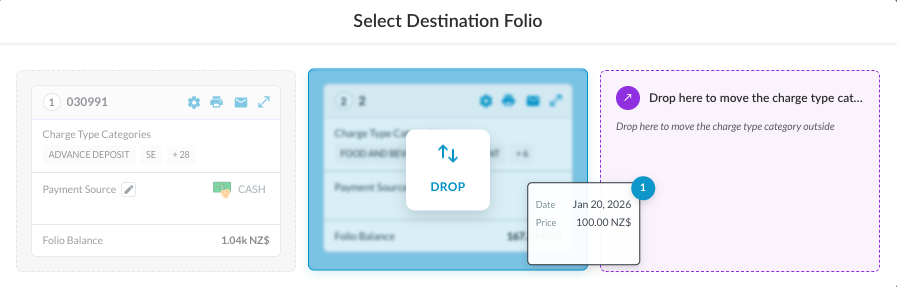
Drag and Drop Click on the four arrow icon highlighted in pink. This is applicable to move payment only within the same reservation in different Folio.
|
|
|
Back on the Folio tab, the transferred payment appears in the selected Folio and are marked with a blue arrow, indicating an transfer. Hover over the blue arrow to view detailed transfer information. |
|