
📆 Revision Date:
A "Paid Out" is a transaction in which a cashier advances money to a guest and then charges the guest's account for the amount given.
|
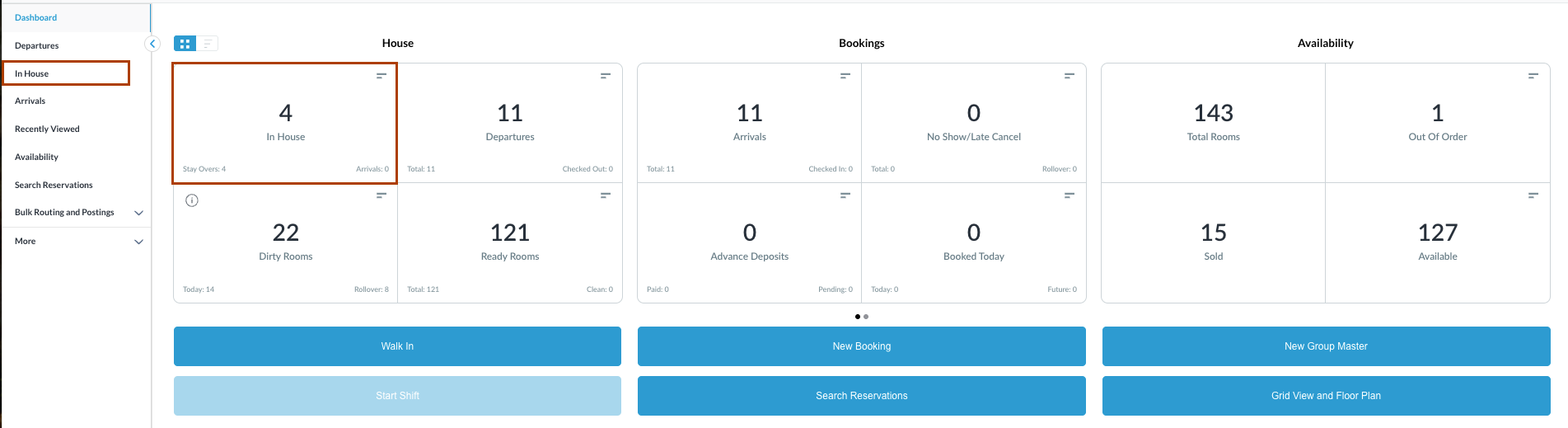
Navigate to In House reservations from Front Desk Dashboard You can also search for in-house reservations using the options in the left-side menu. |
|
|
The In House listings page will load. Select the reservation where the paid outs needs to be carried out. |

|
|
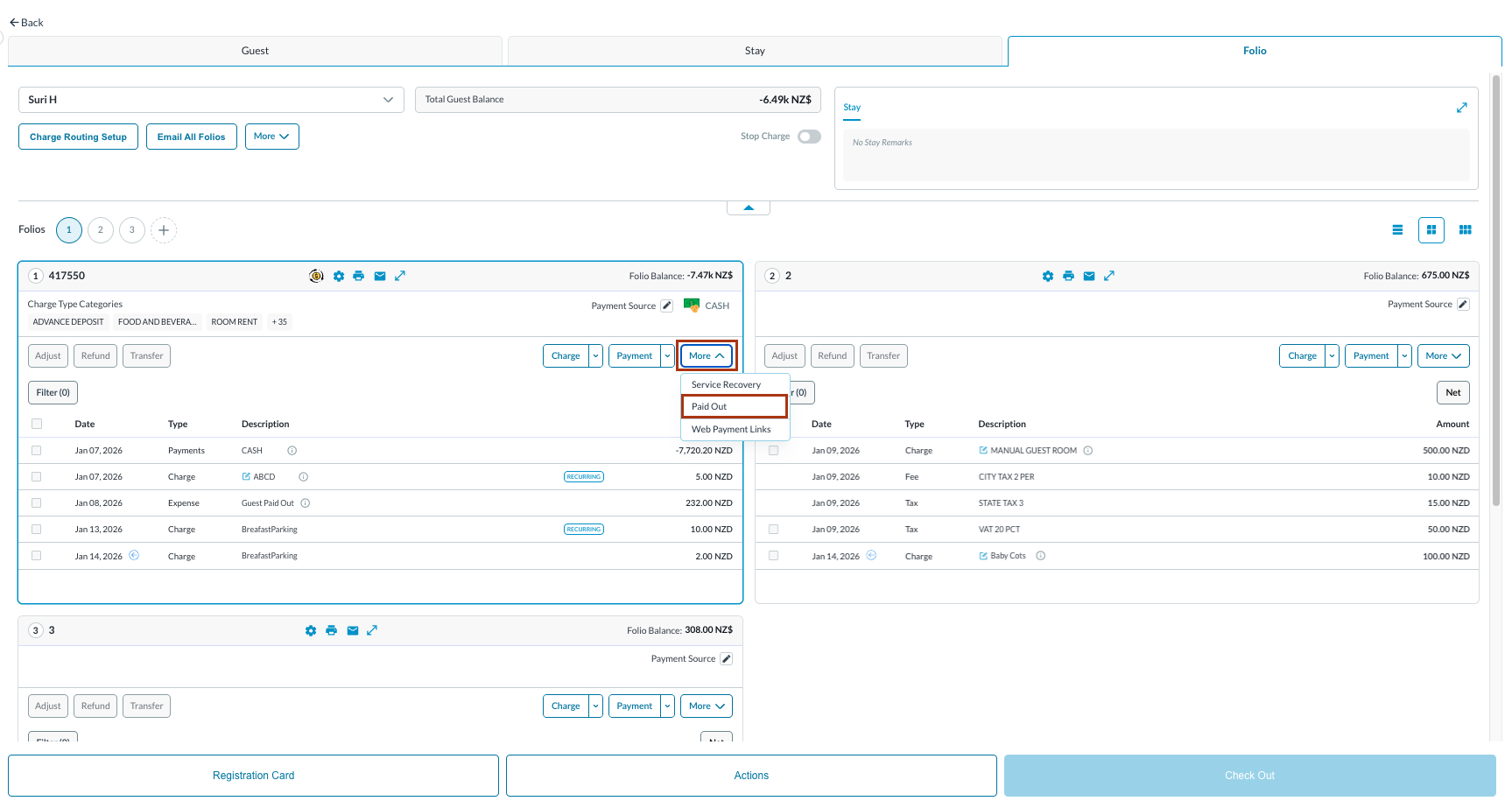
The Reservation Details page opens, displaying the Guest tab by default.
Note: the folio screen automatically adjusts to the most efficient layout. If a reservation contains multiple folios, the screen defaults to Side-by-Side View. If there is a single folio, the screen will open in Full Detail View. |
|
|
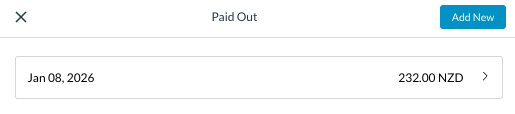
The Paid Out screen loads
|
|
|
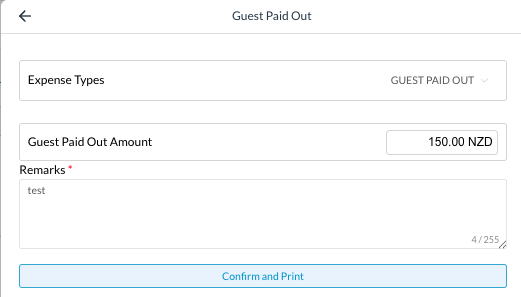
A Guest Paid Out screen loads.
The message pops up : “Success Paid Out created successfully”
|
|
|
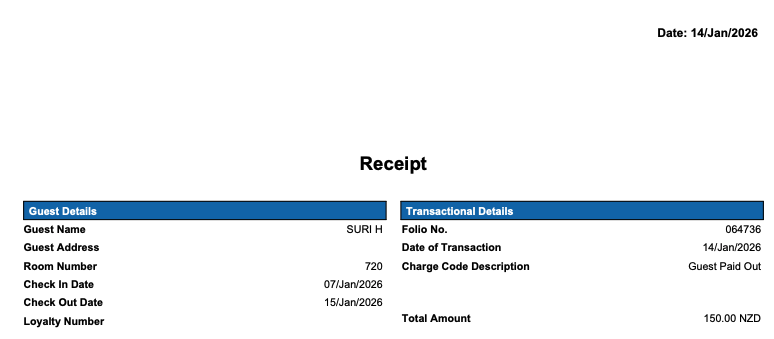
A receipt will be generated with the property details, guest details, and transaction details:
|
|
|
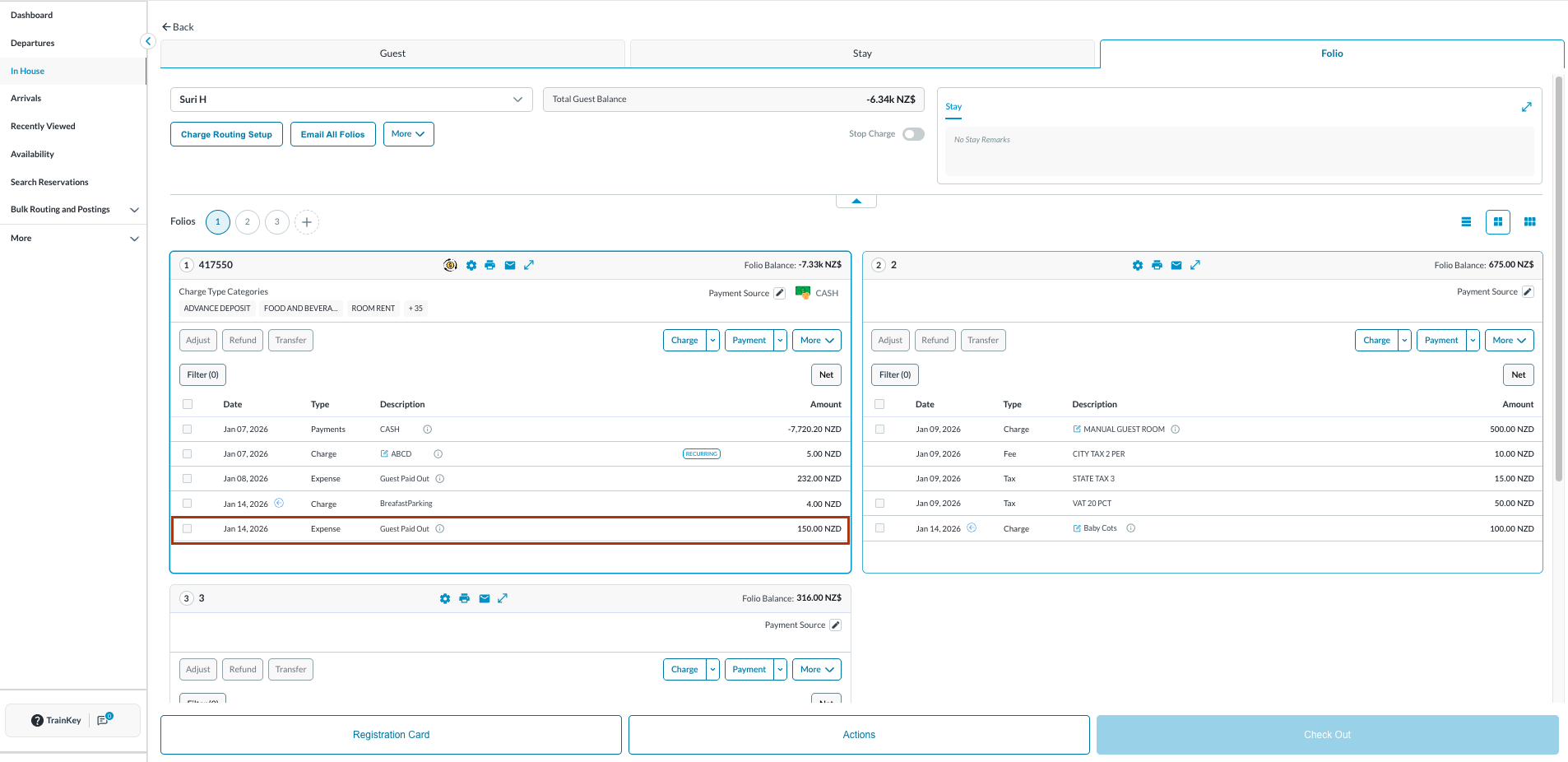
The folio will now reflect the Paid Out |
|