
📆 Revision Date:
|
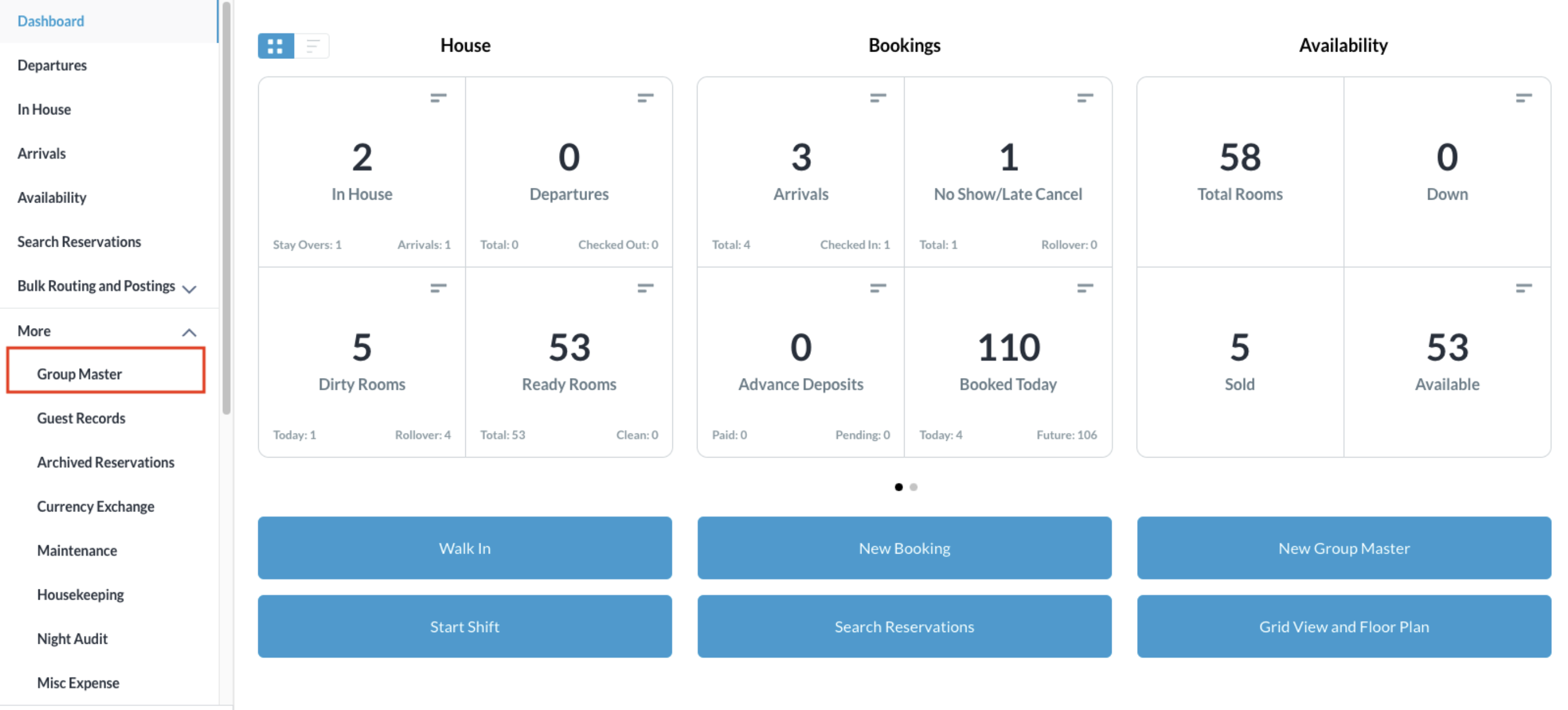
From the Dashboard, select More to expand the menu options and select Group Master
|
|
|
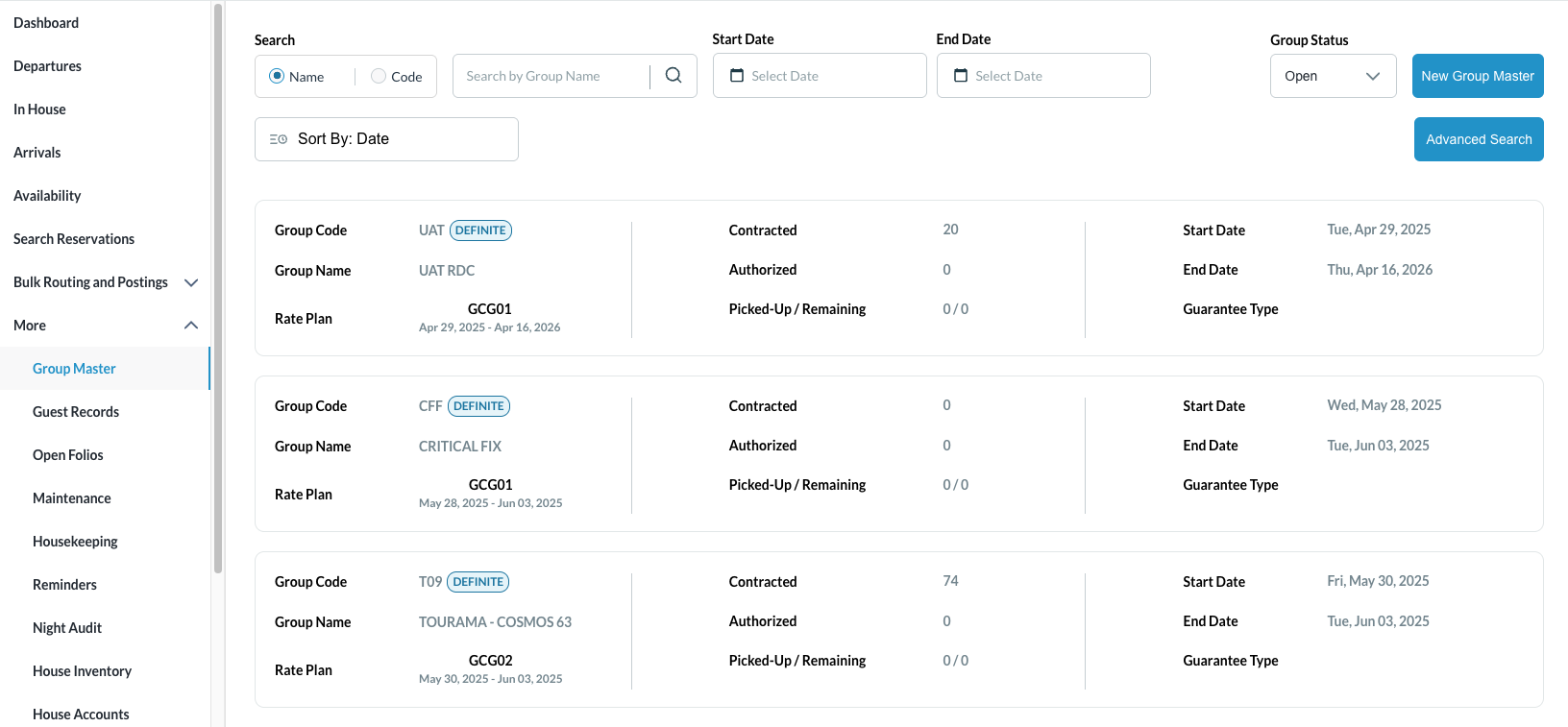
Search for the Group Master by Name, or Code, and/or Date. Select Status to refine the search. Select the Group Master from those listed. |
|
|
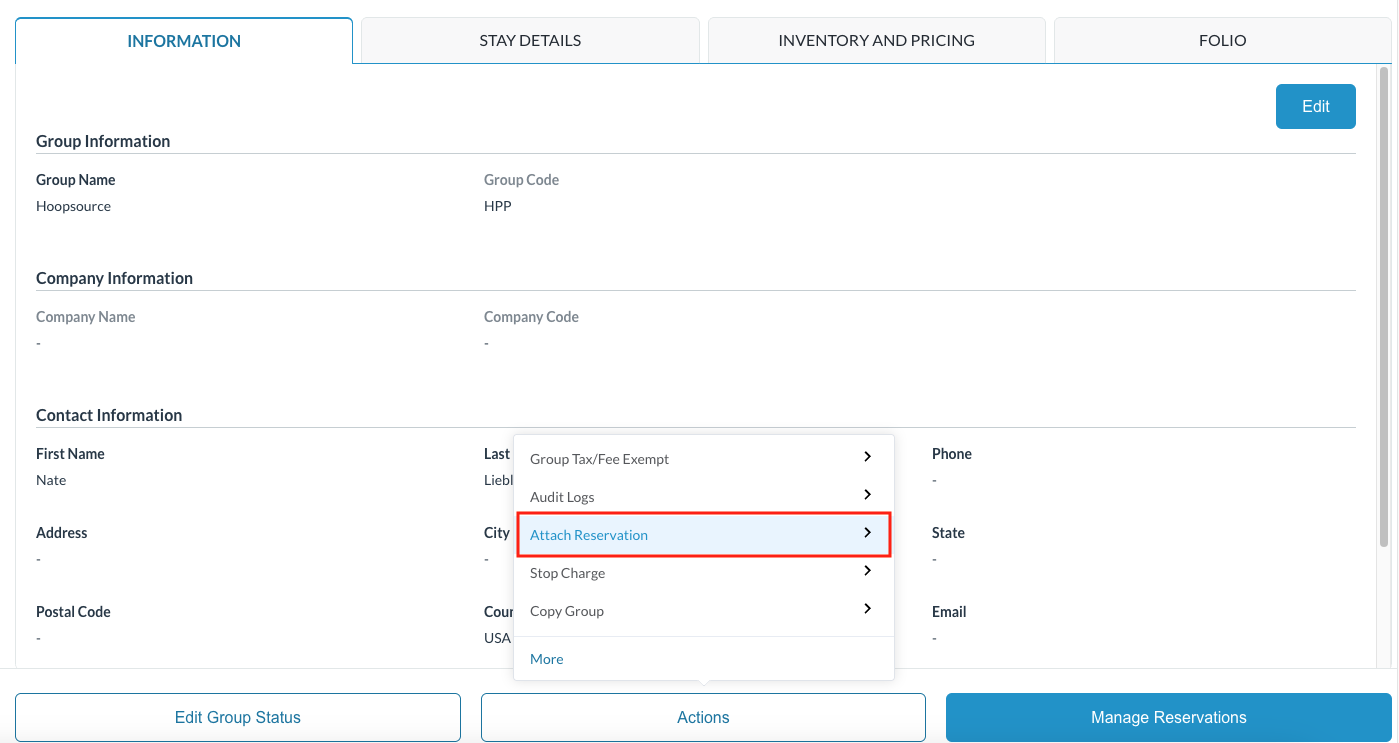
Once selected, the Information tab opens by default. Click on the Actions tab and click on Attach Reservation |
|
|
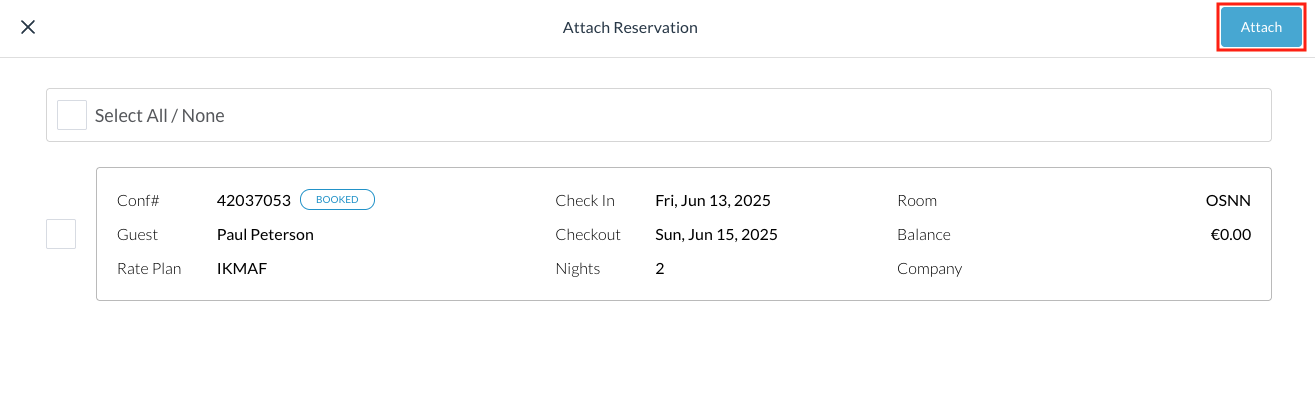
The Attach Reservation screen populates. Select the reservation(s) to add to the group block, click on Attach |
|
|
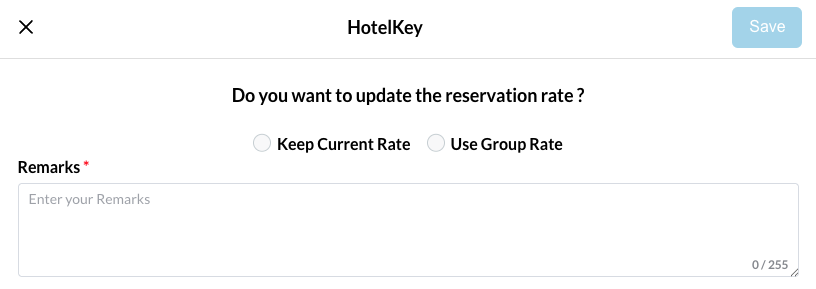
Attach confirmation screen loads Choose to Keep the Current Rate or Use the Group Rate Add any remarks and select Save |
|
|
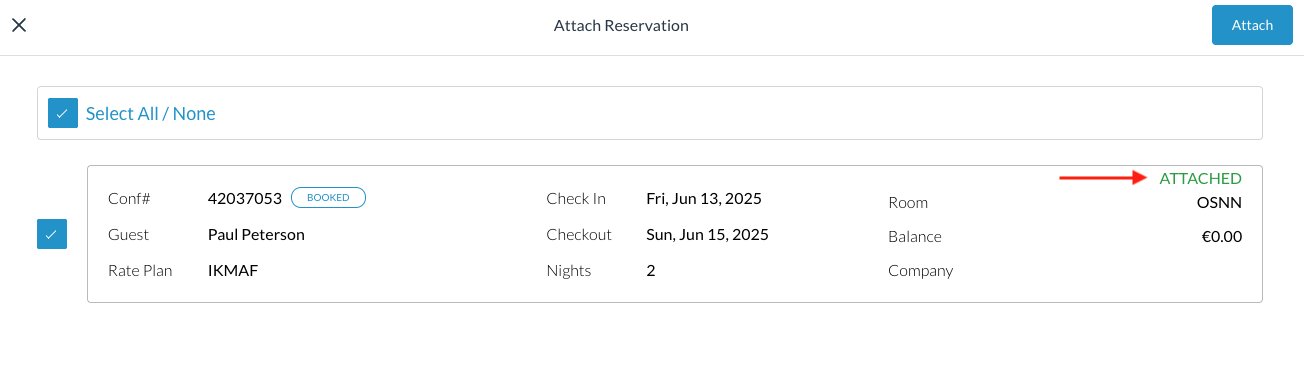
Successful reservation attachment will show a green ATTACHED notification beside the reservation |
|