
Revision Date:
The Group Master (Groups V2) module includes a powerful Bulk Edit Arrival / Departure Time feature, designed to streamline the management of large group bookings. This feature allows authorized users to simultaneously adjust the arrival and departure times for multiple selected reservations through a centralized time-picker interface. This feature significantly reduces manual data entry and ensures schedule consistency across the entire group block.
To maintain data integrity:
-
Booked Reservations: Users can edit both Arrival and Departure times.
-
In-House Reservations: Users can only edit the Departure time (Arrival time is locked to preserve the actual check-in record).
|
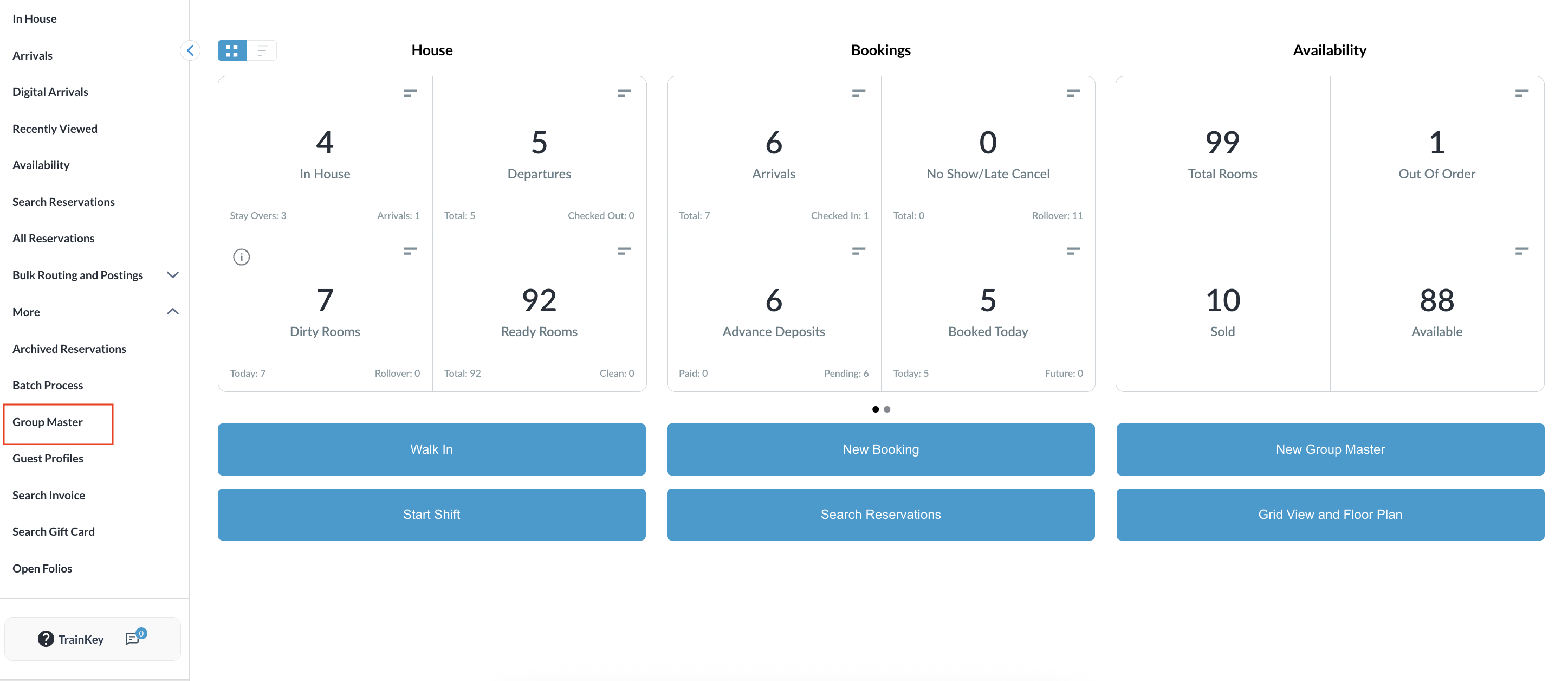
Navigate to Frontdesk Dashboard and open the Group Master from the left side menu. |
|
|
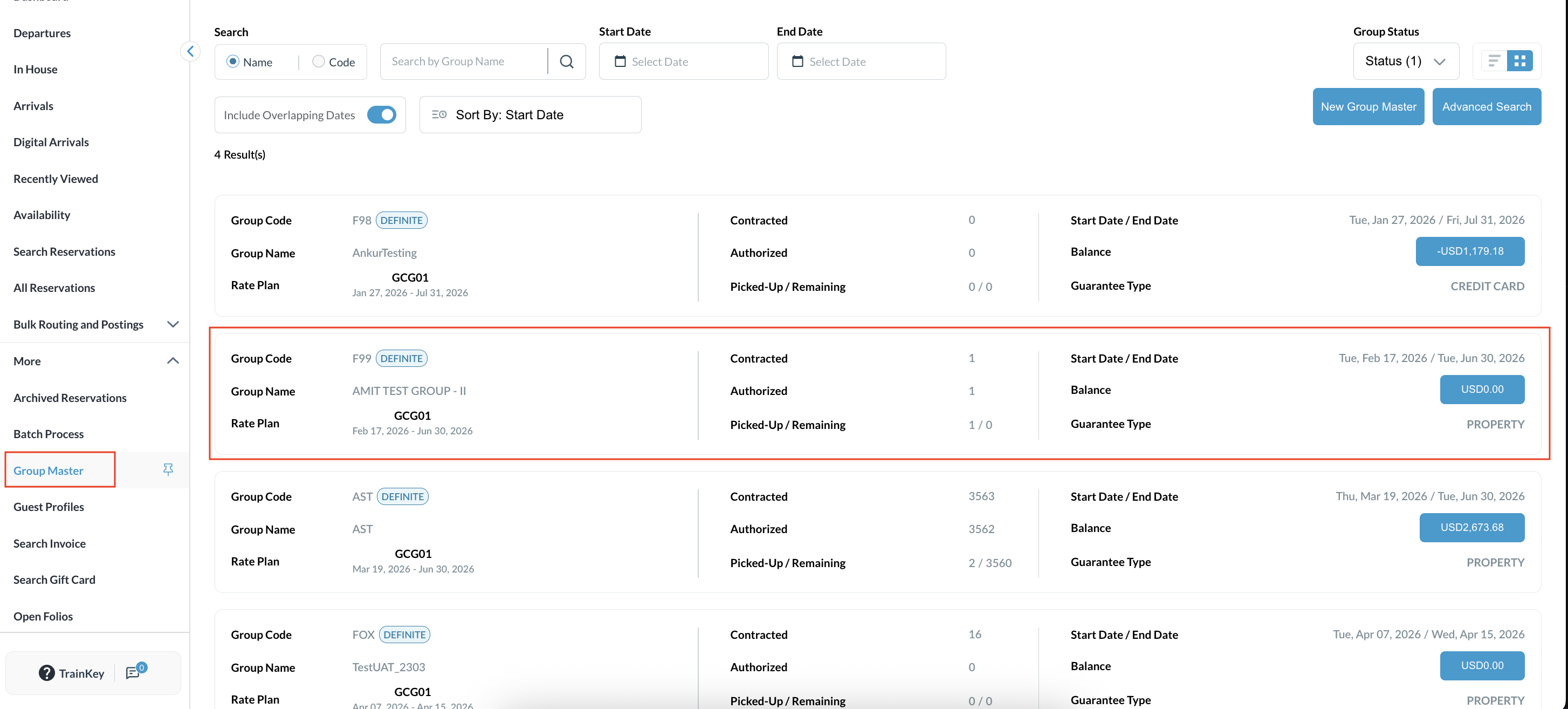
The Group Reservation list will open up. Select the desired group from the list. |
|
|
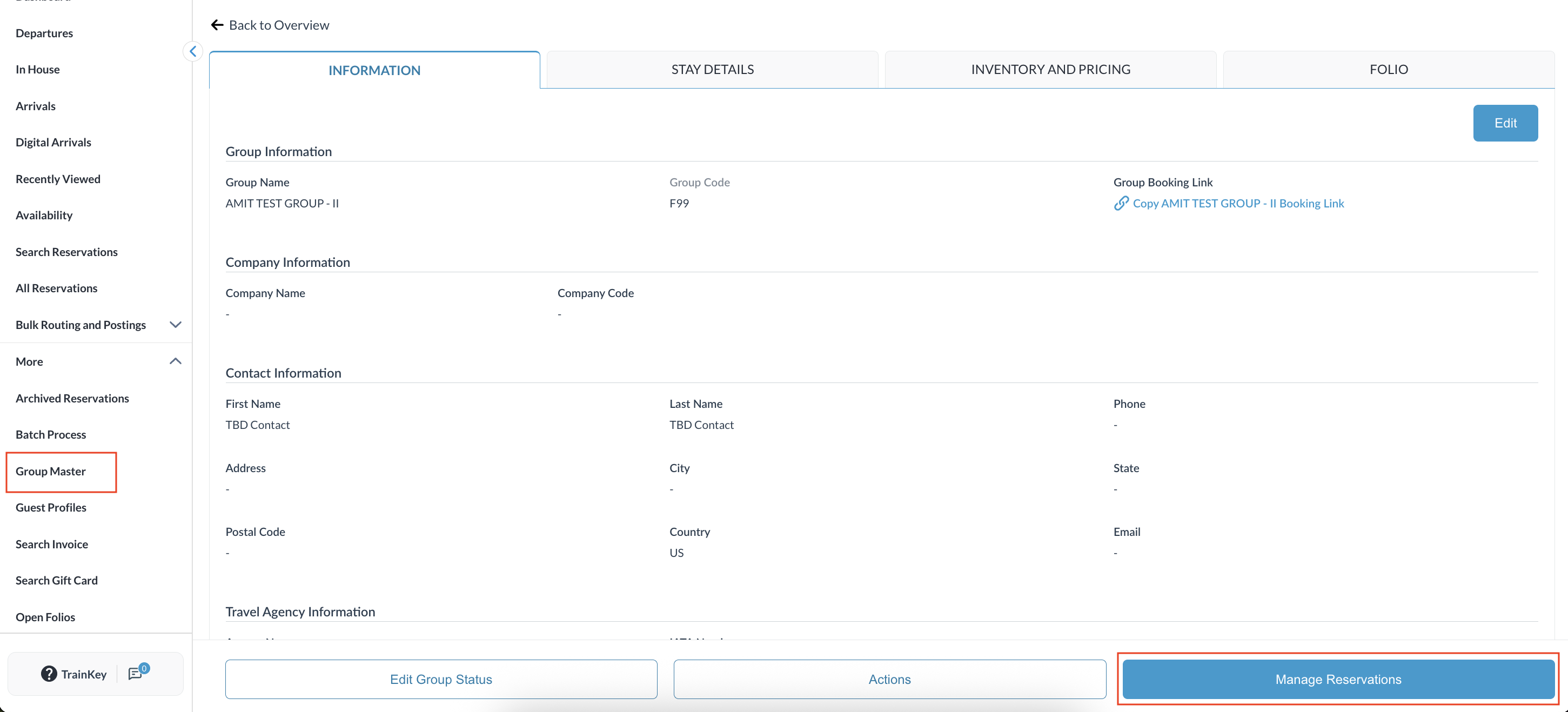
Click on the Manage Reservations tab to view the list of guests associated with the group. |
|
|
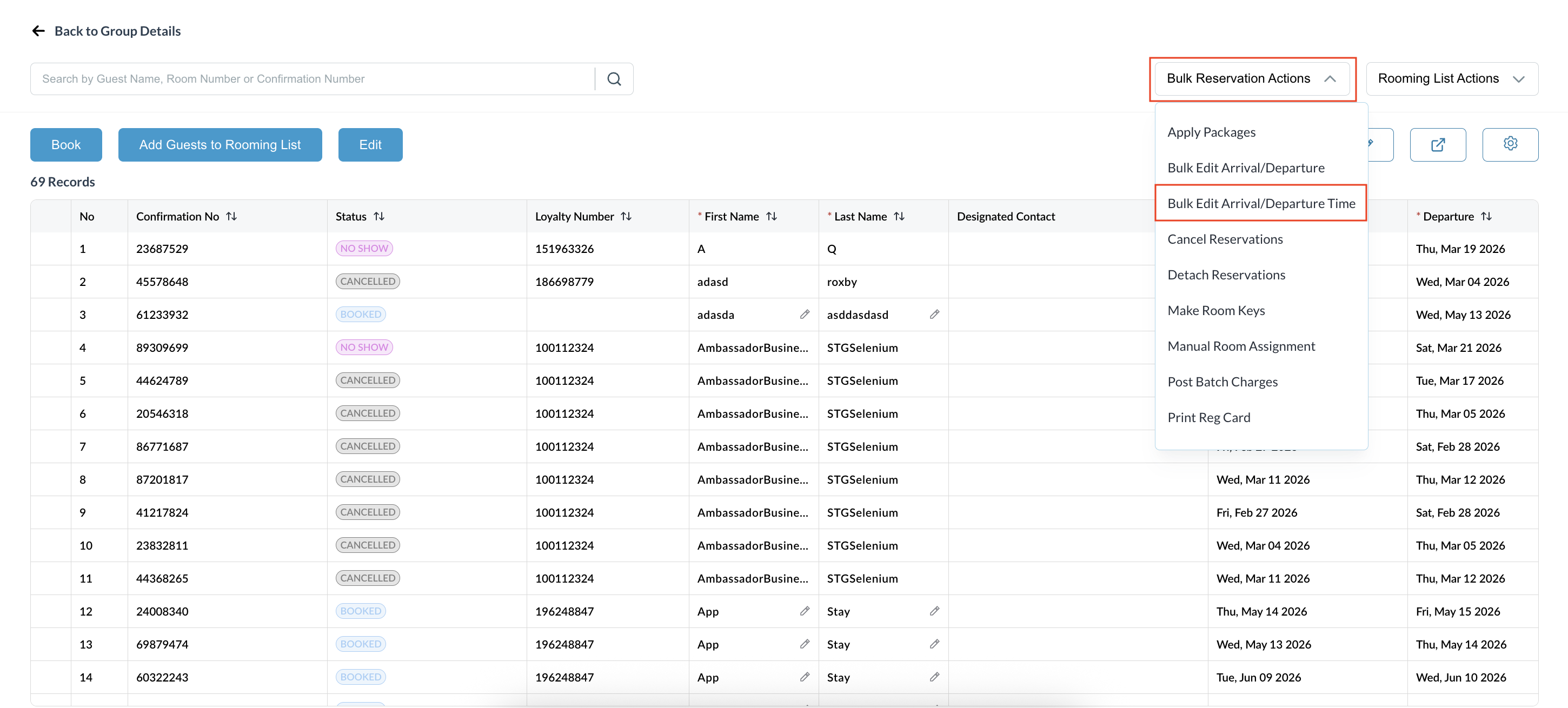
Click the Bulk Actions button located above the reservation list and choose Bulk Edit Arrival / Departure Time from the dropdown menu.
|
|
|
Use the checkboxes to Select All guests or filter and select by Room Type. Note: The list will include Booked and InHouse reservations only. |
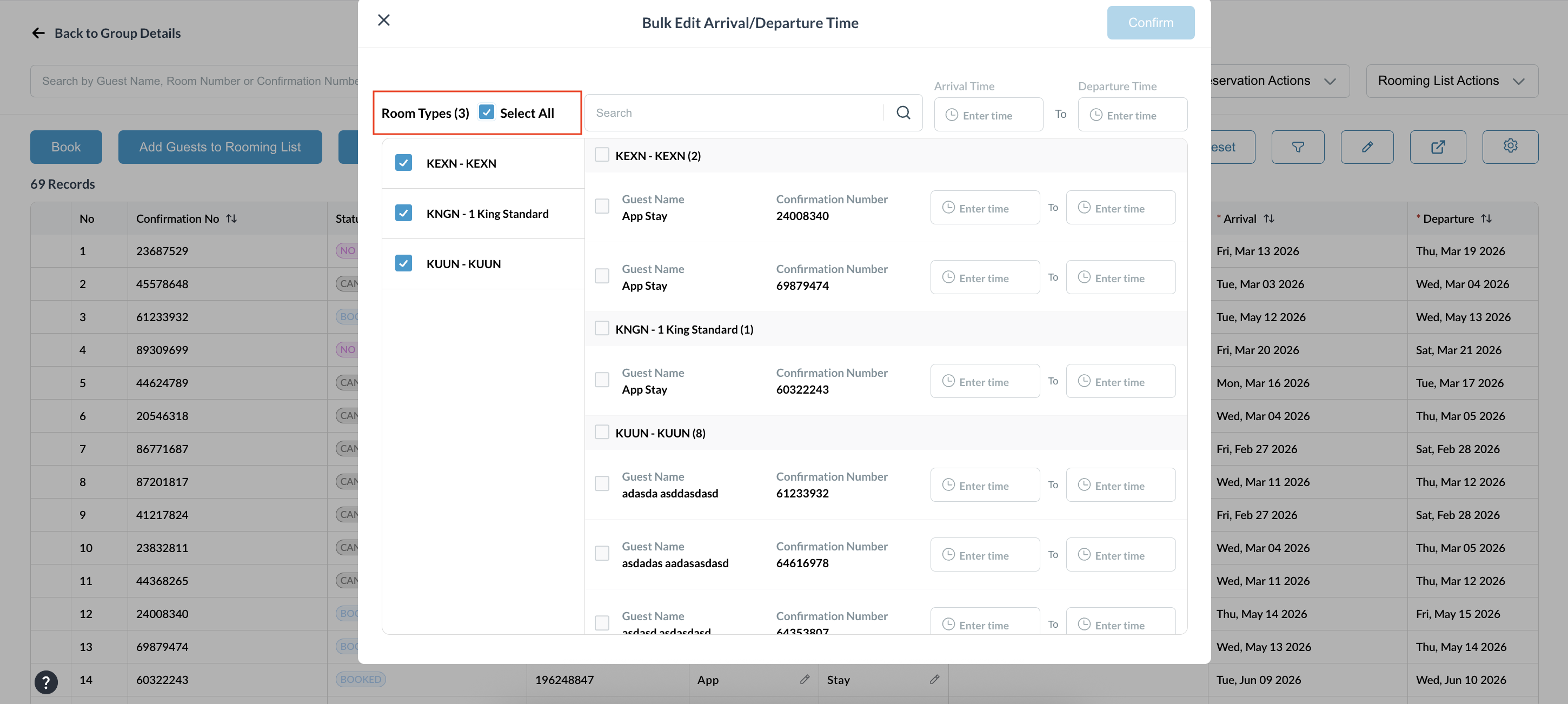
|
|
In the popup window: Choose Arrival Time, Departure Time, or Both and select the required time(s) using the time picker.
|
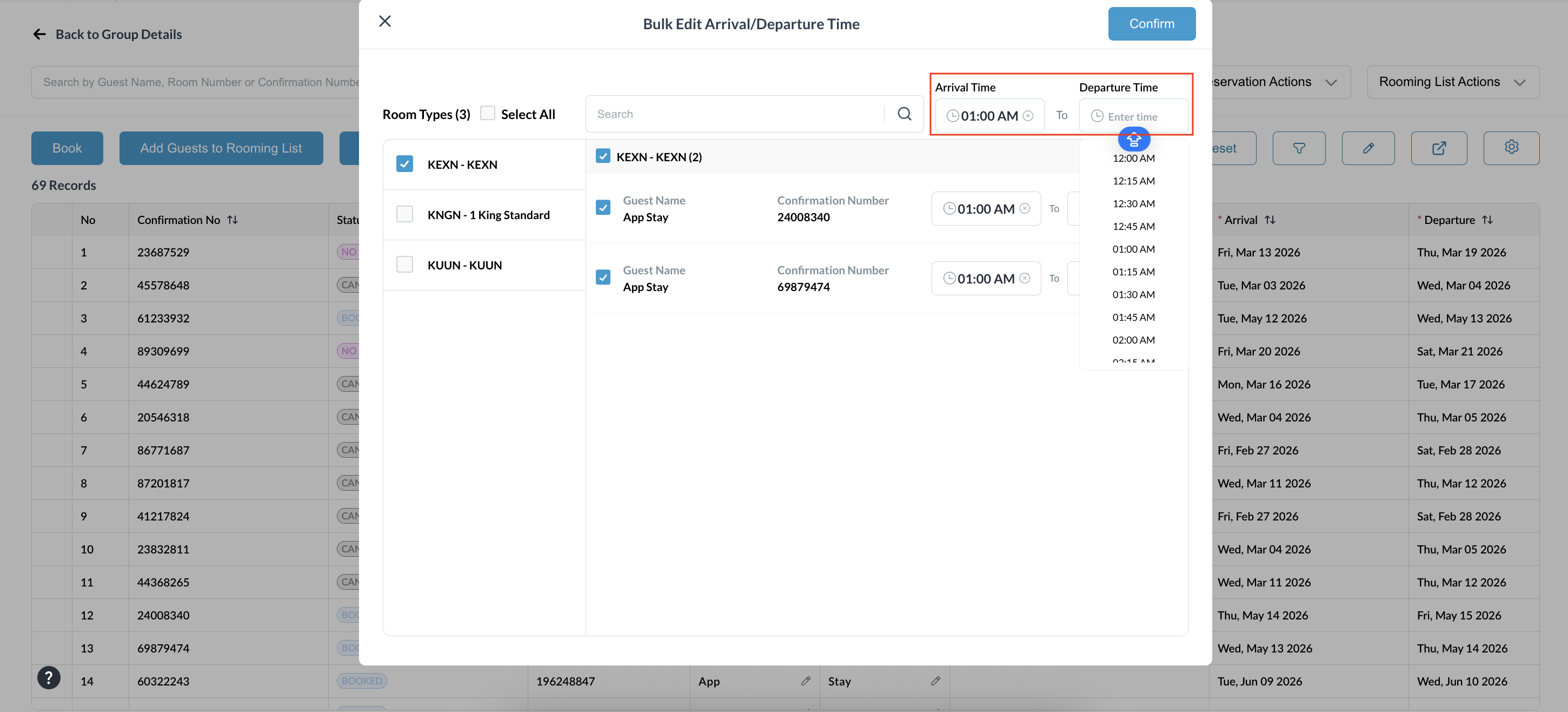
|
|
Select Confirm to apply the changes. A success message will appear once the bulk update is finished. |
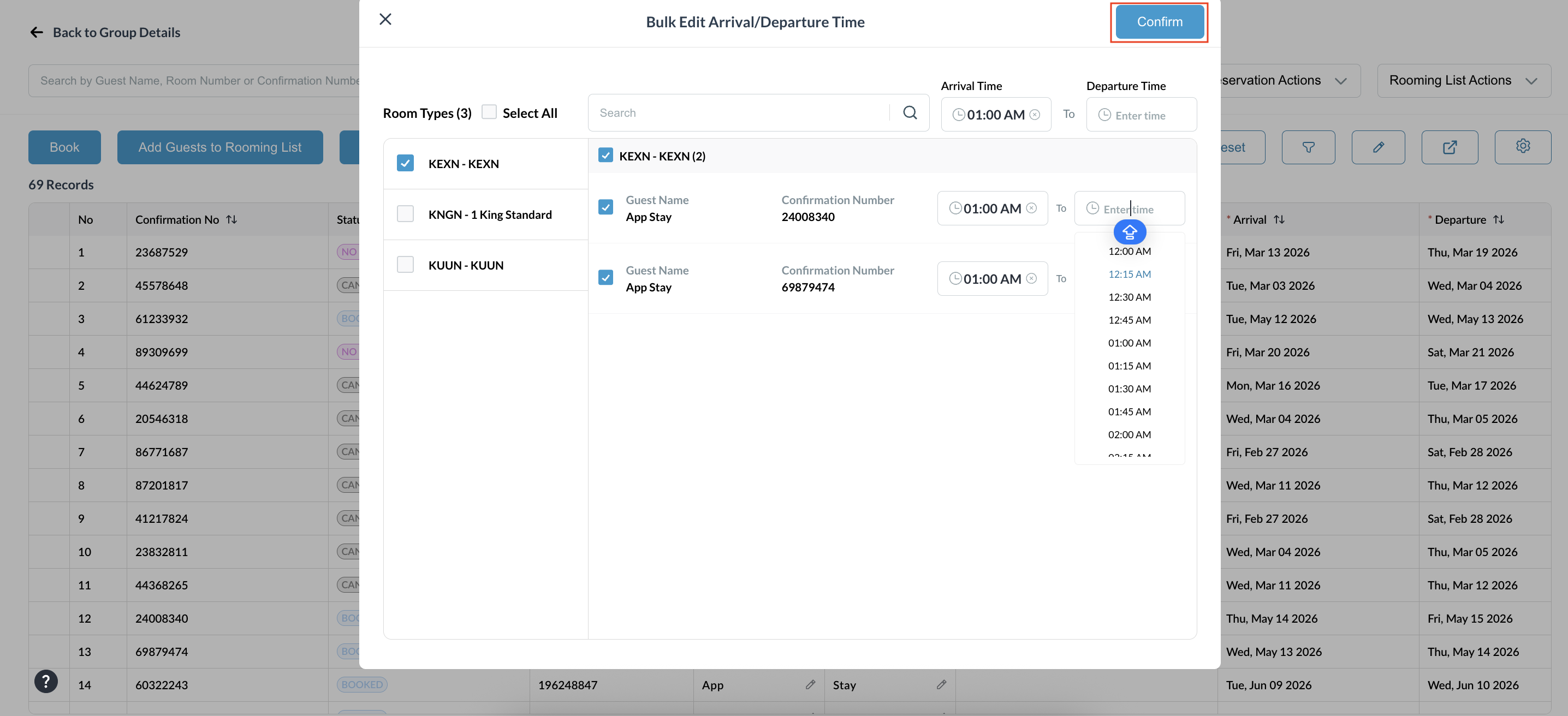
|
|
Validation
Return to the reservation list and open the reservation.
|
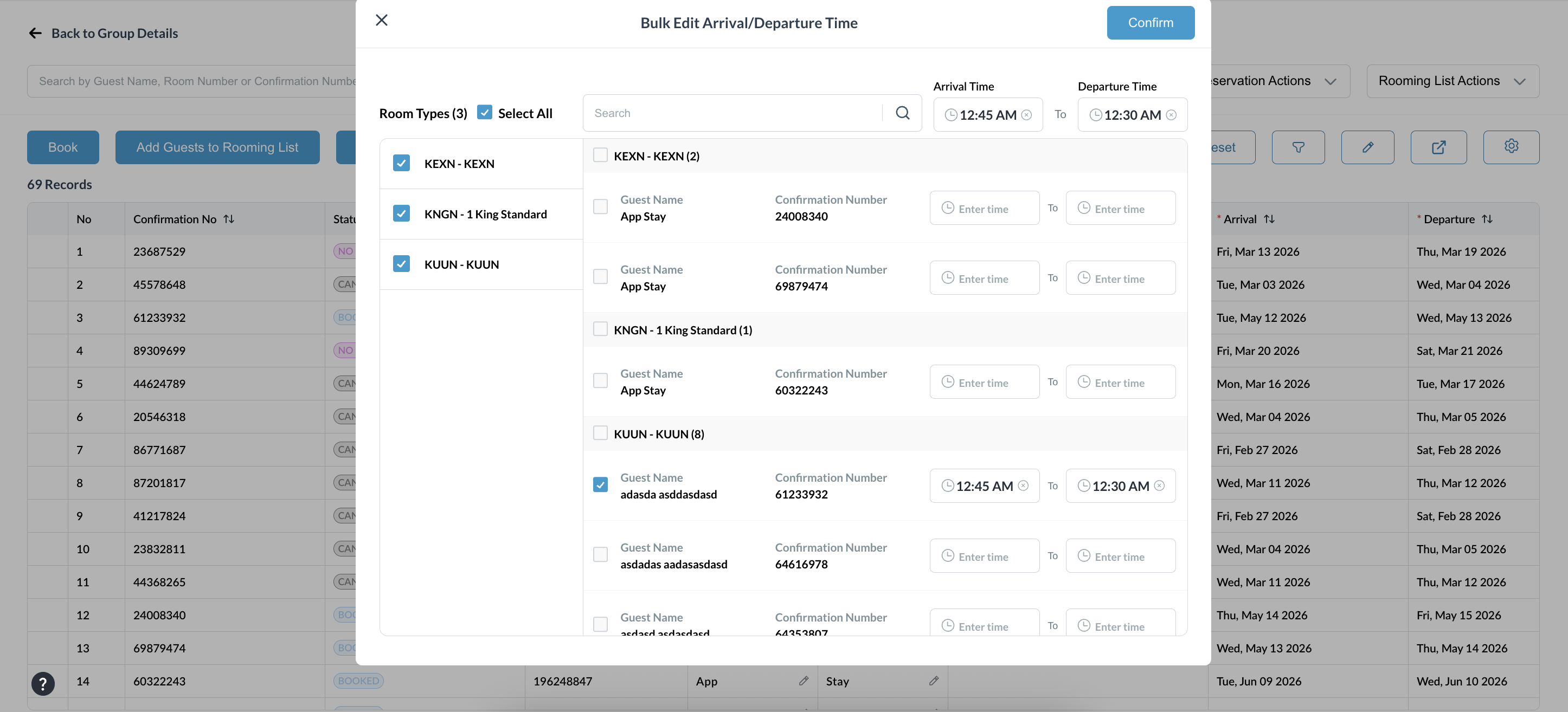
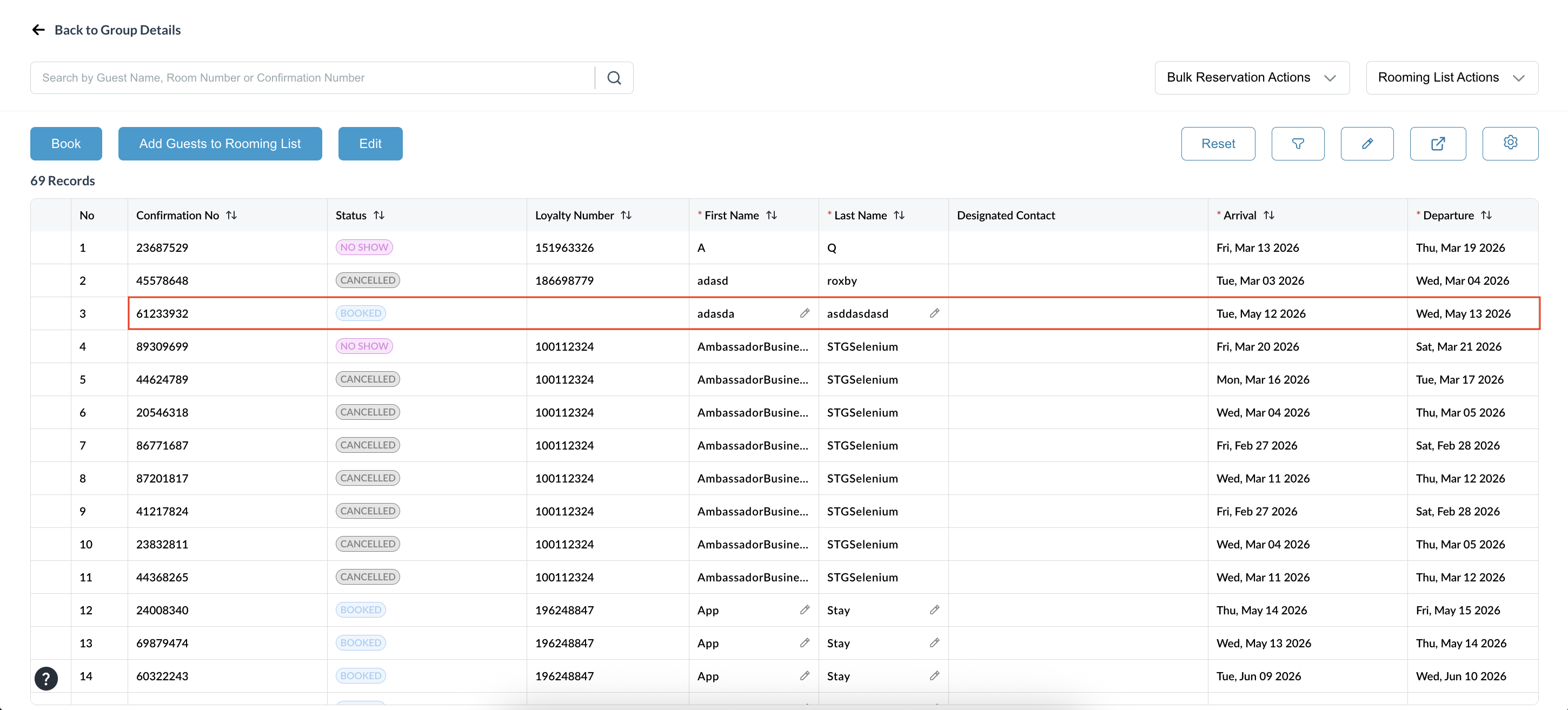
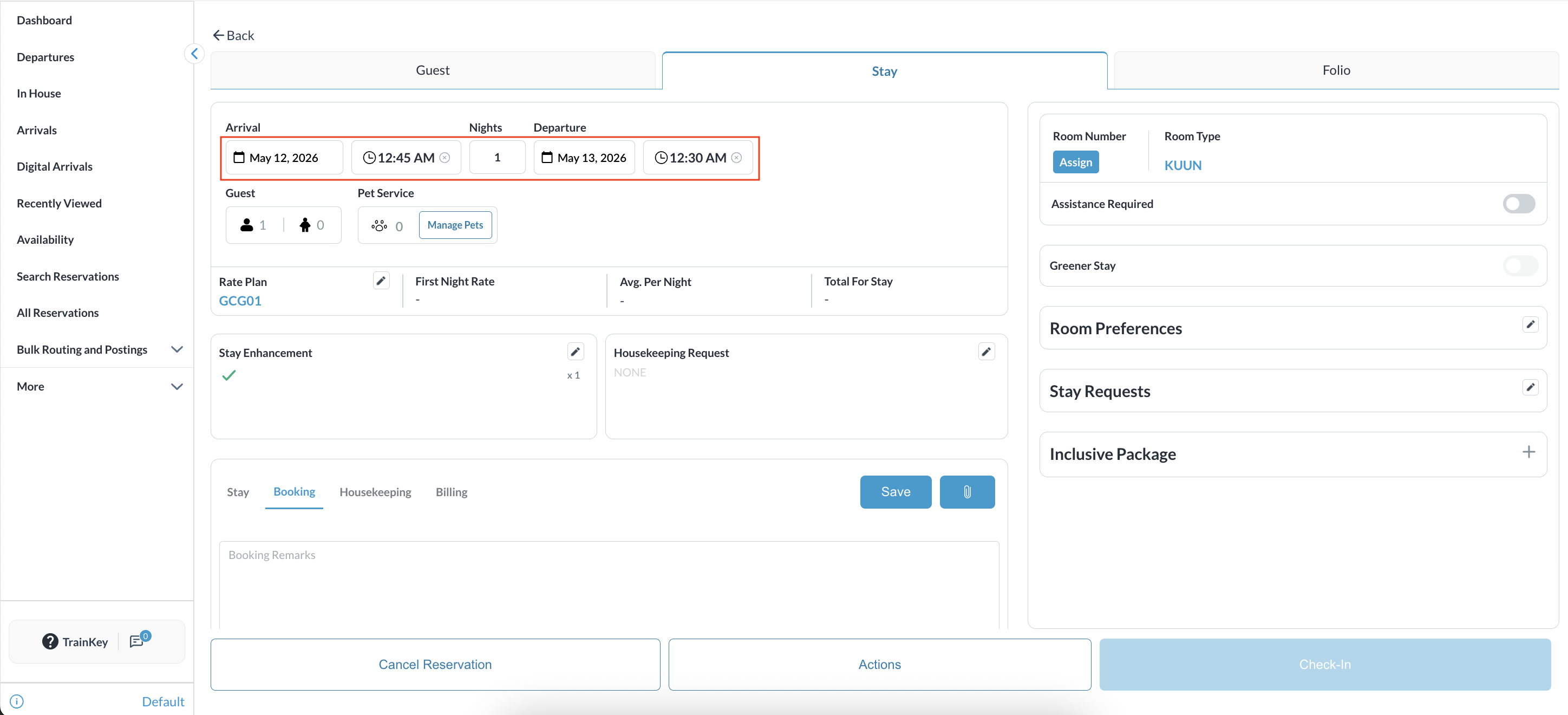
|
|
Select the required reservation, click Actions, and choose Audit Log.
|
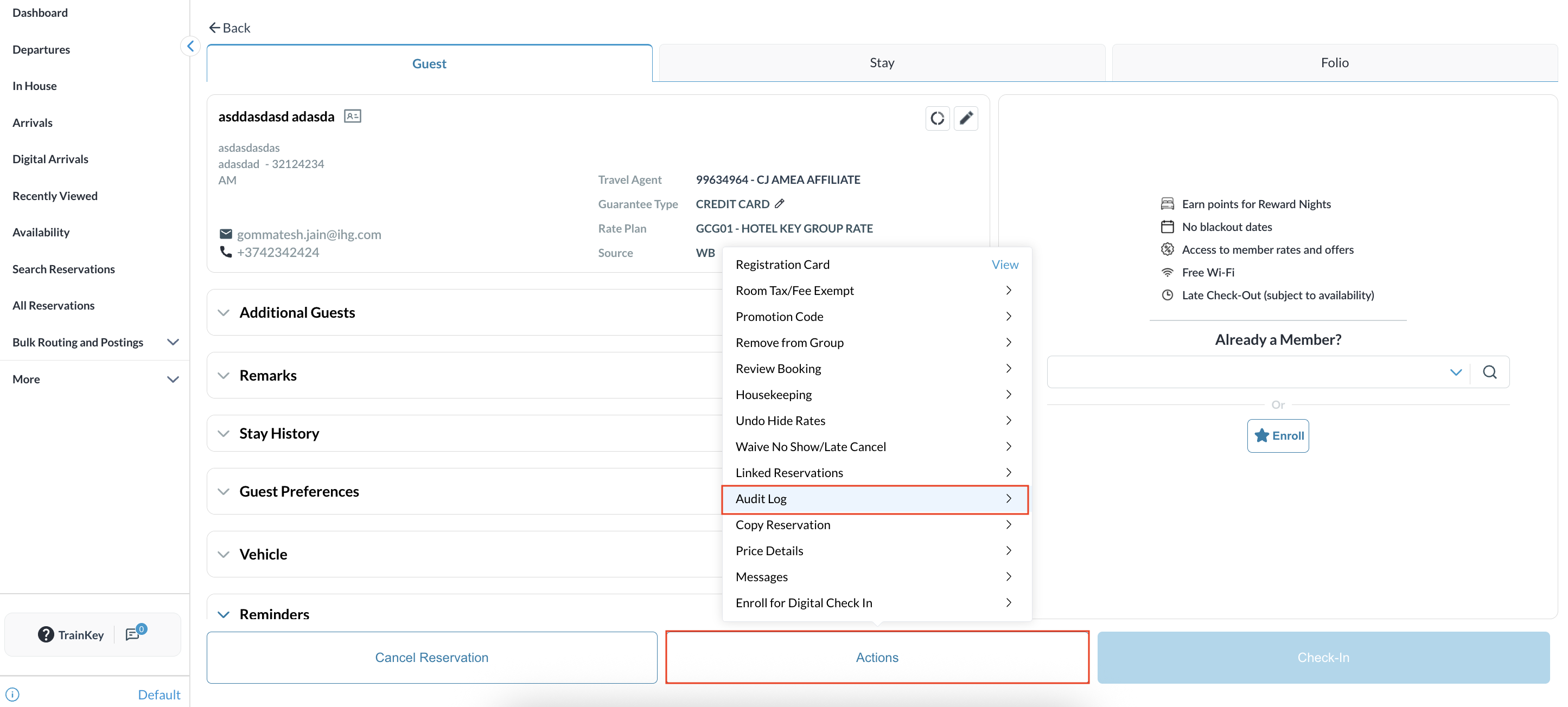
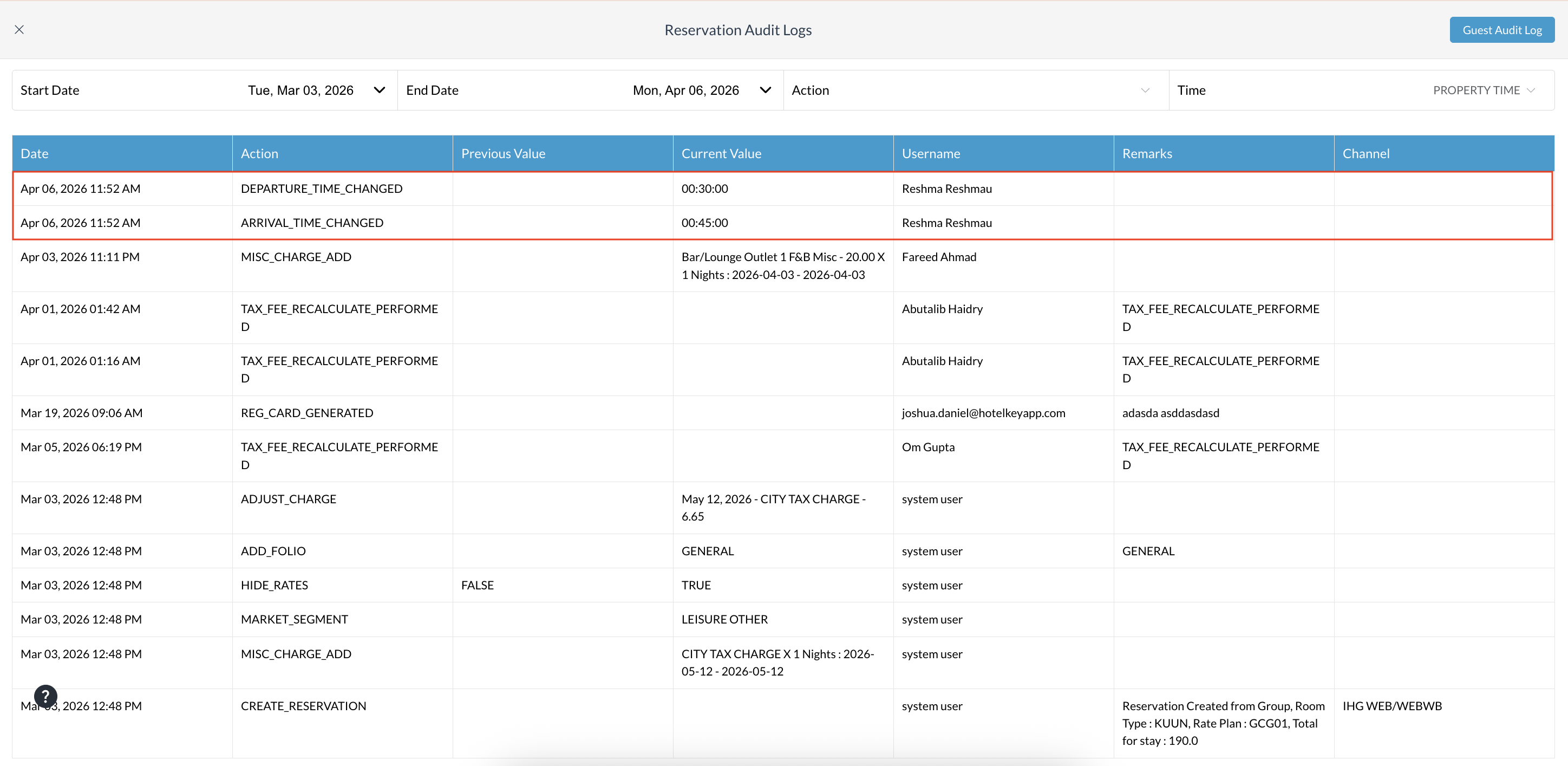
|