
Revision Date:
The Bulk Actions – Post Charges feature on Group Master allows users to post one or more charges simultaneously to multiple linked reservations or folios from the Group Master level, eliminating the need to post charges individually per reservation. This ensures faster billing, consistency across group charges, and improved operational efficiency while maintaining full auditability of each posted charge.
|
Users can access Group Master from the left-side menu.
|
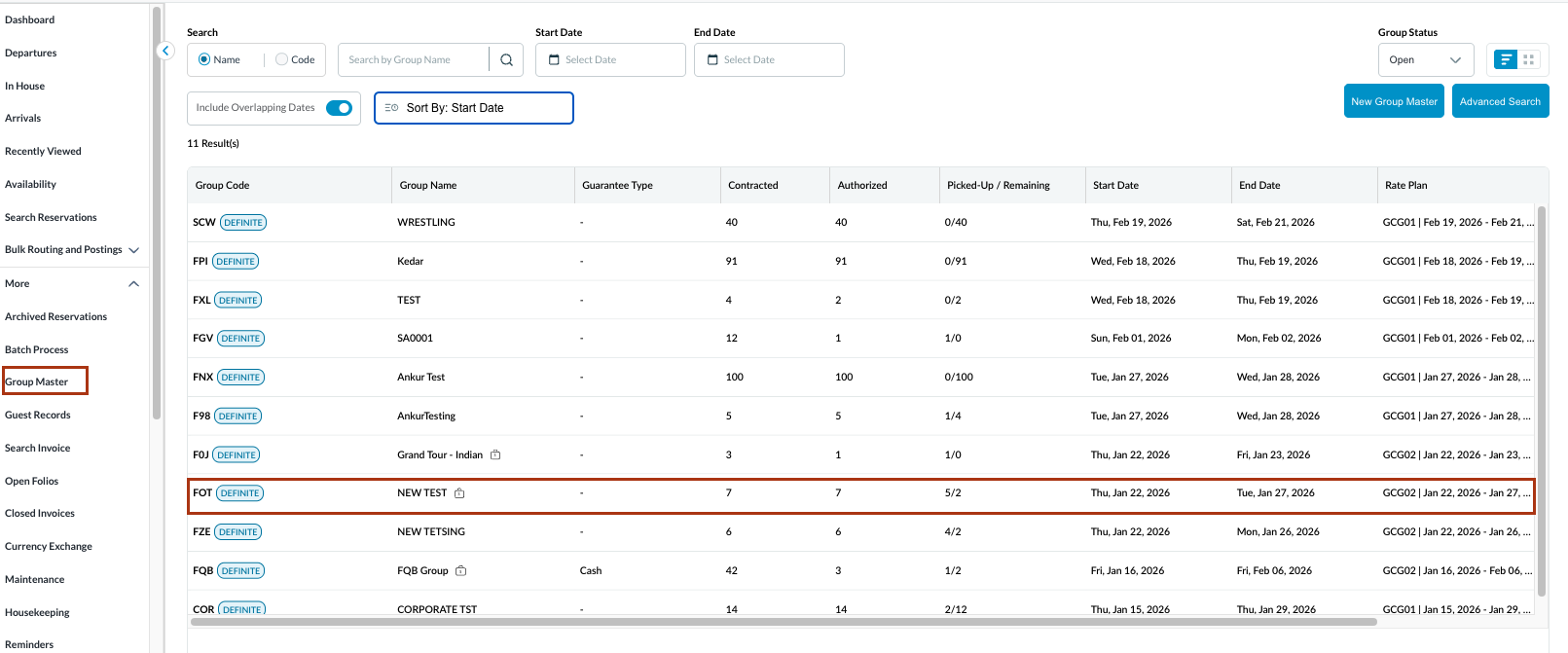
|
|
Open the reservation and navigate to the View Reservations |
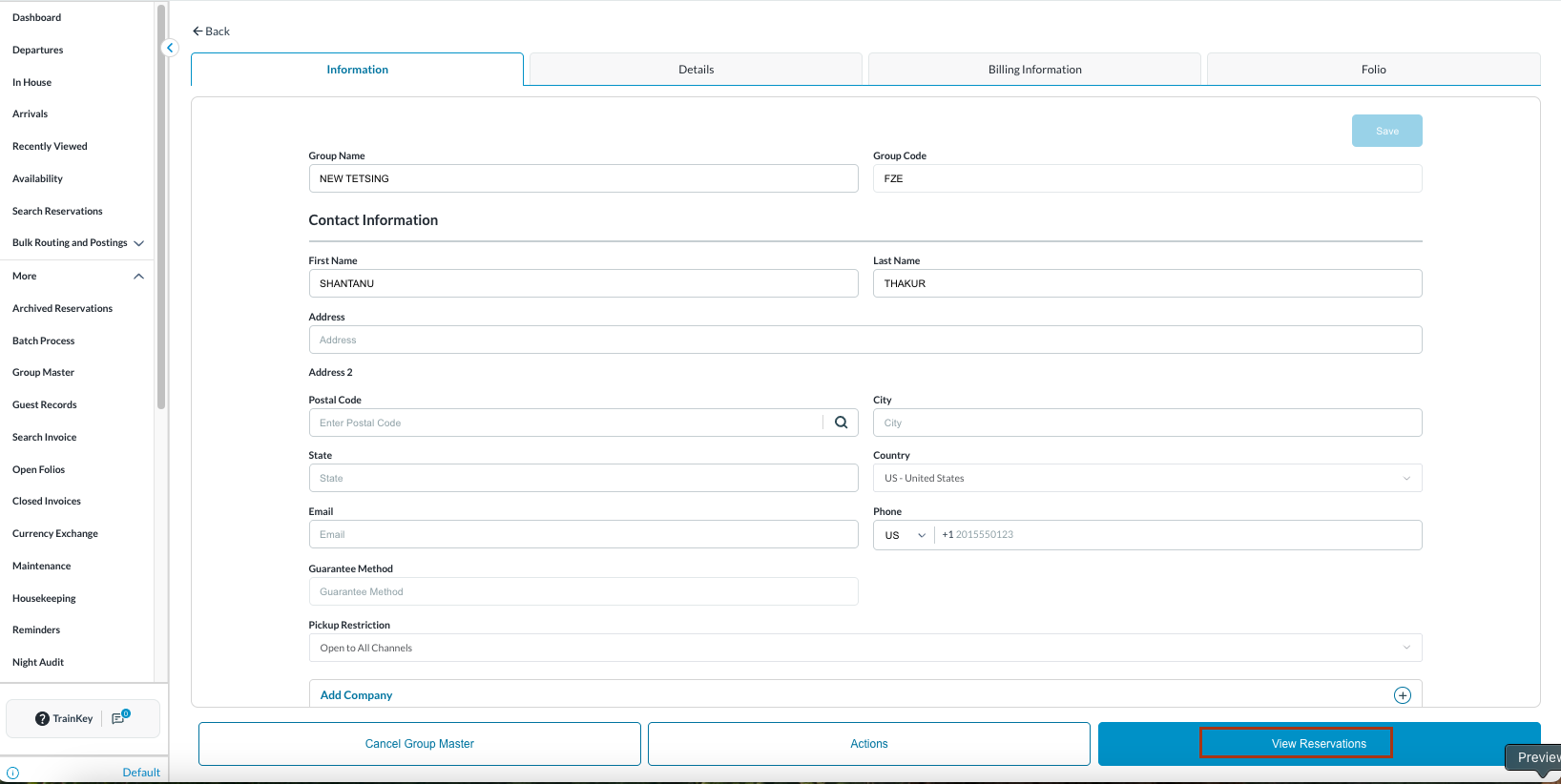
|
|
Click on Bulk Actions. From Bulk Actions, click on Post Batch Charges
|
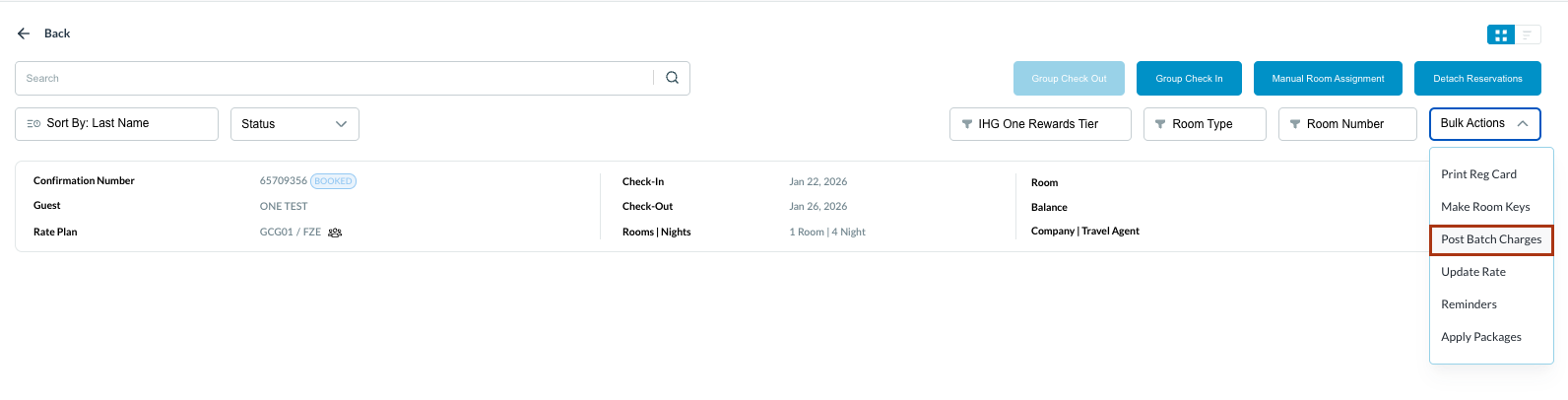
|
|
A new window is opened named as Post Batch Charges. Select the charges and enter the charge amount. Click Next. |
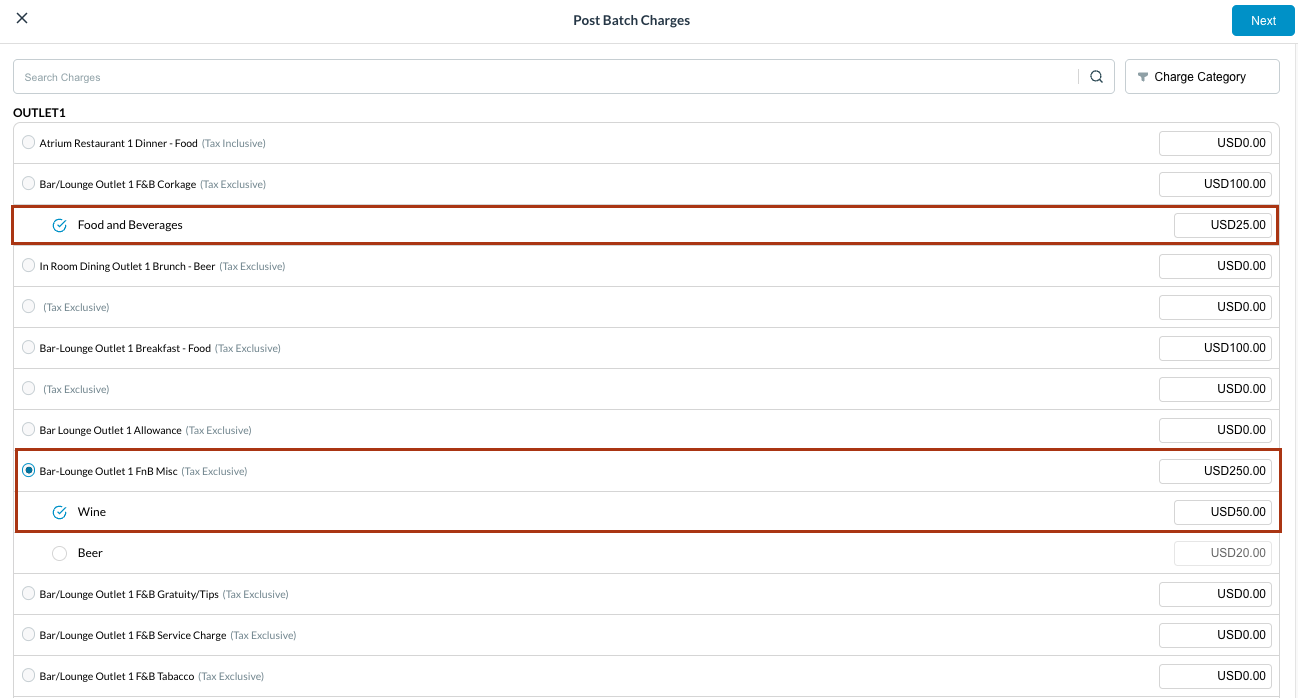
|
|
Confirm the charges by selecting the reservation |

|
|
A Success message is seen in Green |
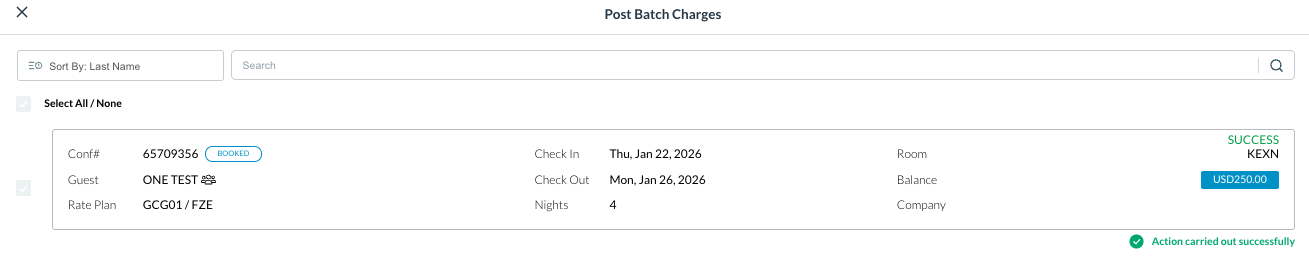
|
|
To cross check the charges, click on the reservation once again. |

|
|
Go to reservations Folio. Posted charges are highlighted. |
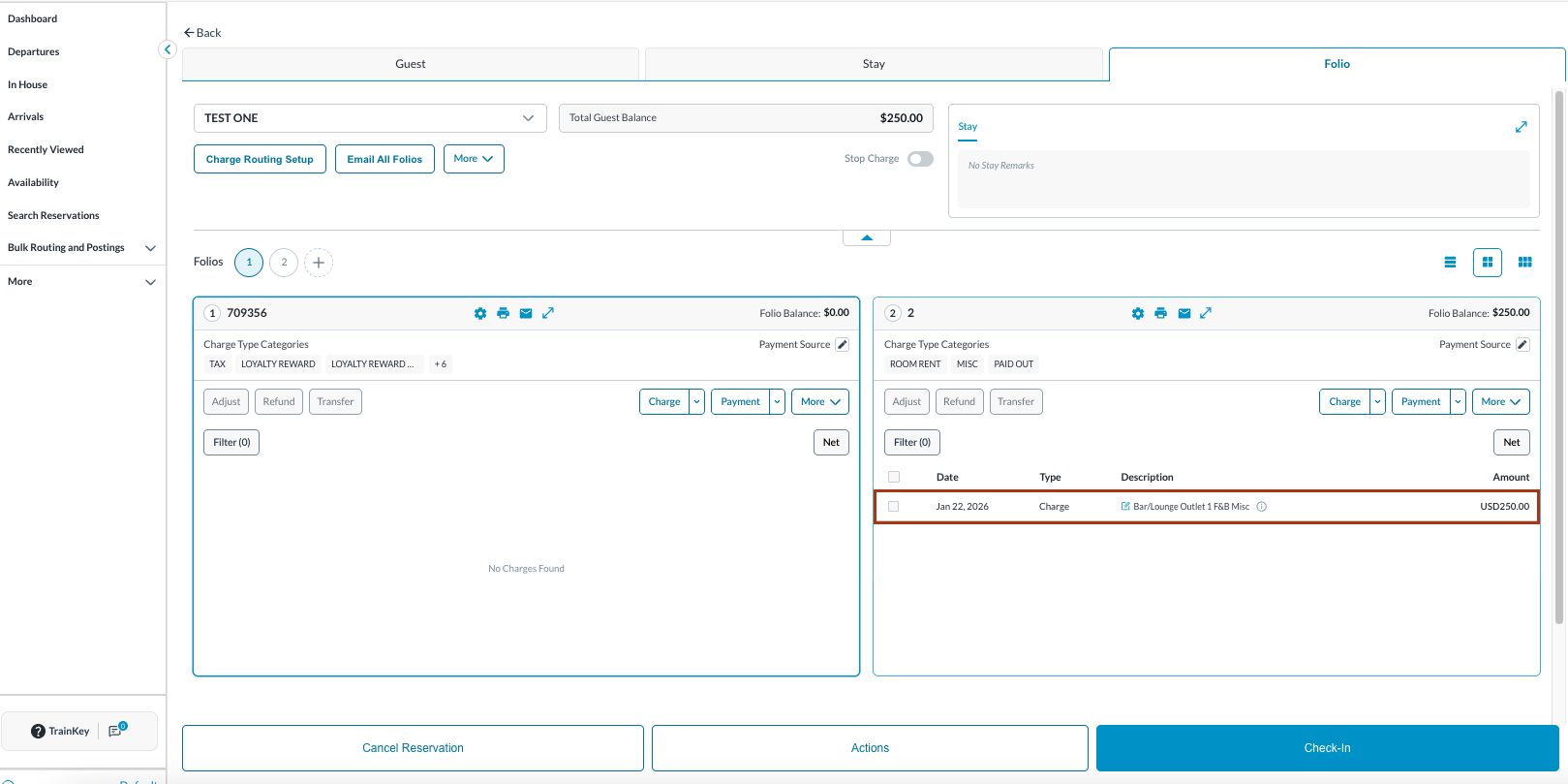
|