Skip table of contents

Billing Remarks on Group Reservations .ng

Revision Date :

This feature allows billing-specific remarks to be displayed alongside group booking remarks, ensuring financial and billing instructions are easily accessible to operational and accounting teams without requiring navigation to multiple screens. It also standardises visibility across reservation flows and reporting.

This functionality introduces support for Billing Remarks visibility within Individual & Group Reservations , controlled through a property-level configuration.

Group Reservation

Access Group Reservation
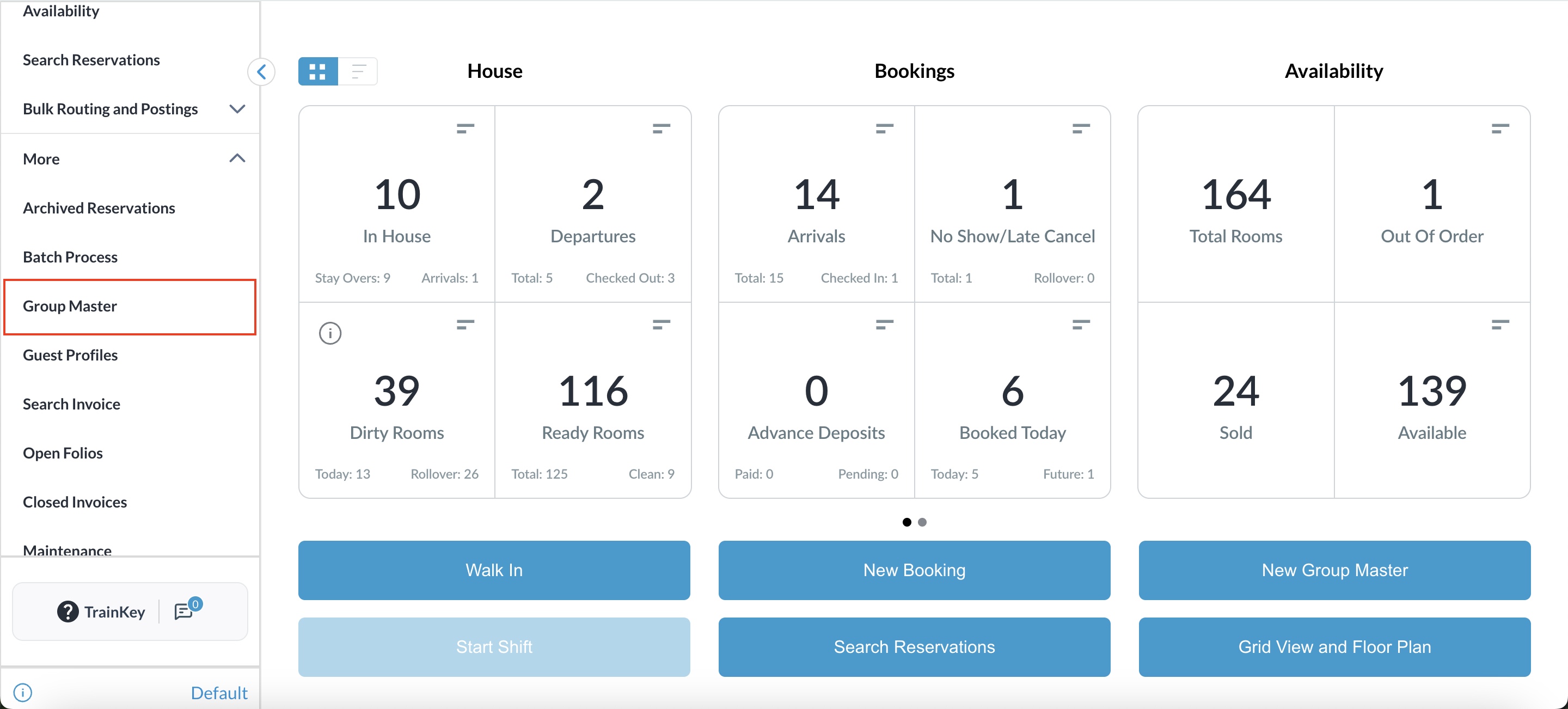
Navigate to Group Reservations from the Dashboard or the left-side menu.

47900465-763E-4370-AC57-F4F0DB0CA243.jpeg

Search and Select Group
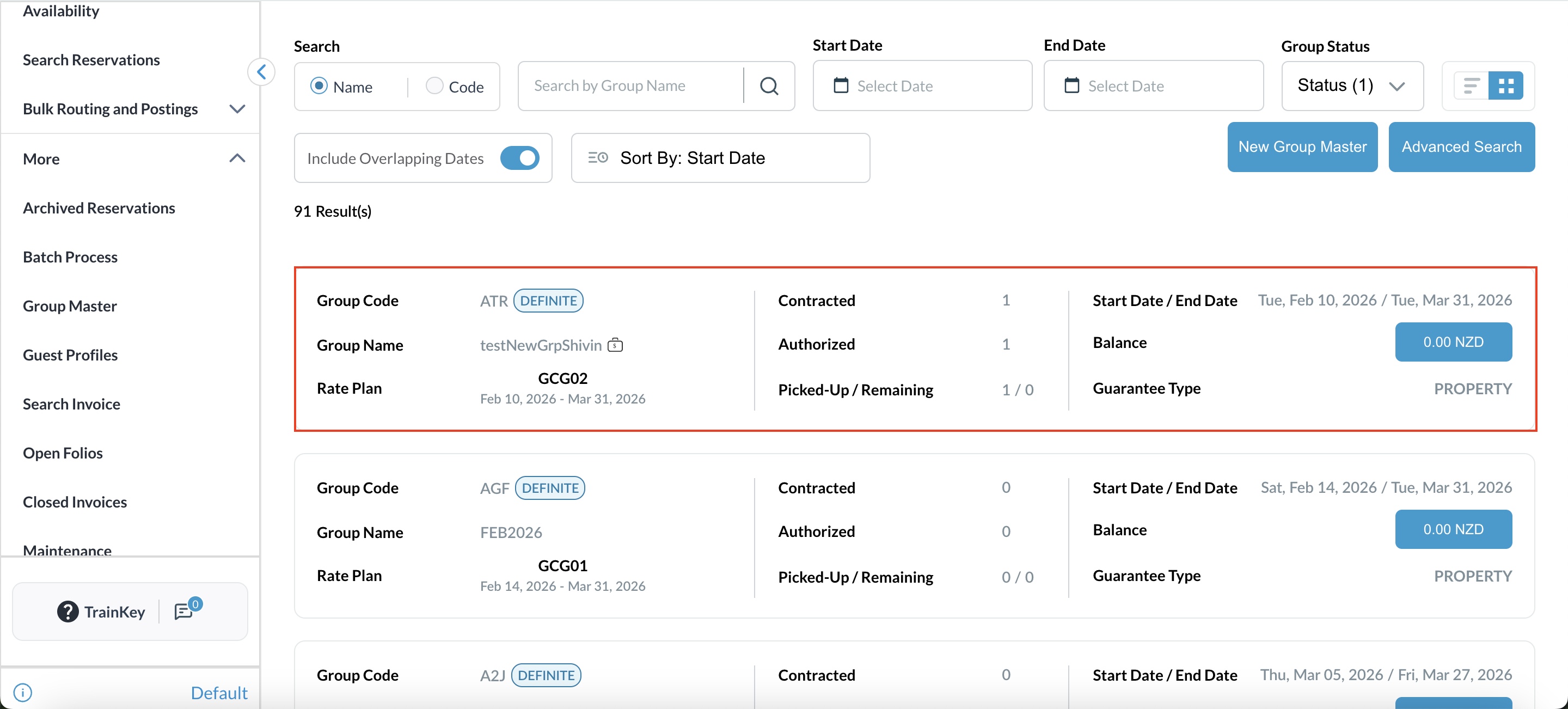
Search for the required Group Master using group name, code, or date filters.

Select the Group Master Reservation.

7551EE60-DDBC-430B-BDEE-31B60DD205B1.jpeg

Navigate to Billing / Folio Section
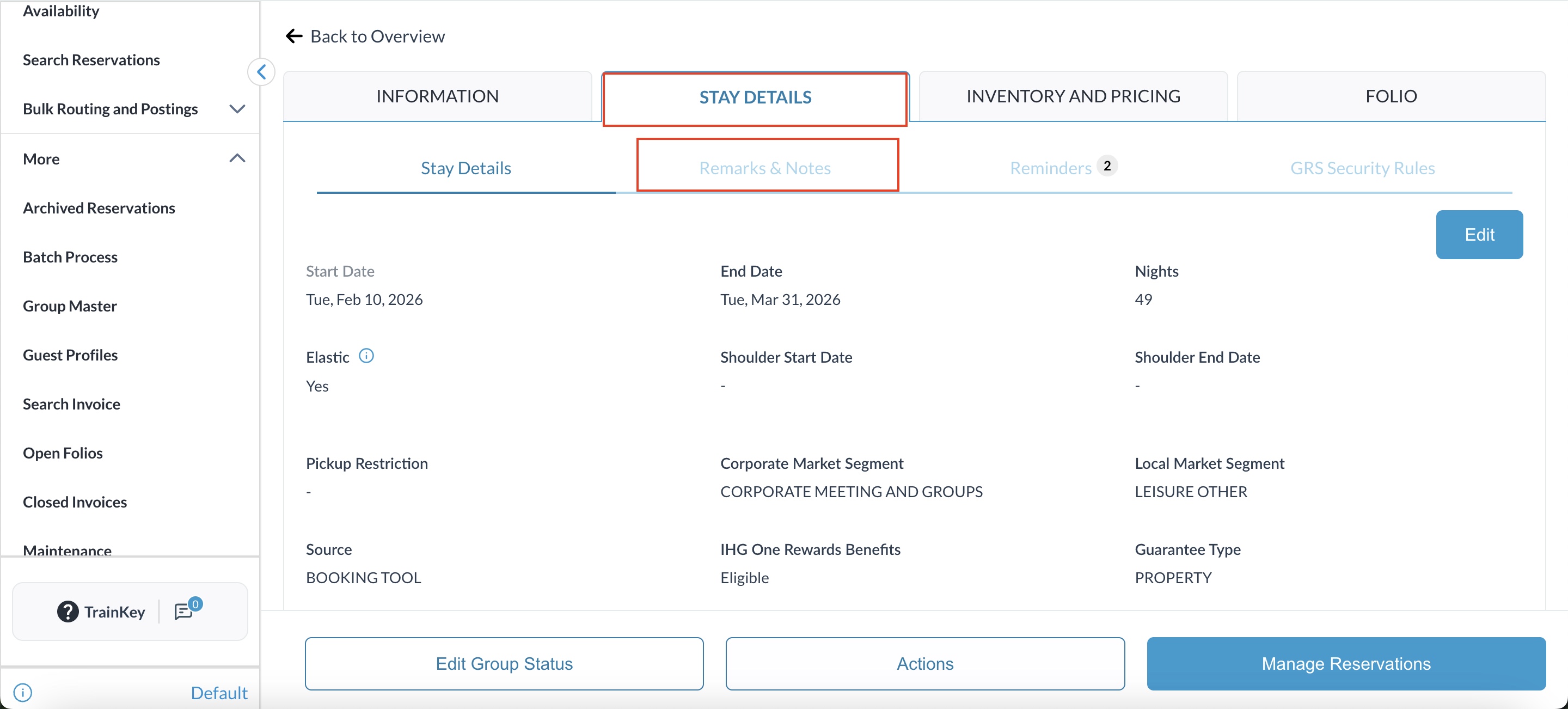
Open the selected Group Master Reservation.

Within the Group Master, navigate to the Stay Details

892FE808-A01C-48FA-9DAD-67E20F0FBBB9.jpeg

Enter or View Billing Remarks
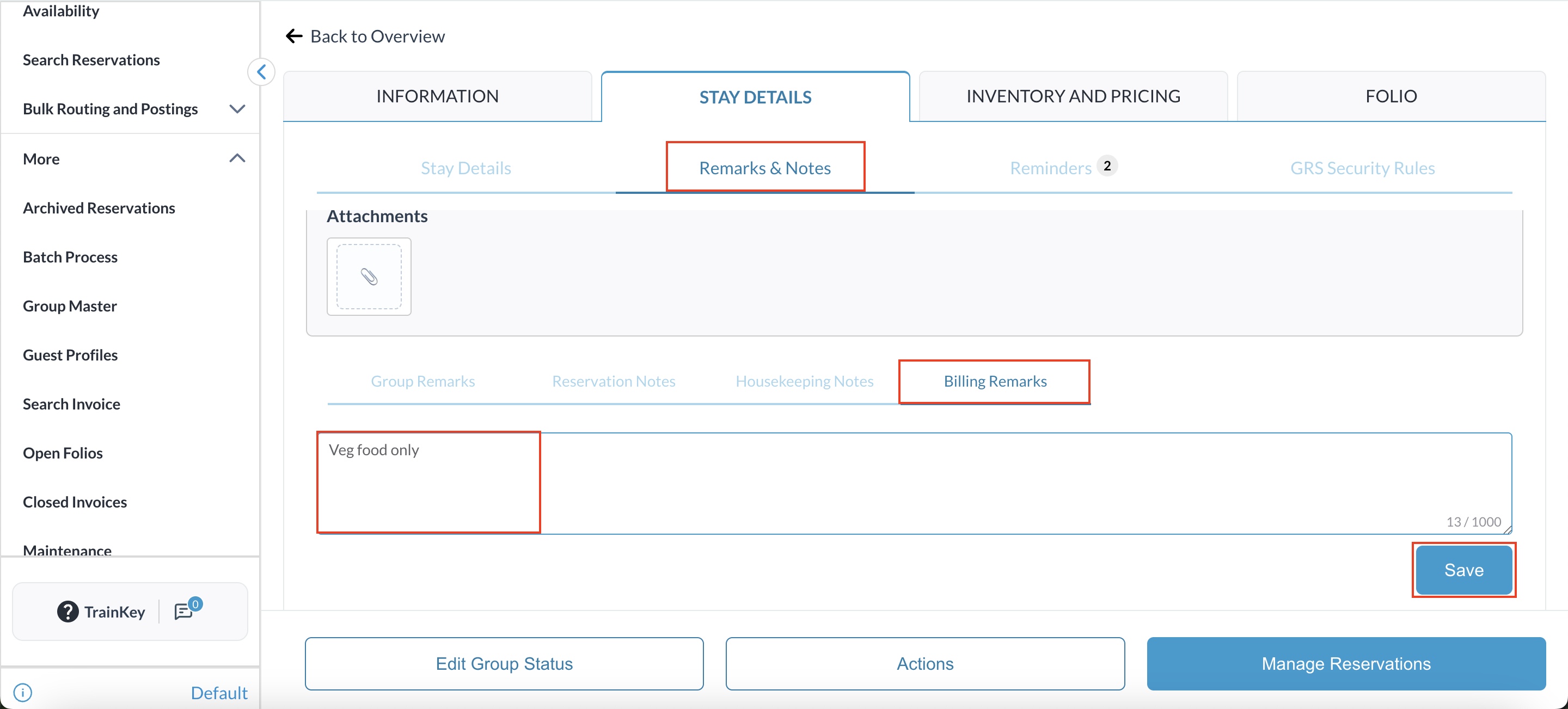
Locate the Billing Remarks field.
Enter or review billing remarks applicable to the entire group billing.

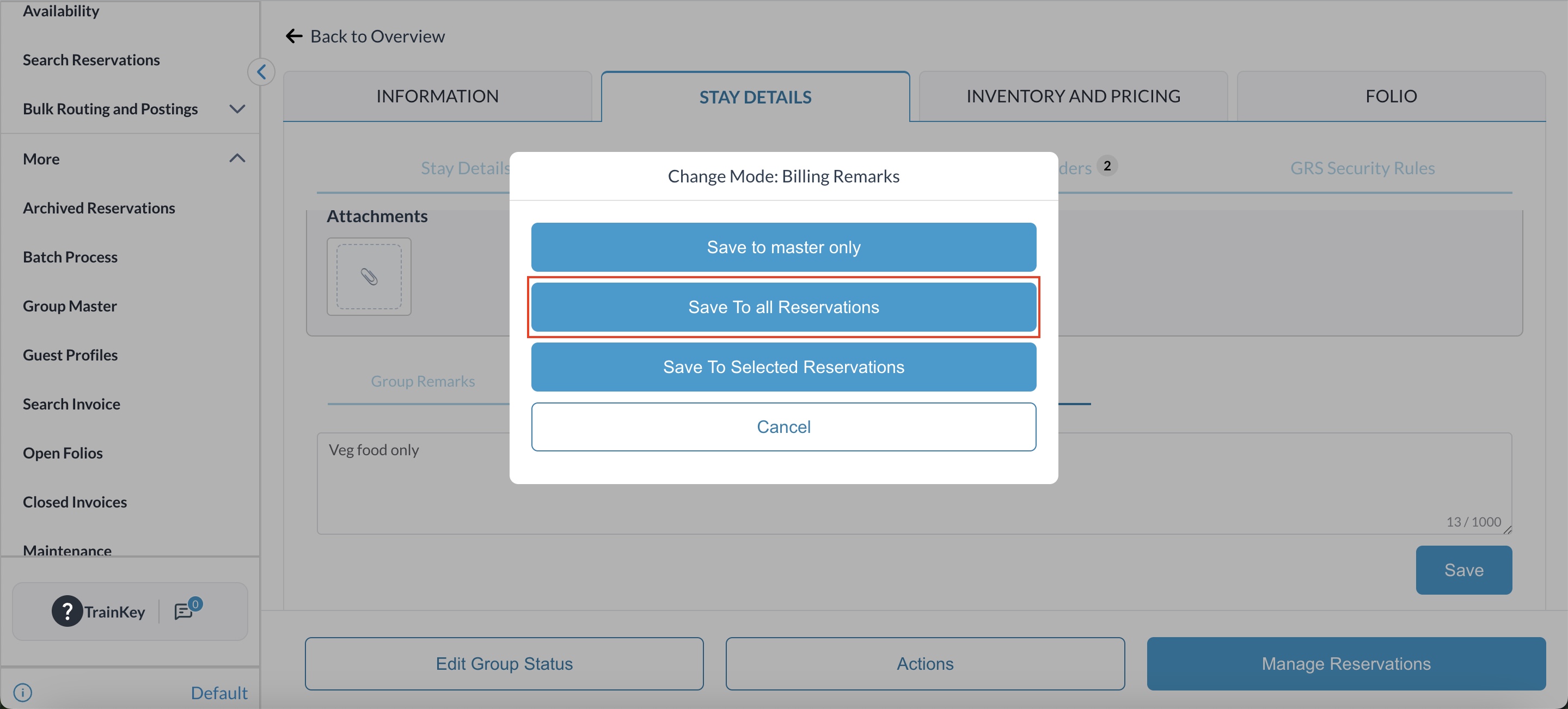
Save Billing Remarks
Click Save / Update to store the billing remarks.

BE4B9A93-C2BF-482E-B246-EE74FEB8B771.jpeg
858D85C6-6194-418E-973E-425CC4436430.jpeg

Validate Visibility
Billing remarks entered at the Group Master level should be visible in:

  • Group Master Billing / Folio

  • Generated Invoices for the Group Master

  • Relevant Billing Reports (where applicable)

JavaScript errors detected

Please note, these errors can depend on your browser setup.

If this problem persists, please contact our support.