
Revision Date:
The Auto-Settlement feature allows the system to automatically settle Group Master (GM) folios during the Night Audit based on specific, configurable criteria—either the number of nights or the accounting balance. This feature is accessible via the Settings (gear) icon on both the Non-Advanced and Advanced GM Folio tabs. By default, GM folios inherit the property-level auto-settlement settings, but users can override or completely disable these settings at the individual folio level.
Use Cases
-
Enable Auto Settlement: A front-desk user enables auto-settlement on a specific GM folio, selecting either NIGHTS or Accounting Balance as the criteria, allowing the folio to settle automatically during the Night Audit without manual intervention.
-
Disable Auto Settlement: A user disables auto-settlement for a specific folio that requires manual review, overriding the property default so it is ignored during the Night Audit.
-
Override Property-Level Criteria: A user changes the settlement criteria or threshold for a specific folio (e.g., requiring 2 nights instead of the property default of 1) to allow for granular control per folio.
Pre-requisite:
-
Auto settlement is activated at property level
-
This feature is applicable to Group Master and House Account.
User Workflow
|
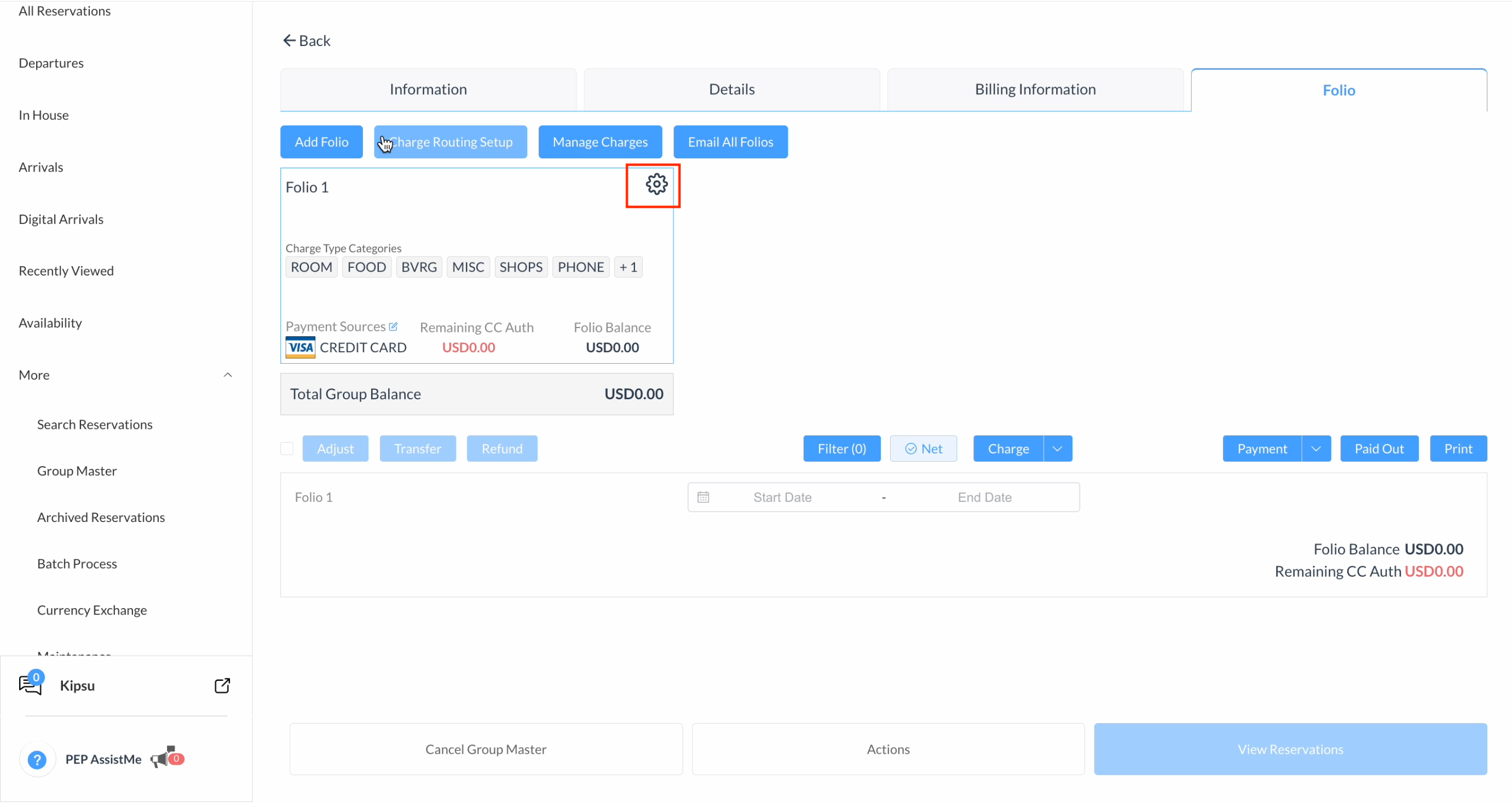
Navigate to the Frontdesk Dashboard > More and select Group Master
|
|
|
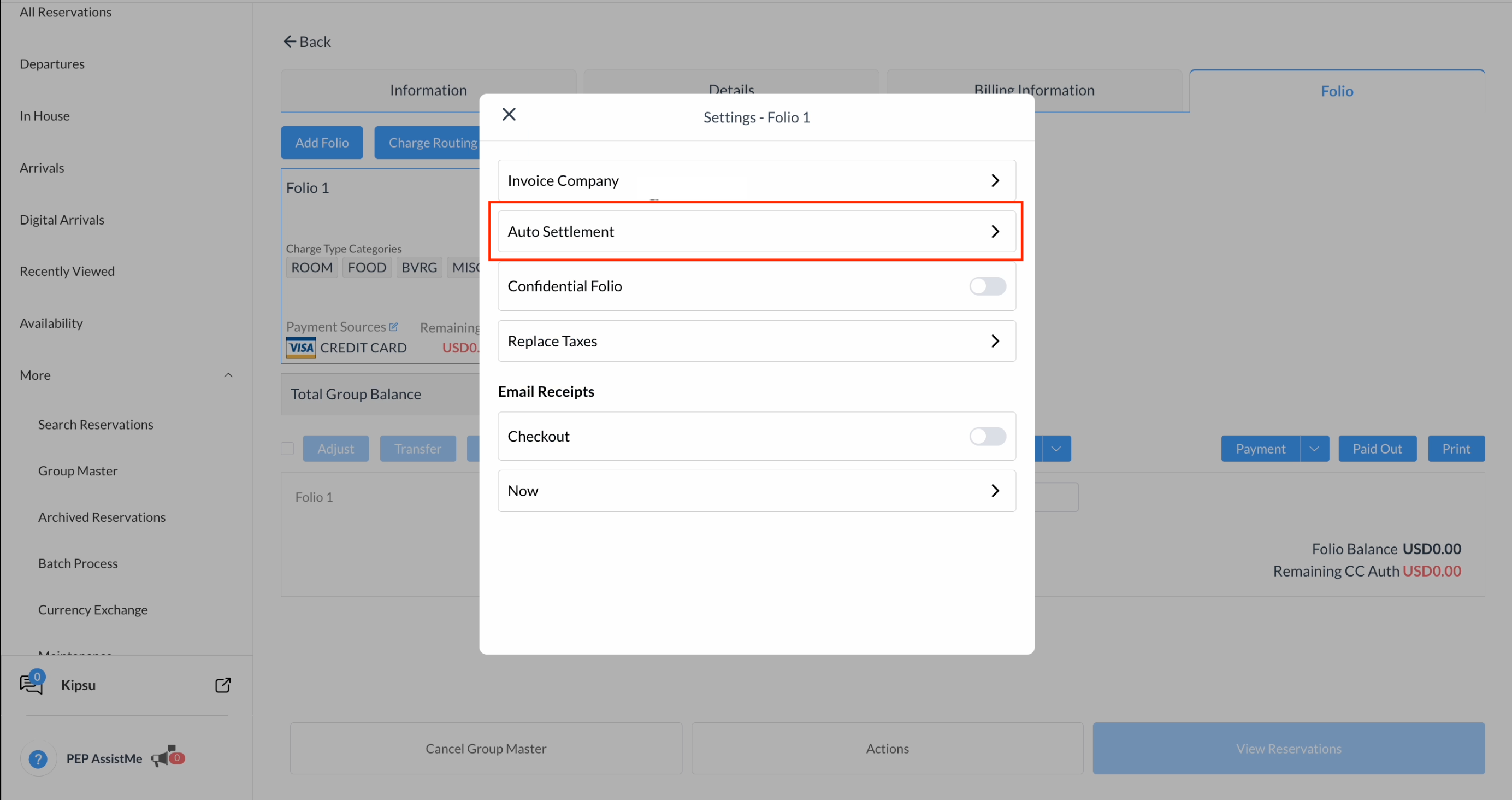
Select Auto Settlement from the dropdown menu options. |
|
|
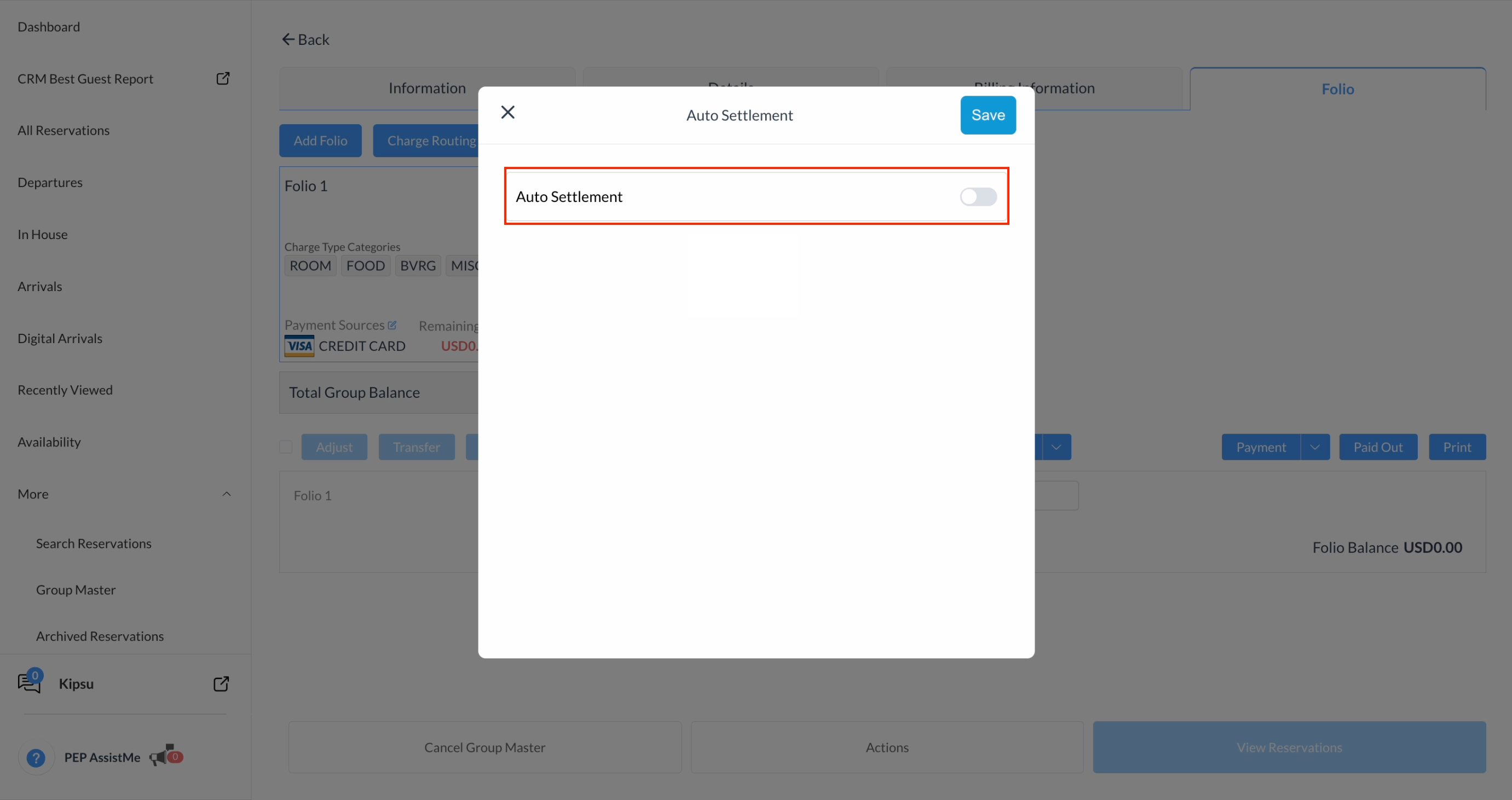
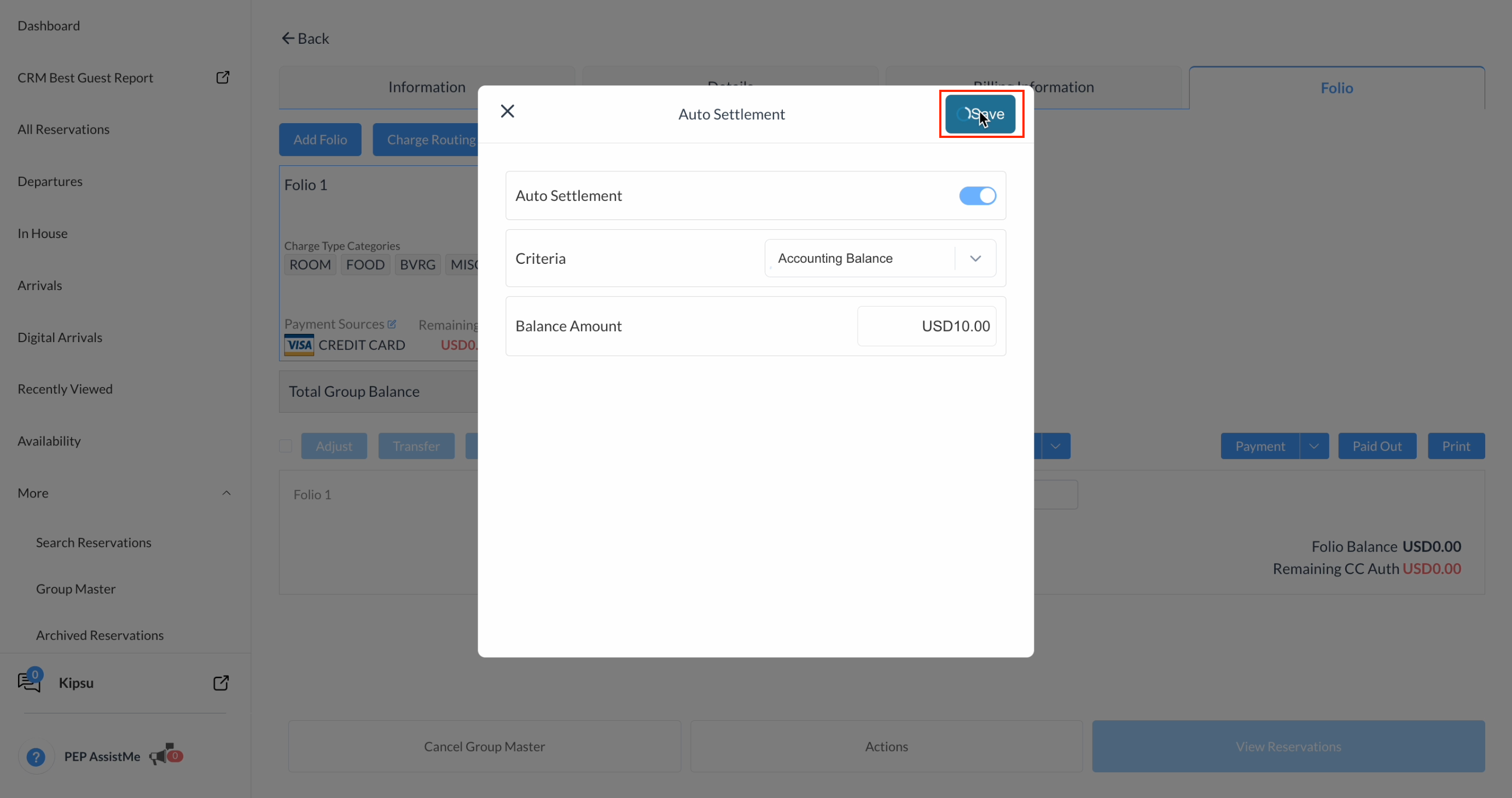
Turn the Auto Settlement toggle to ON. |
|
|
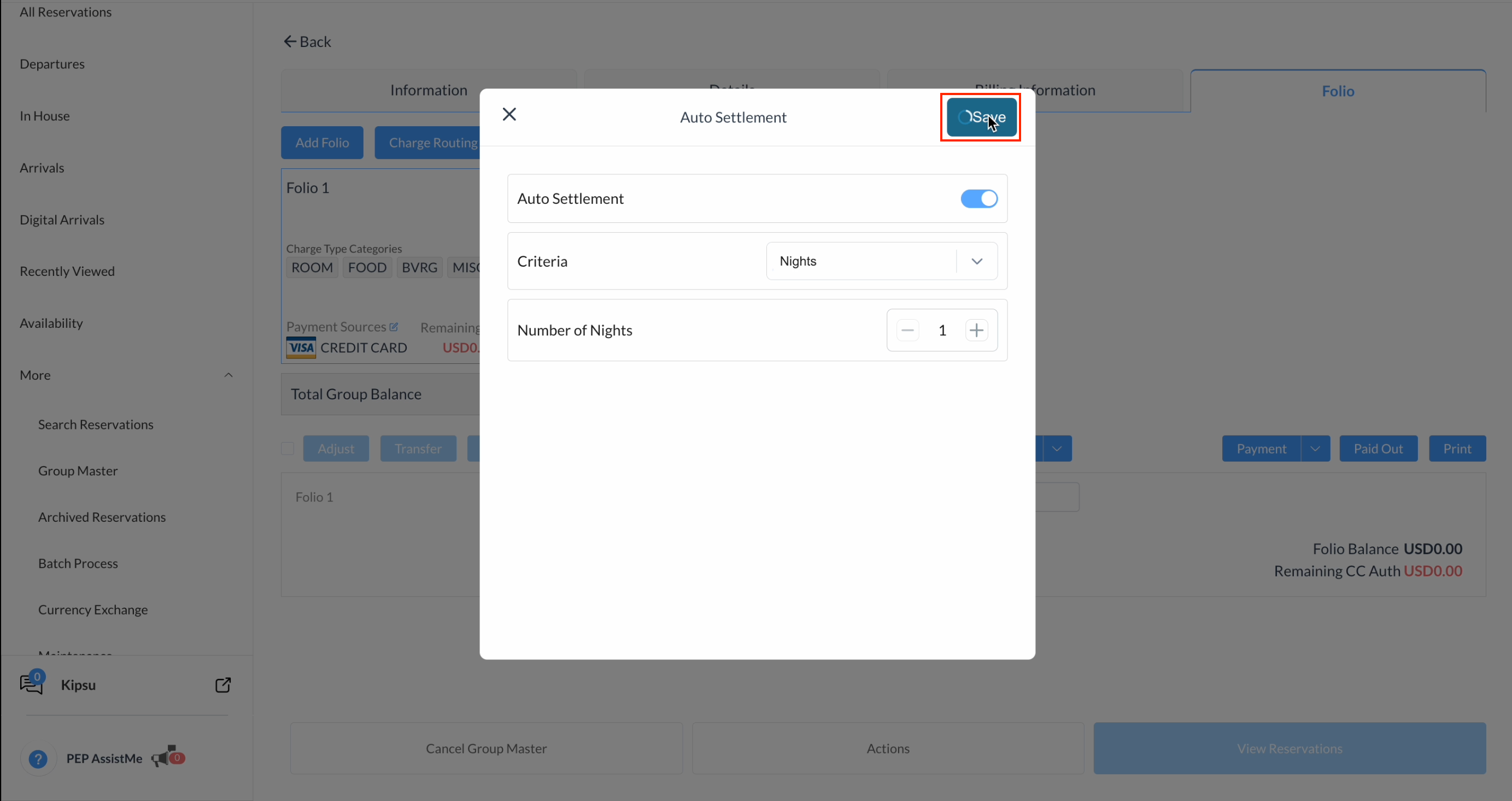
Select the Settlement Qualification Criteria:
|
|
|
Accounting Balance: Enter the threshold amount.The folio will auto-settle only when the folio's outstanding balance is less than or equal to this configured amount.
|
|
|
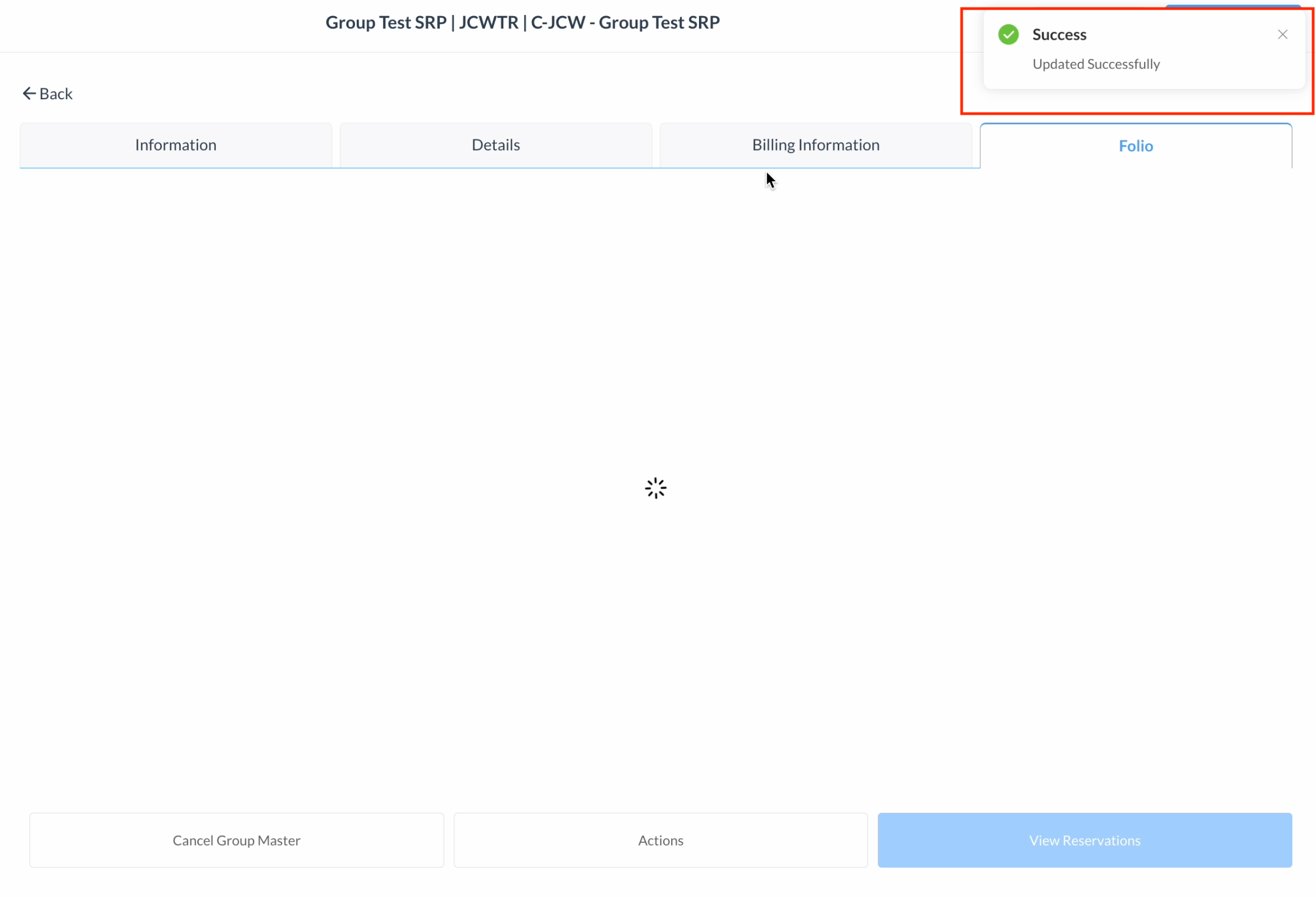
Click Save and a success message will appear. |
|
|
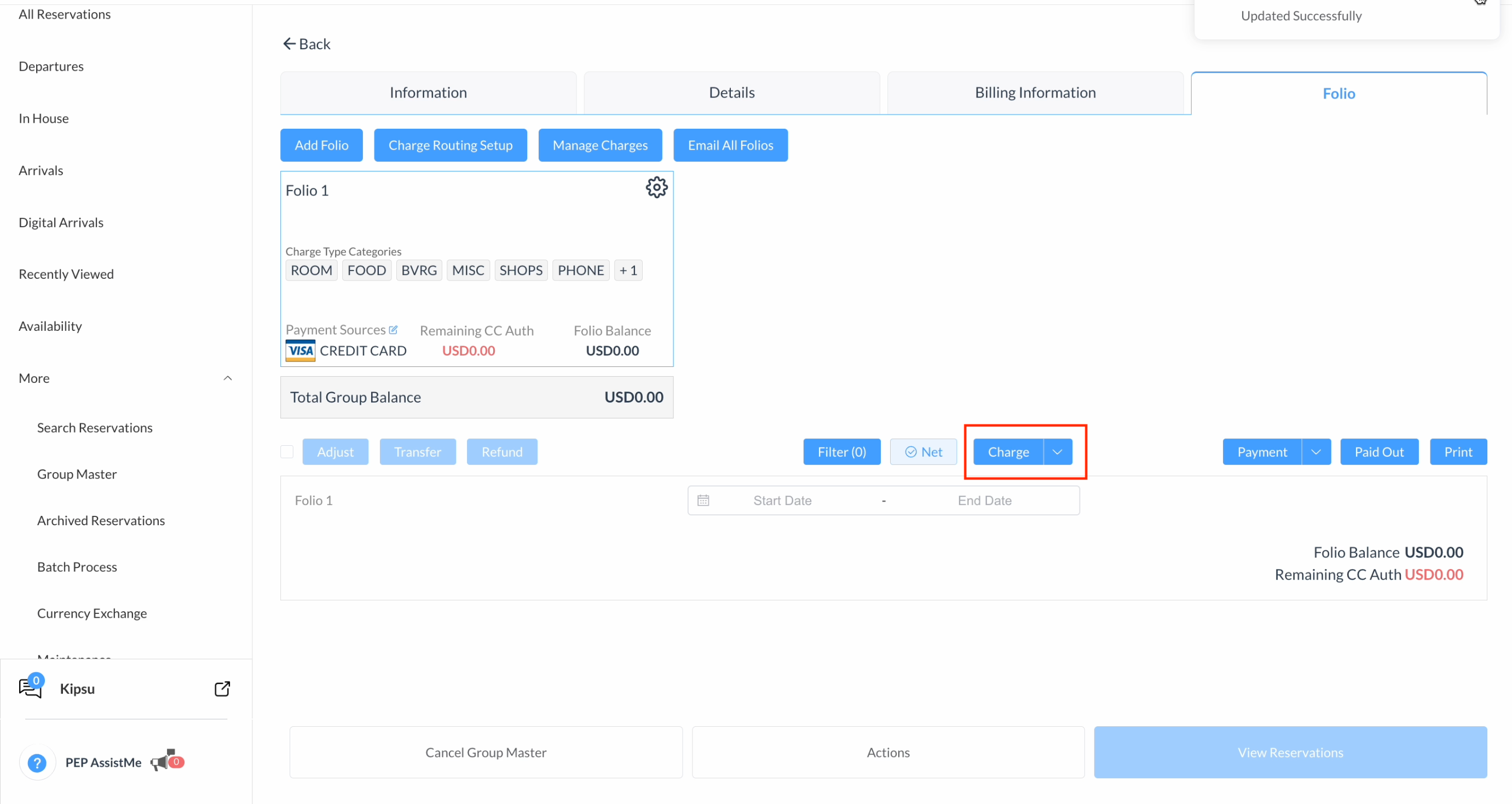
Click Charge to add a charge to the folio,
|
|
|
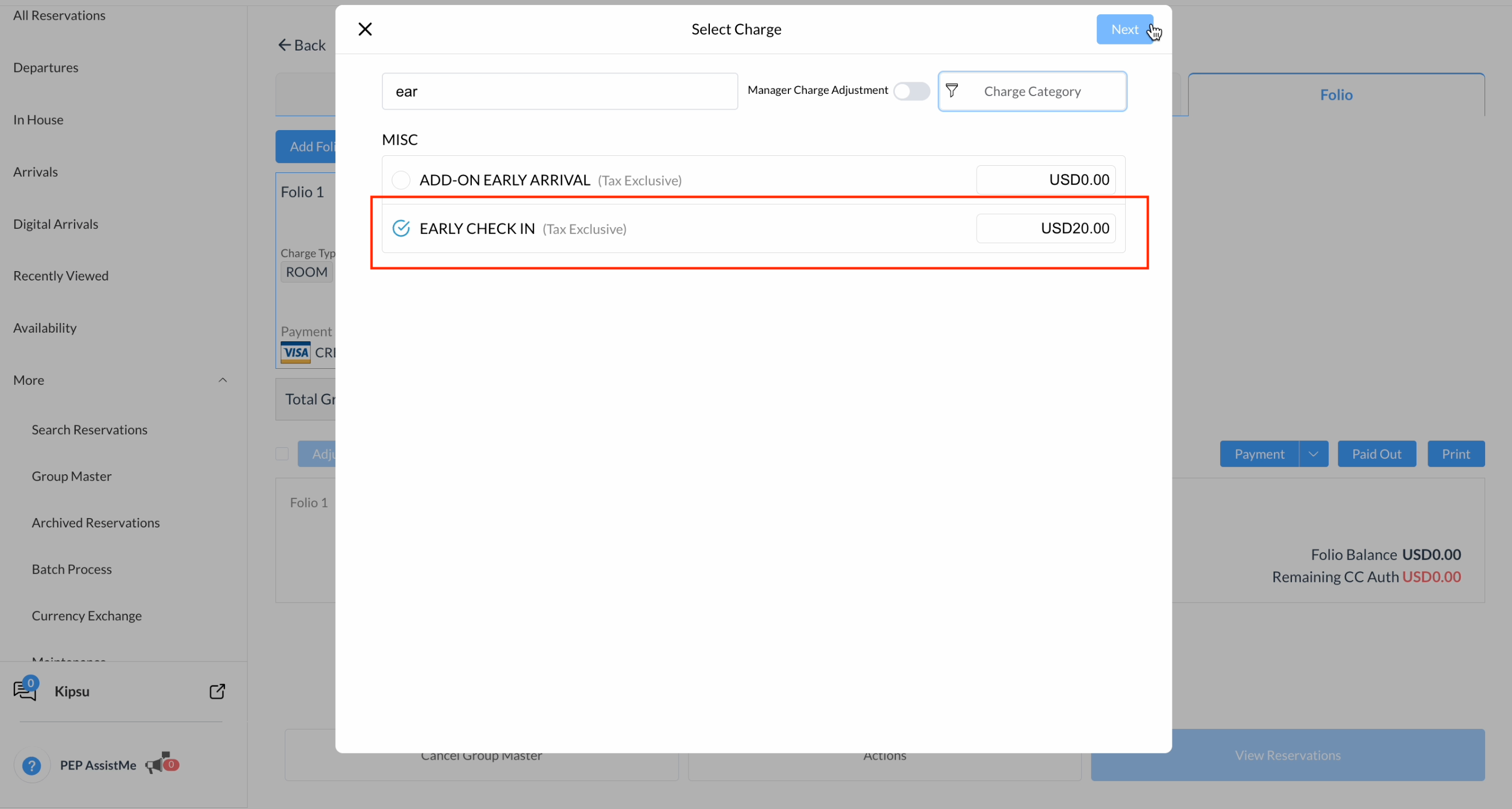
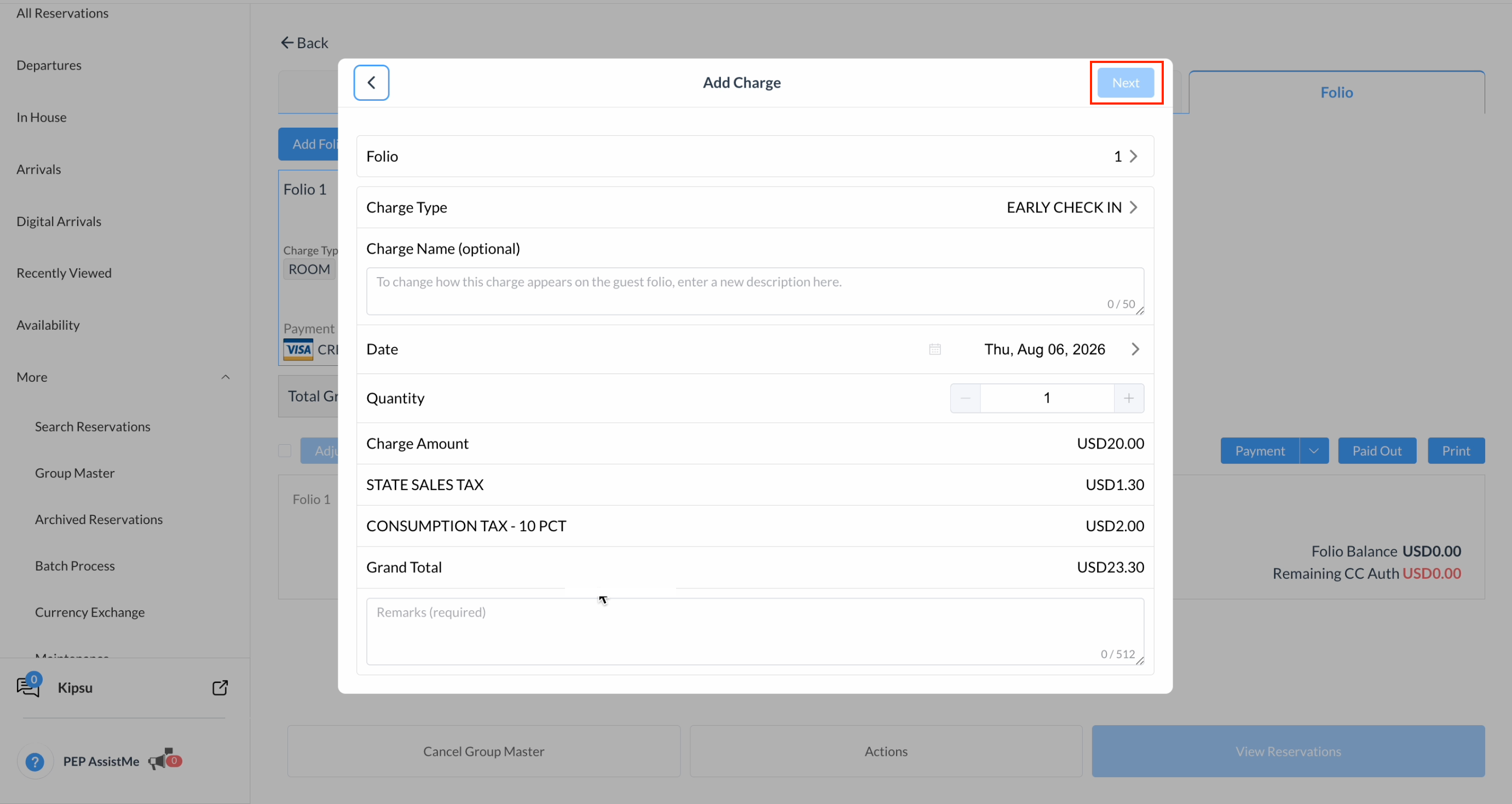
Select the required charge and enter the amount
|
|
|
Enter any applicable remarks and click Next. |
|
|
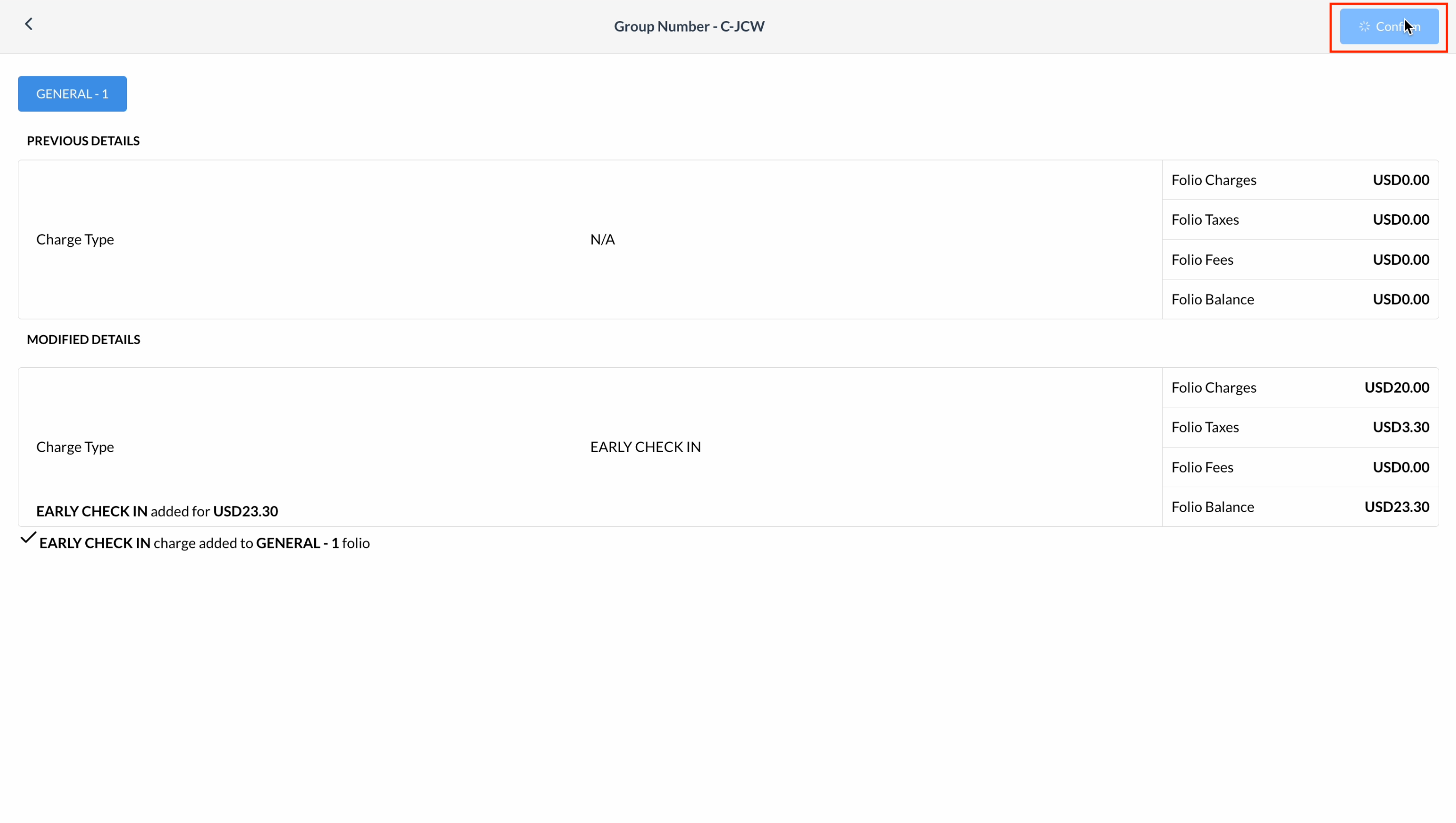
Review the charge details and click Confirm |
|
|
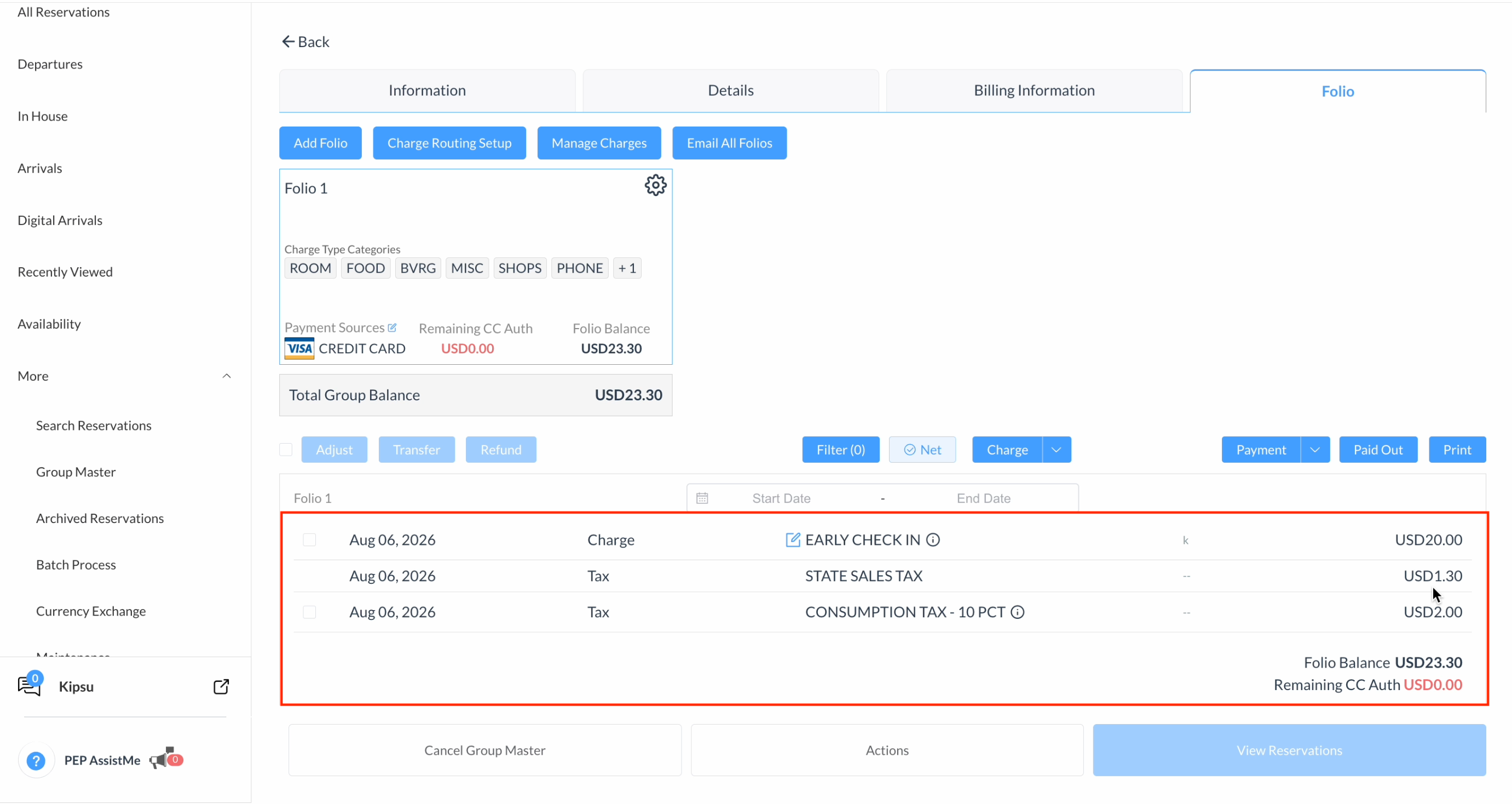
In the Folio tab, the new charge details will be reflected. |
|
|
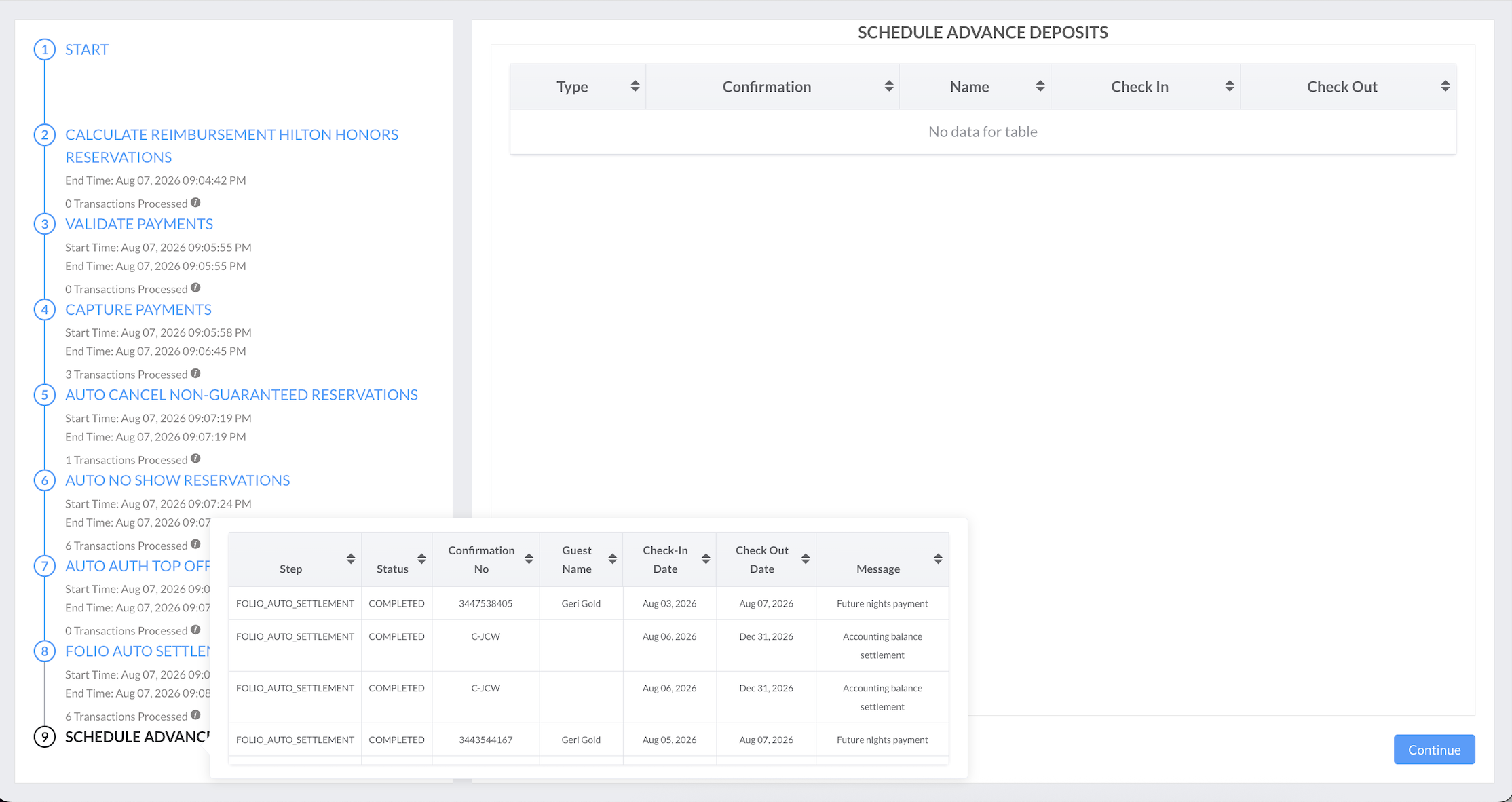
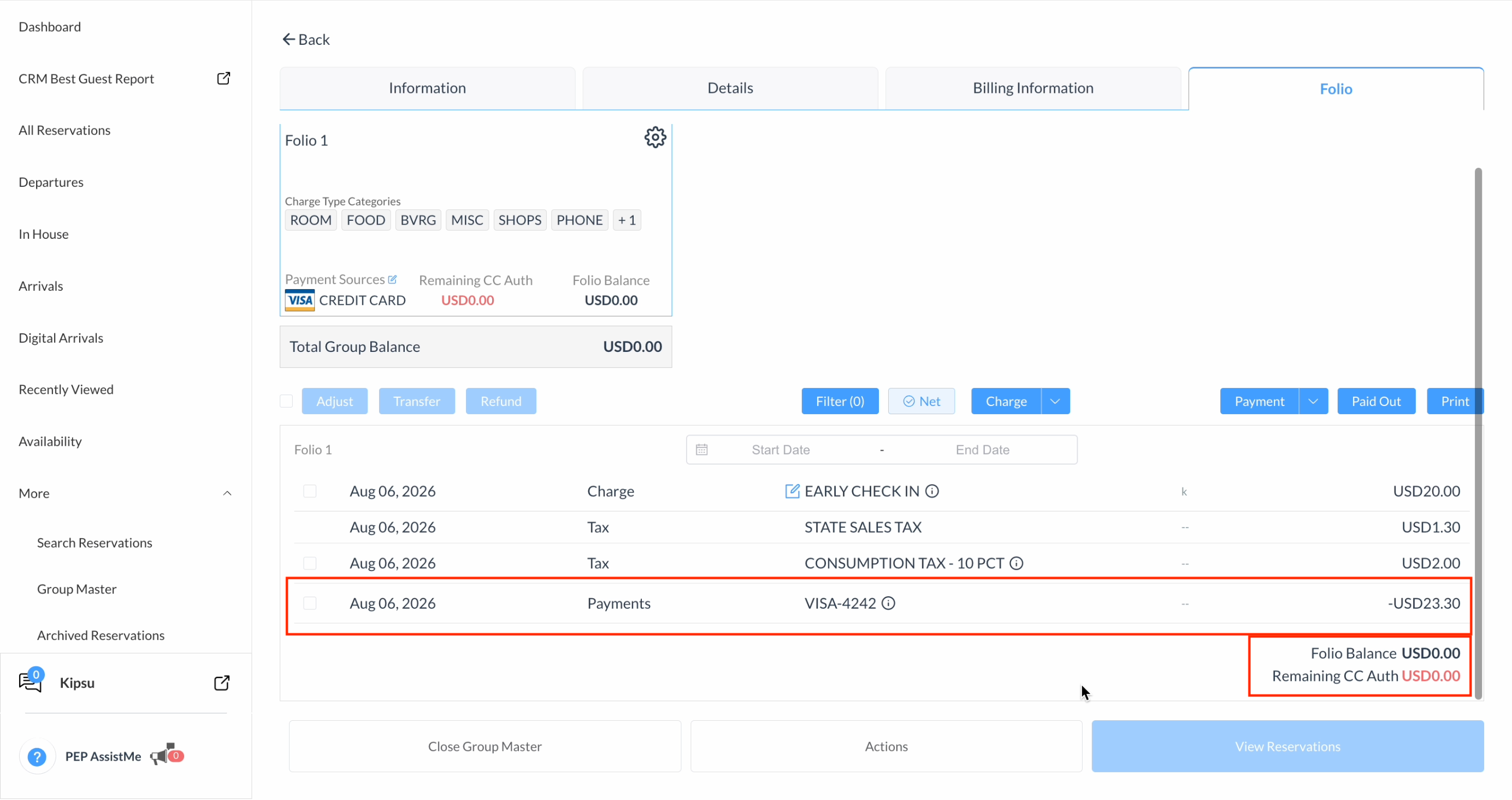
During the next Night Audit run, the system evaluates the folio against the configured criteria. If the conditions are met, it automatically settles the charges and updates the folio balance. |
|
|
After the Night Audit is completed, the charges are settled, and the folio balances are updated accordingly. |
|
Notes
-
Only one criterion can be active per folio at a time—either Nights or Accounting Balance.
-
Auto-settlement evaluates only during the Night Audit. If a folio does not meet the configured criteria on a given run, it is simply skipped and re-evaluated during the next Night Audit.