
📆 Revision Date:
Shoulder dates refer to selected dates preceding the check-in date and following the checkout date. They serve as an extension to maintain inventory availability for groups arriving earlier or departing later than the anticipated dates.
|
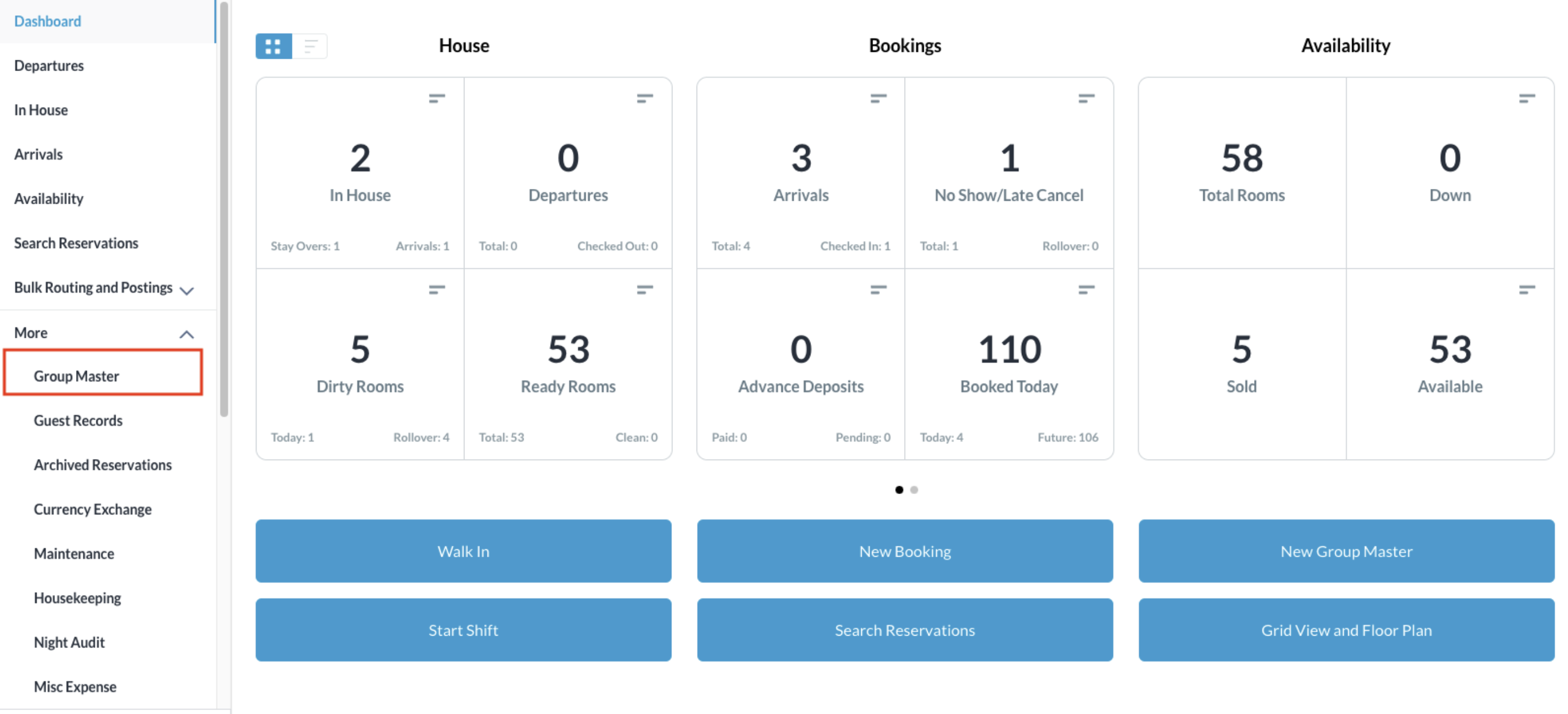
From the Dashboard, select More to expand the menu options and select Group Master |
|
|
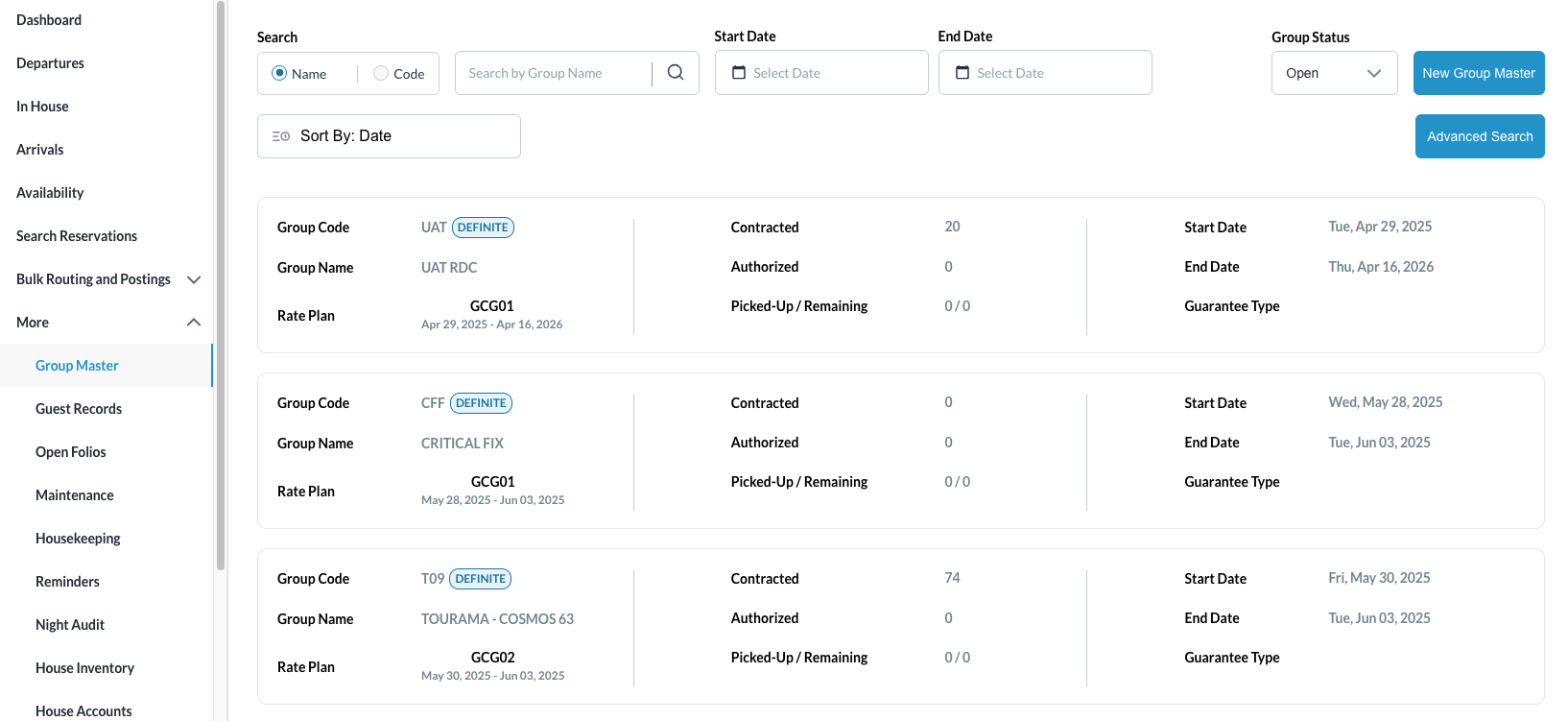
Search for the Group Master by Name, or Code, and/or Date. Select Status to refine the search. Select the Group Master from those listed. |
|
|
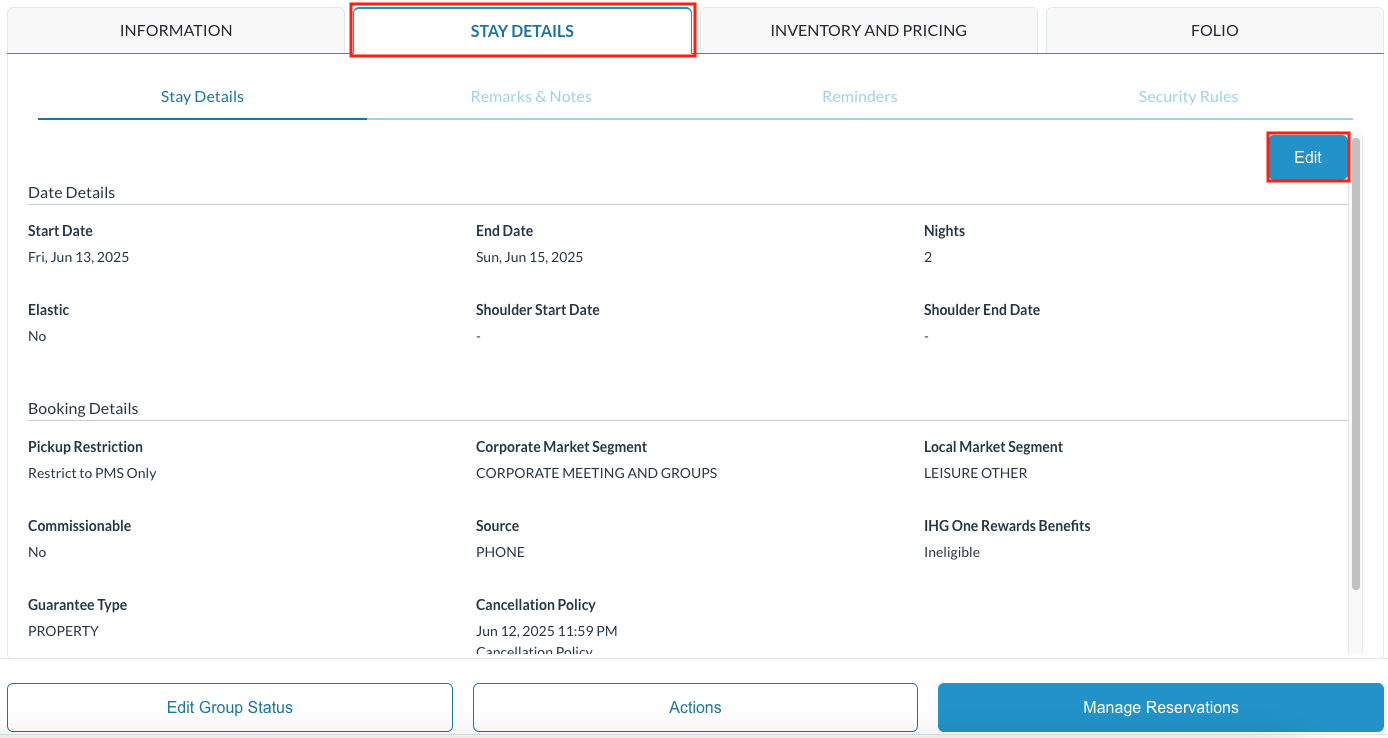
The group master opens Select Stay Details tab then click on Edit to open the details of the group master
|
|
|
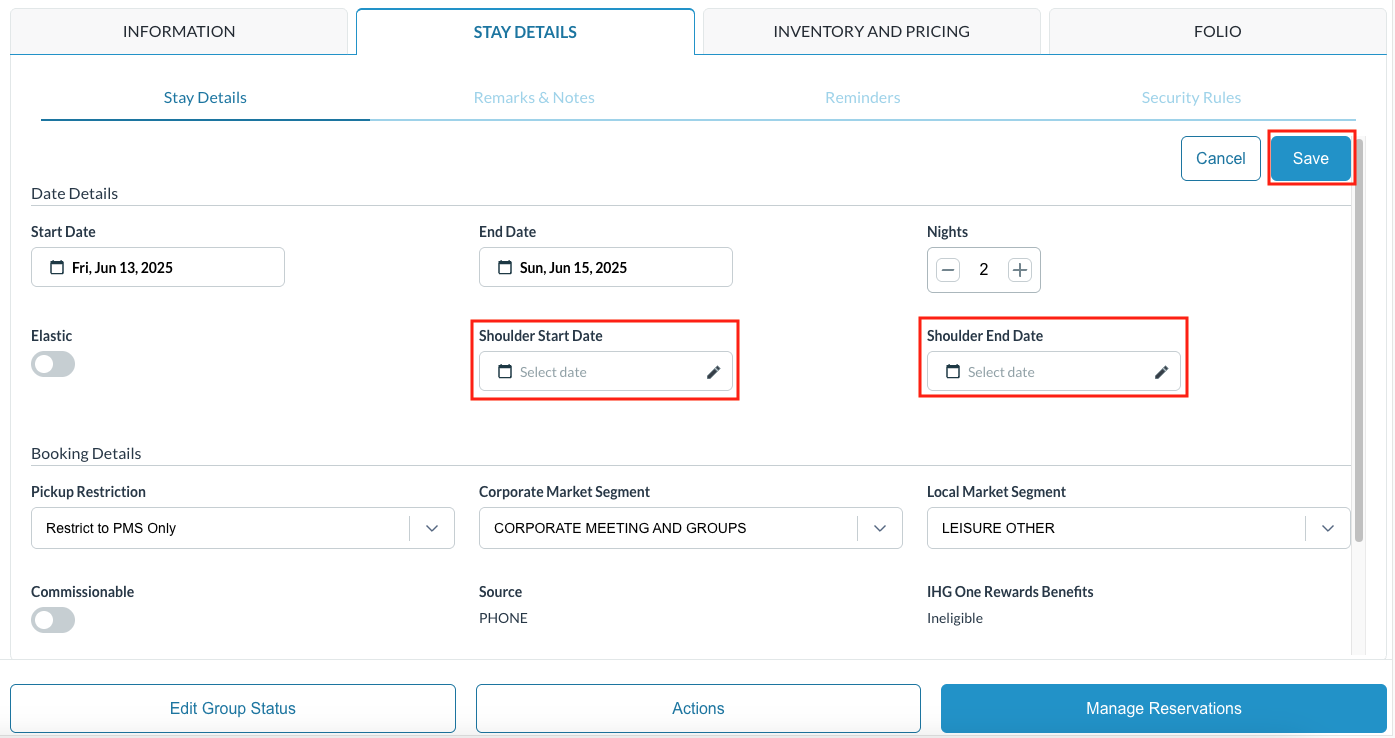
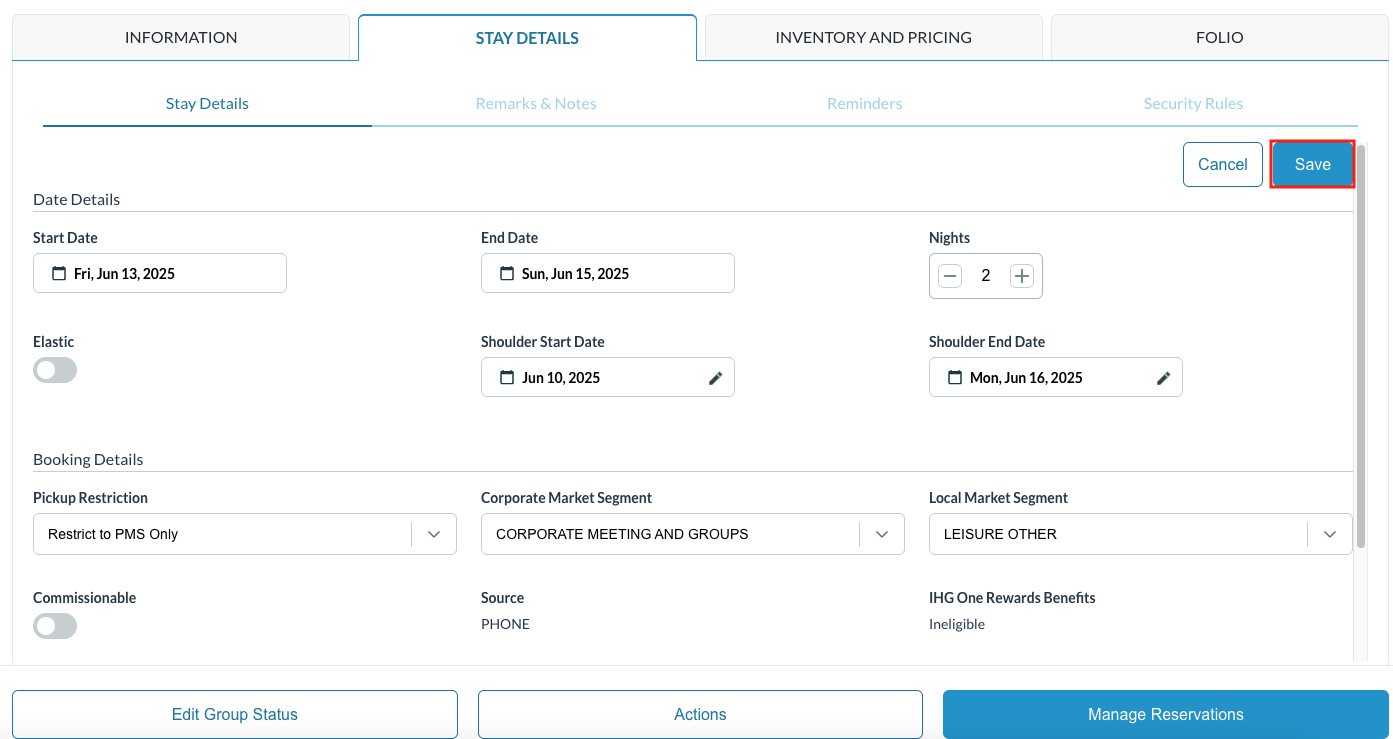
Select Shoulder Days: Select a Start Date for any number of days prior to the group master start date. This will allow for members to arrive earlier than the dates the group inventory is held Select an End Date for any number of days following the group master end date. This will allow for members to stay later than the dates the group inventory is held
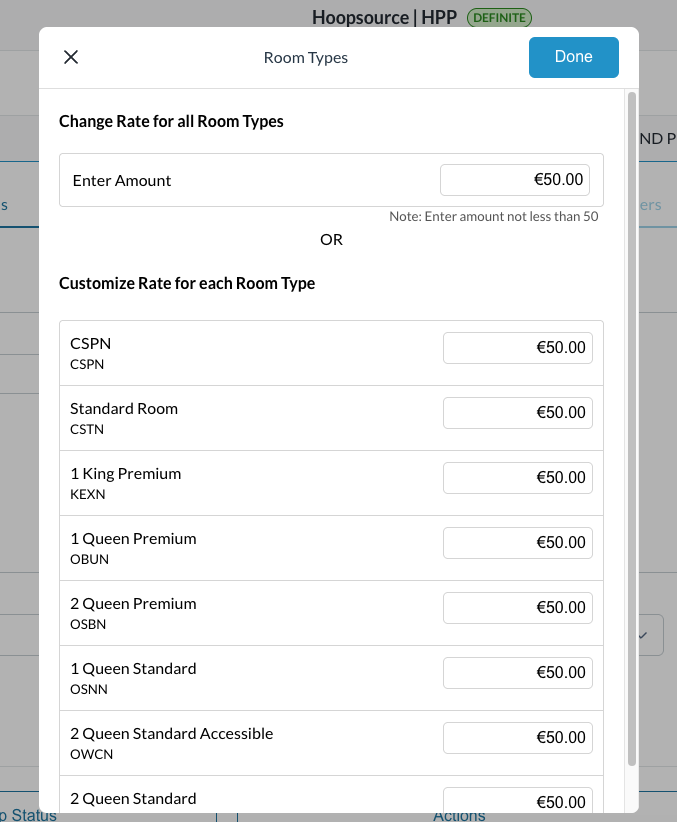
Rates - you can attach a rate for the room types on the defined shoulder days by one of two ways:
When finished, click on Done |
|
|
Select SAVE to complete the task |
|