
Revision Date:
The objective is to streamline the check-in process for group arrivals by allowing users to generate a single, consolidated PDF document containing multiple registration cards instead of opening a separate tab for every selected guest, unmanageable typically for for large groups (e.g., a bus tour of 40 guests).
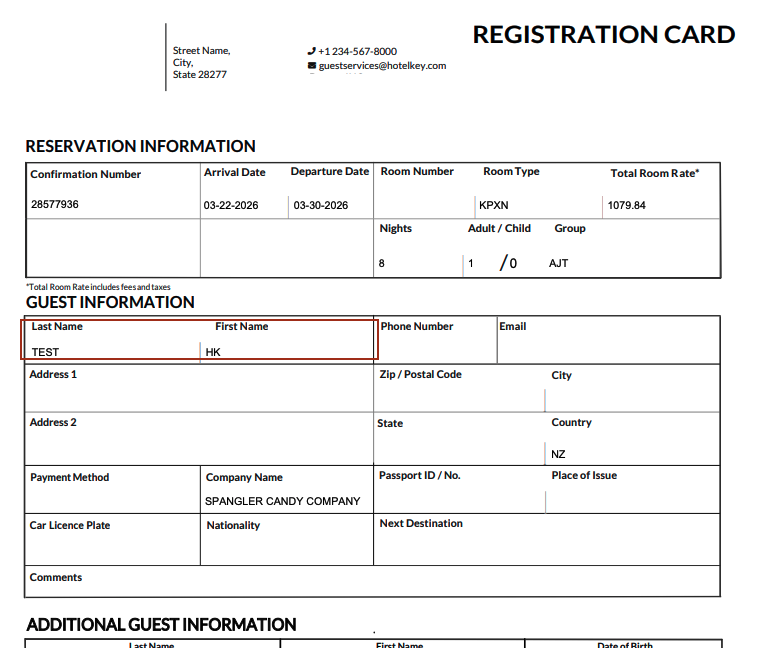
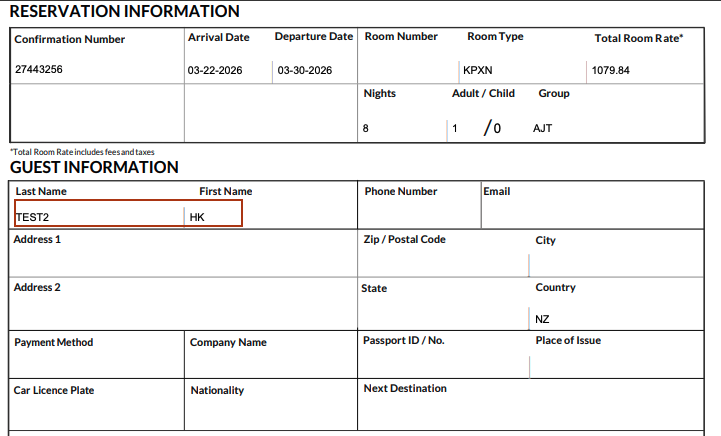
The system will aggregates the data for all selected group members into a single data stream. Each individual guest's registration card will start on a new page within the consolidated PDF to ensure they can be handed out individually after printing.
|
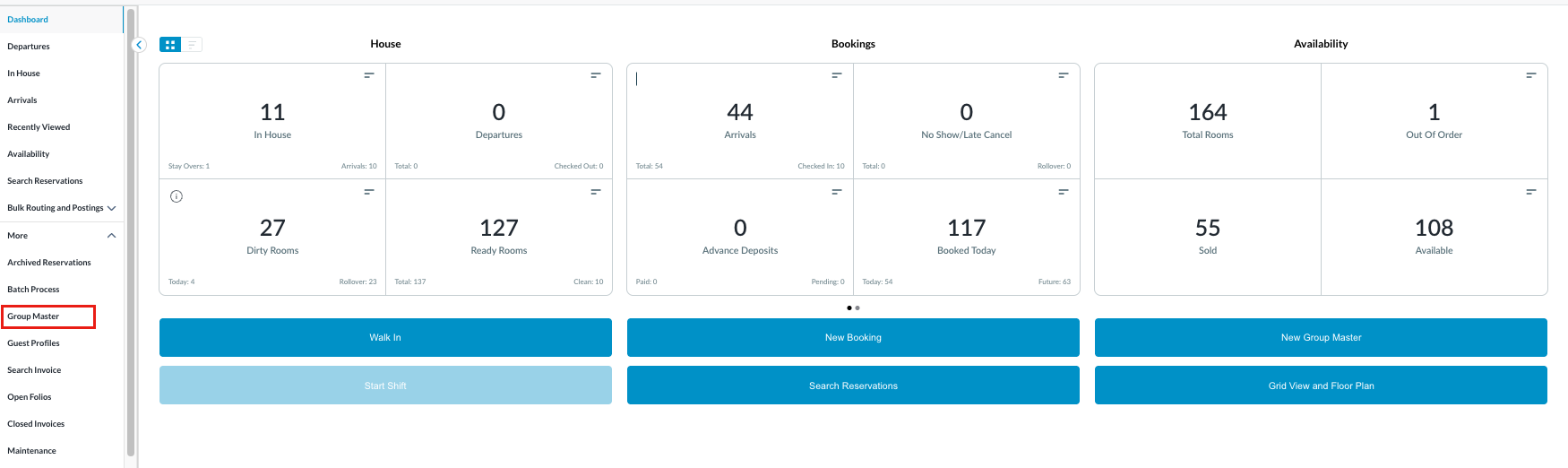
Navigate to Group Master from Frontdesk Dashboard |
|
|
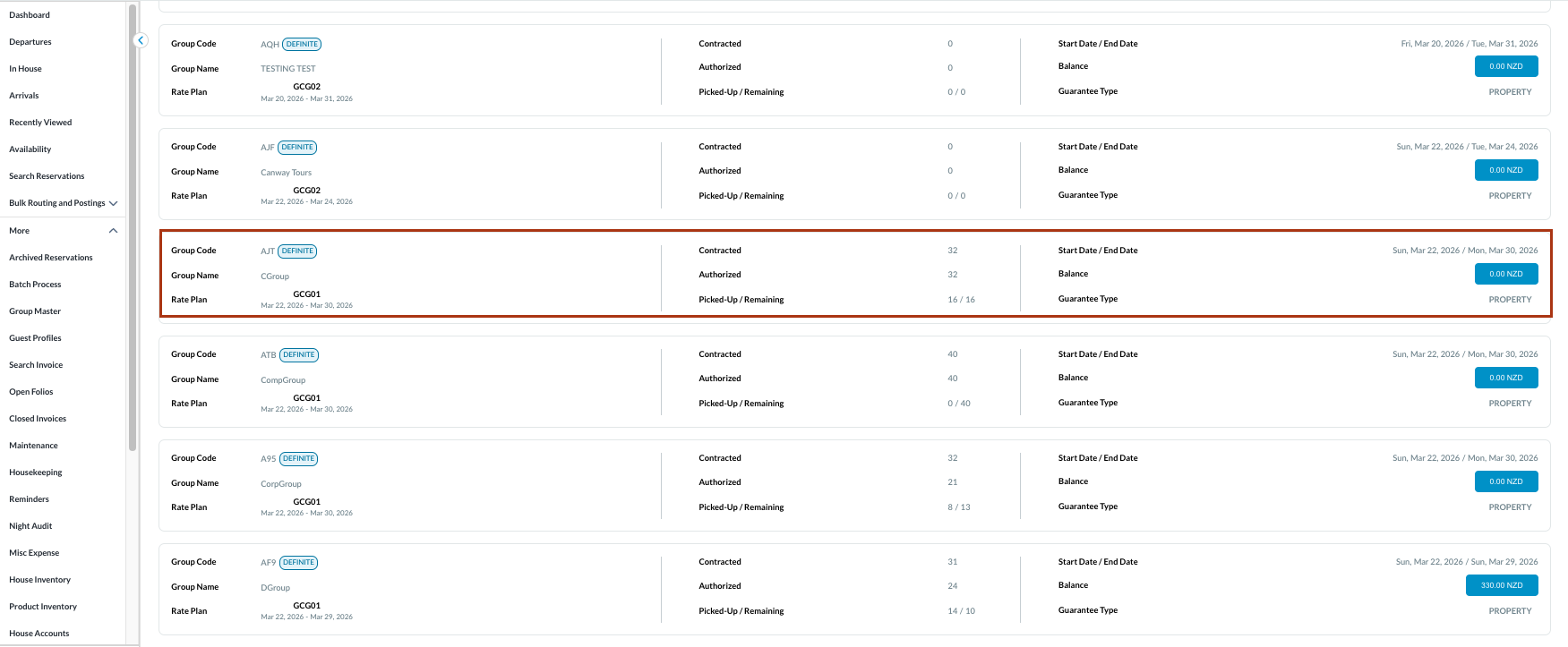
Select the desired Group with active member reservations where the registration cards need to be printed . |
|
|
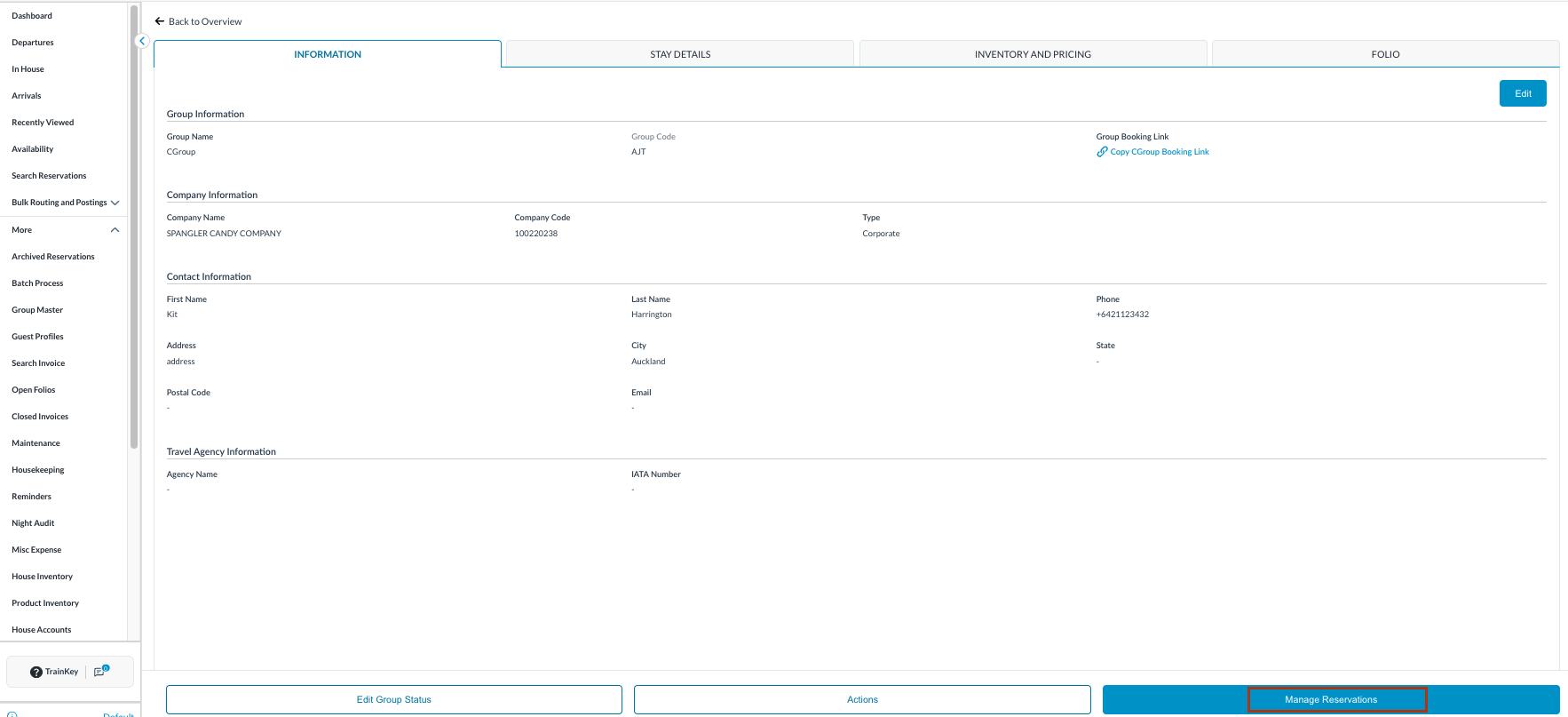
Click Manage Reservations |
|
|
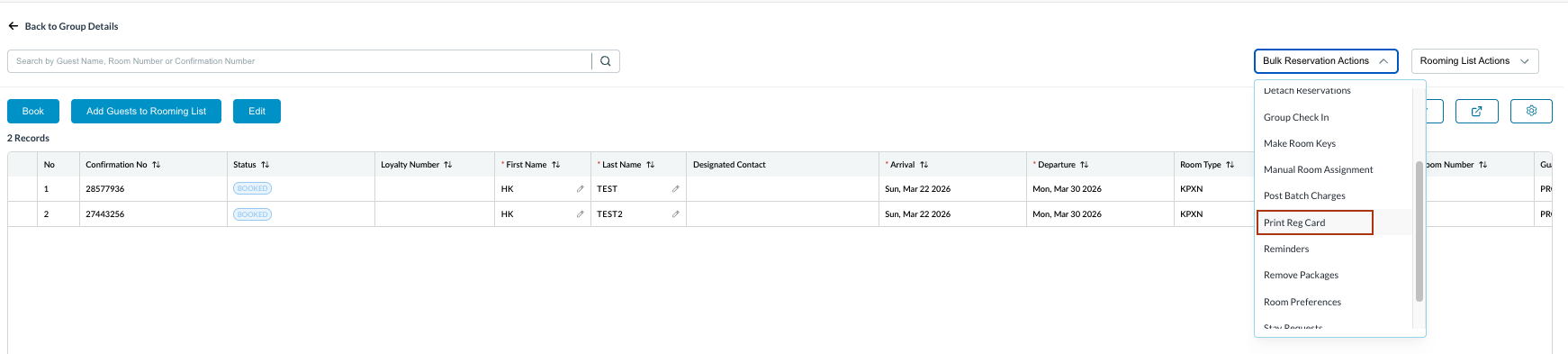
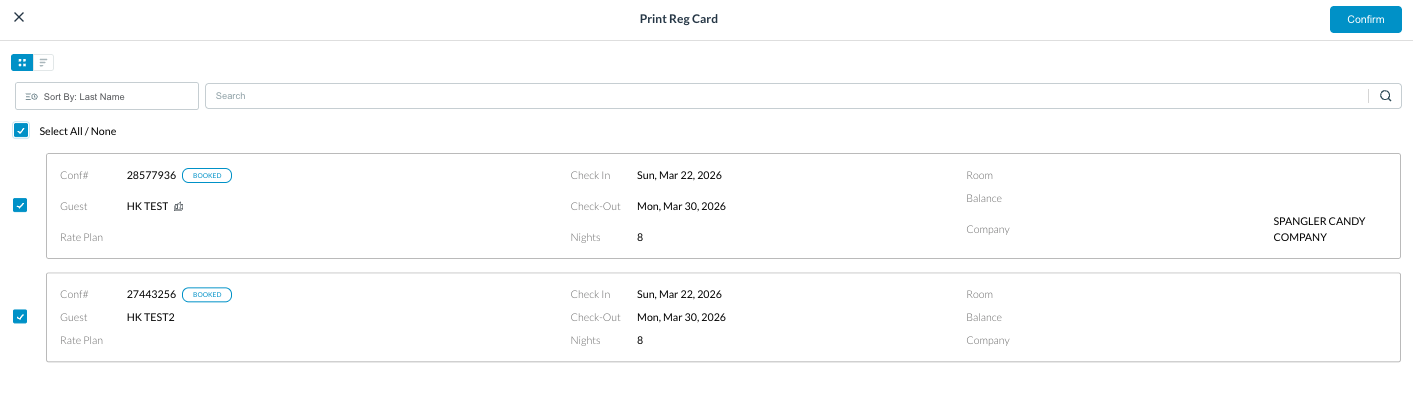
The Reservation List will open. Click on Bulk Reservation Actions and select Print Reg Card section.
|
|
|
Confirm Selection:
|
|
|
Review Output: Observe one single browser tab opening with PDF. Print: Use the browser's PDF viewer to scroll through the pages (one page per guest) and click Print once to output the entire batch to the physical printer. |
|