
📆 Revision Date:
|
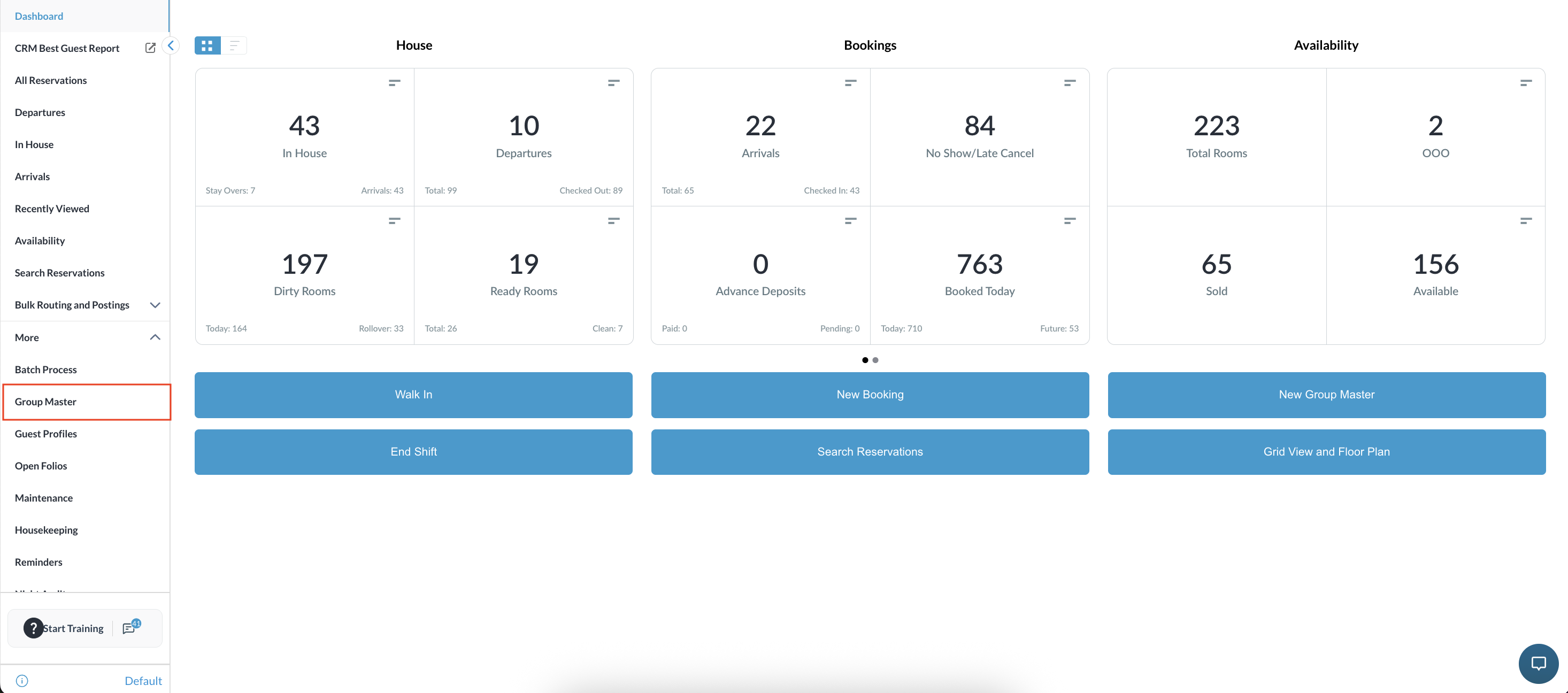
From the Dashboard, select More to expand the menu options and select Group Master |
|
|
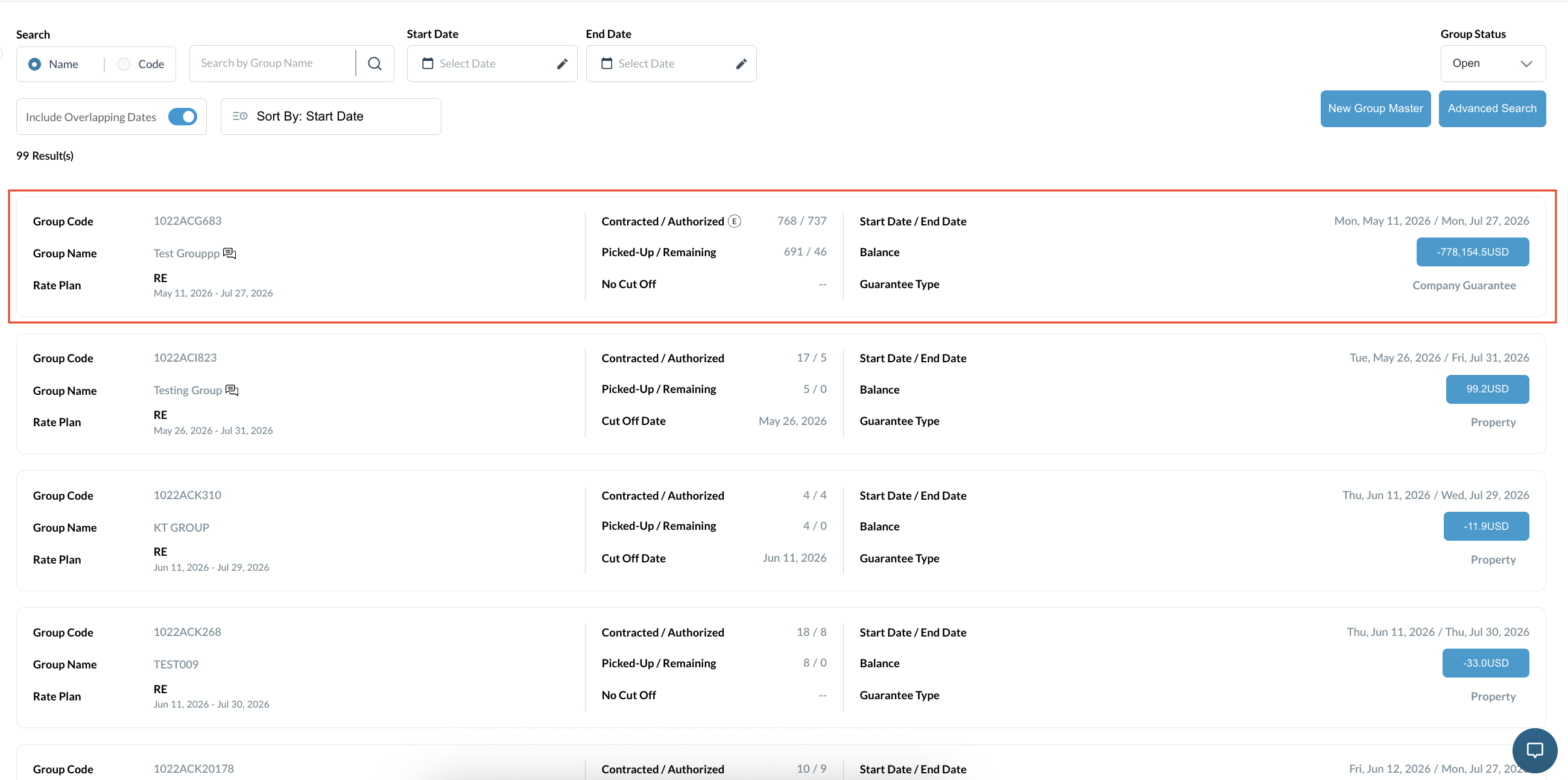
Search for the Group Master by Name, or Code, and/or Date. Select Status to refine the search. Select the Group Master from those listed. |
|
|
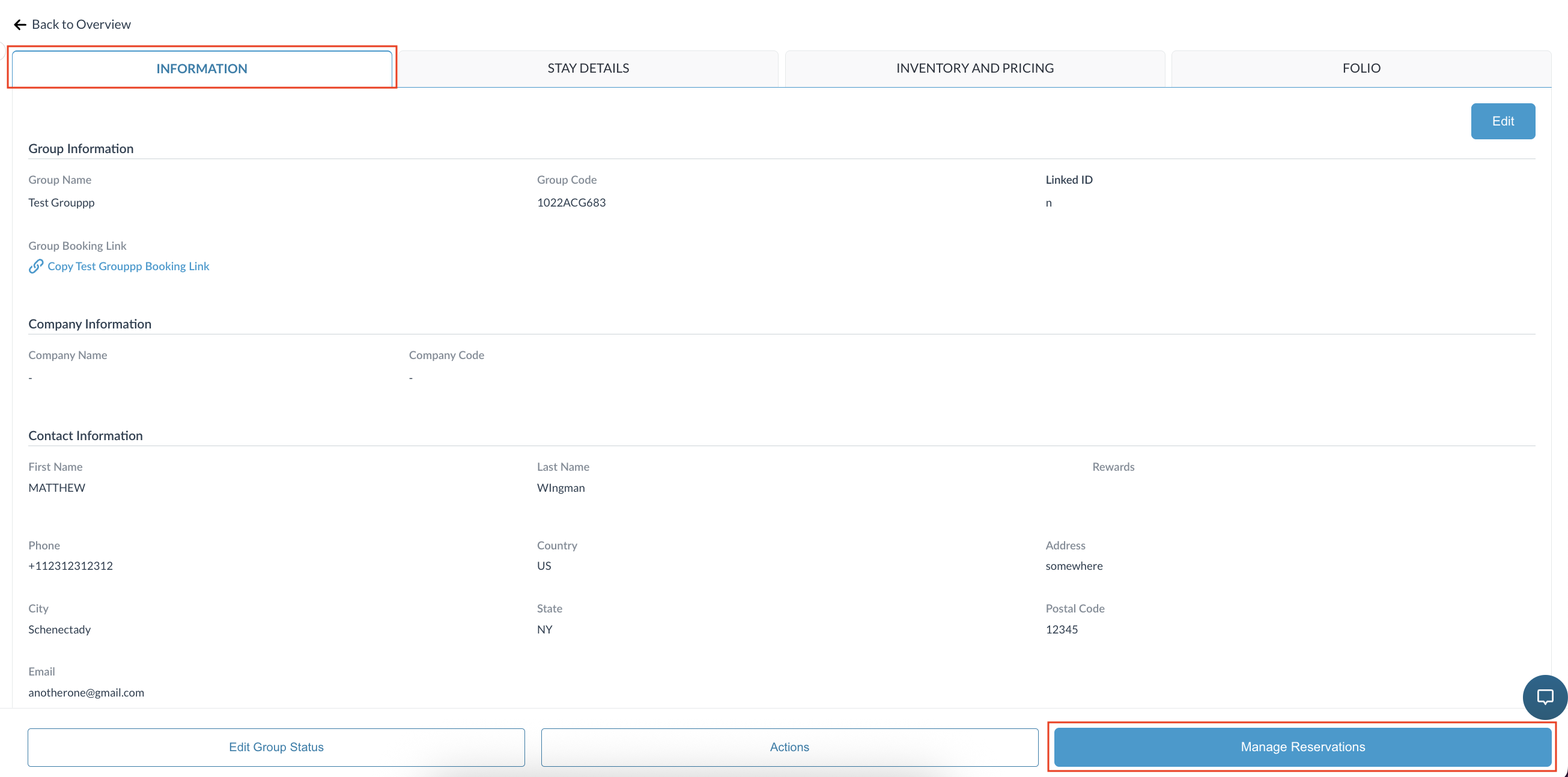
Information tab opens by default Click on the Manage Reservations tab |
|
|
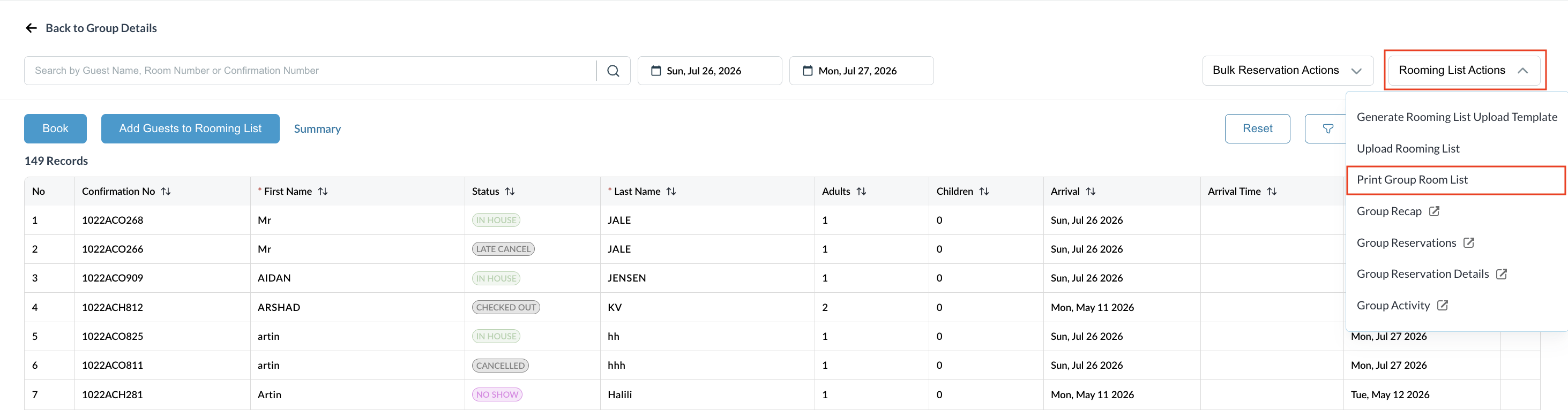
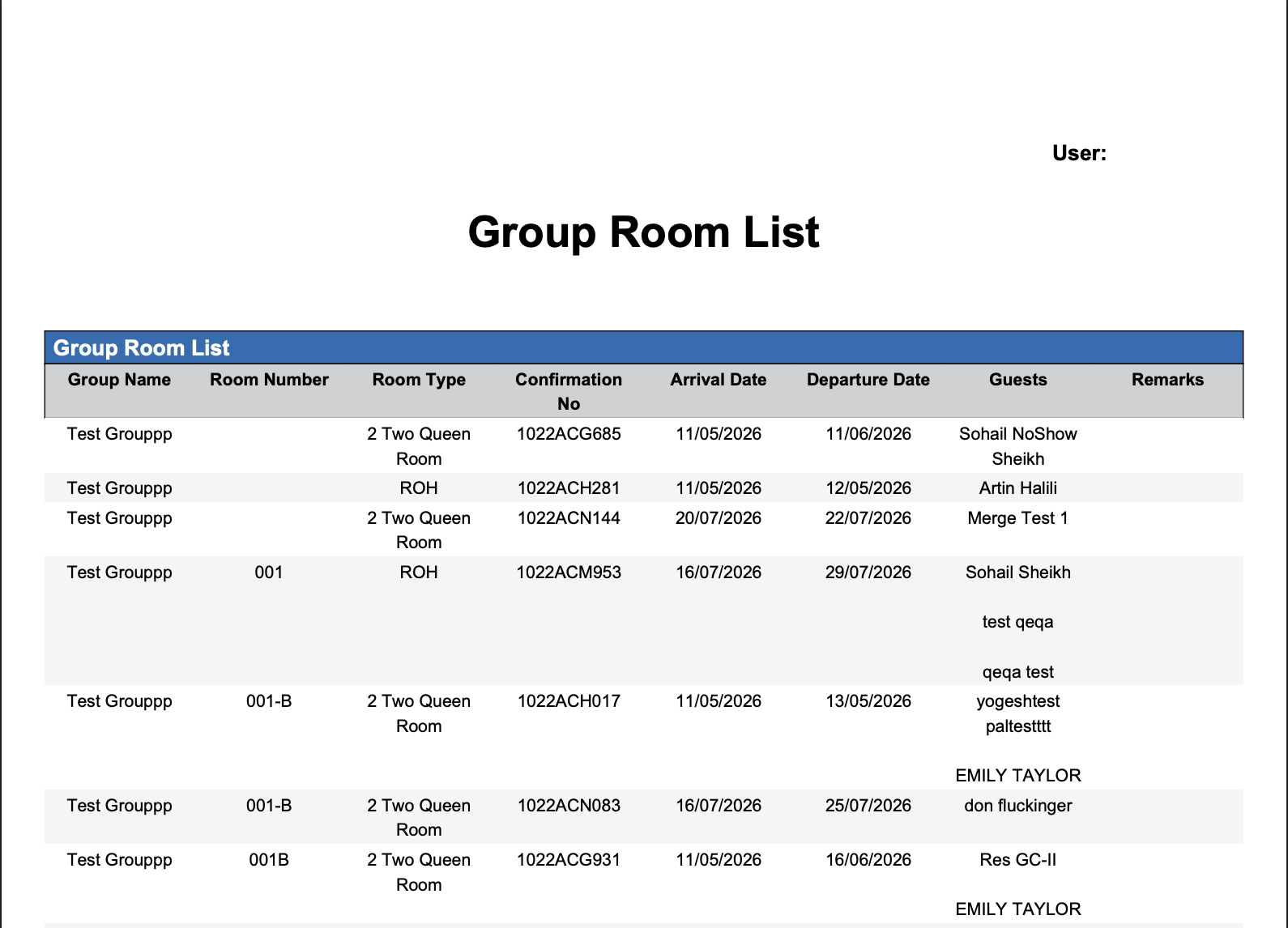
Click on Rooming List Actions button then click on Print Group Rooming List |
|
|
Download or Print the rooming list |
|
Access to Specific Group Reports from Rooming List
Generate pre-filtered, group-specific reports directly from the Group Master's Rooming List menu without needing to manually search or filter data in the main Reports module.
|
From the Dashboard, select More to expand the menu options and select Group Master |
|
|
Search for the Group Master by Name, or Code, and/or Date. Select Status to refine the search. Select the Group Master from those listed. |
|
|
Information tab opens by default Click on the Manage Reservations tab |
|
|
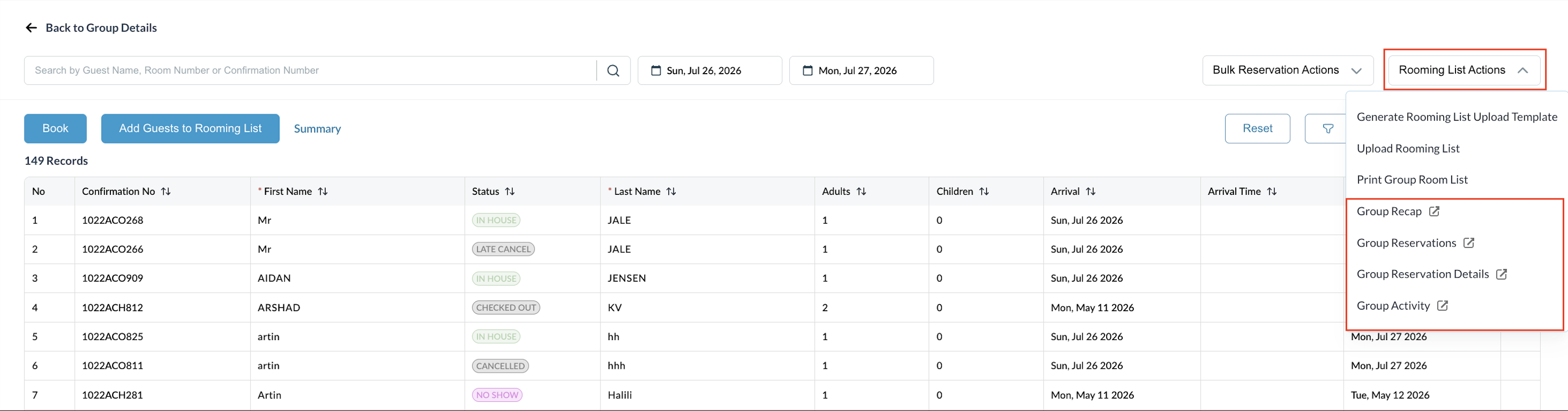
Click the Rooming List Actions button. Four report options appear in the dropdown (shown with an icon):
Click any one of the four options. |
|
|
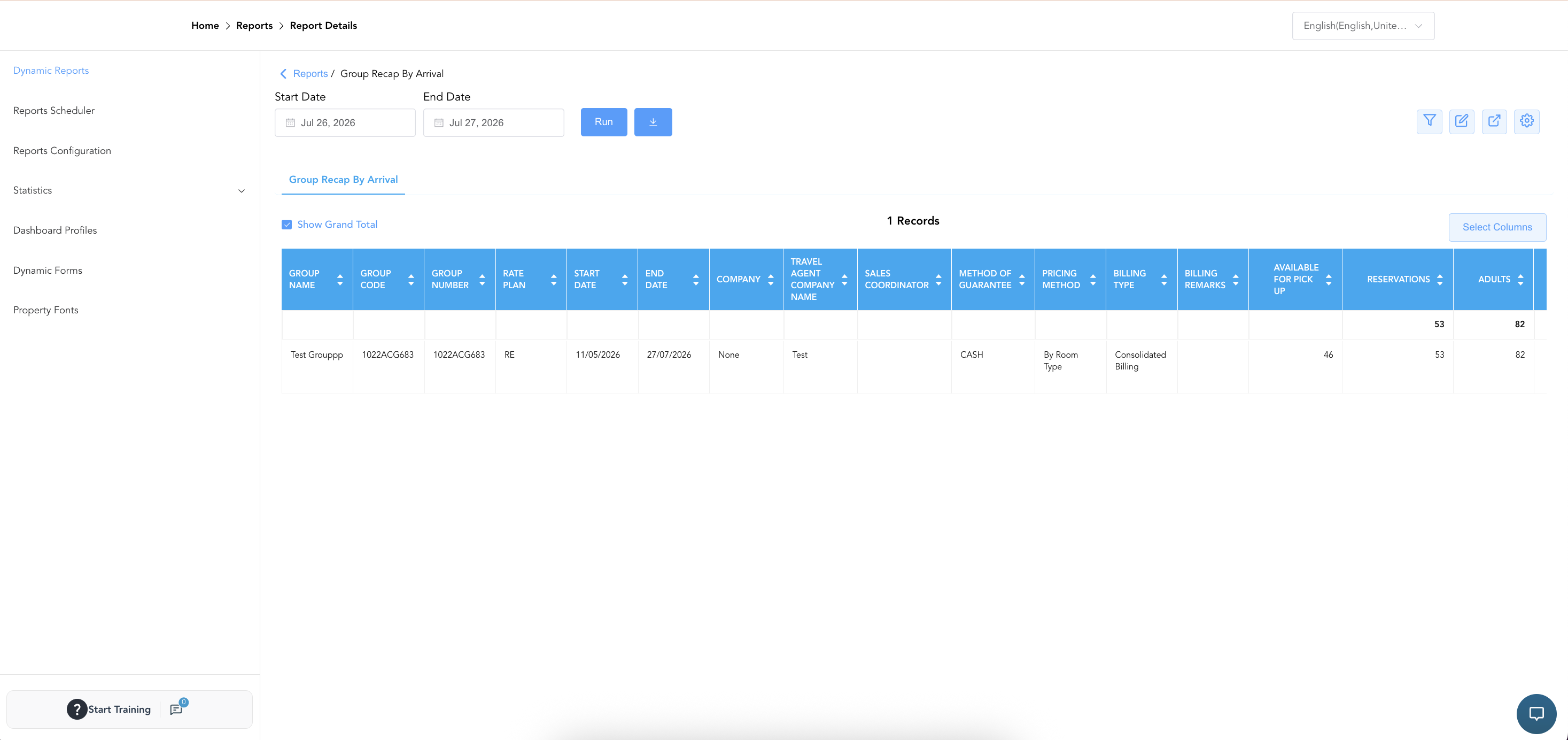
That specific report opens in a new tab. The selected report will automatically open in a new tab, already filtered to show data only for your currently selected Group Master. Note: The layout, columns, and data format perfectly match the main Reports module—it is the exact same report, simply launched from a more convenient shortcut |
|