
Revised Date:
A Recurring Group Block allows properties to efficiently create a series of repeating Group Masters (e.g., daily or weekly) in a single action, rather than building them individually. This feature enhances that functionality by introducing a configurable system setting that automatically generates a distinct Group Code for each individual block created within a recurring schedule. By ensuring every recurring block receives a dynamically generated identifier that adheres to brand naming conventions, the system prevents duplicate code conflicts and guarantees seamless synchronization with external central reservation systems.
This feature applies to Definite, Tentative, and Prospect Group Blocks using the "By Product" pricing method.
Use Cases
-
Seamless CRS/GRS Integration: Prevents synchronization failures within the 7-day GRS integration window by guaranteeing that no two recurring blocks share the same Group Code.
-
Distinct Multi-Block Management: Allows properties hosting daily or weekly recurring events (e.g., corporate training, airline crews, or weekly seminars) to identify, track, and manage each block independently.
-
Flexible Brand Adoption: The feature is completely toggleable, allowing properties that require unique codes to enforce them, while properties that prefer standard code generation can leave the feature disabled without workflow disruptions.
|
Navigate to the Frontdesk Dashboard > More and select Group Master |
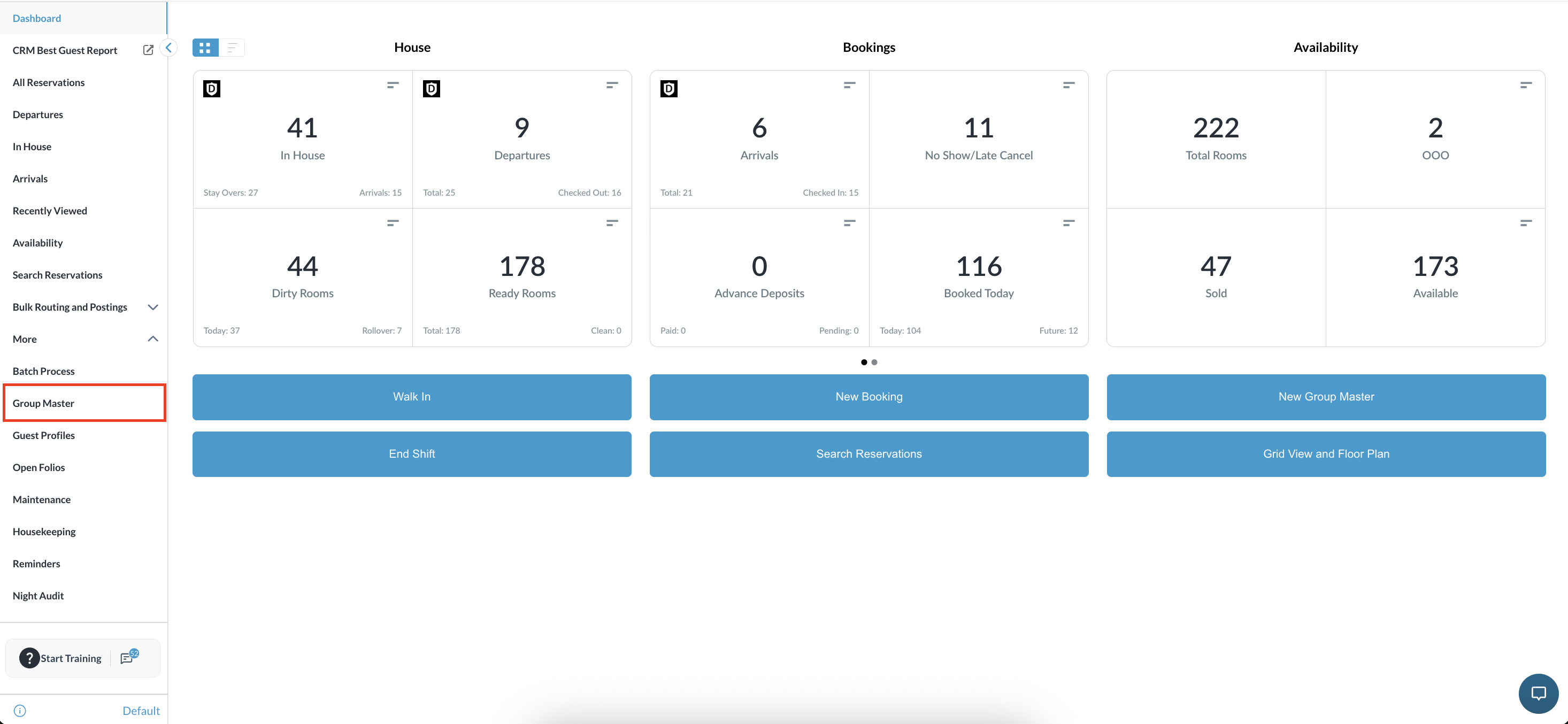
|
|
Choose the desired group reservation from the search or list. |
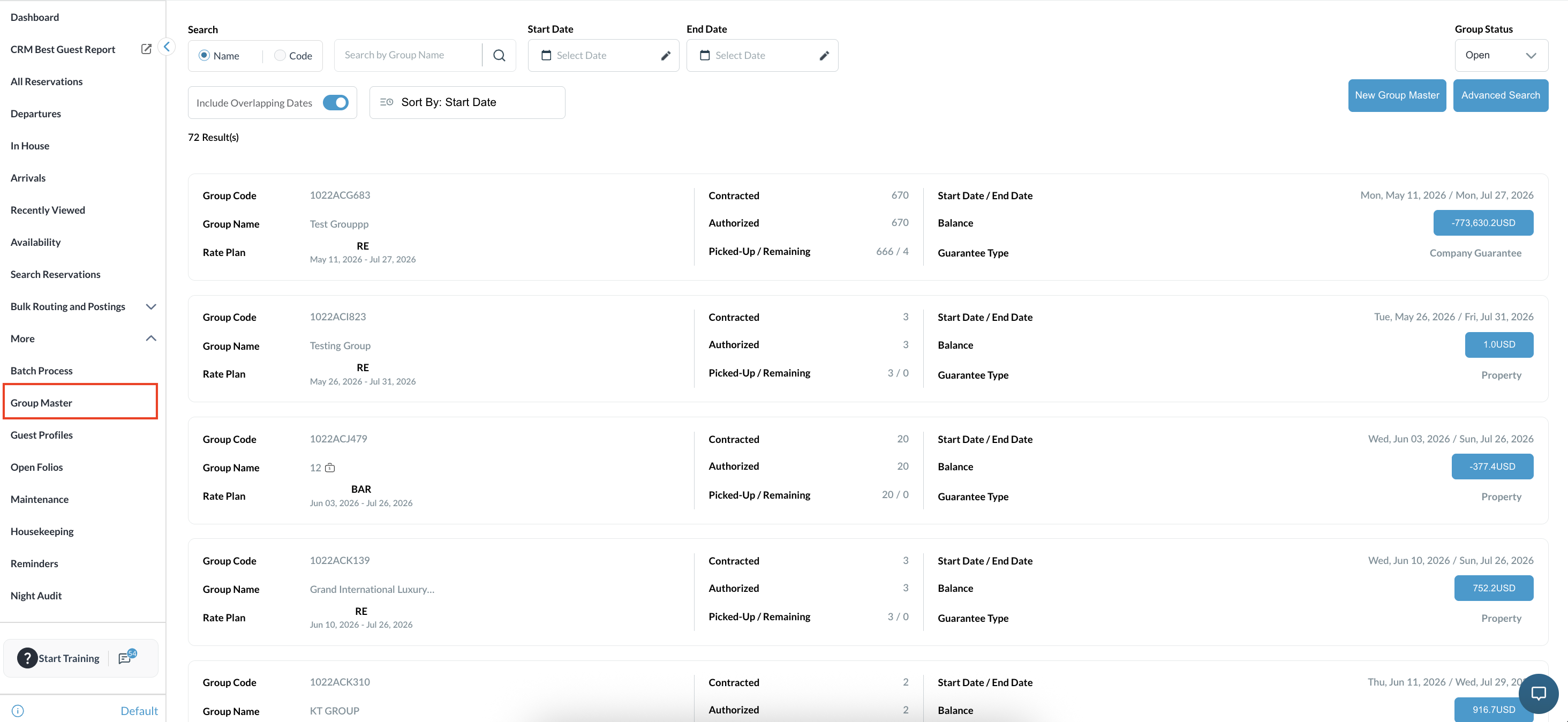
|
|
Navigate to the Information tab within the group and review the current Group Code and existing details. |
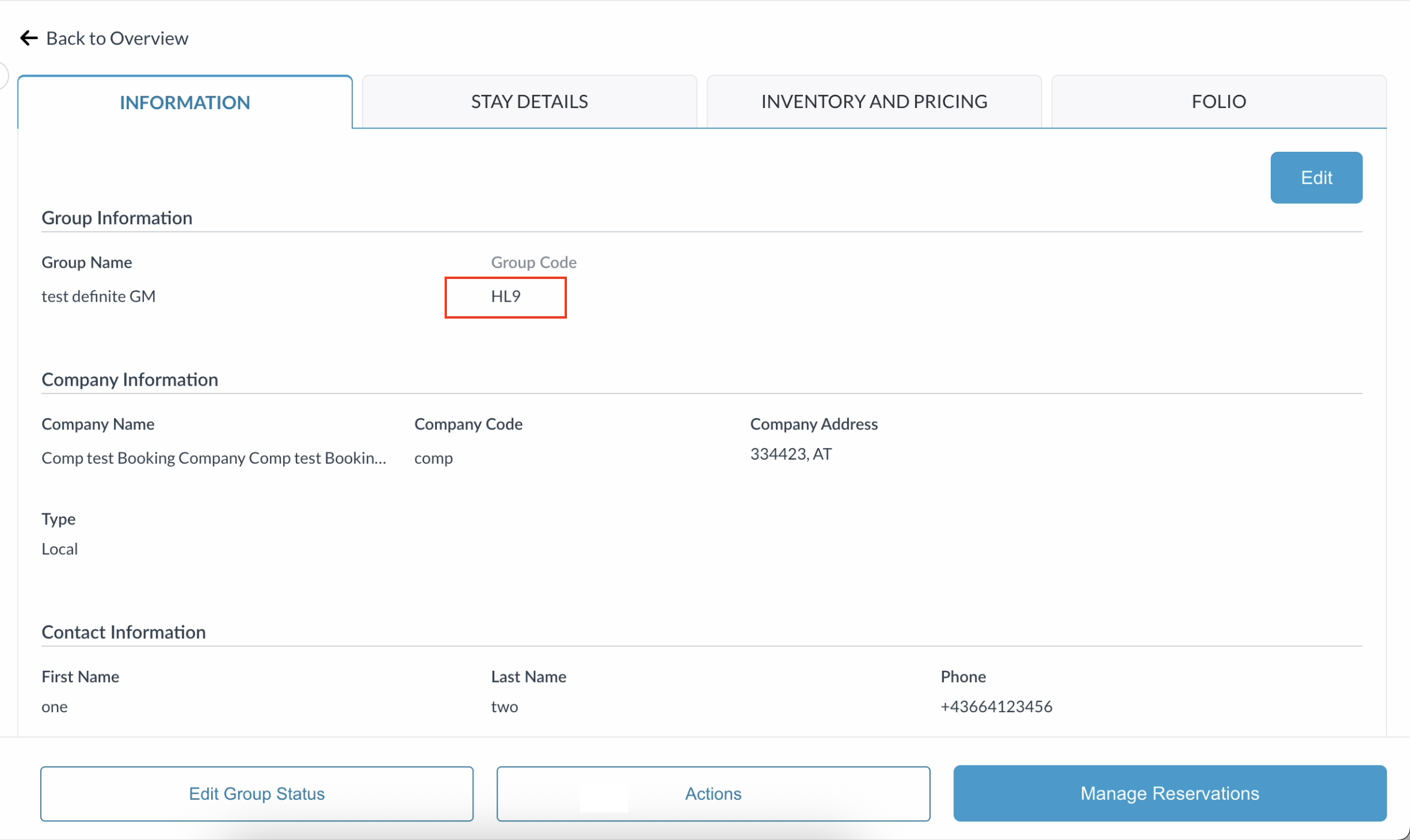
|
|
Click Actions and select Recurring Group Block from the dropdown menu |
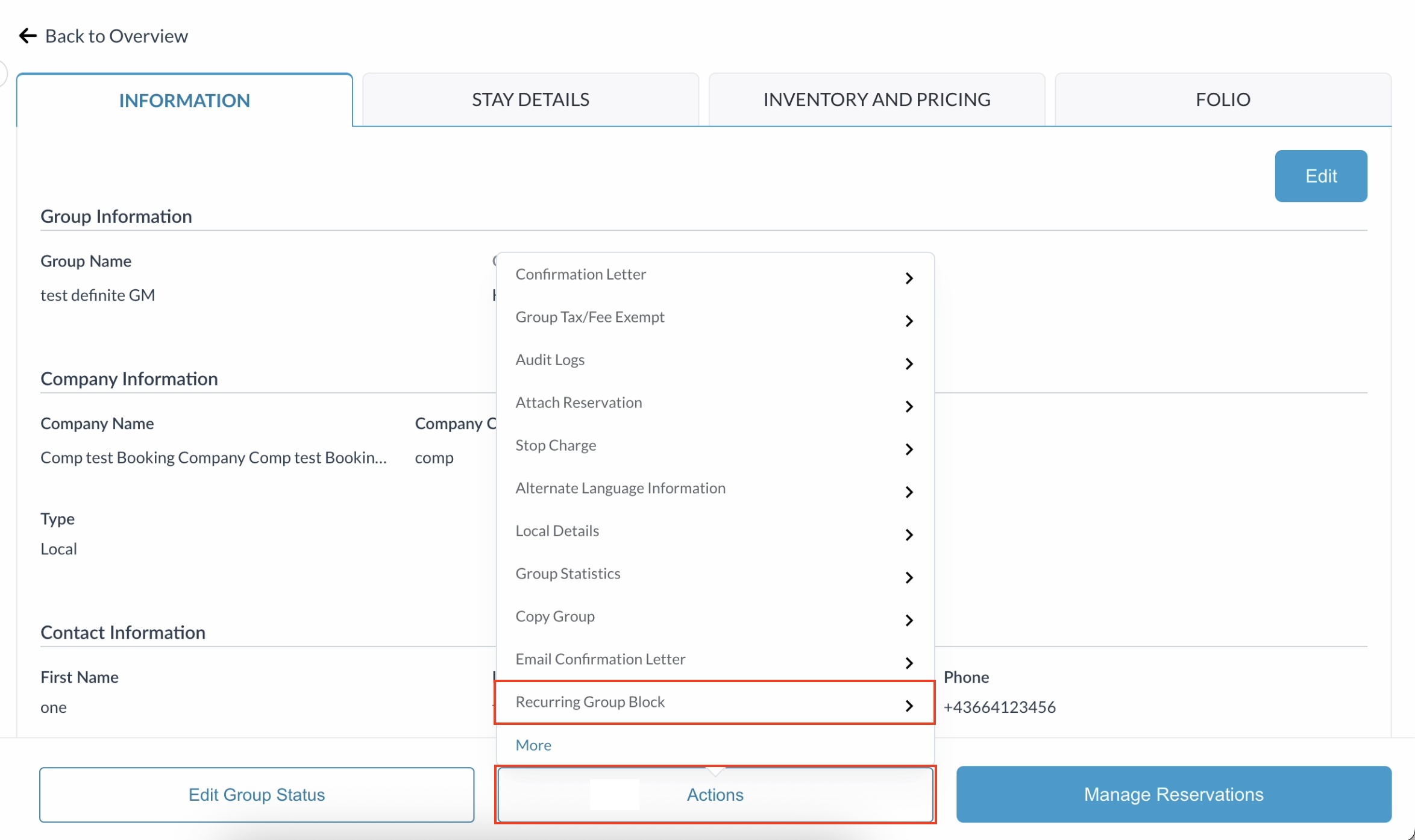
|
|
Set up the recurring schedule by configuring the following parameters:
|
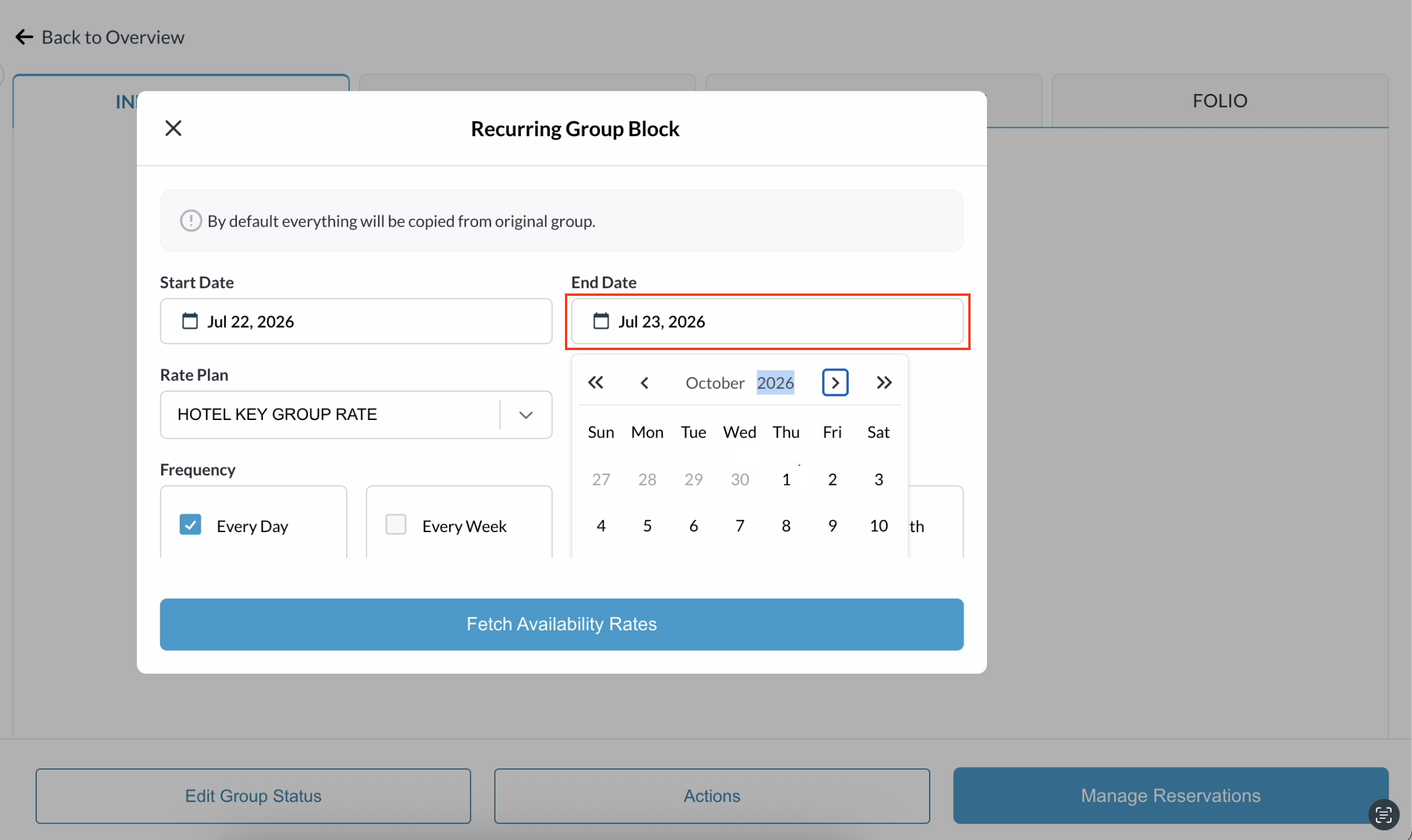
|
|
Click Fetch Availability Rates.
|
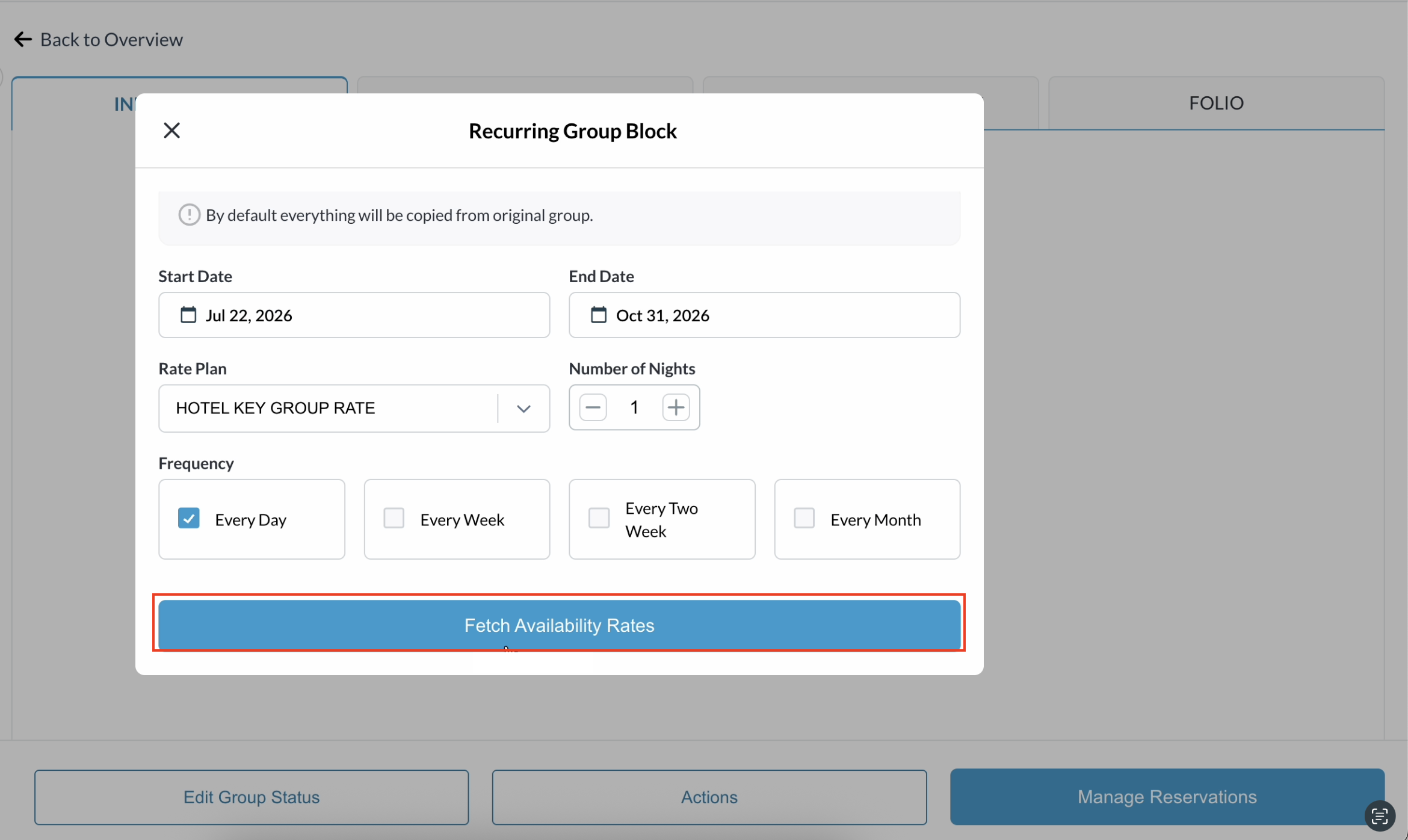
|
|
Observe that the Group Code field displays as a hyphen ( |
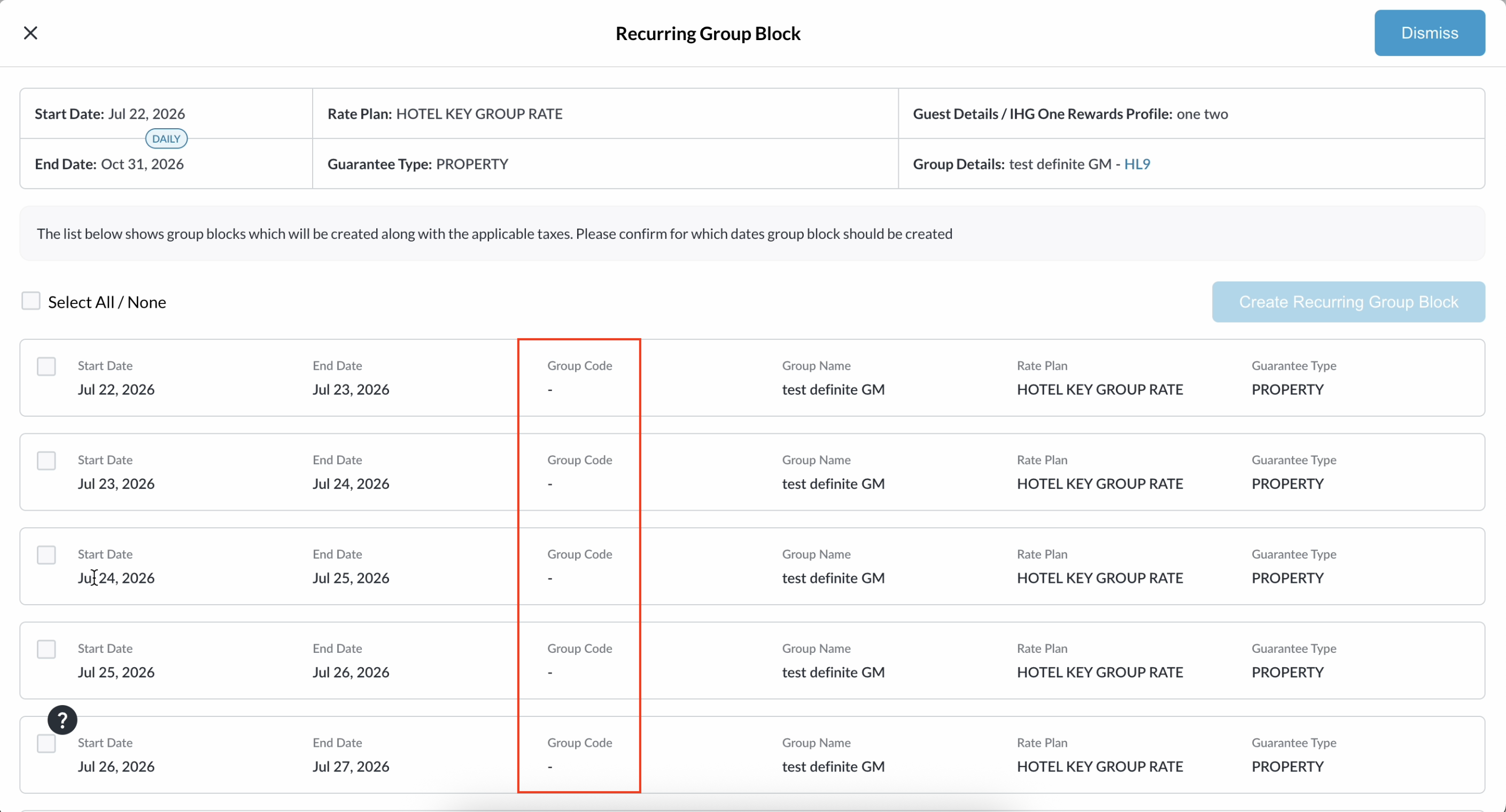
|
|
Use the checkboxes to select the desired reservations and click Create Recurring Group Block. |
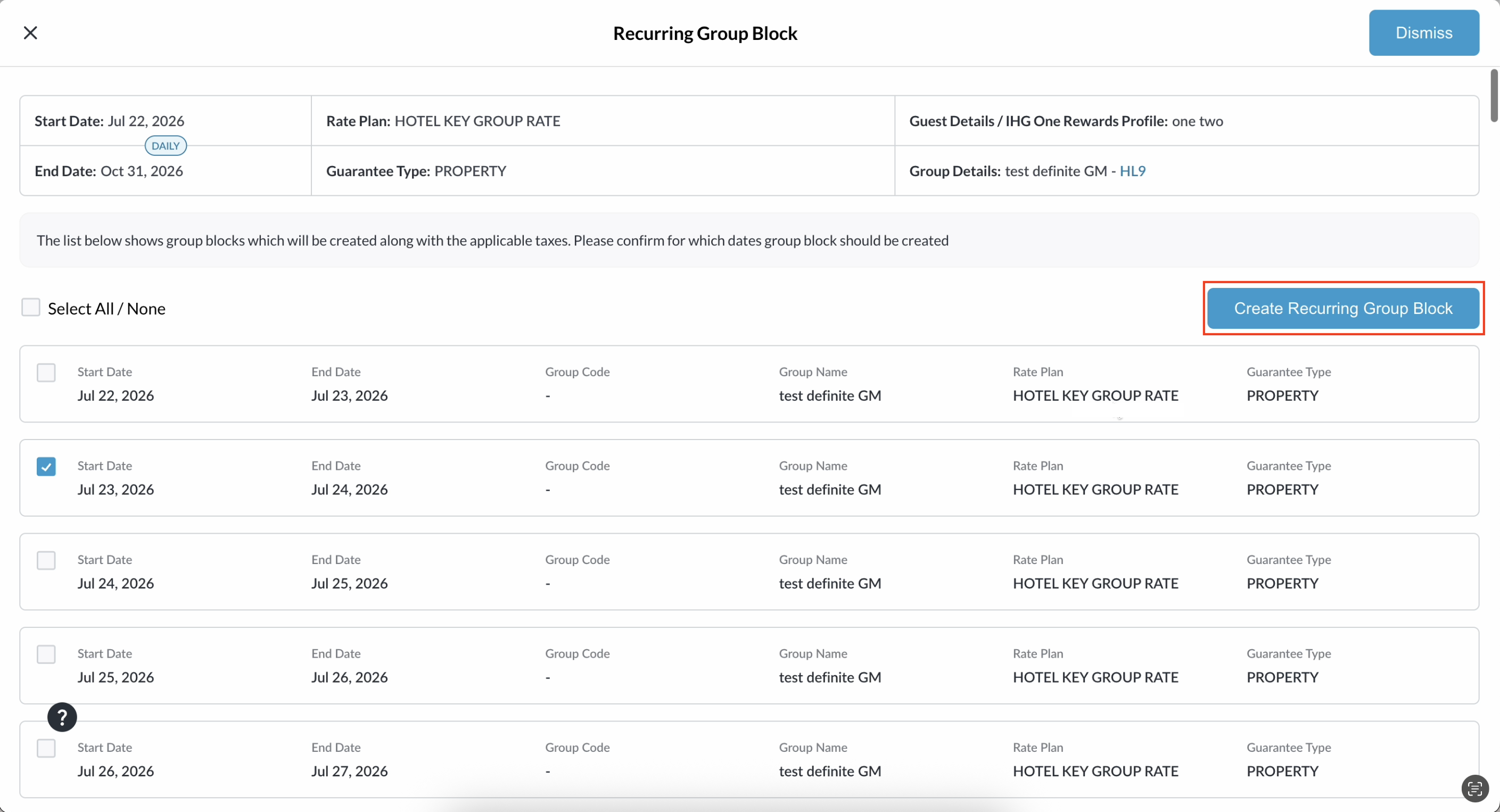
|
|
The system will now create the recurring group blocks, automatically assigning a unique, independently identifiable Group Code to each one. |
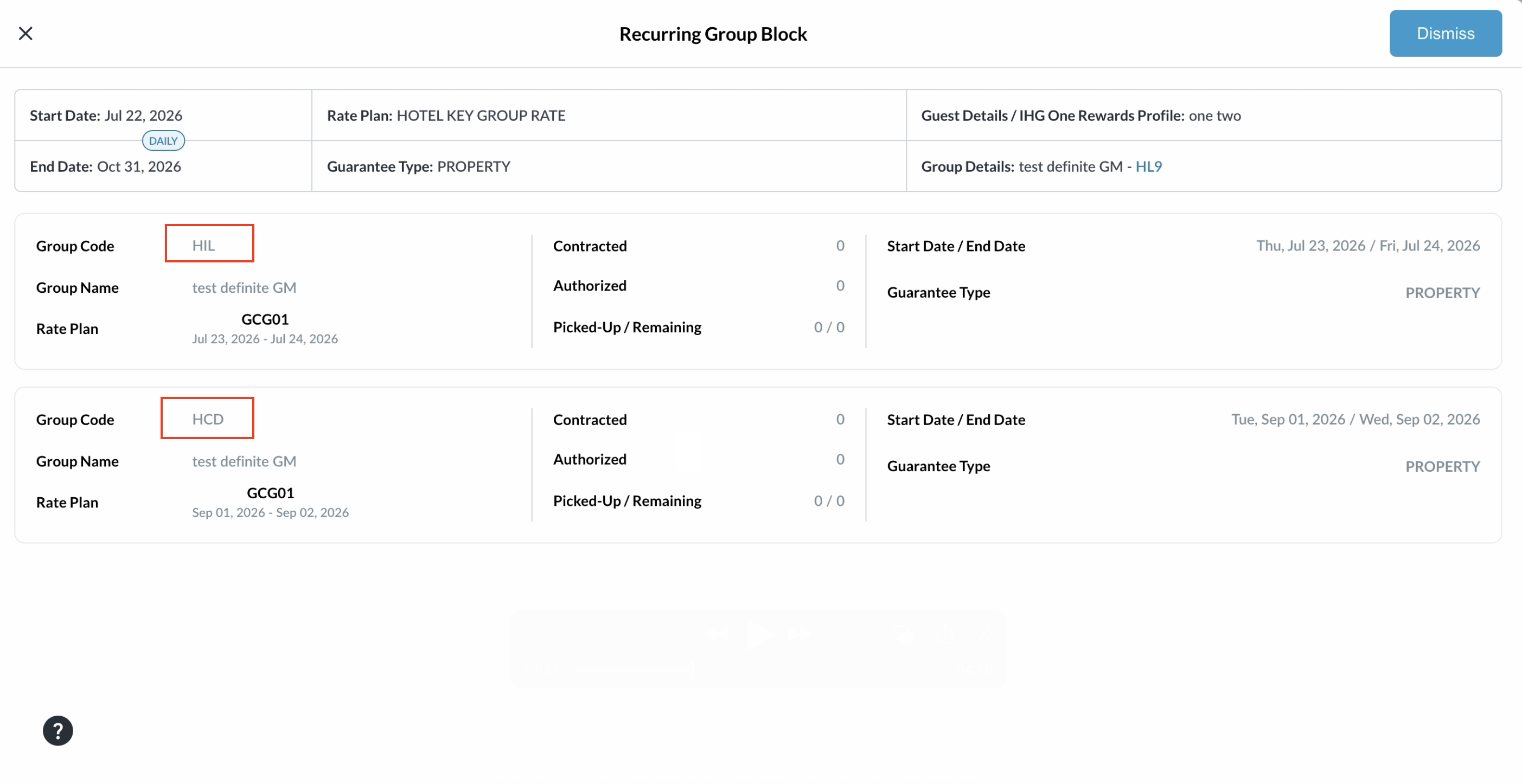
|
|
Open and verify the newly created group block, reviewing the new Group Code and ensuring that the required details were successfully copied from the original group. |
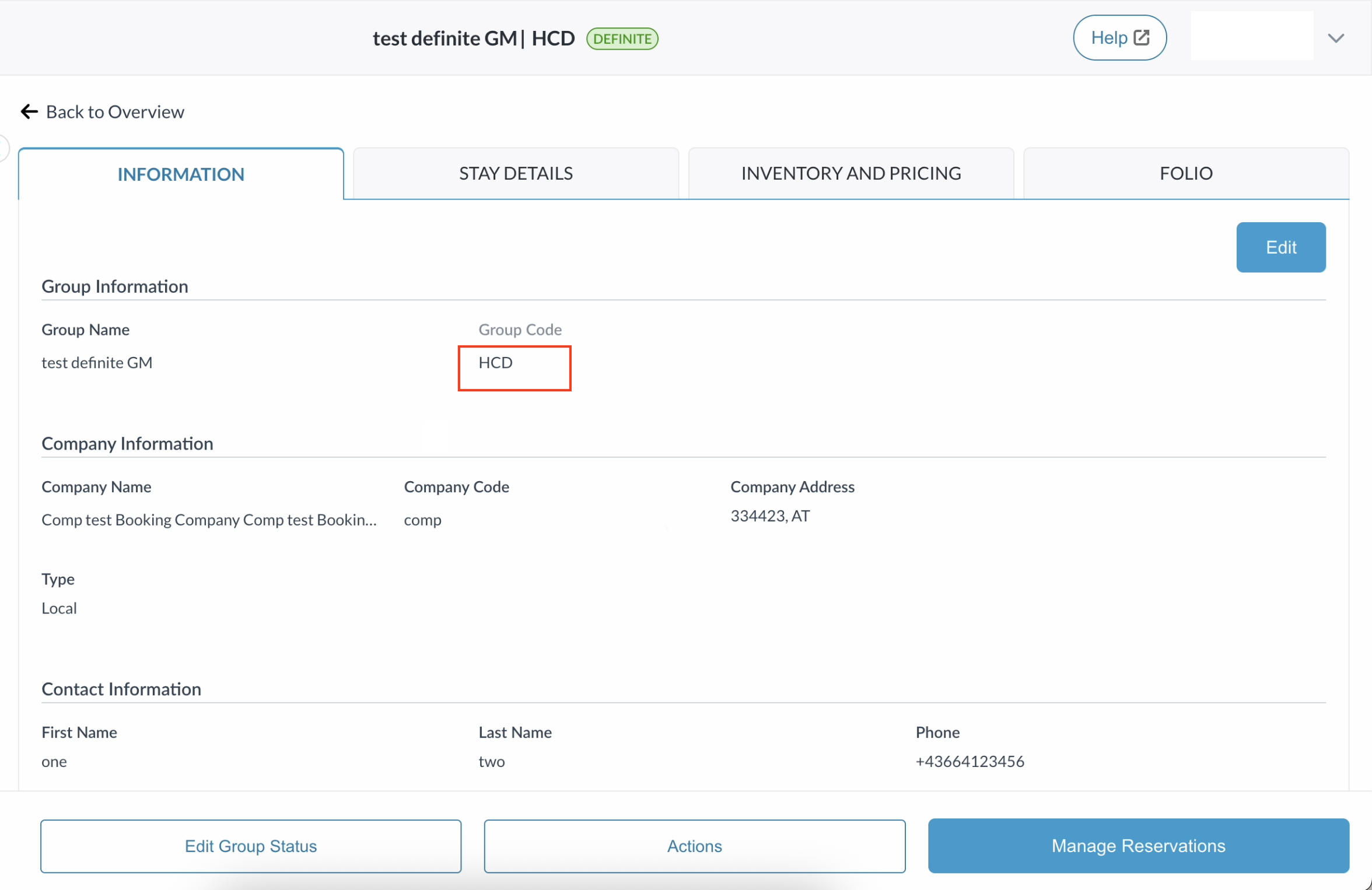
|
Notes
-
If the configuration is enabled but the API fails to return a unique code, the system automatically defaults to standard Group Code generation to ensure the block is successfully created.
-
Travel Agency Information and Local Guest details from the original Group Master do not currently copy over to the newly generated recurring blocks.